


When we first started building our email list, we made the classic beginner mistake of adding just a single “Subscribe” form and hoping for the best. Spoiler alert: it didn’t work.
It took years of testing and fine-tuning to figure out what actually drives email list growth. But once we found the right strategies, the results were game-changing.
At WPBeginner, simple tweaks like adding exit-intent popups boosted our signups by over 600%.
Running contests, such as for top commenters, also made a big difference. Even on X (formerly Twitter), sparking discussions has helped us grow our list and build a loyal community.
In this guide, we’re sharing the 17 most effective list-building techniques we’ve used at WPBeginner. These aren’t just theories – they’re battle-tested strategies that work for blogs, online stores, and small businesses alike. 🙌

Getting Started
An email list is the ultimate asset for any small business as it’s a powerful way to drive new customers or increase the lifetime value of existing ones.
Beyond that, you’re relating to your customers and sending them personalized messages that help solve a pain point.
“Email gives marketers a creative outlet to prove that we understand a prospect’s problem, we can provide a solution and we can do it in a delightful way. Our team often rewrites emails and autoresponders a dozen times to get the wording just right, because every email is an opportunity to relate to your leads and to prove that you’re relevant.”
Corey Dilley – Marketing Manager at Unbounce
 Corey Dilley – Marketing Manager at Unbounce
Before you start building your list, let’s talk about a few essential tools you’ll need to attract and add new subscribers.
First, you need to make sure you’re using a professional email marketing service so your emails don’t end up in the spam folder. These services provide the essential tools to help you build and grow your email list.
We recommend Constant Contact, one of the largest and most popular email marketing service providers. For complete step-by-step instructions, see our guide on how to start an email newsletter the right way.
Next, you will want OptinMonster, the best lead generation software for WordPress. It helps you turn abandoning website visitors into email subscribers. For a complete rundown, see our guide on how to build your email list in WordPress using OptinMonster.
Now that you have the best tools, we will share some of the most effective list-building strategies. Here are the topics we will cover in this guide:
- Use Multiple Signup Forms
- Use an Exit-Intent Popup
- Offer Content Upgrades
- Add Fully or Partially Gated Content in WordPress
- Run Giveaways and Contests
- Create Multiple Lead Magnet Pages
- Use Discounts and Deals
- Use Contact Form to Grow Your Email List
- Add Sign Up Call to Action on Your Facebook Page
- Run Lead Generation Ads on X (Formerly Twitter)
- Use YouTube Call to Action Cards
- Use After Post and In-Line Opt-In Forms
- Add Polite Slide-in Scroll Box Forms
- Use Prominent Headers With Call to Action
- Use Social Proof to Encourage More Sign Ups
- Use Gamified Campaigns
- A/B Test Your Opt-In Forms
- Bonus Tip 💡 : Automate Your Email List Growth
- FAQs: Grow Your Email List Faster
- Other Helpful Email Marketing Guides for WordPress Site Owners
Ready? Let’s get started.
1. Use Multiple Signup Forms
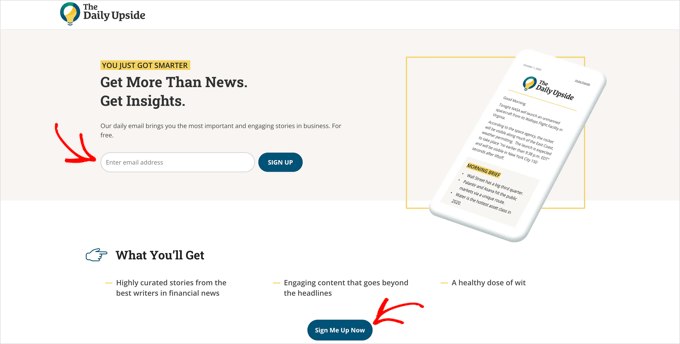
We mentioned earlier that many beginners start with a simple newsletter signup form in their sidebar.
While sidebar forms can be effective, they typically don’t perform well on their own.
If you want to get more email subscribers, then you need multiple signup forms. This gives your users more opportunities to join your email list.
At WPBeginner, we use multiple opt-ins ourselves, such as offering free website growth tips and free WordPress training.
We recommend combining your sidebar signup form with a sticky floating bar or a lightbox popup. These highly effective campaign types make your signup forms more noticeable.
With OptinMonster’s Display Rules, you can set time or behavior-based triggers so users aren’t overwhelmed by seeing all opt-ins at once.
For example, you can set a display rule to only show the floating footer bar opt-in once the user has scrolled past the sidebar opt-in, and show a lightbox popup only when they’re about to leave your WordPress website.
2. Use an Exit-Intent Popup
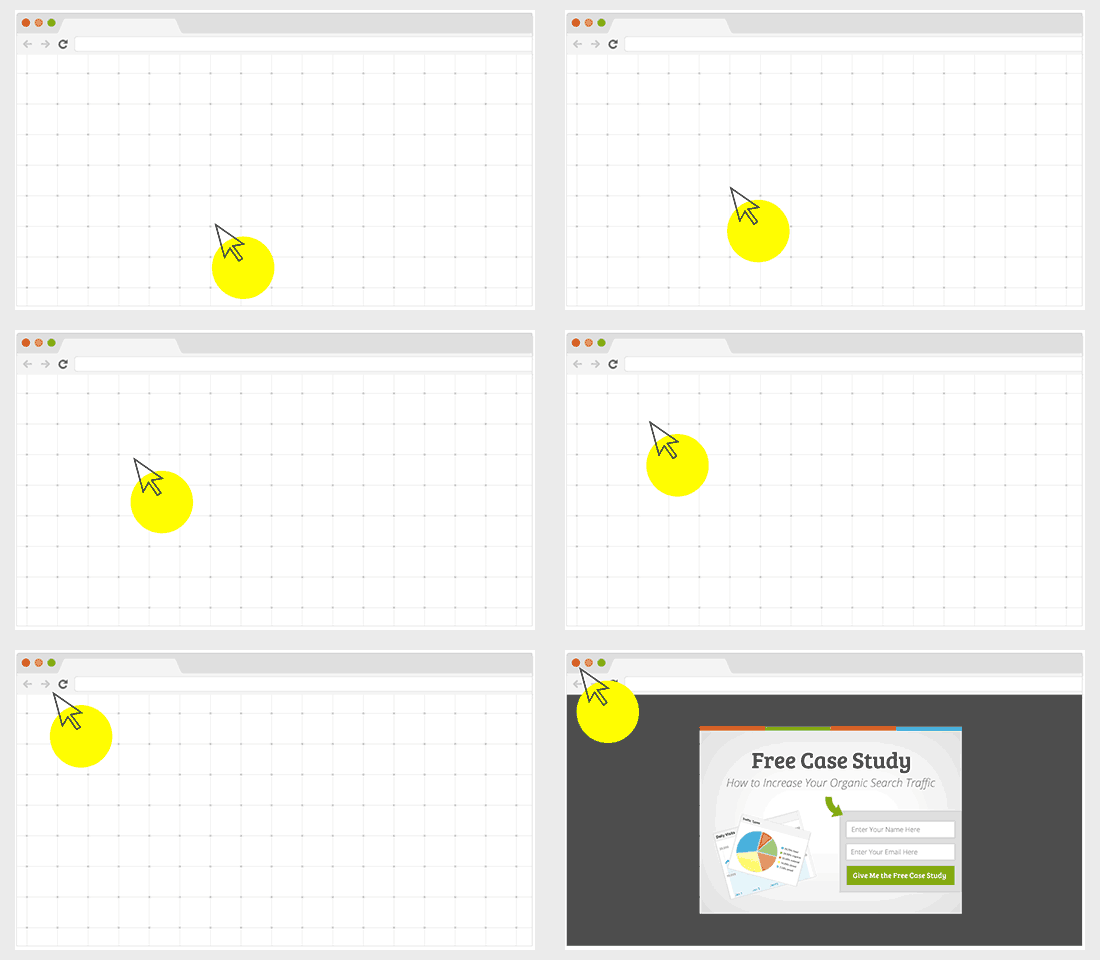
Exit-Intent® is an advanced technology built by OptinMonster that tracks your user’s mouse behavior and shows them a targeted email signup form at the precise moment they are about to leave your website.
We use an exit-intent popup on WPBeginner, and it helped increase our subscribers by 600%.
Also, Michael Stelzner from Social Media Examiner used it to add over 250,000 new email subscribers.
You can use this technology in combination with full-screen welcome gates, lightbox popups, or other opt-in types to convert abandoning visitors into new email subscriptions.
3. Offer Content Upgrades
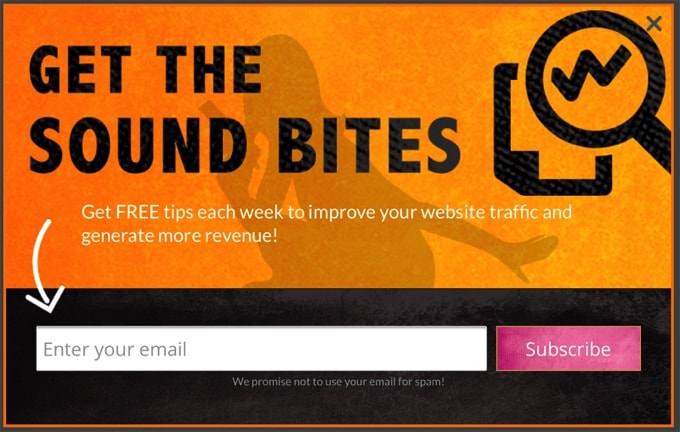
A content upgrade is a marketing technique where you offer users a chance to get exclusive bonus content by signing up for your email list.
For example:
- If you run a podcast, then you can offer show notes + transcription as a content upgrade.
- If you have a long-form blog post, then you can offer a downloadable PDF version as a content upgrade.
- You can turn your blog posts into a checklist or cheat sheet and offer it as a content upgrade.
Here are other content upgrade ideas that you can use.
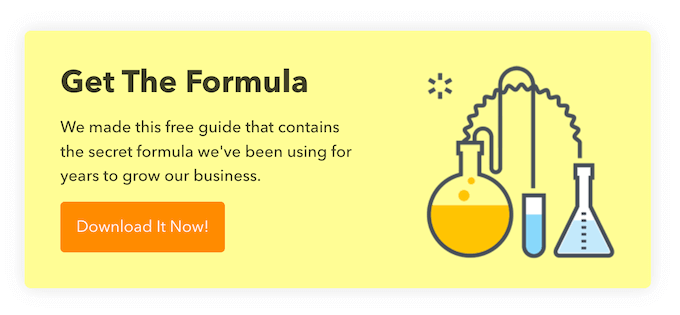
Content upgrades work so well because of a simple psychology known as the ‘Zeigarnik Effect.’
When a visitor takes a small step, like clicking a link to get your checklist, their brain wants to finish the task. This makes them much more likely to follow through and subscribe to get their freebie.
This means that when the user takes the initiative to click on the content upgrade, they are more likely to complete the task by subscribing to your list.
You can use lead magnet software like Beacon to easily create ebooks, checklists, workbooks, and other content upgrades. It comes with pre-made templates, a drag-and-drop builder, an automatic blog post recycler, and more.
To learn more, you can see our step-by-step guide on how to add content upgrades in WordPress to grow your email list.
4. Add Fully or Partially Gated Content in WordPress
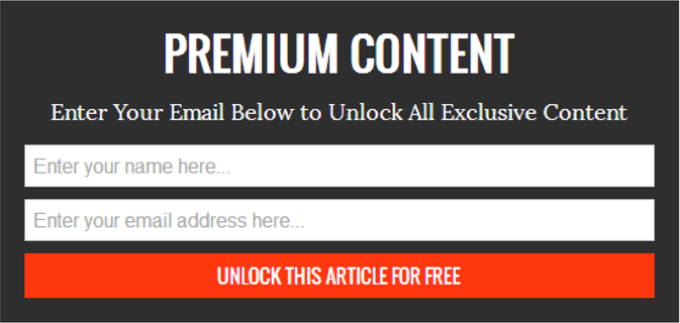
Gated content is the content on your website that can’t be accessed until the visitor enters their email address. You can use plugins to hide some of your content or hide the entire blog post until the user enters their email address.
In the past, hiding your content could sometimes hurt your SEO rankings. While modern tools have made this process safer, it’s important to be careful.
Search engines like Google prefer to see the same content that your visitors do. We recommend using content gating for bonus materials rather than hiding entire articles, which is the safest approach for your SEO.
Here’s a step-by-step tutorial on how to add content locking to WordPress.
🔗 Related: After adding content locking, you might want to see how we at WPBeginner use a video membership site to boost email subscribers.
5. Run Giveaways and Contests
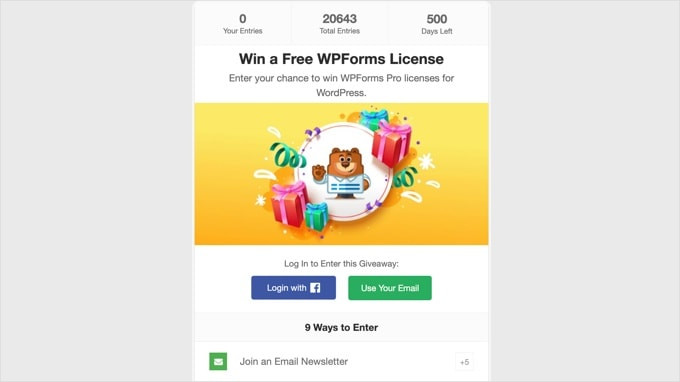
An easy way to quickly get a lot of new followers and subscribers is by running a viral giveaway or contest. You don’t need an expensive prize to launch a successful giveaway.
Users can join your contest by providing their email address, social sharing, or following you on social media. This creates a snowball effect and helps you reach many new users.
We recommend using RafflePress, the best WordPress giveaway plugin on the market. It comes with a drag-and-drop giveaway builder and tons of social actions to make your campaign a success.
At WPBeginner, we’ve run several giveaways to reward our readers for engaging and sharing their insightful thoughts on our content. We found that it made a big difference in boosting our engagement and helped grow our email list.
And we actually use RafflePress for all of our giveaways! Read our complete RafflePress review to see what it can do.
For details about the step-by-step, you can check out our guide on how to run a successful giveaway/contest in WordPress.
6. Create Multiple Lead Magnet Pages
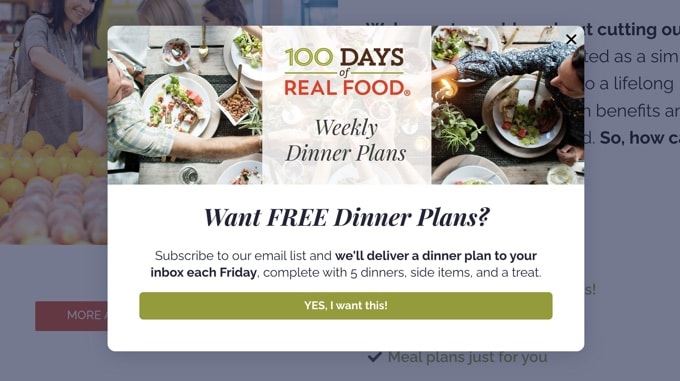
A lead magnet is an incentive you offer to potential subscribers in exchange for their contact information, like their name or email address.
Your blog posts with locked content, content upgrades, and premium content all fall into the lead magnet category.
Lead magnets must offer additional value to your target audience, such as checklists, case studies, and high-quality infographics. You could also offer a free ebook, webinar, resources newsletter, or workbook.
Feel free to go through these highly effective lead magnet ideas for inspiration.
7. Use Discounts and Deals
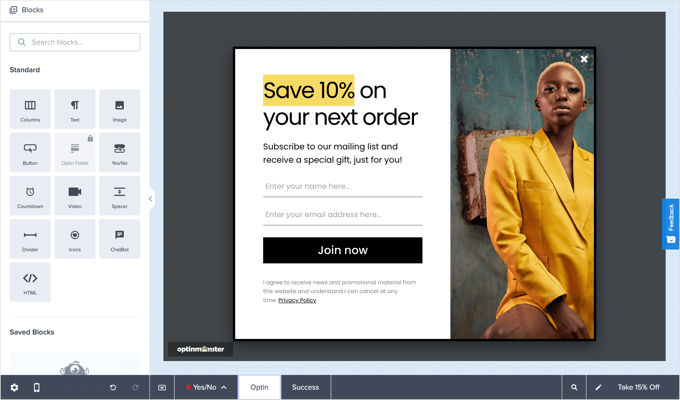
Sometimes, a discount or exclusive coupon is what encourages a potential customer to finally make a decision.
So, you can actually use this opportunity to encourage them to join your email list.
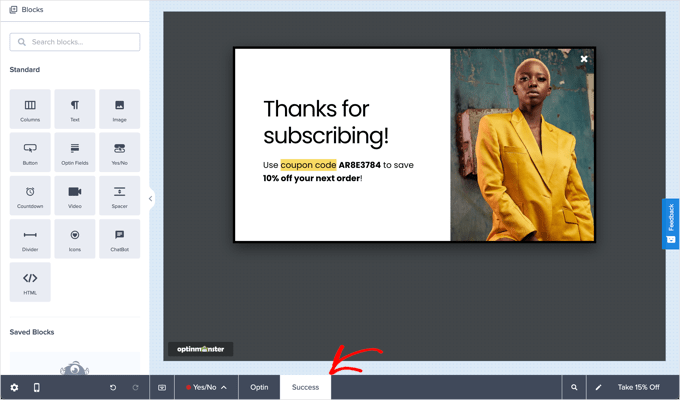
If you are using WooCommerce, then you can simply go to the Marketing » Coupons page to create a coupon.
After that, you can use OptinMonster’s ‘Success’ view to reveal the discount code after users enter their email address.
For detailed instructions, you can read our guide on how to create one-time personalized coupon codes in WooCommerce.
8. Use Contact Form to Grow Your Email List
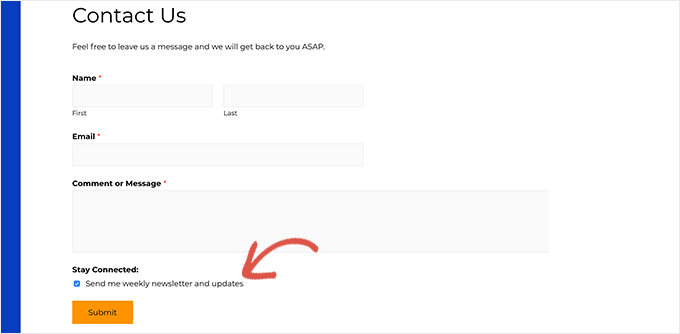
Contact forms are another great opportunity to grow your list. Since users already provide their email address, you can simply add a checkbox for them to subscribe with a single click.
We use WPForms at WPBeginner, and we strongly recommend it as the best online form builder on the market. It allows you to connect your forms with top email marketing services and easily build forms with a simple drag-and-drop tool.
For more insights into the tool, check out our full WPForms review.
Then, to learn how to optimize your contact list for email subscriptions, refer to our guide on how to use the contact form to grow your email list.
9. Add Sign Up Call to Action on Your Facebook Page
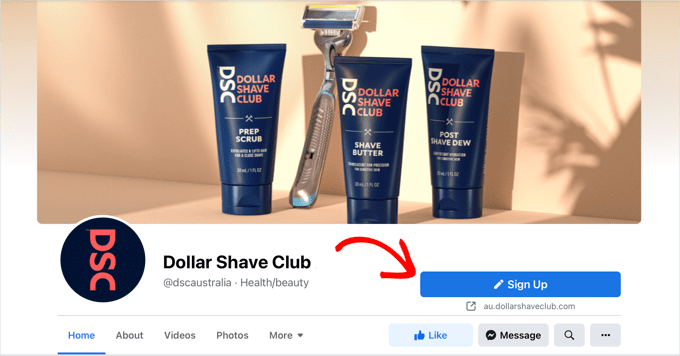
Facebook has introduced call-to-action (CTA) buttons for business pages. These buttons are prominently displayed on top of your cover image and are visible without scrolling.
You can use those buttons to add a signup button as a call to action on your Facebook page and speed up the process of list building.
To set this up, go to your business’s Facebook page and click the main call-to-action button below your cover photo (it might say ‘Edit,’ ‘Add a button,’ or show an existing call to action).
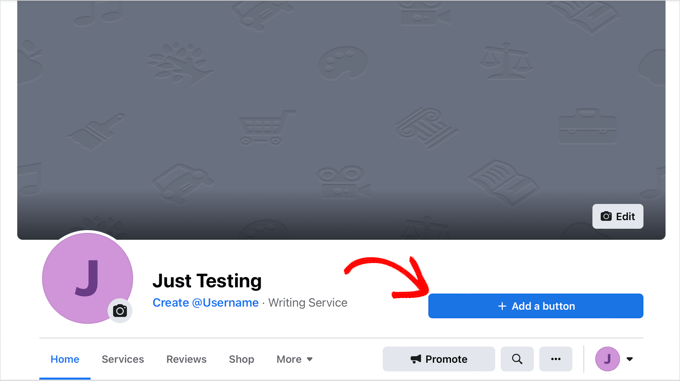
If you click on this button, it will bring up a popup with multiple choices.
You need to click ‘Sign Up’ and then provide a link to a landing page on your site where they can sign up for your email list.
Don’t forget to click ‘Save’ to add the CTA button to your page.
🔗 Related: Want to level up your CTA game? Then, you can see our guide on CTA best practices to boost your conversions.
10. Run Lead Generation Ads on X (Formerly Twitter)
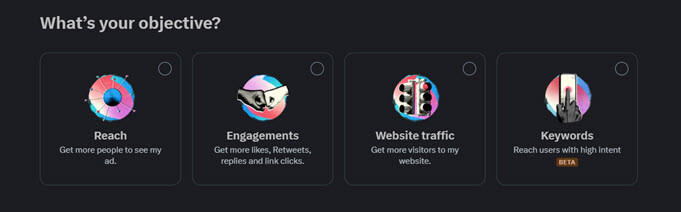
X / Twitter Ads give you another great way to grow your email list.
You can run ‘Lead Generation’ campaigns, which show users a tweet with a call-to-action button. When a user clicks the button, their name and email address (pulled from their X profile) are automatically filled in.
They just have to click one more time to subscribe, making it incredibly easy for them to join your list without ever leaving the platform. This is a powerful way to capture new leads directly from discussions and promotions you’re running on X.
We’ve used X ads as a way to create discussion and drive more interest in our tutorials. X is known for its back-and-forth dialogue, which is a great way to grow and build a community of loyal followers.
You can also drive traffic to your website and use the email signup forms as a conversion tool. Additionally, you can create special offers for X users and tweet the links to your followers.
11. Use YouTube Call to Action Cards

YouTube is one of the largest social media platforms and the second most popular search engine in the world. If you are using YouTube videos as part of your marketing strategy, then you can use your YouTube channel for email list building.
YouTube action cards allow you to add interactive information cards to your videos. You can use them to add calls to action and link them to lead magnets on your website.
To learn more about it, here’s how to add YouTube action cards to your videos.
YouTube gives you plenty of opportunities to promote your email list. For more ideas, see this tutorial on how to build your email list using YouTube videos.
🔗 Related: Feel free to check out WPBeginner’s YouTube channel to see how we use call-to-action cards.
12. Use After Post and In-Line Opt-In Forms
After the post-opt-in, forms appear when a user has already scrolled down an entire article. This means that they are already interested in your content and are much more likely to sign up.
You can also use in-line opt-in forms within your blog posts. Users are most engaged with your long-form content when they’ve reached the middle.
Reminding them to sign up at that point works like a charm!
13. Add Polite Slide-in Scroll Box Forms

We mentioned earlier that users simply ignore most static signup forms. The goal is to divert the user’s attention to your offer and signup form.
Slide-in scroll box forms do that beautifully.
They stay out of the way so that users can look at the content and then slide in from the bottom right corner of the web page when users scroll down. This slide-in animation will grab your readers’ attention and encourage them to sign up.
14. Use Prominent Headers With Call to Action
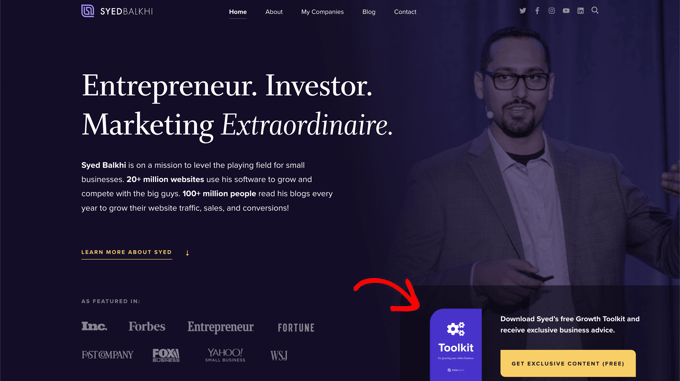
The header area of your website is most prominently visible to visitors when they first arrive on your homepage. This makes it the most effective spot to place your call to action.
You will need a WordPress theme that comes with a large or full-screen header.
Using a page builder plugin like SeedProd is also a beginner-friendly option.
Some of our partners use SeedProd to build their websites, and we’ve seen how well these websites perform. You can learn more about the platform in our in-depth SeedProd review.
SeedProd lets you create custom pages with ease – you can start with a template and personalize it to fit your style. It even lets you build custom WordPress themes, all without needing any code.
15. Use Social Proof to Encourage More Sign-Ups
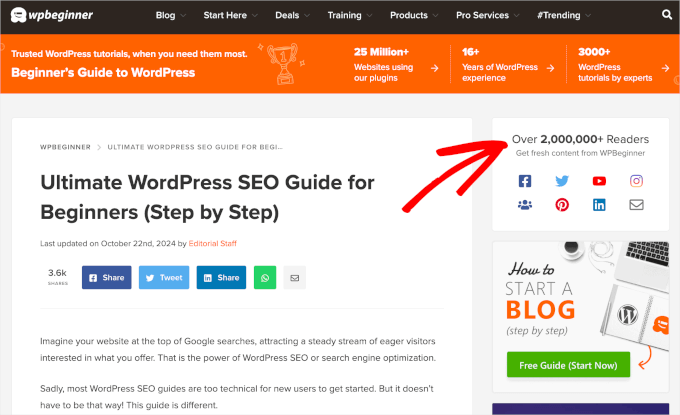
Social proof is a psychological effect used to describe a social behavior where people feel more comfortable following other people. Marketers use social proof as a tactic to ease the minds of worried customers and increase conversion rates.
As you can see, we added social sharing buttons on our site to encourage readers to follow us on social media. This way, they can stay up-to-date with our latest content and partnerships.
There are many ways you can use social proof to get more subscribers. You can use testimonials on your landing pages, add reviews, and show the number of registered users.
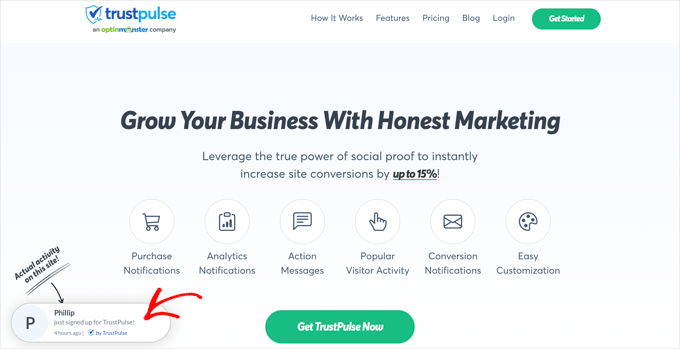
You can also use bubble notifications like TrustPulse to increase newsletter signups and eCommerce conversions. Check out our full TrustPulse review to see why we recommend it
Then, you can go through our guide on how to use FOMO on your WordPress site to increase conversions for detailed instructions.
16. Use Gamified Campaigns
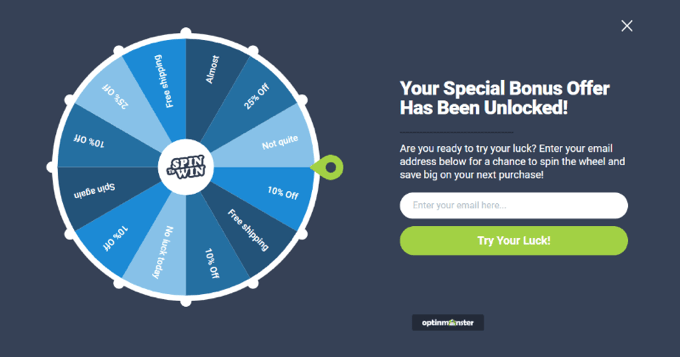
Experts agree that gamification helps boost user engagement. Did you know that you can use gamified campaigns to boost newsletter conversions as well?
For example, on the MonsterInsights blog, we use a ‘Spin a Wheel‘ campaign created with OptinMonster to grow our email list. This interactive popup offers visitors a chance to win a discount in exchange for their email, which boosts both engagement and conversions.
Feel free to refer to our extensive MonsterInsights review for more information.
To learn how to create a similar campaign for your own site, you can simply follow the coupon wheel guide on the OptinMonster website.
17. A/B Test Your Opt-In Forms
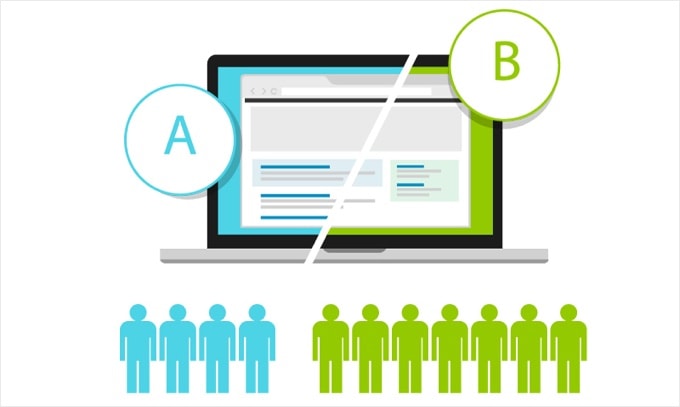
Many beginners rely on guesswork instead of data. To get better results, you need to understand how your audience responds to different calls-to-action, placements, colors, designs, and copy.
With A/B testing, you can find out which opt-ins work better on your website. You can use these A/B testing tips to continuously test and improve your email opt-ins.
Bonus Tip 💡 : Automate Your Email List Growth
Once you’ve set up a few high-converting opt-ins, the next step is automation. By setting up email marketing automation, your email list can keep growing even when you’re not actively promoting it.
Email automation lets you send targeted messages based on user actions, like signing up, making a purchase, or abandoning a cart.
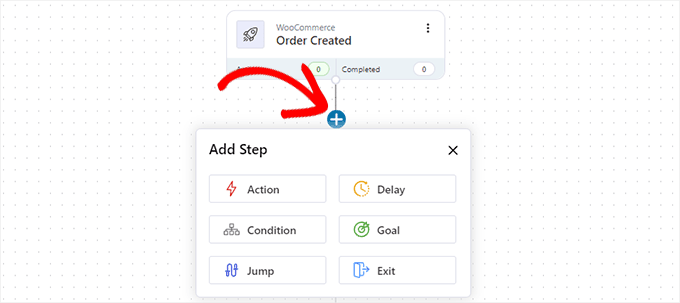
Instead of sending emails manually, you write them once and set triggers. From welcome emails to drip campaigns, automation helps you stay connected and drive more conversions.
It’s a proven strategy, too: The vast majority of businesses use automated emails, and it’s known to be a huge driver of email marketing ROI.
Some popular email marketing automation tools include Constant Contact and FunnelKit.
For small businesses, nonprofits, and bloggers, Constant Contact is the perfect option. That said, if you run a WooCommerce store, then FunnelKit is a better fit.
For details, you can check out our ultimate beginner’s guide to WordPress email marketing automation.
FAQs: Grow Your Email List Faster
Before we wrap up, here are some quick answers to common questions people have when growing an email list:
What is the 60/40 rule in email?
It’s a simple guideline: spend about 60% of your email efforts creating valuable content your audience genuinely cares about, and 40% on promoting your products, services, or offers. This keeps your emails balanced, valuable, and not too salesy.
How can I manage a large email list of 10,000+ subscribers?
You can do this using email marketing tools like Constant Contact. These tools let you upload contacts in bulk, create automated email sequences, and send messages to large lists. Just make sure your emails are permission-based to avoid spam issues.
How much is a 10,000-email list worth?
It depends on your niche, your audience’s engagement, and purchase behavior. Many marketers estimate that each subscriber can be worth $1–$3 per month, so a 10,000-person list could potentially bring in $10,000–$30,000 per month if nurtured well.
What is the difference between single and double opt-in?
Single opt-in adds a user to your list as soon as they fill out the form. Double opt-in sends them a confirmation email first, and they must click a link in it to be added.
Double opt-in is better for email list quality because it confirms the email address is valid and the user really wants to subscribe, which can lead to higher engagement rates.
What are the 4 C’s of email?
They stand for Clear, Concise, Compelling, and Consistent. These four qualities keep your emails easy to understand, engaging to read, and predictable in tone and timing.
Other Helpful Email Marketing Guides for WordPress Site Owners
We hope this article helped you find the best ways to grow your email list.
You may also want to see our other guides on:
- How to Add Beautiful Email Templates in WordPress
- How to Track Link Clicks and Button Clicks in WordPress
- Email Marketing Mistakes WordPress Users Must Avoid
- Email Verification Tools to Clean Your Email Lists
- How to Build an Email List in WordPress – Email Marketing 101
If you liked this article, then please subscribe to our YouTube Channel for WordPress video tutorials. You can also find us on Twitter and Facebook.





Jiří Vaněk
What helped me the most was method two – the exit intent popup. I created a Yes/No campaign using Optin Monster, with the trigger being the user’s exit from the site. I deliberately chose the Yes/No method to make it non-intrusive and give the user the feeling that they can make a free choice. As a result, the number of email addresses I collected increased by dozens of percent. It doesn’t work quite as well on mobile, where it’s harder to predict when a user is leaving, but on desktop, it’s a brilliant solution and, in my opinion, works more than excellently.
Dennis Muthomi
I am always heavy on the exit intent technology. Since implementing exit-intent popups on my site, I’ve seen conversion rates increase by over 20%.
Its the only type of pop up I use because it is not obstructive and does not ruin the User Experience of visitors.
Dayo Olobayo
Adding a call-to-action at the end of my blog posts seemed too simple to be effective but I decided to give it a try after reading this post. To my surprise, it worked wonders. Sometimes the simplest strategies are the most effective. Thanks for reminding me of the basics!
Moinuddin Waheed
Thanks for the practical and result driven steps for email list building.
I have been subscribed to many of the newsletter through the ways that you have mentioned here.
Making something that catch attention and involves incentive like giveaways is the fastest way to make email list.
it not only give hope of winning the contest but also it helps in continued curiosity about the giveaway.
Mrteesurez
Giveaway, gamification or contest are really effective in growing email list as they bring incentivity and user will be natural compelled to sign up and join the list.
But for a beginner that has not gained any presence on either social or other, how do you think he can start from scratch ??
WPBeginner Support
For just getting started, you would want to take a look at our guide below:
https://www.wpbeginner.com/beginners-guide/how-to-increase-your-blog-traffic/
Admin
Jim Lichty
Thank you for your help!!!!Jim Lichty
WPBeginner Support
You’re welcome
Admin
Ssekito Umar
I have always wanted to get clear ideas on how to get more subscribers, but i now believe this will help alot! Thank you so much