


You can’t just set up a small business website and expect it to run itself. But the right marketing automation tools can save you hours of repetitive work each day.
Automation isn’t just for large enterprises. It can help your small business save time on everyday tasks like welcoming new subscribers, scheduling social media posts, and organizing sales leads.
Our team at WPBeginner relies on automation to manage campaigns and capture leads without burning out. At the same time, we know that every small business has different goals and needs.
So, I tested the most popular options available today to help you win your time back. Here is my list of the best marketing automation tools to make your work easier and grow your audience.
Quick Overview: Best Marketing Automation Tools
TL;DR: This guide reviews the best marketing automation tools for small businesses, focusing on how they save time and boost growth. I found Constant Contact to be ideal for email automation, Uncanny Automator best for connecting WordPress plugins, and OptinMonster best for onsite lead generation. Start with what impacts your business most, like welcome emails or lead capture.
Here’s a quick overview of the top marketing automation tools for small businesses to help you compare them:
| Product | Best For | Free Plan? | Starting Price |
| Constant Contact | Automating email marketing and welcome autoresponders | 🟡 (Free trial) | $12/mo |
| Uncanny Automator | Connecting WordPress plugins and automating on-site tasks without code | ✅ | $199/yr |
| OptinMonster | Automating on-site conversion optimization and lead generation | ❌ | $7/mo |
| FunnelKit Automations | Creating WooCommerce workflows like abandoned cart recovery | ❌ | $99.50/yr |
| MailerLite | Combining email marketing and appointment booking | ✅ | $12/mo |
| HubSpot | All-in-one sales CRM and visual lead tracking | ✅ | $20/mo |
| Smash Balloon | Automatically displaying custom social media feeds on your site | ✅ | $49/yr |
| RafflePress | Automating viral giveaways to grow your email and social lists | ✅ | $299 (one-time) |
| Zapier | Connecting thousands of non-WordPress web apps together | ✅ | $19.99/mo |
Why Use Marketing Automation Tools?
Marketing is one of the biggest factors in whether your small business grows. But doing everything manually takes time you probably don’t have.
Marketing automation tools help you work smarter. Basically, you create specific content or processes once, and then the tool keeps working for you on autopilot.
Here’s why more small businesses are turning to automation:
- ⏱️ Save hours on repetitive tasks: Instead of manually sending an email every time someone joins your list, you can set up an email autoresponder series to do it instantly.
- 📈 Capture leads 24/7: Automated popups and chatbots can engage with your website visitors and collect their contact information even while you are asleep.
- 🛒 Recover lost sales: eCommerce automation tools can track when a user leaves items in their cart and automatically send them a reminder email with a coupon.
- 🏗️ Organize your sales pipeline: A sales CRM automatically organizes and scores your leads so your team knows exactly who to contact first.
- 🗓️ Keep your social media active: You can schedule weeks of social media posts in one sitting, and the software will automatically publish them at the best times.
Ultimately, these tools make it incredibly easy to scale your marketing efforts and reach more customers without needing to hire a massive team.
How I Evaluated the Best Marketing Automation Tools
Testing marketing software isn’t just about looking at a feature list. I wanted to see which tools actually save you time and provide a positive return on investment (meaning the time saved and sales gained outweigh the tool’s cost).
I tested these tools to see how well they handled everyday marketing tasks for a small business. My goal was to find out which ones are genuinely useful and which ones are too complicated.
Here’s what I focused on during testing:
- Setup and onboarding: I created accounts and connected each tool to see how long it took to get started and whether setup required coding knowledge.
- Ease of building workflows: I checked whether each tool offered visual builders or pre-made templates to make creating automation sequences easy for beginners.
- WordPress integration: I evaluated how easily the software integrates with WordPress and WooCommerce.
- Pricing and value: I compared what each plan includes against its cost to see whether it makes sense for small business owners on a budget.
This process gave me a clear picture of which automation tools are worth using and which ones you can skip.
Why Trust My Recommendations
At WPBeginner, we have over 17 years of hands-on experience building and automating WordPress websites.
Every tool in this list was selected based on actual performance. We don’t rely on marketing hype. We use these exact types of automation tools to manage our own massive email lists, social media channels, and sales funnels that serve millions of readers.
We made sure the tools we recommend are easy to use, even if you’re a complete beginner with no technical background.
You can read more about our process in our editorial guidelines.
- Constant Contact – Best for Email Automation
- Uncanny Automator – Best for Automating WordPress Tasks
- OptinMonster – Best for Automated Onsite Lead Generation
- FunnelKit Automations – Best for WooCommerce Automation
- MailerLite – Best for Email & Appointment Booking Automation
- HubSpot – Best for Sales CRM Automation
- Smash Balloon – Best for Social Feed Automation
- RafflePress – Best for Viral Marketing
- Zapier – Best for General App Automation
- Honorable Mentions: Other Marketing Automation Tools I Tested
- What Is the Best Marketing Automation Tool?
- FAQs About Marketing Automation Tools
- More Guides for Growing Your Small Business
1. Constant Contact – Best for Email Automation
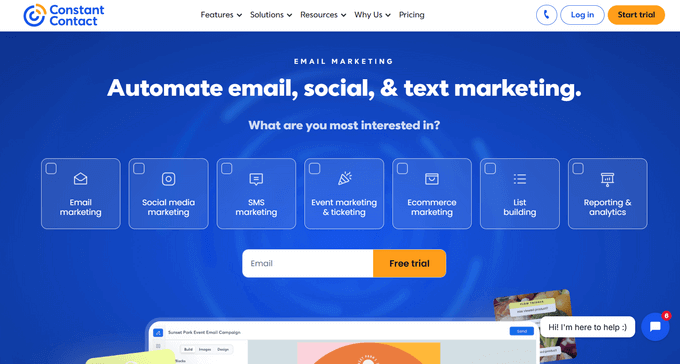
| Constant Contact Pros | ✅ Incredibly easy drag-and-drop email builder ✅ Automated welcome sequences for new subscribers ✅ Excellent customer support via live chat and phone ✅ Includes audience segmentation and A/B testing ✅ Built-in SMS marketing capabilities |
| Constant Contact Cons | ❌ Advanced automation features require the ‘Standard’ tier |
| Pricing | Starts at $12/month (Free trial available) |
| Best For | Small businesses looking for a beginner-friendly way to automate their email newsletters and customer follow-ups |
Constant Contact offers the most beginner-friendly, drag-and-drop email automation tool on the market, backed by unmatched, real-human customer support.
While some platforms overcomplicate email marketing, Constant Contact makes it incredibly simple to stay in touch with your audience without having to hit send every single day.
You can use it to set up sequences that automatically trigger based on what actions your subscribers take.
To see a complete breakdown of all its features, including pros and cons, check out our detailed Constant Contact review.
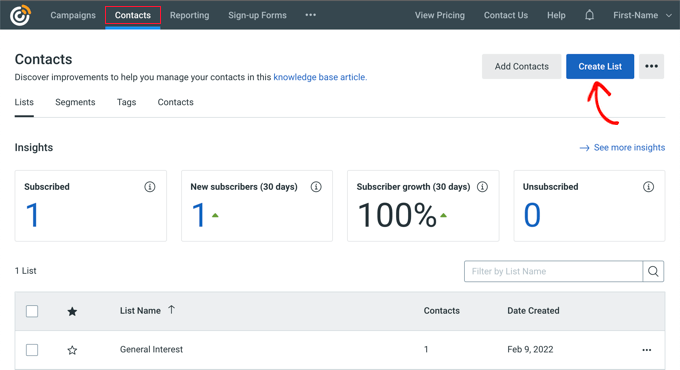
My Experience
When I tested Constant Contact, I was impressed by how fast I could get a campaign up and running. Because the builder is so intuitive, I didn’t need any design skills to make my emails look professional.
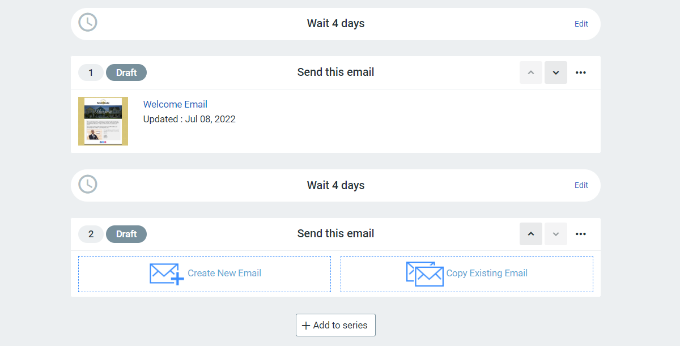
Setting up an automated welcome sequence only took a few clicks. I just created a trigger for ‘when a user joins a list’, and then added my pre-written emails to the queue.
I also really appreciate that they offer SMS marketing as an add-on right inside the dashboard. This meant I could automate text messages to customers alongside my emails without needing a second piece of software.
🧑💻 Why I Recommend Constant Contact: It is simply the most reliable and user-friendly email automation tool available. With their top-notch support team available by phone and live chat, you are never left alone if you get stuck setting up your campaigns.
2. Uncanny Automator – Best for Automating WordPress Tasks
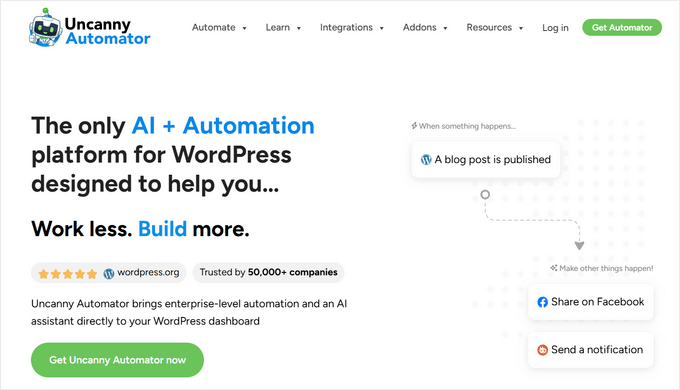
| Uncanny Automator Pros | ✅ Automates tasks between WordPress, 150+ plugins, and thousands of external apps ✅ Reduces errors by removing manual data entry ✅ Simple ‘if this, then that’ recipe builder ✅ Generous free version available ✅ Includes Uncanny Agent, a built-in AI assistant |
| Uncanny Automator Cons | ❌ To unlock all third-party app integrations, you need the Pro version |
| Pricing | Starts at $199/year (free version available) |
| Best For | WordPress site owners who want to automate administrative tasks and connect their plugins |
Uncanny Automator is the most powerful automation engine built specifically for WordPress, allowing your plugins to talk to each other without writing a single line of code.
Unlike general automation tools that operate outside your website, Uncanny Automator acts as a native bridge inside your dashboard. It integrates seamlessly with popular plugins like WPForms and WooCommerce to create powerful workflows that save you hours.
For a more in-depth look at how this plugin can streamline your website management, you can read our expert Uncanny Automator review.
My Experience
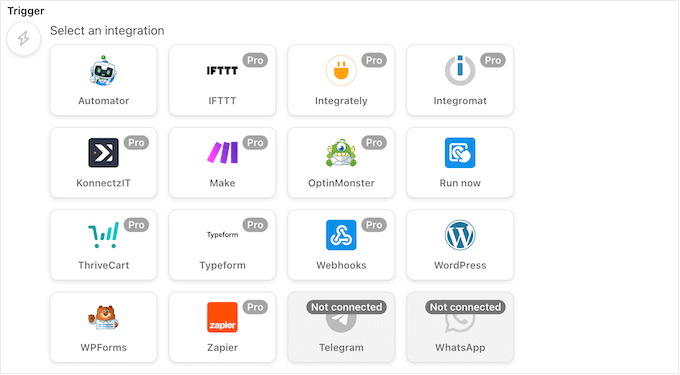
During my testing, setting up automation with Uncanny Automator was incredibly smooth. The plugin uses a visual recipe builder based on simple Triggers and Actions.
For example, I easily created a workflow to automatically connect a WPForms submission to Google Sheets. The moment someone filled out a form on my site, their data was instantly populated into a spreadsheet.
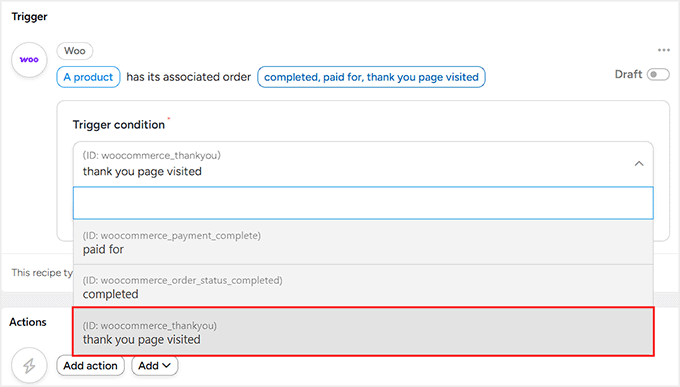
I also tested it with WooCommerce. I created a recipe where a new customer purchase automatically sent an alert to my team’s Slack channel. It removed the need to constantly check my WordPress dashboard for new orders.
In addition, I really liked Uncanny Agent, the plugin’s built-in AI assistant. It let me ask questions about my site data and set up automations just by describing what I wanted, without touching the recipe builder at all. To learn more about this feature, see our Uncanny Agent review.
🧑💻 Why I Recommend Uncanny Automator: It is the ultimate time-saver for anyone running a WordPress site. It integrates your website with the tools you already use, fully automating your administrative tasks.
3. OptinMonster – Best for Automated Onsite Lead Generation
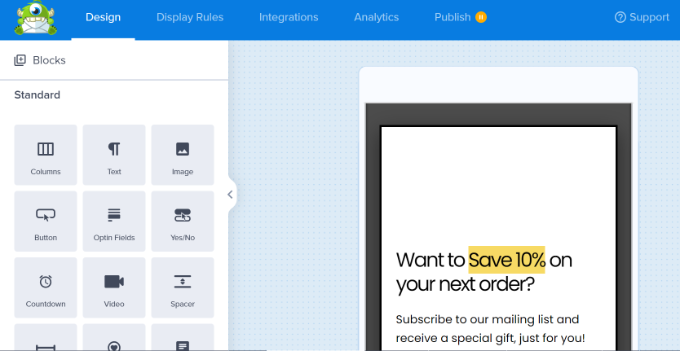
| OptinMonster Pros | ✅ The best conversion optimization tool on the market ✅ Powerful automated display rules like Exit-Intent® ✅ OnSite Retargeting® personalizes content for returning visitors ✅ Easy-to-use drag and drop campaign builder ✅ Integrates perfectly with all major email marketing services |
| OptinMonster Cons | ❌ It captures emails but does not send them. You need to connect it to an email marketing service like Constant Contact (which it does easily). |
| Pricing | Starts at $7/month |
| Best For | Website owners who want to automatically convert abandoning website visitors into email subscribers |
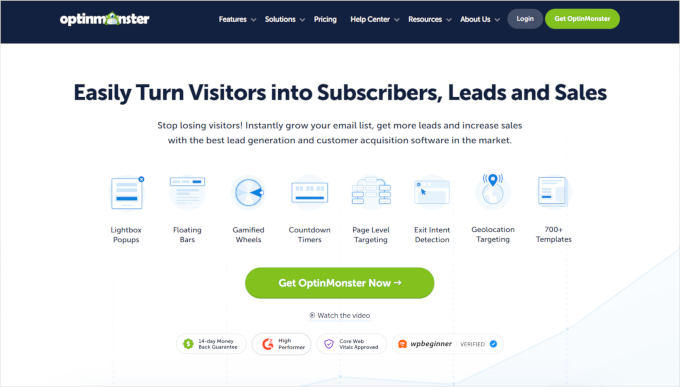
OptinMonster offers powerful, behavior-based targeting that automatically turns abandoning visitors into subscribers before they leave your site forever.
While tools like Constant Contact actually send your emails, OptinMonster sits on your website and automatically captures the email addresses to feed into your list. It uses highly customizable lightbox popups, slide-in forms, and coupon wheels to grab your visitors’ attention automatically.
If you want to learn more about how it can help you grow your email list, be sure to see our comprehensive OptinMonster review.
My Experience
OptinMonster’s automated targeting rules are completely unmatched. When I tested their signature Exit-Intent® technology, I was able to trigger a popup at the exact millisecond a user moved their mouse to leave the page.
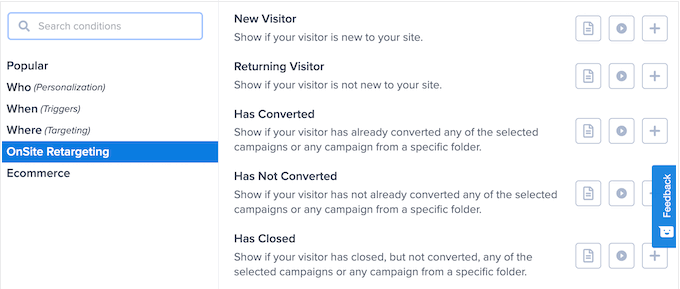
I also heavily tested their OnSite Retargeting® feature. This tool allows you to automatically show different campaigns to users who are returning to your site.
Instead of annoying them with the exact same popup they closed yesterday, the system automatically adapted and showed them a fresh offer. This level of personalized automation is a massive boost for conversion rates.
🧑💻 Why I Recommend OptinMonster: It is the easiest way to grow your email list on autopilot. The smart targeting rules mean your site is always working to capture leads, even while you sleep.
4. FunnelKit Automations – Best for WooCommerce Automation
| FunnelKit Automations Pros | ✅ Deeply integrated with WooCommerce ✅ Pre-built library of high-converting email sequences ✅ Automates abandoned cart recovery and win-back coupons ✅ Drag-and-drop builder to customize default WooCommerce emails ✅ Built-in CRM to track revenue per contact |
| FunnelKit Automations Cons | ❌ Higher starting price point compared to basic email plugins |
| Pricing | Starts at $99.50/year |
| Best For | WooCommerce store owners who want to automate their eCommerce marketing to drive more revenue |
FunnelKit Automations connects smoothly with WooCommerce. Because of this, you can easily send specific emails based on exactly what your customers buy. Keep in mind, you will need to have the WooCommerce plugin installed and active on your site to use this tool.
Generic marketing tools often struggle to read eCommerce data. FunnelKit is designed specifically for online stores, allowing you to easily set up automated email and SMS campaigns to drive more sales with less effort.
To find out if this is the right choice for your online store, you should take a look at our complete FunnelKit Automations review.
My Experience
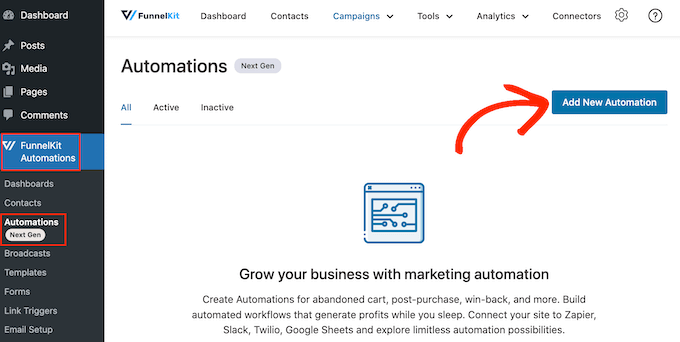
Instead of building complex workflows from scratch, I was able to select ready-made sequences from their built-in library.
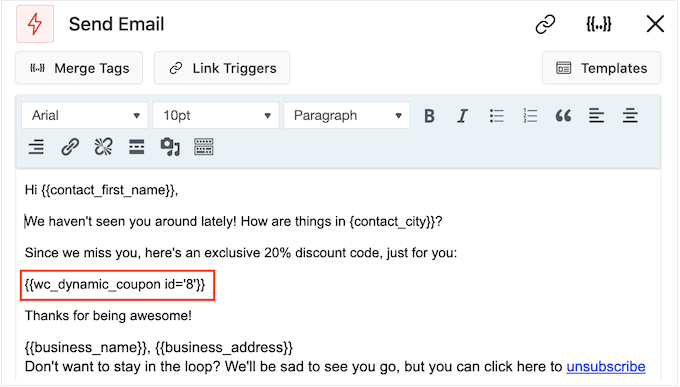
I easily set up an abandoned cart recovery email. If a user added an item to their cart but left before paying, FunnelKit automatically emailed them a reminder. I also set up automated purchase anniversary emails to bring past customers back.
Additionally, I loved using the visual builder to customize the boring, default WooCommerce receipt emails to match my branding. The built-in CRM also made it easy to track exactly how much revenue each automated email was generating.
🧑💻 Why I Recommend FunnelKit Automations: FunnelKit deeply understands WooCommerce data, allowing you to trigger campaigns based on exact purchase behavior.
5. MailerLite – Best for Email & Appointment Booking Automation
| MailerLite Pros | ✅ Combines email automation with a native appointment booking tool ✅ Automatically triggers follow-up emails when someone books a call ✅ Lets you charge for bookings with 0% MailerLite commission ✅ Completely free account for up to 2,500 emails per month |
| MailerLite Cons | ❌ You need a paid plan to offer more than one type of bookable event |
| Pricing | Starts at $12/month (Free plan available) |
| Best For | Small businesses that want to automatically turn email subscribers into booked calls, without connecting a separate scheduling tool |
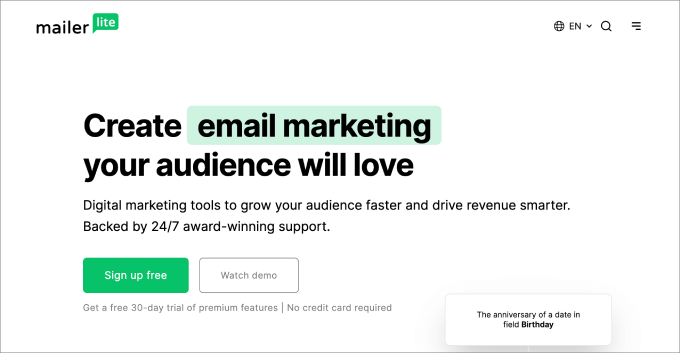
MailerLite offers a highly affordable way to combine email automation with a built-in appointment booking tool, so you can automatically follow up with someone the moment they book a call with you.
Most email platforms don’t include scheduling, so you’d normally need to connect a separate tool to handle bookings. MailerLite Bookings is built-in, so when someone books a call, they can be automatically added to a group and enrolled in a follow-up email sequence.
For more details on its automation features, please read our detailed MailerLite review.
My Experience
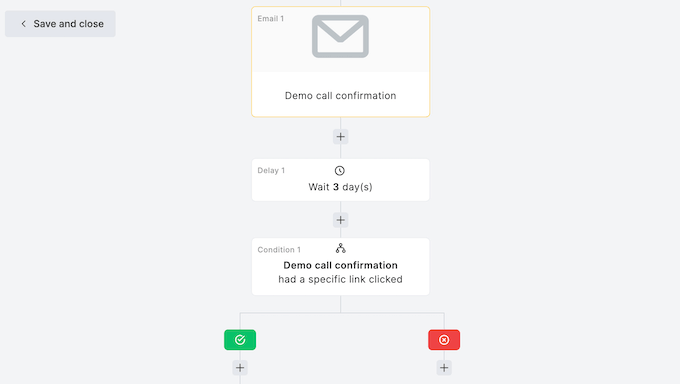
When I tested MailerLite, I built an automation that triggered the moment someone booked a call, automatically adding them to a ‘Warm Leads’ group and sending a pre-call questionnaire email so I knew what to prepare for before we spoke.
I also tested a group event, since MailerLite lets you take bookings for webinars and workshops, not just one-on-one calls. Attendees were automatically enrolled in their own workflow, so I could send them workshop-specific reminders.
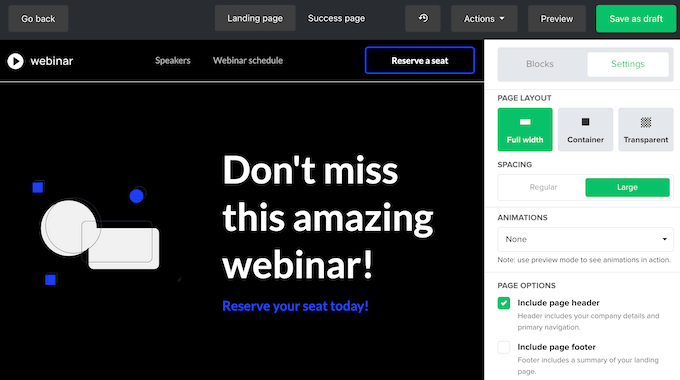
To promote the booking, I used MailerLite’s drag and drop editor to build a landing page. I didn’t need any design or coding skills, and the page was live within a few minutes.
🧑💻 Why I Recommend MailerLite: It’s an affordable, all-in-one option that handles both email automation and appointment booking, so leads can go from opt-in to booked call to follow-up email inside a single platform.
6. HubSpot – Best for Sales CRM Automation
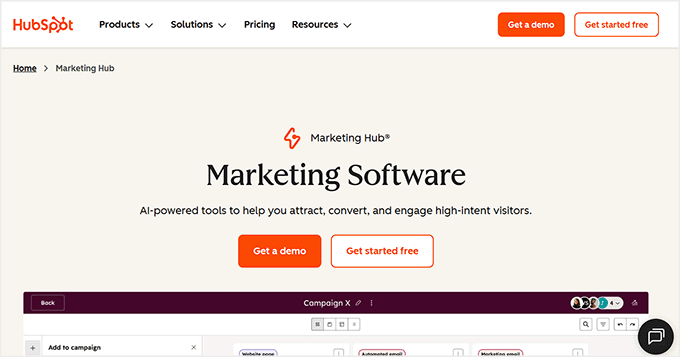
| HubSpot Pros | ✅ Incredible all-in-one suite for marketing, sales, and service ✅ Visual sales funnel dashboard keeps data organized ✅ Predictive lead scoring prioritizes contacts automatically ✅ Lets you deploy chatbots for automated live chat ✅ Excellent free CRM plan available |
| HubSpot Cons | ❌ Premium marketing hubs can become expensive as you grow |
| Pricing | Starts at $20/month (free CRM plan available) |
| Best For | Small businesses looking to automate their sales pipeline and track customer interactions in one place |
HubSpot provides a flexible, all-in-one visual CRM that uses predictive AI to tell your team exactly which leads are ready to buy.
At its core, the HubSpot CRM automatically organizes your customer data and sales funnel. It makes sales easier by tracking every interaction and ensuring data never slips through the cracks.
You can find more information about this platform’s CRM and marketing capabilities in our full HubSpot review.
My Experience
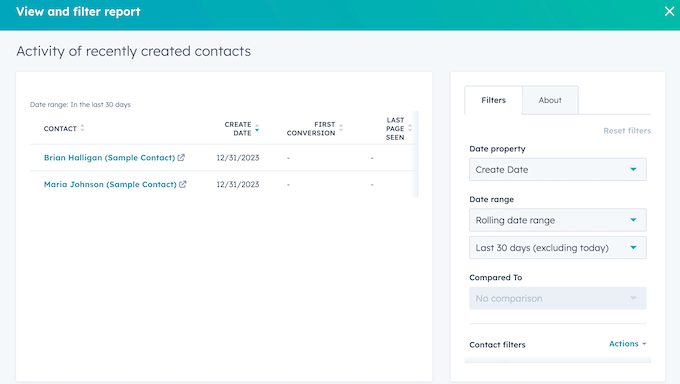
Using HubSpot felt like a major upgrade for managing sales. The visual dashboard automatically sorted my contacts based on deals won, lost, or currently pending.
I particularly liked the predictive lead scoring feature. Instead of guessing who to follow up with, HubSpot automatically analyzed the data and prioritized the leads who were most likely to convert.
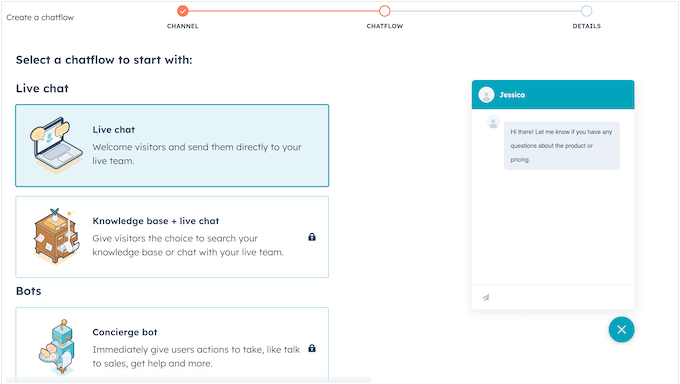
I also tested integrating HubSpot’s chatbots onto my site. This allowed me to automate my live chat marketing, capturing leads and answering basic questions without needing a human agent online.
🧑💻 Why I Recommend HubSpot: It is the industry standard for CRM automation. Startups can often get up to 90% off their premium plans, and the free CRM tool is powerful enough to get any small business organized.
7. Smash Balloon – Best for Social Feed Automation
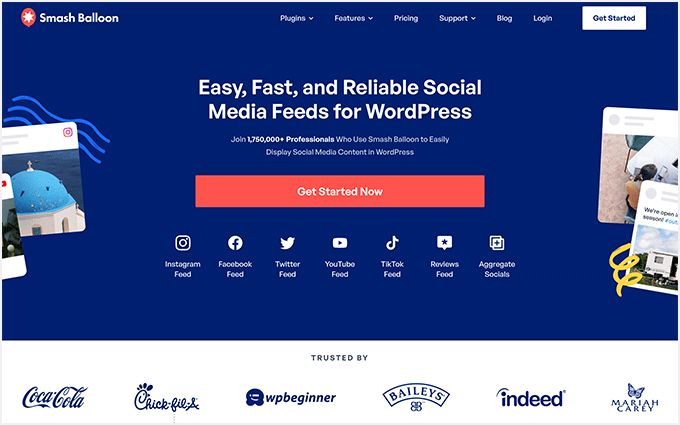
| Smash Balloon Pros | ✅ Automatically displays social posts on your WordPress site ✅ Covers Instagram, Facebook, Twitter, TikTok, and YouTube ✅ Highly customizable (such as shoppable Instagram feeds) ✅ Keeps your website looking fresh without manual updates ✅ Reviews Feed Pro automatically pulls in Google and Yelp reviews |
| Smash Balloon Cons | ❌ To get all platforms, you need to purchase the ‘All Access Bundle’ |
| Pricing | Plugins start at $49/year (All Access Bundle is $299/year) |
| Best For | Website owners who want to automatically leverage their active social media presence directly on their site |
Smash Balloon automatically pulls your live social media feeds directly onto your site, keeping your content fresh and engaging with zero manual updates required.
Instead of manually copying links or updating your website every time you post a new photo or video on social media, Smash Balloon handles it for you behind the scenes.
To learn how to display beautiful social feeds on your site, you can see our thorough Smash Balloon review.
My Experience
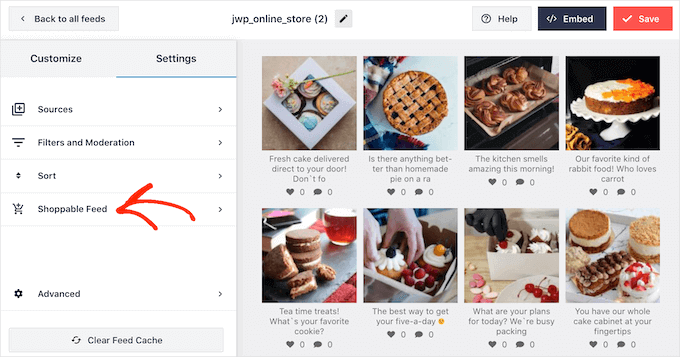
First, I set up Smash Balloon on a test site, and the time-saving benefits were obvious immediately. I connected an Instagram account, and the plugin automatically pulled the latest photos into a beautiful gallery on the homepage.
Next, I was even able to customize the feed to create a shoppable Instagram gallery, meaning clickable photos of products were automatically added to the site for users to buy.
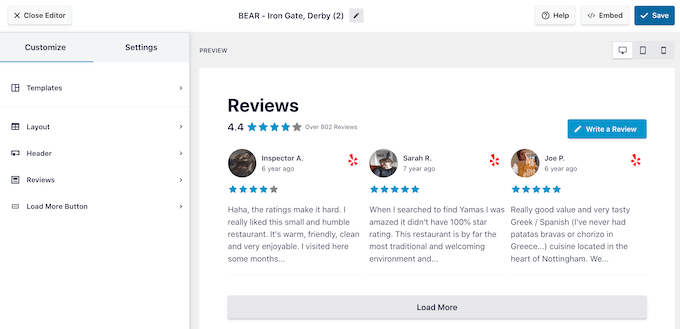
I also highly recommend testing their Reviews Feed Pro plugin. It automatically pulled in my latest 5-star reviews from Google and Yelp, providing instant, automated social proof.
🧑💻 Why I Recommend Smash Balloon: It is the easiest way to make the most of the time you spend on social media. It keeps your website updated with fresh content completely automatically.
Expert Tip: If you’re using Smash Balloon to display social feeds, remember to update your privacy policy. Embedding social content often involves third-party scripts that collect data, and you’ll need to disclose this to your visitors.
8. RafflePress – Best for Viral Marketing
| RafflePress Pros | ✅ The best WordPress contest and giveaway plugin ✅ Automatically incentivizes social sharing and email signups ✅ Drag-and-drop giveaway builder ✅ Built-in viral refer-a-friend features ✅ Integrates with all major email marketing platforms |
| RafflePress Cons | ❌ Best used for targeted campaigns rather than daily marketing operations |
| Pricing | Cost is a one-time payment of $299 (free version available) |
| Best For | Website owners who want to rapidly grow their email list and social following through automated giveaways |
RafflePress automates viral growth by encouraging users to share your content and join your email list in exchange for giveaway entries.
Growing a following manually takes a massive amount of effort. RafflePress turns your existing audience into ambassadors by automatically rewarding them with contest entries when they perform actions like visiting a specific page, watching a video, or referring a friend.
If you’re interested in running viral giveaways, we recommend reading our full RafflePress review for more insights.
My Experience
When I set up a test giveaway using RafflePress, the drag-and-drop builder made the process incredibly simple. For instance, I didn’t have to code any complex entry forms.
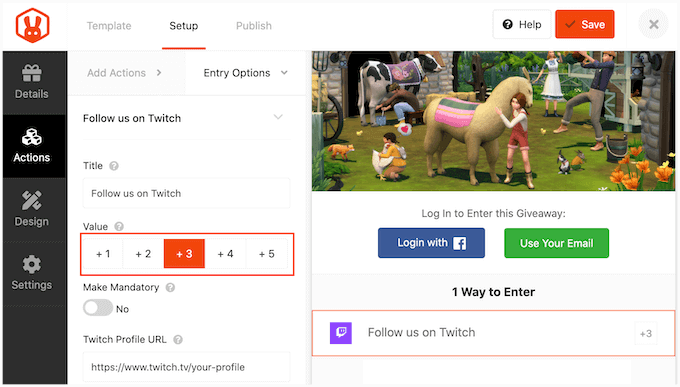
Instead, I easily set up actions that gave users multiple points for sharing the giveaway on Twitter and subscribing to my email list.
The software automatically tracked everyone’s entries and verified their actions, which removed all the administrative headache usually associated with running a contest.
The ‘refer-a-friend’ feature is where the real automation shines. Users were automatically given a unique tracking link, and the system did all the work tracking the referrals and distributing the bonus points.
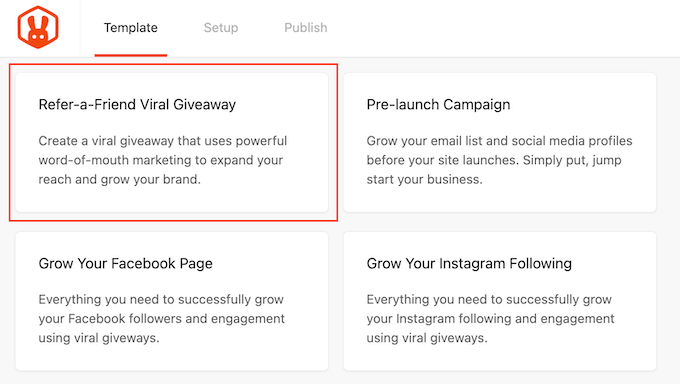
🧑💻 Why I Recommend RafflePress: It takes the manual labor out of running contests and turns your website into an automated lead-generation machine. It is the most effective tool I’ve tested for rapid, viral audience growth.
9. Zapier – Best for General App Automation
| Zapier Pros | ✅ Connects over 5,000 different apps together ✅ Simple Trigger and Action logic system ✅ Automates data entry and repetitive admin tasks ✅ Easy to set up without writing any code ✅ Offers a generous free plan for basic 2-step automations |
| Zapier Cons | ❌ Multi-step workflows require a paid plan ❌ Operates outside of WordPress (unlike Uncanny Automator) |
| Pricing | Starts at $19.99/month (free plan available) |
| Best For | Businesses that need to connect multiple external tools and move data across different platforms automatically |
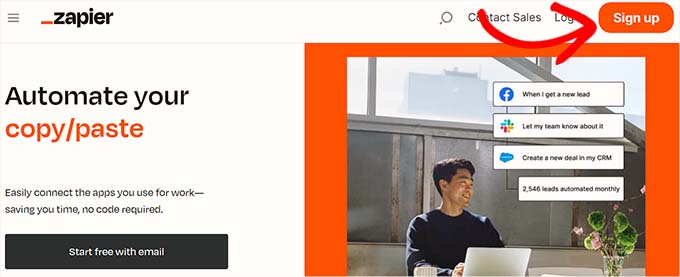
Zapier is the ultimate universal bridge, connecting over 5,000 non-WordPress web apps together to automate tasks across your entire business stack.
While Uncanny Automator is perfect for connecting plugins inside your WordPress site, Zapier is the undisputed king of connecting everything else. It uses a brilliant system to pass data securely from one app to another without you needing to lift a finger.
My Experience
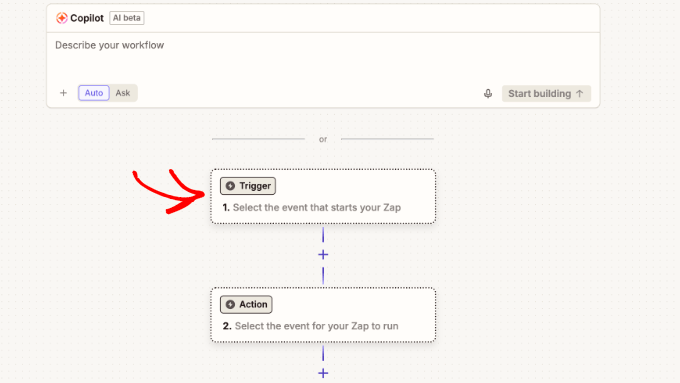
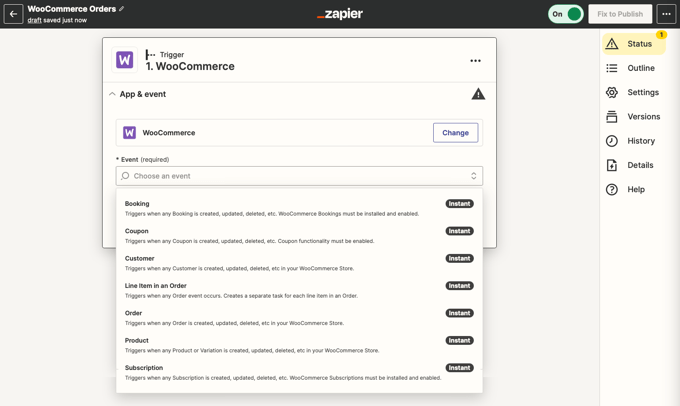
During my testing, Zapier proved exactly why it is so popular. The logic is based entirely on Triggers (what you watch for) and Actions (what the system should do).
For example, I set up an automated workflow (called a ‘Zap’) to automatically create a new Trello card for my team the moment a specific type of email arrived in my Gmail inbox. It worked instantly and flawlessly.
Additionally, I tested automating social media sharing. I created a workflow that automatically shared a new WordPress post to my Facebook page and LinkedIn profile the second it was published. It removes the need to manually copy and paste links across networks.
🧑💻 Why I Recommend Zapier: If you use multiple external tools to run your business, like Google Docs, Slack, Mailchimp, and Trello, Zapier is essential. It ties your entire software stack together and eliminates the need for repetitive data entry.
Expert Tip: Uncanny Automator is usually more cost-effective for WordPress-to-WordPress automation because it doesn’t charge per task. For connecting WordPress to external apps, Zapier is great, but be mindful of their task-based pricing models that can get expensive with high volume.
Honorable Mentions: Other Marketing Automation Tools I Tested
Here are a few more automation tools I tested that are worth considering for specific needs:
 | 🟢 Pros: Powerful eCommerce email marketing with intelligent segmentation. 🔴 Cons: Pricing scales quickly as your subscriber list grows. 🧑💻 Best for: WooCommerce stores looking to maximize email revenue. |

 | 🟢 Pros: Acts as a 24/7 virtual assistant to take bookings and answer questions instantly. 🔴 Cons: Requires some initial training to get the automated responses sounding natural. 🧑💻 Best for: Service businesses needing automated customer support. |
 | 🟢 Pros: Advanced in-app messaging with videos, apps, and live chat integration. 🔴 Cons: Pricing scales rapidly based on active contacts and can easily reach thousands of dollars per month. 🧑💻 Best for: SaaS companies and larger startups prioritizing conversational marketing. |
 | 🟢 Pros: Automatically showcases your content on top online publications like CNN. 🔴 Cons: Operates on a pay-per-click budget, so costs require careful monitoring. 🧑💻 Best for: Businesses looking for massive content syndication and traffic. |
15. Auto Publish for Google My Business
 | 🟢 Pros: Automatically publishes your site content to your Google Business Profile. 🔴 Cons: A very single-purpose plugin. 🧑💻 Best for: Local businesses wanting to keep their search profiles active automatically. |
 | 🟢 Pros: Lets customers purchase directly through automated Facebook Messenger conversations. 🔴 Cons: Highly dependent on the Facebook ecosystem. 🧑💻 Best for: Stores with a highly active Facebook audience. |
 | 🟢 Pros: Long-running, highly reliable, and beginner-friendly social media scheduler. 🔴 Cons: Lacks some of the deep CRM features of larger platforms. 🧑💻 Best for: Solo users wanting a clean way to queue up social posts. |
 | 🟢 Pros: Powerful tools tailored specifically for Pinterest and Instagram, including hashtag suggestions. 🔴 Cons: Not ideal for text-heavy platforms like Twitter or LinkedIn. 🧑💻 Best for: Highly visual brands and bloggers. |
 | 🟢 Pros: Brings all your social media platforms into one dashboard with powerful team management. 🔴 Cons: Higher starting price point makes it expensive for casual users. 🧑💻 Best for: Businesses and agencies that need to manage a busy social media team. |
 | 🟢 Pros: A social inbox that lets you track ad comments and mentions automatically. 🔴 Cons: Reporting features can be slightly overwhelming at first. 🧑💻 Best for: Businesses treating social media as a customer support channel. |
 | 🟢 Pros: Listens to the whole web and alerts you whenever your brand is mentioned. 🔴 Cons: A specialized tool that doesn’t replace standard social posting software. 🧑💻 Best for: Monitoring brand reputation and competitor activity. |
 | 🟢 Pros: Automatically creates follow-up tasks and syncs with Google Calendar. 🔴 Cons: Strictly sales-focused, lacking built-in email marketing tools. 🧑💻 Best for: Sales teams wanting a streamlined CRM workflow. |
 | 🟢 Pros: AI lead scoring automatically prioritizes the contacts most likely to convert. 🔴 Cons: The free plan is quite limited in features. 🧑💻 Best for: Teams looking for an AI-powered CRM. |
 | 🟢 Pros: The absolute best Google Analytics plugin for WordPress, automating conversion tracking. 🔴 Cons: Doesn’t perform marketing actions itself (it provides the data for them). 🧑💻 Best for: Everyone! You need automated reports to tell you if your marketing is working. |
What Is the Best Marketing Automation Tool?
After testing the tools in this roundup, Constant Contact is the best choice for most small businesses because it provides the easiest way to start automating your email marketing.
If your goal is to automate tasks on your WordPress website without touching code, Uncanny Automator is a must-have. It connects all your plugins together, saving you countless hours of manual work.
For capturing more leads automatically before visitors leave your site, OptinMonster is the undeniable leader in onsite retargeting.
🌟 Where to start: Don’t try to automate everything at once. Start with Constant Contact to build a welcome email series. Once that is running smoothly, move on to automating your social media or sales.
FAQs About Marketing Automation Tools
If you’re exploring marketing automation, you might still have a few questions about how it works. Here are some quick answers to common questions from small business owners.
What is marketing automation software?
Marketing automation software is any tool that handles repetitive marketing tasks for you. Instead of manually sending an email every time someone signs up for your newsletter, the software automatically sends a pre-written message triggered by their sign-up.
Is marketing automation expensive for small businesses?
It does not have to be. Many tools like Constant Contact, MailerLite, and HubSpot offer highly affordable starter tiers or even completely free plans that are perfect for small businesses looking to try automation for the first time.
Do I need coding skills to use these tools?
Not at all. The tools we recommend on this list, especially options like Uncanny Automator and OptinMonster, use drag-and-drop interfaces or simple ‘if this, then that’ menus. You can build powerful automated workflows without ever touching a line of code.
How do WordPress-specific automation tools differ from general ones like Zapier?
WordPress-specific tools like Uncanny Automator run directly on your site, often offering deeper integrations between plugins without recurring per-task fees.
General tools like Zapier connect a wider range of external web apps (like Google Docs or Trello) but usually charge based on the number of automated tasks performed, which can get expensive for high-volume WordPress actions.
Can marketing automation help recover abandoned shopping carts?
Yes, absolutely. Tools like FunnelKit Automations are specifically designed for eCommerce and can automatically detect when a customer leaves items in their cart without completing a purchase. They can then send a series of automated emails or SMS messages with reminders or even a special discount to encourage them to complete their order.
More Guides for Growing Your Small Business
Building an automated marketing strategy is just one piece of growing your small business.
These additional resources will help you optimize your website even further:
- Best AI Automation Tools for WordPress (My Honest Reviews)
- How to Choose the Best Business VoIP Provider (Compared)
- Best WordPress SEO Plugins & Tools That You Should Use
- WordPress Conversion Tracking Made Simple: A Step-by-Step Guide
- Best Email Marketing Services for Small Business
If you liked this article, then please subscribe to our YouTube Channel for WordPress video tutorials. You can also find us on Twitter and Facebook.


Mrteesurez
Infact you have really combined great and useful products, app and services here.
I could remember I have used that Zapier.
Does that mean OptinMonster has an OnSite Retargeting® feature.
This feature is similar to Facebook Retargeting.
I love this feature. I am looking forward to experience it.
WPBeginner Support
It would depend on what specific feature of retargeting you are wanting, if you check with OptinMonster’s support they can let you know what is available
Admin
Moinuddin Waheed
Very needed and affordable options for every business to scale and grow online.
I have made many of these to my list to explore in he future based on their utility and constant contact comes first in the list.
Thanks for detailing the pros and cons of every option mentioned along with their respective pricing.
it helps make informed buying decision.
Ahmed Omar
many available options, every one with pro and cons.
constant contact will be still my favorite
thank you for the detailed post
you are doing great work
WPBeginner Support
You’re welcome and thank you for sharing the one you prefer
Admin
Ayoade Oketona
Thanks for this article WpBeginner, it’s really helpful.
Your No.1 fan✌️.
WPBeginner Support
You’re welcome
Admin
Pushpesh Gupta
I just too love this website…
WPBeginner Support
Glad you like our site and content
Admin
Chisom Jude
Really learnt some new tips now. Thanks for this .
WPBeginner Support
You’re welcome
Admin