


Improving communication on your WordPress site with a chat plugin can boost user engagement and customer service.
Whether you want to provide instant support, answer customer queries, or engage visitors in real-time conversations, the right chat plugin can transform your website.
To help you find the best tool for your needs, I have evaluated the most popular WordPress chat plugins and examined various factors like ease of use, customization, features, and pricing. I’ve also added a list of pros and cons to highlight each tool’s strengths and weaknesses.
At WPBeginner, we’ve already used some popular options, like LiveChat, across our partner websites and had a great experience with them. Then, I went out of my way to find more options for all kinds of use cases.
In this article, I will share my list of the best WordPress chat plugins that will help you communicate with your users.

If you’re in a hurry, then you can take a quick look at this comparison table to help you choose a chat plugin for your WordPress site:
Overview: My Picks of the Best WordPress Chat Plugins
| # | Plugin | Best For | Pricing |
|---|---|---|---|
| 🥇 | LiveChat | Powerful live chat widget | $20/month |
| 🥈 | WPChat | Live chat via WhatsApp, Messenger, and Telegram | $49/year + Free |
| 🥉 | HubSpot Chat | Live chats and chatbots for customer support | Free |
| 4 | ChatBot | Automated chatbots | $52/month + Free |
| 5 | Brevo Chat | Live chat, emails, and SMS | $25/month + Free |
| 6 | Tidio | Conversational chatbots | $29/month + Free |
| 7 | JivoChat | Live chats, phone calls, and voice messages | $19/month + Free |
How I Test And Review WordPress Chat Plugins
With chat plugins, you can easily add live chat functionality to your WordPress website. This allows you to open a channel of real-time communication to interact with your visitors.
Customers can contact you directly if they need to debug an issue, provide feedback, or get help with your products and services.
However, since there are tons of options available, I tested the most popular chat plugins on real websites to figure out their features, pros, and cons.
While testing, I paid special attention to the following criteria:
Ease of Use: I have picked plugins that are beginner-friendly with an easy-to-use interface, extensive documentation, and a good onboarding process.
Features: Chat plugins can add a lot of different functionalities to your site. I tried to showcase plugins that can add a live chat prompt, chatbots, phone calls, voice messages, and other mediums of communication with customers.
Load Impact: I have measured how each plugin affects site speed and performance, ensuring it doesn’t slow down a website under heavy usage.
User Reviews: I went through user reviews and ratings on WordPress.org and other reliable platforms for each tool.
Reliability: I have only recommended the plugins that I have tested myself.
Why Trust WPBeginner?
WPBeginner is a team of experts with over 16+ years of experience in WordPress, SEO, hosting, online marketing, and more.
When reviewing plugins, we research them thoroughly and test them on real websites to give you accurate recommendations. For more details, please see our WPBeginner editorial process.
That being said, here is a list of the best chat plugins for WordPress that can help you communicate with your users.
1. LiveChat
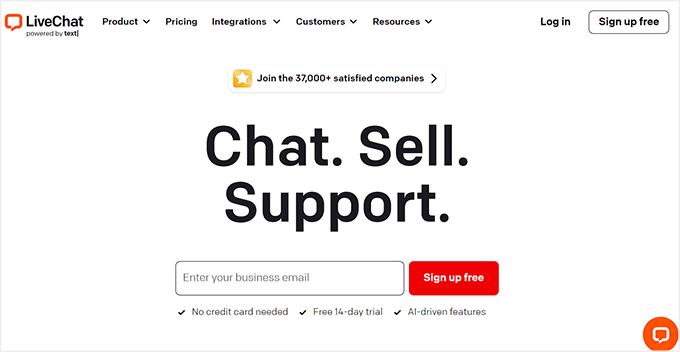
LiveChat is a super popular live chat software that can easily be integrated with your WordPress website using its plugin. It lets you communicate with users in real time by adding a chat widget to your website.
Like I mentioned before, we have used LiveChat on WPBeginner and our partner websites, and have always been impressed. You can check out our complete LiveChat review for more details.
The tool is super easy to use. It comes with many customization options like chat widget themes and the ability to add your company logo, change the chat window message, add social media buttons, and create custom live chat agent profiles.
If you want step-by-step instructions on how to set it up, see our tutorial on how to add live chat in WordPress.
LiveChat can also integrate with over 200 tools, such as Facebook, Dropbox, ZenDesk, and WooCommerce, making LiveChat the ultimate choice for online stores.
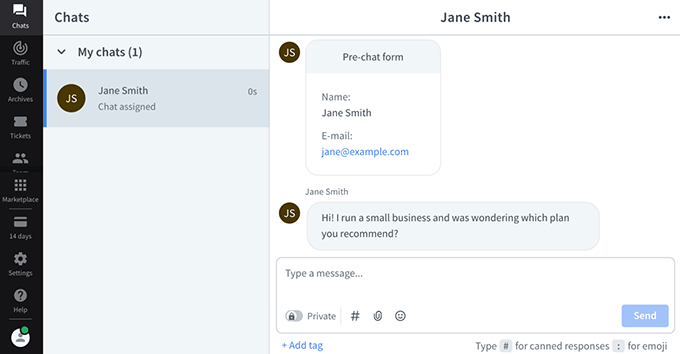
✅ Pros of LiveChat
- I liked that the chat functionality loads super quickly, which is great for user experience.
- During research, I found that the tool saves all the chat history and transcripts and even lets customers provide feedback for your product or service using its rating system.
- I integrated LiveChat with ChatBot in real time and found it to be a seamless experience.
- It offers file uploads, canned responses, and analytics.
- LiveChat comes with a multiple-chat window feature for customer support teams.
❌ Cons of LiveChat
- LiveChat does not offer a free plan.
- Sometimes, a client may not receive a chat notification.
- It can be a bit difficult to use for beginners.
Why I recommend using LiveChat: It is the leading live chat software in the industry that lets you add and customize a chat widget.
If you have an online store, then I recommend using LiveChat due to its comprehensive features, ability to open multiple chat windows for different customers, integration with over 200 tools, and much more.
2. WPChat
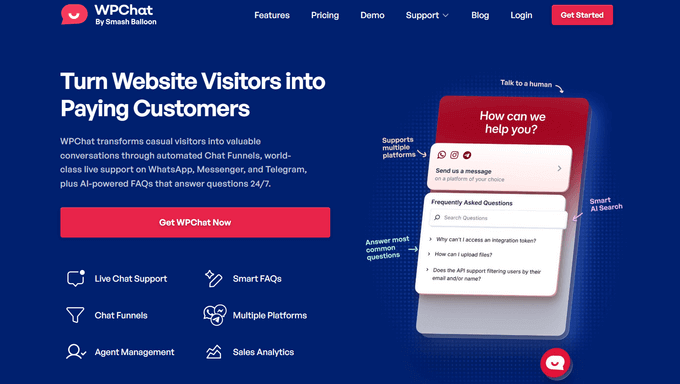
WPChat is a modern WordPress chat plugin that lets you connect with visitors through WhatsApp, Messenger, Instagram, and Telegram. It adds a floating chat widget to your site and visitors can choose which of their favorite messaging apps they want to chat with you on.
This means you can continue the conversation wherever your customers are, without requiring them to stay on your website, making it easier than ever to provide fast support and boost engagement.
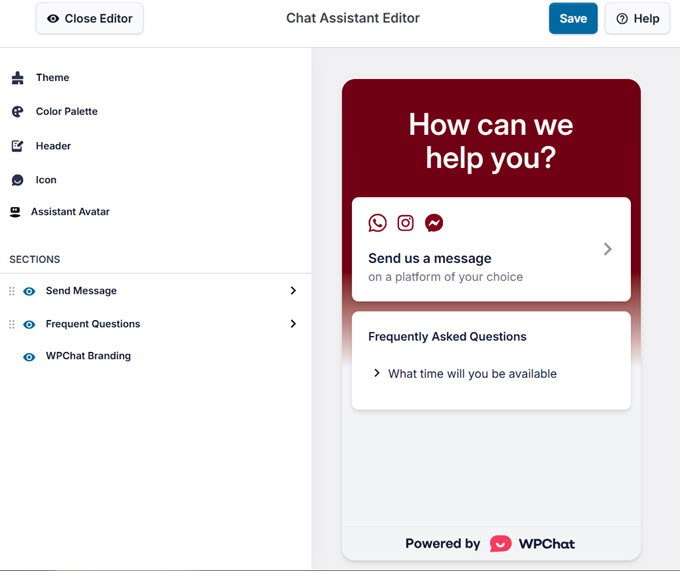
When I tried WPChat, I was impressed by how quickly the chat widget can be set up and customized. You can select the color scheme, greetings, chat icons, and more. You can even choose exactly when and where you want the chat widget to be displayed on your site.
WPChat lets you add multiple support agents, so your team can handle more chats and customers without overloading one person.
There’s also a Smart Support Routing feature that directs each visitor to the right agent based on availability and status. This helps keep your support organized and ensures customers get the help they need, every time.
✅ Pros of WPChat
- I love that visitors can choose their preferred messaging app, like WhatsApp, Messenger, Instagram, or Telegram for real-time conversations.
- I found it easy to customize the chat assistant to match your brand.
- It comes with AI-powered FAQs for instant answers when no one is available, and there’s even chat funnels so you can suggest products and guide visitors to the checkout.
- There’s built-in analytics to track chats and conversions.
- There’s a free version available to get started.
❌ Cons of WPChat
- The free version is limited.
- I noticed it offers fewer integrations than other chat plugins.
Why I recommend using WPChat: WPChat is perfect for small businesses that want to connect with visitors on the messaging apps they already use. With pricing starting at just $49 per year and support for up to 5 agents included, it avoids the per-agent fees that make other chat plugins expensive, giving you a powerful and affordable solution right out of the box.
If you want to learn more about it, then you can check out our full WPChat announcement.
3. HubSpot Chat
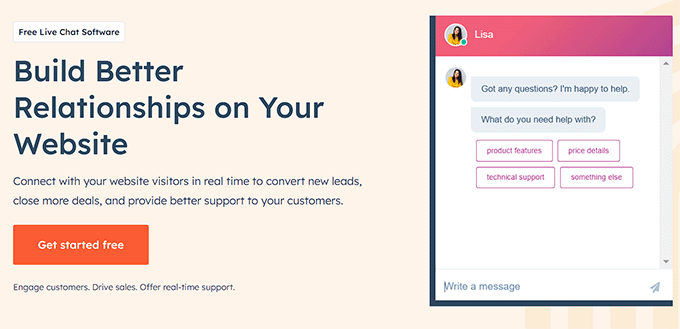
HubSpot is a powerful customer relationship management (CRM) platform that includes a suite of marketing, sales, and customer service tools, including HubSpot Chat.
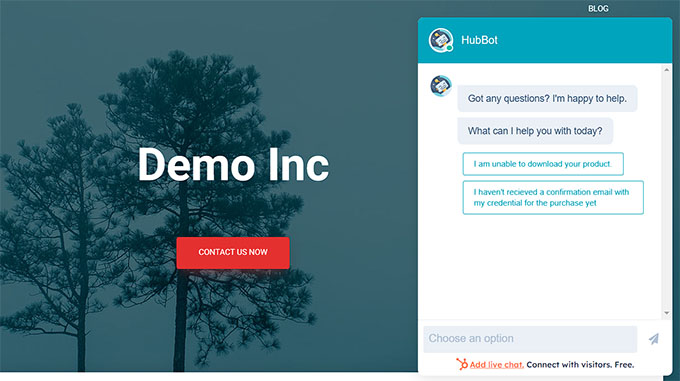
It is the best free WordPress chat plugin on the market. I love that it lets you easily add chatbots and live chat functionality to your website without spending a fortune. For more information, see our HubSpot review.
The plugin lets you chat with your customers in real-time and even saves their contact information in HubSpot’s customer relationship management app.
This can help you build an email list or communicate with your customers using SMS, email, or Slack.
If you have a small business, then you can also use HubSpot to create chatbots that provide support to your customers when your team members aren’t available for live chat.
✅ Pros of HubSpot Chat
- HubSpot has a free plugin that can be used to add live chat and chatbots.
- I really appreciate its CRM, which offers features such as email marketing, forms and popups, landing pages, and detailed analytics.
- It comes with a marketing automation that sends an email when a customer reaches out.
- When testing the plugin in real-time, I discovered that you could respond to chats directly from the inbox and even take notes, create support tickets, and schedule calls.
❌ Cons of HubSpot Chat
- I didn’t like that there are limited customization options for the chat widget.
- To unlock advanced features, you will have to upgrade to the paid plan.
Why I recommend using HubSpot: I recommend using HubSpot because it is the best WordPress chat plugin that allows you to create live chat widgets and chatbots without using any code. It also saves your customer information, creates support tickets, and offers a suite of other tools that can help you grow your business.
4. ChatBot

ChatBot is a drag-and-drop chatbot builder that allows you to make smart chatbots for your website without writing any code. This makes it the best AI (artificial intelligence) chatbot software for WordPress.
You can then easily add these chatbots to your WordPress site using the free ChatBot.com plugin. For detailed instructions, just see our tutorial on how to add a chatbot in WordPress.
ChatBot comes with pre-made templates, a chatbot testing tool, a customizable chat widget, and integrations with platforms like Slack, Facebook, WhatsApp, and more.
Plus, I discovered that it lets you create a multilingual chatbot using different filters, making it a great choice if you have a multilingual website.

✅ Pros of ChatBot
- ChatBot can integrate with LiveChat to provide live chat and chatbot support.
- I like that it provides detailed analytics about your chatbot’s performance.
- ChatBot can organize your users in a contact list and even import new customers directly to your CRM.
- It automatically collects user data during conversations and archives all the conversations between customers and the chatbot.
❌ Cons of ChatBot
- Its free plan offers limited features.
- During my testing, I realized that creating a workflow in ChatBot can be difficult for beginners due to the numerous customization options.
Why I recommend using ChatBot: I recommend using ChatBot if you want to design a detailed chatbot for your website. If you have a multilingual website, then ChatBot is a great choice, as it lets you create chatbots in multiple languages. For more details, see our complete ChatBot review.
5. Brevo Chat
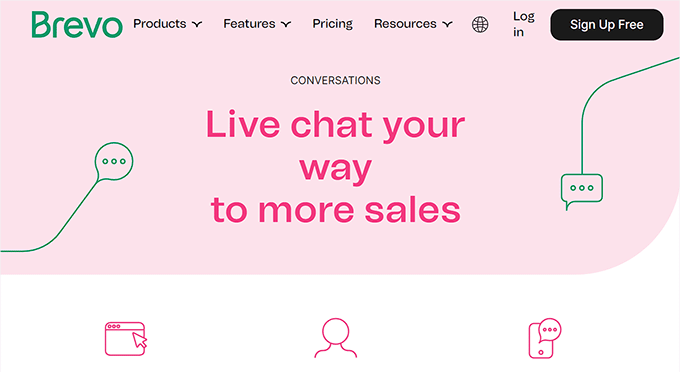
Brevo is a popular SMS and email marketing service that offers a chatbox feature. During my research, I discovered that it allows you to chat with your visitors in real-time and respond to questions, resolve issues, and qualify leads.
It even lets you create chatbots to answer user questions when your support team isn’t available. If you want to learn more, see our complete Brevo review.
To create a chatbox with Brevo, all you have to do is sign up for an account on the website and then connect to your WordPress blog using a free plugin.
✅ Pros of Brevo Chat
- I particularly appreciate that visitors can rate their conversations with chat agents, which can help you gain feedback from users.
- Brevo Chat allows you to see what visitors are typing before they send the message, which can help prepare you for the answer.
- It allows your visitors to chat with you using their mobile devices.
- Brevo Chat offers a CRM, landing pages, user data segmentation, SMS and email marketing features, and more.
❌ Cons of Brevo Chat
- During testing, I found the Brevo chatbox to be a bit slow at times.
- It offers limited customization.
Why I recommend using Brevo Chat: If you are looking for an all-in-one solution that lets you manage your users through SMS, email, live chat, and chatbots, then Brevo is the perfect choice. It is powerful and allows you to communicate with all your customers in one place.
6. Tidio
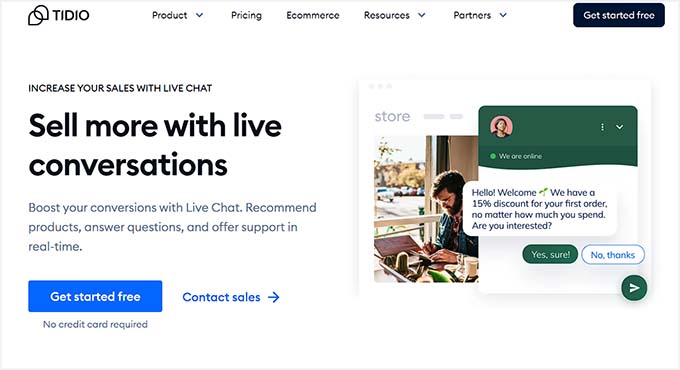
Tidio is a WordPress live chat and chatbot plugin that uses conversational AI to solve up to 70% of your customer’s problems.
It comes with pre-built chatbot templates and customizable chat widgets. Tidio also shows a live typing preview and saves the chat history with customers.
Tidio even integrates with WooCommerce and allows your support team to see a customer’s cart, check their order history, and recommend other products in the chatbox.
✅ Pros of Tidio
- Tidio is super beginner-friendly and has a free version.
- It comes with a customizable chatbox design.
- During testing, I noticed it lets your support team open tickets in the chatbox.
- Tidio integrates with platforms like HubSpot, Brevo, Constant Contact, and more.
- I like that Tidio lets you manage email, Facebook Messenger, and live chat conversations in one place.
❌ Cons of Tidio
- Its paid plan is a little expensive.
- Tidio is not available in many languages.
- I found it to be slow and unresponsive at times.
Why I recommend using Tidio: Overall, Tidio is an amazing chat plugin. If you are on a budget or just have a simple WordPress blog, then you can use the free version of Tidio to easily connect with your visitors.
7. JivoChat
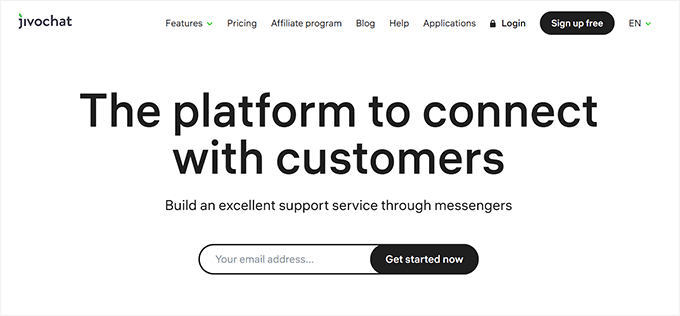
JivoChat is an all-in-one business messenger tool that lets you communicate with website visitors using email, live chat, chatbots, phone calls, and more.
Other than adding chat widgets to your website, I realized that the tool lets you contact your customers on their preferred social media platforms like Facebook, Instagram, or WhatsApp.
Some of JivoChat’s other features include chat history, voice messages, file and screen sharing, video calls, multiple chat agents, and chat routing.
✅ Pros of JivoChat
- The plugin has a free version with most of the features of the paid plan.
- It comes with built-in CRM tools.
- JivoChat monitors visitor behavior on your site and offers smart triggers.
- It provides detailed analytics and reports on chat performance.
❌ Cons of JivoChat
- Its paid plan can be expensive, especially for small businesses.
- I didn’t like that it offers limited chat widget customization options.
- It sometimes does not tell the visitor when the chat agent leaves the chat.
Why I recommend using JivoChat: I recommend using JivoChat if you are used to chatting with visitors over multiple platforms, as the plugin allows you to create a central place for all your messages.
Bonus: Olark

Olark is another great chat plugin that allows you to integrate chatbots and live chat widgets on your WordPress site. It is a great option for businesses with large support teams since it has in-built tools for tracking your employees’ performance.
It enables you to customize your chatbox according to your WordPress theme and even allows you to add a contact form to the widget. This can help your support team collect customer data so that they can contact users at a later date or build an email list.
✅ Pros of Olark
- With Olark, you can easily distribute chats and monitor team performance.
- During my evaluation, I discovered that I could integrate the tool with Mailchimp, Salesforce, HelpScout, and Zendesk.
- Olark lets you create automated messages for when your team isn’t available.
- It comes with analytics and reporting features.
❌ Cons of Olark
- It does not offer a free version.
- Olark does not allow you to create a custom chatbot.
- To create complex automated workflows, you have to integrate Olark with other platforms.
Why I recommend using Olark: I recommend using Olark if you have a large customer support team, as the tool lets you monitor your agents’ performance. It even comes with chatbots and automated message features to make work easier for your team.
Which Is the Best Chat Plugin for WordPress?
In our expert opinion, LiveChat is the best WordPress chat plugin, especially for online stores, because of its comprehensive features and integration with WooCommerce.
If you want a simple, affordable alternative, WPChat is a great choice. It lets you chat with visitors through WhatsApp, Messenger, Instagram, and Telegram, and includes a free version to get started.
If you’re looking for an all-in-one marketing and CRM platform, HubSpot is a solid option. It lets you add a chat widget and chatbot to your site, with a free version available for small businesses.
However, if you have a multilingual site, then ChatBot is the best choice because it lets you create a chatbot in any language you want and even integrates with LiveChat.
Frequently Asked Questions About WordPress Chat Plugins
Let’s wrap up with some of the questions that our readers often ask us about using chat plugins for WordPress.
Do I need a WordPress chat plugin?
By using a chat plugin on your website, you can communicate with your users in real time to provide customer service quickly and efficiently.
You can also use WordPress chat plugins to increase sales by answering questions about your products or services and convincing visitors to buy your products.
You can even reduce the number of support tickets on your site by immediately solving problems through chat widgets.
What is the best live chat plugin for WordPress?
If you want to add live chat functionality to your website, then we recommend using LiveChat, which is the best live chat solution for WordPress.
It offers beautifully designed live chat support apps, allows you to add pre-chat survey forms, integrates with CRMs, and is also easily customizable.
For details, you can see our showcase of the best live chat software for small businesses.
Best WordPress Guides for Customer Communication
- How to Create Chat Rooms in WordPress for Your Users
- Best AI Chatbots Software for Your Website Compared
- How to Add LiveChat to Your WooCommerce Store (and Boost Sales)
- Best Video Chat Software for Business (w/ Free Options)
- Best Team Communication Tools for Small Business
- Best Help Desk Software for Small Businesses
- Best Knowledge Base Plugins for WordPress
If you liked this article, then please subscribe to our YouTube Channel for WordPress video tutorials. You can also find us on Twitter and Facebook.



Jiří Vaněk
I am currently thinking whether it will be better to integrate live chat into the website, or rather a chat based on artificial intelligence. Since it is not my website, the price of the product will probably decide. Each option has its pros and cons. However, thanks for the great feature listing of these live chats as well as the pros and cons. It is then better to choose the final product that we will use in the end.
THANKGOD JONATHAN
This article is good. Comprehensive list of features and pros and cons.
However, for me I thing Chatbot is the best, compared to Livechat which have difficulties sending notifications sometimes
WPBeginner Support
Thank you for sharing which worked best for you
Admin
Moinuddin Waheed
This guide is very useful.
I have planning to use the live chat feature for my upcoming courses website so that we can work on increased students interaction and can resolve their queries right there.
But we don’t have many people to be live all the time to give response live.
is it possible that we can delay response while giving some sort of pre-made answers for general queries as we see on some of the websites?
WPBeginner Support
If you wanted to you could have the live chat collect the user’s email and have it reply that you will get back to them via email.
Admin