


If you have a WordPress site, then you must already know that implementing effective lead generation tips is crucial to growing your business and conversion rates.
As website owners ourselves, we understand the importance of lead capture in getting more visitors. We actively use lead generation tools like WPForms, OptinMonster, and others on our own websites to nurture our audience and convert visitors into loyal customers.
After testing various popular options, we have created a list of the best lead generation tools for achieving business goals.
Whether you have a rapidly growing business or you run a simple blog, our list has got you covered. We will explore the key features of the best lead generation WordPress plugins, discuss their ease of use, and guide you toward the most suitable option for your specific needs.

If you are in a hurry, then take a quick look at our top picks to make a decision.
| # | WordPress Plugins | Best For | Pricing |
|---|---|---|---|
| 🥇 | WPForms | Creating lead generation forms | $49.50/yr + Free |
| 🥈 | OptinMonster | Popups and signup forms | $7/month |
| 🥉 | SeedProd | Building landing pages with lead generation elements | $39.50/yr + Free |
| 4 | LiveChat | Adding live chat support for customers | $19/month |
| 5 | ChatBot | Building a chatbot | $19/user/month |
What Is Lead Generation, and Why Does It Matter?
Lead generation means getting the interest of prospective customers. It can be done in several different ways.
On your website, lead generation might mean getting visitors to:
- Join your email newsletter.
- Submit a contact or inquiry form on your website.
- Contact someone at your company through live chat.
- Talk to a chatbot (automated chat).
- Call your sales team or book a call with them.
Lead generation is essential for all online businesses. Of course, it’s also important to have a strong process for converting those leads into customers. However, most businesses struggle to get enough leads in the first place.
Even if you run a nonprofit, lead generation matters, it can help you get more donations and more support.
Our goal with this list is simple: to share the absolute best WordPress lead generation plugins that you can use to grow your business, faster.
Unlike other “best lead generation tool” lists, we’re not just sharing a bunch of plugins that all do the exact same thing. Instead, we’re focusing on lead generation from a holistic point of view, covering all the different angles you need to succeed.
For each lead generation solution category, we’re sharing an expert pick along with one solid alternative option. This helps us keep this list super comprehensive without overwhelming you with too many choices.
How We Test And Review Lead Generation Plugins
To give you the best recommendations, we tested the most popular lead generation tools on real websites. When doing that, we were particularly focused on the following points.
- Ease of Use: We have added plugins that are beginner-friendly and easy to set up. We have tried to avoid tools that may require coding knowledge.
- Features: A great lead generation plugin should have features like a visual builder, pre-made templates, integration with email marketing services, A/B testing, personalization, and more.
- Reliability: We have only recommended tools that we have tested ourselves. To be extra sure, we also went through customer reviews for each plugin.
- Value for Money: We evaluated each plugin’s pricing against its feature set to make sure you get the best return on your investment.
Why Trust WPBeginner?
WPBeginner has a team of experts with years of experience in WordPress, SEO, online marketing, hosting, and more. We’ve spent countless hours researching and testing various lead generation plugins, specifically with the needs of our readers in mind.
Whether you’re looking for a simple contact form plugin, a powerful email opt-in solution, or a comprehensive lead management tool, this comparison will help you find the perfect plugin to boost your conversions.
Plus, everyone at WPBeginner follows a strict editorial process to make sure our reviews are helpful and trustworthy.
With that said, here are the best lead generation plugins for WordPress.
1. WPForms
WPForms is the best contact form plugin on the market. Over 6 million website owners use the beginner-friendly, drag-and-drop builder to create all kinds of forms for their WordPress sites.
It comes with over 2,000+ pre-built form templates you can use as a starting point. After that, you can customize the form to match your needs using the drag-and-drop form builder interface.
Here are just some of the lead generation forms you can create:
- Email newsletter signup form
- Content download form
- Online event registration form
- Request a quote form
- Contest entry form
- Neighborhood events questionnaire form
- Personal trainer signup form
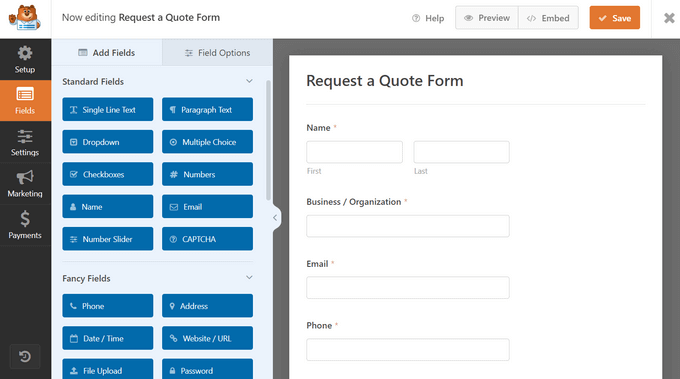
Plus, you can use WPForms’ powerful Calculations addon to create dynamic lead generation forms that provide real-time price estimates and collect contact details at the same time.
💡 We use WPForms to power all our forms across WPBeginner including lead generation forms such as our website migration form and contact form. To learn more about our firsthand experiences, check out our detailed WPForms review.
WPForms also integrates with your favorite email marketing services and CRM providers. This lets you automatically add leads to your email list.
Each time someone submits the form, you will automatically get an email notification. You can easily turn this off if you prefer not to receive email alerts. WPForms will store each completed form entry in your WordPress database.
It’s also possible to send notifications to multiple recipients using WPForms. For example, you might want to send a customer inquiry notification to a specific person in the sales team and their supervisor.
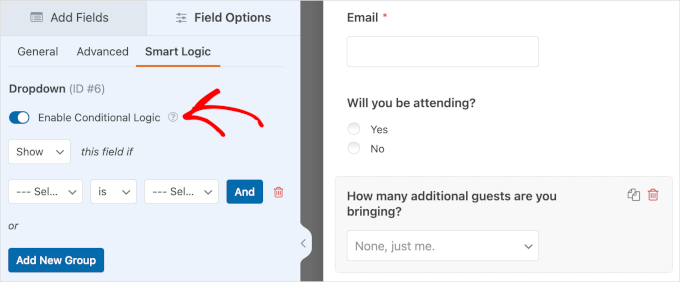
WPForms also offers built in conditional logic, which lets you show or hide form fields based on user responses. This makes your lead capture forms smarter and more personalized, which can boost completion rates significantly.
Another standout feature is WPForms’ form abandonment addon. It saves partial form entries even when a visitor does not complete the form. This means you can follow up on leads that would have otherwise been lost completely.
Price:
WPForms pricing starts at $49.50/year. There’s also a free version of the plugin, which has limited features.
Alternative:
Formidable Forms ($39.50/year) is a good alternative to WPForms. It has powerful tools that let you create different forms, including lead generation calculators. However, it’s not as beginner-friendly as WPForms.
2. OptinMonster
OptinMonster is a powerful lead generation and popup plugin that you can use on your WordPress site.
It lets you create high-converting popups and email signup forms that help you turn abandoned website visitors into subscribers and customers.
It has lots of useful features, including Exit Intent® technology. This lets you show your popup at the exact moment when someone is about to leave your site.
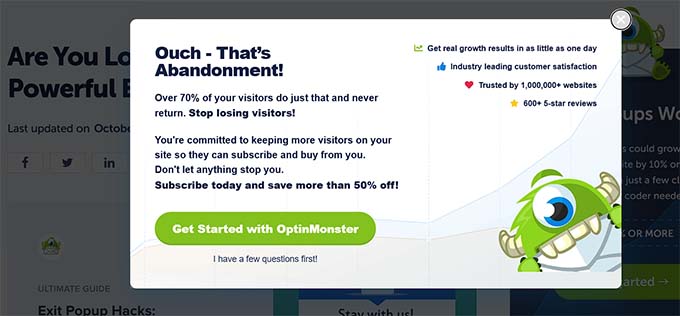
You can combine it with OptinMonster’s page targeting feature to show customized popup messages for each page on your site, which is proven to increase conversions.
With OptinMonster, you even get special popups like spin the wheel popups and Yes/No optins. These can boost your conversion rate even further.
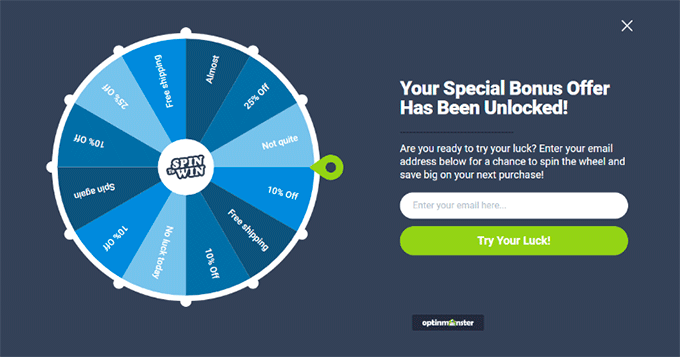
There are lots of different professionally designed templates included in the app. This makes it quick and easy to create lead forms using the drag-and-drop builder.
You can also use OptinMonster to generate leads in other ways. For instance, you might use the content-locking feature to ask visitors to join your email list before they can read your full content. It’s a great way to turn curious readers into loyal subscribers.
You don’t necessarily need to use OptinMonster to generate email leads, either. You could add a click-to-call button to your popup, use it to show special discount codes, and more.
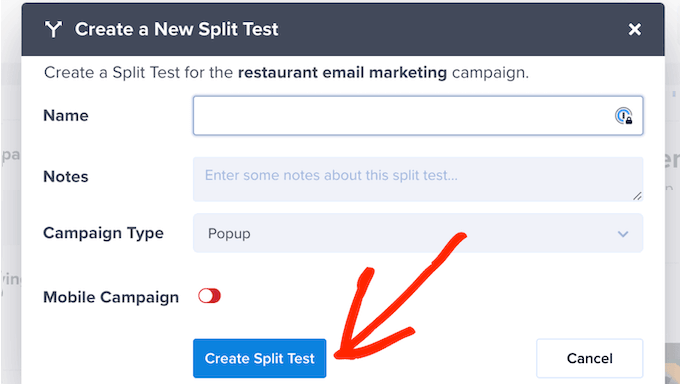
OptinMonster also includes powerful A/B testing so you can compare different popup designs, copy, and offers to see which version converts the best. Plus, its built in analytics dashboard shows you exactly how each campaign is performing in real time.
For eCommerce stores, OptinMonster offers cart abandonment recovery campaigns. These show targeted messages to shoppers who are about to leave without completing their purchase, which can recover a significant portion of lost sales.
💡 Want to explore these features in more detail? Our in-depth OptinMonster review has all the info you need.
Price:
OptinMonster starts at $7/month when billed annually. To get advanced features like Exit Intent technology and Yes/No forms, you need the Pro plan from $29/month.
Alternative:
Thrive Leads ($99/year) is a good alternative to OptinMonster. It offers a range of different types of lead generation forms and popups. It also has a built-in template library to speed up the building process.
3. SeedProd
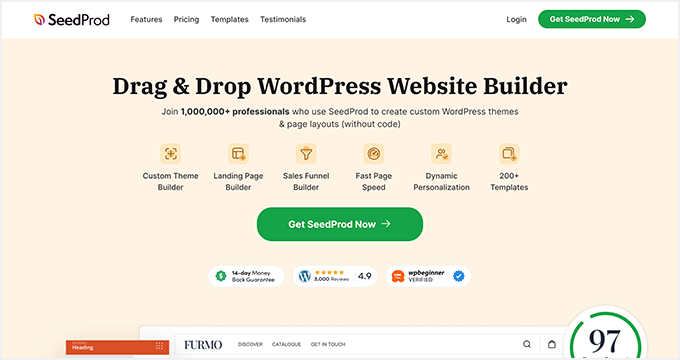
SeedProd is the best WordPress website and theme builder on the market. It’s used by over a million website owners to easily create any type of website without writing any code.
It has dozens of professional templates you can customize easily with the drag-and-drop builder.
SeedProd also comes with a beginner-friendly landing page builder. You will find a ready-made sales page, opt-in page, webinar registration, coming soon page templates, and more.
All these landing page templates can be completely customized, so you can start generating leads as quickly and easily as possible.

SeedProd includes dozens of blocks designed to help you build better landing pages, like testimonial blocks, countdown timers, CTA buttons, pricing tables, and so much more. You will also find a searchable stock photo library with over 2 million photos that you can use.
Plus, SeedProd offers an AI assistant that can help you instantly generate high-converting written content and original images for your pages to improve conversions.
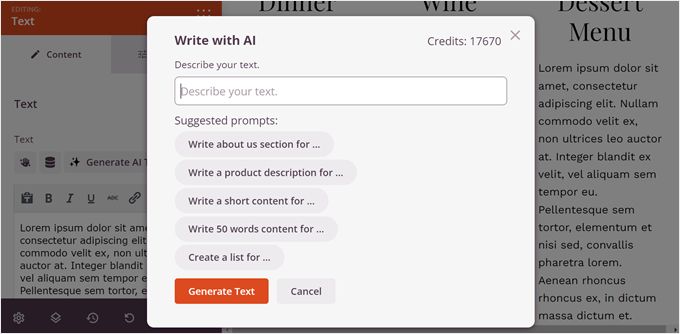
It also has powerful integrations with the top email marketing software and thousands of third-party apps via Zapier. This lets you easily send your leads to your lead management tool of choice.
For online store owners, you can use SeedProd’s WooCommerce blocks to build custom WooCommerce product pages easily, thank you pages, and more to collect leads and sell more products.
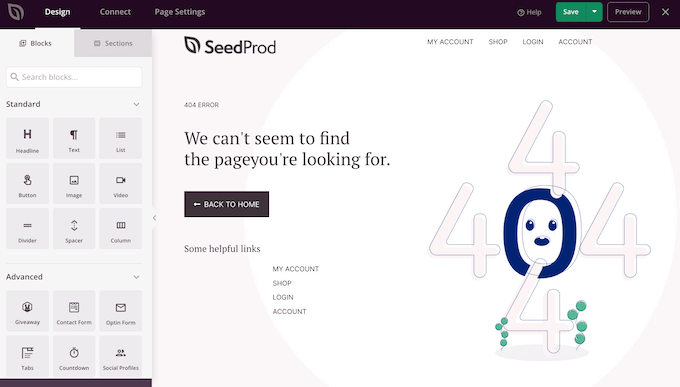
SeedProd also lets you create custom 404 pages, login pages, and coming soon pages that all include lead capture elements. This means you can turn every page on your site into a lead generation opportunity, even the ones visitors would normally bounce from.
Price:
SeedProd starts from $39.50/year (only $3.29 per month). Plus, there’s a free version you can try to see how the plugin works.
Alternative:
Instapage offers similar page builder features but is more expensive, and starts at $79/month (billed annually).
4. LiveChat
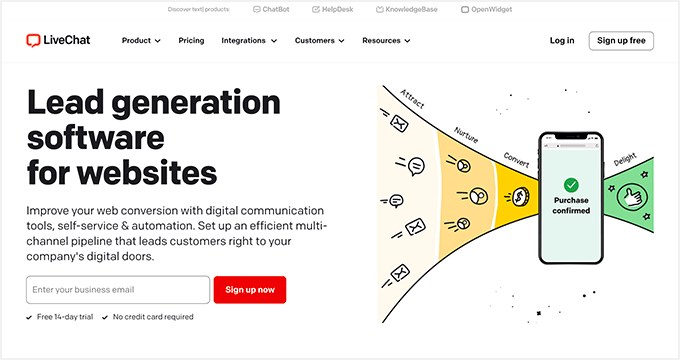
LiveChat is the best live chat software for WordPress websites. It’s very easy to set up, and you can integrate it with dozens of other marketing services.
By adding live chat support to your WordPress website, you can build a better relationship with your users and convert more visitors into customers.
LiveChat places a chat button in the bottom right-hand corner of your website. Visitors can click on this to chat with your team in real time.
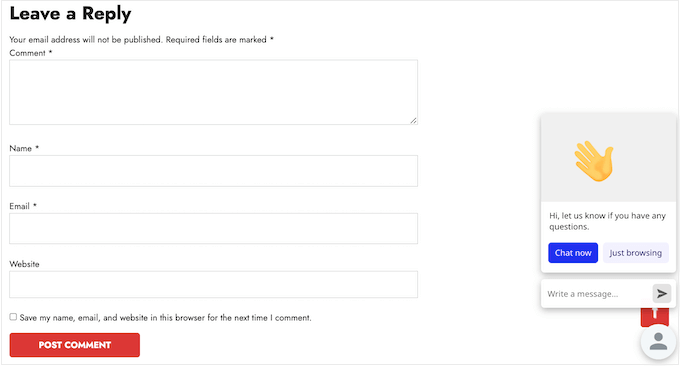
Plus, your support team members don’t need to log in to WordPress to use LiveChat. Instead, they can use the LiveChat app on their laptop or mobile devices.
LiveChat is fast and easy to use for your visitors and your support team. It lets you quickly turn leads into customers by answering pre-sales questions straight away.
LiveChat also includes pre chat surveys that let you collect visitor information before the conversation even starts. This means your support team knows exactly who they are talking to and can provide a more personalized experience that helps close deals faster.
You can also set up automated chat greetings that trigger based on visitor behavior. For example, you can show a custom message to visitors who have been browsing your pricing page for more than 30 seconds, nudging them to ask questions and move closer to a purchase.
Price:
LiveChat starts at $19/month when billed annually with a 14-day free trial. Our LiveChat coupon gives you an extended 30-day free trial plus a 30% discount.
Alternative:
Brevo (Previously Sendinblue) offers a simple, free live chat feature that you can use on your website. It also offers email, SMS, and a CRM tool that integrates with live chat.
For more information on this platform, head over to our detailed Brevo review.
5. ChatBot

ChatBot is one of the best AI chatbot software options on the market, and it lets you use automated live chat to connect with your potential customers and respond to their questions 24/7. It’s like having a customer service rep that never sleeps.
To help you get started quickly, ChatBot has lots of pre-designed templates. For instance, you can use the lead generation bot to schedule appointments. Meanwhile, the sales bot template lets you sell products directly from the chat window.
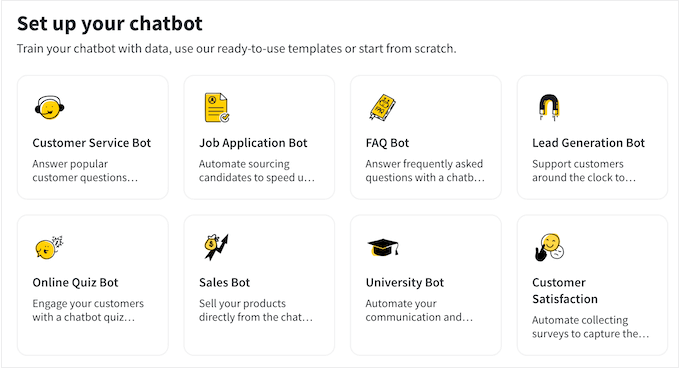
You can also use ChatBot with Facebook Messenger. That makes it a great option for companies and organizations that get a lot of inquiries through Facebook.
It’s easy to integrate ChatBot with other apps, such as LiveChat. A live agent can step into the conversation seamlessly if needed.
ChatBot also uses AI to learn from your conversations over time, which means it gets smarter the more it interacts with your visitors. This allows it to handle increasingly complex questions without human intervention, saving you time and resources while still capturing valuable lead information.
Price:
ChatBot pricing starts at $19/user/month. There’s a 14-day free trial available.
Alternative:
Hubspot offers a suite of business CRM tools, including a chatbot builder and live chat. You can get started free, and paid plans start at $9/month/seat.
6. RafflePress

RafflePress is one of the best WordPress giveaway plugins on the market. It allows you to easily create viral giveaways and contests that you can use to grow your website traffic and email list.
We use RafflePress to run all our competitions, including our annual giveaway to celebrate WPBeginner’s birthday.

You can use the drag-and-drop builder to create giveaway campaigns quickly in minutes without writing any code. Plus, there’s a built-in template library to help you create contests even faster.
A unique refer-a-friend feature lets you do word-of-mouth marketing by letting users share your contest on their social media profiles. This helps to build engagement and can get you a lot of new visitors to your WordPress blog.

You will find many other powerful features that help improve your campaigns, like email verification, fraud protection, social logins, giveaway landing pages, success tracking, and more.
Plus, your giveaways will run on mobile devices, so you can reach your visitors no matter where they happen to be.
For more details, see our guide on how to run a giveaway/contest in WordPress.
Price:
RafflePress has a free version of the plugin you can use to get started. The Pro plugin costs $299, which is a one-time payment that gives you lifetime access.
Alternative:
Gleam is an advanced giveaway platform you can use to run contests. However, it’s not beginner-friendly, and you will need at least $19/month to unlock its essential features.
7. PushEngage
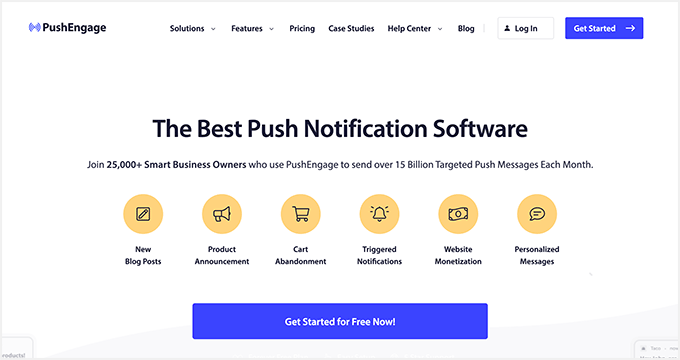
PushEngage is the best multi-channel customer engagement platform on the market, used by over 25,000 companies, including Harvard, Dominoes, and Business Insider.
It lets you easily send targeted push messages to visitors after they leave your website.
We use push notifications here at WPBeginner, and they are consistently a top 5 source of our traffic. They are a highly effective way to convert website visitors into loyal followers and customers.
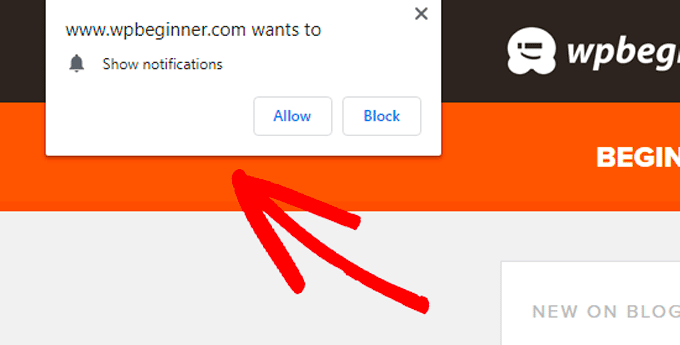
Visitors give their permission to receive push notifications by clicking a button:
You can set up push notifications to automatically send out to your subscribers whenever you publish a new blog post. Or, you can use them to send completely custom messages whenever you like.
PushEngage is a very easy-to-use solution for beginners and advanced users. It has powerful features like A/B testing, custom-triggered campaigns, interactive messages, custom drip campaigns, and so much more.
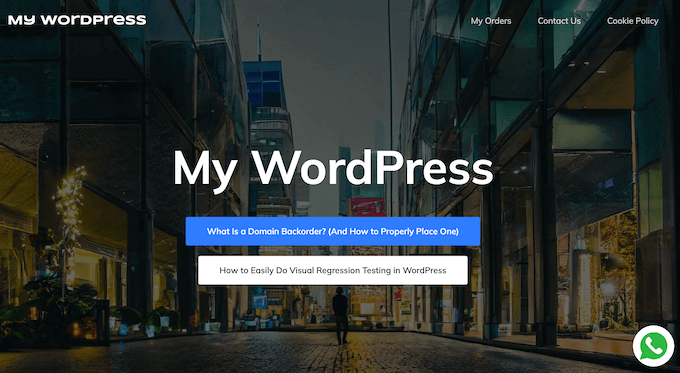
Plus, you can use the marketing automation features to create abandoned cart sequences, scheduled messages, and more. You can even send these notifications as WhatsApp messages, using a range of pre-made campaign templates.
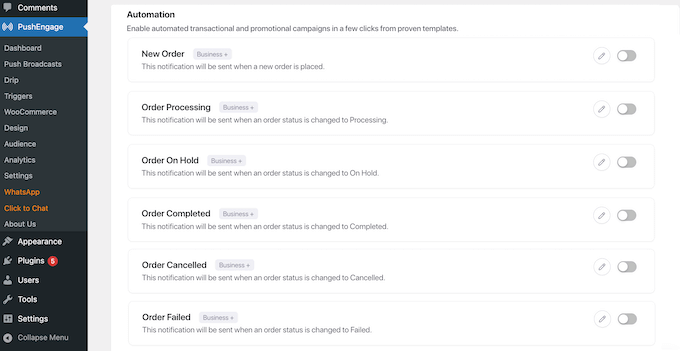
Alternatively, you can chat with potential leads in real-time by adding a WhatsApp chatbox to your WordPress website.
This provides a quick and easy way for people to contact you, which will improve the user experience and encourage them to sign up to your mailing list or similar.
No matter what approach you take, PushEngage will display a detailed breakdown of your subscriber engagement, and even the transactional revenue generated by your various campaigns.
⭐ Looking for a PushEngage deep-dive? Head over to our PushEngage review for more information.
Price:
PushEngage plans start at $8/month and give you support for up to 50,000 subscribers and unlimited campaigns. There’s also a free plan available that gives you 30 campaigns per month for 200 subscribers.
Alternative:
OneSignal has a free plan for unlimited notifications on mobile. For advanced features like delayed notifications, pricing starts at $99/month.
8. FunnelKit
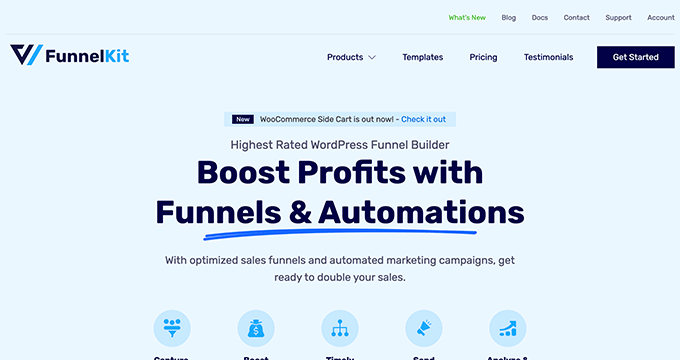
FunnelKit, formerly known as WooFunnels, is the best sales funnel builder for WordPress.
You can use it to create lead-generation funnels, sales funnels, high-converting checkout pages, one-click upsells, and more. It’s essentially a ClickFunnels alternative that helps you convert website visitors into leads and customers.
FunnelKit comes with a built-in library of beautiful funnel templates that you can import in one click.

You can easily customize the templates using the WordPress block editor as well as popular page builder plugins like Elementor, Divi, and others.
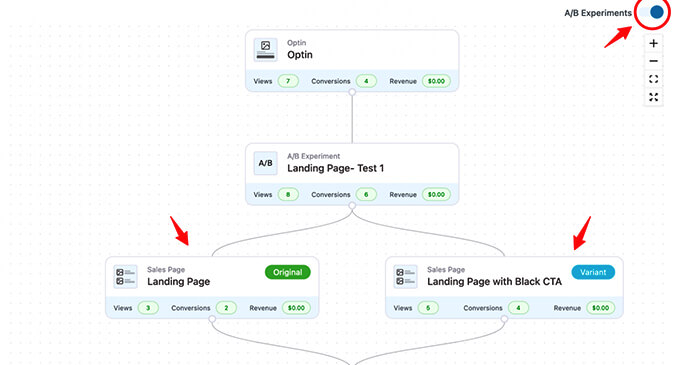
FunnelKit offers in-depth analytics so you can see how your funnels are performing in real time. Plus, it comes with A/B testing that lets you experiment with different versions of your funnels to find out which one converts the best.
In addition, FunnelKit has a marketing automation solution called FunnelKit Automations. This lets you set up automated email and SMS campaigns for lead nurturing, welcome series, abandoned cart recovery, post-purchase upsell, and more.
Price:
FunnelKit starts at $99.50/year. Alternatively, you can access the FunnelKit Automations and Funnels bundle, for $249.50/year.
Alternative:
You can also use SeedProd to create lead generation pages, sales pages, custom WooCommerce checkout pages, and more.
9. WP Call Button
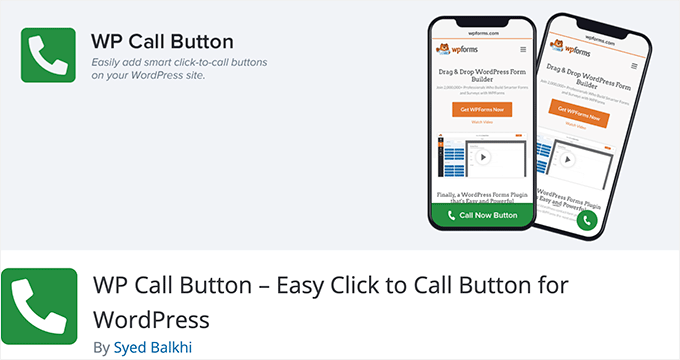
WP Call Button lets you add a ‘click to call’ button right on your WordPress website or WooCommerce store. This means visitors can simply click or tap the button on their phone to call you straight away.
If your customers often need to call you before buying a service or booking an appointment, adding a click-to-call button to your website can significantly increase your leads and sales. You can even use WP Call Button to set up business call forwarding, making sure calls go to the right place.
Adding your button to any post or page is super easy. You can even include it in your WordPress sidebar, or create a sticky floating call button that stays visible all the time, making it impossible for customers to miss.
Price:
WP Call Button is free and works with all top business phones and business VoIP providers.
Alternative:
You can also create a click-to-call link using the manual method covered in our article on adding a click-to-call button in WordPress.
10. AffiliateWP
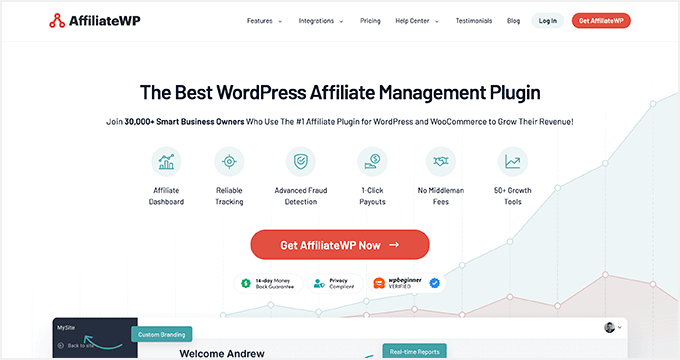
AffiliateWP is one of the best affiliate tracking and management solutions for WordPress. It lets you create your own fully featured affiliate program on WordPress.
By creating an affiliate program, you can have your own team of affiliates promoting your products in exchange for a commission.
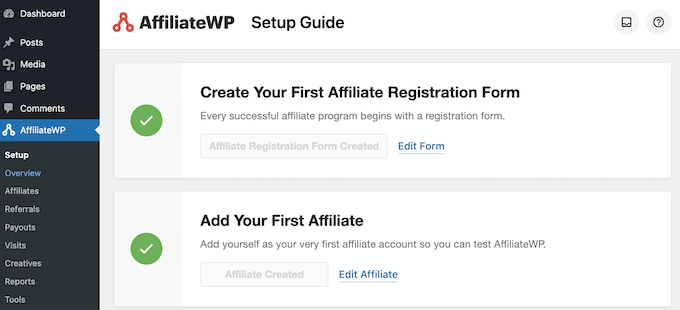
This can help you get more visibility and traffic and make more sales. We’ve used AffiliateWP across many of our partner brands, and have seen great results – you can see our AffiliateWP review for more details.
You can even create your very own WooCommerce affiliate program using this plugin.
AffiliateWP comes with everything you need to manage your program, including accurate affiliate tracking, integrated payouts, real-time reporting, affiliate coupon tracking, and so much more.
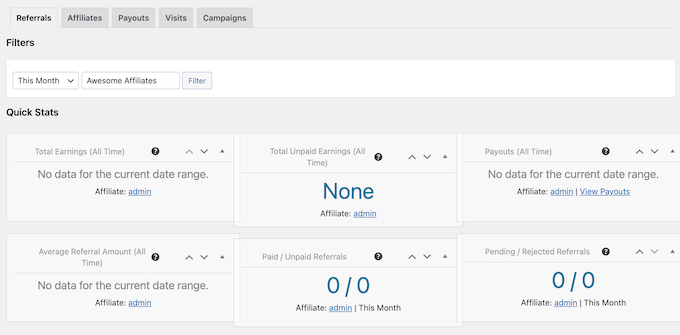
With manual affiliate approval and top-performing affiliate data, you can build lasting partnerships with your most valuable affiliates for years to come.
Price:
AffiliateWP starts at $149.50/year and has everything you need to run a successful affiliate program.
Alternative:
Easy Affiliate is another popular WordPress plugin for creating and managing an affiliate program. The basic plan starts at $99.60/year.
11. All in One SEO

All in One SEO is the best WordPress SEO plugin used by over 3 million websites. It’s the most comprehensive SEO toolkit that makes it easy to improve your SEO rankings without learning any complicated SEO jargon.
WordPress SEO is an important part of lead generation. After all, you need to bring people to your website before they can join your email list, call you, subscribe to push notifications, or do anything else on this list.
Once you install and activate the plugin, an easy-to-use setup wizard will help you choose the best SEO settings for your business so you can start getting more traffic.
AIOSEO also has a TruSEO score, which offers detailed on-page SEO analysis and gives you an actionable SEO checklist to help you easily optimize your posts and pages.
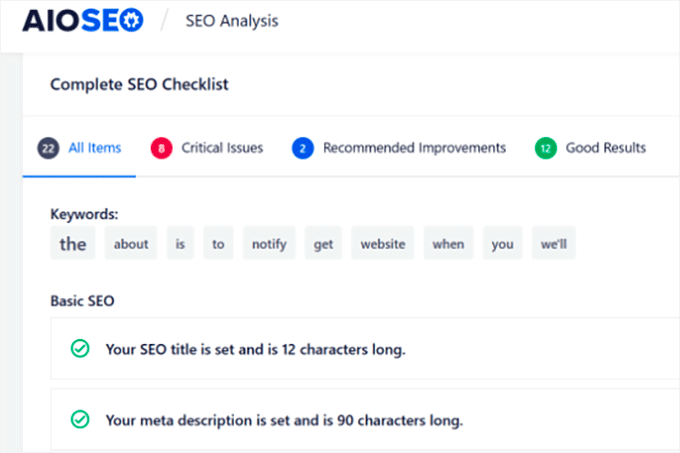
All in One SEO can help you improve your post SEO titles and meta descriptions, generate rich snippet schema markup, and create smart XML sitemaps and RSS sitemaps.
Plus, there are built-in WooCommerce SEO settings, like individual product optimizations, product image SEO, and more, to help your online store get more visitors from the search results.
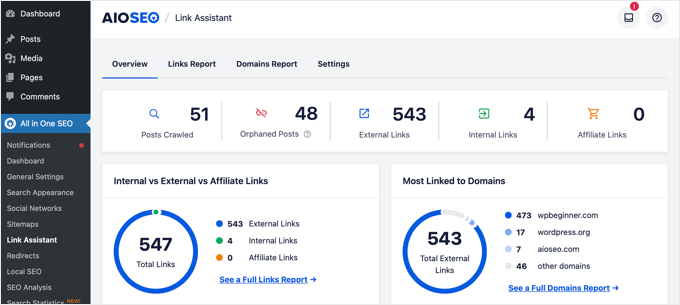
AIOSEO also includes a powerful link assistant that helps you find internal linking opportunities across your site. Strong internal links help search engines discover and rank your content, which directly leads to more organic traffic and more potential leads.
Price:
AIOSEO starts at $49.50/year for access to advanced SEO features. You can also try out the free version to begin optimizing your site for SEO.
Alternative:
Yoast SEO is another popular SEO plugin for WordPress that will help you optimize your site. There is a free version and a premium version that starts at $99/year. We cover both versions in detail, in our Yoast review.
12. MonsterInsights

MonsterInsights offers a powerful way to add Google Analytics to your WordPress website. It lets you quickly and easily see crucial statistics about your site and find your most important pages.
This means you can easily find out what’s working and what’s not, focusing on the areas that really matter.
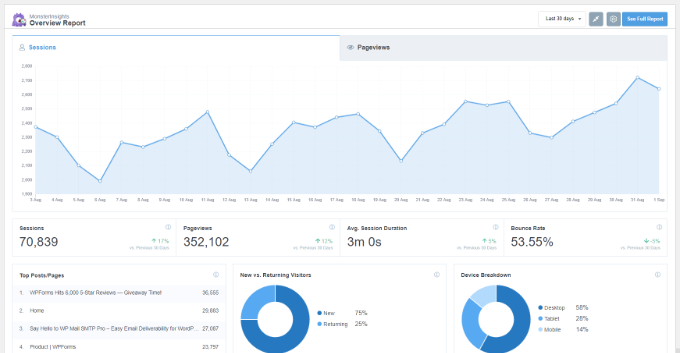
For instance, you might use MonsterInsights to enable author tracking and see which writers are producing the best-performing posts.
Or you could use MonsterInsights to track link clicks and button clicks. This lets you figure out which links and buttons are getting clicked and which ones aren’t. This insight helps you pinpoint exactly where you can make improvements to boost engagement and conversions.
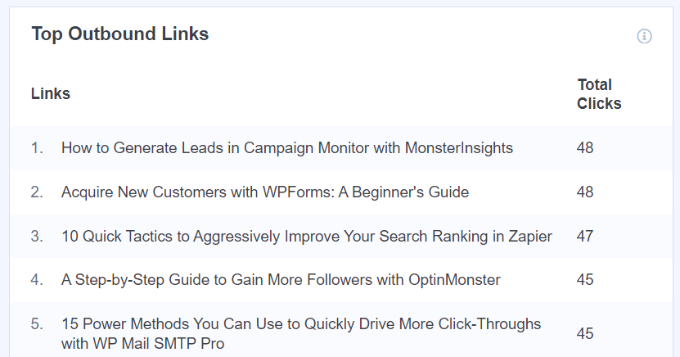
MonsterInsights is quick and easy to set up and gives you real-time stats. It can even track things like your eCommerce data, form completions, and file downloads. This gives you more insights into your lead generation efforts.
MonsterInsights also offers custom dimensions tracking, which lets you monitor specific data points that matter to your lead generation strategy. For example, you can track which content categories or authors drive the most form submissions and conversions.
Price:
MonsterInsights starts at $99.50/year. There’s also a free version available for WordPress users with limited features.
Alternative:
ExactMetrics offers similar features to MonsterInsights and starts at $99.50/year. To learn more, see our ExactMetrics review.
Bonus: Nextiva
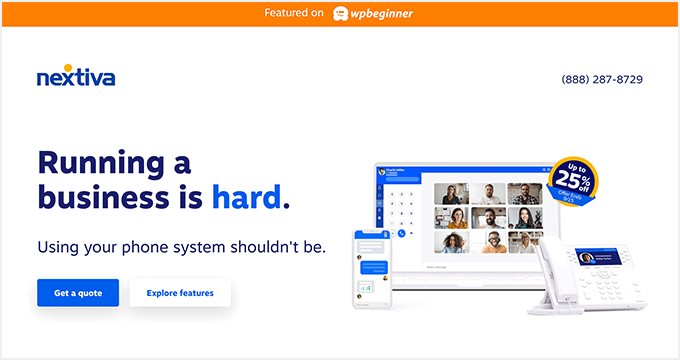
Nextiva is the best business phone service for small business owners in terms of features and ease of use.
If your business relies on phone calls for lead generation, then Nextiva can help you improve your business communication.
It has a web-based admin panel that lets you manage your unified communications platform all from one convenient place.
You will find business phone features like call routing, voicemail to text and email, SMS messaging, unlimited domestic calling, online faxing, and so much more.
When you create an account, you’ll get a free local or toll-free number. Plus, you get all the standard features like caller ID, call forwarding, routing, custom greetings, and more.
You can even integrate your business phone with powerful features like live chat and CRM services.
We use Nextiva at WPBeginner for our business phone service. It works well for our remote team since they can receive business calls on their cell phones while still keeping their numbers private. We go into more detail about our experiences, in our in-depth Nextiva review.
Price:
Nextiva starts at $15/month per user for all your business phone needs. The Engage plan costs $25/month per user and includes smart call routing, the ability to record video meetings, and more.
Alternative:
RingCentral is another popular business phone provider that’s packed with features. Paid plans start at $20/month per user.
What Is the Best Lead Generation Plugin for WordPress?
We believe you need multiple plugins for a robust lead-generation strategy on your site.
With that said, WPForms is the best lead generation plugin for WordPress. You can use their drag-and-drop form builder to create any kind of online form.
If you’re looking for a live chat solution to improve leads and support, then LiveChat and ChatBot are both great options.
However, to improve the overall conversion rate on your website, we recommend OptinMonster as nothing beats the powerful features it has to offer.
If you want to improve your existing website and product pages to generate more leads and make more sales, then SeedProd is a must-have plugin.
With any lead generation strategy, attracting leads is only the first step. You have to ensure a proper sales process to close the deal.
If you rely on phone calls, then we recommend using Nextiva. It comes with auto-attendant, call-routing, CRM, and powerful sales features that you can use to increase your sales.
To summarize, our top lead generation tools are:
Video Review
If you don’t enjoy reading written reviews, check out our video version of the best lead generation WordPress plugins:
We hope this article helped you learn about the best lead-generation plugins and tools for WordPress. You might also want to see our other guides to help you generate new leads and turn them into customers.
Lead Generation: Frequently Asked Questions
Lead generation can be a complex topic, especially with so many tools to choose from. To help you out, we’ve collected some of the most common questions our readers ask about lead generation plugins.
What is the best overall lead generation plugin for WordPress?
Choosing the best lead generation plugin really depends on your specific needs. However, WPForms is a huge favorite among users for its ease of use and flexibility.
As a powerful form builder, it lets you create a ton of different lead capture forms without having to write a single line of code. In fact, at WPBeginner we rely on WPForms to collect leads and grow our email list.
How do popups affect user experience and site performance?
They may have a bad reputation, but popups can actually boost user engagement if you use them wisely. Often, the key is to show popups at exactly the right moment – and this becomes easier when you have access to powerful features such as OptinMonster‘s Exit Intent technology (you can read more about that in our detailed OptinMonster review).
However, it’s a fine line. Too many popups can overwhelm your users and may even slow down your site. That’s why choosing the right lead capture tool is absolutely essential to ensure your popups work for you, not against you.
Can I integrate lead generation plugins with my email marketing services?
Yes, absolutely! Most lead generation plugins are designed to integrate smoothly with popular email marketing services.
For example, tools like OptinMonster and MonsterInsights allow for seamless integration. This makes it super easy to automatically add new leads to your lists and craft powerful email campaigns to follow up with them.
Do I need multiple lead generation plugins on my WordPress site?
Yes, we recommend using a combination of plugins for the best results. Each plugin serves a different purpose in your lead generation strategy. For example, you might use WPForms for contact forms, OptinMonster for popups, and PushEngage for push notifications.
The key is making sure your plugins work well together and don’t conflict with each other. All the plugins on this list are designed to work alongside other WordPress plugins without causing any issues.
What is the best free lead generation plugin for WordPress?
Several plugins on our list offer generous free versions. For example, WPForms Lite lets you create basic contact forms, and RafflePress has a free version for simple giveaways. HubSpot also has a completely free WordPress plugin that includes forms, live chat, and a basic CRM.
For most small businesses, starting with free versions and upgrading as your needs grow is a smart strategy that keeps costs low while still capturing leads effectively.
Best WordPress Guides for Lead Generation
- How to Add a CRM on Your WordPress Site and Get More Leads
- How to Generate More Leads with Free Online Calculators (Pro Tip)
- 12 Tips for Using AI to Skyrocket Your Lead Generation Campaign
- How to Perform an SEO Audit and Generate Free SEO Report
- How to Create an Alert Bar in WordPress (3 Easy Ways)
- Influencer Marketing Statistics You Should Know
- How to Do Lead Generation in WordPress Like a Pro
- How to Increase Leads by 50% With Interactive Lead Generation
If you liked this article, then please subscribe to our YouTube Channel for WordPress video tutorials. You can also find us on Twitter and Facebook.




Jiří Vaněk
The plugin that has worked best for me is OptinMonster. It doesn’t necessarily attract new users, but it helps bring users back to the site. This is not only due to email collection and newsletters but also thanks to other campaigns that keep my website visible. It has also helped me expand my user base on Patreon, so it’s been beneficial not just for my website but also for other related aspects that lead to potential profit. If I had to highlight one plugin from this list as the most effective and useful, it would be OptinMonster. On the other hand, to provide some balance, I do use SeedProd occasionally, but I’ve never gotten as accustomed to it as I have to Elementor.
Ralph
I think wpforms will be the best plugin for lead generation. Not that it is the best, I don’t know, I didn’t compare it with other plugins myself, but wpforms has so much more functions it is mindblowing. This is really one of the best plugins I came across.
WPBeginner Support
Happy to hear you are enjoying WPForms
Admin
shahid munir
Using WPForms for the last four years has been the best decision I’ve made. Additionally, I will check out other lead generation plugins that you shared here.
WPBeginner Support
Happy to hear and hope you find our recommendations helpful
Admin
David
WPForms is the best contact form plugin that I’ve been using the last 4 years and I never regret using it. I’ll have a look at other lead generation WordPress plugin as well that you shared here.
Thanks for sharing!
WPBeginner Support
Glad you’ve enjoyed WPForms
Admin
Akinbobola Akinyemi
I want to subscribe for news letter
Editorial Staff
You can subscribe to our newsletter by clicking the Email icon in the sidebar
Admin
Sunday
Very good article. Now Jetpack is among softwares we use for WordPress. How will you categorise it. How good is it to WordPress?
Editorial Staff
Jetpack is good for starters, but it lacks the powerful features. See this article for more details: https://www.wpbeginner.com/plugins/best-alternatives-to-the-wordpress-jetpack-plugin/
Admin
Naveen Rana
Funny thing is you put SEO plugin here since you own it now.
Editorial Staff
SEO is an important part of lead generation that’s why we recommend the plugin here.
Admin