


Many website owners want to create great-looking pages without learning complicated code. That’s where drag-and-drop WordPress page builders come in handy.
We’ve been there too. So, over the past few years, we have used page builder plugins like SeedProd, Beaver Builder, and Thrive Architect for different projects.
These tools helped us quickly launch landing pages and even build entire websites from scratch. They saved us a lot of time, and the results look amazing.
As we worked with different builders, we discovered that not all plugins are created equal. Choosing the right one from the many available options can be tricky.
In this article, we’ll share what we’ve learned from testing the best WordPress page builders out there. We’ll highlight the top choices to help you find the right tool for your needs.
Quick Pick – The Best WordPress Page Builders
In a hurry? No worries! Take a look at our top picks so you can quickly choose the right page builder for your site.
🥇First choice

Pricing: Starts at $39.50/yr
Easily build a complete custom site with one click
Comes with a theme builder (with headers & footers)
300+ pre-built templates
Fast loading, bloat free pages
Dynamic text replacement
🥈Second choice

Pricing: Starts at $99/yr
Conversion-focused landing page builder
Easy A/B testing with Thrive Optimize
357+ pre-designed layouts
Native integration with 3rd party apps
700+ custom fonts
🥉Third choice

Pricing: Starts at $89/yr
Drag & drop website builder for agencies
Use on 1 website (Unlimited sites on higher tiers)
170+ pre-built templates
30-day money-back guarantee
White labeling support
How Do We Test & Review Page Builder Plugins?
We want to give you the best advice about page builder plugins. Here’s how we test them:
- We used them for our projects: For different projects, we used several page builder plugins for our PPC landing pages. Some of our websites are built completely with website builders. This helps us see how they work in real life.
- We also tested the most popular ones: We tested some of the most popular plugins on the market to see if they’re worth the hype. We analyze those plugins based on the following factors: ease of use, features, customization options, number of templates, and pricing.
- We see how much you can change things: We test how much you can change the look of your website. Can you make it look the way you want?
- We categorize them based on your needs: When it comes to page builders, there is no one-size-fits-for-all solution. We analyze the features and help you decide if it’s the right plugin for your unique needs.
Why Trust WPBeginner?
At WPBeginner, our dedicated team has over 17 years of experience in WordPress, design, and online marketing.
While we don’t use a page builder on WPBeginner, our team has been able to create partner websites using SeedProd and other builder plugins quickly.
Besides this, we have tested and reviewed many of the leading WordPress page builder plugins on our site. We’re committed to helping you choose the right page builder plugin to meet your specific needs and build the website of your dreams.
To ensure our reviews are always helpful and trustworthy, we follow a strict editorial process. Our WordPress experts thoroughly evaluate each plugin, focusing on usability, features, performance, and value.
WordPress Page Builders: Frequently Asked Questions
Before we get to the list of the best WordPress page builders, let’s answer some basic, frequently asked questions about page builders.
What is a WordPress page builder?
A WordPress page builder, also known as a website builder, is a plugin that extends WordPress’s built-in website editing features. It makes building a page or an entire website on WordPress much easier and more customizable.
Some page builder plugins also call themselves theme or website builders. This is because they allow you to edit not just pages but also other parts of your site like the navigation menu, header, footer, sidebar, and so on.
It’s also helpful to know that modern page builders generally come in two flavors: standalone drag-and-drop plugins that replace the default WordPress editor, and block collection plugins that supercharge the default editor you already use.
Do I need to use a WordPress website builder?
If you find WordPress difficult to use, then using a site builder can be a good idea. Most WordPress website builders offer a drag-and-drop function that lets you easily arrange your content elements exactly to your liking.
We’ve noticed that when users just use WordPress’s built-in features, their websites can sometimes look a bit generic, making it difficult to stand out. Many page builders offer tons of customization options so that you can create a truly custom theme.
Do I need to install a theme to use a WordPress website builder?
WordPress comes pre-installed with a theme, so you don’t have to worry about installing another theme if you want to use a page builder plugin.
A WordPress theme and a page builder are two different things. Think of your theme as the structural foundation of your site, and the page builder as the interior design tools you use to customize every room.
Popular page builders are compatible with most WordPress themes. Unless there is a compatibility issue with your theme and the page builder of your choice, you don’t necessarily need to switch to a different theme.
Do I still need a page builder if I am using the WordPress Full Site Editor?
It depends. While the Full Site Editor is great for basic layouts, drag-and-drop page builders still offer superior marketing features like built-in A/B testing, advanced animations, and robust lead-generation blocks that FSE currently lacks out of the box.
Do I need a page builder if I’m using the WordPress block editor (Gutenberg)?
The WordPress block editor (Gutenberg) is a solid tool for writing posts and building basic pages. But it has real limits when it comes to custom layouts and full-site design.
Dedicated page builders go further. They offer pre-built templates, drag-and-drop editing, and the ability to customize site-wide elements like headers, footers, and page templates.
If you mainly write blog posts, then Gutenberg is enough. If you want to build landing pages or design a full custom website without code, then a page builder gives you much more control.
Having said that, let’s take a look at the best page builders for WordPress on the market.
During our testing, we decided to compare and rank the top WordPress page builders and website builders so you can choose the right solution for your needs. Our criteria for comparing these WordPress page builders are ease of use, flexibility, and design output.
1. SeedProd
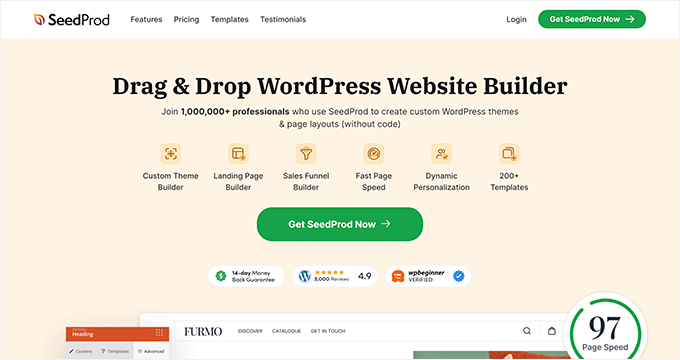
SeedProd is a powerful WordPress theme and page builder plugin that lets you design landing pages—or entire websites—without writing any code. Unlike many traditional page builders, SeedProd combines page building, theme building, and performance optimization in a single tool.
SeedProd is so flexible and powerful that we’ve used it to create entire websites for several of our partner brands, including Duplicator, WPForms, and Charitable.
There are ready-made 300+ website kits and templates for landing pages, sales pages, thank you pages, webinar registration pages, coming soon pages, maintenance mode pages, 404 pages, eCommerce product pages, and more.
You can import a full site with one click and customize every part visually.

It comes with a smart design system, so you can save time by re-using elements instead of doing repetitive work. You can define color schemes, save font combinations, page templates, custom blocks, sections, and more.
SeedProd has all the blocks and features you’d expect from a powerful page builder, such as opt-in forms, social profiles, countdown timers, contact forms, buttons, various content blocks, and more.
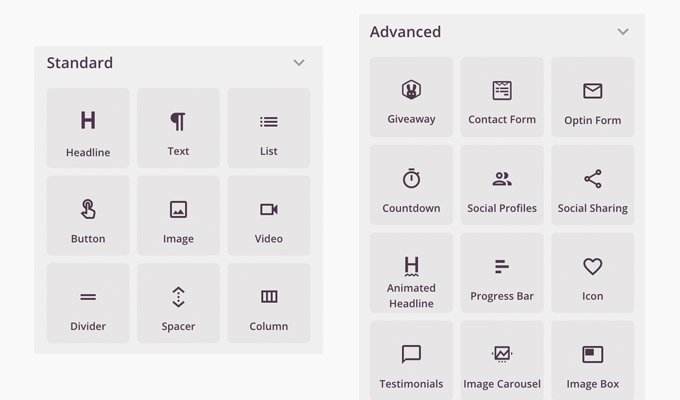
The best part is that some of these blocks have pre-made templates, so you can speed up the design process by adapting your favorite 1-click block templates.
One standout feature is SeedProd’s AI (artificial intelligence) website builder., which can generate layouts, copy, and images automatically. This is particularly useful for getting projects off the ground quickly or overcoming blank-page paralysis.
The AI Website Builder can also instantly translate your site into 50+ languages.
For more details, see our guide on how to make a WordPress website with AI.
You can use SeedProd’s custom domain mapping feature to create micro-sites within WordPress. Agencies use this feature to manage multiple client landing pages from a single WordPress installation.
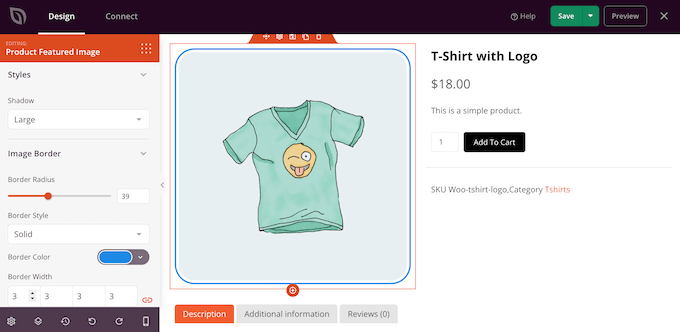
This WordPress page builder works with all popular themes and plugins, including WooCommerce. It also comes with WooCommerce blocks so that you can create custom checkout pages, cart pages, product pages, and more.
In addition, it has built-in subscriber management, and you can easily connect it with popular email marketing services like Mailchimp, ActiveCampaign, ConvertKit, and more.
Over 1 million users are using SeedProd to make better website layouts.
✅ Pros of SeedProd:
- Complete WordPress theme builder
- Easy drag-and-drop functionality
- 300+ ready-made website kits
- AI website builder option
- WooCommerce page builder
- Free plugin available
❌ Cons of SeedProd:
- The theme builder is only available in the Plus plan and higher
- Limited free version
⭐ Why we recommend SeedProd: SeedProd is the fastest theme and page builder plugin on the market. It is also the most affordable. Its large library of pre-built templates and pro blocks is a huge time saver, and the ability to customize every little detail makes it the perfect solution for all WordPress users.
Pricing: Starting from $39.50 for a single site license. There’s also a free version with limited features.
For more details, see our complete SeedProd review.
2. Thrive Architect
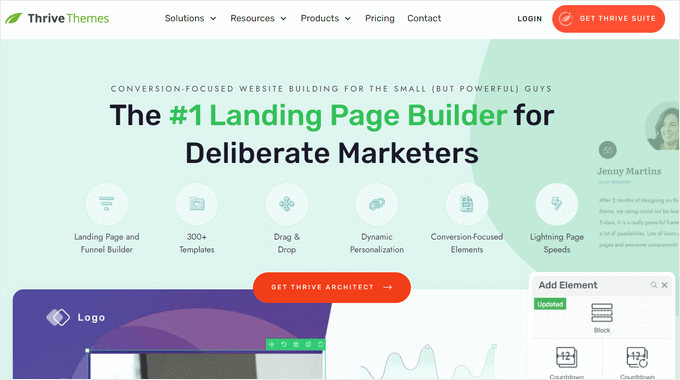
Thrive Architect is a powerful, fast, and easy-to-use page builder. It lets you create beautiful pages, layouts, and content in WordPress without touching a line of code.
The WordPress site builder includes 357+ pre-designed layouts for homepages, sales pages, webinar pages, lead generation pages, application pages, and more.
Every single detail of the templates can be customized using the front-end visual editor. Simply point and click to edit, move, or delete any page element.
You can also quickly add pre-made conversion elements to your pages. Choose from building blocks like call-to-action buttons, testimonials, countdown timers, guarantee boxes, and more.
With Thrive Architect, you can even create custom blog post layouts. You can add blocks like highlight boxes, styled lists, and click-to-tweet boxes to make your WordPress blog more engaging.
Plus, there are more helpful web design elements you can use, such as flexible column layouts, hover effects, total font customization, and more.
You can also connect Thrive Architect with the Thrive Optimize addon to split-test your pages. This lets you compare two versions of the same web page to find out which converts best.
✅ Pros of Thrive Architect:
- User-friendly WordPress page builder
- Front-end visual editor
- 357+ pre-designed layouts
- Conversion-focused design elements
- Integrates with WooCommerce
❌ Cons of Thrive Architect:
- No free version available
- You have to pay more to access the theme builder
⭐ Why we recommend Thrive Architect: Thrive Architect is an easy and highly intuitive WordPress page builder. The huge template library and fast front-end visual editor make it simple, even for beginners, to create custom pages and layouts in WordPress.
Pricing: Starts at $99 per year for the standalone plugin. Or, you can purchase the entire Thrive Suite of plugins, which includes the Thrive Theme Builder, starting at $299 per year.
For more details, just see our Thrive Architect review.
3. Beaver Builder
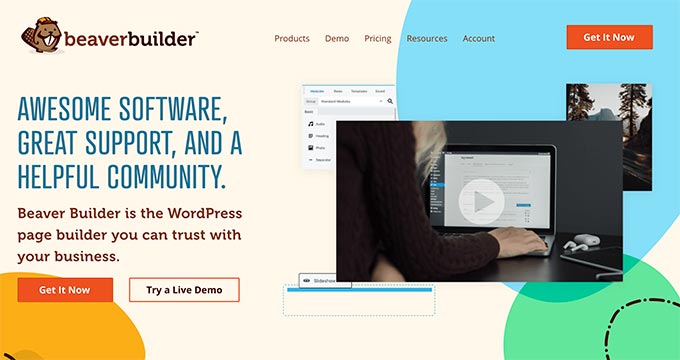
Beaver Builder is a popular drag-and-drop page builder plugin for WordPress.
You can quickly familiarize yourself with the interface and get started with the built-in onboarding tour.
Beaver Builder comes with a live drag-and-drop interface. You get to see all your changes as you add them by dragging elements from the right sidebar and dropping them on your page. You can click on any element on a page to edit its properties.
You can use modules to add almost anything you want, including sliders, carousels, backgrounds, content blocks, buttons, and more.
The WordPress drag-and-drop builder also comes with over 170 beautifully designed templates for landing pages that make it super easy and super fast to create stunning website layouts.
We find Beaver Builder to be very beginner-friendly. Just check out our tutorial on how to create custom WordPress layouts with Beaver Builder.
Beaver Builder is fully compatible and works seamlessly alongside the WordPress block editor.
✅ Pros of Beaver Builder:
- Drag-and-drop visual builder
- 170 pre-made page templates
- Works with the block editor
- Comes with WooCommerce support
❌ Cons of Beaver Builder:
- Fewer templates compared to other page builders
- No free version available
⭐ Why we recommend Beaver Builder: Beaver Builder is a popular page builder option. It comes with pre-made templates to help you get started. A lot of web professionals use Beaver Builder to create their client sites and custom themes.
Pricing: Starting from $89 per year for one website.
You can see our full Beaver Builder review for more information.
4. Divi
Divi is a professional drag-and-drop theme and WordPress page builder plugin. It is easy to use and comes with hundreds of layout packs for different kinds of websites.
Similar to SeedProd and Beaver Builder, the Divi Builder comes with a true WYSIWYG (what you see is what you get) visual editor with visual drag-and-drop functionality.
You can directly click on your page and start editing in real-time with a live preview of all changes. So you don’t need to save and click preview to see your new design.
Divi comes with dozens of content modules that you can drag and drop anywhere in your layout. It lets you arrange these modules in multiple section types and row types. And you can customize each element using its advanced design settings.
With Divi, you can create any type of custom page layout within a few minutes. You can then save these Divi layouts for future use on your site. You can also export a layout from one Divi installation into another.
The Divi Builder plugin is the backbone of the Divi theme, yet it works well with any other popular WordPress theme.
Best of all, Divi has very attractive pricing options. For a single price, you’ll get the Divi theme, the Divi page builder plugin, and all other Elegant Themes products, such as Extra and Bloom.
This means you can use the Divi theme or install the Divi Builder plugin on any other theme.
✅ Pros of Divi:
- True WYSIWYG visual editor
- 100s of website layout packs
- Works with any WordPress theme
- Lifetime pricing option
❌ Cons of Divi:
- Interface isn’t as user-friendly as SeedProd and other page builders
- Some customization options are limited
⭐ Why we recommend Divi: Divi is a great SeedProd builder alternative. It has a powerful page builder with limitless design possibilities. The large number of content modules allows you to create almost any type of website you want. The lifetime plan also makes it one of the best deals on the market.
Pricing: Starting from $89 per year (a lifetime access plan is also available)
Check out our complete Divi review for more information.
5. Elementor Pro
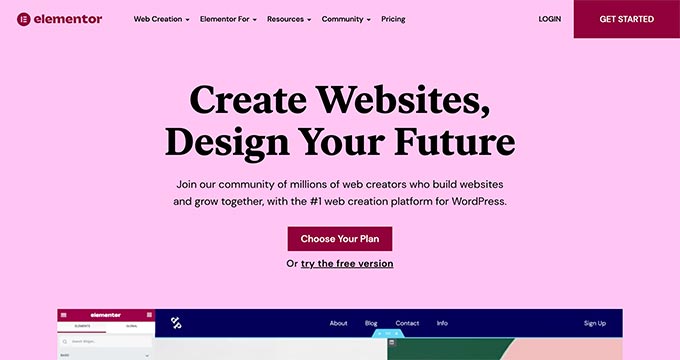
Elementor Pro is a powerful drag-and-drop WordPress page builder plugin. It is a live page builder plugin, which means you can see your changes live as you make them.
Start by creating sections and select the number of columns for each section. You can then drag and drop widgets from the left panel into your section.
Elementor comes with tons of widgets, including the most commonly used website elements. These range from basic image and text widgets to advanced accordions, sliders, testimonials, icons, social media, tabs, and more.
Each widget is independent and comes with its own settings. Elementor will also let you add widgets created by other WordPress plugins.
Don’t want to build your own layout?
Elementor comes with many ready-to-use templates that you can easily insert into your pages. You can simply point and click to edit any item on the page, replace the content, and you’re done.
✅ Pros of Elementor:
- Live page builder
- Extensive widget collection
- Ready-to-use templates
- eCommerce integrations
❌ Cons of Elementor:
- Less efficient code output
- Slower page speed
⭐ Why we recommend Elementor: Elementor is a popular page builder plugin for WordPress. It is easy to use, has a large extensions ecosystem, and comes with tons of modules and templates that you can use to build a custom website.
While historically Elementor has struggled with code bloat, recent updates like Flexbox containers have improved its performance. Faster page speeds are crucial for your WordPress SEO and user experience, so turning on Elementor’s performance features is highly recommended.
Pricing: Starting from $59 for a single site license.
To learn more, check out our complete Elementor review.
6. Visual Composer Website Builder
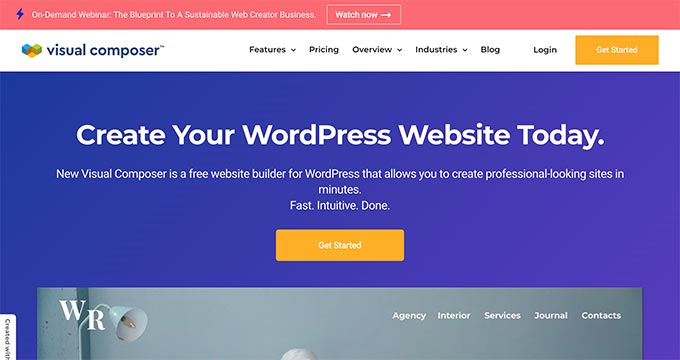
Visual Composer Website Builder is a user-friendly WordPress website editor that helps you create custom website layouts, fast.
It comes with a simple drag-and-drop builder, out-of-the-box content elements, professional templates, and a host of powerful features to make a website.
Similar to SeedProd and Beaver Builder, it also provides a real front-end editing experience for designing a website. But there’s a lot more you can do with this WordPress builder.
Like SeedProd, Visual Composer also lets you edit site-wide elements such as headers, footers, menus, and sidebars.
That’s why the team decided to call it a website builder instead of just a page builder.
The plugin features powerful design options to customize the appearance of any element on your page. You have easy options to add stylish backgrounds, including parallax, gradient, slideshow, carousel, zoom in and out, video, and more. It also comes with flexible rows and columns for creating grid layouts on your site.
Visual Composer works well with all WordPress themes. This allows you to switch your themes without losing the custom layouts that you created with Visual Composer.
It also includes support for the WordPress block editor, Google Fonts, and Yoast SEO.
Visual Composer is designed for professionals, which is evident by their attention to detail, such as remembering your color choices. This allows you to easily use the same color palette for consistency throughout your design.
✅ Pros of Visual Composer:
- Full website editing capability
- Front-end visual editing
- Flexible design options
- Compatiable with all WordPress themes
❌ Cons of Visual Composer:
- Different interface than typical WordPress plugins
- Slight learning curve for beginners
⭐ Why we recommend Visual Composer: Visual Composer is a great plugin for beginners to start a website. It provides powerful features for website making in a simple manner. Website editing is made super simple with the front-end drag-and-drop editor. However, the interface is a bit different than typical WordPress plugins, so it can feel confusing to new users.
Pricing: $49/year for one site license
7. Themify Builder
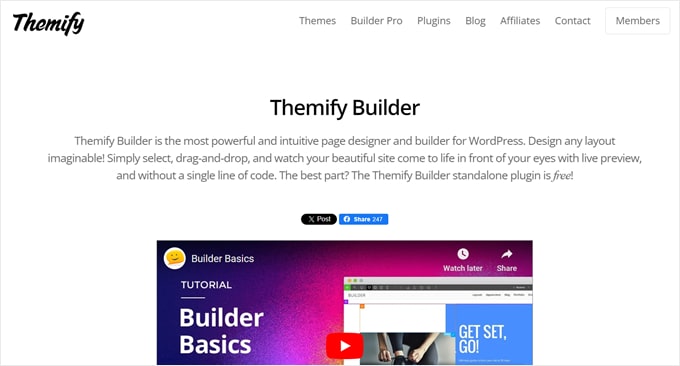
As a freemium WordPress website builder, Themify Builder is pretty unique. With this plugin, you get two types of interfaces: a drag-and-drop WYSIWYG to customize the design of your page and a backend to move around your content elements.
During our testing, we found it a bit tricky to use at first. However, we can imagine how useful it is when you just want to focus on editing the structure of your page.
Themify Builder comes in two versions: a free plugin and a Pro plan. The free plugin is more like a page builder as it lets you create a custom page using its 40+ layouts, but not other parts of your site.
Meanwhile, Themify Builder Pro allows you to modify all your page templates, from headers and footers to single post templates and custom post types. The plugin offers professional-looking pre-designed themes and templates.
Themify Builder Pro also offers a Display Conditions feature. You can use this to display certain templates on specific pages only rather than on your entire site. This can help show promotional banners on relevant product pages.
✅ Pros of Themify Builder:
- Front-end visual editor
- Backend drag-and-drop editor
- Ready-made layouts and templates
- Free plugin available
❌ Cons of Themify Builder:
- More advanced builder
- Not as beginner-friendly as other plugins
- Limited features in the free plugin
⭐ Why we recommend Themify Builder: Themify Builder is a great WordPress site builder if you’re looking for a slightly more advanced option. It comes with features that you may not easily find in other WordPress page builders. However, for beginners, it’s not the most user-friendly pick.
Pricing: Themify Builder Pro costs a one-time fee of $69. A free plugin is also available.
8. Brizy

Brizy is a WordPress website builder made for agencies and SaaS companies, but any user with any skill level can still use it. After installing the plugin, you can simply choose one of the 50 free starter templates for businesses, online stores, wedding sites, and more.
The free plugin only comes with basic content elements like text, images, and buttons, though a contact form is available. We recommend getting a pro plan to get more content elements and other features like a popup builder and user access settings.
The editing interface itself looks clean and feels straightforward to use. We appreciate that it’s not cluttered with too many settings and you can easily figure your way around it without any pointers.
Besides moving elements around, you can save layouts for future use, change the page’s global typography and color scheme, and preview your page on desktop, tablet, and mobile.
The reason this WordPress builder is intended for agencies is that its White Label plan lets you brand the plugin using your own logo and business name. It’s a cool perk if you work with many clients and want to maintain a consistent brand experience.
✅ Pros of Brizy:
- User-friendly interface
- 50 starter templates
- Pre-made content elements
- Free plugin available
❌ Cons of Brizy:
- Fewer templates than competitors
- Less powerful features
- Basic features in the free version
⭐ Why we recommend Brizy: As a free WordPress page builder, Brizy‘s user experience is beginner-friendly, but it’s not the most powerful. If you want to make the most out of this plugin, then we recommend getting a paid plan to get more out-of-the-box features.
Pricing: Starting from $60/year for 1 website. A free version for personal use is available.
9. Live Composer
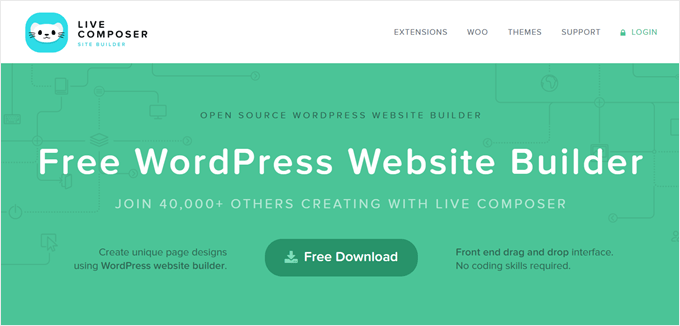
Live Composer is a completely free WordPress site builder that you can easily install directly from your WordPress dashboard.
This WordPress page builder has a WYSIWYG drag-and-drop editor, with a bottom side panel to insert content blocks. While the plugin itself is free, it offers some elements that you may find in a paid page builder, like accordions, galleries, and progress bars.
Live Composer also allows you to create custom post types for downloadables, partners, projects, staff, testimonials, and galleries.
These are all excellent custom post types for a business website or a digital product store, and you can use them to fill out your pages if needed.
If you want to extend the plugin further, then you can get an extension pack that includes add-ons for adding a contact form, embedding videos, restricting content, and so on.
✅ Pros of Live Composer:
- Free WordPress website builder plugin
- Easy drag-and-drop editor
- Supports custom post types
❌ Cons of Live Composer:
- Limited features without purchasing extensions
- No pre-made themes or templates
⭐ Why we recommend Live Composer: Live Composer is a good free WordPress website builder for people on a budget. But we think users will need to get the extension pack or install other plugins as some essential elements like contact forms and video embeds aren’t available in the free version.
Pricing: Free plugin, but the extensions pack starts from $69/year for 1 website.
10. SiteOrigin
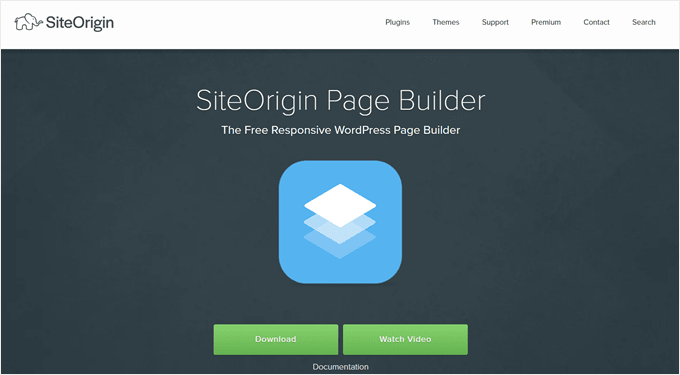
SiteOrigin is another free WordPress page builder. You can use it with your existing WordPress theme, but works best with a SiteOrigin theme.
This plugin is technically a drag-and-drop builder, but when we tried it, it worked pretty differently from other options on the list.
For one, even though it comes with a live preview, you build your page by adding and moving elements within a side panel, rather than clicking and typing directly onto the live page. It feels similar to the WordPress Theme Customizer, just with drag-and-drop tools.
It can seem tricky at first. However, one cool feature is that it lets you resize rows and columns in a page section easily by dragging a slider instead of sticking with the default section sizes. This can be useful if you want to have more control over your layout.
Additionally, you can adjust layouts specifically for mobile to ensure your site looks good on smaller screens.
SiteOrigin also provides a premium add-on bundle that includes extra widgets like video backgrounds, WooCommerce templates, tooltips, and more.
✅ Pros of SiteOrigin:
- Free WordPress page builder
- Drag-and-drop editor
- Mobile-specific editing option
❌ Cons of SiteOrigin:
- Advanced learning curve
- Side panel site editing only
- You need to purchase addons to access some features
⭐ Why we recommend SiteOrigin: As a WordPress page builder, SiteOrigin offers everything needed to build a fully functional site, but it can seem too advanced for beginners. That’s why we recommend it more for experienced WordPress users looking for more control over their themes.
Pricing: Free, but there are premium add-on packs that start from $29/year for 1 site.
Check out our full Page Builder by SiteOrigin review to learn more.
11. Kadence WP
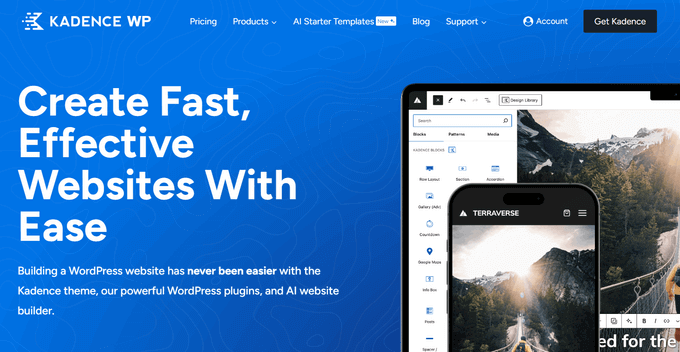
Kadence WP is a free WordPress page builder plugin that enhances the default block editor with powerful new custom blocks and design options.
Unlike traditional drag-and-drop builders that replace the WordPress editor, this is a block-collection plugin that supercharges the default editor you are already using.
We found it really easy to use because you don’t have to learn a whole new system for designing pages. Instead, Kadence works right inside the regular WordPress editor, so you can build your website using tools you already know.
Simply point and click to add new elements to your page. You can choose from a variety of pre-built blocks such as accordions, info boxes, galleries, forms, post grids, row layouts, sections, icon lists, and more.
You can also fine-tune your design with the customizable settings. For example, you can adjust an element’s padding and margins to ensure your content is readable.
The plugin also offers an AI-Powered Design Library to speed up website creation. Just enter your business details, and watch as Kadence AI generates customized content, suggests on-brand imagery, and helps you build a stunning website in minutes.
✅ Pros of Kadence WP:
- Works inside the WordPress editor
- Pre-made custom blocks
- AI-powered design library
- Free base version
❌ Cons of Kadence WP:
- Fewer templates than other page builders
- Limited to block framework
- Premium version is expensive
⭐ Why we recommend Kadence WP: Kadence WP is a great choice for users who prefer not to learn the ins and outs of a brand-new page builder. It integrates with the native WordPress interface that you already know and use, making it easy to start building beautiful pages right away.
Pricing: The base plugin is free. However, if you want more custom blocks and advanced features, you need to upgrade to a premium plan, which starts at $149/year.
12. Page Builder Sandwich
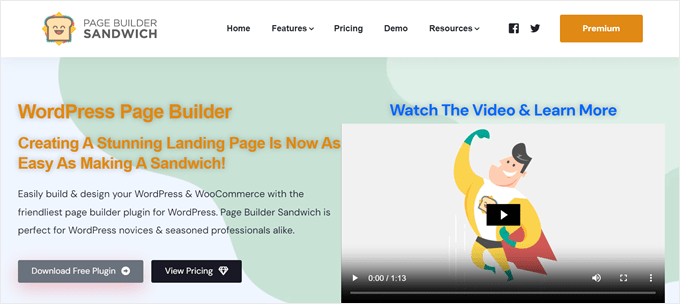
If you’re looking for a simple WordPress page builder, then Page Builder Sandwich can be a good pick.
The plugin comes in two versions: free and paid. When reviewing the plugin, we found the free option better suited for a personal, non-commercial site. There are not a lot of block options, and all the page template options are premium.
That said, you can still use the page builder to edit your existing theme.
On the other hand, the paid version offers all the essentials needed to create a website. You will get 10 page templates, 40+ pre-designed sections, and newsletter integration to build your audience.
✅ Pros of Page Builder Sandwich:
- Simple user interface
- Page templates and pre-designed sections
- Free version available
❌ Cons of Page Builder Sandwich:
- Fewer page templates than competitors
- Limited block options and features
- Free version is very basic
⭐ Why we recommend Page Builder Sandwich: Page Builder Sandwich is a pretty simple WordPress website builder compared to the other options on this list. The feature set is not as rich, but we think it’s a good option if you want something straightforward that sticks to the basics.
Pricing: Starting from $29/year for 1 website. A free plugin is also available.
13. Spectra

Spectra is a WordPress website builder developed by the same team that created the popular Astra theme.
Like Kadence WP, this is another page-building plugin that works right in the WordPress block editor. This makes it a good option for people who are familiar with the built-in editor but want some extra features to modify their web pages.
Out of the box, Spectra offers 30+ essential blocks and 100+ pre-built templates to speed up your website creation.
It also offers an AI generative feature called Zip AI so that you can craft copy for your landing pages quickly. Free Spectra plugin users can get 1000 free credits to use this feature.
Spectra is optimized for speed. When we tried the plugin, it did not take long for it to load and there were no performance issues. It also uses advanced tech like the Just-in-Time compiler to make the plugin more efficient.
✅ Pros of Spectra:
- Works in the WordPress block editor
- 100+ templates and 30+ blocks
- AI content generation
- Optimized for speed
❌ Cons of Spectra:
- Limited to block editing
- Free version only offers basic features
⭐ Why we recommend Spectra: Spectra is an easy-to-use WordPress website builder that packs in a lot of features. It’s an excellent choice for those looking to extend their existing block editor with some extra WordPress blocks and templates. Plus, the AI feature will come in handy for writing content to grow your site.
Pricing: Starting from $49/year for 1 website. A free plugin is available.
14. Zion Builder
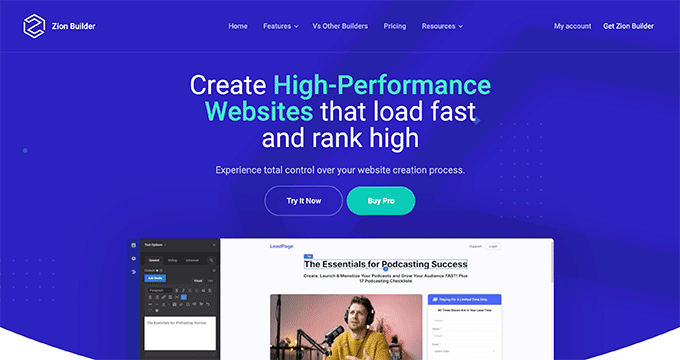
Zion Builder is a WordPress drag-and-drop builder that’s made to run fast. The team behind this plugin makes sure that the templates use clean and lightweight code so that your website has high performance and is SEO-friendly.
This WordPress site builder’s 250+ templates and blocks also have professional designs. You can simply pick one from various industry categories, from blogs and restaurants to businesses and real estate.
During our tests, one feature that stood out to us was the tree view mode. With this, you can get an overview of how your elements are stacked and arranged.
Sometimes, when there are multiple nested blocks, it can be difficult to click on the element you want to customize. The tree view mode helps with this exact problem.
Zion Builder also has a conditional logic function to display specific elements based on certain criteria. For example, you may want to show different content depending on whether a user is logged in or not.
✅ Pros of Zion Builder:
- Powerful drag-and-drop page builder
- 250+ templates and blocks
- Optimized for speed and SEO
- Unique tree view mode
❌ Cons of Zion Builder:
- Less popular than competitors
- Limited free version
⭐ Why we recommend Zion Builder: As a WordPress site builder, Zion Builder is fast and powerful, offering both speed and a wide range of features. It also has great ease of use with its drag-and-drop feature and tree view mode to make moving your content around much easier.
Pricing: Starting from $39/year for 1 website. A free version is available.
15. Cornerstone
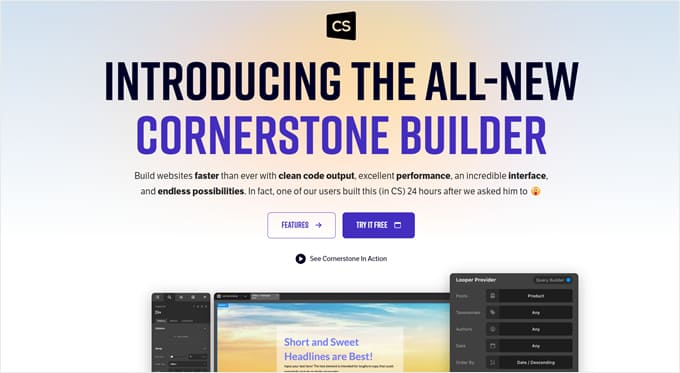
Last but not least, we have Cornerstone. This WordPress website builder is one of the more advanced options on the list, so beginners may take some time to get used to its slightly more complex drag-and-drop interface.
But once you get around it, you can make the most out of Cornerstone. This WordPress site builder has 100+ fully customizable elements for page layouts, dynamic content, WooCommerce, and so much more.
You can even create a custom element from scratch and save it for future use.
Other than that, Cornerstone has a feature to add unique effects to your elements like filters, interactions, masking, and so on. You can combine these effects to make your website more interactive for users.
Cornerstone is also SEO-friendly. It uses a lean codebase with structured schema markup to make sure your website has the best chance of appearing in search engines.
✅ Pros of Cornerstone:
- Advanced website builder
- SEO-friendly out-of-the-box
- 100+ customizable elements
- Ability to create custom elements from scratch
❌ Cons of Cornerstone:
- Steeper learning curve
- Complex drag-and-drop interface
- Smaller user community compared to popular alternatives
⭐ Why we recommend Cornerstone: We were impressed by Cornerstone‘s vast features and out-of-the-box SEO-friendliness. Not many WordPress website builders focus on SEO. That said, this plugin is not the most beginner-friendly due to its advanced interface.
Pricing: Starting from $69 for a lifetime license. If you want to use their custom integrated theme framework, then the price starts from $99/year for 1 website.
What Is the Best WordPress Page Builder Plugin?
As we compared different drag-and-drop WordPress page builders, one thing became very clear: SeedProd, Thrive Architect, and Beaver Builder are the top 3 choices. Divi and Elementor Pro are other great alternatives.
Video Tutorial
Additional Resources About Customizing Your WordPress Site
We hope this article helped you find the best WordPress drag-and-drop page builder plugins for your site. You may also want to check out some more guides about designing and optimizing your website:
- Best WordPress Landing Page Plugins Compared: A detailed guide to the top tools specifically designed to help you build high-converting sales and squeeze pages to grow your business.
- How to Create a Thank You Page in WordPress: A step-by-step tutorial on how to design custom thank-you pages that keep your visitors engaged after they submit a form or make a purchase.
If you liked this article, then please subscribe to our YouTube Channel for WordPress video tutorials. You can also find us on Twitter and Facebook.
Disclaimer: We could have included many other page and website builder plugins in this list, including WPBakery and WP Page Builder. However, we excluded tools like WPBakery because their older shortcode-based approach is considered outdated compared to the modern, faster visual builders available today. We decided to only include the very best, modern WordPress page builder plugins to help you avoid choice paralysis.



Mrteesurez
I appreciate you bringing up this topic. it’s a crucial one for anyone looking to streamline their WordPress design process. I’ve used several of the page builders on this list, but SeedProd stands out as the best in my experience. Its unique features, like the pre-built landing page templates and built-in coming soon mode, have been game-changers for my projects. The ease of use, combined with its focus on speed and performance, makes it my go-to tool whenever I need to build a page quickly without sacrificing quality.
Although I still use Elementor because I have many projects already built by it that I still manage.
Emma
Thank you so much for publishing this handy article. I have been using Beaver Builder and wanted to see what else is out there. I have subscribed to your email list because I’m tired of just scratching the surface regarding site design and capabilities.
WPBeginner Support
Glad we could share a list of options for you
Admin
Jordan Riddle
I’d be interested to know how long these products have been around. Like some have said, its hard to switch builders so I’d want longevity in a product, but still, new exciting ones are hard to resist…
WPBeginner Support
Thank you for that feedback, we will consider it for the next update to this article
Admin
Jiří Vaněk
Hello Jordan. What I know, the first versions of this builders was released in this years:
DIVI builder: 2013
Seed Prod: 2012
Elementor: 2016
Thrive Architect: 2015
Beaver Builder: 2014
From this perspective, all well-known page builders on the market have been around for quite some time, and as far as I know, they are regularly updated. Therefore, the decision will rather be based on the requirements for the page builder, and also on the pricing plan of each individual page builder.
Gonzalo Gallegos
Let’s face it. Once you start with a builder, you need to stick to it, or start from scratch. If I am wrong, let me know how I can transfer from Elementor for example, to Beaver Builder.
Thanks
WPBeginner Support
Unless there is a transfer tool that the page builder has set up then you are correct that it is difficult to change your page builder.
Admin
Peter Iriogbe
I want to express my gratitude to the author. Until now, I believed Elementor Pro was the best, but your post made me aware of other page builders I hadn’t known about. I’ll test these alternatives to find the one that suits my preferences the most.
WPBeginner Support
We hope you find one you like
Admin
Moinuddin Waheed
I have been a fan of page builders lately but left because of slow speed of the website.
I used to make beautiful websites with the help of elementor pro but it caused websites to get slow load.
I don’t know what other factors might have caused to this issue.
seedprod seems promising for me as it takes care of the speed in mind while giving powerful drag and drop page building option.
Thanks for the entire list of page builders with their pros and cons.
Jiří Vaněk
In my opinion, it wasn’t Elementor that caused the site to slow down. I use it on practically all websites and according to the google search console I have very good results, even on shared web hosting. Sometimes, however, the problem is in the appearance template, which should be prepared for elementor, so it is good to emphasize the selection of the appearance template. That’s where I might be looking for the initial problem.
Moinuddin Waheed
Thanks for your opinion, it may be the case that it might have been caused by some other factors.
But given the fact that so many stories are making round where people are showing their websites speed stats when it was on elementor and speed stats when they made a transition to some block based page builder.
I think it’s more of a personal preference at the end.
like I am a big fan of seedprod page builder and have no issue with speed and performance.
Jiří Vaněk
Statistics can be very misleading because many people don’t give context. Server performance, number of plugins and overall settings. But I understand it. Seed Prod is a quality webbuilder and in the end it’s really about what one gets used to. Rather, I just wanted to respond to Elementor slowing down the site, because I don’t think that’s true. I’ve tried Seed Prod and it’s great, I’m pretty much the same speed results.
THANKGOD JONATHAN
Very detailed. I am not satisfied with the WP classic esitor need more advance editor I will try more.
Thanks for this post.
WPBeginner Support
We hope you find a page builder you like
Admin
Jiří Vaněk
Thank you for the overview. Over the years, I’ve tried almost everything, and after careful consideration, I ended up using Elementor PRO. It works really well for me. On the other hand, the native Gutenberg editor probably never suited me. But maybe it’s just my laziness when it comes to working with it.
WPBeginner Support
Thank you for sharing what works for you.
Admin
Steve D
I’ve been using Elementor and finding the oposite happening, feel like its become more bloated and resource heavy as now all of a sudden I get my hosting company contacting me saying my sites are using to many resources and got me to keep upgrading for more resorces.
I have seen many other people complain about the same thing recently and the commen thing has been Elementor.
after months of back and forth and optimising and doing everything the hosting support said to do, I have worked out it only happens now when ever I log into the back end and start making changes.
For this reason I am now looking for something just as good as Elementor without being so resource heavy.
I have been recommended Oxygen, what would you recommend as a replacment to Elementor? and thoughts on Oxygen?
WPBeginner Support
We have not reviewed that builder at the moment but we will look into it in the future.
Admin
Jiří Vaněk
I have had exactly the same experience with Elementor. Everything was fine until I logged into the admin and started working. The server load graphs shot up on the shared server, placing me in the top 10 for the most server-intensive websites. As I work for the company that hosts the website, I had access to all the graphs and could monitor them. Just editing articles and working on content caused the load to spike. Wanting to stick with Elementor, I eventually left the shared hosting, set up my own server on Ubuntu, and migrated the website. Now, with 4 vCPUs and 8GB of RAM, the site with almost 1300 articles runs at less than 5% load. In my opinion, the extremely limited resources on the shared hosting might have contributed to this issue, as I don’t face these problems on my own server. Yes, I have a high-performance server, but still, being in the top 10 just by editing an article was strange.
Steven T
Thanks for the comprehensive reviews. Am just not sure about the conclusion. Gutenberg is not a true page builder? Are you kidding? I’ve built a few sites with complex layouts using Gutenberg. I haven’t found limitations so far.
Gutenberg is only a couple years old while many of existing page builders have years to mature. So it’s not a fair comparison feature to feature at this point. Gutenberg will eventually make these third party page builders irrelevant if not obsolete. And even more so when Full Site Editing eventually be the standard practice for creating a WP site.
WPBeginner Support
The comparison is for users who want to know if they should stop using page builders today which is why we are comparing current Gutenberg offerings to the current page builder offerings. This is why in our conclusion we specify not yet for if it replaces the other page builder options.
In the future, the block editor can become a more robust tool that replaces page builders but for now, page builders have better tools for customizing site designs for those looking into this question today. If we find that the block editor becomes better than page builders we will look to update our opinion.
Admin
Moinuddin Waheed
I am also of the same view that as for the time being, page builders are doing well and they have no match in terms of flexibility to use and make intuitive websites.
as for block based editors concerned, they are making their way and will take their time to replace the page builders.
may be till that time page builders also optimise their code base in such a way to compete with block editors.
it’s all in the head, we must be enjoying making what is available right now.
Mansour Baker
I have 2 questions.
1) Which drag and drop is similar to weebly. Am planning to move to WP.
2.) Which WP drag and drop ingrates with Easy Digital Downloads
WPBeginner Support
All of the page builders should allow you to use Easy Digital Downloads and for which one is similar to Weebly, would depend on what functions you want. It would be best to go to the sites for these plugins to take a look at their interfaces there.
Admin
Md Masud Rana
Thank you for the information, this article has been quite beneficial.
Beaver is excellent, Elementor is excellent, and Divi is outstanding!
WPBeginner Support
Glad you enjoy some of our recommendations!
Admin
Brad
Can I use this page bulider to make a custom stand-alone page on my site (not a landing page)?
I need a place to embed a video stream for people to watch. Would that work with SeedProd?
WPBeginner Support
Yes you can use page builders to have a custom page and any of these builders should do what you are wanting.
Admin
Catherine
How would you go about switching a blog from one page builder to another?
WPBeginner Support
It would depend on the page builder you’re using and switching to. If you reach out to the support for the tool you’re planning to use, they may have a recommended tool for converting layouts.
Admin
Salma
Great article. I am new to this, I understand design, and coding concepts, but looking to restart from scratch. Do I need CSS Hero if I use one of these page builders?
WPBeginner Support
If you are using a page builder you would not normally need to use CSS Hero as well.
Admin
Adrian
I want to build newsportal site. Is it possible to make two language site of Spanish and English, so that visitors can select for their ease. And which web builder is good for that?
WPBeginner Support
Rather than a page builder, you would want to take a look at a multilingual plugin such as the one we recommend in our article below.
https://www.wpbeginner.com/beginners-guide/how-to-easily-create-a-multilingual-wordpress-site/
Admin
Arcady
I was reading that WYSIWYG editors put in many extra codes and as result slower responsibility of pages or site. Are that true?
WPBeginner Support
It would heavily depend on what is added and how well the editor is coded. We feel the editors here are well coded and the speed would depend on the content added more than the page builder
Admin
Awojulu Akeem Olawale
Some themes or plugins recommend page builder for you. If we are to choose our own favorite page builder, is it going to have effects on these themes or plugins?
WPBeginner Support
It would depend on the specific theme or plugin you are using, there is no hard rule on if there would be an issue or not.
Admin
Niraj Kumar
Great Article & Great Collection.
i have a question?
when i use any page builder plugin for my wordpress website then my website loading speed or time is same or may be changed
please reply
WPBeginner Support
As long as it is a well coded page builder like one of these we recommend, you shouldn’t notice a change in loading time
Admin
Valentine
How can I post and choose different pages to put them in different pages at once.
What are the plugins
WPBeginner Support
If you have a posts page and a category page, the post should appear on the posts page and the category page it is a part of. If you wanted more customization it would depend on what you’re looking for.
Admin
Jeeshan Anwar
Hello sir,
Can you please suggest some plugin of those page builder that can let me decorate my front page with category.
I see many premium wordpress theme front page has a lot of post with differeent categories and gallery etc. Like category TECH has 5 post, or category WORLD has some post.
WPBeginner Support
Any of the page builders should have the option for what it sounds like you’re wanting
Admin
Rajiv Patel
Beaver Builder is the best page builder.
Chris
Hi, I’m new to page building. I wonder if I use a page builder plugin to build a website, then delete or deactivate the plugin, or perhaps while the plugin is still active, can I use code to edit the page? Thank you very much.
WPBeginner Support
It would depend on the page builder you use for how to add code but you would normally want to keep the plugin active after designing the site
Admin
Makecov
Hello, Im about to create a multilingual web page, so far 3 languages. Question is, will a use of page builder is posible in this case ? Are there any rectrictions in terms of design and content management? Thank you, and good article btw.
WPBeginner Support
Depending on how you are setting up the multilingual site would determine if there would be any issues with a page builder
Admin
Ben
Can any of these builders do things with groups of posts? E.g., display all posts of a certain post type, or of a certain category or tag? And then allow styling of that page? I guess I’m talking about styling archive pages, and also controlling some of the options on them — # of posts displayed, etc.
WPBeginner Support
Yes, depending on your preference you would want to reach out to the support for the page builder you’re wanting to use for if they allow you to customize specifically how you’re wanting.
Admin
Jeffrey Von Stetten
I have a woocommerce wordpress site. Could I safely use this on my site to make it look the way i want without screwing up any of the functionality?
WPBeginner Support
Yes, you should be able to use these with WooComerce without breaking the WooCommerce plugin.
Admin
Niraj Narkhede
You can use builder on your e-commerce site. Builders will improve your site design without disturbing woocommerce functionality. Wordpress page builders also provide some woo commerce features like latest product, featured product.
Paul Herrick
Good plugin very helpful.
WPBeginner Support
Glad our recommendations could help
Admin
Derek Marshall
Excellent Article, the question begs, and I am surprised not to see Thrive Themes mentioned in this article.
Surely they are an excellent builder for wordpress?
WPBeginner Support
Yes, we’ve hard about Thrive and have tested it ourselves. We didn’t include it in the list because it didn’t meet all the criteria that we have for our list
Admin
Allan
Thanks for a great and concise review! I’m going to be going with Beaver Builder after not having a great experience with the Divi Visual Builder.
WPBeginner Support
Glad our recommendations could help
Admin
Allen
Am looking for a Wordpress page builder in the mould of Divi/Beaver Builder that I can use offline and be able to publish to any hosting provider of my choice. Want to move from Adobe Muse and need something not web-based when creating a website, thanks.
WPBeginner Support
You could create a local installation: https://www.wpbeginner.com/how-to-install-wordpress/#installlocal
then transfer the content to your hosting provider once the site is set up: https://www.wpbeginner.com/wp-tutorials/how-to-move-wordpress-from-local-server-to-live-site/
Admin
Aaron
For the offline site builder try something like Mobirise or BlocksApp. They are more easy and friendly comparing Adobe Muse and not web-based.
Rob
What would be nice is some speed tests. Speed is much more important these days especially on mobile. Right now I’m using divi and I’m about to dump it for multiple reasons, but one of them is it’s bloated and slow.
WPBeginner Support
Thank you for your recommendation, we will certainly consider adding something like that to our article in the future.
Admin
Jacques Soulé
Hi,
I am surprised that you didn’t mention Thrive Architect from ThriveThemes
For me one of the best page builder.
Have you heard about it?
Editorial Staff
Yes, we’ve hard about Thrive and have tested it ourselves. We didn’t include it in the list because it didn’t meet all the criterias that we have for our list
Admin
Juan Lulli
One thing I like about Divi Theme is that its page builder is seamlessly built in and theme offers sooo many pre-made site layouts already stored in the theme library. Please compare contrast these features with Beaver?
Editorial Staff
They’re both excellent solutions. One of the neat things that Beaver Builder team did was create Beaver Themer which allows you to create completely custom WordPress themes.
Admin
Raitis
Hey there from Visual Composer! Thanks for listing us there and the high grade we got.
I believe some users are messing up Visual Composer and WPBakery – these are two independent products.
Editorial Staff
Thanks for leaving a comment Raitis and doing a great job with the new Visual Composer product.
Admin
Wouter
I tried Beaver Builder but don’t like it. And I am surprised that you didn’t include Thrive Architect in the list. It’s an excellent page bullder, with constant updates and improvements and for a one time fee you get updates for life and 1 year support. Go check it out!
Michael Hawker
I’ve been using Thrive for two years now and love it. So easy to use and provides all the tools necessary to build
John Naismith
I use Thrive Architect. Love it. Astounded that you didn’t include it in your list.
Editorial Staff
Yes, we are aware that Thrive Architect has a great following. However we have had a lot of users complain regarding their support and updates breaking websites.
Admin
Wouter
Not my experience in the 4 years that I use it.
Donald
Where did you get the info that Elementor Pro is not GPL?
Divi is better than Elementor? As one who has used both, Elementor is far better in almost every way. Maybe when the original post was written that might have been true but not any more. Elementor is more lightweight, has a real time preview and doesn’t use shortcodes. Divi was great in its time, but its time is over.
Also Visual Composer is not Visual Composer any more. I know this was an updated article but if you are going to update it, update it all.
Editorial Staff
Hey Donald, that was a surprise to us as well but it was reported to us by another user.
If you read the terms on Elementor’s website, #3 Licenses section clearly restricts distribution and how you use the Pro plugin which is not GPL compatible. There are also several support threads in WordPress.org forums that have not received accurate responses from their team.
Admin
lars
I’m a very happy Elementor user (left Beaver Builder behind)
What do you mean with this:
Quote: “The biggest thing that we don’t like about Elementor is that their license is very restrictive. If you’re a freelancer or agency looking to use Elementor on client websites, please know that their Pro version is not GPL. ”
Could you please explain what this means in pratice ?
//Lars, Copenhagen
Editorial Staff
Hi Lars,
WordPress and most other popular WordPress plugins adhere to the GPL license which offer you (and other users) a lot of freedom. You have the ability to use the plugin as you see fit. Ofcourse some plugin authors will restrict access to support and updates based on the license, but overall you are free to do what you like with the codebase as long as you don’t violate the respective trademarks.
According to their terms, Elementor Pro is licensed under a proprietary license because it has restrictions on distribution and very specific guidelines that you must follow. Although it’s hard to enforce at such large scale, and it’s unlikely that Elementor will take a customer of theirs to court, it is still possible.
We believe in educating our users about the risks. Thankfully, we don’t really have to do this very often since most premium plugins are licensed under GPL. However this plugin is not, so we feel it’s important that we emphasize it.
Overall Elementor offers a lot of powerful features, and we hope that their team seriously consider making the Pro plugin GPL as well.
Admin
Diane Laidlaw
You still haven’t answered the question how GPL affects web designers who are making websites for the clients. I understand if you are a plugin developer and you want to tinker with code, or if you’re a theme developer and you want to throw Elementor Pro in the them but as a web designer how does it affect me and others?
The restrictions it has is that you can use the plugin on your clients sites but your client can’t take the plugin and reuse it on other sites or expect support direct from Elementor. The other restriction is neither I or my clients resell Elementor Pro either as it or through a theme. The distribution from my understanding is no different to the distribution of, let’s say, Beaver Builder.
I just wanted clarity
Editorial Staff
As a web designer or agency working with clients, you need to evaluate the contracts you’re signing with clients. Typically it contains language of you transferring ownership right of the product (website) that you built.
You will need to make sure that you add clause that work-for-hire doesn’t include third-party software and services used as part of the project.
If you were using products that were GPL, you could wouldn’t need a clause like above. You can always consult a lawyer for further details based on your individual requirements.
Russ White
The one thing missing from Beaver Builder is the ability to display a number of entire posts on a page — for instance, if I want the newest five posts in a category displayed on a page, I can get the abstracts and featured images in a lot of cute formats, but not the five entire posts in a single column.
I cannot find information on which builders include this capability, and which do not — I am already starting the refund process for Beaver Builder because it is missing this really basic functionality. Does anyone know if any of the others include this?
Olaf Mueller
Hi, Russ,
I had just the opposite reason for looking at WP Beginner: my category archive pages (e.g. an Archive for all posts categorized as News) list the whole posts, one above the other. Maybe that article would be something for you:
https://www.wpbeginner.com/wp-tutorials/how-to-create-an-archives-page-in-wordpress/
Good luck!
Chris
Beaver Builder is awesome but double the cost of Visual Composer or Elementor Pro, for a single license.
Bruno
Hey guys, I changed my page builder plugin but now all my pages are blank.
What can i DO!?
WPBeginner Support
Hi Bruno,
Please contact the page builder plugin’s support for help. You can also activate the plugin temporarily and then try importing content manually. See the page builder plugin’s documentation for that.
Admin
Robin
Just a heads up for others out there. I have tried Divi and want to pull my hair out. Their tutorials are outdated and so if you want user friendly – this is not.
I often am instructed to go to a certain drop down menu, and it isn’t there. I am instructed to “simply” look for a button option and it not in the place they say it is. I find it somewhere else 20 minutes later… It has become VERY time consuming and frustrating.
I found myself at this article looking for another drop and drag software option because after months of struggling with Divi, I’m done!
sangam kr
I am looking for a page builder similar to hub pages. can you suggest one for me
Doug Byrd
I already have a WooCommerce website that I am perfectly happy with. If I get one of these page builder plugins, can I keep my present website the way it is? Will the plug-in integrate into my website?
WPBeginner Support
Hi Doug,
Yes, just don’t edit any of your existing pages with the page builder.
Admin
Nuno Pereira
Hi there,
What do you think of Advanced Custom Fields (ACF)? Would they be a good alternative to page builders? Could a non-developer create and customise page layouts using ACF rather than page builders?
I have to decide between using ACF or a Page builder. The agency that will develop my website recommends ACF, but I think it’s because they want to push me to use them again in the future, since any changes require the involvement of a developer.
So, I’m a non-developer, I’m the typical digital marketer who knows some HTML/ CSS and I know how page builders work, but I’m not sure about ACF…
I’s important for me to have the flexibility to customise page layouts if needed. For instance, would I be able to create a new page with a new layout by copying existing sections from other pages (e.g. create page #3 using the “testimonial” section from page #1 and “customer logo” section from page #2)?
Let me know what you think,
WPBeginner Support
Hi Nuno,
Your developers will recommend a solution based on your needs. If you are unsure, then you need to ask them why they would prefer ACF over a page builder plugin. If they are unable to convince you, then you can reconsider your options.
Admin
Junaid
Can one use different page builders in a website for different pages therein?
WPBeginner Support
Yes, but we will not recommend it. You will need to keep them installed, which will slow down your admin screens and may even result into conflicts when writing posts or creating pages.
Admin
Hadi
hi,
tnx for this perfect article.
I have a question:
when we wanna use a page builder like elementor or beaverbuilder is it important what theme we have?(i mean a free theme or pro theme)
if yes, can you give me names of some of the appropriate free and premium wordpress themes?
(if the answer of the first question is yes)what does make pro themes different from free themes?
WPBeginner Support
Hi Hadi,
Most page builder plugins are compatible with any standard compliant free or paid WordPress theme. However, some themes may not have a full-width page template in which case page builder may have to fit its layout inside the page container. In that case you have the option create your own full-width page template or you can use page builder’s canvas template which will do the samething and provide you a blank canvas to use as template.
Admin
Eduardo
Hello, im new in this. What about if i want to make a platform were my clients can chose there template and edit it with one of those drag and drop builders. Is it posible tu include one of them like seperadly with every registered clientes?
Stacy
Do page builders slow your site down?
WPBeginner Support
Hi Stacy,
They can. Some page builders may load additional scripts and stylesheets which may slightly increase your page load time. However, with proper WordPress performance optimization you can easily negate their impact.
Admin
Kris
Elementor every time for me. I think it’s streets ahead of the competition.
Daniel Lee
Yes but how about its problem with a lack control over responsive breakpoints?
Joris
What about the code quality of these page builders? Using a page builder seems to me like putting an awful lot of trust in a plugin to handle the layout as opposed to handcrafting templates yourself. Then again, page buildes cut the development time considerably.
Editorial Staff
These page builders are top-notch in their rights and have huge communities around them. Of course, you’re having to trust the developers of the page builder to maintain the platform, but most of these companies have build sustainable businesses.
Admin
Anthony Pero
I think in a lot of cases, you can limit the output of the page builder to the_content(). So, you can design a theme, but instead of creating custom templates, or using ACF and custom post types, you can just go with Posts and Pages, and either build some defaults for the client, or allow them to add blocks and widgets to design their own one-off layouts.
Richie Trice
Is there any builder out there I can use to create the layout of a single blog post but have user adding content use the classic wordpress editor? I am looking for a drag and drop builder to do this, I am sure it can be done with custom coding.
mike
The beaver themer will create the layout for posts….