


When we first discovered WordPress, we were amazed at how versatile it was! So, we’re not surprised that tons of awesome gaming websites use this powerhouse of a platform behind the scenes.
If you’re eager to join them and share your passion with the world, then listen up: building a gaming website with WordPress is easier than you might think, and there’s never been a better time to jump in.
Gaming has exploded in popularity, with over 3.6 billion gamers worldwide looking for online communities. Whether you want to share game reviews, create a professional gaming brand, connect with other players, or anything in between, we’re going to show you how to make it happen.
In this ultimate guide, we’re breaking down exactly how to build your gaming website the right way, step by step. We’ve simplified the process so you can focus on what matters most: building your gaming community and sharing your passion with the world.
Quick Summary: You can build a gaming website with WordPress by signing up for web hosting (we recommend Bluehost), choosing a flexible theme, and adding gaming-specific plugins for reviews, forums, streaming, and more.
The entire process can be done in under an hour, even if you’ve never built a website before.
What Do You Need to Build a Gaming Website Using WordPress?
Here’s what you’ll need to get started:
- A domain name. This will be the name that people type in to find your site online, for example,
wpbeginner.com. We recommend choosing something memorable and relevant to your gaming niche. For more tips, see our guide on how to check domain name availability. - A web hosting account. This is where your website’s files will be stored, such as your gaming reviews, forum posts, screenshots, videos, and any other content you publish.
- A WordPress theme. This will control how your site looks and functions. You’ll want something that screams “gamer,” whether it’s sleek and modern for esports news, or bold and vibrant for showcasing indie games.
- The right WordPress plugins. These are like special abilities you can add to your website. Think forums for discussions, review systems for sharing your verdicts on new releases, embed options for your Twitch streams, and much more.
- SSL certificate. If you’re planning on selling merchandise or embedding live streams from platforms like Twitch where user logins are involved, you’ll definitely need an SSL certificate. This keeps your audience’s data safe and builds trust.
- Your undivided attention for 1 hour
Depending on the type of gaming website you’re building, it’s entirely possible to build it in under an hour. Put on your headphones, block out the distractions, and let’s get started!
In this tutorial, we’ll cover the following steps:
- Decide What Type of Gaming Website to Build
- Step 1. Choose the Right Website Platform
- Step 2. Choose the Perfect WordPress Gaming Theme
- Step 3. Install the Right WordPress Gaming Plugins
- Step 4. Optimize Your Gaming Website for SEO
- Step 5. Monetize Your Gaming Website
- Step 6. Install Essential Plugins to Grow Your Gaming Website
- Step 7. Speed Up Your Gaming Website for Better Performance
- Step 8. Learn WordPress With Free Tutorials and Resources
- Frequently Asked Questions About Making a Gaming Website
But first, let’s briefly talk about the possible types of WordPress gaming sites you can make.
Decide What Type of Gaming Website to Build
Before you pick a theme or install any plugins, it helps to know what kind of gaming site you’re building. WordPress can handle all of these, but your choice will shape which plugins, themes, and content strategies you’ll need.
Here’s the most popular types of gaming websites you can build with WordPress:
- Want to build a thriving community around your go-to MMO, your favorite competitive shooter, or that indie gem everyone’s talking about? WordPress can easily become the forum where players strategize, share tips, organize raids, and just hang out. You can even create your own private community with WordPress for exclusive access.
- Are you always on top of the latest game releases, hardware announcements, and esports drama? WordPress is perfect for creating a slick review site where you can share your expert opinions on new titles, break down patch notes, and deliver the hottest gaming news. Think of becoming the next IGN, Kotaku, or GamesRadar for a specific niche or platform.
- Want to create a retro gaming haven, a place for casual browser games, or a platform for showcasing indie developers’ smaller projects? WordPress can be adapted to host and organize playable games right on your site.
- Got a knack for designing awesome gaming merchandise, want to sell your custom PC builds, or even create a platform where indie game developers can sell their creations? With the right plugins, WordPress can become a fully functional eCommerce store for the gaming world. Think custom controller skins, fan art prints, or even digital game keys.
No matter what kind of gaming website you want to make, this tutorial will help you build it using WordPress. It’s also important to choose a target audience before you get started, so you can focus your content on the right players.
Step 1. Choose the Right Website Platform
As already mentioned, you need two things before you can build anything: a domain name and web hosting.
After that, we recommend building your site on WordPress.org (self-hosted WordPress). It gives you full control over your site, access to every plugin and theme, and no restrictions on how you monetize your content.
Just don’t confuse this with WordPress.com, which is a separate hosted platform with significant limitations. You can see our comparison of WordPress.com and WordPress.org for the full breakdown.
A domain name typically costs $14.99 / year, and web hosting starts at around $7.99 per month. If you’re just getting started, this can be a big investment.
Fortunately, Bluehost, a hosting provider recommended by WordPress, has agreed to offer our readers a free domain, SSL certificate, and discount on their web hosting.

Basically, you can get started for $2.99 / month.
After you purchase hosting through Bluehost, they will automatically install the WordPress content management system (CMS) for you.
If you prefer, you can install WordPress yourself. For more details, follow our complete WordPress installation tutorial.
Once you have WordPress installed, it’s time to set up the rest of your WordPress gaming website. You can follow our step-by-step tutorial on how to make a website for complete setup instructions.
Step 2. Choose the Perfect WordPress Gaming Theme
Your WordPress themes controls how your site looks and feels. WordPress does come with a default theme, but it’s usually pretty generic so you’ll want to replace it with something that better suits your gaming site.
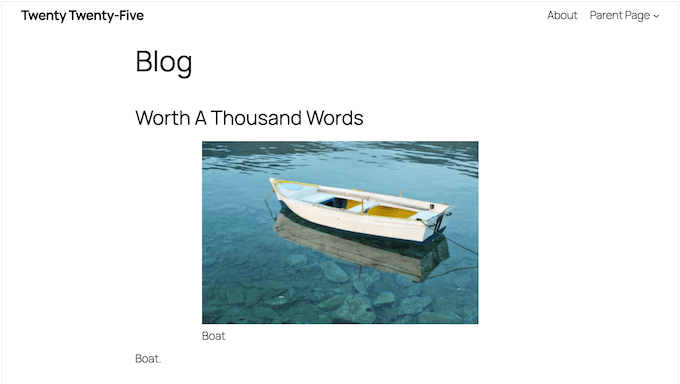
Here’s the key takeaway: don’t use a gaming-specific theme. They may look great but they’re typically bloated with unnecessary features, lock you into their ecosystem, and can cause compatibility issues when you add plugins later.
Instead, choose a fast, flexible, general-purpose theme and add gaming features through plugins. Think of it like building a PC: start with a solid chassis, then add the components you actually need.
To help you with this, we have an in-depth article on how to select the perfect WordPress theme.
If you’re looking to fast-track the design process and get your gaming site looking professional ASAP, you can check out our hand-picked list of the best WordPress magazine themes.

Think of sites like IGN, Gamespot, or PC Gamer – they often use a magazine-style layout to showcase tons of news, reviews, and features in an organized and visually appealing way.
This approach can be absolutely perfect for a gaming website, giving you a head start by mirroring what the big players in the gaming space are already doing.
Once you’ve found a theme you like, you can install and activate it. If you need help, then see our step-by-step guide on how to install a WordPress theme.
Another option is using a website and landing page builder plugin like SeedProd.
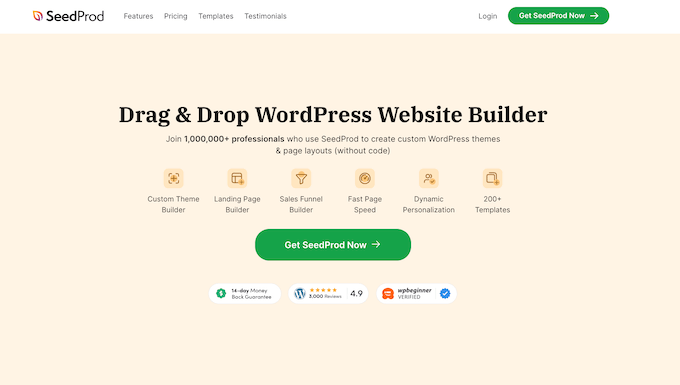
SeedProd is a popular drag-and-drop WordPress page builder that we’ve used to design many of our partner websites. For more information, check out our detailed SeedProd review.
SeedProd helps you design beautiful landing pages, home pages, and even entire websites. It also comes with a built-in template that was specifically designed for gaming websites.
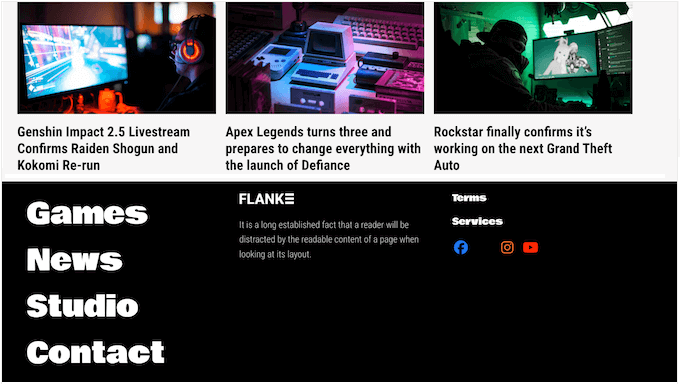
It also has an AI builder that creates an entire custom theme for you in less than 60 seconds. For details, see our guide on how to make a WordPress website with AI.
Step 3. Install the Right WordPress Gaming Plugins
Plugins are what give your gaming site its specific features. WordPress has over 62,000+ free plugins in the official repository alone, and you can use them to add anything from game reviews to forums, and even live Twitch streams.
Here are the core gaming features you can add with plugins:
Adding Game Reviews to WordPress
If you write about games, hardware, or consoles, you’ll want a review system that lets you add star ratings, pros and cons, and comparison tables. This can make your content look more interesting in the search results.

The best way to do this is by using the WP Review plugin. It lets you manage and display gaming reviews on your site.
The plugin gives you customization options to add pros and cons, product images, star ratings, and more to your reviews.
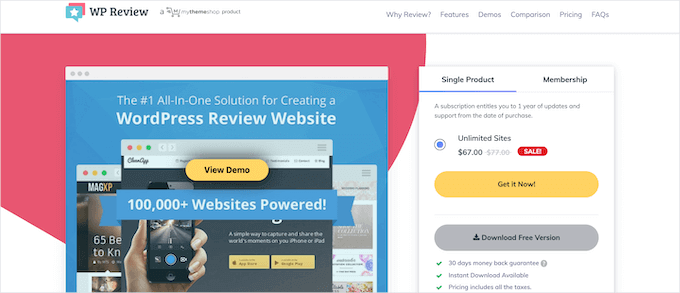
There are even features to include user reviews and display comparison tables. For more details, see our guide on how to create a review site with WordPress.
You may also want to use plugins like Pretty Links or ThirstyAffiliates to better monetize your website with affiliate marketing.
Creating a Game-Related Forum in WordPress
A forum turns your site into a real community where gamers can discuss strategy, share tips, and connect with each other. Visitors who participate in discussions are far more likely to become regular readers.
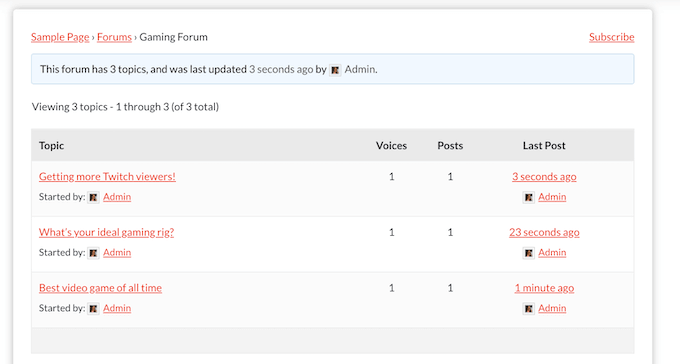
The best way to add forum functionality is with a WordPress plugin like bbPress or BuddyPress.
💡 Want more information? We put BuddyBoss through its paces and wrote a full BuddyBoss review based on our own playtesting.
To learn more, see our post on how to add a forum in WordPress. This tutorial covers both the bbPress and BuddyBoss methods, so consider it your ultimate strategy guide no matter what forum plugin you choose.
You can also connect your WordPress forum to Discord, which is one of the most popular communication platforms for gamers.
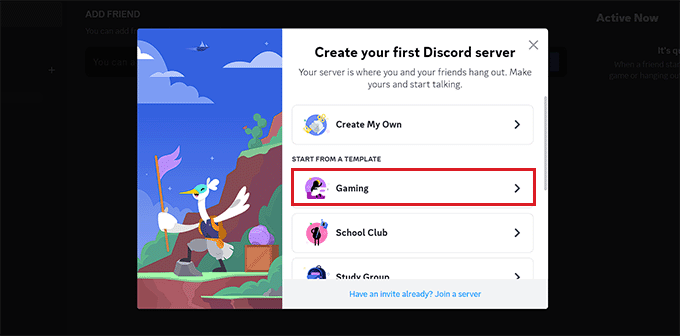
Many gaming communities use Discord as their primary chat hub while keeping their WordPress site as the main content destination. This creates a powerful combination where your forum handles long form discussions and Discord handles real time chat.
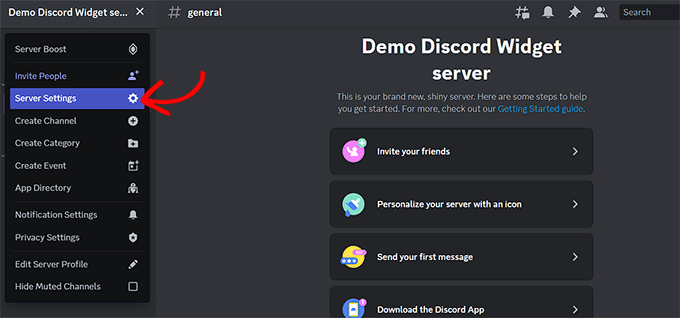
We have a step-by-step guide on how to embed Discord widget into WordPress, making it easy for your forum members to jump into voice chat.
Adding Streaming Functionality to WordPress
Are you a streamer, or want to embed popular Twitch or esports video streams into your gaming site? WordPress makes that easy.
For this, we recommend using the StreamWeasels Twitch Integration plugin. While WordPress lets you embed a single stream just by pasting a link, this plugin lets you create beautiful galleries displaying multiple live streamers, online statuses, and custom layouts.
After installing and activating the plugin, you can follow the Setup Guide in the Twitch Integration section.
After that, you can add Twitch streams to WordPress using the shortcode [sw-twitch]. Simply copy the shortcode and paste it into any page or post, or even in your sidebar widget.
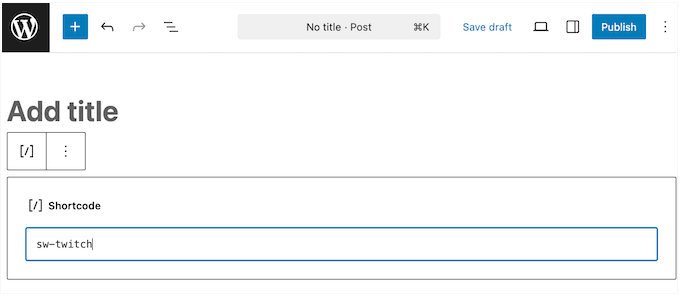
The plugin also offers a Gutenberg block, which is the easiest way to embed Twitch streams if you’re using the block editor.
Alternative: You can also easily create a video gallery of Twitch streams in WordPress with the Envira Gallery plugin. Simply enter your Twitch URL, and Envira will automatically grab the videos and video thumbnails for you.
You can also embed YouTube gaming streams and highlight clips from other popular platforms. WordPress makes it easy to embed content from most major streaming platforms by simply pasting the URL into the block editor.
Going further, if you’re a frequent streamer then our tutorial on how to do a Twitch giveaway in WordPress is a great way to boost engagement.
Adding Simple Fun Games to WordPress
Adding games to your site can give your visitors something fun to do and, hopefully, leave them with a positive impression.
You can add all sorts of interactive content to your site using WordPress plugins. For example, plugins like Dinosaur Game let you add simple games to your site.
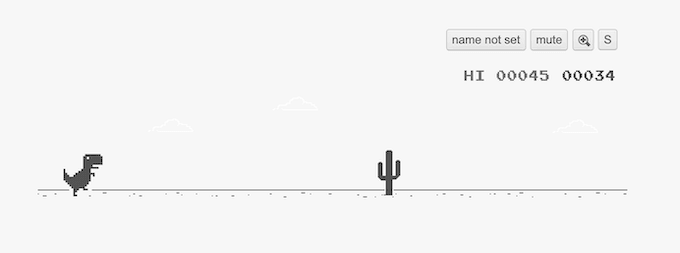
To install the plugin, see our step-by-step guide on how to install a WordPress plugin.
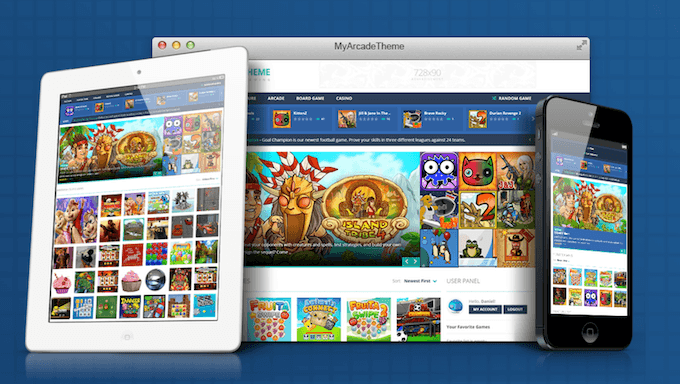
If you want to turn your WordPress website into an online gaming platform, we recommend using MyArcadePlugin. It’s a premium plugin that’s used by over 200,000 WordPress sites.
This plugin lets you import thousands of games into WordPress, and then monetize them with ads and revenue-sharing programs.
Selling Game-Related Products in WordPress
Maybe you’re creating a gaming website to sell your own gaming guides and gear. This could be custom gaming eyewear you’ve created to help reduce eyestrain. Or, you might be an expert at a specific game and want to sell courses and walkthrough guides.
Luckily, WordPress makes it easy to create your very own eCommerce store where you can sell digital or physical products.
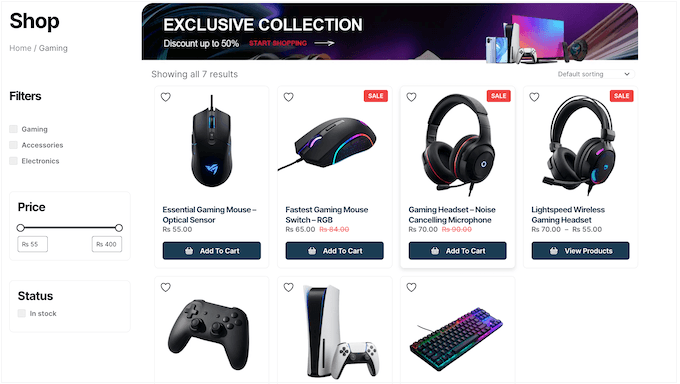
To start selling products with WordPress, you’ll need to use the WooCommerce plugin. For more details, see our step-by-step guide on how to start an online store.
Meanwhile, if you want to sell courses and exclusive membership content, check out our guide on how to create a membership site in WordPress.
And if you’re selling digital products like strategy guides or downloadable content, our tutorial on how to sell digital downloads on WordPress walks you through the entire process.
Adding Esports Tournament and Leaderboard Features to WordPress
If you’re running an esports community or organizing competitive gaming events, you can add tournament brackets, team profiles, and leaderboards directly to your WordPress site.
Plugins like Simple Tournament Brackets let you create single or double elimination brackets that your audience can follow in real time.
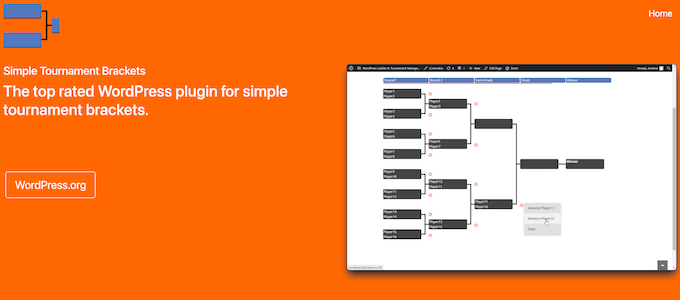
For team management, you can use custom post types to create dedicated pages for each team, complete with rosters, match history, and stats. If you’re unfamiliar with custom post types, our guide on how to create custom post types in WordPress explains the process step-by-step.
You can also display interactive leaderboards using table plugins like TablePress. This is a great way to track player rankings, win/loss records, and tournament standings.
Whether you’re hosting a local LAN tournament or an online competition, WordPress gives you the tools to keep everything organized.
Step 4. Optimize Your Gaming Website for SEO
Once your gaming website is built and loaded with great content, you need to make sure people can actually find it. Search engine optimization (SEO) is what helps your site appear in Google when someone searches for gaming topics.
Here are some essential SEO steps for your gaming website:
- Install an SEO plugin. We recommend AIOSEO (All in One SEO), as it lets you optimize your titles, meta descriptions, and content for search engines. It also supports schema markup, which is crucial if you publish game reviews. For more options, see our list of the best WordPress SEO plugins.
- Do keyword research for your niche. Use tools like Google Keyword Planner, Ahrefs, or Semrush to find the gaming terms your audience is searching for. Focus on long tail keywords like ‘best budget gaming headsets 2026’ or ‘how to level up fast in [game name]’ because they have less competition and higher intent.
- Optimize your content structure. Use clear H2 and H3 headings that include your target keywords. Break your content into scannable sections so readers (and search engines) can fully understand what your page covers.
- Add review schema markup. If you publish game reviews, adding schema markup helps Google show star ratings in its search results. This can dramatically increase your click through rates.
- Create a content calendar. Consistency is key in the gaming niche. Plan to publish reviews around major game launch dates, cover seasonal events, and produce a steady stream of evergreen tutorials to keep your site fresh and interesting. Sites that publish on a regular schedule tend to build authority faster.
- Optimize for generative AI search. Search engines are changing, and AI-powered search results are becoming more common. To make sure your content appears in AI answers, check out our beginner’s guide to generative engine optimization.
After all that, you can see our ultimate WordPress SEO guide to make sure you haven’t missed anything.
Step 5. Monetize Your Gaming Website
One of the best things about running a gaming website is that there’s many ways to earn money from it. Here are the most popular monetization strategies used by successful gaming sites:
- Display advertising. Once your site gets consistent traffic, you can sign up for ad networks like Google AdSense, Mediavine, or Raptive (formerly AdThrive). Gaming websites with high traffic can earn significant ad revenue because the gaming audience is particularly valuable to advertisers.
- Affiliate marketing. This is one of the easiest ways to make money with a gaming website. You can write honest reviews of gaming gear, software, or services and include affiliate links. When your readers purchase through your links, you earn a commission. Amazon Associates, gaming peripheral brands, and hosting companies all offer affiliate programs. You can then manage and track your links using affiliate marketing plugins.
- Sell digital products. Create and sell your own gaming guides, strategy ebooks, custom graphics packs, or video tutorials. WordPress makes this easy with plugins like Easy Digital Downloads. For more ideas, check out our guide on the best products to sell online.
- Membership and premium content. You can offer exclusive content behind a paywall. This could be premium strategy guides, early access to reviews, or members-only forum areas. You can set this up with a WordPress membership plugin.
- Sponsorships and partnerships. As your gaming site grows, game publishers and peripheral companies may approach you for sponsored content, product reviews, or brand partnerships. This can become a significant income stream once you have an established audience.
- Merchandise. Sell branded merchandise like t-shirts, mugs, and stickers featuring your gaming brand or community logo. WooCommerce makes it easy to set up a merch store right on your WordPress site.
Step 6. Install Essential Plugins to Grow Your Gaming Website
WordPress is a powerful and flexible platform that allows you to access thousands of different plugins to grow your gaming website.
To help you get started, we recommend installing the following plugins:
- WPForms Lite – This is the best contact form plugin for WordPress. It lets you create contact forms using its drag-and-drop builder, which is essential for sponsorship inquiries, partnership requests, and reader feedback.
- MonsterInsights – With this plugin, you can easily install Google Analytics in WordPress and understand where your visitors are coming from, and what content on your site is the most valuable.
- Smash Balloon – This is the best social media feeds plugin for WordPress, and lets you add your social network feeds directly into WordPress. You can even display your gaming clips from YouTube, highlight reels from TikTok, or community posts from X (Twitter).
- RafflePress – With this plugin, you can easily run giveaways and contests in WordPress and grow your following on Twitch, TikTok, and more.
- PushEngage – In our opinion, this is the best web push notification software. PushEngage lets you send notifications to your visitors, even after they leave your site. This is great for alerting your audience about new game reviews, livestream announcements, or breaking gaming news.
For more plugin recommendations, check out our list of must-have WordPress plugins for business websites.
Step 7. Speed Up Your Gaming Website for Better Performance
Gamers expect fast loading times. If your website takes more than a few seconds to load, visitors will leave before they ever see your content.
That said, here’s some quick wins to keep your gaming site running at top speed:
- Choose a fast hosting provider. Your hosting company has the biggest impact on your site speed. Make sure you’re using a quality WordPress host that offers solid state drives (SSD), server level caching, and a built in content delivery network (CDN).
- Install a caching plugin. Caching creates static versions of your pages so they load faster for returning visitors. However, if you added a forum like bbPress or a WooCommerce store, make sure to exclude your community and checkout pages from caching so users always see real-time information. For recommendations, check out our list of the best WordPress caching plugins.
- Optimize your images. Gaming sites tend to be image heavy, so compressing screenshots and artwork before uploading is critical. You can use tools like ShortPixel or Imagify to reduce file sizes without losing visual quality.
- Use a Content Delivery Network (CDN). A CDN stores copies of your site on servers around the world, so visitors always load your content from a location close to them. This is especially important for gaming sites with a global audience.
- Minimize plugins. Only keep the plugins you actively use. Every extra plugin adds code that can slow down your site.
- Run a speed test. After making these changes, use a free tool to measure the results. Our guide on how to properly run a website speed test shows you the best tools and how to read the results.
Step 8. Learn WordPress With Free Tutorials and Resources
WordPress is easy to use, yet extremely powerful. From time to time, you may find yourself looking for some quick answers.
Here are some useful resources that will help you learn WordPress:
- WPBeginner Blog – This is where we publish our WordPress tutorials, how-tos, and step-by-step guides.
- WPBeginner Videos – These step-by-step videos will help you learn WordPress FAST.
- WPBeginner on YouTube – Prefer to learn via videos? Subscribe to our YouTube channel, which has more than 1 million subscribers and 54 Million+ views.
- WPBeginner Glossary – The best place for beginners to start and familiarize themselves with the WordPress lingo.
- WPBeginner Blueprint – Check out the plugins, tools, and services we use on WPBeginner.
- WPBeginner Deals – Exclusive discounts on WordPress products and services for WPBeginner users.
And here are a few of our guides that you should bookmark right away. It will save you lots of time and money in the future:
- Most common WordPress errors and how to fix them
- Beginner’s guide to troubleshooting WordPress errors
- The ultimate WordPress security guide (step by step)
- How to increase your blog traffic (proven tips)
Many of our readers use Google to find answers on WPBeginner. Simply type keywords for what you’re looking for, and add wpbeginner.com at the end.
Still stuck? Then send your question to us directly using our contact form, and we will try our best to answer.
Frequently Asked Questions About Making a Gaming Website
Below are some of the most common questions we get asked about how to make a gaming website with WordPress. Whether you’re looking to launch a niche gaming news outlet or a massive digital hub, these answers aim to cover everything you need to know.
How much does it cost to make a gaming website?
You can start a basic gaming website for as little as $2.99 per month with a hosting plan from Bluehost, which also includes a free domain name and SSL certificate.
As your site grows, you can always invest in premium themes (typically $50-$100), plugins (which usually range from $0-$300 per year), and additional tools.
With that in mind, a fully-featured gaming website typically costs between $100 and $500 per year to run.
Can I make a gaming website for free?
While platforms like WordPress.com offer free plans, they come with significant limitations including no custom domain, limited storage, and forced ads on your content.
For a professional gaming website that you have full control over, we recommend self-hosted WordPress.org with an affordable hosting plan. The small investment gives you far more flexibility, features, and monetization options.
Do I need coding skills to build a gaming website?
No! WordPress is designed so anyone can build a professional website without having to write a single line of code.
Between the drag-and-drop page builders like SeedProd, the thousands of available themes, and the plugin ecosystem, you should have no problems creating a fully-featured gaming site.
What is the best WordPress theme for a gaming website?
We recommend choosing a fast, lightweight, and customizable general purpose theme rather than a gaming specific theme.
Magazine style themes often work well for gaming sites because they let you showcase lots of content in an organized layout. You can then use plugins to add gaming specific features like forums, reviews, and Twitch embeds.
This approach gives you maximum flexibility without the bloatware that often comes with niche gaming themes.
How do I get traffic to my gaming website?
For the best results, focus on creating high quality, SEO-friendly content that targets specific gaming keywords.
You can also publish game reviews timed with launch dates, create helpful tutorials and guides, and build a community through forums and social media. Platforms like Discord, Reddit, Twitter (X), and TikTok are also excellent for promoting gaming content.
No matter what approach you take, consistency is the most important factor because publishing regularly signals to both search engines and readers that your site is active and authoritative.
Can I embed Twitch, YouTube, and Kick streams on my gaming website?
Yes! WordPress supports embedding Twitch and YouTube streams by simply pasting the URL into the block editor.
For Kick streams, you’ll need to use the StreamWeasels Kick Integration plugin or add a manual iframe embed. The StreamWeasels plugin family supports all three platforms and offers customizable layouts for displaying multiple streams at once.
We hope this article helped you make a gaming website with WordPress. You may also want to see our guide on important reasons why you should use WordPress for your website and our expert picks of the best blog name generators to help you find good blog name ideas.
If you liked this article, then please subscribe to our YouTube Channel for WordPress video tutorials. You can also find us on Twitter and Facebook.




Dennis Muthomi
Excellent advice about avoiding gaming-specific themes!
I helped set up(and manage) a gaming website for a buddy, I’ve learned this lesson the hard way.
I transitioned a his gaming site from a bloated gaming theme to a lightweight magazine theme with carefully selected plugins.
The result? Page load times improved by 40%, and we gained much more flexibility for future updates. I am also planning to upgrade the host but that will come later.
Your recommendation to use flexible themes is spot-on – it’s definitely the way to go for long-term sustainability and easier maintenance.
Jiří Vaněk
The Word Search Puzzles Game plugin is no longer available due to security issues, so it’s a good idea to update the article accordingly. I’m currently thinking about creating a gaming website for my son. He’s interested in the game Brawler Star and would like a website themed around this game, along with a discussion forum for the player community. Thanks for the interesting tips and advice shared in this tutorial.
WPBeginner Support
Thank you for letting us know, we will look into an alternative!
Admin
Moinuddin Waheed
Endless possibilities with wordpress.
I could have never imagined about a website with wordpress to make a gaming website.
This gives me feeling about wordpress that it can be used to make any kind of websites.
Thanks for this know how guide.
Mrteesurez
I found this guide on creating a gaming website with WordPress incredibly helpful. I’ve hosted some games on my site, including the Google Dinosaur game, and integrating an arcade library using the MyArcadePlugin was a game-changer. It made managing and showcasing a variety of games seamless. If you’re planning to build a gaming site, these steps are spot on. The possibilities with WordPress are endless, and this guide really lays it out clearly!
Emmaunel Chukwuebuka
I have been struggling with getting the right information for my gaming website, but this article has enlighted me. Thank you!
WPBeginner Support
Glad to hear our guide was able to help!
Admin
Paul T
Great article, and plenty of stuff that carries over to other types of sites as well!
WPBeginner Support
Glad you found our content helpful
Admin