


If you’ve ever tried to accept payments on your WordPress site, then you know it’s not always as simple as it should be. Customers expect to pay quickly and securely, and a clunky checkout can quickly cost you sales.
That’s why so many website owners turn to PayPal. It’s a trusted service that most people already use, but the challenge is finding the right plugin that actually works well with WordPress.
Our team has set up PayPal on different kinds of websites, from WooCommerce stores to digital downloads and even simple donation pages. Along the way, I tested a number of plugins to see which ones make checkout smooth and reliable.
In this article, I’ll share the best WordPress PayPal plugins that can help you accept payments without the usual headaches.
💡My Verdict: Best WordPress PayPal Plugins
In a hurry? Check out this quick overview of the best WordPress PayPal plugins:
| # | Plugin | Best For | Pricing | Free Version |
|---|---|---|---|---|
| 🥇 | WP Payment Pal | Easy PayPal payments for any website | From $49.50/yr | ✅ |
| 🥈 | WPForms | Accepting PayPal payments with a variety of forms | From $49.50/yr | ✅ |
| 🥉 | MemberPress | PayPal payments for courses and subscriptions | From $199.50/yr | ❌ |
| 4 | Easy Digital Downloads | Selling digital products with PayPal | From $199.50/yr | ✅ |
| 5 | Formidable Forms | Using PayPal with advanced forms | From $39.50/yr | ✅ |
| 6 | WooCommerce | Selling physical products with PayPal | Free | ✅ |
Why Use a PayPal Plugin for WordPress?
A WordPress PayPal plugin makes the process of connecting your site with your PayPal account very easy. It also helps you create payment collection forms, insert shopping carts, add a pay now button, offer express checkout solutions, and more.
PayPal is arguably the most popular and trusted online payment gateway worldwide.
Whether you have an eCommerce store, a membership website, a blog, or another business site, PayPal lets you collect online payments from your customers.
Since PayPal handles the entire transaction, you don’t have to worry about security issues, getting a separate merchant processor for credit cards, or PCI compliance. All you have to do is add PayPal to your WordPress website.
Important: Keep in mind that PayPal charges transaction fees for the payments you receive. This is typically a small percentage of the sale plus a fixed fee, which can vary by country.
How I Test And Review WordPress PayPal Plugins
Choosing the right PayPal plugin for WordPress is important for smooth transactions and a great user experience. That is why I followed a thorough testing process to ensure I recommend only the best plugins.
- Pricing & Value – I compared free and premium versions to see if they offer good value for money.
- Ease of Use – I checked how simple it is to set up and configure the plugin, even for beginners.
- Payment Features – I tested different payment options, including one-time payments, subscriptions, and donation support.
- Security – I ensured that each plugin follows best practices for safe transactions.
- Compatibility – I tested the plugins with popular themes, page builders, and other essential tools.
- Performance – I measured loading times and server impact to ensure the plugins don’t slow down your site.
Why Trust WPBeginner?
At WPBeginner, we have years of experience helping website owners choose the right tools for their business.
Several of our partner brands offer PayPal as a payment option, using different WordPress plugins to process transactions. This hands-on experience gives us a deep understanding of how these plugins work, their strengths, and potential challenges.
Our goal is to provide honest, well-researched recommendations so you can choose a plugin that works best for your needs. To learn more, see our editorial process.
1. WP Payment Pal – Best Easy and All-in-One PayPal Plugin
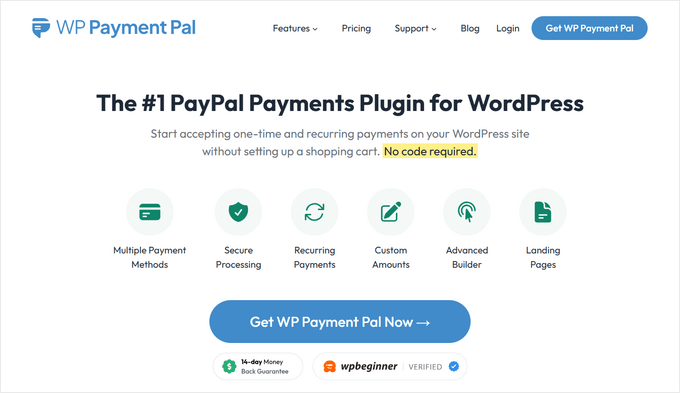
WP Payment Pal is a dedicated PayPal payment plugin for WordPress, designed for site owners who need quick and professional payment collection without a full eCommerce store.
It covers one-time payments, recurring subscriptions, coupon codes, and custom fields all from a single, user-friendly interface inside your WordPress dashboard.
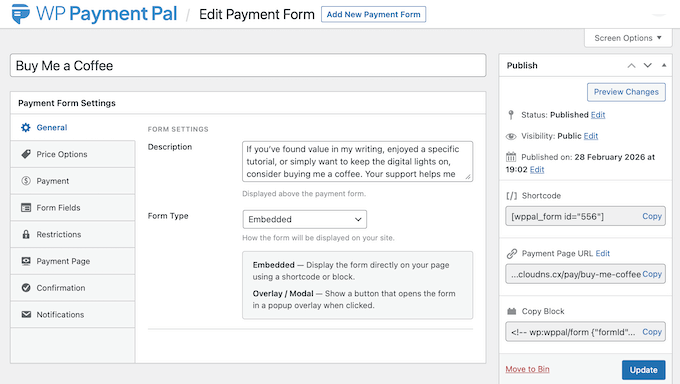
I timed the entire setup process and had a working PayPal form live in under 5 minutes. Simply connect your PayPal account from the plugin settings, choose your form type, add your form to any page using the Gutenberg block or a shortcode, and you’re ready to go.
To see more on how we tested the plugin, check out our complete WP Payment Pal review.
What makes WP Payment Pal stand out is its cartless checkout approach. Instead of forcing customers through a shopping cart, they fill in their details and complete the transaction right on the page, without ever leaving your site.
You can accept PayPal, credit and debit cards, and Venmo all in one place. All processing happens through PayPal’s PCI-compliant servers, which means no sensitive card data ever touches your WordPress server.
For subscriptions, you also get full control over billing intervals, free trials, and one-time setup fees. Subscribers also get a self-service portal to view and manage their plans, which cuts down on support requests.
I found the display options especially useful. You can embed checkout directly in your content, launch it in a popup overlay, or host it on a branded page at its own dedicated URL.
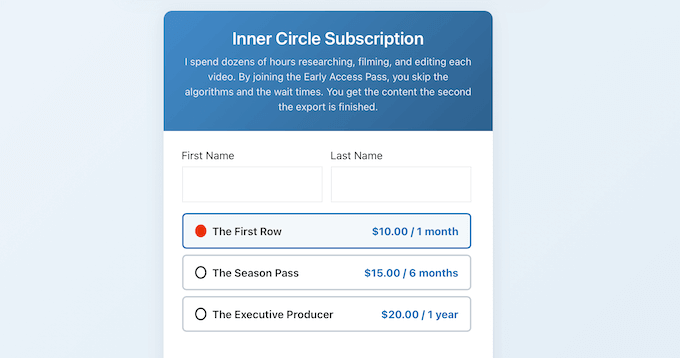
This makes it the ideal choice if you want to accept PayPal payments quickly, without piecing together multiple plugins or setting up a full online store.
✅Pros of WP Payment Pal
- Cartless checkout keeps customers on your site throughout the entire transaction
- Accepts PayPal, credit/debit cards, and Venmo in a single form
- PCI-compliant processing via PayPal’s servers, no card data touches your site
- Three display modes: embedded, popup overlay, and dedicated payment page
- Full subscription support with free trials and one-time setup fees
- Built-in coupon system with percentage and fixed discounts
- Form scheduling and inventory limits for time-sensitive offers
❌Cons of WP Payment Pal
- The free version of the plugin is limited
Why I recommend WP Payment Pal: If you want to start accepting PayPal payments on your site without a full eCommerce setup, then WP Payment Pal makes it easy to get up and running in minutes.
2. WPForms – Best PayPal Plugin for Creating Forms
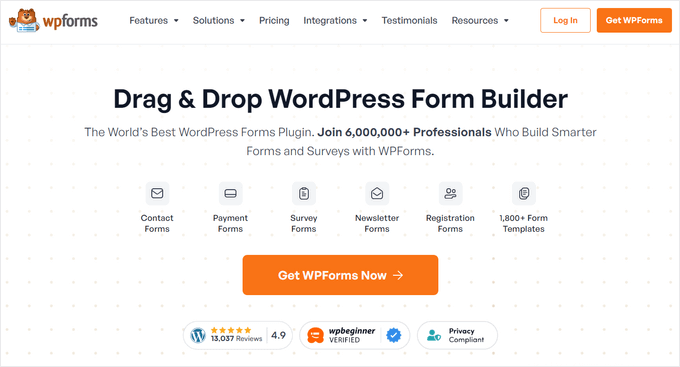
WPForms is the best contact form plugin for WordPress. It comes with a PayPal addon that allows you to easily accept payments, donations, and online orders from your WordPress website.
We have used the tool to create our contact forms and annual surveys and have found it to be super beginner-friendly.
If you are interested in learning more about our experience, then you can check out our detailed WPForms review.
It offers a drag-and-drop form builder that lets you create contact forms, email subscription forms, order forms, payment forms, donation forms, and other types of online forms with just a few clicks.
The plugin even offers pre-built form templates, which make form creation even easier. Plus, there are multiple form fields that you can add using the drag-and-drop builder.
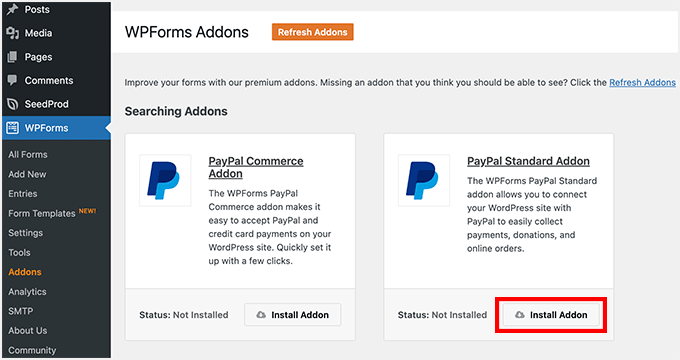
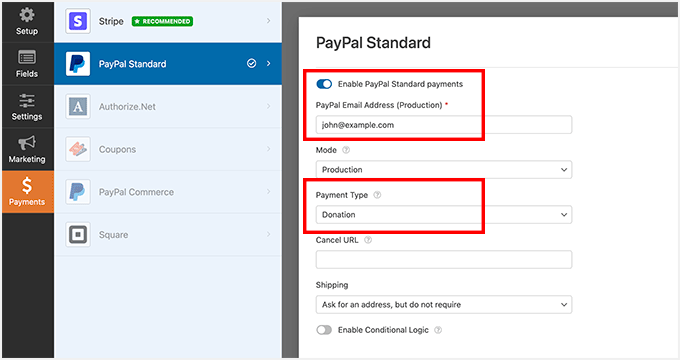
Once the addon is active, you can fill out your PayPal details in the form settings. WPForms will then automatically direct users to PayPal when they submit a form.
This makes it the perfect solution if you want to set up a quick online order form without creating a full eCommerce cart.
✅Pros of WPForms
- Seamless integration with popular email marketing services
- Conditional logic to show/hide PayPal based on selections
- Fully customizable form styling
- Accepts one-time and recurring payments
- Sends email confirmations after payment
- Supports PayPal Standard and PayPal Commerce
❌Cons of WPForms
- Free version only supports Stripe
Why I recommend WPForms: If you want to accept PayPal payments using WordPress forms, then WPForms is the best choice for you.
3. MemberPress – Best PayPal Plugin for Memberships and Subscriptions
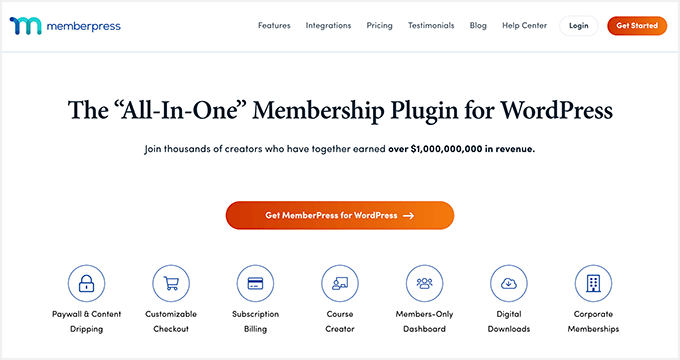
MemberPress is the best WordPress membership plugin and is very easy to use. It is the perfect choice for accepting PayPal payments for your online courses, subscriptions, and exclusive content.
At WPBeginner, we are currently using it for our free video courses and have had an excellent experience. If you want more details about all the features it has to offer, then I recommend reading our complete MemberPress review.
The plugin comes with built-in integration with PayPal, so you can accept payments using PayPal Standard and the PayPal Commerce platform.
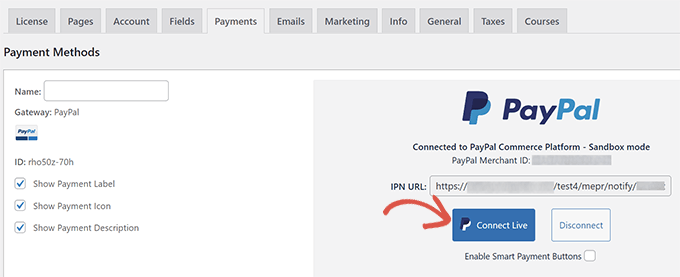
To connect your account, you will simply need to enter your PayPal API keys into the MemberPress settings.
This makes it a breeze to accept payments for your courses and subscriptions.
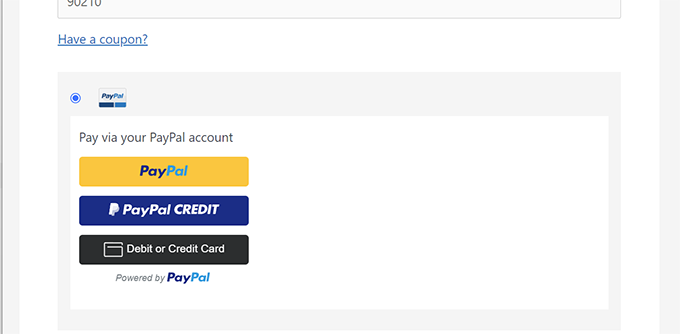
Plus, the plugin offers lots of features and comes with a drag-and-drop course builder. You can also control who can access what content by setting up different membership levels.
To learn more, see our tutorial on how to connect WordPress to PayPal Commerce.
✅Pros of MemberPress
- Supports automatic recurring and one-time membership payments
- Grants or revokes access based on PayPal payment status
- Restrict access to premium content based on payments
- Use hosted checkout page or embedded forms
- Secure handling of transactions
❌Cons of MemberPress
- Upgrading/downgrading membership may require canceling and re-subscribing with PayPal Standard
Why I recommend MemberPress: If you want to accept PayPal payments for subscriptions, courses, or memberships, then I recommend MemberPress.
4. Easy Digital Downloads – Best PayPal Plugin for Digital Products
Easy Digital Downloads (EDD) is the most popular WordPress eCommerce plugin for selling digital downloads in WordPress.
It comes with integrations for PayPal Standard, PayPal Express, PayPal Pro, and even the new PayPal commerce platform. This makes it easy to accept PayPal payments for eBooks, music files, digital art, software, or any other type of digital goods.
Easy Digital Downloads is one of our partner products, part of the Awesome Motive family of brands. We use it to sell our own plugins, which gives us extensive, first-hand experience with accepting PayPal payments through the platform.
If you want to learn more about its features and performance, then take a look at our full Easy Digital Downloads review.
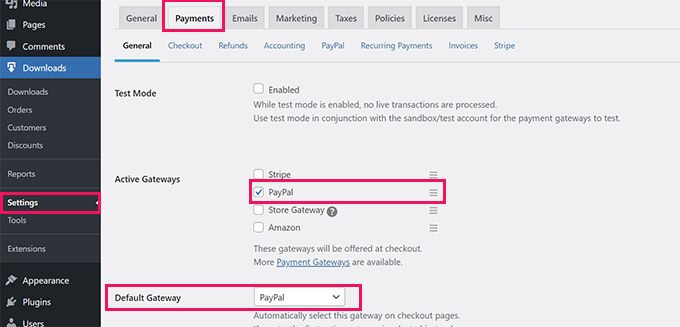
Aside from PayPal, it also allows you to accept other payment solutions, including Stripe, Apple Pay, Google Pay, and more.
You can sell subscriptions, accept recurring payments, add discount codes, and set up a full shopping cart in just a few minutes.
To get started, see our guide on how to sell digital downloads in WordPress.
✅Pros of Easy Digital Downloads
- Instant transaction processing for digital downloads
- Sends email receipts and order confirmations
- One-click checkout with PayPal Smart Buttons
- Tracks earnings, customer data, and sales trends
❌Cons of Easy Digital Downloads
- Some features not available in free version
Why I recommend Easy Digital Downloads: If you want to accept PayPal payments for your digital products, then EDD is the best solution for you.
5. Formidable Forms – Best PayPal Plugin for Advanced Forms

Formidable Forms is an advanced WordPress forms plugin. It lets you create complex forms without the need to hire a developer.
Upon thorough evaluation, I found that it offers a PayPal addon, allowing you to collect online payments from visitors. You can also customize your PayPal settings, like selecting different currencies and setting a one-time or recurring payment type.
To learn more about our insights, you can see our detailed Formidable Forms review.
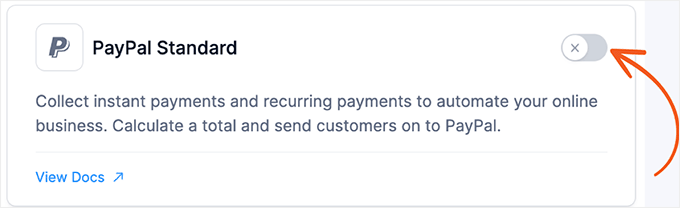
The plugin offers a drag-and-drop form builder, making it super easy to build all kinds of forms. For example, you can create simple contact forms, quizzes, surveys, payment forms, and more.
What makes Formidable Forms so powerful is that you can also build advanced forms like mortgage calculators, directories, job board listings, and much more.
With this plugin, you can turn any form into a payment form, whether for product sales, event registrations, or donations.
✅Pros of Formidable Forms
- Conditional logic controls when users are charged
- Supports PayPal Standard and PayPal Commerce
- Accept payments in multiple currencies worldwide
- Searchable database for form entries and transaction histories
❌Cons of Formidable Forms
- PayPal addon not available in free version
Why I recommend Formidable Forms: If you want to accept PayPal payments for your advanced forms, then Formidable Forms is a great choice.
6. WooCommerce– Best PayPal Plugin for Physical Products

WooCommerce is a popular WordPress eCommerce plugin that allows you to accept payments using PayPal. You can add the PayPal payment method to your store in just a few clicks.
Upon evaluation, I have concluded that it is the best solution for selling physical products. To learn more about its features, you can take a look at our full WooCommerce review.
Along with PayPal, the plugin also integrates with other payment options, including debit cards, credit cards, and pay-upon invoices.
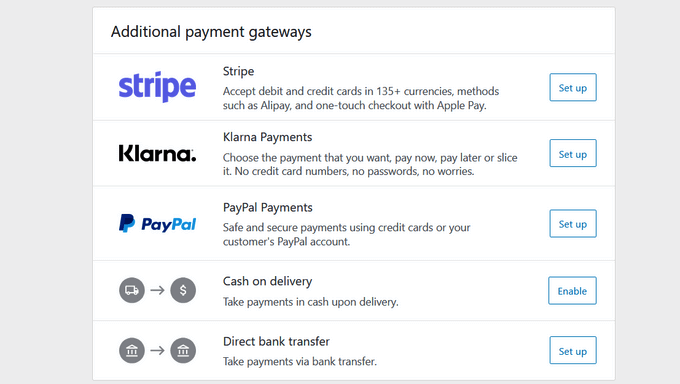
WooCommerce also allows you to sell subscriptions, integrate with shipping providers, collect taxes, handle inventory, and more. To get started, see our WooCommerce made simple guide.
✅Pros of WooCommerce
- Accept single or recurring payments via PayPal
- Mobile-friendly checkout pages
- Customizable PayPal button styles and checkout flow
- Instant Payment Notifications for real-time updates
❌Cons of WooCommerce
- Some features require paid extensions
- Plugin can be overwhelming for beginners
Why I recommend WooCommerce: Even though WooCommerce isn’t an all-in-one solution for some, it is the ideal plugin for accepting PayPal payments for your physical products.
7. Quick PayPal Payments – Best Free PayPal Plugin for Simple Forms
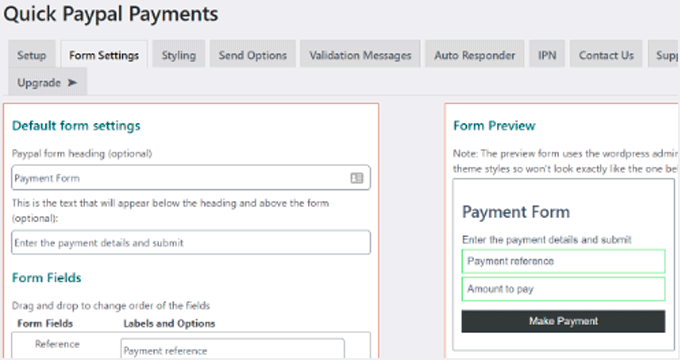
Quick PayPal Payments is a simple but powerful plugin that lets you easily accept payments using PayPal.
I found it super easy to use because all you need to do is set up a payment form and add it anywhere on your site using a shortcode.
It also provides different options to customize the appearance and styling of your payment form. Besides that, you get fixed and variable payment options, GDPR compliance, multi-language support, and more.
✅Pros of Quick PayPal Payments
- Customizable autoresponder for payment confirmations
- Keeps downloadable payment records
- Instant notifications on successful payments
- Integrates with Mailchimp
❌Cons of Quick PayPal Payments
- Limited customer support on free plan
Why I recommend Quick PayPal Payments: if you are looking for a free solution to accept PayPal payments with forms, then you can opt for this method.
8. Payment Button for PayPal – Best Plugin for PayPal Buttons

Payment Button for PayPal is a WordPress plugin that allows you to create buy now, add to cart, donation, and subscription buttons.
You can place these buttons anywhere on your WordPress blog or eCommerce store using a shortcode and enable PayPal checkout for your visitors.
Another reason I have added it to the list is that it allows you to test purchases using test buyers and seller accounts in PayPal Sandbox.
This way, you can make sure that the checkout process is working properly before accepting payments from real customers. It helps you avoid friction and improve your sales funnel.
✅Pros of Payment Button for PayPal
- Supports recurring payments
- Accept payments in multiple currencies
- Add shipping and tax charges
- Supports multiple PayPal accounts
❌Cons of Payment Button for PayPal
- Documentation not comprehensive
- Support responses can be inconsistent
Why I recommend Payment Button for PayPal: To quickly add a PayPal payment button, I recommend this solution.
9. Donations via PayPal – Best Free PayPal Plugin for Donations

Donations via PayPal is a simple plugin with a shortcode and a ready-to-use PayPal WordPress widget that you can add to your sidebars.
I found it to be beginner-friendly, allowing easy configuration from your WordPress dashboard. Simply enter your PayPal email address and choose your currency to get started.
The plugin also offers different styles of PayPal donate buttons that you can use on your website. There is also an option to use your custom donation button.
✅Pros of Donations via PayPal
- Multilingual support
- Global settings for PayPal ID, currency, and page style
- Completely free
❌Cons of Donations via PayPal
- Compatibility issues with some themes/plugins
- Lacks advanced features
Why I recommend Donations via PayPal: If you are looking for a free plugin to accept donations with PayPal, then this is a great choice.
10. WordPress Simple PayPal Shopping Cart – Best Lightweight PayPal Cart Plugin
WordPress Simple PayPal Shopping Cart provides an easy way to sell products/services on your website and accept payments using PayPal.
It adds a shopping cart system and allows users to add physical products and digital goods to their cart. On checkout, users can pay using PayPal.
You can use shortcodes to display the shopping cart on any post or page and turn your WordPress website into an online store.
✅Pros of WordPress Simple Shopping Cart
- Lightweight and responsive
- Add “Add to Cart” buttons via shortcode
- Free to use
❌Cons of WordPress Simple Shopping Cart
- Not ideal for full online stores
- Occasional payment or email notification issues
Why I recommend WordPress Simple Shopping Cart: If you are looking for an easy way to sell your products and services with PayPal, then you can opt for this option.
Bonus: WP Charitable – Best PayPal Plugin for Fundraising and Donations
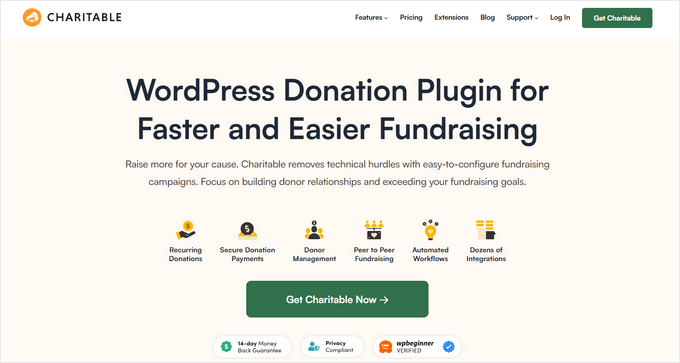
WP Charitable is a full-featured fundraising and donation plugin for WordPress, used by over 10,000+ nonprofits to raise money online.
During testing, I found that you can create your fundraising campaign in less than 5 minutes and start accepting donations through PayPal. To learn more, see our detailed WP Charitable review.
You can quickly create GDPR-ready donation forms and set up as many custom fundraising campaigns as you like.
It comes with powerful features like recurring donations, peer-to-peer fundraising, premium payment gateways, a donor management dashboard, integrations for popular email marketing services, and more.
✅Pros of WP Charitable
- Premade donation templates
- Easy PayPal setup
- Sandbox mode for testing payments
- Supports multiple currencies
❌Cons of WP Charitable
- Some features locked in free version
Why I recommend WP Charitable: If you want to accept PayPal payments for your fundraising campaign, then WP Charitable is the best solution.
What is the Best WordPress PayPal Plugin?
In my opinion, WP Payment Pal is the best PayPal plugin if accepting payments is your primary goal. It’s built specifically around the PayPal checkout experience, covering one-time payments, recurring subscriptions, coupons, and more in a single plugin.
That said, WPForms is the best choice if you need a form builder that handles more than just payments. You can create contact forms, surveys, order forms, and more, all with PayPal integration included.
On the other hand, MemberPress is a great option for accepting PayPal payments for your courses, membership site, exclusive content, and subscriptions.
Similarly, I recommend Easy Digital Downloads if you plan to accept PayPal payments for selling digital downloads.
However, WooCommerce is the better option for selling physical products and accepting payments with PayPal.
I hope this article helped you find a PayPal WordPress plugin for accepting payments on your site. You may also want to check out our other guides that can be useful for your online store.
Frequently Asked Questions About WordPress PayPal Plugins
Here are some questions that our readers frequently ask about PayPal plugins:
Can I use PayPal on WordPress without a business account?
Yes, you can use a personal PayPal account to accept payments on WordPress. However, a PayPal Business account offers more features, such as accepting credit card payments directly on your site. It also offers a more professional checkout experience for your customers.
Which PayPal plugin is best for simple donations?
For simple, one-off donations, WP Payment Pal or WPForms are fantastic choices because you can create a donation form in minutes. If you are running a full fundraising campaign, WP Charitable offers more advanced features specifically for nonprofits.
Do I need to install WooCommerce to use PayPal?
No, you do not need WooCommerce unless you plan to sell physical products and require a full-featured online store. Plugins like WP Payment Pal, WPForms, Easy Digital Downloads, and MemberPress allow you to accept PayPal payments for forms, digital products, and subscriptions without needing WooCommerce.
Best WordPress Guides for PayPal Payments
- How to Add a PayPal Payment Form in WordPress (Step by Step)
- PayPal Alternatives for Freelancers to Collect Payments
- How to Connect WordPress to PayPal Commerce
- How to Easily Accept Credit Card Payments on Your WordPress Site
- Stripe vs. PayPal: Which Is Better for Your WordPress Site?
- How to Set Up Installment Payments in WooCommerce
- How to Allow Users to Choose a Payment Method on WordPress Forms
- Important Online Payments Statistics, Data, and Trends
If you liked this article, then please subscribe to our YouTube Channel for WordPress video tutorials. You can also find us on Twitter and Facebook.




Dennis Muthomi
Great article on PayPal plugins for WordPress! I found the section on WPForms particularly helpful. As a small business owner, I’ve been using WPForms with the PayPal addon for my online order forms, and it’s been a game-changer.
Ahmed Omar
I am working on my site to add some products.
I would try your recommendations about paypal plugins
thank you
WPBeginner Support
You’re welcome
Admin
Robin M Buskirk
I have a form which is linked to the paypal account for payment via the standard paypal addon in WPforms. I want the customer to receive a receipt that they have made the payment, but I can’t find a way to do this.
WPBeginner Support
You may want to check with PayPal as that is who would normally send the receipt.
Admin
Scott Page
Great article! Just wanted to let you know “PayPal Payment” is no longer available. Maybe time for another round of PayPal plugin reviews?
WPBeginner Support
Thank you for letting us know, we’ll certainly take a look at alternatives
Admin
Dan Williams
So, are there no plugins that allow me to take the code from the hundreds of PayPal buttons that I’ve already created and use it on a WordPress Page and have the dropdowns work?
Why has no one written a conversion plugin that would take PayPal’s html button code and convert it to something WP can use?
Aziz
I need a PayPal Button let me add to my wordpress page after making price calculation to my services (Editing).
Could you help me with that ?
Greg
I have a customer who represents a nonprofit. She would like to sell tickets to charitable event and also have the option for the customer to give an additional donation on top of buying a ticket to the event. Is there a plug-in that with allow for the creation of a form for a ticket purchase and a variable donation all at once?
Thanks!
David Gordon
Please advise where to acquire the 8. PayPal Payment plugin?
peter
at airbnb, there is an option that customer’s deposit payment being charges when there’s damage condition.
looking to doing a group purchase website, when I refer to market player, customers click “commit price” to makes payment at paypal, but at paypal the payment not get charge immediately, which there’s a line at paypay payment page: your payment being processed later.
so when the group purchase quota reach, then the committed payment will be charge, or else the deal will be cancel.
any paypal plugin (website base is wordpress & woocommerce) with this “payment being processed later” plugin?
Ed Hobbs
Your site is a wealth of great info for all of us!!
I need a plugin for PayPal that allows me to collect a couple of more pieces of information from somebody joining our association such as spouse, who recommended you, etc. and have that returned to us. Was planning on using “Instructions to Seller” in PayPal to collect this but it looks like that is no longer available.
Am willing to add in code to make this work. Have Simple PayPal Shopping Cart installed and love it.
Any help will be appreciated. Thanks Ed
WPBeginner Support
Hi Ed,
Please checkout WPForms, it is a WordPress form builder plugin with a PayPal addon. You will be able to build a form and integrate it with PayPal.
Admin
hossein taherloo
Witch one is better for downloadable file?
and
Wich one support more Gateway s ?
Georg Schardt
I am trying to use WPForms in my site but I can not understand settings. Is anybody here who can help me in this?
WPBeginner Support
Hi Georg,
Please see our step by step guide on how to create a contact form in WordPress.
Admin
Mary Ann
Thank you for your post – very helpful
I have a WordPress website that I installed PayPal onto – I did a test and it appear to be working – only now I realized after a few orders have been placed the payment has not been sent to my bank accounts – in fact when I went into my PayPal account looking for transactions there are no transactions listed – yet on the my WordPress website it shows customers have ordered products – I was sent an email stating that a new customer order – I shipped the order thinking that the payment was processed- only it has not been – so, customers has received their product & yet not paid for
Where do I start on the WordPress site to getting the processing working – ( in my business PayPal account a bank is listed and when you do place an order it takes your credit card and appears to process it) thank you for any help
WPBeginner Support
Hi Mary Ann,
Are you using a WordPress plugin or eCommerce platform to accept payments through PayPal? If so, can you please check that the plugin or payment settings is not in sandbox mode. PayPal’s API allows developers and site owners to test their applications using the sandbox mode. In this mode, transactions are not processed but your plugin will show that they did because it is in testing mode and was able to pass the test.
Admin
Gordon P
I am developing a WordPress website for a high school baseball team. I need a plug in to help manage player fees paid online and the accounting to be displayed on a secure webpage of each players account as payment are made (ie balances, amount owed. etc.). I know this page is directed towards payment gateways and plug ins but any additional input related to my needs is appreciated.
Susi
i am trying to take paypal off that someone installed as its going into someones elses bank account How do i take it off my web site Its a word press web site Where do I look to take it off ?
WPBeginner Support
Depends on where the paypal button or payment option appears on your site. You can start by disabling plugins one by one. Until the payment option is gone. If that doesn’t work then try editing posts or pages where the button appears. Lastly, look in Appearance » Widgets to see if there is a widget with paypal button code.
Admin
Andrew binks
I am trying to set up a recurring payment/ subscription button. The only code available on PayPal is to copy and paste to a website, but I understand the email html code is the correct one. Nothing enables this on the PayPal site. Is there a plugin for this feature? Cheers!
warren
I am looking for a way to take payments, recurring monthly payments and be able to up sell on the checkout page as well as integrate with Aweber to capture the email details and add it to a list.
I am unsure which plugin to use is there one which does all?
Carole
Love your articles! So clear and easy to follow. Thanks!
WPBeginner Support
Glad you find them helpful.
Admin
John
Hi, does anyone know of a WP button that allows you to add postage costs to it please? I can only find ones that you put with the price of the article but not with a field for the postage costs.
I also have only one item to sell not multiples. Thanks in advance for any help or advice.
abdel
Can I add paypal to any wordpress theme?
rani
yes ofcourse
Mar
Can you utilize both with PayPal – WooCommerce and Gravity forms on the same WP site. WooCommerce of course allows for more for visual presentation but gravity forms offers a different avenue of approach for conversion as well. Any insights or thoughts on this would be much appreciated. Thanks.
Mario
I have the same issue, how can I use the Australia post codes have different shipping rates?
Elaine Maul
Thank you for this post. It is really useful as I’ve just started trying to research Shopping Carts that work wih WordPress.
I do have a problem though that is probably more of an issue for someone (like me!) from the UK. If you are in the USA, Paypal has settings that allow you to set up local postage and international postage. However, for users of Paypal in the UK (for reasons that I can’t fathom?) don’t have access to this.
So ….. as someone in the UK, I need a plugin that itself allows me to set postage for local/international (and ideally weight!!!) before linking to Paypal to carry out the actual transaction. Does anyone have any recommendations? Thank you.
Clare
Elaine, did you ever find a solution? I have the exact same issue.