


Getting people to join your WordPress email list can feel nearly impossible. Visitors scroll right past signup forms like they don’t even exist, and conversion rates stay low no matter how many headlines you try.
That’s where interactive tools, like spin-to-win wheels, come in. 🎡
These optins work because they turn signups into a fun game with real rewards. Instead of a standard form, visitors get an experience they might actually enjoy.
Using OptinMonster, you can set up spin-to-win wheels along with popups, slide-ins, header banners, and more. We use it ourselves at WPBeginner, and it works great for running promotions.
In this guide, we’ll show you how to add spin-to-win optins in WordPress. Whether you’re running a blog or a WooCommerce store, you’ll have a better chance of turning visitors into subscribers.
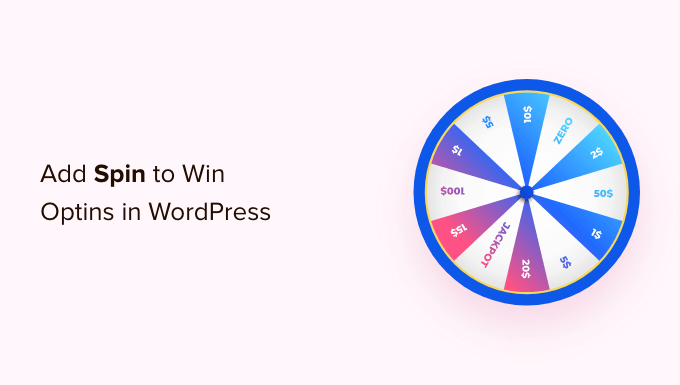
What Is a Spin-to-Win Optin?
A spin-to-win optin is a signup form or a discount coupon wheel that adds gamification to your WordPress website. Your users play a game to win discounts, unlock special offers, or access downloads after playing the game.
Case studies have shown that gamified optins get conversion rates as high as 30% or more. The reason for that is quite simple. These gamified optins are fun, interactive, and instantly get users’ attention.
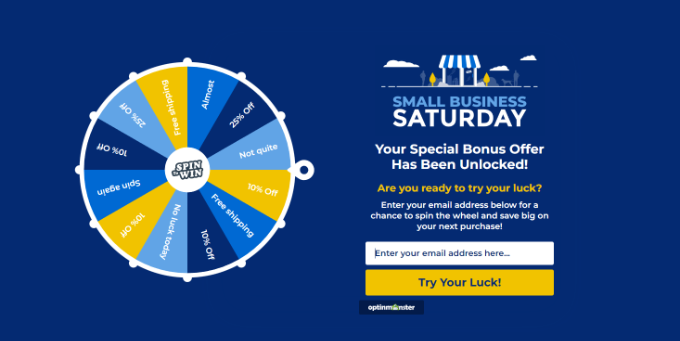
By offering rewards and coupons with your spin-to-win wheel, you can also encourage users to complete the game they started by using the reward they have earned, like making a purchase using a discount code.
Similarly, you can use spin-to-win options to offer incentives like free shipping and bundle offers for your online store and boost conversions.
With that in mind, we’ll show you how to add a spin-to-win optin in WordPress and WooCommerce.
Here’s a quick overview of all the topics we’ll cover:
Ready? Let’s get started!
Creating a Spin-to-Win Optin in WordPress and WooCommerce
The best way to add gamification to your website is by using OptinMonster, the best lead-generation software on the market.
With OptinMonster, you can grow your email list, get more leads, and convert website visitors into paying customers. Its drag-and-drop campaign builder makes it super easy to create a spin-to-win optin and set up powerful display rules.
At WPBeginner, we use OptinMonster to create inline popups for special offers and deals. It’s our go-to tool for grabbing attention and boosting conversions.
Check out our full OptinMonster review or see how we boosted our email subscribers by 600% with OptinMonster in our case study.
Step 1: Setting Up OptinMonster
First, you will need to visit the OptinMonster website and click the ‘Get OptinMonster Now’ button to sign up for an account.
To create a spin-to-win wheel, you’ll need OptinMonster’s ‘Growth’ plan. This plan unlocks the ‘Coupon Wheel Campaigns’ feature, which gives you all the tools you need to build fun, gamified optins.
Then, you can go ahead and install the free OptinMonster plugin on your WordPress website. This plugin will connect your WordPress website to the OptinMonster app. For more detailed instructions, please see our step-by-step guide on how to install a WordPress plugin.
Upon activation, you’ll see the OptinMonster welcome screen. Simply click the ‘Connect Your Existing Account’ button.
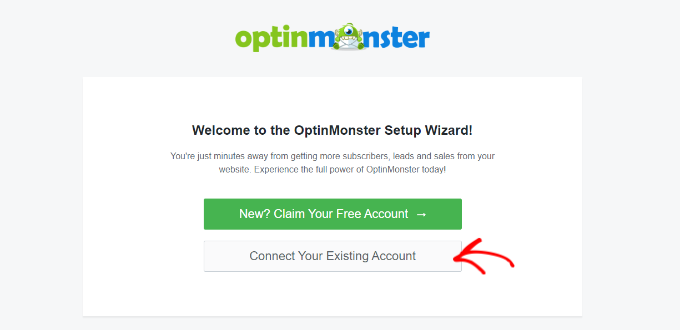
Next, a popup window where you can connect your WordPress site with the OptinMonster account will open.
Go ahead and click the ‘Connect to WordPress’ button.
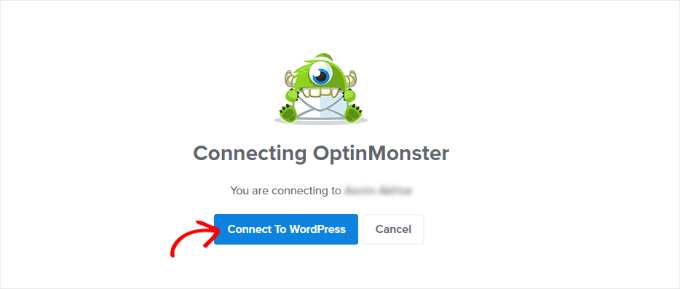
Once you’ve connected OptinMonster with your site, you’ll want to connect it to your WooCommerce account.
To do this, you can go to OptinMonster » Settings from your WordPress dashboard.
Under the ‘General’ tab, let’s scroll down to the WooCommerce section and click the ‘Auto Generate Keys + Connect WooCommerce’ button.
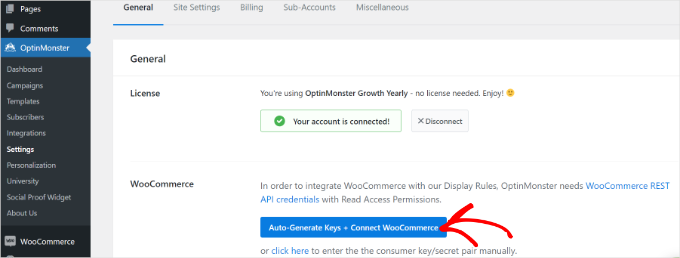
WooCommerce will now automatically generate keys and connect to your OptinMonster account.
This is a key step for eCommerce stores, as it allows OptinMonster to create and manage unique WooCommerce coupon codes for your spin-to-win prizes automatically. This saves you a ton of time! ⏱️
Step 2: Creating a Spin to Win Campaign
After connecting WordPress and WooCommerce to your OptinMonster account, you can start creating a new campaign.
First, let’s head to OptinMonster » Campaigns from your WordPress admin area and then click the ‘Create Your First Campaign’ button.
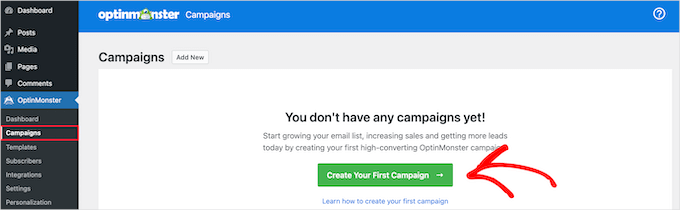
After that, OptinMonster will ask you to select a template or choose a ready-to-use campaign from the playbook.
For this tutorial, we will use the ‘Templates’ option.
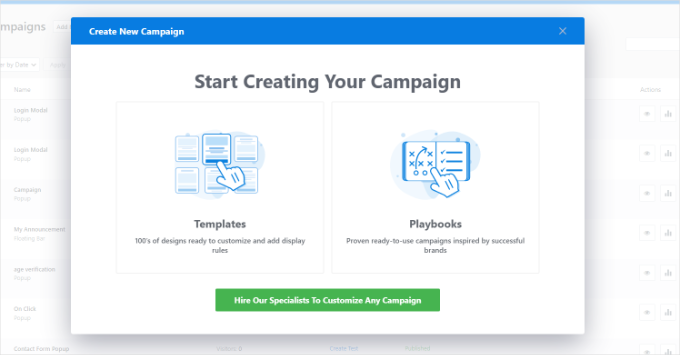
Next up, you’ll need to select a campaign type and a template for your spin-to-win optin.
For the campaign type, go ahead and select the ‘Gamification’ option.

After that, you can select a campaign template.
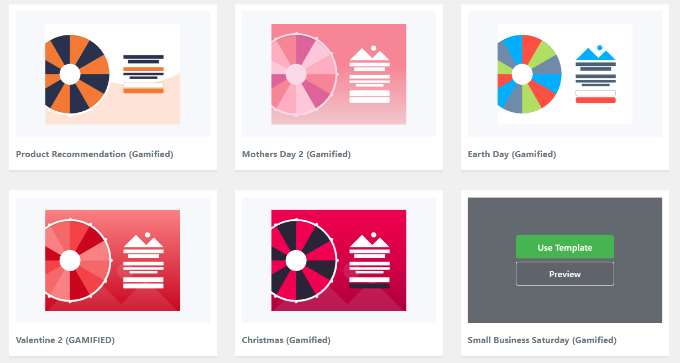
OptinMonster offers multiple templates to choose from. Once you’ve found the perfect one, simply hover over it and click the ‘Use Template’ button.
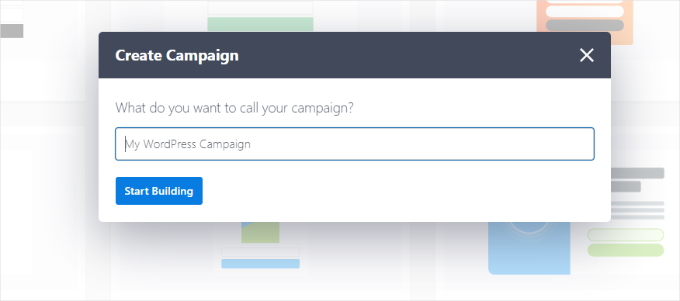
On the popup window that appears, you’ll be asked to provide a name for your template.
Simply enter a name and click the ‘Start Building’ button.
After that, you will see the OptinMonster campaign builder interface.
You can drag and drop different blocks from the menu on your left onto the templates, like buttons, videos, countdown timers, and more.
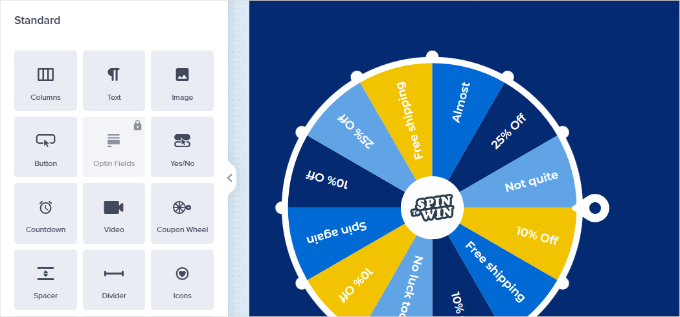
OptinMonster also lets you change your campaign design, text colors, fonts, spacing, and more. You can simply point and click on any item in the template to edit its appearance.
Next, go ahead and click on the wheel element in the template to see more options. For instance, you can edit the section and wheel colors.
From here, you can click on the ‘Customize Wheel Sections’ button to edit the values for each of the coupon wheel sections.
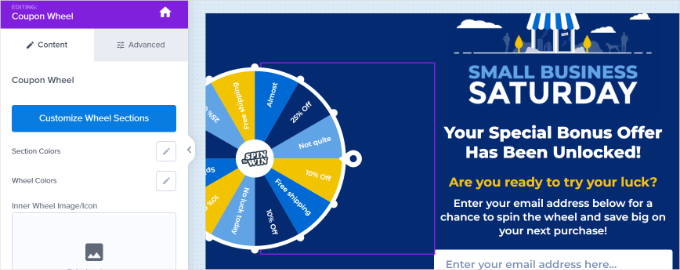
A popup window will now open with all the sections in your gamification wheel.
This popup allows you to add coupon codes and special offers to the wheel. You can also select whether each option has a chance of winning.
When you turn an option off or on, the win percentages will be automatically recalculated.
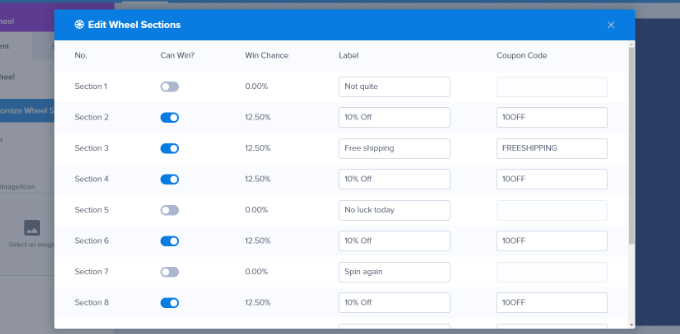
After customizing each section, you can simply close the popup window.
Step 3: Setting Up When to Show the Spin to Win Optin
Next, you must select when you want your spin-to-win campaign to be displayed on your WordPress blog or online store.
OptinMonster provides powerful targeting and display options that enable you to trigger the spinner anywhere and at any time on your website.
Simply switch to the ‘Display Rules’ tab in the OptinMonster dashboard. From here, you can select different display rulesets for your campaign.
For example, you can use the ‘Exit Intent’ ruleset to launch the spinner campaign when a user is about to leave your website.
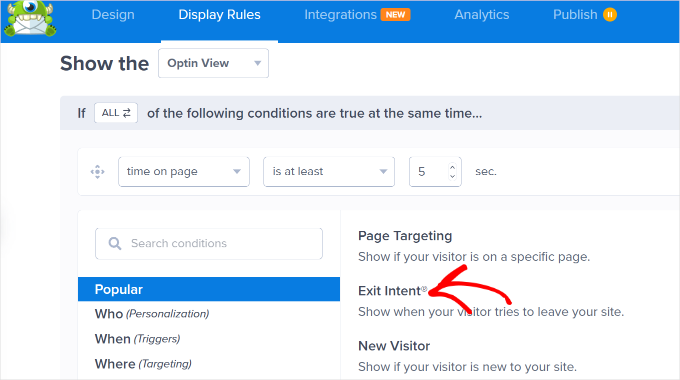
You can also configure the sensitivity of the exit intent and change it to low, medium, or high.
Next, scroll down to combine different rulesets. For example, you can set another rule to launch the campaign only on specific pages.
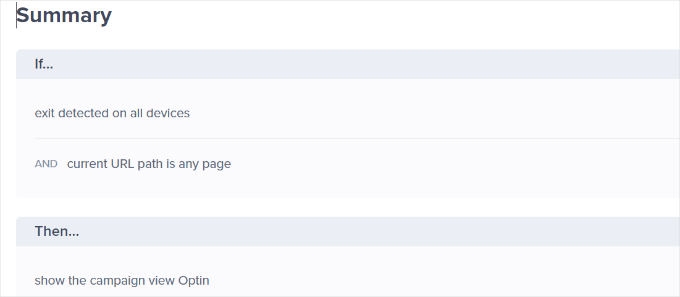
For this tutorial, we will select the ‘current URL path’ from the dropdown menu and then choose the ‘is any page’ option. This way, your spin-to-win optin will appear on all the posts and pages throughout your website.
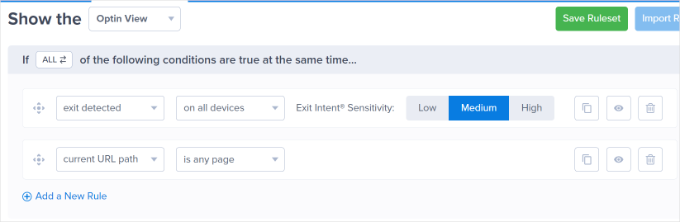
After adding display rules, you can click the ‘Done? Go to Actions’ button.
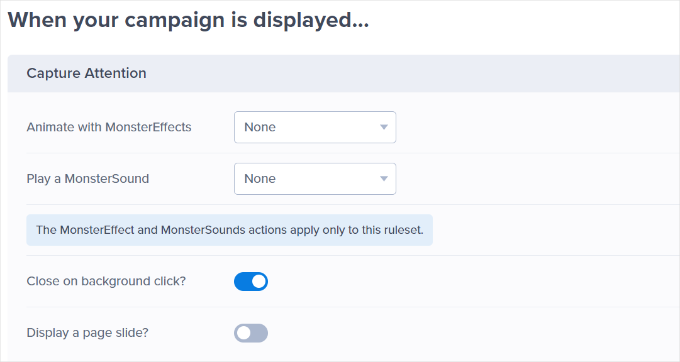
From here, you’ll be asked to select a view. Simply select the ‘Optin’ view and choose a sound effect for your campaign.
If you don’t want to add a sound effect, then you can keep the default setting as ‘None.’
Next, let’s scroll down and set the cookie settings.
For instance, you can decide when to show the campaign again if someone hasn’t converted yet.
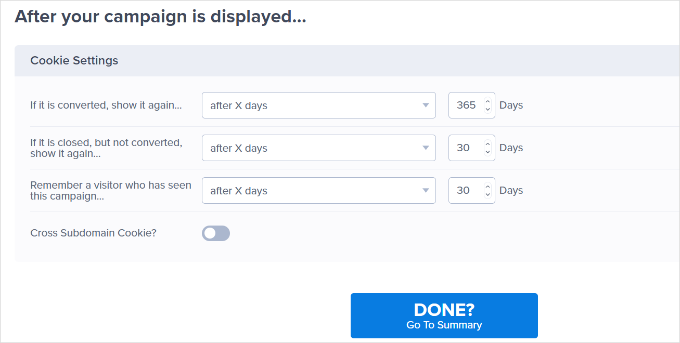
Go ahead and click the ‘Done? Go to Summary’ button.
On the next screen, you’ll see a summary of your display rules. You can now click on the ‘Save’ button at the top to store your changes.
Step 4: Adding the Spin to Win Wheel to WordPress and WooCommerce
Now that your spin wheel campaign is almost ready, let’s add it to your WordPress website.
From the OptinMonster dashboard, you’ll want to switch to the ‘Published’ tab and change the ‘Publish Status’ to the ‘Publish’ option.
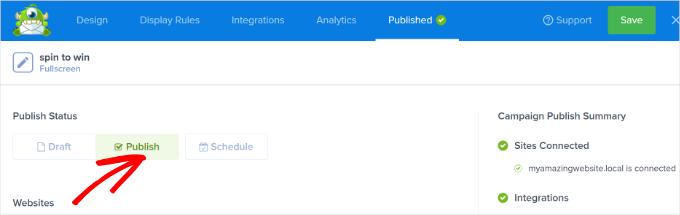
Don’t forget to click the ‘Save’ button to store your changes and close the campaign builder.
You can now visit OptinMonster » Campaigns from your WordPress dashboard.
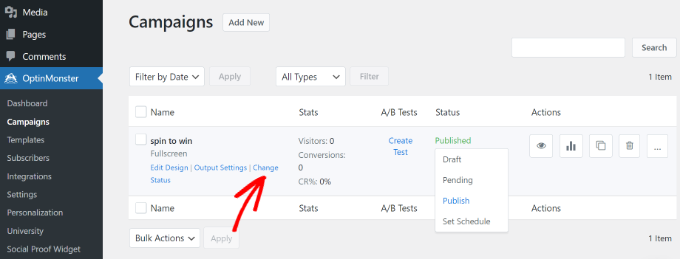
You’ll see your recently created spin-to-win wheel campaign, along with the ‘Published’ status highlighted in green.
If the status isn’t green, just click ‘Change Status’ under the campaign name and select ‘Publish’ from the options.
Now, if you visit your website or WooCommerce store in a new incognito browser window, you can see a live preview of your campaign.
Using an incognito window lets you see your site as a brand new visitor would. That way, your own login status or browser cookies won’t prevent the popup from appearing.
Based on your display rules, you’ll see the spin-to-win wheel popup on the screen.
💡 Note: TrustPulse shows live notifications of recent sales, signups, and activity on your site. Pairing it with your spin-to-win wheel builds trust and urgency, encouraging more visitors to take action. Start boosting conversions today!
Bonus Tip: Running a Giveaway / Contest in WordPress
A spin-to-win works by having visitors spin a digital wheel to win instant rewards like discounts or freebies. So, almost everyone wins something, making it more about the quick thrill than a big prize.
If you want to create a more exclusive gamified program, then you can consider running a giveaway or contest.
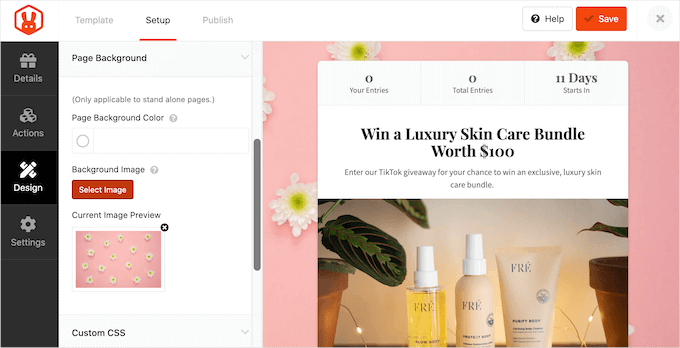
A giveaway or contest has a set start and end date, with a limited number of winners. The prizes are often bigger, but not everyone wins.
By offering an incentive, you can encourage your site visitors to take specific actions that can benefit your site, such as sharing content on social media or signing up for an email newsletter.
If you decide to run a giveaway or contest, we recommend using RafflePress.
It’s the best WordPress plugin for running giveaways, and it integrates seamlessly with major social platforms like Facebook, Twitter, and Instagram.
We also use it for our annual birthday giveaways at WPBeginner, and we love how simple it is to set up. You can learn more in our extensive RafflePress review.
Another great feature is that RafflePress connects with popular email marketing tools, so you can automatically add participants to your mailing list.
For detailed step-by-step instructions about running giveaways and contests, please see our guide on how to run a giveaway / contest in WordPress with RafflePress.
FAQs About Adding Spin-to-Win Optins in WordPress
What is a spin-to-win optin?
A spin-to-win optin is an interactive popup that looks like a prize wheel. Visitors enter their email address to spin the wheel for a chance to win something, like a coupon code, free shipping, or a free download.
Are spin-to-win wheels effective?
Yes, they work really well for interactive lead generation. By turning signups into a game, these optins grab attention and often convert much better than standard signup forms.
Do I need coding skills to create a spin-to-win wheel?
No, not at all. Tools like OptinMonster come with drag-and-drop builders and ready-made templates. That way, you can design and launch a campaign without touching any code.
Can I use a spin-to-win campaign on any WordPress website?
Yes, you can add a spin-to-win optin to any WordPress site or WooCommerce store using the OptinMonster plugin. It’s flexible enough to work on all kinds of websites.
Additional Resources for Using Popups in WordPress
We hope this article helped you add a spin-to-win optin to your WordPress website or WooCommerce store.
Next, you may also want to see our guides on:
- Best WooCommerce Spin a Wheel Coupon Plugins
- How to Use the Psychology of Popups to Boost Signups by 250%
- How to Create Mobile Popups That Convert
- How to Create a Coupon Popup in WordPress
- How to Promote Your Twitter Page in WordPress with a Popup
If you liked this article, then please subscribe to our YouTube Channel for WordPress video tutorials. You can also find us on Twitter and Facebook.




Dennis Muthomi
huge thankss for this!
I’ve been looking for ways to make my opt-in forms more engaging, and a spin-to-win wheel seems like a great idea.
I appreciate the step-by-step instructions on setting it up with OptinMonster. I’ll definitely give this a try on my WordPress site to see if it boosts my conversions
do you have any tips on creating the most appealing rewards for the wheel sections?
WPBeginner Support
Not at the moment as what every site offers and is able to offer is different.
Admin
Mrteesurez
Well, It’s varies but you can create a mix of rewards with varied value and instant gratification to appeal to a your users like surprises, ebooks, templates, discount, or premium contents, these will incentivize them and keep your your users (participants) engaged and excited.
Mrteesurez
This is incredible. Spin to win is definitely a form of gamification and for a user like me, I like gamification. It’s create loyalty in users and increase site engagement.
I like that sound effects you mentioned, it creates sense of playing games.
I want to create it gain more signup and create loyalty in my users.
malika
Nice and helpful post for me. Thank you so much for sharing.
WPBeginner Support
You’re welcome, glad our guide could be helpful
Admin