


Starting a job board can feel overwhelming when you’re faced with dozens of tools, each claiming to be the ultimate solution.
You want a plugin or theme that works seamlessly for both employers posting jobs and candidates searching for opportunities. But it’s not always clear which features truly matter (or how much you should budget).
The good news is that WordPress job board plugins and themes have come a long way. You no longer need custom development or a huge budget to build something professional and functional.
Whether you’re launching a niche job portal, setting up an internal company recruitment page, or creating a large-scale employment marketplace, the right plugins and themes can make the process much easier.
In this guide, we’ll share seven standout options that deliver real results – all tested among the most popular WordPress job board solutions so you can skip the guesswork. ✅

Overview of the Best Job Board Plugins and Themes for WordPress
Don’t have time to read? Here’s a quick overview of the best job board plugins and themes for WordPress:
| # | Plugins and Themes | Best For | Pricing |
|---|---|---|---|
| 🥇 | SeedProd | Creating a custom theme for a job listing website | $39.50/yr + Free |
| 🥈 | WP Job Manager | Building a job board | Free |
| 🥉 | WPJobBoard | Adding a powerful job search engine and portal | $97/yr |
| 4 | Job Board Manager | Adding schema for job listings | Free |
| 5 | ApplyOnline | Beginner-friendly application form builder | Free |
| 6 | JobRoller | A powerful job listing theme with monetization options | $69/yr |
| 7 | JobEngine | Advanced job board website theme | $89/yr |
Building a Job Board Website with WordPress
WordPress is currently one of the most popular website builders on the market, powering more than 43% of all websites on the internet.
It can be used to build almost any kind of website, including a job board website. Since it comes with intuitive editing tools, WordPress is super beginner-friendly.
Plus, the base software is completely free, which makes it an affordable option for small businesses and even solopreneurs.
To put it simply, we think WordPress is a fantastic choice for building a job board website. There are just a few things you’ll need to know first.
There are two types of WordPress websites that often confuse new users.
First, there is WordPress.com, a hosted solution. Second, you have WordPress.org, also called self-hosted WordPress. See our article on WordPress.com vs WordPress.org for a side-by-side comparison.
We recommend using self-hosted WordPress.org. It gives you instant access to all WordPress features and functionality without restrictions.
To get started, you will need a domain name and website hosting.
A domain name is your site’s address on the web, like wpbeginner.com or google.com. Web hosting is the storage for all your website files.
We recommend using Bluehost. They are an officially recommended WordPress hosting provider and one of the largest web hosting companies in the world.

Bluehost is offering our readers a huge discount on their web hosting package. You also get a free domain and a free SSL certificate.
After you have purchased hosting, follow our step-by-step guide on how to make a website.
Once you have created your WordPress site, you can install a job board plugin or theme.
How We Test And Review WordPress Job Board Plugins And Themes
Before putting this guide together, we actually downloaded and tested some of the most popular job board plugins. We also installed job board-specific themes to see how they perform in real use.
While doing that, we focused on a few key things:
- Ease of Use: We checked how beginner-friendly each option is, everything from installation to setup and everyday use.
- Features: For plugins, we looked at things like job posting, job application management, employer profiles, and candidate dashboards. For themes, we focused on layouts, templates, and how flexible the customization is.
- Design and Customization: We paid close attention to how each theme looks, how well it works on mobile, and how easy it is to customize with block editors or page builders.
- Performance and Speed: We tested whether the plugins or themes slow down page load times and made sure they keep page load times fast.
- Pricing: We compared the cost against the features, so you know whether you’re getting real value for your money.
- Support and Documentation: We looked at the quality of customer support and how helpful the documentation, FAQs, and tutorials are.
Why Trust WPBeginner?
At WPBeginner, we’ve been helping WordPress users build and improve their websites for more than 16 years.
As our team expanded, we also needed a way to list job openings, sometimes alongside our partner brands.
Through that process, we learned which features actually make hiring easier. These are things like posting jobs, managing applications, and connecting with the right candidates.
On top of that, every tool in this list has been thoroughly tested by our experts. You can read more about how we review products in our editorial process.
Having said that, let’s take a look at some of the best WordPress job board plugins and themes that you can use to build a job board website.
1. SeedProd
SeedProd is the best WordPress theme builder on the market. It allows you to create a custom theme or landing page for your job postings without writing any code.
At WPBeginner, we’ve used SeedProd ourselves to build high-converting landing pages, and many of our partner brands rely on it for their campaigns, too. They’ve consistently reported better conversion rates and faster site launches compared to other builders.
For more information, see our SeedProd review.
We appreciate that SeedProd comes with 350+ professionally designed templates and site kits, all fully customizable with a drag-and-drop builder.
You can import a template in one click and adjust the layout, background, images, fonts, and colors to fit your brand.
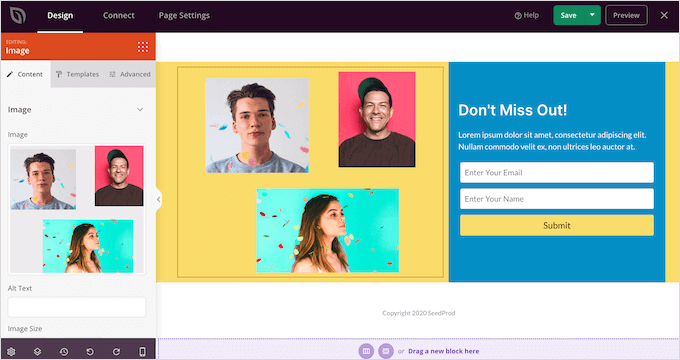
It’s especially handy for job boards since you can create custom login pages, registration pages, and more, without needing a developer.
Plus, the built-in AI Builder can instantly generate headlines, descriptions, images, and text, making it even faster to launch a polished job site.
For details, you can see our tutorial on how to create a custom theme in WordPress.
✅ Pros of SeedProd:
- Comes with 20+ color schemes, font combinations, shape dividers, and smart sections, plus bloat-free code for faster load times.
- Includes built-in WooCommerce blocks so you can add an online store alongside your job listings page.
- Supports dynamic content, making it easy to personalize landing pages.
- Integrates with email marketing services like Constant Contact or Brevo to help you grow your email list and follow up with applicants.
❌ Cons of SeedProd:
- SeedProd has a free version, which works if you just need a basic landing page. If you want a polished job board site with full customization, you’ll likely need to upgrade.
Pricing: SeedProd offers a free version. Paid plans start at $39.50 per year.
Why we recommend SeedProd: If you want to create a custom theme or landing page for your job listings, then SeedProd is the best option.
2. WP Job Manager

WP Job Manager is a beginner-friendly WordPress job board plugin from Automattic (the company behind WordPress.com). In our testing, we were able to set up a live job portal within minutes just by creating pages and adding shortcodes.
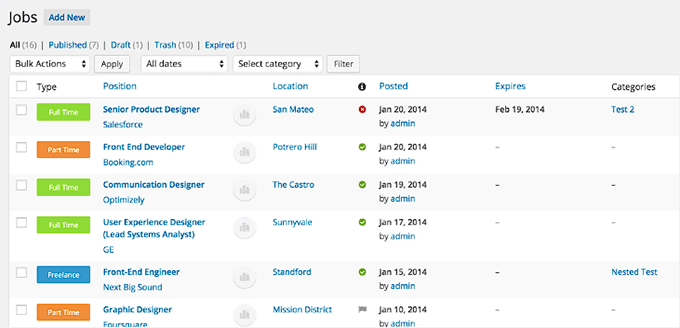
With this plugin, recruiters can register on your site and submit job listings. You can then review, edit, renew, or delete right from your WordPress dashboard.
We found the management interface intuitive and easy to navigate:
What makes WP Job Manager more powerful is its premium add-ons. These let you charge for job postings, send email alerts, monetize listings with WooCommerce, add a resume manager, and more.
In our experience, this flexibility makes it a good fit whether you want to run a free community job board or make money online with a paid recruiting platform.
We also liked how simple it is to create a custom job submission form. You can add fields for location, job type, category, and application instructions so recruiters can post detailed listings.
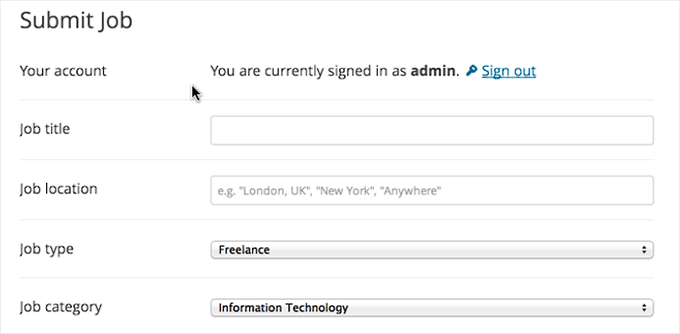
For detailed instructions, see our article on how to create a job board in WordPress.
✅ Pros of WP Job Manager:
- Fully responsive, so job listings look great on all devices.
- Compatible with most WordPress themes, blending seamlessly into your site’s design.
- Shortcodes let you place job listings, submission forms, and dashboards anywhere.
- Integrates with WPForms, making it easy to build custom application forms.
- Includes advanced search and filtering so job seekers can quickly find relevant listings.
❌ Cons of WP Job Manager
- The free version works well for a basic job board. But building a full recruiting platform with features like paid listings, email alerts, and resume management will mean upgrading with premium extensions.
Pricing: WP Job Manager is free to use. Premium add-ons start at $29/year, or you can get the full bundle starting at $159/year.
Why we recommend WP Job Manager: If you are looking for a beginner-friendly job board plugin that allows you to add listings with a shortcode, then WP Job Manager is your ideal choice. Plus, it’s free, making it a budget-friendly option.
3. WPJobBoard
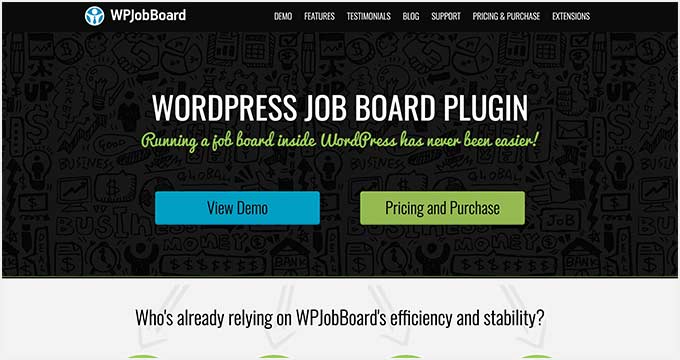
WPJobBoard makes it easy to add a powerful job search engine to your website. In our testing, we found its front-end admin panel especially useful. It lets employers and recruitment agencies submit jobs and resumes without needing backend access.
We were also impressed by the built-in applicant tracking system (ATS). This feature streamlines the hiring process by helping you review, track, and manage candidates more efficiently.
On top of that, WPJobBoard includes a resume database and employer portal. In our experience, these features made it much easier to match the right candidates with open positions.
It also has built-in payment support, so you can charge for job listings and even offer coupons, discounts, or membership packages for employers.
WPJobBoard works with any WordPress theme, but it also comes bundled with a free theme designed specifically for job boards.
✅ Pros of WPJobBoard:
- Full-featured job portal to post listings, review applications, and communicate with candidates.
- Easy setup for a functional job board where users can submit applications directly.
- SEO-friendly URLs and meta tags, plus social media and RSS feed integration to boost visibility.
- Fully responsive design that works across all devices.
❌ Cons of WPJobBoard:
- No free version is available, so it’s a bigger upfront investment compared to other plugins. This may not be ideal if you just want to test the waters with a simple job board.
- The included free theme is functional but limited in design flexibility. If you want a highly customized look, you’ll likely need to pair the plugin with another WordPress theme or theme builder.
Pricing: WPJobBoard starts at $97/year.
Why we recommend WPJobBoard: If you want to add a powerful job search engine to your website along with a comprehensive job portal, then we recommend WPJobBoard.
4. Job Board Manager
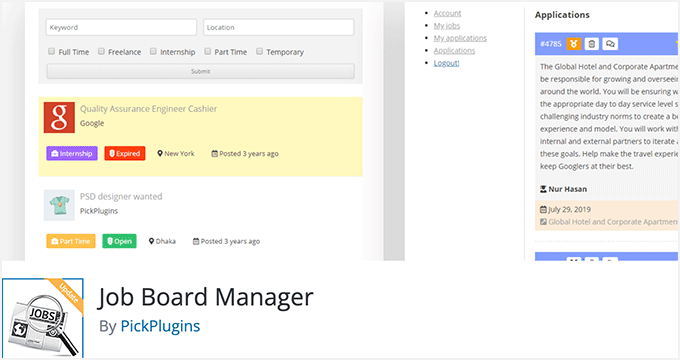
Job Board Manager is another solid option for adding a job board to your WordPress website. What makes it stand out is its ability to add schema markup for your job listings. This makes it easier for your job boards to rank higher in the search results.
During testing, we found the tool to be very user-friendly. It comes with a shortcode that you can add to different pages to display job listings, add a new job listing, show the user dashboard, and more.
Job Board Manager also has free add-ons to add company profiles, locations, widgets, and breadcrumbs. You can also use paid add-ons for WooCommerce paid listings, job alerts, applications manager, and more.
We particularly like that the plugin protects your job submission forms from spam with reCAPTCHA, making it a secure option.
✅ Pros of Job Board Manager:
- Organize job listings with categories, tags, and expiration dates.
- Flexible application options via email, website, or custom URL.
- Central dashboard to manage listings and applications.
- User notifications for new job listings that match their preferences.
❌ Cons of Job Board Manager:
- We didn’t like that the plugin doesn’t send notifications to users when their job listings are about to expire.
- For larger job boards with numerous listings, some users report that Job Board Manager may slow down the site’s performance, especially when lots of add-ons are used.
Pricing: Job Board Manager is 100% free to use, with optional paid add-ons for extra features.
Why we recommend Job Board Manager: If you plan to add schema markup for your job listings, Job Board Manager is your go-to solution.
5. ApplyOnline
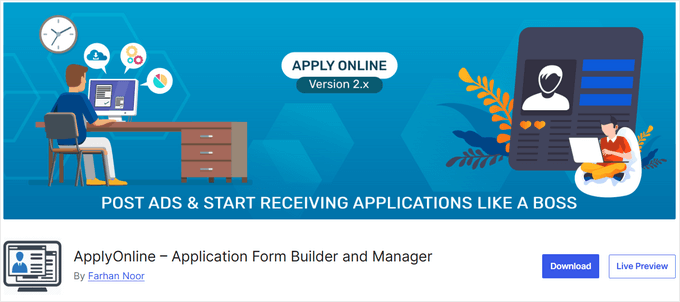
ApplyOnline is a lightweight WordPress plugin that lets you quickly set up a job board and start accepting applications right from your site. During testing, we found that it comes with an intuitive drag-and-drop form builder, which makes it ideal for beginners.
Despite its simplicity, ApplyOnline still packs in the essentials. We were able to set up ad categories, add filters, customize form fields, and configure email notifications without any significant hassle.
We also liked that you can create dedicated job pages with detailed descriptions, features, and other information. This can give candidates a clearer view of each opportunity.
One drawback we noticed is that ApplyOnline doesn’t support paid job listings out of the box. If you want to monetize your job board, you’ll need to pair it with a membership plugin for subscriptions or a contact form plugin to accept payments.
✅ Pros of ApplyOnline:
- Applicants can attach multiple files to their applications.
- Managers can add comments directly to submitted forms.
- Email alerts notify relevant parties of new applications.
- Add-ons like Application Tracker and Application Rating improve the hiring workflow.
❌ Cons of ApplyOnline:
- The user interface is fairly basic. While this makes it beginner-friendly, advanced users may find it limiting compared to more polished plugins.
- No built-in multilingual support. So if you’re running a global job board, you’ll need a separate translation plugin like WPML or Polylang.
Pricing: ApplyOnline is completely free to use, with optional paid add-ons available for extended functionality.
Why we recommend ApplyOnline: This plugin is a great choice if you’re a WordPress beginner and want to create a simple job board with application forms.
6. JobRoller
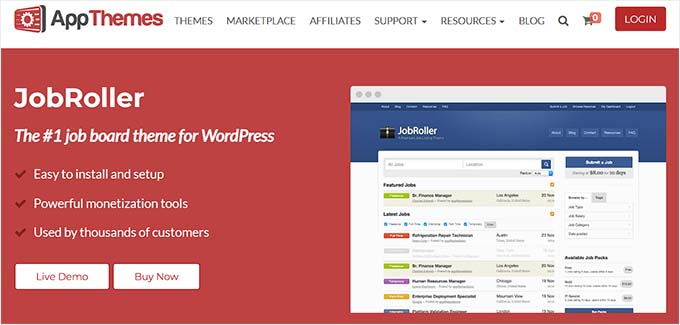
JobRoller is a powerful WordPress job board theme. In our testing, we found its monetization options especially impressive, letting you charge for job listings and run a paid job board effectively.
We also discovered that it’s easy to create separate sections for blog pages or landing pages. This way, you can share career-related content and promote featured jobs or campaigns alongside your job listings.
JobRoller supports both employer and job seeker accounts, includes a resume/CV bank, and comes with a built-in job submission form. Plus, we found the Ajax-powered search and filter features made browsing listings fast and intuitive.
The theme also offers multiple display options. We tried them out, and they helped us set up a fully functional job board quickly without touching any code.
✅ Pros of JobRoller:
- Fully mobile-responsive design.
- Easy to create child themes for customization.
- Built with WordPress SEO best practices to boost site visibility.
- Supports importing job listings from platforms like Indeed, Simply Hired, and Careerjet.
❌ Cons of JobRoller:
- JobRoller is a premium theme with no free version.
- Customization options are limited without coding. While the theme provides a strong options panel, more advanced design changes may require CSS or a child theme.
Pricing: JobRoller starts at $69/year for one site.
Why we recommend JobRoller: If you are looking for a theme that lets you create an attractive job listing website, then JobRoller is a great solution.
7. JobEngine
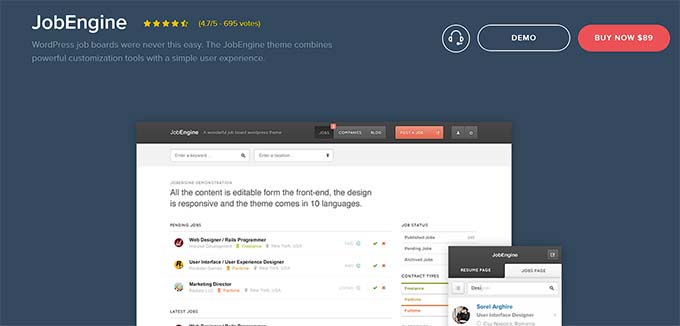
JobEngine is a WordPress app theme built to create a professional job board website. We found its dedicated front page template helpful for welcoming visitors and giving the site a polished look right out of the box. Generally, it’s best if you need more advanced job board styling and features.
We liked that JobEngine makes it easy for users to create accounts and post jobs. You can charge per job, offer premium plans, or sell featured listings separately. It also supports multiple payment gateways, including PayPal, Stripe, 2Checkout, and Authorize.net.
As a theme, JobEngine offers extensive color and design customization options. We were able to control the appearance using the page builder, adjust multiple sidebars, and set up landing pages quickly.
It’s also translation-ready, making it a good choice for multilingual websites.
✅ Pros of Job Engine:
- Highlights featured jobs at the top of listings to boost visibility and attract applicants.
- Integrates with the JE JobAlert extension for email notifications on new postings.
- Supports full-screen homepage background images for a polished look.
- Customizable sidebars for displaying relevant info and advertisements.
❌ Cons of JobEngine:
- Some users report that the mobile experience can feel a bit clunky, especially with customizations or large job listings.
- It doesn’t have any SEO-friendly features. So, you might need to use an SEO plugin like All in One SEO, LowFruits, or Yoast to optimize your listings and improve search visibility.
Pricing: JobEngine starts at $89/year.
Why we recommend JobEngine: If you want an advanced theme for your job listing website, we recommend JobEngine.
What Is the Best WordPress Job Board Plugin and Theme?
In our opinion, WP Job Manager is the best plugin for creating a job board. It’s free and scalable, and makes it super easy to add a job portal to your website.
On the other hand, if you are looking for a theme to make your job boards attractive, then we recommend SeedProd. It is the best WordPress theme builder with premade templates, an intuitive interface, and integration with powerful tools.
With just a few clicks, you can create a custom theme for your job listing website without any coding.
Similarly, Job Board Manager is also a good choice if you plan to add schema markup for your job listings to help them rank higher in search results.
However, if you just want a simple theme that supports job listings and management, then JobRoller is a great choice.
FAQs: WordPress Job Board Plugins and Themes
If you’re still wondering how to get the most out of a WordPress job board, these FAQs cover some of the most common questions we hear from beginners and experienced users alike.
What is the main advantage of using WordPress for job board sites?
WordPress is flexible and user-friendly, making it suitable for both beginners and experts. It lets you customize your job board with a wide range of themes and plugins, all while keeping costs manageable.
Can I integrate payment gateways with my job board on WordPress?
Yes! Most job board plugins and themes support popular payment gateways like PayPal and Stripe, making it easy to monetize job postings.
Do I need coding skills to build a job board on WordPress?
Nope. Most tools include drag-and-drop builders and pre-designed templates, so you can create a professional-looking site without touching any code.
How can I improve the visibility of my job listings on search engines?
You can start by using an SEO-friendly WordPress theme, which ensures your site is structured in a way that search engines can easily understand.
Next, you’ll want to add schema markup for your job listings. This is a type of code that tells search engines exactly what each listing is, like the job title, location, and application deadline.
If that sounds complicated, don’t worry, you don’t need to code manually. Many job board plugins and SEO plugins, like All in One SEO, let you add schema markup with just a few clicks. This helps your job board appear in search results more prominently and can attract more qualified candidates.
How do I ensure my job board site is fast and responsive?
We recommend choosing lightweight themes and optimized plugins. Using caching tools and compressing images will also help your site load quickly and look great on all devices.
Best WordPress Guides for Job Board Websites
We hope this article helped you find the best WordPress job board plugins and themes for your website.
You may also want to see our other guides to help build your website:
- How to Create a Job Application Form in WordPress (Easily)
- How to Make a Classified Ads Website with WordPress
- Best WordPress Resume Themes for Your Online CV
- How to Create a Micro-Job Website Like Fiverr with WordPress
- Best WordPress Developer Jobs Sites (+ Example Job Template)
- Ultimate WordPress SEO Guide for Beginners (Step by Step)
- The Ultimate Guide to Boost WordPress Speed & Performance
- The Ultimate WordPress Security Guide – Step by Step
If you liked this article, then please subscribe to our YouTube Channel for WordPress video tutorials. You can also find us on Twitter and Facebook.




Moinuddin Waheed
Nice list of all the job board manager plugins.
The best thing in the list is seedprod.
if it can be utilised to make a comprehensive job board it will be the best option.
I am not sure if it will be capable to make a full fledged job board like the dedicated plugins specially made for this purpose?
WPBeginner Support
It heavily depends on how you want to run your job board for if it would be able to handle what you are wanting. If you reach out to SeedProd’s support they can help let you know if they can suit your needs
Admin
Moinuddin Waheed
I would want to make one as the normal job boards are where one can post job updates for oneself and can allow for others to give their job listings.
Thanks for the response.
I would give it a try with seedprod and will contact with seedprod team for any help regarding that.
Jill
Thank you for this informative list of options. Do any of the aforementioned have global capabilities? If not, could you please provide some options?
Thanks!
WPBeginner Support
Unless we hear otherwise, these plugins should be available globally
Admin
Umair hayyat
Sir ! can you guide me which plugin is best for creating job board. Thank You very much .
WPBeginner Support
You would want to take a look at our recommendations in this article
Admin