


Email marketing remains one of the few channels you actually control. Social platforms change their rules constantly, and traffic can disappear overnight, but an email list gives you a direct way to reach people who asked to hear from you.
That’s why email has always played a central role at WPBeginner. We began with Mailchimp, which worked well when our needs were simple. As the site grew and our email strategy matured, we eventually moved to Drip to send more targeted messages and build smarter automation over time.
The choice of email marketing service matters more than most people think. Poor deliverability means your emails never arrive. Overly complex tools slow teams down and make basic tasks harder than they should be.
These issues don’t just cause inconvenience. They quietly limit growth.
That’s why I put this comparison together to help you choose an email marketing service that fits your goals, your audience, and the way you actually work. This guide is based on my hands-on testing of many of the most popular email marketing services, both at WPBeginner and across other projects.
Quick Picks: My Top 5 Recommendations
If you’re in a hurry, then here is a quick look at my top recommendations for small businesses:
| Service | Best For | Free/Trial | Pricing/mo (Annual) | WPBeginner Rating |
| Brevo | Absolute Beginners 🏆 | Yes (unlimited contacts) | $8.08 | A+ (Review) |
| MailerLite | Simple Newsletters | Yes (250 subs) | $12.00 | A (Review) |
| Constant Contact | Small Businesses | 30-day trial | $12 | A (Review) |
| AWeber | Reliable Automation | Yes (500 subs) | $12.50 | B+ (Review) |
| Drip | eCommerce Stores | 14-day trial | $39.00 | A (Review) |
How I Tested and Chose the Best Email Marketing Services
You might find it overwhelming to pick the right email marketing service because there are so many options. To help you make the right choice, I’ve personally tested every tool on this list using a hands-on approach.
I didn’t just look at the marketing pages. I signed up for accounts, built real campaigns, and carefully tested every feature in a live WordPress environment.
Specifically, I focused on these five key areas:
- Ease of Use: You shouldn’t need technical skills or coding knowledge to send a newsletter. I signed up for every service to test how intuitive their drag-and-drop email builders are and how long it takes a beginner to set up a basic welcome email series.
- High Deliverability: A service is useless if your emails land in the spam folder. I used these platforms to send real test campaigns to make sure they actually reach the inbox, not the promotions or spam tabs.
- Automation Features: You want a tool that works while you sleep. I looked for set-and-forget workflows, such as welcome sequences and abandoned cart reminders, and tested how easy they are to customize.
- WordPress Integration: Your email service must work with your website. I personally tested how easily each service connects with WordPress and popular plugins like WPForms and OptinMonster to grow your list automatically.
- Pricing & Support: I compared pricing plans to ensure they won’t penalize you for growing your list. I also reached out to each support team via live chat and email to see how quickly they responded to technical questions.
By looking for these small details—like how quickly a template loads or how easy it is to segment a list after a sale. I made sure that these recommendations are based on actual performance, not just a list of specifications.
Why Trust My Recommendations?
Hi, my name is Syed Balkhi. I’m the founder of WPBeginner and CEO of Awesome Motive. I have created numerous bootstrapped software companies. Today, over 30 million websites use my software.
Over the last 20 years, I’ve used countless email marketing tools on my personal blogs and my business websites.
Here’s why you can trust my recommendations:
- Hands-On Experience: I’ve personally used all the email marketing tools listed in this article across my businesses and projects.
- Comprehensive Testing: My team and I rigorously test each service for ease of use, deliverability, automation features, and overall value.
- Community Feedback: Through WPBeginner, I’ve helped thousands of users choose the right email marketing service and gathered their feedback to make sure these tools meet real-world needs.
- Transparency: I only recommend services based on real data, user experiences, and the value they provide. I don’t recommend tools that I wouldn’t use myself.
This guide is the result of years of experience, thorough testing, and feedback from the WPBeginner community. I’m confident it will help you find the best email marketing service to grow your audience and take your business to the next level.
Expert Tip: Because email marketing involves collecting subscriber information like names and email addresses, then you must update your Privacy Policy to disclose which service you use to remain GDPR compliant.
1. Brevo (Best for Absolute Beginners)
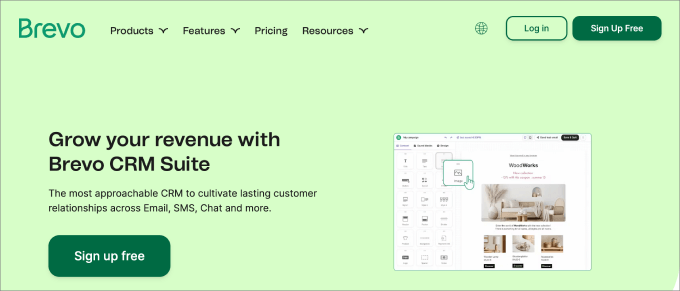
Brevo is the best choice for beginners because it offers unlimited contacts on its free plan and a complete marketing suite.
I have thoroughly tested Brevo to see how it compares to other solutions. To read more about my experience, see my complete Brevo review.
Unlike many competitors who charge you based on the number of subscribers you have, Brevo lets you store unlimited contacts for free. You only pay for the number of emails you actually send.
It’s also a complete marketing suite that includes transactional emails, live chat, and even a basic CRM.
You can learn more about my experience in my detailed Brevo review.
| Pricing: Starts at $8.08/month |
| Free Plan: Yes (unlimited contacts, 300 emails/day) |
| Standout Features: |
| 🔹 Transactional SMTP & CRM 🔹 SMS & WhatsApp Marketing 🔹 AI Content Generator 🔹 Facebook Ads Integration |
| WPBeginner Rating: A+ |
| Best For: Budget-friendly growth 🏆 |
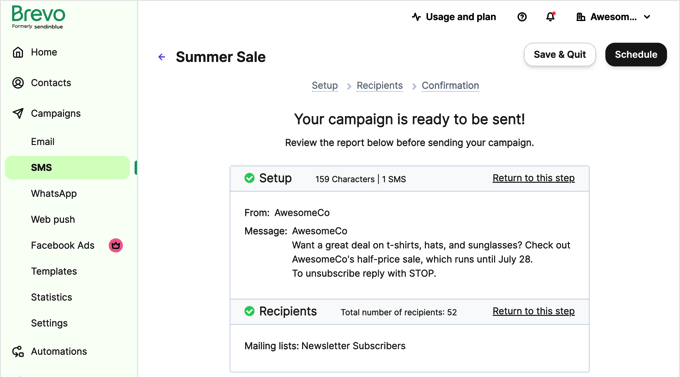
What I Like About Brevo:
- Massive Contact Storage: Unlimited contacts on the free plan is unique in this industry and protects you from subscriber tax.
- Transactional Emails: You can send order confirmations and marketing emails from the same dashboard effortlessly.
- Advanced Email Automation: Even on the free tier, you get access to workflow builders that usually cost a premium elsewhere.
- All-in-One Communication: It includes SMS and WhatsApp marketing tools, making it more than just an email service.
What I Don’t Like About Brevo:
- Daily Send Limits: The free plan limits you to 300 emails per day, which can be restrictive as your list grows.
- Landing Page Builder: You have to move to the Business plan to access the landing page tool and A/B testing.
Why I Recommend Brevo: I recommend Brevo because it is the most cost-effective way to get professional-grade email features. It is the best solution for small businesses and startups that want room to grow their contact list without seeing their monthly bill skyrocket.
Pricing: Brevo offers a free plan with 300 daily emails. Paid plans start at $9/month. By choosing an annual plan, the price drops to $8.08/month.
2. MailerLite (Best for Simple Newsletters)
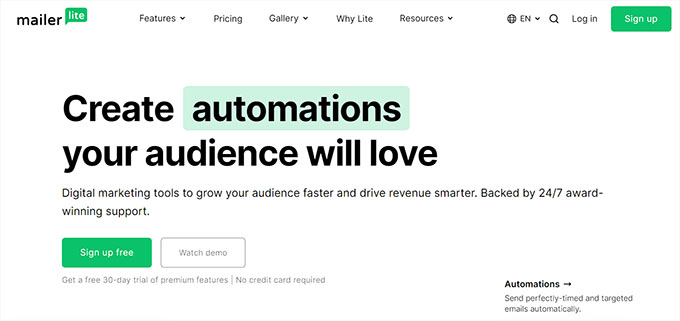
MailerLite is my top pick for bloggers and small business owners who prefer a clean, simple email automation interface.
While other tools try to be everything for everyone, MailerLite focuses on doing email marketing exceptionally well with a no-fuss approach.
If you just need to send beautiful newsletters and set up simple automations, MailerLite is a joy to use.
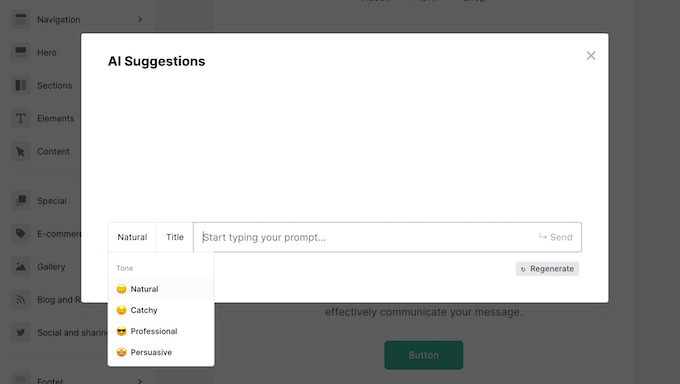
Their drag-and-drop editor is one of the fastest I’ve tested, and they include an AI writing assistant to help you beat writer’s block.
You can see my full review of MailerLite.
| Pricing: Starts at $12/month |
| Free Plan: Yes (Up to 250 subscribers) |
| Standout Features: 🔹 Drag-and-Drop Email Editor 🔹 AI Writing Assistant 🔹 Paid Newsletter Subscriptions 🔹 Custom Landing Pages |
| WPBeginner Rating: A |
| Best For: Bloggers & Simple Newsletters |
What I Like About MailerLite:
- Zen Interface: The dashboard is minimalistic and very easy to navigate, even for total beginners.
- Beautiful Automation UI: Their visual workflow builder is incredibly intuitive and visually clean.
- Monetization Tools: You can sell digital products or paid newsletter subscriptions directly from your emails.
- Generous Support: Even free users get 30 days of 24/7 email and live chat support to help them get started.
What I Don’t Like About MailerLite:
- Strict Approval: They have a strict manual review process for new accounts, which can delay your first send.
- Limited CRM: It lacks the deep sales tracking and CRM features found in tools like HubSpot or Brevo.
Why I Recommend MailerLite: I recommend MailerLite for content creators who value simplicity. It is the perfect no-fuss tool for building a professional email newsletter without a steep learning curve.
Pricing: MailerLite has a free plan for up to 250 subscribers. Paid plans start at $12/month, or $10.80/month when billed annually.
3. Constant Contact (Best for Small Businesses)
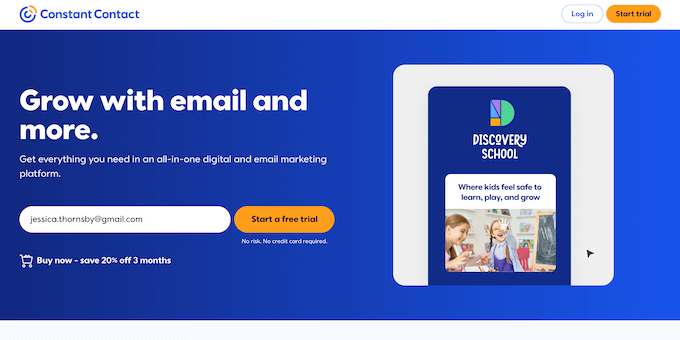
Constant Contact is my top choice for small businesses and beginners who want a ‘done-for-you’ feel. Even if you have never sent a marketing email in your life, you can get a professional campaign up and running in minutes.
What stands out to me is their unmatched support system. They offer live chat, phone support, and even in-person seminars.
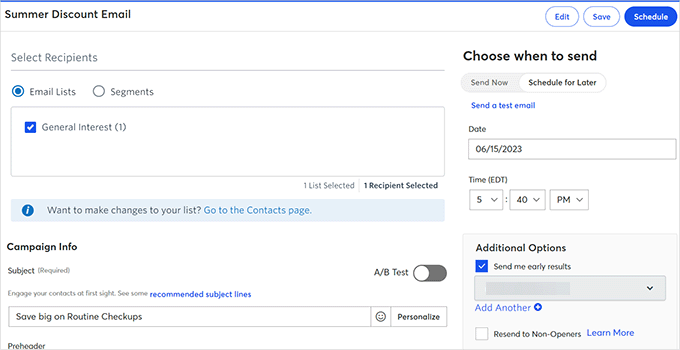
I also really like their error-checking tool, which scans your email before you send it to catch broken links or missing placeholder text. It is like having a professional editor guiding you through the process.
You can see my review of Constant Contact.
| Pricing: $12/month |
| Free Trial: 30 days (no credit card) |
| Standout Features: |
| 🔹 AI Subject Line Generator 🔹 Event Management & RSVP 🔹 Social Media Ad Manager 🔹 Phone & Live Chat Support |
| WPBeginner Rating: A |
| Best For: Small businesses & non-profits |
What I Like About Constant Contact:
- World-Class Support: Having access to a real person on the phone is a game-changer for beginners.
- Niche Templates: They have over 300+ email templates designed specifically for industries like real estate and retail.
- Smart UI: The interface is clean, and the ‘Check for Errors’ tool saves you from embarrassing mistakes.
- Event Tools: Built-in tools for managing event registrations and invitations.
What I Don’t Like About Constant Contact:
- No Permanent Free Plan: While the trial is generous, there is no “free forever” tier.
- Automation Depth: Their automation is excellent for basics, but it lacks the complex branching found in Drip.
Why I Recommend Constant Contact: I recommend Constant Contact because it is the most reliable, well-supported platform for small business owners who want to focus on their business, not their software.
Price: Constant Contact has a 30-day free trial (no credit card required). After that, their pricing starts as low as $12/month.
4. AWeber (Best for Reliable Automation)

AWeber is an industry veteran that has been around for over 20 years.
What I love about AWeber is that they’ve managed to stay modern without becoming overly complicated. The platform connects easily to almost every WordPress tool, including OptinMonster and WPForms.
One of my favorite features is their Auto-Newsletter tool. It can automatically pull your latest blog posts from your RSS feed and turn them into a beautiful email newsletter. For busy bloggers, this feature alone makes the subscription worth it.
You can see my full review of AWeber.
| Pricing: Starts at $12.50/month |
| Free Plan: Yes (Up to 500 subscribers) |
| Standout Features: 🔹 Built-in Canva Designer 🔹 RSS-to-Email Automation 🔹 Web Push Notifications 🔹 24/7 Phone & Chat Support |
| WPBeginner Rating: B+ |
| Best For: Bloggers & Content Creators 📝 |
What I Like About AWeber:
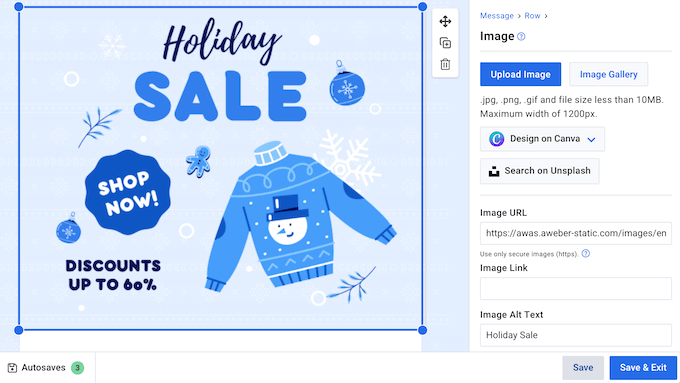
- Canva Integration: You can design professional graphics without ever leaving your dashboard.
- Reliable Deliverability: They have one of the best sender reputations in the industry.
- Web Push Notifications: You can send browser alerts to your visitors to boost traffic.
- Simple Tagging: Their system for organizing subscribers is very logical and easy to master.
What I Don’t Like About AWeber:
- Pricing Tiers: Their pricing is based on list size and can get expensive quite quickly.
- Template Quality: While they have thousands of templates, many of the older ones feel a bit dated.
Why I Recommend AWeber: I recommend AWeber to bloggers and creators who want a rock-solid tool to automate their content updates. It is dependable, well-integrated, and perfect for building a long-term audience.
Pricing: AWeber has a free plan for up to 500 subscribers. Paid plans start at $15/month, or $12.50/month when billed annually.
5. Drip (Best for eCommerce Stores)

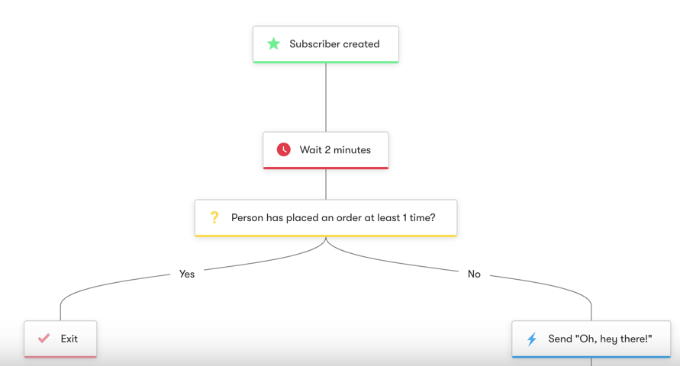
Drip is a powerful eCommerce CRM and email marketing tool. This technical depth allows for ‘if-this-then-that’ logic that moves subscribers between different campaigns automatically based on their interests.
We use Drip on WPBeginner for targeted messages and smarter automation. To learn more, see why we switched from Mailchimp to Drip.
It is designed specifically for online stores that want to track every single action a customer takes and send hyper-personalized messages based on that data.
With Drip, you can build visual workflows that trigger emails based on things like abandoned carts or specific page views. It is like having a 24/7 sales assistant working behind the scenes.
| Pricing: Starts at $39/month |
| Free Trial: 14-day free trial |
| Standout Features: 🔹 Visual Automation Builder 🔹 eCommerce Revenue Tracking 🔹 Deep Behavior Segmentation 🔹 One-Click Store Integrations |
| WPBeginner Rating: A |
| Best For: eCommerce & Power Users 🛒 |
What I Like About Drip:
- Visual Workflow Builder: Their automation builder is the best I have tested. It is very easy to see how your funnels work.
- Revenue Attribution: It shows you exactly how much money each individual email campaign has generated.
- Deep Personalization: You can change the actual content of an email based on a user’s past purchases.
- Unlimited Sends: Most plans include unlimited email sends, so you aren’t penalized for staying in touch.
What I Don’t Like About Drip:
- Learning Curve: It is a professional tool, so it takes a bit more time to learn than simpler options.
- No Permanent Free Plan: There is no free tier, and the entry price is higher than basic services.
Why I Recommend Drip: I recommend Drip for eCommerce store owners. If your email list is a big source of income, then the advanced segmentation and revenue tracking in Drip will pay for itself many times over.
Pricing: Drip offers a 14-day free trial. Paid plans start at $39/month and include all advanced automation features and unlimited sends for your first 2,500 subscribers.
6. HubSpot (Best All-in-One Suite)
HubSpot is one of the most powerful tools I’ve used for email marketing, especially when combined with its world-class CRM.
It’s more than just an email service. It’s a complete growth platform that helps you manage your sales, marketing, and customer service in one place.
What makes HubSpot unique is its level of personalization. Because it’s connected to your CRM, you can trigger emails based on a user’s specific activity on your site or their stage in your sales funnel.
While it can be expensive as you scale, its free tools are incredibly powerful for those just starting out.
You can read my full HubSpot review here.
| Pricing: Starts at $9/month |
| Free Plan: Yes (2,000 monthly sends) |
| Standout Features: 🔹 All-in-one CRM & Marketing 🔹 Smart Content Personalization 🔹 AI-Powered Email Writer 🔹 Meeting Scheduler & Live Chat |
| WPBeginner Rating: A+ |
| Best For: Growing Businesses & B2B 🏢 |
What I Like About HubSpot:
- Deep CRM Integration: You can personalize emails based on almost any data point in your customer database.
- All-in-One Power: It consolidates your forms, live chat, and email into a single dashboard.
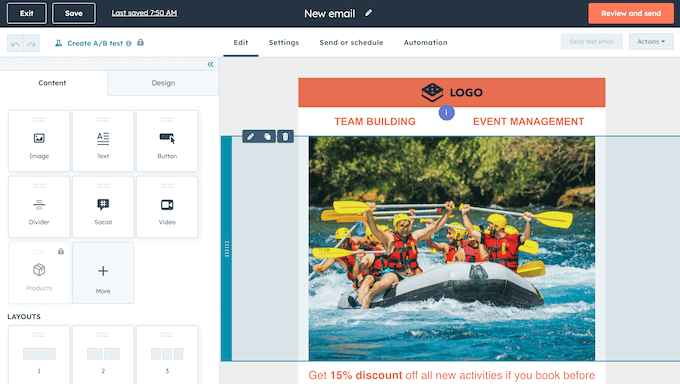
- User-Friendly Editor: Their drag-and-drop builder is modern, fast, and very polished.
- Educational Resources: HubSpot Academy offers free certifications that help you master email marketing.
What I Don’t Like About HubSpot:
- Steep Upgrade Cost: While the Starter plan is affordable, the jump to Professional is a massive price increase.
- Template Limitations: The basic templates are a bit plain compared to more design-focused tools like MailerLite.
Why I Recommend HubSpot: I recommend HubSpot for businesses that want a unified view of their customers. If you’re serious about lead nurturing and want your email marketing to ‘talk’ to your sales team, HubSpot is the best solution.
Pricing: Paid plans for the Marketing Hub Starter plan start at $9/month when billed annually.
7. Omnisend (Best for Shopify & WooCommerce)
Omnisend is my top pick for eCommerce store owners who want to go beyond email.
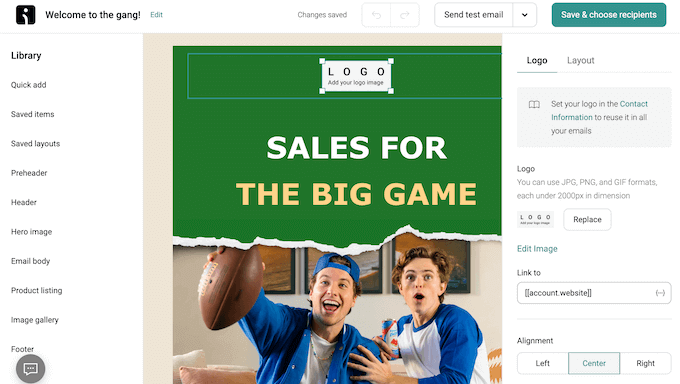
It is built specifically for online retailers and allows you to combine email, SMS, and web push notifications into a single automated workflow.
What I love about Omnisend is how it understands eCommerce. It includes pre-built templates for cart abandonment, welcome series, and order confirmations that are proven to drive sales.
It integrates natively with Shopify, WooCommerce, and BigCommerce, allowing you to pull your products directly into your emails.
See my full Omnisend review.
| Pricing: Starts at $11.20/month |
| Free Plan: Yes (250 contacts) |
| Standout Features: 🔹 eCommerce Automation 🔹 SMS & Push Notifications 🔹 Product Picker Tool 🔹 Dynamic Discount Codes |
| WPBeginner Rating: A |
| Best For: Shopify & WooCommerce 🛍️ |
What I Like About Omnisend:
- Built for Sales: Everything about the tool is designed to help you sell more products.
- Omnichannel Workflows: You can send a follow-up SMS if a customer doesn’t open your email.
- Product Integration: You can drag and drop products from your store directly into your newsletter.
- Great Free Tools: The free plan includes most professional features, such as A/B testing and automation.
What I Don’t Like About Omnisend:
- Niche Focus: It is not a great fit for bloggers or nonprofits that aren’t selling physical products.
- SMS Costs: While SMS is integrated, the per-message costs can add up quickly.
Why I Recommend Omnisend: I recommend Omnisend for any eCommerce business looking to grow. It is simpler than complex enterprise platforms but more powerful than standard email tools, making it the perfect balance for online retailers.
Pricing: Omnisend offers a free plan for 250 contacts. Paid plans start at $11.20/month.
8. Klaviyo (Best for Predictive AI Analytics)
Klaviyo is a powerful marketing platform that helps small business owners run advanced, automated campaigns that would normally require a much larger team.
In particular, it’s a great option for eCommerce businesses that want to use data and AI to drive sales.
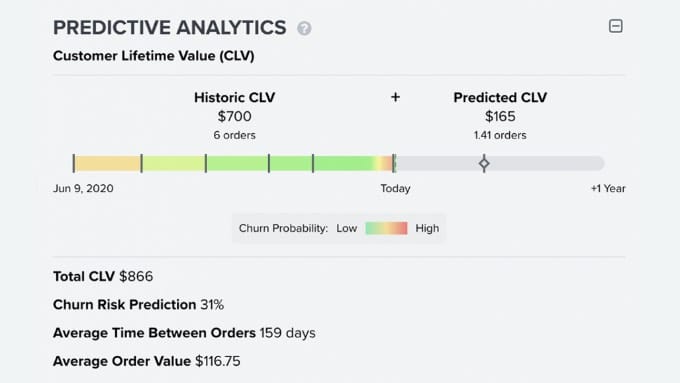
During testing, what really stood out to me was Klaviyo’s Predictive Analytics.
This feature uses AI to predict future customer actions, such as when a customer is likely to make their next purchase, by analyzing thousands of data points from your store.
Instead of sending generic emails that people often ignore, Klaviyo helps you send the right offer at the exact time a customer is most likely to buy.
| Pricing: Starts at $20/month |
| Free Trial: Yes (for up to 250 active profiles) |
| Standout Features: 🔹 Predictive Analytics 🔹 Advanced Segmentation Tools 🔹 Real-Time Email Automation 🔹 Shopify & WooCommerce Integration |
| WPBeginner Rating: A |
| Best For: eCommerce Stores 🛒 |
I used this feature to identify customers who were ready to buy, and then used an automated flow to send them a personalized coupon.
What I Like About Klaviyo:
- Deep Customer Segmentation: You can divide subscribers by purchase history, browsing behavior, and website activity.
- AI-Powered Timing: The predictive analytics forecast purchase windows so you can send promotions at exactly the right moment.
- 60+ Pre-Built Automation Templates: Abandoned cart flows, price drop reminders, welcome series, post-purchase follow-ups, and more.
- Detailed Customer Profiles: You get a complete view of each subscriber’s journey, including every email opened, product viewed, and total purchase value.
- Built-In A/B Testing: Test subject lines and email content side by side, then automatically send the winning version to your full list.
What I Don’t Like About Klaviyo:
- Learning Curve for New Users: Because the platform is so powerful, it can take some time to get comfortable with all the different settings and advanced features.
- Pricing Scales with Growth: As your list grows and you add more subscribers, your monthly plan will move into higher price brackets. That’s why it’s important to monitor your subscriber count closely.
Why I Recommend Klaviyo: I recommend Klaviyo for online stores that want to stop guessing and start using AI to send perfectly timed campaigns. If you need predictive insights and powerful automation built for eCommerce, this is the email marketing service for you.
Pricing: There’s a free plan that includes 500 monthly email sends and 150 monthly SMS/MMS credits, plus 60 days of email support. When you’re ready to upgrade, plans start at $20 per month.
9. Moosend (Best Affordable Pro Features)
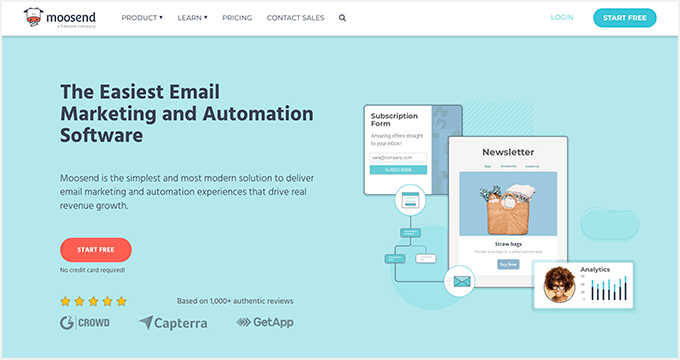
Moosend is one of the most affordable pro email marketing tools on the market.
It’s a fantastic option for small teams and freelancers who need advanced automation features, like heatmaps and AI product recommendations, without the premium price tag.
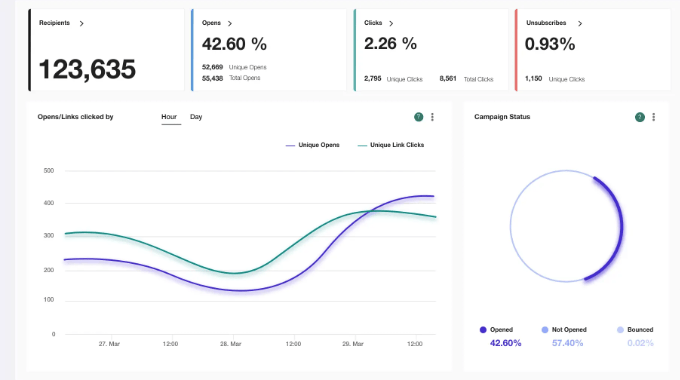
What I like about Moosend is that it doesn’t restrict features on its lower tiers. You get access to the visual automation builder and detailed reporting, even on the entry-level plan.
It’s also one of the few tools that offers built-in countdown timers, which are perfect for creating urgency in your sales emails.
| Pricing: Starts at $7/month |
| Free Trial: 30-day free trial |
| Standout Features: 🔹 AI Product Recommendations 🔹 Click Heatmaps 🔹 Built-in Countdown Timers 🔹 Landing Page Builder |
| WPBeginner Rating: A |
| Best For: Freelancers & Small Teams 👥 |
What I Like About Moosend:
- Unbeatable Value: You get pro features for a fraction of what competitors charge.
- Detailed Analytics: Their heatmaps show you exactly where subscribers are clicking in your emails.
- Ecommerce AI: It can automatically suggest products to subscribers based on their interests.
- Ease of Use: The 4-step checklist makes it very easy for beginners to get started.
What I Don’t Like About Moosend:
- No Free Forever Plan: They recently moved to a 30-day trial model instead of a permanent free tier.
- Limited Integrations: While it has the basics, it doesn’t have as many native connections as AWeber or HubSpot.
Why I Recommend Moosend: I recommend Moosend for anyone looking for the best value for their money. It provides high-end marketing technology at a price small businesses can afford.
Pricing: Moosend starts at $9/month (or $7/month billed annually) for up to 500 subscribers.
10. ActiveCampaign (Best for Automation)
ActiveCampaign is one of the most powerful marketing automation tools on the market.
It’s designed for businesses that want to create highly sophisticated customer journeys that span email, SMS, and even site messages.
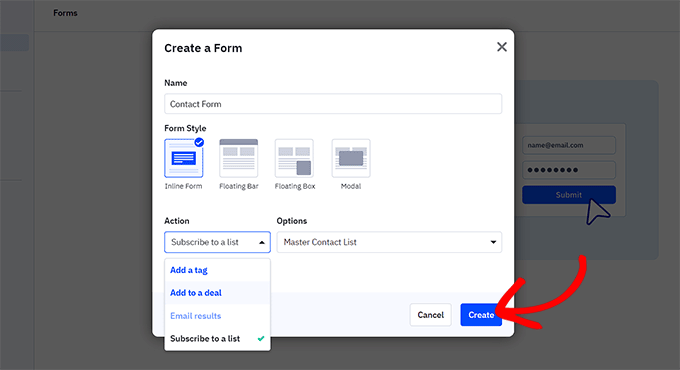
The standout feature here is the Automation Recipes. They have over 900+ pre-built automations that you can import and set up in minutes.
Whether you are tracking lead scores or managing a complex sales pipeline, ActiveCampaign provides a level of control that few other platforms can match.
| Pricing: Starts at $15/month |
| Free Trial: 14-day free trial |
| Standout Features: 🔹 900+ Automation Recipes 🔹 Sales CRM & Lead Scoring 🔹 Predictive Sending (AI) 🔹 Split Action Automations |
| WPBeginner Rating: B+ |
| Best For: Automation Power Users 🤖 |
What I Like About ActiveCampaign:
- Infinite Flexibility: If you can dream of an automation, you can build it in ActiveCampaign.
- Predictive AI: It uses machine learning to send emails at the exact time a subscriber is most likely to open them.
- Free Migration: They will help you move your contacts and automations from your old tool for free.
- Omnichannel Support: It handles everything from email to SMS and site messaging seamlessly.
What I Don’t Like About ActiveCampaign:
- Steep Learning Curve: It is a complex piece of software that takes time to master.
- No Free Tier: Pricing starts at a reasonable level but climbs quickly as you add features and contacts.
Why I Recommend ActiveCampaign: I recommend ActiveCampaign for experienced marketers who have outgrown standard newsletters. It’s a powerful tool for those who want to automate every aspect of their customer experience.
Pricing: ActiveCampaign starts at $15/month for 1,000 contacts.
11. GetResponse (Best for Webinars & Funnels)
GetResponse has evolved from a simple email tool into a complete, all-in-one marketing machine.
It’s unique because it includes features you rarely see in this category, such as a built-in webinar platform and a complete sales funnel builder.
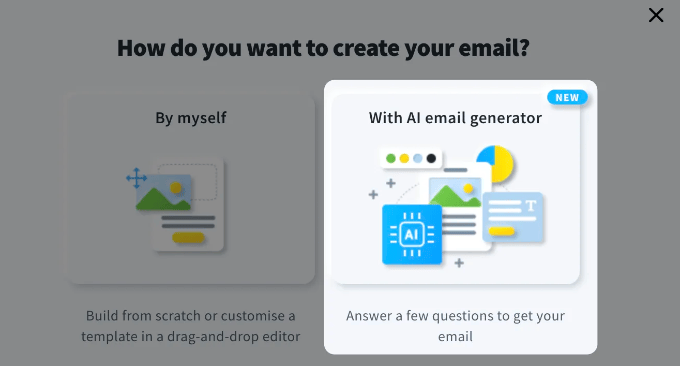
I really like their AI Email Generator, which can write your subject lines and body copy in seconds.
For businesses that sell online courses or host digital events, having your webinars, landing pages, and email marketing all in one place is a massive productivity boost.
| Pricing: Starts at $15.60/month |
| Free Plan: Yes (500 contacts) |
| Standout Features: 🔹 Integrated Webinar Hosting 🔹 Sales Funnel Builder 🔹 AI Content Generator 🔹 Web Push Notifications |
| WPBeginner Rating: A- |
| Best For: Course & Webinar Creators 🎓 |
What I Like About GetResponse:
- All-in-One Convenience: You don’t need a separate subscription for webinars or funnel builders.
- AI Tools: Their AI suite is genuinely helpful for creating high-converting campaigns quickly.
- High Deliverability: They have a strong reputation for getting emails into the primary inbox.
- Excellent Support: Their 24/7 live chat is fast, professional, and very helpful.
What I Don’t Like About GetResponse:
- Outdated Templates: Some of the templates in their library look a bit dated and could use a modern design refresh.
- Limited Free Plan: Many of the best features, like webinars and funnel builders, are locked behind higher plans.
Why I Recommend GetResponse: I recommend GetResponse for marketers who want to consolidate their tech stack. If you run webinars or complex sales funnels, it is much easier to manage everything from one dashboard.
Pricing: GetResponse has a free plan for 500 contacts. Paid plans start at $19/month, or $15.60/month billed annually.
12. Beehiiv (Best for Paid Newsletters)
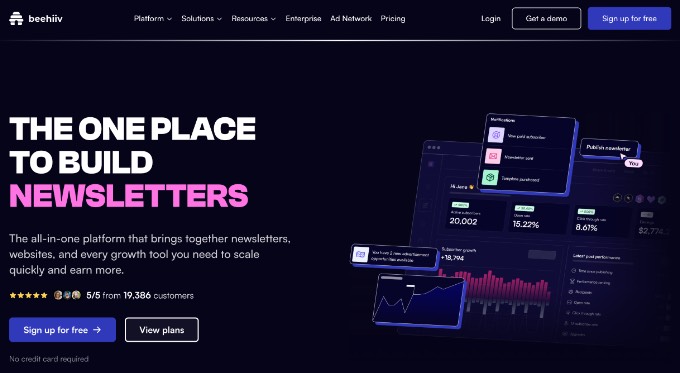
Beehiiv is a newer platform on this list, but it has quickly become a favorite for newsletter creators.
It was built by the team behind Morning Brew specifically for content creators and publishers who want to build and monetize a dedicated audience.
What sets Beehiiv apart is its built-in growth tools. It includes a Referral Program (similar to what the biggest newsletters use) and an Ad Network that lets you make money from your newsletter without having to find your own sponsors.
If your goal is to be a professional newsletter creator, then this is the tool.
| Pricing: Starts at $43/month |
| Free Plan: Yes (2,500 subscribers) |
| Standout Features: 🔹 Newsletter Referral Program 🔹 Built-in Ad Network 🔹 Custom Newsletter Website 🔹 Advanced Audience Polls |
| WPBeginner Rating: A |
| Best For: Pro Newsletters & Creators ✍️ |

What I Like About Beehiiv:
- Creator-First Features: Everything is designed to help you grow your list and make money.
- Massive Free Plan: 2,500 subscribers with unlimited sends for free is good value.
- Referral Engine: It makes it easy to reward your readers for sharing your newsletter with friends.
- Clean Reading Experience: The emails look great and provide a premium blog-like feel.
What I Don’t Like About Beehiiv:
- Limited Automation: It is not a CRM, so you won’t find the complex eCommerce triggers seen in Drip or HubSpot.
- Scale Pricing: While the free plan is great, the jump to the Scale plan is one of the more expensive entry points.
Why I Recommend Beehiiv: I recommend Beehiiv for anyone whose product is the newsletter itself. If you want to build a media brand or a paid newsletter, Beehiiv provides the growth tools you need to succeed.
Pricing: Beehiiv has a generous free plan for up to 2,500 subscribers. Paid plans start at $43/month when billed annually.
13. Kit (formerly ConvertKit) (Best for Creators)
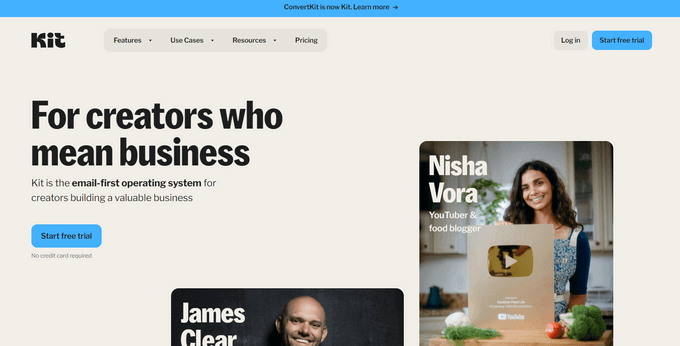
Kit (formerly ConvertKit) is a favorite among professional bloggers, authors, and YouTube creators.
It is designed specifically for creators, offering a simple yet powerful way to connect with your audience and sell digital products.
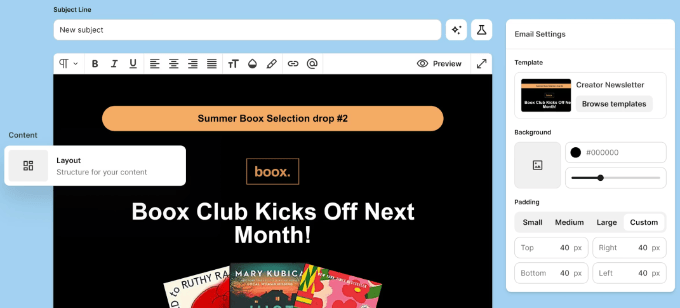
One of my favorite things about Kit is how it handles Content Upgrades. It makes it incredibly easy to deliver a free PDF or download in exchange for an email address, which is the best way to grow a list fast.
Their rebrand to ‘Kit’ has brought even better monetization tools for selling courses and subscriptions directly.
| Pricing: Starts at $33/month |
| Free Plan: Yes (10,000 subscribers) |
| Standout Features: 🔹 Content Upgrade Delivery 🔹 Commerce for Digital Products 🔹 Creator Network Recommendations 🔹 Smart Tag-Based Segmentation |
| WPBeginner Rating: A- |
| Best For: Pro Creators & Authors 📚 |
What I Like About Kit:
- Incentive Delivery: It is the best tool for growing your list via lead magnets and freebies.
- Massive Free Tier: Their Newsletter plan allows for up to 10,000 subscribers for free.
- Creator Network: You can partner with other creators to recommend each other’s newsletters.
- Plain Text Focus: They prioritize deliverability by encouraging clean, high-converting “personal” looking emails.
What I Don’t Like About Kit:
- Basic Templates: If you want highly visual, graphic-heavy emails, you might find their editor limiting.
- Reporting: Their analytics are good, but not as deep as specialized tools like Drip or Omnisend.
Why I Recommend Kit: I recommend Kit for authors and course creators. It removes the technical friction of email marketing and focuses on what matters: building a personal connection with your fans.
Pricing: Kit has a free Newsletter plan for up to 10,000 subscribers. Paid plans start at $33/month.
14. Mailchimp (Best for Integration Compatibility)
At WPBeginner, I used to use Mailchimp for email marketing when our needs were simple before switching to Drip.
It offers a ‘forever-free’ plan and a very intuitive drag-and-drop editor that has set the industry standard for years.
However, since their acquisition by Intuit, their pricing has become much more aggressive. They now count unsubscribed contacts toward your bill, and many features that used to be free are now locked behind paid tiers.
That said, their integration library is still the largest in the world, connecting to nearly every app imaginable.
| Pricing: Starts at $13/month |
| Free Plan: Yes (250 subscribers) |
| Standout Features: 🔹 Huge Integration Library 🔹 Creative Assistant (AI) 🔹 Detailed Customer Journey Maps 🔹 Advanced A/B Testing |
| WPBeginner Rating: B |
| Best For: Integration Compatibility 🔌 |
What I Like About Mailchimp:
- Endless Integrations: It works with almost every plugin, CRM, and eCommerce tool on the planet.
- Polished Editor: Their New Builder is very smart and helps you design great emails quickly.
- Strong Analytics: Their reports are clean, easy to read, and provide actionable insights.
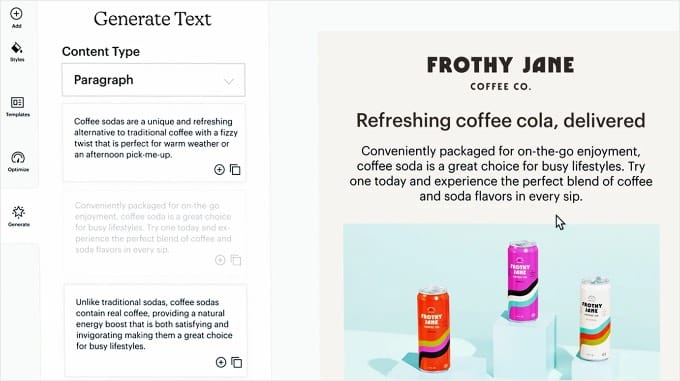
- Creative Assistant: Their AI can pull branding from your website and apply it to your emails automatically.
What I Don’t Like About Mailchimp:
- Unsubscribed Contacts Fee: You are charged for contacts even after they unsubscribe unless you manually archive them, which can increase your monthly bill.
- Support Limits: Free users only get email support for the first 30 days, then you are on your own.
Why I Recommend Mailchimp: I recommend Mailchimp if you use a lot of specialized third-party apps and need an email tool that is guaranteed to connect with them. It remains a user-friendly entry point for those who want a familiar interface.
Pricing: Mailchimp has a free plan for up to 250 contacts. Paid plans start at $13/month.
Which Is the Best Email Marketing Service?
After testing all these platforms, the best choice really depends on your specific business goals and where you are in your journey.
If you are just starting out, then I’ve narrowed it down to two clear winners:
- Best for Absolute Beginners: Brevo is my top choice for anyone starting an email list from scratch. If you’re on a budget, then look no further. Brevo offers one of the best free plans on the market, allowing you to store up to unlimited contacts and send transactional emails (like password resets) without paying a cent. 💰
- Best for Clean Newsletters: MailerLite is the perfect alternative if you prefer a clutter-free experience. It’s best for bloggers and small business owners who want a clean, simple newsletter automation interface rather than complex transactional workflows. 🕊️
However, if your business has more specific requirements, you might consider these platforms:
- Best for Growing Small Businesses: Constant Contact is my overall professional winner. The combination of ease of use and world-class phone support makes it the safest bet for business owners who want a partner to help them grow. 📈
- Best for eCommerce Power Users: Drip is my go-to recommendation if you are running a serious online store. We used it at WPBeginner for years because its behavioral tracking and automation are designed to maximize sales. 🛒
- Best for Content Creators: Kit (formerly ConvertKit) is the clear winner for authors, bloggers, and YouTubers. Its features are specifically designed to help you sell digital products and monetize your audience. 📚
- Best for Advanced Automation: ActiveCampaign is the industry leader for complex automation. If you need to build intricate customer journeys that combine SMS, site messaging, and email, this is the most powerful tool available. 🤖
By choosing the provider that matches your current stage, you can start building your list today with the confidence that you have the right tools to scale.
Frequently Asked Questions About Email Marketing Services
Whether you are looking for the best free plan or need a high-powered automation tool for your online store, choosing an email marketing service comes with many questions.
Here are some of the most common questions our readers ask when selecting a provider like Brevo, MailerLite, or Constant Contact.
1. Why shouldn’t I just send mass emails using my personal Gmail or Outlook account?
You should not use personal email accounts like Gmail or Outlook for mass emails because these services are designed for one-to-one communication, not marketing.
Sending a bulk newsletter through a personal account often triggers spam filters, and your emails will likely be blocked by major providers. Additionally, personal accounts do not include a one-click unsubscribe link, which is a legal requirement for marketing emails.
Using a dedicated service like Brevo or Constant Contact makes sure your emails are compliant and actually reach the inbox.
2. What is the best free email marketing service for a small business on a budget?
Brevo is currently the best free email marketing service for beginners because it allows you to store an unlimited number of contacts for free.
While other services like MailerLite also offer excellent free plans, Brevo is unique because it includes transactional email features and a built-in CRM at no cost, making it the most cost-effective way to start and grow an email list without a large upfront investment.
3. Is there a difference between newsletters and transactional emails?
Yes, there is a major difference. Newsletters, such as those sent via MailerLite, are marketing messages sent to your entire list to share updates or promotions.
Transactional emails are automated messages triggered by a specific user action, such as a password reset or an order confirmation.
While some platforms like Brevo handle both types of email perfectly, other services may require a separate setup or an additional paid add-on to manage transactional messages reliably.
4. How do I make sure my emails don’t end up in the spam folder?
To prevent your emails from ending up in spam, you must use a reputable provider that has a high deliverability reputation. You should also ensure you are using a professional business email address (like name@yourcompany.com) rather than a free @gmail.com address.
For WordPress users, we also recommend using the WP Mail SMTP plugin alongside your chosen email marketing service to make sure all your website’s notifications are authenticated and delivered correctly.
5. Can I switch from one email marketing provider to another later?
Yes, you can switch from one email marketing provider to another at any time. The major services allow you to export your subscriber list as a CSV file, which you can then import into your new platform.
Most reputable services will even offer free migration tools or support to help you move your contacts and automated workflows to make sure you don’t lose any data during the transition.
Additional Resources for Email Marketing
Now that you’ve picked the right service, it’s time to put it to work.
Here are a few guides I’ve put together to help you get the most out of your email marketing:
- Here’s How I Started a Successful Email Newsletter (The Right Way): Once you have the subscribers, you need to keep them engaged. Learn my tips for writing subject lines that actually get clicked.
- Beginner’s Guide to WordPress Email Marketing Automation: Learn how to put your marketing on autopilot. This guide shows you how to send the right message to the right person at exactly the right time. 🤖
- How to Build Your Email List in WordPress with OptinMonster: Don’t just wait for people to find your signup form. Use high-converting popups and exit-intent technology to turn visitors into subscribers. 📈
- Email Marketing Mistakes WordPress Users Must Avoid: Many beginners fall into common traps that hurt their results. Use this guide to make sure your strategy is set up for success from day one. ❌
- How to Setup WordPress Email Tracking (Opens, Clicks, and More): Once your emails are sending, you need to know if they are working. This tutorial shows you how to track opens, clicks, and engagement directly in WordPress. 📊
- I Tested These Email Verification Tools to Clean My Email Lists: Over time, email lists can get cluttered with fake or inactive addresses. This guide shares the best tools to keep your list healthy and your deliverability high. 🧹
Once you have your service set up, the most important thing you can do is start sending regularly. Whether it’s a weekly tip or a monthly update, staying consistent builds trust with your audience and keeps your brand top-of-mind.
If you liked this article, then please subscribe to our YouTube Channel for WordPress video tutorials. You can also find us on Twitter and Facebook.




Lorie Ann Alferez
This is a very informative and well-balanced comparison of the top free email marketing services. I really appreciate how you highlighted the strengths and ideal use cases for each platform, especially for small businesses, bloggers, or startups trying to build their audience without a big budget. The breakdowns of features like automation, deliverability, and audience segmentation were particularly helpful, and it’s great that you didn’t just focus on which service has the most generous free plan, but also on how user-friendly and scalable they are in the long run.
What stood out most was the practicality of the recommendations. For example, pointing out that MailerLite is ideal for visual campaigns, while Brevo excels with transactional emails, really helps readers match tools to their specific goals. It’s clear this post was written with both beginners and experienced marketers in mind. Thanks for such a detailed and accessible guide, it’s definitely something I’ll be referring back to!
WPBeginner Support
Glad to hear you found our roundup helpful and thank you for your kind words!
Admin
Dianne Infinity
Great ideas about email marketing services for small business. I really like how you have stated the features of each service. Constant Contact seems like a great pick for newbies given its user-friendly features and customer support. It’s wonderful to find out that they will provide you with both email templates and error-checking tools. Glad you could share your experience and compare them all. This will surely assist a lot of small business owners to decide better!
WPBeginner Support
Happy we could share
Admin
Fahad Khan
Super! Helpful content.
WPBeginner Support
Glad you found it helpful!
Admin
Dennis Muthomi
As someone who started a small blogging business some monthss ago, I found this roundup of email marketing services really helpful.
I wanted to add that Mailerlite is another great option that wasn’t mentioned(in detail) – their free plan allows up to 1,000 subscribers which was perfect for me when I was just getting started.
And now that my emaillist is growing, I’ve moved up to their Growing Business plan which is much more affordable than some of the other paid plans outlined in the article.
Just thought I’d mention it as an option for other bloggers/small business owners on a budget.
Thanks for putting together such a comprehensive resource
Dayo Olobayo
This is a great suggestion for bloggers on a budget. Does MailerLite have any features specifically geared towards bloggers like easy integration with popular blogging platforms?
WPBeginner Comments
Typically, the plugins used for connecting with email services have a number of integrations, including with MailerLite.
Mrteesurez
Of course, Mailerlite has some exciting features that make it gained some level of adoption including automation with free plan, more integrations and suitability for bloggers.
While Mailerlite has these features, others also have features that can make them be usable solely for blogging. It is all depends on the use case.
Peter Iriogbe
I still consider Mailchimp to be suitable for a small business that doesn’t have the budget for a paid version, as it allows you to send up to one thousand emails to one audience for free. I will be trying out the HubSpot email marketing platform soon, as it also provides free services. Anyway, thanks for the post.
Moinuddin Waheed
I also think on the same lines for anyone just starting out and want to explore how the email marketing works can use the MailChimp services as its free version gives enough for beginners.
once you have enough email marketing experience and can see the potential benefits of using email services, you can think of the upgrade.
Mrteesurez
I agree, Mailchimp is a solid choice for small businesses, especially with its free tier. I’ve used it myself when starting out, and it’s great for basic email campaigns. However, as my business grew, I found that Convertkit offers email marketing tools that suite me, which helped me scale. Thanks for highlighting the potential of MailChimp.
Mrteesurez
I don’t know we have up to these number of email marketing websites. I think the market is much profitable that’s why many new new ones are pumping out.
For me, I use Convertkit, it’s interface, landind pages are top notch.
They offer paid newsletter and offer free lifetime basic plan.
WPBeginner Support
Thank you for sharing what you use
Admin
Fajri
I am very interested in MooSend. I think I will consider using it in 2024 for my email marketing tool. I have used Brevo (SendInBlue before), MailChimp, and ConstantContact but I think it’s a little bit pricey for someone who is trying to start an email marketing campaign.
Moinuddin Waheed
I have used mailchimp in the past and I think it is the most popular one when it comes to email marketing. Though I have used their free plan which has a limited number and is good for those who are just starting out.
But there are better options if one wants to upgrade for increasing email campaign.
I would definitely give a try to constant contact seeing it’s popularity and active support and affordable pricing.
Ahmed Omar
Great list of e-mail marketing platforms.
Granted, in my personal opinion I recently shifted to constant contact which is good and enough for my subscribers needs
WPBeginner Support
Thank you for sharing which you are using currently
Admin
hasan-hamidi
hello, special tanks to you and email marketing , I think the best way to advertise is email marketing , better than other ways , thanks again for your best website .
WPBeginner Support
You’re welcome, we hope our list of services was helpful and we’re glad you found email marketing helpful!
Admin
Logan Torres
Great read regarding the various types of email marketing services nowadays and their benefits for continued business success. Thanks for this.
WPBeginner Support
You’re welcome, glad our list was helpful!
Admin
Henrik R.
Hi!
You say:
“Mailchimp offers a forever free plan which allows you to send 12,000 emails for up to 2,000 subscribers.”
But according to my research, the free version includes max. 500 contacts and max. 1000 emails sent/month…
13 USD/month = 5000 emails.
WPBeginner Support
Thank you for letting us know, MailChimp changed their free tier recently after this article was updated. We will be sure to update our article as soon as we can!
Admin
mamun dev
Thanks! Great round-up I appreciate it.
WPBeginner Support
Glad you like our list
Admin
Ben Hawkshaw-Burn
Great list of e-mail marketing platforms. Granted, in my personal opinion I would say that there are some other options out there I’d draw attention to opposed to the likes of HubSpot and MailChimp, this list is still full of great choices for smaller businesses which are beginning to dip their toes into the waters of e-mail marketing.
WPBeginner Support
Glad you found our list helpful!
Admin
Mitch
thanks for the comments. what other companies would you recommend?
Shahin Alam
Thank you so much. I’ll go for SendinBlue free version.
WPBeginner Support
You’re welcome, glad you found our recommendations helpful!
Admin
Vijomi
Really a very useful article. Through this article, I found some new email marketing services. Thanks for sharing all these email marketing services.
Ouriken
I will recommend Sendinblue as the best email marketing service to send emails to customers. I am using it for my clients.
WPBeginner Support
Thanks for sharing your recommendation
Admin
D.
Can I add to this that I spent hours putting together draft campaigns in Mailchimp only to fall foul at the last hurdle when they decided that the content I was intending to send to my existing customers was “a “prospecting or introductory campaign” and that they couldn’t allow me to do it.
WPBeginner Support
You would want to reach out to MailChimp’s support as depending on how you created the list, you may be getting caught in a safety measure to prevent spam.
Admin
Eldisa Haka
Does free plan of sendinblue create a email list and a newsletter?
WPBeginner Support
You would want to check with them for their current offerings but at the moment, you can do that with their free plan
Admin
Jasmin B
Awesome thank you so much this is great for email marketing
WPBeginner Support
Glad our recommendations were helpful
Admin
Bruce Maples
I have an unusual question — Do any of these services offer a way to have a real-time or query-driven connection to the data? If I could find a provider that supported some sort of SQL connection, that would be much better than what I am doing.
WPBeginner Support
We would recommend reaching out to the support for the different services with the tools you’re using on your site to see what integrations they have available.
Admin
Ankur Sood
Thanks for sharing such a great article and it’s helpful for everyone. Great Post!
WPBeginner Support
Glad you found our content helpful
Admin
Fenicia
Thank you for this information I found it to help me very much.
WPBeginner Support
You’re welcome
Admin
Rahat
I’m going to try it for my next post.
WPBeginner Support
We wish you luck
Admin
Beth Gucio
You are a great writer. I like the way you present it. Surely, it helps a lot. Thanks for this and keep writing.
WPBeginner Support
Glad you found our content helpful
Admin
Chris jones
Such a great article, Thanks for your valuable information.
WPBeginner Support
You’re welcome
Admin
CHUKWU NWANNEKA
That’s a good one. I’m just a biginner, will know better soon
WPBeginner Support
Glad you found our recommendations helpful
Admin
Faisal
Are those Email marketing providers good for transactional emails?
WPBeginner Support
If you wanted to you could certainly use these services for that.
Admin
Ciara
Thanks for all the helpful information–a quick question I didn’t catch above: can you easily switch from one Email Marketing Service to another if you unhappy with the service/your business needs change?
WPBeginner Support
Yes, you can if you wanted
Admin
Omolara
Whao! This article is a great help. I will try the most top rated. It is good guide to help expose my website and products. I really appreciate this.
WPBeginner Support
Glad our article could be helpful
Admin
Zuby Singh
Besides your list, I personally use CaptureCode and they offer so much then just email marketing. They offer an entire platform for campaign management and a host of other marketing tools.
WPBeginner Support
Thanks for sharing your recommendation
Admin
Adriana Jenson
Hi there, I just wanted to offer a tip in case you’d like to update your article. I just went to the ConvertKit website, and they have a free version now! It’s for up to 500 subscribers. I think it may get some new bloggers who would typically go to Mailchimp.
WPBeginner Support
Thank you for sharing this
Admin
Adriana
You’re welcome! Happy to help. Your team helps me so much. Thank you for sharing your article!
Anantha Ram
It seems mail chimp will serve the starter needs without any discouragements! lets have a good time!
WPBeginner Support
Glad our recommendation was helpful
Admin
Stefan Ch
I’d say that regardless of which esp one picks we should always make sure that deliverability is ok. I.e. SPF, DKIM, DMARC records set up correctly, and blacklists are checked upon regularly.
WPBeginner Support
Thanks for sharing your recommendations
Admin
Pschool
thank you for providing email marketing tools and software provider for email marketing.
WPBeginner Support
You’re welcome, glad our recommendations could be helpful
Admin
Ranojit Kumar
I used MailChimp for my tiny startup e-commerce website. I think it’s best. I think it best for those who are looking for a lower price.
WPBeginner Support
Thanks for sharing your recommendation
Admin
Jochen
OptinMonster is a nice tool for collecting leads and mails. I am just playing around with it on a e-commerce page.
The great thing is, that I can use it on every blog or shop system.
WPBeginner Support
Thanks for sharing your recommendation
Admin
Dilraj gurjar
Sir can you please tell me some strategy to grow my email list because it’s no growing fastely. It is running slow like per day 2 or 3 subscriber
WPBeginner Support
For growing your email list, you would want to take a look at our article here: https://www.wpbeginner.com/beginners-guide/12-tested-and-easy-ways-to-grow-your-email-list-faster/
Admin
Mark JC
Thanks for the article. There are two departments in my company which uses Constant Contact whole tho other uses Mailchimp. I find Mailchimp better for a bigger campaign. Great article and thanks for the comparisons.
WPBeginner Support
Thanks for sharing your experience with the services
Admin
Vitus
Thanks for the wonderful comparison. Still new in email list building. Would come handy.
WPBeginner Support
You’re welcome, glad our article could be helpful
Admin
Melvin Adame
I ended up going with Drip after being with Mailchimp for 3 years and it has been the best decision I could make. I have to thank the author of this article!! Thank you
WPBeginner Support
You’re welcome, glad we could recommend more options to you
Admin
Karen Tooker
Great comparison article. I’ve heard great things about Aweber and Wordpress sites and auto responders. Nice to be able to compare in one place.
WPBeginner Support
Glad our article could be helpful
Admin
Thomas
While I hear alot of good things about Sendinblue and Convertkit, I heartily recommend Mailchimp to small businesses, email marketing entrepeneurs just starting out or if you just don’t have a clue, are new to email marketing but want to find something affordable where you can start out. Then Mailchimp is for you. They miss some functions that other companies offer but the easiness and the “free up to 2 000 contacts” makes it e great starting point.
WPBeginner Support
Thanks for sharing your recommendation
Admin
Kerry Hunt
Thank you for this excellent article. I’m looking for an ESP that is easy to use and allows affiliate links. I understand some ESPs don’t allow affiliate marketing in your emails. I’d love to hear which do or don’t. Thank you!
WPBeginner Support
Most if not all email service providers should allow for affiliate links. They just do not allow affiliate marketing and by that, it means emails only for recommending products rather than keeping up a relationship with your subscribers for your content
Admin
Shakeel Anjum
Thank you WPB for providing the details of Best Email Marketing Services.
I’m currently using MailChimp and I’m currently happy with it.
WPBeginner Support
You’re welcome, glad you’re happy with MailChimp
Admin
Kevin Norberg
Hey, thanks for supporting us out here! Really appreciate the quality training and content.
WPBeginner Support
You’re welcome, glad out tutorials can be helpful
Admin
Adi Rainbow
Nice Blog For The Email Marketing!
WPBeginner Support
Thank you
Admin
Trent W
Nice page really helpful and I have a question
1st ) if you choose a service and decide to change do you keep your list or have to start over
WPBeginner Support
Most if not all of the email marketing services give you the ability to export your list of users to transfer to the new platform.
Admin
Naum
Can u guys check the maijet link because when i click it doesnt take me to the maijet website, i think the link is at the forth paragraph. but thanks for the article it is very helpuful
WPBeginner Support
From testing the link appears to be working but we will be sure to keep an eye out should the links have any trouble
Admin
Okereke Divine
WPbiginner – this is the first blog that I learnt how to create wordpress back then in 2016. Today, I have also learnt a lot about the email marketing.
I really appreciate you guys existence and YES, HAPPY BIRTHDAY
WPBeginner Support
Thank you, glad we could be helpful over such a long time
Admin