


Every visitor who reaches your footer has just given you their most valuable gift: their attention.
They’ve scrolled through your content, absorbed your message, and are now at a crossroads. Will they leave your site or take the next step with your business?
Your footer design plays a huge role in that decision.
The best WordPress footers don’t just sit there looking pretty. They actively help visitors discover more of your content, connect with your brand, and find solutions.
Unfortunately, many site owners underestimate this powerful opportunity.
After working with WordPress sites for over a decade, we’ve seen how the right footer design can make a real difference in keeping visitors engaged.
That is why we’ve gathered 13 footer examples from successful WordPress sites, along with the strategies they use to engage visitors and support business goals.
💡Quick Answer: Top 3 WordPress Footer Examples
Here are the top examples for WordPress footers:
- WPForms – Organizes links by company, features, and resources, making it easy for visitors to find helpful information and complete actions at the bottom of the page.
- OptinMonster – Combines navigation links with social proof and trust icons, boosting user confidence while promoting lead generation and conversions.
- Neil Patel – Mirrors the main navigation menu for simplicity, helping visitors quickly navigate the site and connect via social media.
Why Is Good WordPress Footer Design Important?
A well-designed WordPress footer is important because it highlights key information and encourages engagement from your most dedicated visitors.
The footer appears at the very bottom of every page on your website, making it a perfect spot to showcase links to tools, products, job opportunities, language settings, or other important resources—just like we do on WPBeginner.
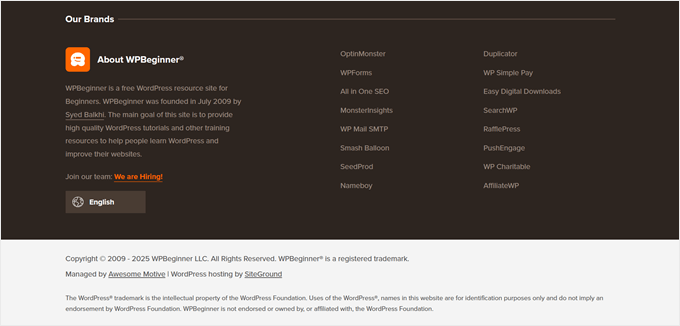
Many beginners overlook the footer since it’s at the bottom, but customizing it can improve user experience, boost WordPress SEO, and capture attention with calls to action, email signups, or links to your most important pages.
Now, let’s show you some of the best footer design examples and best practices to optimize your WordPress footer.
Here is the full list, and you can use the quick links below to navigate through this article:
1. WPForms
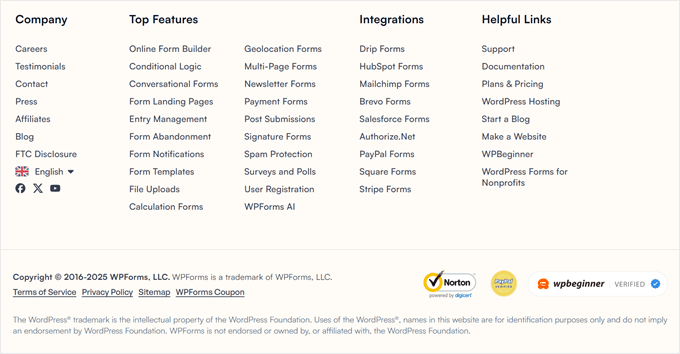
The WPForms footer organizes links by company, features, and resources to help users find information easily. It is a great example of clear organization.
You will find links that go to the most helpful company pages, the top features of the plugin, and some useful WordPress links.
This ensures that when the reader gets to the bottom of the page and still has questions, they will find the exact resources they need.
At times, you may also see a floating alert bar at the bottom of the page with a call to action.
2. OptinMonster
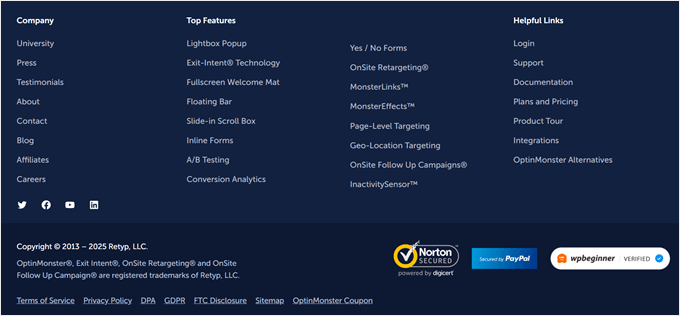
OptinMonster’s footer includes social proof and trust icons alongside helpful navigation links pages, top features, helpful product links, and much more.
It is the best lead generation and conversion optimization software in the world.
The footer also includes simple social media icons, and a company logo for branding purposes.
3. Neil Patel
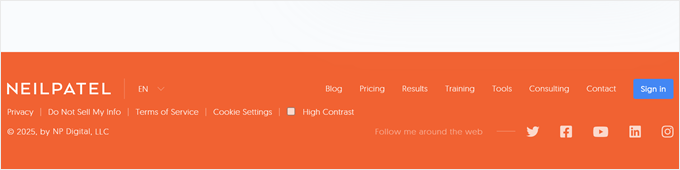
What stands out in Neil Patel’s footer is its simplicity.
It offers readers quick navigation links because the footer menu is the same as the one at the top of the site.
Plus, readers have the option to follow Neil Patel on social media as well.
4. Full Focus
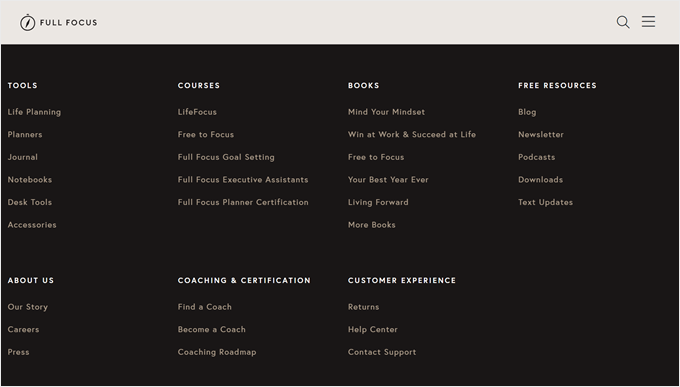
Full Focus has another simple and compact footer. It highlights the copyright date, easy social sharing buttons, and links to pages like terms of service and the privacy policy.
Directly above the footer, you will see a call to action for downloading a free guide, which can convert a lot of visitors who make it to the bottom of the page.
5. ReddBar
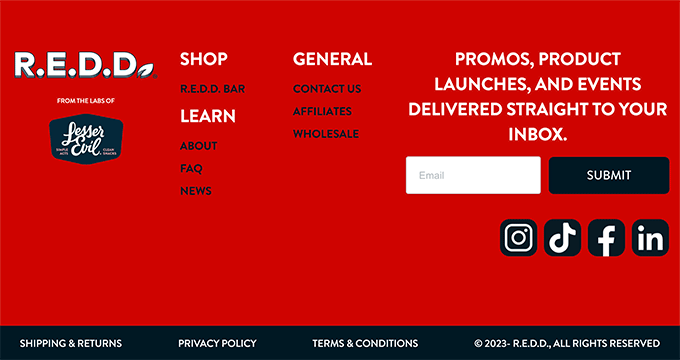
As a WooCommerce store, ReddBar uses its footer to encourage email sign-ups. Directly above the footer links, there’s a massive sign-up box for readers.
Some of the helpful links include a link to their FAQ page, contact page, wholesale pricing page, and more.
6. Reader’s Digest

The Reader’s Digest footer contains a lot of information for visitors. You will find links to their category pages, other company brands, social media sharing buttons, and more.
Plus, there’s an eye-catching email sign-up box to encourage visitors to join their email list.
7. IsItWP
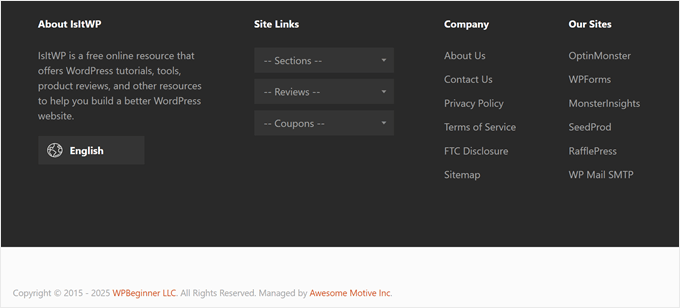
The IsItWP footer has a quick section on what the website is about and links to other sites and company pages.
It also has a unique site links drop-down menu that lets readers click to find the exact type of content they’re looking for on the blog.
8. MonsterInsights
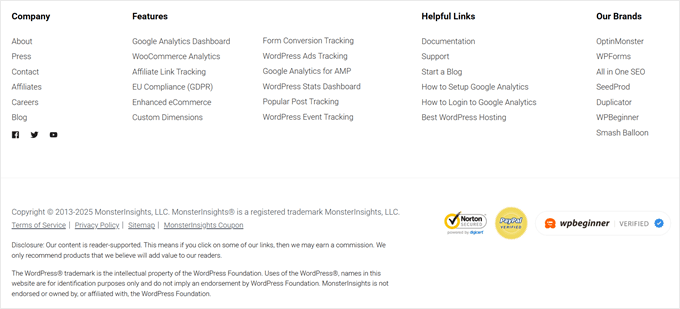
The footer on the MonsterInsights site has a simple design that focuses on helping readers find the information they need.
There are links to their premium features, company resources, and other brand links. Plus, there are social icons and trust badges to boost people’s trust in the brand.
9. Printing New York
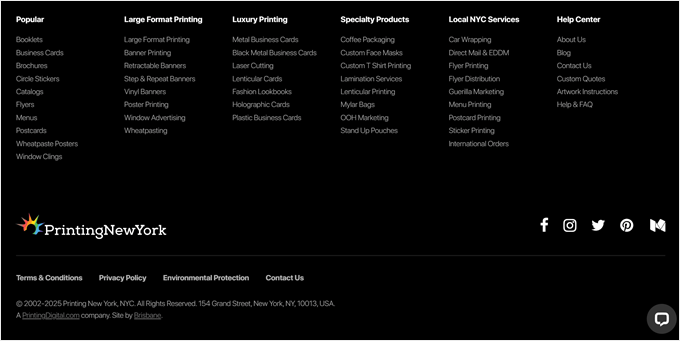
Printing New York is an online store that ships worldwide. The footer highlights their address, services, and popular products.
They use the structure of their links to help boost their local SEO and search engine rankings.
10. Nalgene
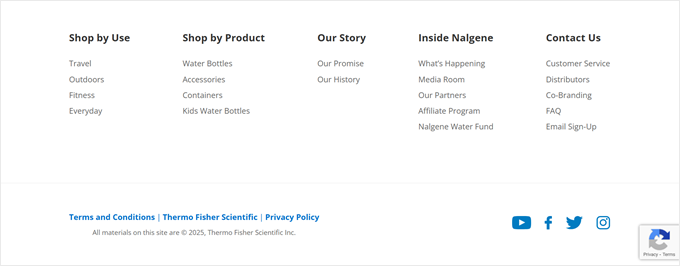
The footer on Nalgene’s site is a great example of a clean and well-organized design. Directly above it, there’s a simple email sign-up form.
After that, there are well-organized links to help visitors find the exact products they’re looking for, along with company-related links.
11. ProBlogger
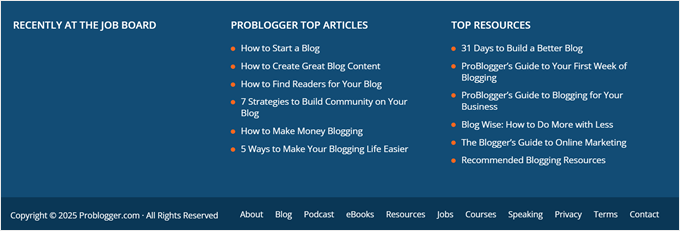
The ProBlogger footer has links to their most popular posts, top resources, and new jobs posted on their job board.
There’s also a small footer navigation menu with the same menu options as the header navigation.
12. TrustPulse
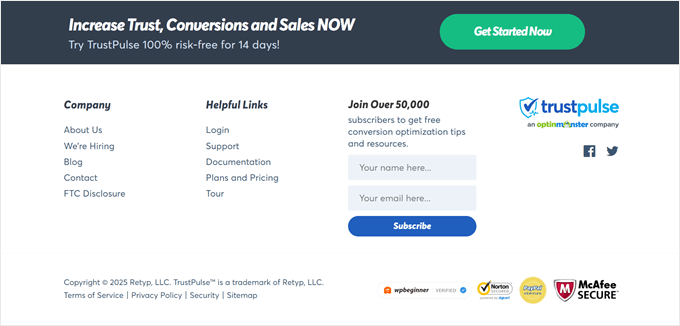
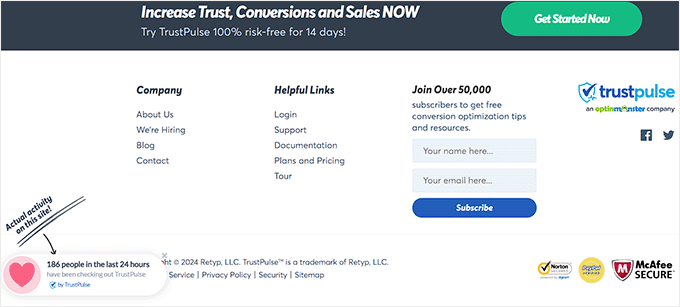
TrustPulse takes a minimalist approach with its footer. Instead of including multiple navigation menus or page links, they feature a single email newsletter sign-up box.
Although it’s different from most other brands, a minimalist footer like this can convert well since there are fewer distractions or actions the visitor can take.
13. The Next Web
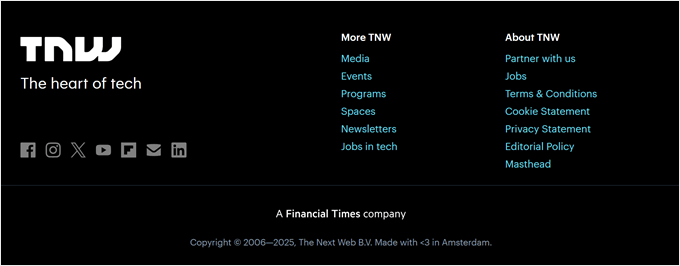
What’s unique about The Next Web’s footer is how it visually stands out from the rest of the website. It has social media sharing buttons, links to important pages, and more.
You will see a social proof section directly above the footer where they feature logos from popular brands and websites where they have been mentioned or featured.
WordPress Footer Design – Tips and Best Practices
There are a lot of ways you can improve your user experience and create a better footer for your WordPress blog.
Let’s take a quick look at some of the best practices to keep in mind as you edit your website footer.
Include Your Business Contact Information
Having contact information listed on your site is essential. You should have a separate contact form page on your website so your visitors can get in touch.
However, the footer is also an excellent place to include your contact information, especially if you have local customers who will be looking for your physical address.
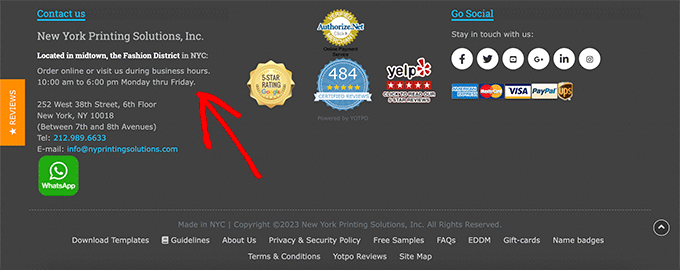
For local businesses, the more ways you can feature your contact information, address, and even business hours, the better.
Add Links to Important Website Pages
It’s important to have clear navigation across your entire website. That’s why it’s common for websites to include links in their footers.
You can add links for your most important product pages, top blog posts, about pages, and more.
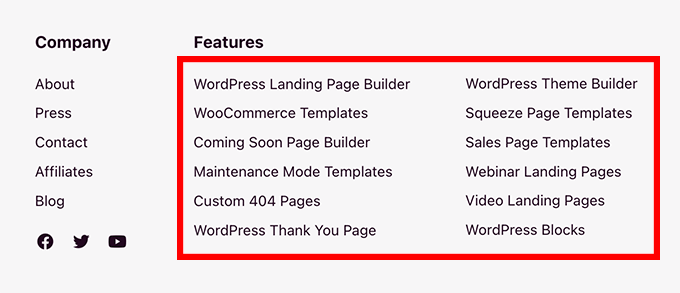
Think about the most valuable pages on your website and what your visitors will find the most useful.
Adding and optimizing your links can also give you an SEO benefit and boost your search engine rankings.
This is because search engines like Google see these sitewide links and understand that those pages are important on your site. This can help those pages rank higher in search results.
Add Social Proof to Improve Conversions
One thing you may have seen certain websites do in their footer is to add social proof. This can help you earn your customers’ trust and position you as an expert in your space.
It can be as simple as a customer testimonial or a collection of logos of popular websites you have been featured on.
While not directly in the footer, tools like TrustPulse can display small popups with recent sales activity, often appearing at the bottom of the screen near the footer, providing a powerful layer of social proof.
Add a Call to Action
When your visitors get to the bottom of your website, you will want to tell them the exact action they should take and how they should do it.
- To get more subscribers: Add an email newsletter signup form.
- To increase sales: Link to your most popular products or current promotions.
- To generate leads: Add a button that takes visitors to your contact or free quote page.
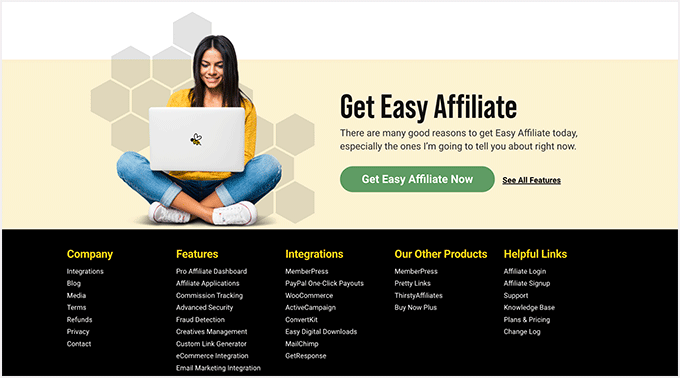
Your footer is the last chance to get your visitors’ attention and encourage them to become subscribers and customers or simply spend more time on your website.
Frequently Asked Questions About WordPress Footers
Here are some of the most common questions we get asked about designing and optimizing the footer area in WordPress.
What is a WordPress footer?
The footer is a section that appears at the very bottom of every page on your website.
It typically contains copyright information, links to important pages like your privacy policy, and other essential business details.
What are the most important things to include in a footer?
A good footer should include links to your most important pages (About, Contact, Blog), your business contact information, and social media profile links.
It’s also an excellent place for a call to action, like an email newsletter signup form.
How do I edit the footer on my WordPress site?
You can usually edit your footer through the WordPress theme customizer, which you can find under Appearance » Customize.
Some themes use widgets or their own theme options panel, while block themes use the Full Site Editor. For more details, see our guide on how to edit the footer in WordPress.
Does the website footer help with SEO?
Yes, it can. Links in your footer help search engines understand your site structure and discover your most important pages.
Including your business name, address, and phone number can also give your local SEO a boost.
Related Guides to the WordPress Footer
- How to Remove the Powered by WordPress Footer Links
- How to Edit the Footer in WordPress
- Checklist: Things to Add to the Footer on Your WordPress Site
- How to Add Custom Header, Footer, or Sidebar for Each Category
- How to Create a “Sticky” Floating Footer Bar in WordPress
- How to Add a Dynamic Copyright Date in WordPress Footer
- Key Design Elements for an Effective WordPress Website
We hope this article has helped you discover the best WordPress footer design examples. You may also want to check out our expert picks of the best drag-and-drop page builders for WordPress and our list of contact form page design examples and best practices.
If you liked this article, then please subscribe to our YouTube Channel for WordPress video tutorials. You can also find us on Twitter and Facebook.



Mrteesurez
I am like WPbeginner footers as it included short site description, links to important pages and list of some other products. I have replicated such footer in my website because it is the footer I find appreciate to me, one has to include a short description of his site and what it does. The description can even be picked up by search engines to understand your site more, as in my case, the description I added is what Google used to describe my site when I search it on Google.
Dennis Muthomi
well…my footer design is quite simple on my software affiliate blog. I have the logo and address on the left side. In the middle section, I’ve hand-picked 5 links to my “money pages” articles, which are my most valuable content. On the right part, I’ve placed links to important pages like Contact Us and About Us.
for the Contact Us page, I’ve added CSS to make it appear bold, so potential sponsors who want to reach out will be attracted to the bold “Contact Us” link. I’ve also included links to legal pages like the Privacy Policy, Affiliate Disclosure, Cookie Policy, and Terms of Service.
i just love keepping things simple
Moinuddin Waheed
Footer area is one of the most focused and go to place on the website by the visitors.
Many of the useful navigation does come there only as we can’t include all of the navigation directly in the header.
Also good footer design is always consistent with the overall design of the website.
Thanks for all the mentioned footers for inspiration.