


Email marketing remains one of the few channels you actually control. Social platforms change their rules constantly, and traffic can disappear overnight, but an email list gives you a direct way to reach people who asked to hear from you.
That’s why email has always played a central role at WPBeginner. We began with Mailchimp, which worked well when our needs were simple. As the site grew and our email strategy matured, we eventually moved to Drip to send more targeted messages and build smarter automation over time.
The choice of email marketing service matters more than most people think. Poor deliverability means your emails never arrive. Overly complex tools slow teams down and make basic tasks harder than they should be.
These issues don’t just cause inconvenience. They quietly limit growth.
That’s why I put this comparison together to help you choose an email marketing service that fits your goals, your audience, and the way you actually work. This guide is based on my hands-on testing of many of the most popular email marketing services, both at WPBeginner and across other projects.
Quick Picks: My Top 5 Recommendations
If you’re in a hurry, then here is a quick look at my top recommendations for small businesses:
| Service | Best For | Free/Trial | Pricing/mo (Annual) | WPBeginner Rating |
| Brevo | Absolute Beginners 🏆 | Yes (unlimited contacts) | $8.08 | A+ (Review) |
| MailerLite | Simple Newsletters | Yes (500 subs) | $9.00 | A (Review) |
| Constant Contact | Small Businesses | 30-day trial | $12 | A (Review) |
| AWeber | Reliable Automation | Yes (500 subs) | $12.50 | B+ (Review) |
| Drip | eCommerce Stores | 14-day trial | $39.00 | A (Review) |
How I Tested and Chose the Best Email Marketing Services
You might find it overwhelming to pick the right email marketing service because there are so many options. To help you make the right choice, I’ve personally tested every tool on this list using a hands-on approach.
I didn’t just look at the marketing pages. I signed up for accounts, built real campaigns, and carefully tested every feature in a live WordPress environment.
Specifically, I focused on these five key areas:
- Ease of Use: You shouldn’t need technical skills or coding knowledge to send a newsletter. I signed up for every service to test how intuitive their drag-and-drop email builders are and how long it takes a beginner to set up a basic welcome email series.
- High Deliverability: A service is useless if your emails land in the spam folder. I used these platforms to send real test campaigns to make sure they actually reach the inbox, not the promotions or spam tabs.
- Automation Features: You want a tool that works while you sleep. I looked for set-and-forget workflows, such as welcome sequences and abandoned cart reminders, and tested how easy they are to customize.
- WordPress Integration: Your email service must work with your website. I personally tested how easily each service connects with WordPress and popular plugins like WPForms and OptinMonster to grow your list automatically.
- Pricing & Support: I compared pricing plans to ensure they won’t penalize you for growing your list. I also reached out to each support team via live chat and email to see how quickly they responded to technical questions.
By looking for these small details—like how quickly a template loads or how easy it is to segment a list after a sale. I made sure that these recommendations are based on actual performance, not just a list of specifications.
Why Trust My Recommendations?
Hi, my name is Syed Balkhi. I’m the founder of WPBeginner and CEO of Awesome Motive. I have created numerous bootstrapped software companies. Today, over 30 million websites use my software.
Over the last 20 years, I’ve used countless email marketing tools on my personal blogs and my business websites.
Here’s why you can trust my recommendations:
- Hands-On Experience: I’ve personally used all the email marketing tools listed in this article across my businesses and projects.
- Comprehensive Testing: My team and I rigorously test each service for ease of use, deliverability, automation features, and overall value.
- Community Feedback: Through WPBeginner, I’ve helped thousands of users choose the right email marketing service and gathered their feedback to make sure these tools meet real-world needs.
- Transparency: I only recommend services based on real data, user experiences, and the value they provide. I don’t recommend tools that I wouldn’t use myself.
This guide is the result of years of experience, thorough testing, and feedback from the WPBeginner community. I’m confident it will help you find the best email marketing service to grow your audience and take your business to the next level.
Expert Tip: Because email marketing involves collecting subscriber information like names and email addresses, then you must update your Privacy Policy to disclose which service you use to remain GDPR compliant.
1. Brevo (Best for Absolute Beginners)
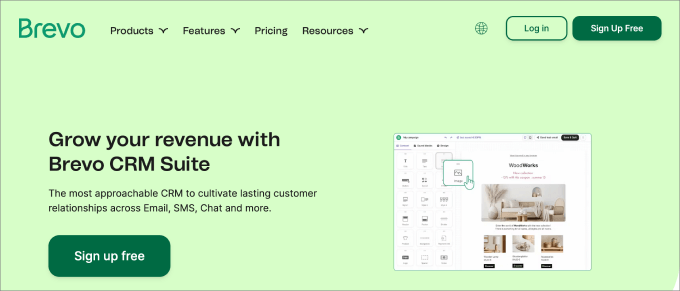
Brevo is the best choice for beginners because it offers unlimited contacts on its free plan and a complete marketing suite.
I have thoroughly tested Brevo to see how it compares to other solutions. To read more about my experience, see my complete Brevo review.
Unlike many competitors who charge you based on the number of subscribers you have, Brevo lets you store unlimited contacts for free. You only pay for the number of emails you actually send.
It’s also a complete marketing suite that includes transactional emails, live chat, and even a basic CRM.
You can learn more about my experience in my detailed Brevo review.
| Pricing: Starts at $8.08/month |
| Free Plan: Yes (unlimited contacts, 300 emails/day) |
| Standout Features: |
| 🔹 Transactional SMTP & CRM 🔹 SMS & WhatsApp Marketing 🔹 AI Content Generator 🔹 Facebook Ads Integration |
| WPBeginner Rating: A+ |
| Best For: Budget-friendly growth 🏆 |
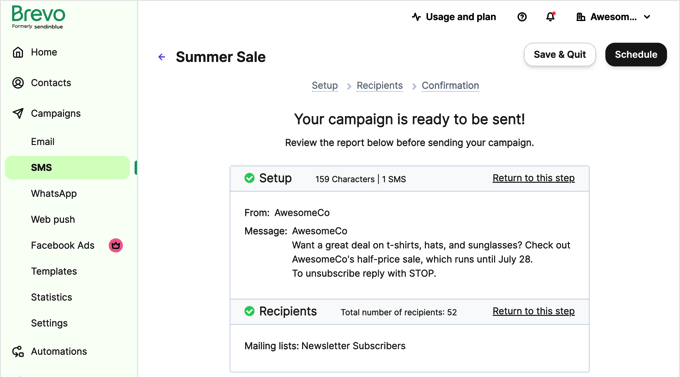
What I Like About Brevo:
- Massive Contact Storage: Unlimited contacts on the free plan is unique in this industry and protects you from subscriber tax.
- Transactional Emails: You can send order confirmations and marketing emails from the same dashboard effortlessly.
- Advanced Email Automation: Even on the free tier, you get access to workflow builders that usually cost a premium elsewhere.
- All-in-One Communication: It includes SMS and WhatsApp marketing tools, making it more than just an email service.
What I Don’t Like About Brevo:
- Daily Send Limits: The free plan limits you to 300 emails per day, which can be restrictive as your list grows.
- Landing Page Builder: You have to move to the Business plan to access the landing page tool and A/B testing.
Why I Recommend Brevo: I recommend Brevo because it is the most cost-effective way to get professional-grade email features. It is the best solution for small businesses and startups that want room to grow their contact list without seeing their monthly bill skyrocket.
Pricing: Brevo offers a free plan with 300 daily emails. Paid plans start at $9/month. By choosing an annual plan, the price drops to $8.08/month.
2. MailerLite (Best for Simple Newsletters)
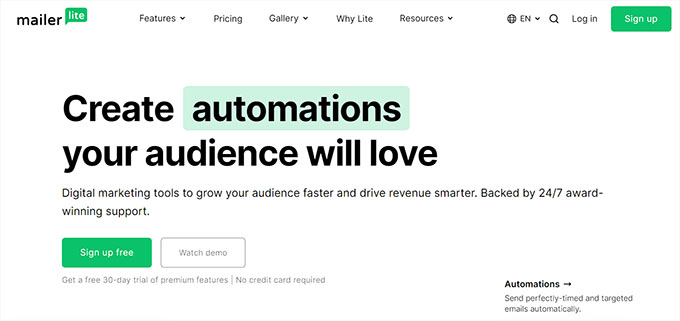
MailerLite is my top pick for bloggers and small business owners who prefer a clean, simple email automation interface.
While other tools try to be everything for everyone, MailerLite focuses on doing email marketing exceptionally well with a no-fuss approach.
If you just need to send beautiful newsletters and set up simple automations, MailerLite is a joy to use.
Their drag-and-drop editor is one of the fastest I’ve tested, and they include an AI writing assistant to help you beat writer’s block.
You can see my full review of MailerLite.
| Pricing: Starts at $9/month |
| Free Plan: Yes (Up to 500 subscribers) |
| Standout Features: 🔹 Drag-and-Drop Email Editor 🔹 AI Writing Assistant 🔹 Paid Newsletter Subscriptions 🔹 Custom Landing Pages |
| WPBeginner Rating: A |
| Best For: Bloggers & Simple Newsletters |
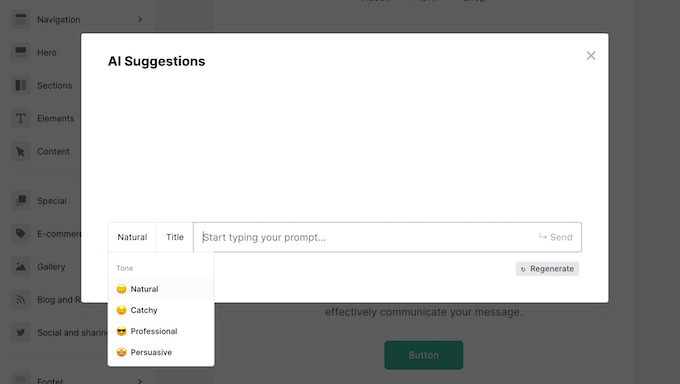
What I Like About MailerLite:
- Zen Interface: The dashboard is minimalistic and very easy to navigate, even for total beginners.
- Beautiful Automation UI: Their visual workflow builder is incredibly intuitive and visually clean.
- Monetization Tools: You can sell digital products or paid newsletter subscriptions directly from your emails.
- Generous Support: Even free users get 30 days of 24/7 email and live chat support to help them get started.
What I Don’t Like About MailerLite:
- Strict Approval: They have a strict manual review process for new accounts, which can delay your first send.
- Limited CRM: It lacks the deep sales tracking and CRM features found in tools like HubSpot or Brevo.
Why I Recommend MailerLite: I recommend MailerLite for content creators who value simplicity. It is the perfect no-fuss tool for building a professional email newsletter without a steep learning curve.
Pricing: MailerLite has a free plan for up to 500 subscribers. Paid plans start at $10/month, or $9/month when billed annually.
3. Constant Contact (Best for Small Businesses)
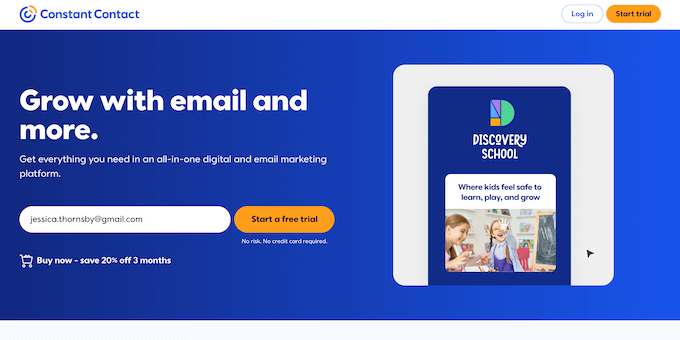
Constant Contact is my top choice for small businesses and beginners who want a ‘done-for-you’ feel. Even if you have never sent a marketing email in your life, you can get a professional campaign up and running in minutes.
What stands out to me is their unmatched support system. They offer live chat, phone support, and even in-person seminars.
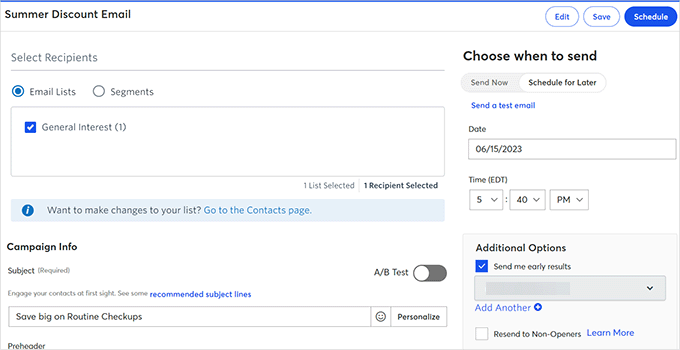
I also really like their error-checking tool, which scans your email before you send it to catch broken links or missing placeholder text. It is like having a professional editor guiding you through the process.
You can see my review of Constant Contact.
| Pricing: $12/month |
| Free Trial: 30 days (no credit card) |
| Standout Features: |
| 🔹 AI Subject Line Generator 🔹 Event Management & RSVP 🔹 Social Media Ad Manager 🔹 Phone & Live Chat Support |
| WPBeginner Rating: A |
| Best For: Small businesses & non-profits |
What I Like About Constant Contact:
- World-Class Support: Having access to a real person on the phone is a game-changer for beginners.
- Niche Templates: They have over 300+ email templates designed specifically for industries like real estate and retail.
- Smart UI: The interface is clean, and the ‘Check for Errors’ tool saves you from embarrassing mistakes.
- Event Tools: Built-in tools for managing event registrations and invitations.
What I Don’t Like About Constant Contact:
- No Permanent Free Plan: While the trial is generous, there is no “free forever” tier.
- Automation Depth: Their automation is excellent for basics, but it lacks the complex branching found in Drip.
Why I Recommend Constant Contact: I recommend Constant Contact because it is the most reliable, well-supported platform for small business owners who want to focus on their business, not their software.
Price: Constant Contact has a 30-day free trial (no credit card required). After that, their pricing starts as low as $12/month.
4. AWeber (Best for Reliable Automation)
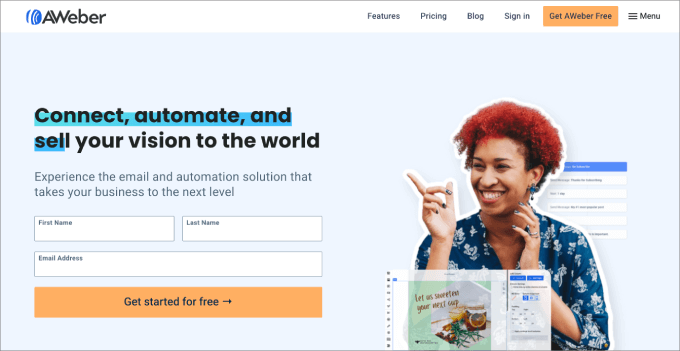
AWeber is an industry veteran that has been around for over 20 years.
What I love about AWeber is that they’ve managed to stay modern without becoming overly complicated. The platform connects easily to almost every WordPress tool, including OptinMonster and WPForms.
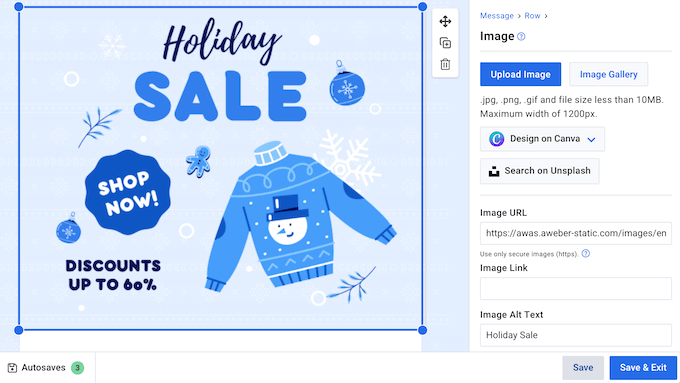
One of my favorite features is their Auto-Newsletter tool. It can automatically pull your latest blog posts from your RSS feed and turn them into a beautiful email newsletter. For busy bloggers, this feature alone makes the subscription worth it.
You can see my full review of AWeber.
| Pricing: Starts at $12.50/month |
| Free Plan: Yes (Up to 500 subscribers) |
| Standout Features: 🔹 Built-in Canva Designer 🔹 RSS-to-Email Automation 🔹 Web Push Notifications 🔹 24/7 Phone & Chat Support |
| WPBeginner Rating: B+ |
| Best For: Bloggers & Content Creators 📝 |
What I Like About AWeber:
- Canva Integration: You can design professional graphics without ever leaving your dashboard.
- Reliable Deliverability: They have one of the best sender reputations in the industry.
- Web Push Notifications: You can send browser alerts to your visitors to boost traffic.
- Simple Tagging: Their system for organizing subscribers is very logical and easy to master.
What I Don’t Like About AWeber:
- Pricing Tiers: Their pricing is based on list size and can get expensive quite quickly.
- Template Quality: While they have thousands of templates, many of the older ones feel a bit dated.
Why I Recommend AWeber: I recommend AWeber to bloggers and creators who want a rock-solid tool to automate their content updates. It is dependable, well-integrated, and perfect for building a long-term audience.
Pricing: AWeber has a free plan for up to 500 subscribers. Paid plans start at $15/month, or $12.50/month when billed annually.
5. Drip (Best for eCommerce Stores)

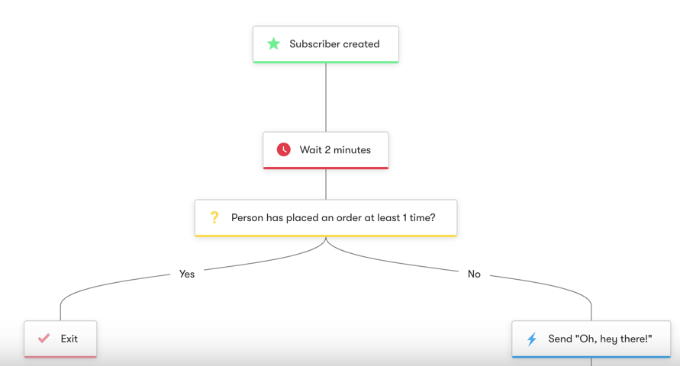
Drip is a powerful eCommerce CRM and email marketing tool. This technical depth allows for ‘if-this-then-that’ logic that moves subscribers between different campaigns automatically based on their interests.
We use Drip on WPBeginner for targeted messages and smarter automation. To learn more, see why we switched from Mailchimp to Drip.
It is designed specifically for online stores that want to track every single action a customer takes and send hyper-personalized messages based on that data.
With Drip, you can build visual workflows that trigger emails based on things like abandoned carts or specific page views. It is like having a 24/7 sales assistant working behind the scenes.
| Pricing: Starts at $39/month |
| Free Trial: 14-day free trial |
| Standout Features: 🔹 Visual Automation Builder 🔹 eCommerce Revenue Tracking 🔹 Deep Behavior Segmentation 🔹 One-Click Store Integrations |
| WPBeginner Rating: A |
| Best For: eCommerce & Power Users 🛒 |
What I Like About Drip:
- Visual Workflow Builder: Their automation builder is the best I have tested. It is very easy to see how your funnels work.
- Revenue Attribution: It shows you exactly how much money each individual email campaign has generated.
- Deep Personalization: You can change the actual content of an email based on a user’s past purchases.
- Unlimited Sends: Most plans include unlimited email sends, so you aren’t penalized for staying in touch.
What I Don’t Like About Drip:
- Learning Curve: It is a professional tool, so it takes a bit more time to learn than simpler options.
- No Permanent Free Plan: There is no free tier, and the entry price is higher than basic services.
Why I Recommend Drip: I recommend Drip for eCommerce store owners. If your email list is a big source of income, then the advanced segmentation and revenue tracking in Drip will pay for itself many times over.
Pricing: Drip offers a 14-day free trial. Paid plans start at $39/month and include all advanced automation features and unlimited sends for your first 2,500 subscribers.
6. HubSpot (Best All-in-One Suite)
HubSpot is one of the most powerful tools I’ve used for email marketing, especially when combined with its world-class CRM.
It’s more than just an email service. It’s a complete growth platform that helps you manage your sales, marketing, and customer service in one place.
What makes HubSpot unique is its level of personalization. Because it’s connected to your CRM, you can trigger emails based on a user’s specific activity on your site or their stage in your sales funnel.
While it can be expensive as you scale, its free tools are incredibly powerful for those just starting out.
You can read my full HubSpot review here.
| Pricing: Starts at $9/month |
| Free Plan: Yes (2,000 monthly sends) |
| Standout Features: 🔹 All-in-one CRM & Marketing 🔹 Smart Content Personalization 🔹 AI-Powered Email Writer 🔹 Meeting Scheduler & Live Chat |
| WPBeginner Rating: A+ |
| Best For: Growing Businesses & B2B 🏢 |
What I Like About HubSpot:
- Deep CRM Integration: You can personalize emails based on almost any data point in your customer database.
- All-in-One Power: It consolidates your forms, live chat, and email into a single dashboard.
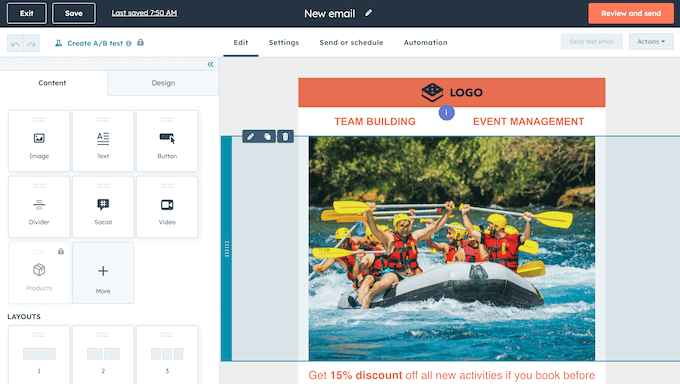
- User-Friendly Editor: Their drag-and-drop builder is modern, fast, and very polished.
- Educational Resources: HubSpot Academy offers free certifications that help you master email marketing.
What I Don’t Like About HubSpot:
- Steep Upgrade Cost: While the Starter plan is affordable, the jump to Professional is a massive price increase.
- Template Limitations: The basic templates are a bit plain compared to more design-focused tools like MailerLite.
Why I Recommend HubSpot: I recommend HubSpot for businesses that want a unified view of their customers. If you’re serious about lead nurturing and want your email marketing to ‘talk’ to your sales team, HubSpot is the best solution.
Pricing: Paid plans for the Marketing Hub Starter plan start at $9/month when billed annually.
7. Omnisend (Best for Shopify & WooCommerce)
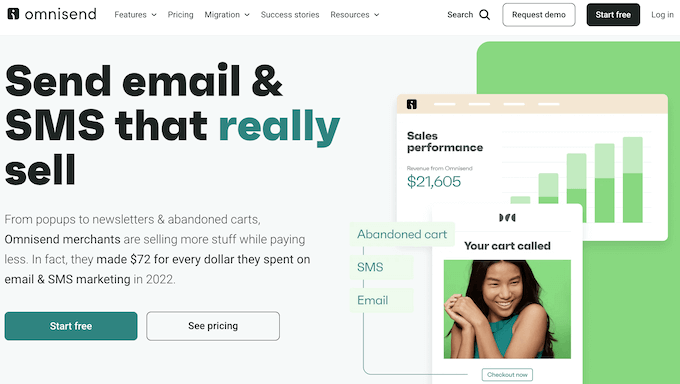
Omnisend is my top pick for eCommerce store owners who want to go beyond email.
It is built specifically for online retailers and allows you to combine email, SMS, and web push notifications into a single automated workflow.
What I love about Omnisend is how it understands eCommerce. It includes pre-built templates for cart abandonment, welcome series, and order confirmations that are proven to drive sales.
It integrates natively with Shopify, WooCommerce, and BigCommerce, allowing you to pull your products directly into your emails.
See my full Omnisend review.
| Pricing: Starts at $11.20/month |
| Free Plan: Yes (250 contacts) |
| Standout Features: 🔹 eCommerce Automation 🔹 SMS & Push Notifications 🔹 Product Picker Tool 🔹 Dynamic Discount Codes |
| WPBeginner Rating: A |
| Best For: Shopify & WooCommerce 🛍️ |
What I Like About Omnisend:
- Built for Sales: Everything about the tool is designed to help you sell more products.
- Omnichannel Workflows: You can send a follow-up SMS if a customer doesn’t open your email.
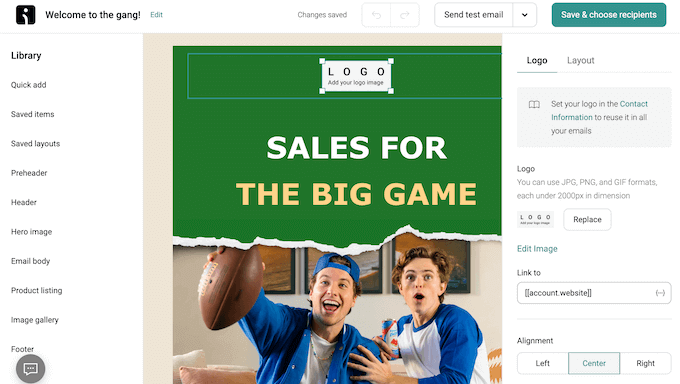
- Product Integration: You can drag and drop products from your store directly into your newsletter.
- Great Free Tools: The free plan includes most professional features, such as A/B testing and automation.
What I Don’t Like About Omnisend:
- Niche Focus: It is not a great fit for bloggers or nonprofits that aren’t selling physical products.
- SMS Costs: While SMS is integrated, the per-message costs can add up quickly.
Why I Recommend Omnisend: I recommend Omnisend for any eCommerce business looking to grow. It is simpler than complex enterprise platforms but more powerful than standard email tools, making it the perfect balance for online retailers.
Pricing: Omnisend offers a free plan for 250 contacts. Paid plans start at $11.20/month.
8. Klaviyo (Best for Predictive AI Analytics)
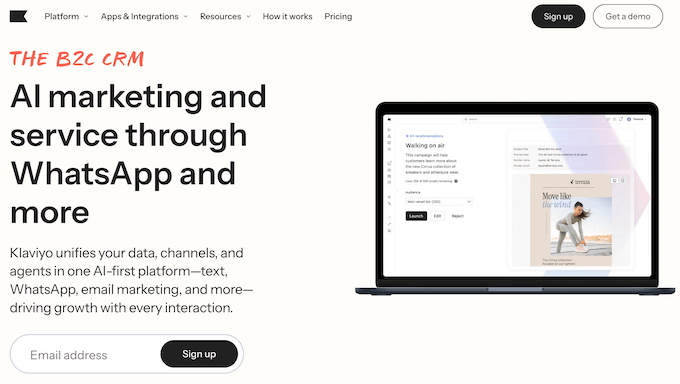
Klaviyo is a powerful marketing platform that helps small business owners run advanced, automated campaigns that would normally require a much larger team.
In particular, it’s a great option for eCommerce businesses that want to use data and AI to drive sales.
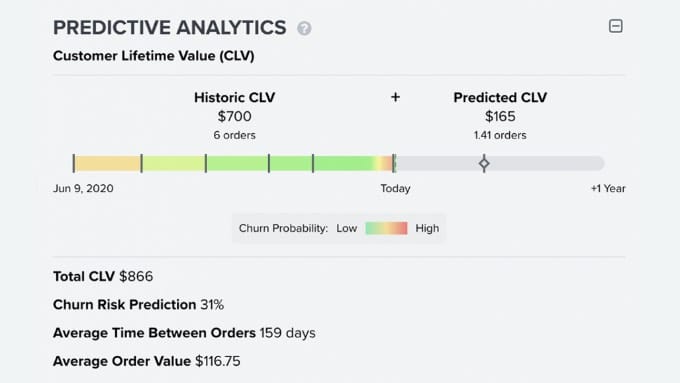
During testing, what really stood out to me was Klaviyo’s Predictive Analytics.
This feature uses AI to predict future customer actions, such as when a customer is likely to make their next purchase, by analyzing thousands of data points from your store.
Instead of sending generic emails that people often ignore, Klaviyo helps you send the right offer at the exact time a customer is most likely to buy.
| Pricing: Starts at $20/month |
| Free Trial: Yes (for up to 250 active profiles) |
| Standout Features: 🔹 Predictive Analytics 🔹 Advanced Segmentation Tools 🔹 Real-Time Email Automation 🔹 Shopify & WooCommerce Integration |
| WPBeginner Rating: A |
| Best For: eCommerce Stores 🛒 |
I used this feature to identify customers who were ready to buy, and then used an automated flow to send them a personalized coupon.
What I Like About Klaviyo:
- Deep Customer Segmentation: You can divide subscribers by purchase history, browsing behavior, and website activity.
- AI-Powered Timing: The predictive analytics forecast purchase windows so you can send promotions at exactly the right moment.
- 60+ Pre-Built Automation Templates: Abandoned cart flows, price drop reminders, welcome series, post-purchase follow-ups, and more.
- Detailed Customer Profiles: You get a complete view of each subscriber’s journey, including every email opened, product viewed, and total purchase value.
- Built-In A/B Testing: Test subject lines and email content side by side, then automatically send the winning version to your full list.
What I Don’t Like About Klaviyo:
- Learning Curve for New Users: Because the platform is so powerful, it can take some time to get comfortable with all the different settings and advanced features.
- Pricing Scales with Growth: As your list grows and you add more subscribers, your monthly plan will move into higher price brackets. That’s why it’s important to monitor your subscriber count closely.
Why I Recommend Klaviyo: I recommend Klaviyo for online stores that want to stop guessing and start using AI to send perfectly timed campaigns. If you need predictive insights and powerful automation built for eCommerce, this is the email marketing service for you.
Pricing: There’s a free plan that includes 500 monthly email sends and 150 monthly SMS/MMS credits, plus 60 days of email support. When you’re ready to upgrade, plans start at $20 per month.
9. Moosend (Best Affordable Pro Features)
Moosend is one of the most affordable pro email marketing tools on the market.
It’s a fantastic option for small teams and freelancers who need advanced automation features, like heatmaps and AI product recommendations, without the premium price tag.
What I like about Moosend is that it doesn’t restrict features on its lower tiers. You get access to the visual automation builder and detailed reporting, even on the entry-level plan.
It’s also one of the few tools that offers built-in countdown timers, which are perfect for creating urgency in your sales emails.
| Pricing: Starts at $7/month |
| Free Trial: 30-day free trial |
| Standout Features: 🔹 AI Product Recommendations 🔹 Click Heatmaps 🔹 Built-in Countdown Timers 🔹 Landing Page Builder |
| WPBeginner Rating: A |
| Best For: Freelancers & Small Teams 👥 |
What I Like About Moosend:
- Unbeatable Value: You get pro features for a fraction of what competitors charge.
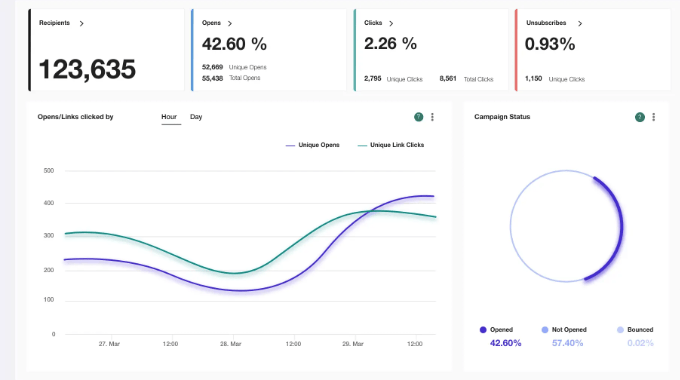
- Detailed Analytics: Their heatmaps show you exactly where subscribers are clicking in your emails.
- Ecommerce AI: It can automatically suggest products to subscribers based on their interests.
- Ease of Use: The 4-step checklist makes it very easy for beginners to get started.
What I Don’t Like About Moosend:
- No Free Forever Plan: They recently moved to a 30-day trial model instead of a permanent free tier.
- Limited Integrations: While it has the basics, it doesn’t have as many native connections as AWeber or HubSpot.
Why I Recommend Moosend: I recommend Moosend for anyone looking for the best value for their money. It provides high-end marketing technology at a price small businesses can afford.
Pricing: Moosend starts at $9/month (or $7/month billed annually) for up to 500 subscribers.
10. ActiveCampaign (Best for Automation)
ActiveCampaign is one of the most powerful marketing automation tools on the market.
It’s designed for businesses that want to create highly sophisticated customer journeys that span email, SMS, and even site messages.
The standout feature here is the Automation Recipes. They have over 900+ pre-built automations that you can import and set up in minutes.
Whether you are tracking lead scores or managing a complex sales pipeline, ActiveCampaign provides a level of control that few other platforms can match.
| Pricing: Starts at $15/month |
| Free Trial: 14-day free trial |
| Standout Features: 🔹 900+ Automation Recipes 🔹 Sales CRM & Lead Scoring 🔹 Predictive Sending (AI) 🔹 Split Action Automations |
| WPBeginner Rating: B+ |
| Best For: Automation Power Users 🤖 |
What I Like About ActiveCampaign:
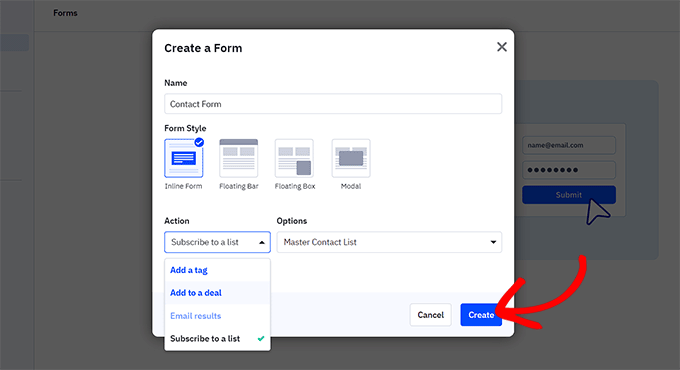
- Infinite Flexibility: If you can dream of an automation, you can build it in ActiveCampaign.
- Predictive AI: It uses machine learning to send emails at the exact time a subscriber is most likely to open them.
- Free Migration: They will help you move your contacts and automations from your old tool for free.
- Omnichannel Support: It handles everything from email to SMS and site messaging seamlessly.
What I Don’t Like About ActiveCampaign:
- Steep Learning Curve: It is a complex piece of software that takes time to master.
- No Free Tier: Pricing starts at a reasonable level but climbs quickly as you add features and contacts.
Why I Recommend ActiveCampaign: I recommend ActiveCampaign for experienced marketers who have outgrown standard newsletters. It’s a powerful tool for those who want to automate every aspect of their customer experience.
Pricing: ActiveCampaign starts at $15/month for 1,000 contacts.
11. GetResponse (Best for Webinars & Funnels)
GetResponse has evolved from a simple email tool into a complete, all-in-one marketing machine.
It’s unique because it includes features you rarely see in this category, such as a built-in webinar platform and a complete sales funnel builder.
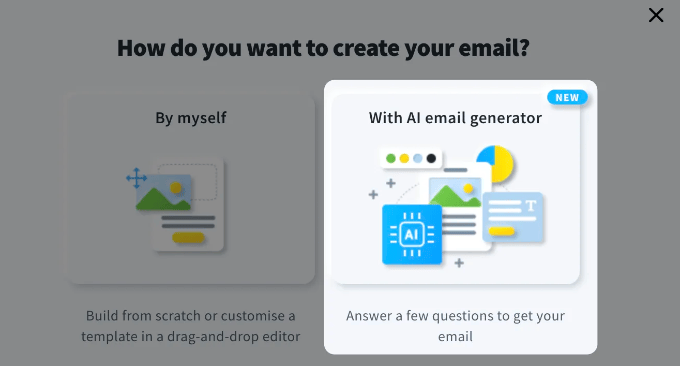
I really like their AI Email Generator, which can write your subject lines and body copy in seconds.
For businesses that sell online courses or host digital events, having your webinars, landing pages, and email marketing all in one place is a massive productivity boost.
| Pricing: Starts at $15.60/month |
| Free Plan: Yes (500 contacts) |
| Standout Features: 🔹 Integrated Webinar Hosting 🔹 Sales Funnel Builder 🔹 AI Content Generator 🔹 Web Push Notifications |
| WPBeginner Rating: A- |
| Best For: Course & Webinar Creators 🎓 |
What I Like About GetResponse:
- All-in-One Convenience: You don’t need a separate subscription for webinars or funnel builders.
- AI Tools: Their AI suite is genuinely helpful for creating high-converting campaigns quickly.
- High Deliverability: They have a strong reputation for getting emails into the primary inbox.
- Excellent Support: Their 24/7 live chat is fast, professional, and very helpful.
What I Don’t Like About GetResponse:
- Outdated Templates: Some of the templates in their library look a bit dated and could use a modern design refresh.
- Limited Free Plan: Many of the best features, like webinars and funnel builders, are locked behind higher plans.
Why I Recommend GetResponse: I recommend GetResponse for marketers who want to consolidate their tech stack. If you run webinars or complex sales funnels, it is much easier to manage everything from one dashboard.
Pricing: GetResponse has a free plan for 500 contacts. Paid plans start at $19/month, or $15.60/month billed annually.
12. Beehiiv (Best for Paid Newsletters)
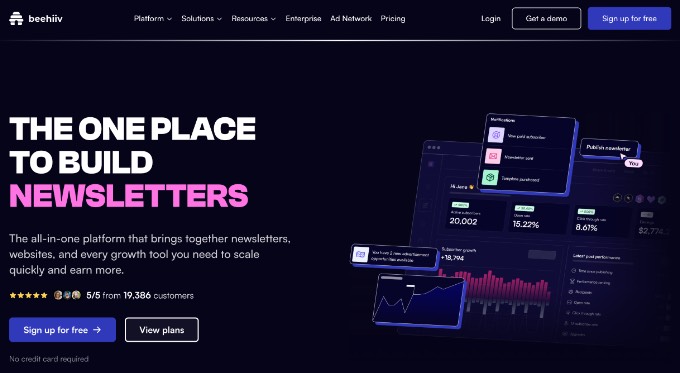
Beehiiv is a newer platform on this list, but it has quickly become a favorite for newsletter creators.
It was built by the team behind Morning Brew specifically for content creators and publishers who want to build and monetize a dedicated audience.
What sets Beehiiv apart is its built-in growth tools. It includes a Referral Program (similar to what the biggest newsletters use) and an Ad Network that lets you make money from your newsletter without having to find your own sponsors.
If your goal is to be a professional newsletter creator, then this is the tool.
| Pricing: Starts at $43/month |
| Free Plan: Yes (2,500 subscribers) |
| Standout Features: 🔹 Newsletter Referral Program 🔹 Built-in Ad Network 🔹 Custom Newsletter Website 🔹 Advanced Audience Polls |
| WPBeginner Rating: A |
| Best For: Pro Newsletters & Creators ✍️ |

What I Like About Beehiiv:
- Creator-First Features: Everything is designed to help you grow your list and make money.
- Massive Free Plan: 2,500 subscribers with unlimited sends for free is good value.
- Referral Engine: It makes it easy to reward your readers for sharing your newsletter with friends.
- Clean Reading Experience: The emails look great and provide a premium blog-like feel.
What I Don’t Like About Beehiiv:
- Limited Automation: It is not a CRM, so you won’t find the complex eCommerce triggers seen in Drip or HubSpot.
- Scale Pricing: While the free plan is great, the jump to the Scale plan is one of the more expensive entry points.
Why I Recommend Beehiiv: I recommend Beehiiv for anyone whose product is the newsletter itself. If you want to build a media brand or a paid newsletter, Beehiiv provides the growth tools you need to succeed.
Pricing: Beehiiv has a generous free plan for up to 2,500 subscribers. Paid plans start at $43/month when billed annually.
13. Kit (formerly ConvertKit) (Best for Creators)
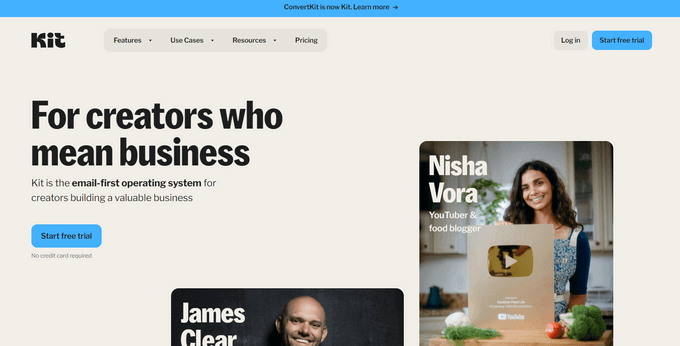
Kit (formerly ConvertKit) is a favorite among professional bloggers, authors, and YouTube creators.
It is designed specifically for creators, offering a simple yet powerful way to connect with your audience and sell digital products.
One of my favorite things about Kit is how it handles Content Upgrades. It makes it incredibly easy to deliver a free PDF or download in exchange for an email address, which is the best way to grow a list fast.
Their rebrand to ‘Kit’ has brought even better monetization tools for selling courses and subscriptions directly.
| Pricing: Starts at $33/month |
| Free Plan: Yes (10,000 subscribers) |
| Standout Features: 🔹 Content Upgrade Delivery 🔹 Commerce for Digital Products 🔹 Creator Network Recommendations 🔹 Smart Tag-Based Segmentation |
| WPBeginner Rating: A- |
| Best For: Pro Creators & Authors 📚 |
What I Like About Kit:
- Incentive Delivery: It is the best tool for growing your list via lead magnets and freebies.
- Massive Free Tier: Their Newsletter plan allows for up to 10,000 subscribers for free.
- Creator Network: You can partner with other creators to recommend each other’s newsletters.
- Plain Text Focus: They prioritize deliverability by encouraging clean, high-converting “personal” looking emails.
What I Don’t Like About Kit:
- Basic Templates: If you want highly visual, graphic-heavy emails, you might find their editor limiting.
- Reporting: Their analytics are good, but not as deep as specialized tools like Drip or Omnisend.
Why I Recommend Kit: I recommend Kit for authors and course creators. It removes the technical friction of email marketing and focuses on what matters: building a personal connection with your fans.
Pricing: Kit has a free Newsletter plan for up to 10,000 subscribers. Paid plans start at $33/month.
14. Mailchimp (Best for Integration Compatibility)
At WPBeginner, I used to use Mailchimp for email marketing when our needs were simple before switching to Drip.
It offers a ‘forever-free’ plan and a very intuitive drag-and-drop editor that has set the industry standard for years.
However, since their acquisition by Intuit, their pricing has become much more aggressive. They now count unsubscribed contacts toward your bill, and many features that used to be free are now locked behind paid tiers.
That said, their integration library is still the largest in the world, connecting to nearly every app imaginable.
| Pricing: Starts at $13/month |
| Free Plan: Yes (250 subscribers) |
| Standout Features: 🔹 Huge Integration Library 🔹 Creative Assistant (AI) 🔹 Detailed Customer Journey Maps 🔹 Advanced A/B Testing |
| WPBeginner Rating: B |
| Best For: Integration Compatibility 🔌 |
What I Like About Mailchimp:
- Endless Integrations: It works with almost every plugin, CRM, and eCommerce tool on the planet.
- Polished Editor: Their New Builder is very smart and helps you design great emails quickly.
- Strong Analytics: Their reports are clean, easy to read, and provide actionable insights.
- Creative Assistant: Their AI can pull branding from your website and apply it to your emails automatically.
What I Don’t Like About Mailchimp:
- Unsubscribed Contacts Fee: You are charged for contacts even after they unsubscribe unless you manually archive them, which can increase your monthly bill.
- Support Limits: Free users only get email support for the first 30 days, then you are on your own.
Why I Recommend Mailchimp: I recommend Mailchimp if you use a lot of specialized third-party apps and need an email tool that is guaranteed to connect with them. It remains a user-friendly entry point for those who want a familiar interface.
Pricing: Mailchimp has a free plan for up to 250 contacts. Paid plans start at $13/month.
Which Is the Best Email Marketing Service?
After testing all these platforms, the best choice really depends on your specific business goals and where you are in your journey.
If you are just starting out, then I’ve narrowed it down to two clear winners:
- Best for Absolute Beginners: Brevo is my top choice for anyone starting an email list from scratch. If you’re on a budget, then look no further. Brevo offers one of the best free plans on the market, allowing you to store up to unlimited contacts and send transactional emails (like password resets) without paying a cent. 💰
- Best for Clean Newsletters: MailerLite is the perfect alternative if you prefer a clutter-free experience. It’s best for bloggers and small business owners who want a clean, simple newsletter automation interface rather than complex transactional workflows. 🕊️
However, if your business has more specific requirements, you might consider these platforms:
- Best for Growing Small Businesses: Constant Contact is my overall professional winner. The combination of ease of use and world-class phone support makes it the safest bet for business owners who want a partner to help them grow. 📈
- Best for eCommerce Power Users: Drip is my go-to recommendation if you are running a serious online store. We used it at WPBeginner for years because its behavioral tracking and automation are designed to maximize sales. 🛒
- Best for Content Creators: Kit (formerly ConvertKit) is the clear winner for authors, bloggers, and YouTubers. Its features are specifically designed to help you sell digital products and monetize your audience. 📚
- Best for Advanced Automation: ActiveCampaign is the industry leader for complex automation. If you need to build intricate customer journeys that combine SMS, site messaging, and email, this is the most powerful tool available. 🤖
By choosing the provider that matches your current stage, you can start building your list today with the confidence that you have the right tools to scale.
Frequently Asked Questions About Email Marketing Services
Whether you are looking for the best free plan or need a high-powered automation tool for your online store, choosing an email marketing service comes with many questions.
Here are some of the most common questions our readers ask when selecting a provider like Brevo, MailerLite, or Constant Contact.
1. Why shouldn’t I just send mass emails using my personal Gmail or Outlook account?
You should not use personal email accounts like Gmail or Outlook for mass emails because these services are designed for one-to-one communication, not marketing.
Sending a bulk newsletter through a personal account often triggers spam filters, and your emails will likely be blocked by major providers. Additionally, personal accounts do not include a one-click unsubscribe link, which is a legal requirement for marketing emails.
Using a dedicated service like Brevo or Constant Contact makes sure your emails are compliant and actually reach the inbox.
2. What is the best free email marketing service for a small business on a budget?
Brevo is currently the best free email marketing service for beginners because it allows you to store an unlimited number of contacts for free.
While other services like MailerLite also offer excellent free plans, Brevo is unique because it includes transactional email features and a built-in CRM at no cost, making it the most cost-effective way to start and grow an email list without a large upfront investment.
3. Is there a difference between newsletters and transactional emails?
Yes, there is a major difference. Newsletters, such as those sent via MailerLite, are marketing messages sent to your entire list to share updates or promotions.
Transactional emails are automated messages triggered by a specific user action, such as a password reset or an order confirmation.
While some platforms like Brevo handle both types of email perfectly, other services may require a separate setup or an additional paid add-on to manage transactional messages reliably.
4. How do I make sure my emails don’t end up in the spam folder?
To prevent your emails from ending up in spam, you must use a reputable provider that has a high deliverability reputation. You should also ensure you are using a professional business email address (like name@yourcompany.com) rather than a free @gmail.com address.
For WordPress users, we also recommend using the WP Mail SMTP plugin alongside your chosen email marketing service to make sure all your website’s notifications are authenticated and delivered correctly.
5. Can I switch from one email marketing provider to another later?
Yes, you can switch from one email marketing provider to another at any time. The major services allow you to export your subscriber list as a CSV file, which you can then import into your new platform.
Most reputable services will even offer free migration tools or support to help you move your contacts and automated workflows to make sure you don’t lose any data during the transition.
Additional Resources for Email Marketing
Now that you’ve picked the right service, it’s time to put it to work.
Here are a few guides I’ve put together to help you get the most out of your email marketing:
- Here’s How I Started a Successful Email Newsletter (The Right Way): Once you have the subscribers, you need to keep them engaged. Learn my tips for writing subject lines that actually get clicked.
- Beginner’s Guide to WordPress Email Marketing Automation: Learn how to put your marketing on autopilot. This guide shows you how to send the right message to the right person at exactly the right time. 🤖
- How to Build Your Email List in WordPress with OptinMonster: Don’t just wait for people to find your signup form. Use high-converting popups and exit-intent technology to turn visitors into subscribers. 📈
- Email Marketing Mistakes WordPress Users Must Avoid: Many beginners fall into common traps that hurt their results. Use this guide to make sure your strategy is set up for success from day one. ❌
- How to Setup WordPress Email Tracking (Opens, Clicks, and More): Once your emails are sending, you need to know if they are working. This tutorial shows you how to track opens, clicks, and engagement directly in WordPress. 📊
- I Tested These Email Verification Tools to Clean My Email Lists: Over time, email lists can get cluttered with fake or inactive addresses. This guide shares the best tools to keep your list healthy and your deliverability high. 🧹
Once you have your service set up, the most important thing you can do is start sending regularly. Whether it’s a weekly tip or a monthly update, staying consistent builds trust with your audience and keeps your brand top-of-mind.
If you liked this article, then please subscribe to our YouTube Channel for WordPress video tutorials. You can also find us on Twitter and Facebook.




tahid uzun
Basically, all the email marketing service which improves our business so thanks for your of your post
WPBeginner Support
Glad our article was helpful
Admin
Giuseppe
very useful information, tx a lot
but the main question is kinda not answered :
I know that depending these companies have their servers, i.e. States or Asia , the emails tend to end faster in the spam folder . Well at least it was the case a couple of years back. Can someone confirm/help ?
Thanks a mil!
WPBeginner Support
Hi,
Location of the mail server has no effect on whether your email ends up in spam or not.
Admin
abhinandan sharma bhardwaj
Great blog about email marketing. Worth reading this. Really useful
Allan Mantaring
This article is help me to decide what will I used for long term. As a marketer building a list is very important. Thank you.
EasySandesh
Really good information. Thanks for sharing this information. These days peoples are using an email marketing service for business purpose.
Cerebrum Awomude
Great article here. Pls. I’m a little bit confused. All I just need is a vendor that has a Landing page feature, allows for autoresponder, allows for promotion of genuine mlm and affiliate business, and cost effective for beginner. I tried Mailchimp but got suspended just within two weeks with them, and the customer care pretty bad and arrogant. Please advice
Meethu Sharma
Thank you for giving good infromation
Gary Carlos
Really good information, thanks for the comparison These days we are using AWeber and MailChimp for our campaign process but your list make us thought again.
Paul Odekirk
I’m not happy at all with MailChimp. Has anyone found the same problems with MailChimp as I have? I find that many of my list members unsubscribe from my list daily. I know these people ands contact them and they say they have not unsubscribed. twice I even found my own email taken off the list. When I look into the MailChimp list Spam is the reason for the person’s unsubscription. Over the years I’ve been on MailChimp I’ve contacted support and I’ve done everything I can but nothing has changed. I’m now looking to move to another company.
suzanne Carter
Hi. thank you for the great information. I currently have Mail Chimp and it is set up to sync between my Wordpress site and Mail Chimp. the problem is it isn’t and new subscribers to my blog are not being updated onto the list on the Mail chimp end. I have tried several fixes and nothing is working. I am unsure what to do now after endless googling it may be time to quit Mail Chimp. Seems others are having this problem also.
Kartik Sharma
Hi,
Thanks for sharing the best email marketing services available in the market right now. I will love to begin with Mail Chimp.
Kristen
I also had a similar experience with Get Response when sending out my 1st email using a direct sales list i had from my past job… banned me on the spot and poor customer service. They made me feel like a spammer when my email I crafted in no way was!!!!
GetResponse
Thank you for listing us! We hope you’re satisfied with our platform.
Mary
Which one of these lets you filter EU and non EU subscribers in order to segment the list? The GDPR goes into effect in a few days and Aweber has no means of segmenting the list that way.
Raj Kapadia
I’v used MailChimp but my emails go in Promotion box of users whereas when I use GetResponse the same email lands in Primary. What could be the solution?
John Leavy
We’ve used MailChimp for years and are very satisfied. They continue to enhance the product beyond our needs. Glad they’re always ahead of the curve.
Edith Hughes
We’re pretty satisfied with how MailChimp gets the job done minus without their prices being so steep. Do you know how MailChimp can be integrated with Autotask? Your input would be greatly appreciated.
WPBeginner Support
Hi Edith,
We are not sure, you can try connecting it through Zapier which has support for both platforms.
Admin
Madilyn Abbie
I’ve been very satisfied so far with GetResponse. It’s super user-friendly, which is great if you’re just starting out.
Bill
Thank you for the list. I’ve used three of those on the list (Constant Contact, Mailchimp, and Campaign Monitor) over the years. They’re all good. My current email list marketing host, Madmimi.com, is better than any of the other three for a combination of low rates and great customer service. Its user interface is good.
Albert
Thanks for this. I’ll go investigate madmimi. I was suckered into G SUite and it was a disaster. Can’t believe a company like Google would offer such crap.
MD Satu
Editorial Staff, you are a genius! I didn’t even think to use that feature. I am going to look into it and add it as a reader tip into the post. So smart! I bet all the soccer parents love the cute emails
Joe Campbell
I have a photography site with and I would like to start an email marketing campaign to promote it. Any suggestions on the best email marketing company for this kind of online business? Thanks.
John
Mailchimp really lost it and being caught up by many other providers. Their support is really bad and in some ways even arrogant. Really disappointing after working with them for several years.
Ryan
I recently had my MailChimp account suspended. One of my sites is in the ‘make money online’ space. It’s a completely legitimate website, but apparently if your emails contain keywords they don’t like, they will suspend you. I would not recommend using them. Contacting support I just get form responses that are completely unhelpful. There’s no phone support- just account termination. Really bad experience. Luckily, this is a very new site- but imagine if you have thousands of emails and they just shut you down without ANY recourse.
Brian
So, do you have any idea what you wrote that triggered your account suspension? I’d be interested in knowing.
Blake
so totally true this just happened to me as well. im looking for a new AR, any suggestions?
leonardo
Yes I experienced the same thing, i tried creating other accounts too. When I was creating my landing pages, all of a sudden my mailchimp account has been suspended. That was really annoying. Three times I have done that and same thing happened. I don’t know what triggered them,
I am not happy with their system.
Namit
The post is very informative and the list you have shared with is great, but the Constant Contact is good I think to start the company as the live chat features are powerful in it can solve the one query on time. But it’s chargeable that to $20 at least it should be $10, I don’t know much about its but I’ll try for that free package and check it. Thank You.
Maurice
I find Sendinblue very good, not so expensive as Mailchimp. and according the new laws in the EU
Rob
So, we have been using mail chimp, and they just booted us from using it because of new regulations. Does anyone know of a service that will allow us to send mass e-mails without issue?
Sym
Rob, you don’t say who ‘booted’ you from using it. A significant GDPR factor is non-profits having to consent/re-consent those on established email lists and experiencing significant proportions of lists being lost because people miss the notifications or are too busy to fill in yet more forms. However, I have found a few using a ‘one-touch’ re-subscription button that takes immediate effect, without the recipient having to do anything else. It would appear that the re-subscription rate is higher, the easier it is to activate. On enquiry, I was told that they were using mail chimp for this.
If anyone could give any GDPR basis for not using mail chimp – it would be interesting – but there is a mass of confusion out there at the moment. I would challenge the ‘booter’ to substantiate their opinion/action.
Alison
Thanks for posting! GetResponse is my all time favorite. Has anyone tried their marketing automation?
Yakoob Ali
Dear,
I have lots of email data with me. I want to send email newsletter to them daily.
What you will suggest for me to go with?
Please help me. I checked most of the email sending services, they are charging more for less emails.
Banu Fayaz
Hi Yakoob Can u please suggest me how to get email data….Just guide me, it will be help full for me to start good carrier.
Dylan de Jonge
Hey, great article!
Just wanted to notify you on a spelling error
“It integrates beautifully with WordPress, Magneto, Shopify, and many other platforms. If you are using WordPress, then see our ultimate guide to using MailChimp and WordPress for detailed instructions.”
It’s Magento instead of Magneto.
Cheers!
WPBeginner Support
Hey Dylan,
Thanks for notifying us, we have fixed it
Admin
Michael
I have a small coaching business, any professional suggestions would be appreciated on what is the most productive above product to use.
Thank you
John Bryant
Good overview of platforms but I’m sick of these reviews that simply praise each platform, don’t rate them, don’t say what they are lacking or how they compare. Obviously it’s not to critique the platforms as they provide you with affiliate income, but sometimes I think you would do better with a more critical approach. Anyhow, my thoughts.
iftikhar saeed
From where can I get a targeted email list for my products that I want to sell on line as I do not have a list?
Sedrick
This article is informative, but it does not offer distinguishing features between the services covered (other than mailchimp is free). You seemed to go to great lengths to say good things about each – although I’m sure each services has positive aspects. I would have benefited much more from a rating of some sort of the various features of each service, or at least the pros & cons of each.
Annie
Loved reading this! Which of these would you recommend so that I could set myself reminders on certain clients so that I can follow up with them in the future? I feel like I am doing a lot of extra steps that I might not have to do if I was using an actual marketing software. I am in the very beginning stages of getting my business out there and I would like to follow up with potential clients down the road with an email… is this a possibility or should I just keep using my excel spreadsheet!?
Noel Andrews
Hi Annie,
Did you find a solution to your situation? I’m in exactly the same place and about to start looking for something that can get my customers to tell me dates of things that I can then send emails to them around those dates,
Thanks
Noel
Johnna
We just started using MailChimp because it seems to be the only one that offers a free account for small or new users. The problem is that there are so many steps for a potential subscriber to go through with both double opt-in and recaptcha, that we are getting at best complaints to worst, plain nasty comments posted on our Facebook page. We don’t know how many would be subscribers we lost because of this.
Adam
I have a scuba operation and have thousands of e-mail addresses from people that have used my service before. Is it alright to add them all to my new e-mail marketing newsletter? do they just unsubscribe if they don’t want it? What’s the right thing to do here?
WPBeginner Support
Hi Adam,
Most email marketing services allow you to send an email to all users you are importing. This email asks their permission to be added into your email list. If they give consent, then they will be subscribed to your email list.
Admin
Mike
Hi Adam, Yes most of the time all email service providers (ESPs) will include an unsubscribe line in every email you send so you can stay Can Spam Complaint. It is also a great idea to add your unsubscribe link to the top of your emails as this give more options to your customers to be removed from your mailing lists with ease.
Best,
Mike
Judy Caroll
I agree with marketing automation. Most of the B2B companies are utilizing marketing automation because it can help in marketing processes. Also, when leads freeze over and unable to move toward sales, marketing automation enters, helping managers fish out qualified sales prospects.
Wren
Awesome summary of the tools. GetResponse has an interesting marketing automation solution. Is it easy to use?
Jigar Patel
Email marketing is the best option for targeting your readers. I am using Aweber and MailChimp, and I am satisfied with these.
Tish
Hi Jigar, why did you decide to use both AWeber and MailChip?
Jon Reese
I also would like to know why you use both.
Libby
What about integration to generate leads from a website? That is what I need most out of a mail service. Which are best (and cheap)?
Nawar Kilany
Nice Article, Nowadays, Email Marketing is considered an extremely powerful marketing tool. However, users need to know key factors before they start designing and launching their email marketing campaigns.
Jess
Happy to see GetResponse on the list! I like their marketing automation.
Jide
Great list but I am surprised you didn’t mention MadMimi.
MadMimi is cheaper than MailChimp and it gives users lots of addons that make alot of sense. Imagine, you can’t automate with MailChimp free 2000 option while MadMimi allows you to set up drips even when you are on the free plan. You can plug in rss feed, the interface is so simple to use (drag n drop) etc.
Tunde
Good. Hw good is Madmimi
Stephan
Hi,
Thanks for this list, to which you could add SendInBlue. Very intuitive, with responsive template, worpdpress plugin, analytics board. I use it for two years now for my little business in France.
Stephan
iLinux
Looking good – Wish we had this article a few days ago! (After wasting many hours searching and comparing them all) We tried most of the above (Except ConvertKit, will check them out) but we found this little gem, SmartMailer.com worth considering for the next article as they offer more free subscribers and better priced than most.
Sam
Don’t be fooled, looks like a dodgy website. Browser prompted that the website is unsafe and do not proceed. it is not even secured (HTTPS:// )
Sinau
How about MailerLite ?
It gives autoresponder for free account(1000 subscription)
Ted
Hi,
Is there a free service that lets you start a campaign from your phone?
Thanks,
Ted
Adrienne
Hands down MailChimp rules for small business and starter nonprofits. I will use nothing else.
Martin Fuller
Thank you for your research and the post. Very useful
Chris
After helping Small Biz’s and Non-Profits with Contact Contact, and then migrating them to MailChimp. Gonna have to disagree with #1. CC is only good if you have lots of resources (money) to gain. Way too complicated and unreliable for SMBs.
Thanks for the post, I see some new( to me) services. Eager to check them out.
Editorial Staff
MailChimp is indeed the best for non-profits due to their free pricing plan and non-profit discounts.
Admin
Ramon
I think that all are amazing email marketing services but what is your opinion about mailrelay?
Editorial Staff
We have not tried MailRelay. Sorry Ramon.
Admin
Ramon
Ok. Don’t worry.
I’m from Spain and recently the European Union have changed laws about email marketing and some services from non european companys wasn’t adapted to the new laws. I’ve read that mailrelay (european company) was adapted to this news laws.
Thanks.