


When you’re running a WooCommerce store, getting visitors to join your email list can be incredibly challenging. Traditional signup forms may just sit there, with most people scrolling right past them without a second thought.
That’s where spin-a-wheel popups come in. There’s something about the chance to “win” a discount that makes people actually want to give you their email address. It turns what’s usually a boring interaction into something fun and engaging.
I’ve tested plenty of these spin wheel plugins over the years, and I can tell you that not all of them are worth your time. Some look great but slow down your site, while others work well but look extremely outdated.
In this guide, I’ll share the five best WooCommerce spin wheel plugins that actually deliver results without breaking your website.
My Verdict: Best WooCommerce Spin a Wheel Coupon Plugins
If you’re in a hurry, then here’s a quick overview of the best WooCommerce spin a wheel coupon plugins.
| # | Plugins | Best For | Pricing |
|---|---|---|---|
| 🥇 | OptinMonster | Lead generation and optin forms | $9/month + Free |
| 🥈 | WP Optin Wheel | Free + easy to use popup plugin | Free |
| 🥉 | Wheel of Popups | Cross-platform compatibility | $19/year |
| 4 | Spin Wheel for WooCommerce | Premium WooCommerce extension | $49/year |
| 5 | Lucky Wheel for WooCommerce | Drag + drop spin a wheel popup builder | Free |
Why Do You Need a Spin a Wheel Coupon Plugin?
The hardest part about running a WooCommerce store is keeping your visitors engaged and converting them into customers.
A simple way to do this is by using a spin a wheel discount popup. It uses gamification techniques by rewarding users when they interact with your discount wheel.
For example, when someone enters their email address to spin the wheel, you can offer different incentives such as free shipping, discount coupons, recommended products, and much more.
This helps you build loyal customers and increase your sales in your WooCommerce store.
How I Test and Review Spin the Wheel Coupon Plugins?
To make sure I give you the most authentic and helpful information, I followed a rigorous testing process for every WooCommerce spin a wheel coupon plugin on this list.
My evaluation criteria are designed to assess the plugin’s functionality, usability, customization options, performance, and overall value. Here’s a breakdown of my criteria:
- Ease of Use: I assess the plugin’s user-friendliness, considering the complexity of its settings and interface. A spin the wheel plugin should be very easy to use, set up, and customize. Plus, there should no coding involved.
- Customization Options: I evaluate the range of customization options available to users, ensuring that they can tailor the spin wheel to their specific needs and branding. This includes customizable options like colors, fonts, images, and wheel segments.
- Integration with Themes and Other Plugins: I check compatibility with popular WooCommerce themes and other relevant plugins to ensure seamless integration and avoid conflicts.
- Mobile Responsiveness: I test the plugin’s compatibility with mobile devices to ensure that it functions properly and looks good on different screen sizes.
- Pricing and Value: I consider the spin a wheel coupon plugin’s pricing plans and compare them to the value it provides to determine if it offers a good deal.
🤝 Why Trust WPBeginner?
At WPBeginner, we’ve seen firsthand how spin-a-wheel coupons can boost engagement for WooCommerce stores. That is why we’ve helped countless store owners set up spin wheels that not only grow their email lists but also drive real sales.
We don’t just recommend plugins blindly. Our team has personally tested every spin wheel plugin featured in this guide. We installed them, configured the settings, and analyzed how they performed on actual sites.
From ease of use to customization, we looked at it all so you don’t have to waste time trying a bunch of tools that don’t deliver. For more information, see our editorial process.
Now, let’s take a look at the best WooCommerce spin a wheel coupon plugins for your online store.
1. OptinMonster
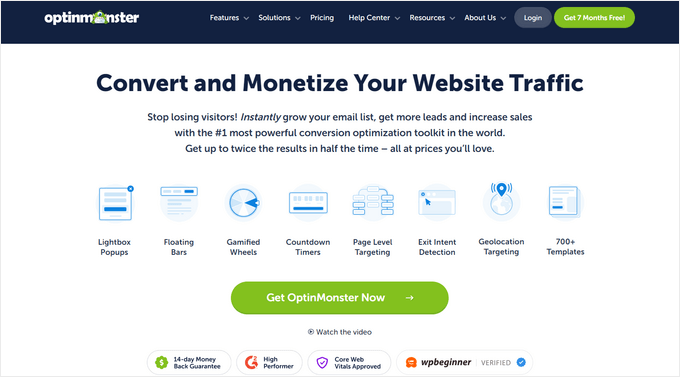
OptinMonster is the best lead-generation plugin for WordPress. It allows you to create amazing optin forms and gamified wheels with just a few clicks, making it my top pick.
At WPBeginner, we use the plugin to run different campaigns and offer content upgrades, and have had an excellent experience. For more details, see our OptinMonster review.
The nice thing about OptinMonster is that it’s very easy to use. It helps you grow your email list, generate leads, reduce cart abandonment, and skyrocket your conversions.
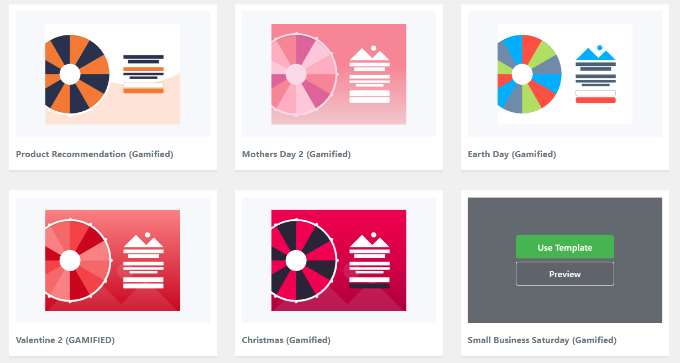
Plus, it has pre-built templates for creating a spin-to-win wheel in WooCommerce. Using its drag-and-drop builder, you can customize the optin any way you want.
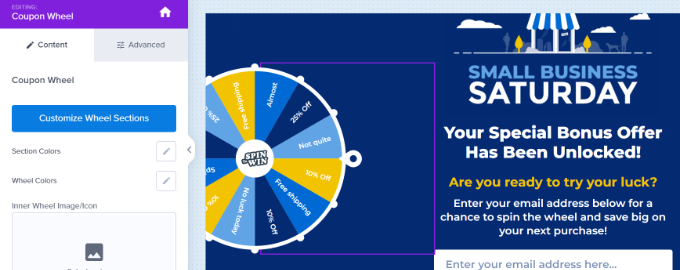
You can add block elements like buttons, countdown timers, images, text, videos, and more.
Other options include changing the display settings, showing the optin as full screen or page slide, and adding custom colors.
OptinMonster also provides extensive display rules for WooCommerce. You can show your spin-to-win wheel when visitors view a specific product or have a specific number of items in their cart.
In addition, you can display your optins when a user spends a certain amount of time on the page, target a specific geographic location, or use the powerful Exit-Intent technology to convert abandoning visitors into customers.

Overall, it’s a powerful tool that allows you to create a spin a wheel exactly how you envision it. To get started, see our tutorial on how to add spin to win optins in WooCommerce.
✅Pros of OptinMonster
- Built-in A/B testing to evaluate different coupon options or wheel designs
- Mobile-responsive designs
- Easy integration with email service providers like Drip, Constant Contact, and Kit
- Add dynamic text to personalize the spin-the-wheel experience
- Use AI to show campaigns at the best time and place
- Track impressions, conversions, and revenue in the analytics dashboard.
❌Cons of OptinMonster
- Advanced features locked in the free plan
Why I Recommend OptinMonster: If you’re looking for a plugin that offers multiple campaign options, including a spin a wheel coupon, lots of customization features, and an easy interface, then OptinMonster is the best option.
2. WP Optin Wheel

WP Optin Wheel is a free WordPress plugin for creating discount wheel coupon optin forms for your WooCommerce site. It helps you increase engagement and conversions using gamification.
When evaluating the tool, I found it to be super user-friendly. It offers predefined themes and the ability to customize all 12 slices in the wheel, making the creation process super easy.
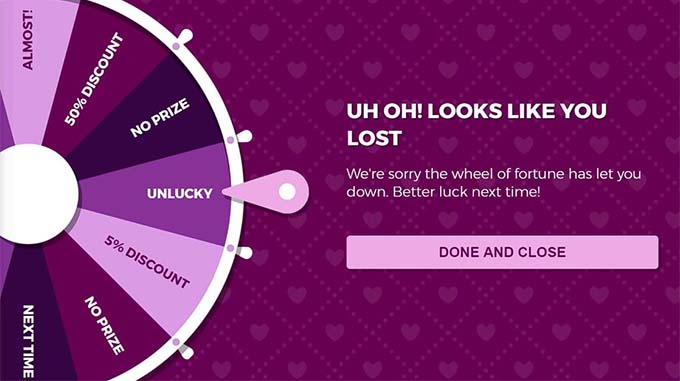
Plus, I love that you can add a discount, a link to your product page, or a losing slice. Similarly, it allows you to change the colors, text, buttons, and more in your discount wheel.
WP Optin Wheel is also GDPR-ready and easily integrates with Mailchimp, so you can collect emails from your customers.
Other than that, it lets you create and manage multiple wheels to cater to different campaigns or audience segments.
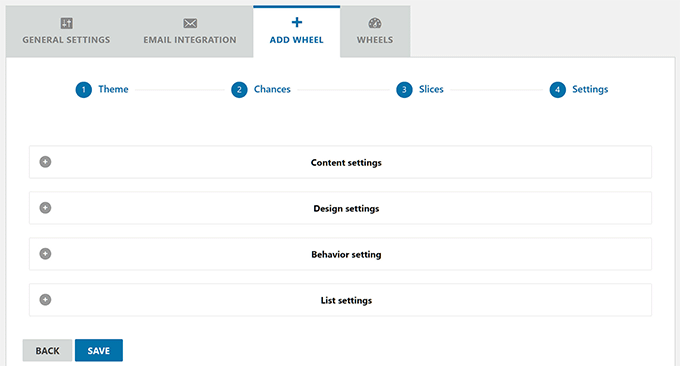
WP Optin Wheel also has multilingual support, making it a great choice if you are catering to a global audience.
✅Pros of WP Optin Wheel
- Control when and where the wheel appears (specific pages, time delay, etc.)
- Add optin forms easily using a shortcode
- Set coupon rules (expiry, product/category restrictions, free shipping, gifts)
- View detailed stats for views, conversions, and win/loss tracking
- Limit plays per IP and validates email domains to prevent abuse
❌Cons of WP Optin Wheel
- Basic stats only; advanced tracking and conversion reports require an upgrade
- No split testing to compare different spin wheel campaigns
Why I Recommend WP Optin Wheel: If you are looking for a free option, then I highly recommend WP Optin Wheel. It is perfect for new eCommerce store owners who want to try gamification campaigns on their sites without breaking the bank.
3. Wheel of Popups

Wheel of Popups is a premium WordPress plugin that makes it super easy to add a WooCommerce spin-a-wheel popup to your eCommerce store.
The best thing I found about the plugin is that, other than WooCommerce, it will also work on platforms like Shopify, Magento, and Squarespace.
Wheel of Popups offers a desktop editor with many customization options. You can select the type of promotion you want to run, such as a website popup, standalone popup, or embed widget.
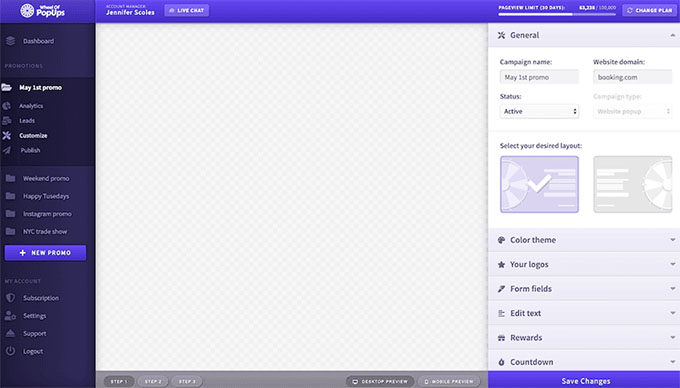
The plugin also lets you edit your spin-the-wheel optin. You can choose from multiple layouts, edit the color theme, add your own brand logo, and more.
That being said, I also liked that it allows you to set up different triggers to show the popup on your WooCommerce store. For instance, you can display them based on the user’s device, target page URL, time spent on-page, and exit.
You can also monitor campaign performance with up-to-the-minute data on views, conversions, and more.

All in all, it’s a great solution if you need cross-platform compatibility.
✅Pros of Wheel of Popups
- Set custom odds for each prize segment
- Segment leads based on user behavior and interactions
- Export leads for use with other marketing tools
- Customize popup behavior by device type
- Integrate with email marketing tools, CRMs, and Zapier
❌Cons of Wheel of Popups
- Limited to spin-to-win popups (no lightbox or inline formats)
- Some users have reported performance delays
Why I Recommend Wheel of Popups: This plugin is perfect for users who need cross-platform compatibility. For example, if you have a WooCommerce store and a Shopify store, then you can use a single solution for creating spin a wheel popups.
4. Spin Wheel for WooCommerce
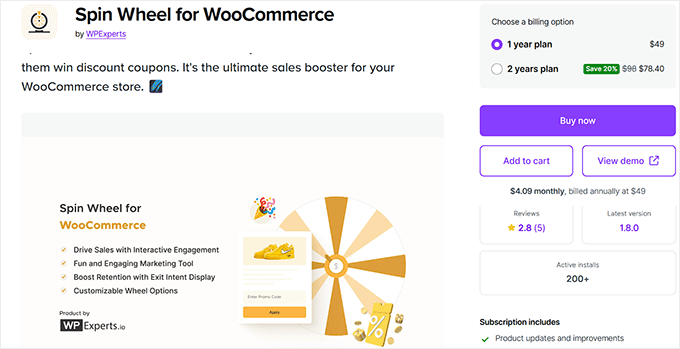
Spin Wheel for WooCommerce is a paid extension that helps you convert visitors into customers through spinning wheel popups.
From my testing, I found that the discount wheel is fully customizable, as you have full control over changing its colors and editing the text message.
Like many other plugins on my list, this WooCommerce plugin also allows you to change each slice in the wheel. You can add as many slices as you want and use the instant preview to view your changes.
You can also set the duration the spin wheel is displayed, which allows for time-sensitive promotions.
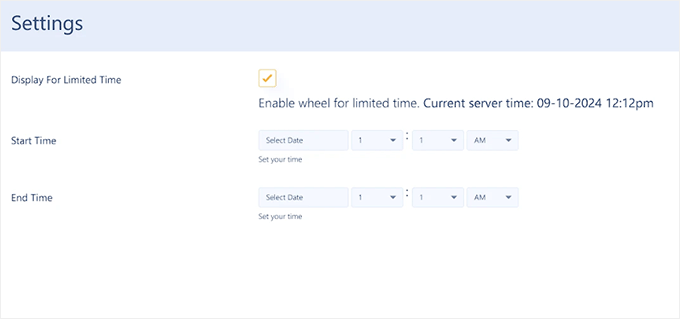
Other than that, Spin Wheel for WooCommerce offers different options for displaying your spin-to-win popups. You can also configure the wheel to appear when a user is about to leave the site, giving them a final opportunity to engage with a discount offer.
✅Pros of Spin Wheel for WooCommerce
- Track campaign metrics: appearances, spins, and discounts granted
- Add holiday effects like snowfall to the wheel
- Personalize email notifications for winners and non-winners
- Easy-to-use interface
❌Cons of Spin Wheel for WooCommerce
- No free plan
- No built-in spam protection
Why I Recommend Spin Wheel for WooCommerce: If you’re looking for a WooCommerce extension that lets you create spin-a-wheel popups, then this is the best solution.
5. Lucky Wheel for WooCommerce

Lucky Wheel for WooCommerce can help you convert website visitors into subscribers with a spin-to-win wheel pop-up. It’s great for beginners because it lets you use a drag-and-drop builder to design your forms.
When testing the plugin, I found that it allows you to customize up to six wheel slices, each with configurable labels and winning probabilities.
You can tailor the wheel’s appearance, including colors, labels, and descriptions, to align with their brand.
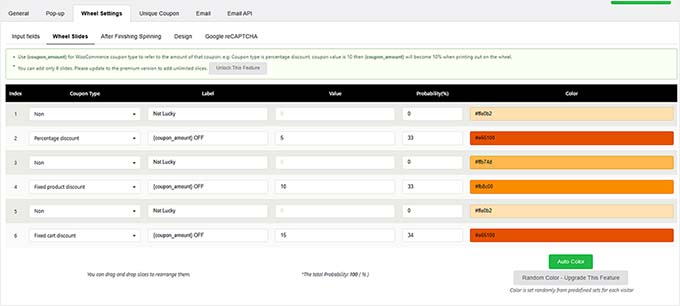
Additionally, the plugin supports features such as automatically generating unique coupons, sending them directly to the winner’s email, and controlling the wheel’s display behavior based on user interactions and page assignments.
✅Pros of Lucky Wheel for WooCommerce
- Drag-and-drop builder for easy setup
- Show personalized messages based on spin outcomes
- Require email entry before spinning to prevent spam
- Send automated emails with prize details
- Control email usage limits and pop-up reappearance timing
❌Cons of Lucky Wheel for WooCommerce
- Users have reported the wheel not spinning or displaying correctly
- Limited email marketing services integration
Why I Recommend Lucky Wheel for WooCommerce: I chose this plugin for its drag-and-drop builder and ease of use.
Which Is the Best WooCommerce Spin a Wheel Coupon Plugin? (Expert Pick)
I believe that OptinMonster is the best WooCommerce spin a wheel coupon plugin on the market. It offers a lot of powerful targeting and personalization options that are simply not available in other solutions.
However, if you are interested in a free plugin that offers basic design features, then give WP Optin Wheel a try.
On the other hand, you can also use the Spin Wheel for WooCommerce paid extension. It lets you create a fully customizable spin to win wheel and offer discount coupons to customers.
FAQs About WooCommerce Spin a Wheel Coupon Plugins
Here are some commonly asked questions about WooCommerce spin a wheel coupons.
1. How do I add a spin wheel in WordPress?
The easiest way of adding a spin wheel in WordPress and WooCommerce is by using a plugin. For instance, you can use OptinMonster, as it offers prebuilt templates and multiple display rules to show your campaign at the right time to the right people.
2. What is a spin to win plugin for WordPress?
A spin to win plugin for WordPress and WooCommerce allows you to add a spinning wheel popup to your site. It allows users to play games and spin the wheel to unlock a coupon code.
3. How does spin and win work?
You can create a spin to win wheel and slice it up into multiple sections. For each section, you can offer rewards like discount coupons, free shipping, free products, and more. When a user spins the wheel, they will land on a particular section and win the reward.
Related Guides to Grow Your WooCommerce Store
Looking for more ways to grow your WooCommerce store? Check out these beginner-friendly guides:
- How to Create a Custom WooCommerce Cart Page (No Coding)
- WooCommerce SEO Made Easy – A Step-by-Step Guide to Ranking #1 in Google
- How to Optimize the Customer Journey for WooCommerce Store
- Best WooCommerce Automations to Increase Sales
- Ways to Recover WooCommerce Abandoned Cart Sales
If you liked this article, then please subscribe to our YouTube Channel for WordPress video tutorials. You can also find us on Twitter and Facebook.


Tasleem
Nice post thanks for providing this information
WPBeginner Support
Glad you liked our article
Admin