


Choosing an eCommerce platform is the most important decision for your online business.
But although WooCommerce is the most popular option, it isn’t always the perfect fit. This is especially true if your store sells unique products like digital downloads, memberships, or services.
Instead of forcing WooCommerce to do things it wasn’t built for, the smarter approach is to use a platform designed specifically for your business model.
In fact, the right tool can save you weeks of setup time, reduce technical headaches, and even improve your sales.
In this guide, I will be sharing my top-tested WooCommerce alternatives, tailored to different business needs, so you can quickly find the best fit for your goals.💡
My Verdict: The Best WooCommerce Alternatives
If you are in a hurry, then take a quick look at our top expert picks to make a decision:
| # | Alternatives | Best For | Pricing |
|---|---|---|---|
| 🥇 | MemberPress | Creating a membership site | $199.50/yr |
| 🥈 | Easy Digital Downloads | Selling digital products | $199.50/yr (Free core plugin available) |
| 🥉 | Shopify | Fully-hosted eCommerce platform | $19/month |
| 4 | WPForms | Creating an order form for products | $49.50/yr + Free |
| 5 | Magento | Handling large-volume and enterprise-level online stores | Custom |
| 6 | BigCommerce | Hosted platform with no extra transaction fees | $29/month |
| 7 | WP Simple Pay | Creating payment forms for services or subscriptions | $49.50/yr + Free |
Why Use a WooCommerce Alternative?
You might want to use a WooCommerce alternative if WooCommerce is too complex, too bloated, or simply not designed for the type of products or services you sell.
While WooCommerce is a powerful plugin for running a full-featured online store, it’s not always the best fit for every business. This is especially true if you’re looking for something simpler or more focused.
For example, if you’re only selling digital products, taking donations, or offering paid memberships, then a lighter tool can be easier to manage and faster to set up. You won’t need to install extra addons or worry about compatibility between dozens of plugins.
Here are a few common reasons to consider switching to a WooCommerce alternative:
- You’re not selling physical products – WooCommerce’s shipping and inventory features may be unnecessary if you sell downloads, services, or subscriptions.
- You want a faster checkout experience – Some tools offer a built-in one-page checkout or payment forms without extra plugins.
- You prefer built-in features – WooCommerce alternatives often come with everything you need out of the box, like recurring billing or file delivery.
- You want less maintenance – A simpler tool means fewer updates, fewer conflicts, and less time troubleshooting.
- You run a niche site – There are better options for specific use cases like donations, event tickets, or online courses.
In short, if WooCommerce feels like more than you need, then trying a focused alternative can help you launch your online store faster, stay organized, and avoid common pain points.
How I Test And Review WooCommerce Alternatives
Before recommending any platform as a WooCommerce alternative, I test it myself.
I don’t rely on marketing claims or surface-level features. Instead, I dive in and use each tool as if I were building a real store. That way, I can give you honest insights based on actual experience.
Here’s what I look at during my review process:
- Ease of Use: I sign up and go through the actual onboarding process to see how beginner-friendly the eCommerce platform is. This includes installing plugins or addons, customizing settings, and building a basic store from scratch.
- Features and Flexibility: I look at what’s included out of the box, what requires extra plugins or upgrades, and how well the platform supports use cases like selling digital products, subscriptions, memberships, and physical goods.
- Performance and Reliability: I test site speed, uptime, and how well the platform handles high traffic or large product catalogs.
- Pricing and Value: I break down what you get at each pricing tier, look for hidden costs (like required addons), and assess whether the platform offers real value for money.
- Integrations and Payments: I test how easy it is to connect with essential tools like Stripe, PayPal, email marketing software, CRMs, and automation tools.
- Support and Documentation: I analyze the quality of the support team and check how responsive they are. I also review the documentation to ensure it’s clear and beginner-friendly.
- Use Case Fit: I don’t believe in one-size-fits-all solutions. I test how well each platform works for specific needs — like digital downloads, online courses, memberships, or selling physical products — and recommend it only if it truly fits the job.
I take this testing process seriously because I know how important it is to pick the right platform for your business.
My goal is to help you skip the trial-and-error phase and confidently choose the tool that will help you grow.
🤝Why Trust WPBeginner?
At WPBeginner, we don’t just write about eCommerce platforms – we actively use them across our network of websites.
After years of running online businesses, we’ve learned that WooCommerce isn’t always the right choice. Sometimes, a specialized tool simply works better than a general-purpose solution.
For instance, our team relies on MemberPress for sharing courses, while our partner brands use Easy Digital Downloads for selling plugins and software.
Our recommendations are based on real-world experience using these platforms, interacting with actual customers, and understanding what works in practice versus what looks good on paper.
You can learn more about our testing method on our editorial process page.
Now, let’s look at the best WooCommerce alternatives for all kinds of online stores.
1. MemberPress (For Membership Websites)
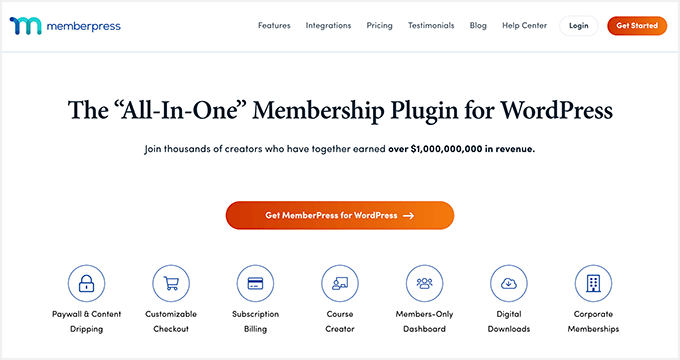
We’ve been using MemberPress at WPBeginner to share our free courses because it’s built specifically for membership sites, with features like access control, content dripping, and seamless member management.
If you’re considering it for your site, I’ve also put together a detailed MemberPress review where you can see exactly why I recommend it.
When I first tried using WooCommerce for memberships, I ran into roadblocks. Since it treats memberships just like any other product, simple tasks like protecting specific content or setting up recurring billing became overly complicated.
On the other hand, setting up membership levels with MemberPress feels natural and straightforward.
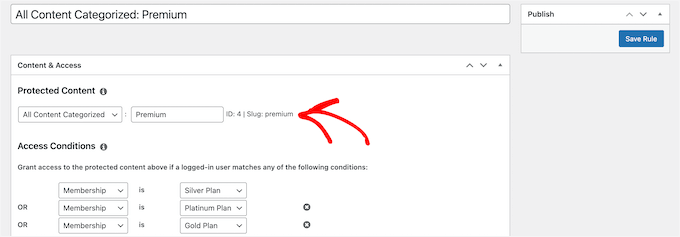
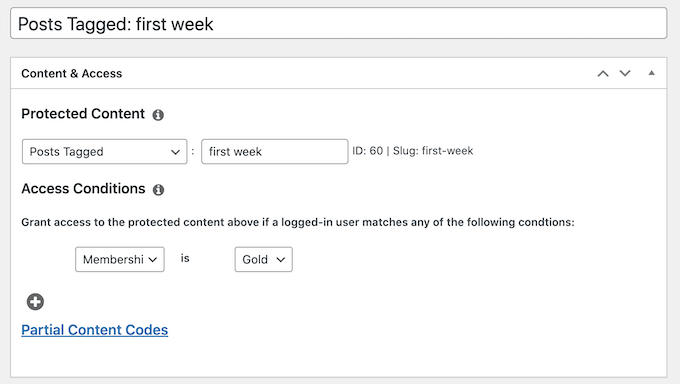
I can create different access tiers, protect specific content, and set up recurring payments without wrestling with multiple plugins or complex configurations.
The content dripping feature lets me release course materials or exclusive content on a schedule, which is something that requires expensive addons with WooCommerce.
Plus, the member dashboard gives users a clean, organized view of their subscription status, accessible content, and account details.
I’ve also found that members appreciate having everything in one place rather than navigating through a traditional eCommerce checkout experience.
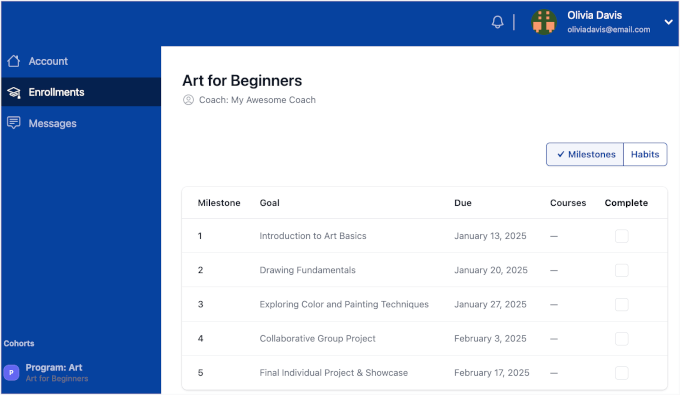
MemberPress also handles the tricky stuff like partial payments, corporate accounts, and advanced pricing rules without breaking a sweat.
Overall, it’s the best alternative for selling memberships. If you are ready to get started, then take a look at my beginner’s guide on how to create a membership website in WordPress.
✅Pros of MemberPress
- Automatic tax calculation and invoicing features
- Powerful affiliate program management with built-in tracking and commissions
- Multiple coupon types, including percentage, flat rate, and trial extensions
- Member import/export tools for migrating from other platforms
- Detailed analytics and reporting on member behavior and revenue
- Built-in reminder emails for failed payments and expiring memberships
- Courses addon to sell courses online
❌Cons of MemberPress
- No free version is available to test before you buy
Why I recommend MemberPress: If you want to build a membership site, then MemberPress is the clear winner. It eliminates the headaches of trying to bend WooCommerce into something it wasn’t designed for, giving you a platform that actually understands membership businesses.
2. Easy Digital Downloads (For Digital Products)
If you only sell digital goods like eBooks, software, or themes, then setting up WooCommerce can feel like a chore. You have to work around settings for shipping and inventory that are irrelevant to your business. This can make a simple task feel unnecessarily complex.
That’s why our partner brands use Easy Digital Downloads, and I’ve seen firsthand how smoothly their operations run.
EDD was built specifically for digital products, so everything from file delivery to license key management works exactly how you’d expect it to.
I have a detailed review of Easy Digital Downloads where I’ve discussed its features in length, so you can see why it’s become our go-to recommendation for digital product sales.

Setting up a digital product in EDD takes minutes, not hours.
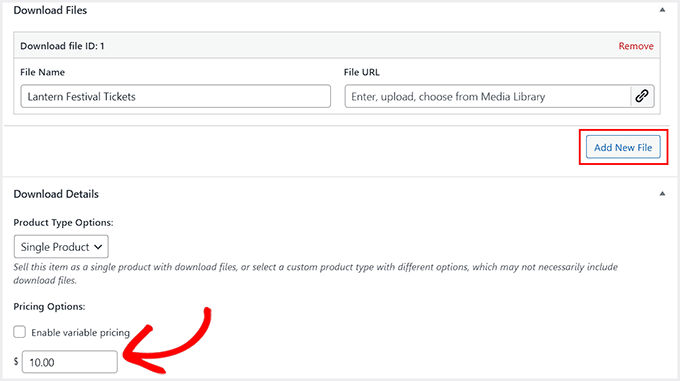
I can upload files, set pricing, and configure download limits without worrying about shipping zones or weight calculations.
The automatic file delivery system works flawlessly – customers get instant access to their purchases through secure download links.
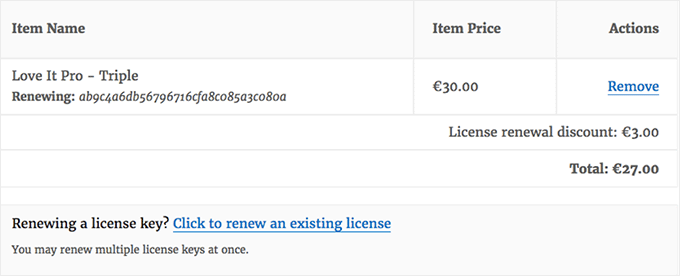
What I love most about EDD is how it handles software licensing. If you’re selling plugins, themes, or any software that needs license keys, EDD’s built-in licensing system generates unique keys and manages renewals automatically.
This used to require multiple expensive WooCommerce extensions.
Plus, the customer account area is clean and focused on what digital buyers need – their purchase history, download links, and license information.
I walk through the entire setup process in our tutorial on how to sell digital downloads in WordPress.
✅Pros of Easy Digital Downloads
- Detailed sales reporting and revenue tracking for digital businesses
- Discount codes with advanced conditions like purchase history requirements
- Variable pricing options for different package tiers and bundles
- REST API for integrating with third-party services
- Advanced customer management with purchase history and communication tools
- Easy payment gateway integrations
- Extensions for recurring payments, commissions, and affiliate program management
❌Cons of Easy Digital Downloads
- Advanced features are locked in the free plan
- Fewer design themes compared to WooCommerce
Why I recommend Easy Digital Downloads: For digital product sellers, Easy Digital Downloads removes the unnecessary complexity that comes with general-purpose eCommerce platforms. It’s the difference between using a tool designed for your exact needs versus trying to make a generic solution work.
3. Shopify (For Hosted eCommerce)

I’ve recommended Shopify to countless business owners who want to focus on selling rather than managing servers, updates, and technical maintenance.
While WooCommerce requires you to handle WordPress hosting, security, backups, and performance optimization, Shopify takes care of all the technical stuff behind the scenes.
When I first tested Shopify, what struck me was how quickly I could go from idea to live store. There’s no WordPress installation, no plugin compatibility issues, and no worrying about whether your hosting can handle traffic spikes during sales events.
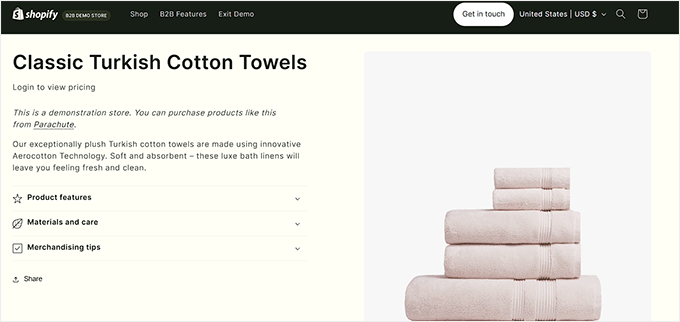
The onboarding process walks you through everything step by step.
I was able to add products, configure payment methods, and customize the store design without touching a single line of code.
Shopify’s app store also provides additional functionality, but the core platform handles most eCommerce needs out of the box.
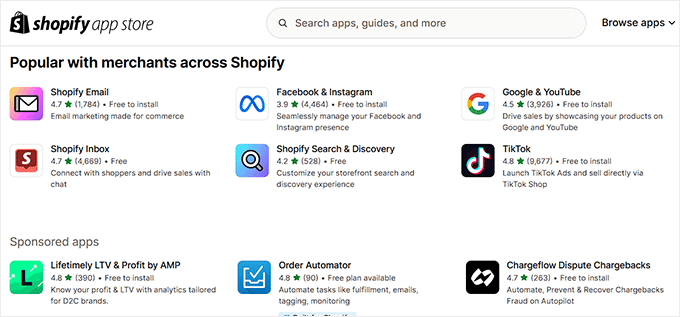
What I appreciate most about Shopify is the reliability. The platform handles millions of transactions daily, so they’ve built infrastructure that can scale with your business growth.
Plus, its analytics dashboard gives you clear insights into sales performance, customer behavior, and inventory levels.
Unlike WooCommerce, where you often need multiple plugins for comprehensive reporting, Shopify includes detailed analytics as part of the core platform.
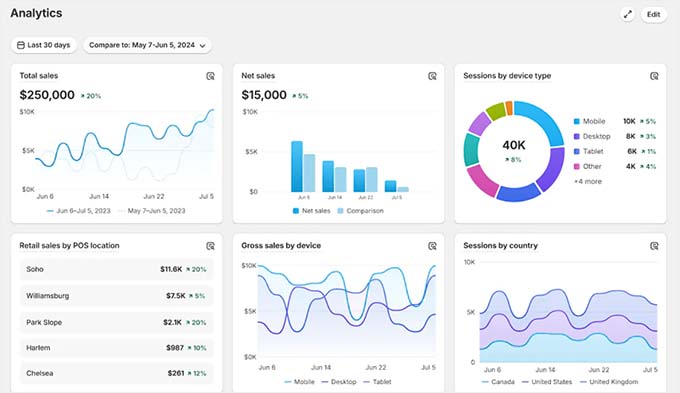
All in all, it’s a great option if you want a fully hosted eCommerce platform that takes care of the technical details, so you can focus on selling.
For more details, you can also see my Shopify vs WooCommerce comparison.
✅Pros of Shopify
- Complete hosting and technical management are included in the monthly fee
- Built-in payment processing
- Advanced inventory management across multiple sales channels
- Professional mobile-optimized checkout process with high conversion rates
- Automatic security updates and PCI compliance are handled by Shopify
- 24/7 customer support with knowledgeable eCommerce specialists
❌Cons of Shopify
- Monthly subscription costs can add up over time
- Limited customization compared to WordPress-based solutions
Why I recommend Shopify: If you want to focus on growing your business instead of managing technical details, Shopify is the clear choice. It’s perfect for business owners who need a scalable platform without the ongoing maintenance that comes with self-hosted solutions.
4. WPForms (For Payment Forms)
For many businesses, a full online store is more than they need. If you just want to receive payments for a service or a single product, then navigating WooCommerce’s settings can be time-consuming. That’s where WPForms comes in.
We use it for creating contact forms and surveys on our own website, and we have a detailed review where you can see all its features, pros, and cons.
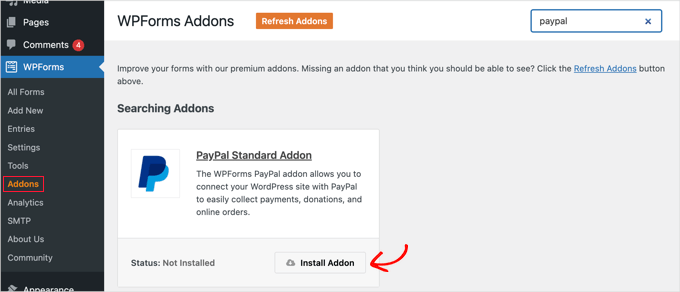
WPForms also handles payments through its powerful paid addons. You can accept Stripe payments with the free version of the plugin, but the premium addons also give you access to PayPal, Square, and Authorize.net.
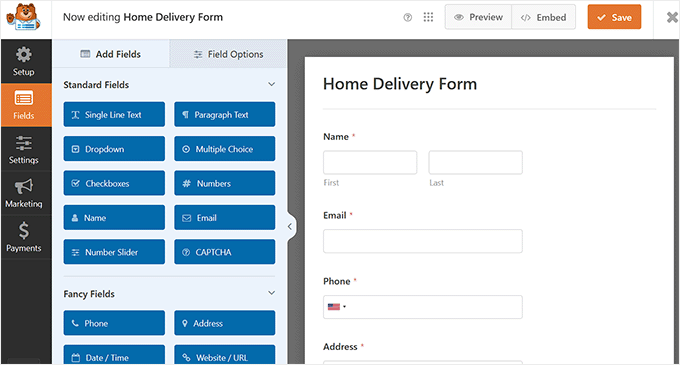
You can create a payment form in minutes using the plugin’s drag-and-drop builder.
Plus, the conditional logic feature is particularly useful for service-based businesses. You can show different pricing options based on what the customer selects, add optional extras, or require additional information for specific services.
This creates a customized experience without the complexity of a full eCommerce setup.
What I love about using WPForms for payments is how clean the user experience is.
Customers fill out one form, make their payment, and receive confirmation – no cart pages, checkout processes, or account creation required unless you want it.
The integration with popular payment processors like PayPal, Stripe, and Square makes it easy to start accepting payments immediately.
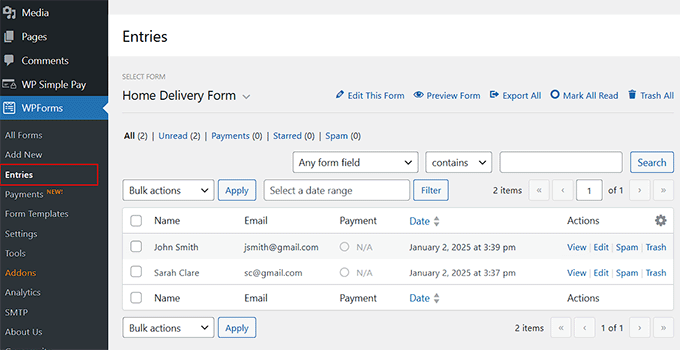
Plus, all form entries are stored in your WordPress dashboard with payment status clearly marked.
If this feels like the perfect fit for your business, you can check out my tutorial on creating an order form in WordPress.
Take a look at my tutorial on creating an order form in WordPress to see how easy it is to set up.
✅Pros of WPForms
- AI-powered form builder that creates custom forms from simple text descriptions
- Email notifications and confirmations are automatically sent to customers
- Mobile-responsive forms that work perfectly on all devices
- Advanced features like file uploads and digital signature collection
- Smart form templates for common business scenarios and use cases
- Spam protection and security features to keep your forms safe
❌Cons of WPForms
- Limited inventory management compared to full eCommerce platforms
- Payment features require paid addons
Why I recommend WPForms: If you’re a service provider, consultant, or just need a simple way to collect payments, WPForms makes it easy. You don’t have to deal with all the setup that comes with a full online store, but you still get a clean, professional payment experience.
5. Magento (Adobe Commerce)

When large businesses need to handle thousands of products, complex B2B pricing structures, and high traffic volumes, WooCommerce can hit its limits.
Enterprise stores often need advanced features like multi-store management from a single dashboard, complex inventory systems that sync with warehouses, and custom pricing rules for groups. These are areas where even a powerful WordPress-based solution can fall short.
That’s where Magento (now Adobe Commerce) shines.
Note: Keep in mind that while Magento offers a free open-source version, it requires significant development resources to manage. For this article, my recommendation is focused on Adobe Commerce. This is the enterprise-grade paid platform that provides the power and support large businesses need.
I’ve tested it with large catalogs and complex setups, and it’s clearly built to handle high-volume stores with advanced B2B requirements and custom pricing rules.
We also have a Magento vs WooCommerce comparison article that you can see for a deeper dive into the differences between these platforms.
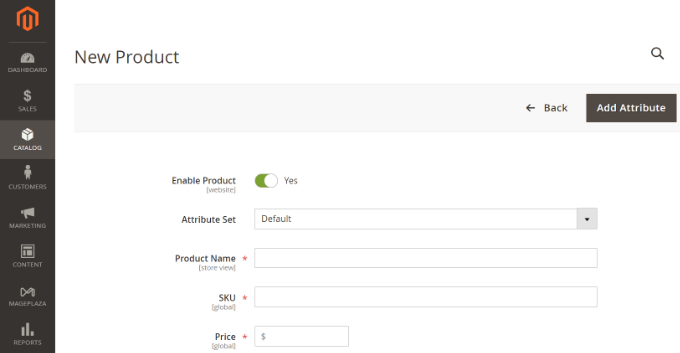
Magento handles advanced B2B features like customer-specific pricing, bulk ordering, and account hierarchies with ease.
It lets you create different storefronts for wholesale and retail customers, each with their own pricing structures and product catalogs. You can manage all of this from one admin panel.
Plus, Magento excels at handling large traffic spikes and processing thousands of concurrent users during major sales events.
If you are thinking of building an enterprise-level store, then I recommend considering Magento.
✅Pros of Magento
- Advanced B2B features
- Multi-store management from a single admin panel
- Powerful performance optimization tools
- Sophisticated and shared inventory management
- Advanced customer segmentation and personalization
- Built-in integration with enterprise systems like ERP and CRM platforms
- Comprehensive role-based permissions for large teams
❌Cons of Magento
- Steep learning curve and requires technical expertise to manage effectively
- Higher hosting and development costs compared to simpler platforms
Why I recommend Magento: For large businesses with complex requirements and high-volume operations, Magento provides the enterprise-grade features that WooCommerce simply can’t match.
6. BigCommerce (For Growing Stores)
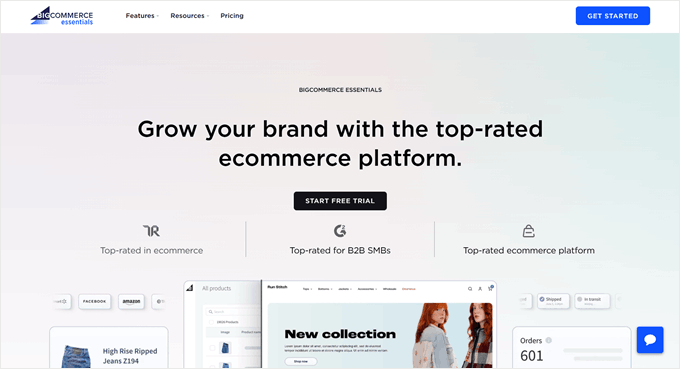
If you are just starting out with eCommerce, then managing hosting, security, and backups for a WooCommerce store can feel overwhelming.
That’s when I recommend BigCommerce. It is a fully-hosted, all-in-one platform that takes care of the technical details for you.
One of its biggest advantages is that BigCommerce doesn’t charge transaction fees, regardless of which payment processor you use. This makes your costs more predictable as you grow, which is a key difference from other platforms.
Plus, I love how quickly beginners can set it up and get it running.
The setup wizard walks you through every step, from adding your first products to configuring payment methods. I’ve found that most people can have a basic store live within a few hours, not days or weeks.

The platform includes everything you need out of the box – abandoned cart recovery, SEO tools, marketing features, and detailed analytics.
With WooCommerce, you’d need to research, install, and configure multiple plugins to get the same functionality.
Another big plus: BigCommerce handles technical scaling for you. As your store grows and traffic increases, the platform automatically adjusts in the background.
I’ve seen stores sail through major traffic spikes during sales events without the owner having to lift a finger. For a full breakdown, check out our BigCommerce vs WooCommerce comparison.
✅Pros of BigCommerce
- No transaction fees on sales, regardless of which payment processor you choose
- Advanced SEO features and site speed optimization
- Multi-channel selling, including integrations with Amazon, eBay, and social media
- Professional mobile-responsive themes
- Automatic security updates and PCI compliance are handled by the platform
❌Cons of BigCommerce
- Monthly subscription costs increase as your business grows
- Limited customization options compared to open-source platforms
Why I recommend BigCommerce: For beginners who want a professional online store without technical complexity, BigCommerce offers the perfect balance of ease of use and powerful features. It’s ideal for entrepreneurs who want to focus on growing their business rather than managing technology.
7. WP Simple Pay (For Stripe Payment Forms)
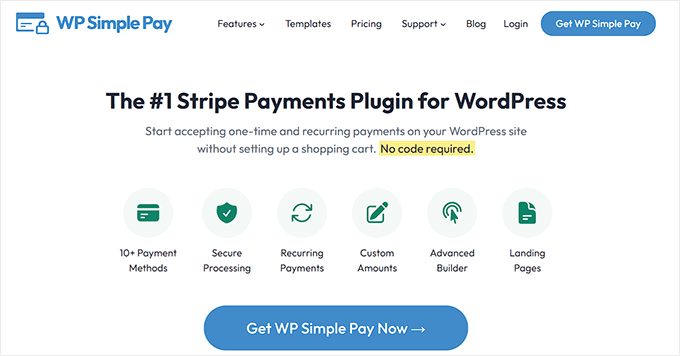
WooCommerce is built for a traditional shopping experience, which feels clunky if your goal is to accept straightforward payments for services, subscriptions, or donations.
I’ve thoroughly tested WP Simple Pay and found it’s designed specifically for businesses that want to accept payments without managing inventory, shipping, or product catalogs.
We have a detailed review of WP Simple Pay, where you can see all its features in action.
Creating a payment form with the plugin takes just minutes.
You can set up one-time payments for services, recurring subscriptions for memberships, or even variable amounts for donations. The forms embed directly into any page or post, making the payment process feel natural within your existing content.
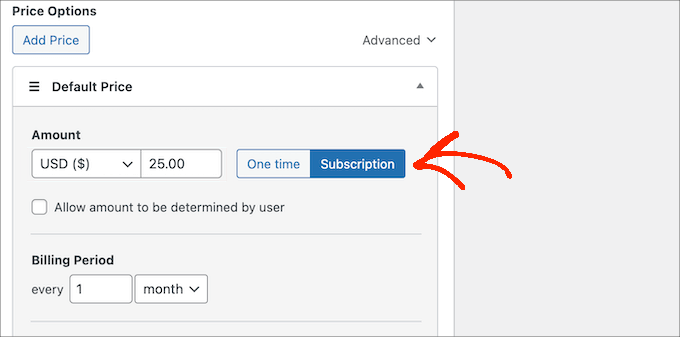
What I appreciate most is how clean the checkout experience is. Customers see a simple form, enter their payment details, and they’re done.
Plus, the subscription management features work particularly well for service-based businesses.
You can create different subscription tiers, handle trial periods, and manage recurring billing without needing complex membership plugins.
The integration with Stripe is seamless, and I’ve found their payment processing to be reliable and secure. Plus, all payment data stays within Stripe’s secure system while WP Simple Pay handles the form presentation and basic management.
If you’re ready to try it out, our tutorial on how to accept Stripe payments in WordPress will guide you through the process.
✅Pros of WP Simple Pay
- Quick setup for payment forms
- Accepts ACH, Klarna, CashApp, GrabPay, and Bancontact payments
- Clean checkout experience
- Customizable form fields to collect exactly the information you need
- Coupon and discount code functionality for promotions and special offers
- Detailed payment reporting and customer management
❌Cons of WP Simple Pay
- Only supports payment gateways available through Stripe (ACH, Klarna, etc.)
- No inventory management or complex product options
- Limited features in the free plan
Why I recommend WP Simple Pay: For service providers, coaches, and subscription-based businesses, WP Simple Pay makes things easy while providing a professional payment experience. It’s the perfect solution when you need reliable payment collection without the overhead of a full online store.
What Are the Best WooCommerce Alternatives?
MemberPress is the best WooCommerce alternative for membership sites. We use it to share our free courses because it’s built specifically for memberships, with content dripping, access control, and recurring billing that work right out of the box.
Easy Digital Downloads is great for selling digital products because it handles software licensing, file delivery, and digital product management better than any general-purpose eCommerce platform.
WP Simple Pay shines when you just need to collect payments for services or subscriptions without all the eCommerce complexity. It creates clean, direct payment experiences that convert well without cart abandonment issues.
On the other hand, Magento (Adobe Commerce) can be a great option when you’re running enterprise stores with thousands of products, complex B2B pricing, or multi-store operations that would overwhelm smaller platforms.
The key is matching the tool to your specific business model rather than trying to force a general solution to fit specialized needs.
Frequently Asked Questions About WooCommerce Alternatives
Here is a list of some questions frequently asked by our users about WooCommerce alternatives.
What is the cheapest way to sell on WordPress?
If you want to start an online store to sell physical products but have a shoestring budget, you can use WooCommerce, which is completely free and easy to use.
However, if you are looking to sell digital downloads, then you can opt for the free version of Easy Digital Downloads.
Similarly, you can also accept payments for your services with WPForms Lite, which is free.
When should I choose an alternative to WooCommerce?
You should consider a WooCommerce alternative when your specific business needs don’t align with what WooCommerce does best.
If you’re building a membership site, selling only digital products, or need simple payment forms, specialized tools will save you time and headaches.
I’ve seen too many people struggle with WooCommerce when a purpose-built solution would work much better.
Can I switch from WooCommerce to these alternatives later?
Most alternatives allow you to migrate your data, though the process varies by platform. Digital products are usually easier to move than complex physical inventory.
I always recommend starting with the right tool for your needs rather than planning to switch later, as migrations can be time-consuming and sometimes result in data loss.
Do I need technical skills to use these alternatives?
It depends on which alternative you choose. Platforms like Shopify and BigCommerce require minimal technical knowledge, while Magento needs serious technical expertise.
WPForms and WP Simple Pay are somewhere in the middle – easy enough for beginners but powerful enough for advanced users.
Best eCommerce Guides for Your Online Business
Looking for more resources to grow your online store? Here are some of our most popular eCommerce guides packed with actionable tips and strategies.
- Which Is the Best Website Builder (WordPress, Squarespace, Wix, etc)
- Tips to Grow Your Business Online (Without A Lot of Money)
- Best Currency Conversion WordPress Plugins (Free + Paid)
- How to Properly Set Up eCommerce Tracking in WordPress
- How Much Do Ecommerce Websites Cost? (Real Numbers)
- Best WooCommerce Plugins for Your Store (Most are FREE)
- How to Add Express Checkout Buttons in WooCommerce
- Best WooCommerce WordPress Storefront Themes
- Most Popular Content Management Systems (#4 is WooCommerce)
- How to Make a Multi Vendor Ecommerce Website with WordPress
If you liked this article, then please subscribe to our YouTube Channel for WordPress video tutorials. You can also find us on Twitter and Facebook.




Jiří Vaněk
Can Woocommerce and MemberPress be used together in such a way that members registered through MemberPress would automatically have a lower price than non-registered users? Or is this a misconception?
WPBeginner Comments
Memberpress does have a WooCommerce Add-On Integration, where you can sell memberships like an ecommerce product.
For the feature you mentioned, you may want to reach out to MemberPress support and ask about this.
Mrteesurez
Among all these you have listed, I choose Memberpress as it’s easy to integrate with Woocomerce later if the needs call for it.
But my question is, do you mean Memberpress has inbuilt LMS plugin so that I will not need any LMS plugin again (maybe Lifter, Tutor, Learnpress or any other) ?
Please let me know
WPBeginner Support
MemberPress has an addon to allow you to turn it into an LMS instead of needing another plugin.
Admin