


A while back, my niece wanted to sell her homemade jewelry online, and I offered to help her set up a store.
Since I was already familiar with eCommerce platforms, I knew Shopify was one of the most popular options. We gave it a try, but very quickly, I noticed how fast the costs added up.
Between the monthly subscription and the extra 2% fee for third-party payment providers, most of her profit margin disappeared.
It became clear that while Shopify works well for fast-growing businesses, it isn’t the most practical choice for someone starting small. That experience pushed me to dig deeper into alternatives that were more beginner-friendly and cost-effective.
We eventually found a much better solution for her business, but I still see many people making this same costly mistake when they first start selling online.
So if you’re looking for Shopify alternatives that won’t eat into your profits, you’re in the right place. I spent months testing different eCommerce platforms and narrowed them down to the best ones that offer real value for money.
My Verdict: Best Shopify Alternatives
| 🔨Platform | 🎯Best For | 💲Price | ⚠️Tradeoff |
|---|---|---|---|
| WooCommerce | Full control & customization | Free (hosting extra) | Requires WordPress setup & maintenance |
| MemberPress | Membership & subscription sites | $179.50/year | Not ideal for physical product stores |
| Easy Digital Downloads | Selling digital products | $99.50/yr (Free plugin available) | Limited for physical products |
| Wix | Beginners & all-in-one builder | $29/month | Less scalable for large stores |
| BigCommerce | Enterprise level eCommerce store | $29/month | Slightly steeper learning curve |
| Rapyd Cloud Managed WooCommerce Hosting | WooCommerce with managed hosting | $29/month | Limited to WooCommerce ecosystem |
What is Shopify?
Shopify is one of the most popular platforms for creating an online store. It’s a cloud-based, hosted solution, which means you don’t have to buy hosting, manage security, or install software.

Everything is handled for you, and that’s one of the reasons I chose it when I first helped my niece set up her jewelry store. We were able to get her shop online very quickly, even without any technical experience.
✅ Pros of Shopify
- Very easy to use, even for beginners
- Works with multiple sales channels like Instagram, Facebook, and in-person sales
- Large app marketplace to add features as your store grows
❌ Cons of Shopify
- Higher overall costs once you factor in paid apps
- Extra transaction fees if you don’t use Shopify Payments
- Limited backend flexibility compared to open-source platforms like WooCommerce
For my niece’s small business, these hidden expenses became a real problem. The monthly subscription plus transaction fees ate into her profit margin, and it just didn’t feel sustainable.
That experience is what pushed me to look into Shopify alternatives—platforms that are more affordable and beginner-friendly, while still offering the tools needed to run a successful store.
Why Use a Shopify Alternative?
Initially, Shopify seemed like the perfect fit. But as I used it more, I started noticing pain points that many other store owners run into, too.
These include:
- High ongoing costs – The monthly subscription plus paid apps and addons can get expensive fast.
- Extra transaction fees – If you don’t use Shopify Payments, you’ll pay extra on every sale.
- Limited flexibility – You can customize with apps, but the backend is locked down compared to open-source platforms.
- Scaling challenges – As your store grows, the cost-to-feature balance isn’t always the best.
- Dependence on apps – Many basic features require installing separate apps, which adds to costs and complexity.
If you’re facing similar issues, I’d recommend moving away from Shopify.
It’s a good option for large enterprises with big budgets, but for small businesses, it’s usually not the most practical platform.
What to Look for in a Shopify Alternative
When choosing an eCommerce platform, it’s important to focus on your business needs first. You don’t want to switch away from Shopify only to end up with another platform that creates the same problems.
That’s exactly what I kept in mind when I realized Shopify wasn’t the right fit for my niece’s small business.
Before moving her store, I created a simple checklist of what we actually needed in a platform. These were based on the pain points we faced with Shopify—things like high costs, limited flexibility, and hidden fees.
To save you from going through the same trial and error, I’m going to share that checklist with you.
These are the key factors you should keep in mind when picking a Shopify alternative:
- Content Ownership – Make sure you fully own your website and customer data. With self-hosted platforms like WooCommerce, you’re not locked into someone else’s system.
- Affordable & Flexible Pricing – Don’t just compare monthly fees. Look at transaction charges, addon costs, and whether you can choose your own hosting. A self-hosted setup often saves more in the long run.
- Endless Customization – Pick a platform that lets you control everything from your store’s design to the checkout flow. WooCommerce, for example, works with thousands of themes and plugins.
- Payment Gateway Freedom – Avoid platforms that force you into using their payment processor or charge extra for third-party gateways. For instance, WooCommerce and EDD support numerous payment options, many with no extra fees.
- Scalability Without Penalties – As your business grows, you shouldn’t be pushed into costly plans or product limits. A flexible option lets you sell unlimited products and upgrade your hosting as needed.
- SEO & Marketing Power – Choose a platform that’s search-engine-friendly and integrates with marketing tools. WordPress + WooCommerce gives you strong WordPress SEO right out of the box.
- Ownership of Branding – Your storefront should reflect your business, not the platform’s logo. With many popular alternatives, your design, domain, and customer experience are fully under your control.
Keeping these criteria in mind will make it much easier to pick the right Shopify alternative that truly fits your business needs.
My Shopify Alternatives Testing Process
Once I had my alternative checklist in place, I rolled up my sleeves and started setting up demo stores on about 15 of the most popular Shopify alternatives.
I didn’t just skim features or rely on marketing claims. Instead, I built real test stores to see how each platform actually performs for a small business owner.
Here’s what I focused on during testing:
- ⚡ Speed & Performance: A slow store means lost sales. I tested how fast demo sites loaded, how smooth the checkout process felt, and whether the platform could handle multiple products without lag.
- 👌 Ease of Use: I checked how beginner-friendly each dashboard was, how simple it was to add products, customize designs, and connect essentials like payments and shipping.
- 🛠️ Features & Flexibility: From built-in SEO tools to integrations with marketing apps, I compared how much functionality each platform offered without needing expensive addons.
- 📈 Scalability: I looked at how well each solution could grow with a business. Would it still work well once the store hit hundreds of products or thousands of visitors? Or would it force costly upgrades?
- 💰 Cost-Effectiveness: Beyond the base subscription, I broke down transaction fees, addon costs, and hidden charges to see which platforms actually gave the best value for money.
After testing all 15 platforms, I eliminated the ones that couldn’t meet these standards and narrowed it down to just 6 Shopify alternatives that I found truly worthy.
In fact, some of them turned out to be even better than Shopify in certain areas.
📌 Spoiler: The 6 platforms that passed my tests were WooCommerce, MemberPress, Easy Digital Downloads, Wix, BigCommerce, and Rapyd Cloud.
🤝Why Trust WPBeginner?
At WPBeginner, we don’t just list tools—we speak from experience. We never recommend anything that we haven’t personally tested and reviewed ourselves.
Our team has tested Shopify multiple times and has seen firsthand where it shines and where it falls short. That’s why we’re in a strong position to compare it fairly against other platforms.
Over time, we’ve also tested dozens of Shopify alternatives. We’ve gone through setting up demo stores, running experiments, and even using some of these platforms ourselves to sell products and offer free online courses.
When we evaluate a platform, we look at things like speed, ease of use, flexibility, scalability, and overall cost. This hands-on testing process ensures that every recommendation we make is based on real-world performance, not just marketing claims.
👉 To learn more about how we review and test tools, check out our editorial process.
Top 6 Shopify Alternatives
Here’s my detailed breakdown of the best Shopify alternatives for different business models and budgets.
Each of these platforms stood out during my hands-on testing because it offered strong features, better value, or more flexibility than Shopify in certain areas.
Whether you’re running a small online store, building a digital products business, or scaling a full eCommerce brand, these options are worth considering.
1. WooCommerce – Best for Full Control & Customization
Shopify vs WooCommerce
| Criteria | Shopify | WooCommerce |
|---|---|---|
| Ease of Use | ✅ Quick setup, beginner-friendly. | ✅ Easy setup with wizard and intuitive dashboard once WordPress is ready. |
| Costs | ❌ Monthly fee ($19+) + apps + 2% extra on external payments. | ✅ Free core plugin (Hosting & extensions extra). |
| Big Pro | 🚀 Everything managed for you. | 🔥 Full control over design, features, and costs. |
| Big Con | 💸 Costs add up fast. | 🛠 Needs hosting + more setup effort. |
| Quick Verdict | Best for fast setup and simplicity. | Best for control, flexibility, and long-term value. |
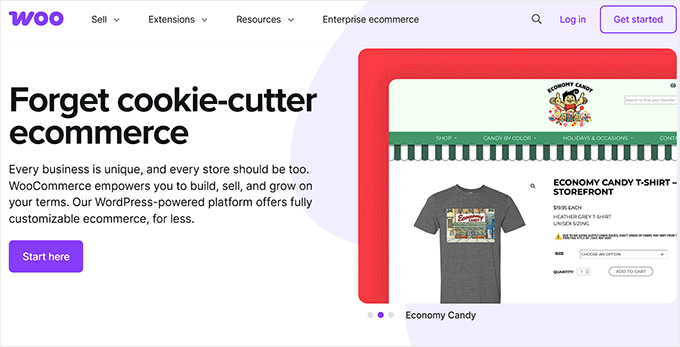
WooCommerce is the world’s most popular eCommerce platform, powering millions of online stores. It’s a free, open-source WordPress plugin that instantly turns any site into a fully functional store.
The main advantage is flexibility. You can sell physical goods, digital downloads, memberships, subscriptions, and even bookings, all while maintaining complete control over your store’s design and functionality.
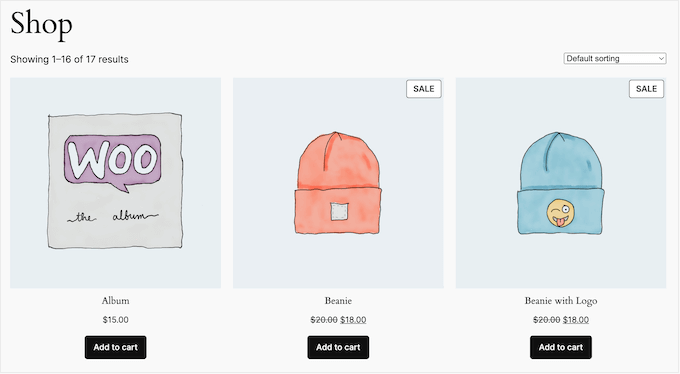
Unlike Shopify, WooCommerce doesn’t tie you to a fixed monthly plan. You own your website and data, paying only for hosting, premium themes, or extensions you actually choose to add.
This makes it one of the most cost-effective and scalable solutions for both beginners and advanced sellers.
Ease of Use
Even though Shopify is a hosted platform, I actually found WooCommerce easier to use when setting up a store.
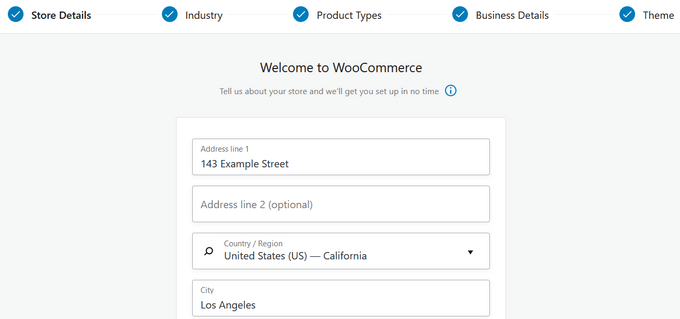
The setup wizard makes the whole process straightforward. It walks you through adding your store details, setting up payments, configuring shipping, and even handling taxes.
Within minutes, I had a fully functional store ready to go.
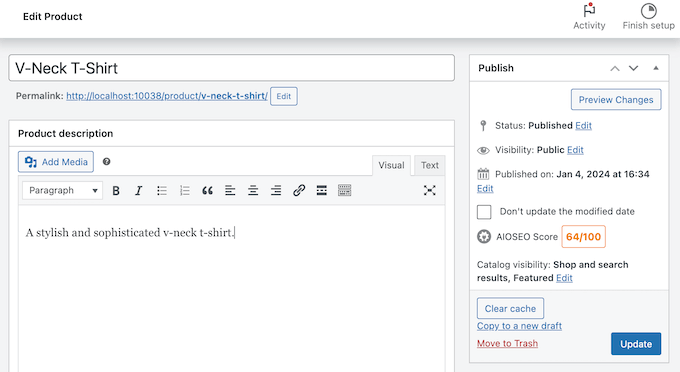
The user interface is clean and fits right into WordPress. Adding a product is as simple as going to Products » Add New, typing in the name, and customizing all the details.
I liked how flexible it felt. I could set prices, add images, manage stock, and create variations like size or color without needing extra apps. Compared to Shopify, this gave me more control and customization from the very start.
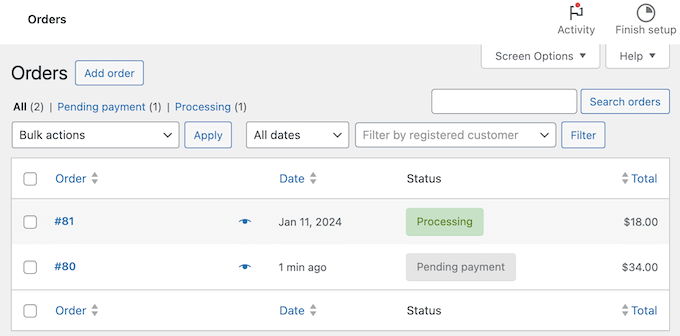
Managing orders and customers is just as straightforward.
Everything shows up in a clean, easy-to-navigate dashboard that feels familiar if you’ve ever used WordPress before.
Overall, the UI makes WooCommerce super beginner-friendly while still giving you advanced customization when you need it.
If you want a deeper dive into this, our team has put together a full WooCommerce review where we go into more detail about ease of use and other features.
Features
While testing WooCommerce, I was struck by how much more flexible it felt compared to Shopify. With Shopify, I often ran into limits unless I paid extra for third-party apps.
WooCommerce, on the other hand, seemed to give me total freedom to shape the store however I wanted.
Adding features like memberships or advanced shipping rules was as easy as installing an extension or WooCommerce plugin, and many of these cost far less than similar Shopify apps.
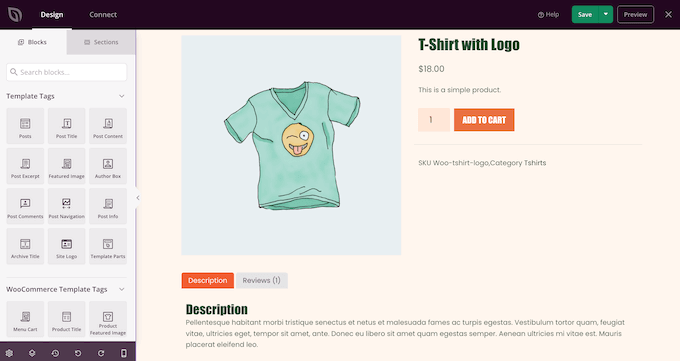
I also paid close attention to design. Since WooCommerce runs on WordPress, I was able to use themes and page builders like SeedProd to get the store looking exactly how I imagined.
With Shopify, I found myself boxed into its theme editor unless I was willing to dive into custom code.
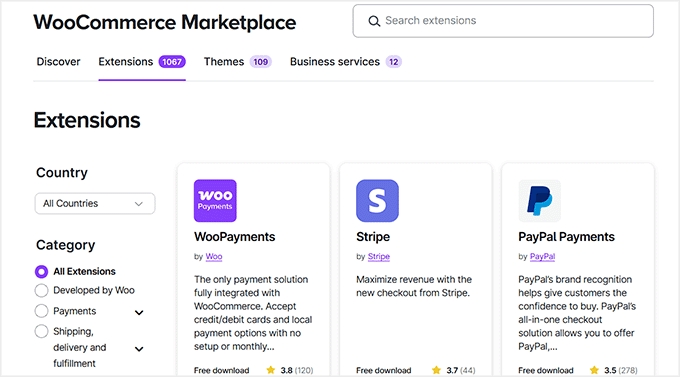
Payments were another big difference.
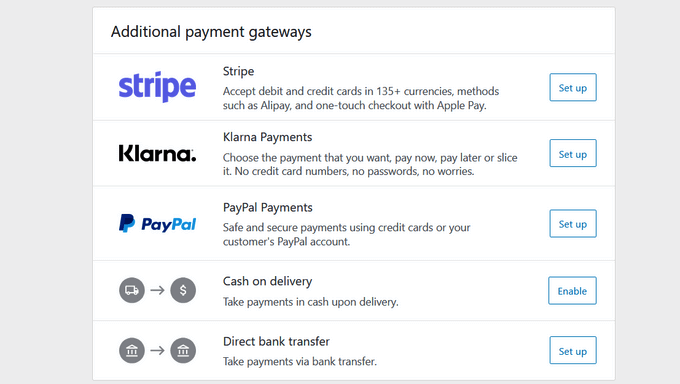
WooCommerce integrates with all major gateways like PayPal and Stripe. Best of all, you don’t pay the extra 2% platform fee that Shopify charges (though standard Stripe/PayPal processing fees still apply).
And when it came to SEO, pairing WooCommerce with a plugin like AIOSEO gave me much finer control over optimizing products and categories than Shopify’s built-in tools allowed.
The more I explored, the clearer it became why WooCommerce stands out. It offered the kind of flexibility and control I needed.
Support & Documentation
Shopify makes things simple with built-in 24/7 support. WooCommerce, on the other hand, works differently since it’s open source.
Support comes from detailed documentation, active community forums, plugin and theme developers, and even most WooCommerce-focused hosting providers that include technical help in their plans.
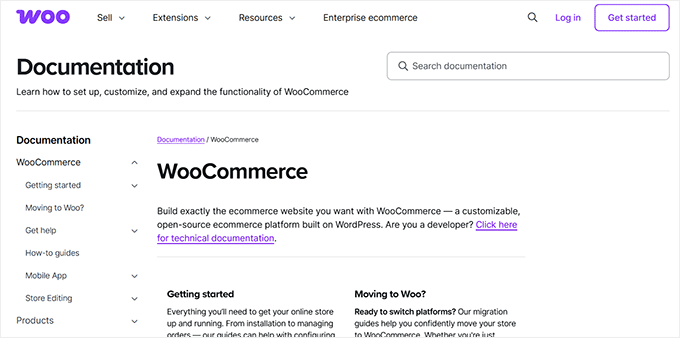
At first, I thought this might be a disadvantage compared to Shopify’s centralized system.
But once I started trying it out, I realized WooCommerce’s resources were not only broader but often more specific to the exact problem I was facing.
Between the official docs, community answers, and even WPBeginner’s own free WooCommerce tutorials, I rarely hit a dead end.
So while Shopify’s support feels more straightforward, WooCommerce gave me the kind of flexible guidance I knew would suit my niece’s store in the long run.
✅ What I Like About WooCommerce
- Flexibility to sell anything – Physical goods, digital products, subscriptions, memberships, or even bookings.
- Huge library of extensions – Both free and premium addons for advanced features without paying extra for “plans.”
- Full customization – Since it’s built on WordPress, I could use themes, page builders, and SEO plugins to shape the store exactly how I wanted.
- Cost-effectiveness – Many features that Shopify locks behind apps or higher plans were available for free or at a one-time cost.
- Ownership and control – I had complete control over data, design, and features without being tied to a single provider.
- Scalability – WooCommerce can start small but also handle large, complex stores as the business grows.
❌ What I Don’t Like About WooCommerce
- Setup requires more effort – You need to handle hosting yourself (unlike Shopify’s all-in-one setup).
- No central support line – Support is spread across documentation, forums, plugin developers, and hosting providers instead of 24/7 live chat.
- Maintenance is on you – Since you host the store yourself, you are responsible for tasks like backups, security, and updates. While this sounds like a lot, many quality WooCommerce hosting providers automate most of these tasks for you.
When to Use WooCommerce Instead of Shopify
I found WooCommerce to be the better option if you’re mainly selling physical products and want complete control over your site.
Unlike Shopify, which adds extra fees unless you use its payment system, WooCommerce lets you choose your own gateways and keep costs down. Plus, since it runs on WordPress, you fully own your store and content instead of relying on a hosted platform.
While Shopify was quick to set up, WooCommerce proved to be the smarter long-term choice. My niece eventually made the switch, and the flexibility and lower fees made a real difference for her business.
If you’re comparing the two, make sure to check out our Shopify vs WooCommerce comparison, where we break everything down in more detail.
2. MemberPress – Best for Selling Memberships and Courses
Shopify vs MemberPress
| Criteria | Shopify | MemberPress |
|---|---|---|
| Ease of Use | ⚠️ Requires third-party apps and setup is more complex. | ✅ Setup wizard included; runs directly on WordPress dashboard. |
| Costs | ❌ Monthly fees ($29+) + extra apps for subscriptions + transaction fees. | ✅ From $179/year, no hidden fees. |
| Big Pro | 🚀 Handles payments and security for subscriptions. | 🔥 Complete membership management. |
| Big Con | 💸 Managing content restrictions is clunky. | 🛠 Design customization may need page builders |
| Quick Verdict | Can work for memberships, but Shopify is overkill and requires extra tools. | Best choice for memberships, courses, and subscriptions |
MemberPress is the best WordPress membership plugin. It allows you to easily sell online courses, memberships, and digital subscriptions directly from your website.
Unlike Shopify, it’s not a standalone eCommerce platform. Instead, it integrates seamlessly with WordPress, giving you full control over your content, pricing, and member access.
I’ve tested MemberPress extensively for course sites, and it’s one of the easiest ways to start selling digital content while protecting it behind a membership wall.
At WPBeginner, we even use MemberPress to offer free courses to our readers and have found it to be super beginner-friendly. To learn more about our collective experience, you can take a look at our complete MemberPress review.
Ease of Use
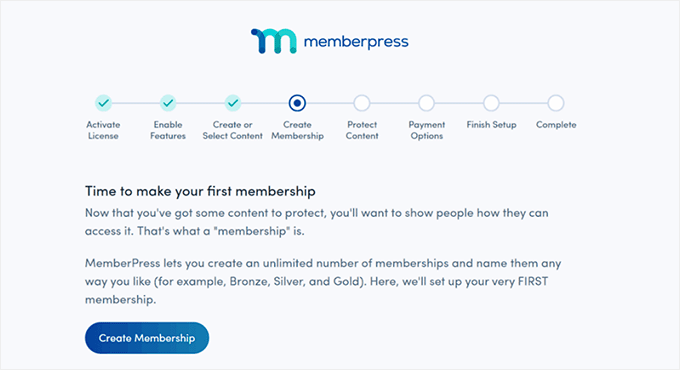
When I started testing MemberPress, I really appreciated its setup wizard. It walks you through creating membership levels, connecting payment gateways, and configuring content restrictions.
Even though there’s a slight learning curve — as with any feature-rich membership plugin — the wizard made setting up my demo membership site much faster and easier than building everything manually.
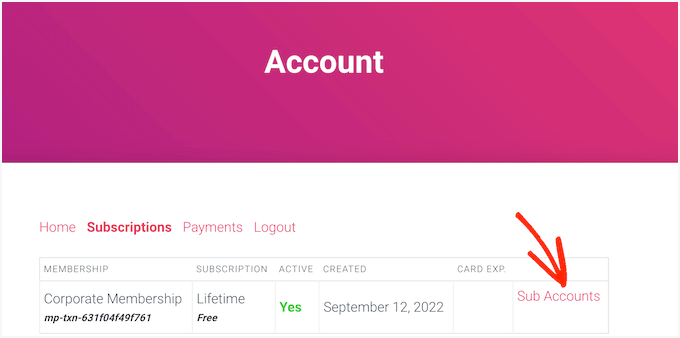
Once the wizard was complete, I discovered that MemberPress automatically creates ready-made account pages, including login and member dashboards.
Seeing these pages generated instantly made it much easier to get my demo site up and running.
They were already styled to match the theme, so I didn’t have to spend time designing them from scratch.
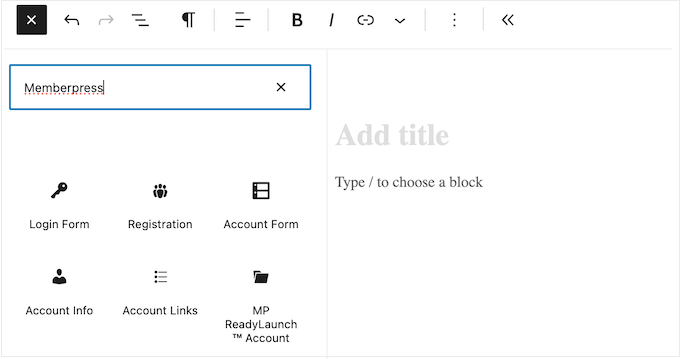
Adding login and registration forms was just as simple. The built-in blocks let me place forms anywhere on the site, like sidebars or landing pages.
This made testing member access and signups much smoother. While you could use a separate form plugin if you want, having these blocks available right away was a huge time-saver for getting my demo site operational quickly.
Features
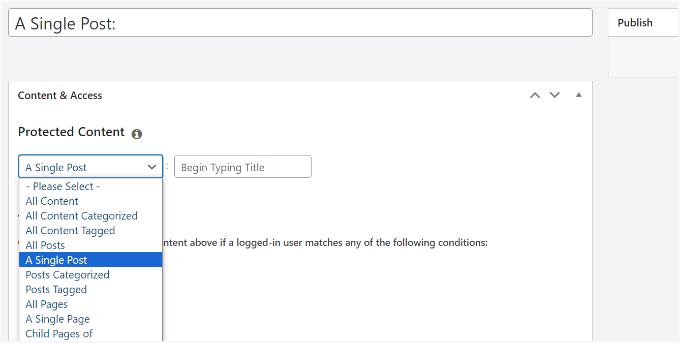
One of the first things that stood out with MemberPress is how much functionality comes built in. You can create unlimited membership levels, each with its own pricing, access rules, and perks.
Posts, pages, categories, tags, files, and even online courses can all be restricted directly from the same dashboard.
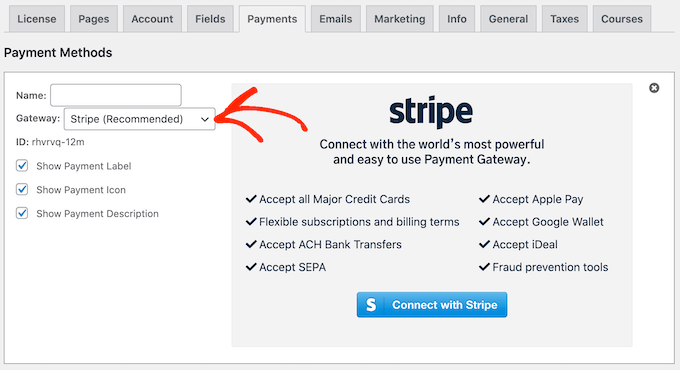
I even found setting up payment options to be super easy. MemberPress supports PayPal, Stripe, and Authorize.net, letting you accept one-time payments, recurring subscriptions, or lifetime memberships.
Free trials can be offered easily, which helps grow your membership base without extra hassle.
For online courses, the MemberPress Courses addon really impressed me. Lessons, quizzes, and certificates can be created directly in WordPress.
Thanks to ReadyLaunch, everything matched the styling of my membership pages automatically, saving a lot of setup time and making it look professional from the start.
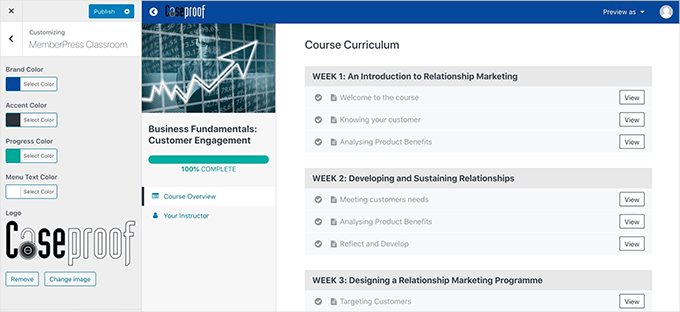
I also found content paywalls easy to configure. You can show excerpts to non-members, control free content access, and add custom messages or links to encourage signups.
Content dripping (releasing content gradually over time) is a smart feature too. This allows you to schedule when lessons become available, keeping members engaged over longer periods.f
Overall, MemberPress makes launching a professional membership site fast and flexible, from selling courses to managing subscriptions, all without juggling multiple plugins.
Support & Documentation
MemberPress offers a solid mix of self-help resources and professional support.
The plugin includes a detailed user manual, an in-depth video course, and a blog with step-by-step guides, tips, and best practices for membership sites.
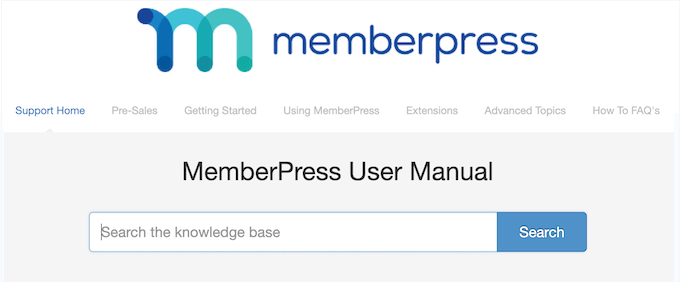
Unlike Shopify, which focuses on general eCommerce, MemberPress resources are tailored to content restriction, course setup, and subscription management, making it easier to solve membership-specific issues.
All plans include professional support via email tickets. In my experience testing demo sites, their team was consistently helpful and responsive.
✅ What I Like About MemberPress
- Custom pricing tables – Potential members can quickly compare plans, which can increase signups.
- Unlimited membership levels – I could create multiple plans with unique pricing, perks, and content access, making my demo site easy to organize.
- Built-in courses and paywalls – The Courses addon and content paywalls allow you to create professional-looking lessons and control access without extra plugins.
- Automatic content dripping – Releasing lessons gradually keeps members engaged without manual work.
- Reports and analytics – Detailed insights into active/inactive members, lifetime value, and revenue help you understand site performance.
- Group memberships – The Corporate Accounts extension makes it easy to sell subscriptions for teams or families.
❌ What I Don’t Like About MemberPress
- Learning curve for beginners – Even with setup wizards, first-time users may feel overwhelmed by all the options.
- WordPress required – You need a WordPress site to use it, unlike Shopify’s fully hosted solution.
- Limited design flexibility without add-ons – Custom layouts often require a page builder like SeedProd.
When to Use MemberPress Instead of Shopify
I found MemberPress to be far more suited than Shopify for selling courses, subscriptions, and memberships.
Its built-in content restriction, course builder, and flexible payment options make it easy to launch and manage a membership site without juggling multiple plugins.
Overall, it’s a powerful choice for anyone looking to monetize digital content or create a subscription-based business.
3. Easy Digital Downloads – Best for Selling Digital Products
Shopify vs Easy Digital Downloads
| Criteria | Shopify | Easy Digital Downloads (EDD) |
|---|---|---|
| Ease of Use | ⚠️ Requires extra apps and configuration. | ✅ Built for digital products and setup is straightforward |
| Costs | ❌ Monthly fees ($29+) + extra apps needed for digital sales. | ✅ Free core plugin; premium plan starts at $99.50/year. |
| Big Pro | 🚀 Shopify handles payments, checkout, and management. | 🔥 Specialized for digital products. |
| Big Con | 💸 Managing downloadable files can be clunky and expensive. | 🛠 Mostly for digital products and requires WordPress hosting. |
| Quick Verdict | Decent for digital products, but costs and extra setup make it less ideal. | Best choice for digital products |
Easy Digital Downloads is built specifically for selling digital products like ebooks, software, PDFs, or digital courses.
Unlike Shopify, which is primarily designed for physical products and often requires third-party apps to handle digital downloads, EDD is purpose-built for digital content.

At WPBeginner, we’ve tested EDD extensively and even used it to sell plugins and other digital products, so we can speak from firsthand experience. Our full EDD review dives deeper into all its features and benefits.
Ease of Use
From the moment I started using Easy Digital Downloads, I appreciated how lightweight and straightforward it felt.
Unlike Shopify, which can feel bloated when selling digital files, EDD focuses entirely on digital products.
Setting up my first downloadable items was intuitive, and the plugin’s dashboard was clean and uncluttered.
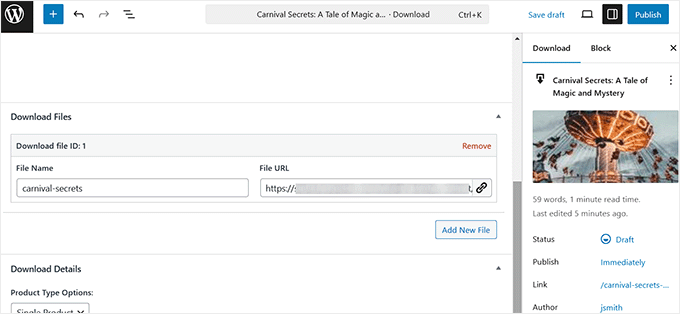
I could configure product pages and manage payments easily. If you are selling software, you can also set up software licensing using their premium extension without jumping between multiple apps.
I also found the checkout process easy to customize.
With the Checkout Fields Manager extension, I could collect the exact information I needed from customers, which is something Shopify doesn’t handle natively for digital products.
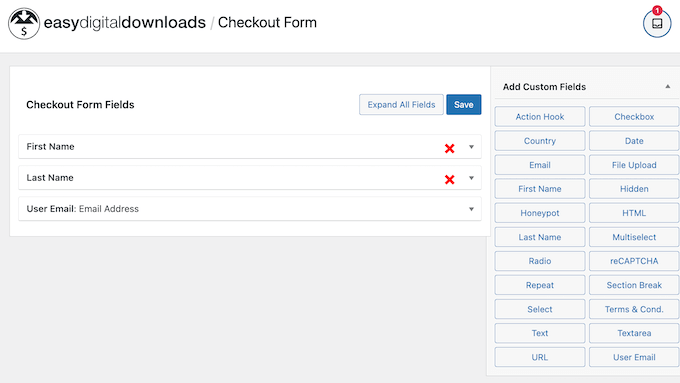
Whether I was testing one-off downloads, subscriptions, or variable pricing, everything worked smoothly.
Overall, EDD felt like a platform built with digital sellers in mind, making it far simpler than trying to adapt Shopify for digital products.
Features
EDD offers a range of features that make it a powerful alternative to Shopify for digital sales.
Right out of the box, I could sell unlimited files with no extra bandwidth fees, create product bundles, offer variable pricing, or “pay what you want” pricing.
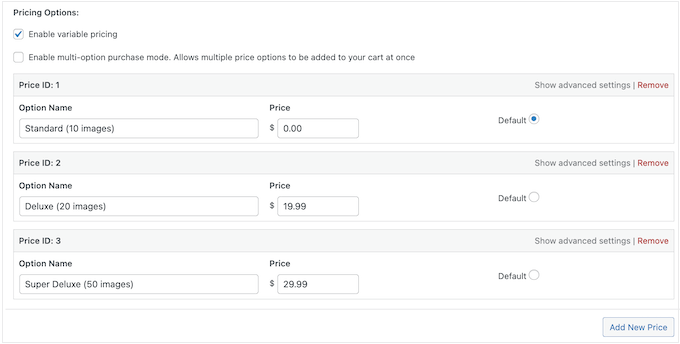
I particularly appreciated the built-in shopping cart, guest checkout, and cart-saving features, which reduced friction for my customers.
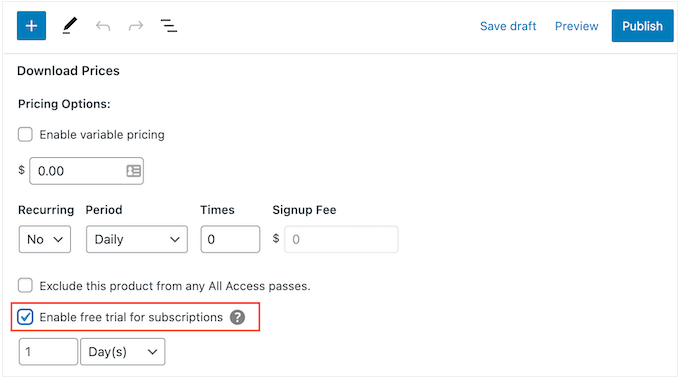
Recurring payments, subscription plans, and free trials were easy to configure, which makes EDD ideal for selling subscriptions, courses, or SaaS products.
I also relied heavily on EDD’s download logs and file protection features. These ensured that only authorized users could access my products, which is something Shopify doesn’t natively support for digital downloads.
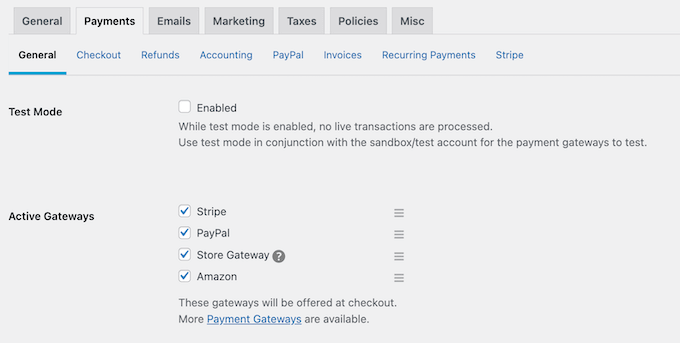
On top of that, EDD integrates easily with multiple payment gateways, including Stripe, PayPal, Amazon Pay, Apple Pay, and Google Pay, giving customers plenty of choice.
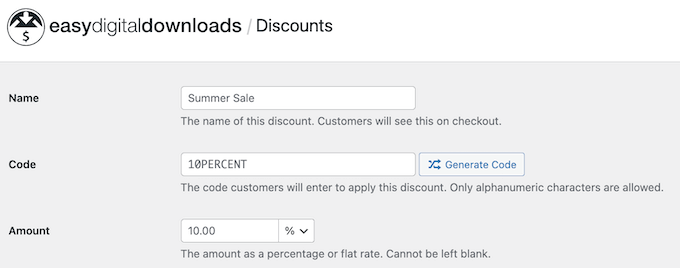
For marketing, I could create coupons, schedule discounts, and run upsells or cross-sells without needing extra plugins.
In my experience, these features made EDD a complete digital store solution, which is something Shopify struggles to match without additional apps.
Support & Documentation
When I had questions, EDD’s support and documentation impressed me.
The online portal is detailed, offering step-by-step guides, video tutorials, and explanations for both free and premium versions.
Shopify’s documentation is solid, but it often focuses on physical product workflows, which didn’t always apply to my digital products demo store.

I also found their blog helpful, providing best practices, marketing tips, and advice for optimizing digital sales.
When I needed one-on-one help, EDD’s premium support team responded quickly to tickets and guided me through more complex setups like software licensing and subscription management. Overall, I felt well-supported and never stuck.
✅ What I Like About Easy Digital Downloads
- Built for digital products – I could sell ebooks, software, courses, and downloads without dealing with unnecessary shipping or physical product features.
- Unlimited products and transactions – There were no extra fees for selling more files or processing more orders.
- Software licensing support – License keys, renewals, and upgrades were easy to manage, perfect for selling plugins and apps.
- Flexible payment options – Stripe, PayPal, Amazon Pay, Apple Pay, Google Pay, recurring subscriptions, and variable pricing all worked out of the box.
- Cart and checkout features – Guest checkout, cart saving, and auto-redirects helped reduce friction and improve conversions.
- Detailed reporting and logs – Download logs and sales reports helped me track top-performing products and customer behavior.
❌ What I Don’t Like About Easy Digital Downloads
- Requires WordPress hosting – Unlike Shopify, you need a WordPress site to run EDD.
- Premium features cost extra – Some powerful tools, like additional payment gateways or upsells, are only available in paid plans.
- Limited physical product support – EDD isn’t the best option for selling physical products.
When to Use Easy Digital Downloads Instead of Shopify
Easy Digital Downloads is much better than Shopify for anyone whose focus is purely on digital products.
Its built-in features for selling ebooks, software, digital courses, and other downloads make it a specialized solution that Shopify simply can’t match without multiple apps and workarounds.
It wasn’t the right choice for my niece’s jewelry business, which needed physical product management and shipping. However, I did end up recommending EDD to a friend who wanted to sell their ebook online.
They were confused between Shopify and EDD. And after testing both, EDD’s streamlined digital tools, flexible pricing, and recurring payment support made it the clear winner.
4. Wix – Best Beginner-Friendly Shopify Alternative
Shopify vs Wix
| Criteria | Shopify | Wix |
|---|---|---|
| Ease of Use | ⚠️ Requires more setup. Dashboard can feel overwhelming. | ✅ Drag-and-drop editor + AI Builder |
| Costs | ❌ Monthly fees ($29+) + transaction fees. | ✅ Plans start at $29/month, with no extra transaction fees. |
| Big Pro | 🚀 Powerful eCommerce platform with scalability and integrations. | 🌟 Beginner-friendly, hosted platform that takes care of everything for you. |
| Big Con | 💸 Costs add up with apps and fees. | 🛠 Not for large-scale stores. |
| Quick Verdict | Great for scaling businesses that need advanced features. | Best for beginners and small businesses who want an affordable store builder. |
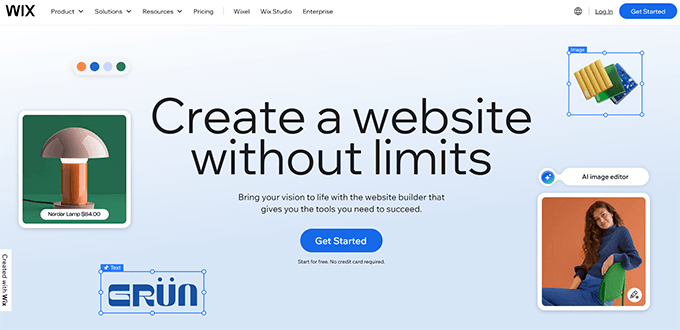
Wix is one of the most well-known website builders and a strong Shopify alternative for beginners.
Shopify can feel overwhelming with its setup process, addon costs, and steeper learning curve. Meanwhile, Wix focuses on simplicity. It provides an all-in-one platform where anyone can design, customize, and launch an online store without needing coding skills.
Ease of Use
When I first tried Wix, I was surprised by how intuitive the interface felt. Everything is laid out in a way that makes sense, and you don’t need to spend time hunting through menus to make simple changes.
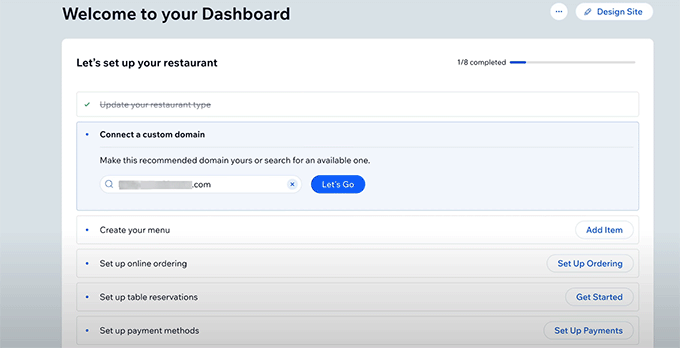
The dashboard walks you through setup step by step, so you can get your store online without feeling overwhelmed.
Compared to Shopify, where you’re often jumping between multiple settings screens and apps, Wix gives you most of what you need right in front of you.
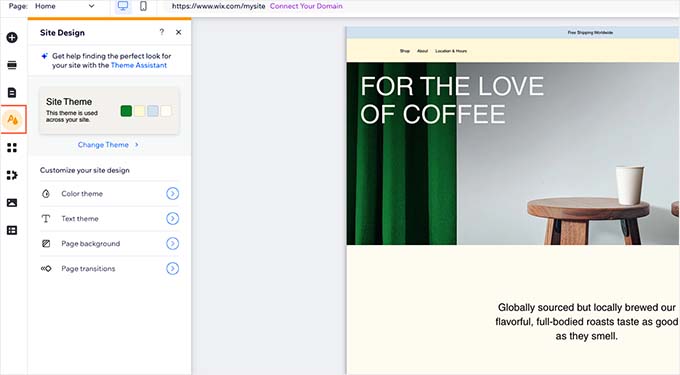
One of the biggest advantages I found is Wix’s visual builder.
Instead of relying on predefined blocks or worrying about editing code, I could simply click on any part of the page and move things around exactly how I wanted.
Adding images, text, buttons, or even new product sections felt seamless.
Another thing that I loved was Wix’s AI builder.
With just a few questions about the type of business I was setting up, it generated a complete site that was ready to customize. This feature alone saves a ton of time for beginners who don’t want to start from scratch.
I was so impressed by how easy it was that I seriously considered moving my niece’s handmade jewelry business to Wix before we eventually decided to go with WooCommerce.

Still, if ease of use is your top priority, Wix makes the process smoother than Shopify right from the start.
Features
Upon testing Wix for eCommerce, I loved how many features it offered right out of the box.
For example, adding products was straightforward. I could include images, descriptions, variants like size or color, and even set up inventory tracking without needing an extra plugin.
Everything I needed to start selling was already included. This felt refreshing compared to Shopify, where you often rely on third-party apps for basic features.

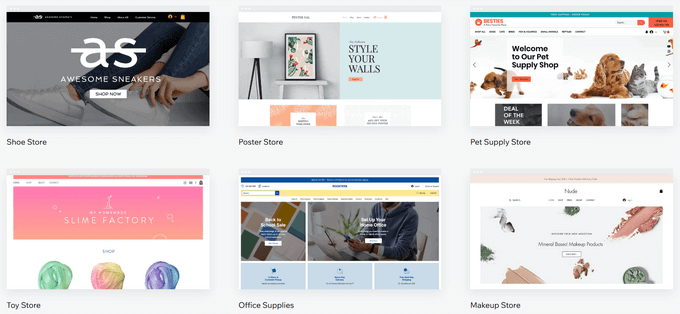
Wix also has a strong focus on design flexibility. I could choose from a wide range of professionally designed templates and then customize them to match the look I wanted.
The ability to tweak layouts, add product galleries, or even insert promotional banners with just a few clicks made the whole process feel less technical and more creative.
Another feature that stood out was the integrated marketing tools. Wix lets you create discount codes, set up abandoned cart recovery, and even run email campaigns directly from the dashboard.
While Shopify has more advanced apps in its ecosystem, Wix’s all-in-one approach means beginners don’t have to juggle multiple tools just to get started.
Support & Documentation
I have found Wix’s documentation to be very beginner-friendly.
Their help articles are written in plain language, and many of them come with screenshots or short videos that walk you through the steps.
Shopify’s documentation sometimes assumes you already understand technical terms. On the other hand, Wix does a better job of explaining things in a way that absolute beginners can follow.
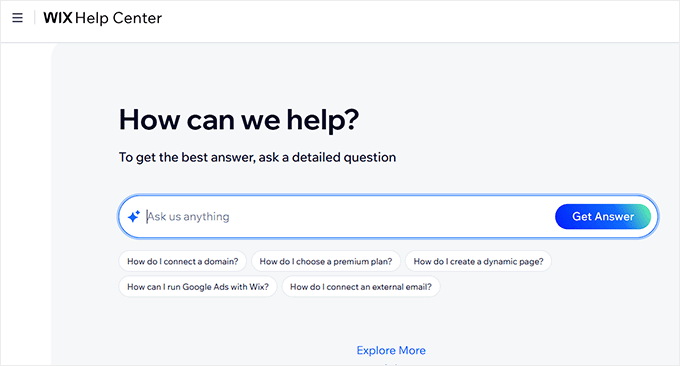
Finally, Wix offers 24/7 support through chat and phone, which is reassuring if you ever get stuck.
In my experience, I didn’t need to contact support because the documentation and in-dashboard prompts already answered most of my questions. But knowing help is just a message away makes it even more beginner-friendly.
✅ What I Like About Wix
- Extremely beginner-friendly – When I tested Wix, I was able to set up a store and publish products without feeling overwhelmed. The drag-and-drop builder really makes it easy.
- AI builder – I tried the Artificial Design Intelligence feature, and it was impressive how quickly it built a tailored site for me with just a few questions.
- Design flexibility – I could fully customize templates without touching code. This gave me more freedom compared to Shopify’s theme restrictions.
- Helpful onboarding – The guided prompts inside the dashboard felt like having a step-by-step assistant while setting up my first store.
❌ What I Don’t Like About Wix
- Less control over performance – Since Wix is an all-in-one hosted platform, you don’t have as much control over backend optimizations like you might with WooCommerce.
- Fewer integrations – Wix doesn’t have as many third-party app integrations as Shopify, which can feel limiting for advanced users.
- Scalability is limited – Wix is perfect for small to medium stores. But you might outgrow it if you plan to manage thousands of products or need complex inventory across multiple physical locations.
When to Use Wix Instead of Shopify
Wix is a great option when you’re looking for a beginner-friendly hosted platform that takes care of everything for you, from hosting to design to built-in eCommerce tools.
Unlike Shopify, which charges an additional transaction fee if you don’t use its own payment processor, Wix lets you keep more of what you earn.
It’s ideal for small businesses, side hustles, or anyone just starting their first online store. Overall, Wix makes the process smooth, affordable, and stress-free compared to Shopify’s steeper learning curve and higher ongoing costs.
5. BigCommerce – Best for Enterprise-Level Ecommerce Stores
Shopify vs BigCommerce
| Criteria | Shopify | BigCommerce |
|---|---|---|
| Ease of Use | ⚠️ Requires more setup. Dashboard can feel overwhelming. | ✅ Intuitive interface with built-in tools, slightly more complex at first. |
| Costs | ❌ Monthly fees ($29+) + transaction fee. | ✅ Plans start at $29/month, 0% transaction fees. |
| Big Pro | 🚀 Vast app ecosystem and multichannel selling. | 🌟 Scales with built-in advanced features and powerful multichannel integrations. |
| Big Con | 💸 Additional fees for higher-level features. | 🛠 Learning curve can be steeper for beginners. |
| Quick Verdict | Great for growing businesses that want flexibility and app integrations. | Ideal for fast-growing businesses that need built-in multichannel support. |
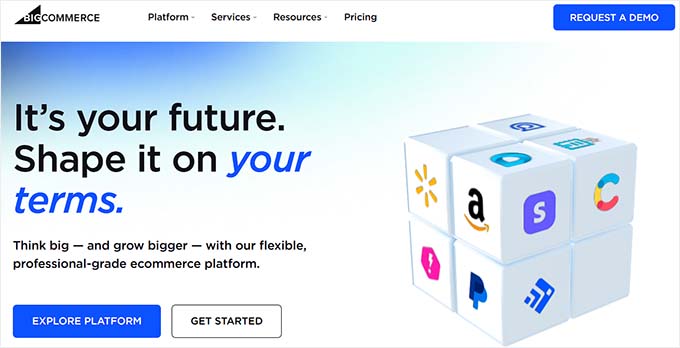
BigCommerce is the best Shopify alternative for retailers with complex requirements, especially B2B sellers or multi-brand merchants.
It includes built-in tools for multi-channel selling, so you can connect your store with platforms like Amazon, eBay, and social media without relying on third-party apps.
Unlike Shopify, BigCommerce doesn’t charge transaction fees and offers advanced features such as product filtering, abandoned cart recovery, and multi-currency support by default.
However, its wide range of options can feel less beginner-friendly. This makes it a better fit for growing businesses that want flexibility and room to expand.
Ease of Use
BigCommerce is fully hosted, so I didn’t have to worry about setting up hosting, handling updates, or worrying about security. Everything was taken care of, which made it easy to get started.
When I first logged in, the dashboard felt a bit overwhelming compared to platforms like Shopify or Wix. There were a lot of menus and built-in tools right from the start.

But after spending some time exploring, I realized the upside: I didn’t need to install a bunch of extra apps.
Features like product variations, multi-channel selling, and advanced reporting were already available out of the box.
Once I got used to the interface, managing products, checking orders, and even connecting to sales channels like Amazon and eBay became much more straightforward.
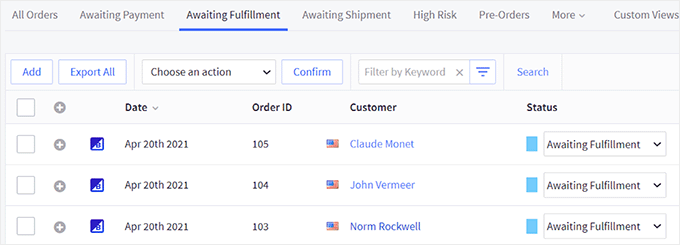
So while it’s not as beginner-friendly as Wix, I found that the learning curve pays off if you want a platform that’s ready to scale.
Features
Unlike Shopify, where I often had to install extra apps, BigCommerce gave me essentials like product variations, SEO tools, coupons, and gift cards right out of the box.
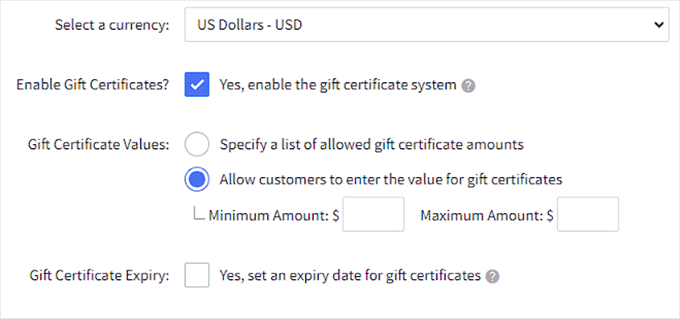
Another standout for me was its multi-channel selling.
From the same dashboard, I could connect my store to Amazon, eBay, Facebook, and Instagram without needing third-party addons.
This made it easier to manage everything in one place.

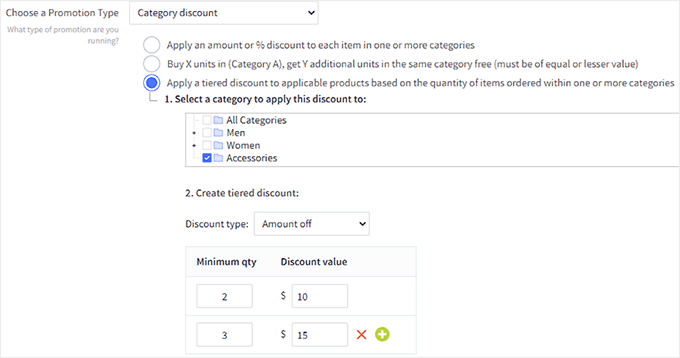
I also appreciated the flexible product management. For example, I could set up complex catalogs with different pricing options, bulk discounts, or customer groups without feeling limited.
It felt like BigCommerce was designed for stores that plan to grow and don’t want to keep patching features together.
Support & Documentation
BigCommerce offers 24/7 live chat, phone, and email support, which I found helpful whenever I got stuck.
The response time was usually quick, and the support team seemed knowledgeable about both technical and business-related questions.
The documentation and knowledge base are also solid.

I was able to find step-by-step guides for most tasks, whether it was setting up taxes, managing product variations, or connecting to a sales channel.
They also have community forums where other store owners share tips, which came in handy a few times.
✅ What I Like About BigCommerce
- Scalability built in – You can start small and easily grow into multi-channel selling without switching platforms.
- Multi-channel integrations – Syncs smoothly with Amazon, eBay, and social media marketplaces.
- Professional pre-built templates and themes – Makes it faster to launch a polished-looking store without starting from scratch.
- Built-in SEO and marketing tools – Optimized URLs, meta tags, and promotion features are included by default.
- Strong built-in sales features – Advanced product filters, coupons, and inventory tools are available without needing extra apps.
❌ What I Don’t Like About BigCommerce
- Pricing tiers are tied to revenue – BigCommerce automatically moves you to a higher, more expensive plan once your sales cross a specific annual threshold. It’s a good idea to check these limits in advance so you can budget for plan upgrades as your business grows.
- Customization has a learning curve – While powerful, the theme editor and advanced options may feel overwhelming for beginners.
- Not as beginner-friendly – It’s more business-focused, which can feel heavy if you’re just starting out.
When to Use BigCommerce Instead of Shopify
You should choose BigCommerce over Shopify if your priority is scalability and multi-channel growth.
BigCommerce comes with advanced features like product filtering, built-in SEO tools, and native integrations with Amazon, eBay, and social platforms. And it does all of this without relying too heavily on third-party apps.
It’s also better suited if you run a growing business with a large product catalog. It offers more control over things like checkout customization, inventory management, and complex sales tax rules.
Unlike Shopify, BigCommerce doesn’t charge extra transaction fees, which makes it more cost-effective for high-volume stores.
6. Managed WooCommerce Hosting by Rapyd Cloud – Best for Large WooCommerce Stores
Shopify vs Rapyd Cloud Managed WooCommerce Hosting
| Criteria | Shopify 🛒 | Rapyd.cloud 🚀 |
|---|---|---|
| Ease of Use | ⚠️ Requires extra apps and configuration. | ⚠️ WordPress + WooCommerce setup, but managed hosting makes it easier. |
| Costs | ❌ Monthly fees ($29+) + 2% transaction fees. | ✅ Starts at $29/month, with no transaction fees. |
| Big Pro | 🚀 Powerful eCommerce platform with built-in tools and integrations. | ⚡ Blazing-fast WooCommerce hosting with speed, scalability, and smart caching built in. |
| Big Con | 🐢 Lower pricing plans often mean slower site speed. | 🛠 Requires some WordPress/WooCommerce familiarity to get started. |
| Quick Verdict | Great for users who want an all-in-one store builder. | Best for WooCommerce store owners who value performance and scalability. |
Rapyd Cloud is a hosting solution that offers managed WooCommerce hosting, along with other hosting options for different types of websites.
This makes it a strong Shopify alternative for users who want the flexibility of WooCommerce and WordPress without the burden of managing servers, speed optimization, or security on their own.
Unlike Shopify, where you’re tied to a closed platform, Rapyd Cloud gives you the freedom to customize your store exactly how you want. This is while still enjoying proactive support, high-performance infrastructure, and built-in optimizations like LiteSpeed servers and caching.
Ease of Use
I didn’t want to spend hours figuring out server setups or dealing with technical issues just to get an online store running. That’s where Rapyd Cloud stood out.
Even though WooCommerce usually requires more setup compared to Shopify, Rapyd makes the process much simpler.
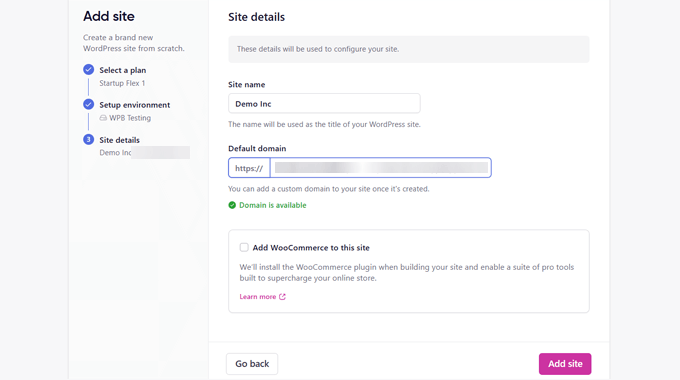
Their managed WooCommerce hosting takes care of the technical side — from speed optimization to security — so you can focus on building your store.
The dashboard feels beginner-friendly, and I liked how most of the heavy lifting (like caching, backups, and updates) is handled automatically.
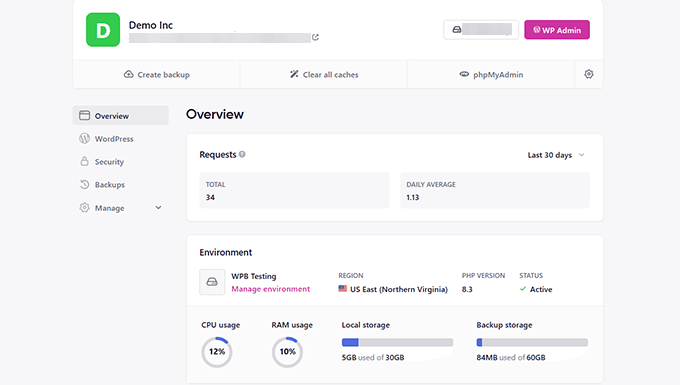
It gave me the flexibility of WooCommerce without the usual headache of managing a hosting environment.
Features
Since Rapyd Cloud is built specifically with WooCommerce in mind, the hosting environment is optimized for speed, security, and scalability.
What impressed me the most was how they’ve taken common WooCommerce pain points—like slow carts or outdated product info—and solved them at the server level.
For example, their Live Cart Technology keeps each customer’s cart in a private cache. That means the cart and checkout process stays lightning-fast even when lots of people are shopping at the same time.
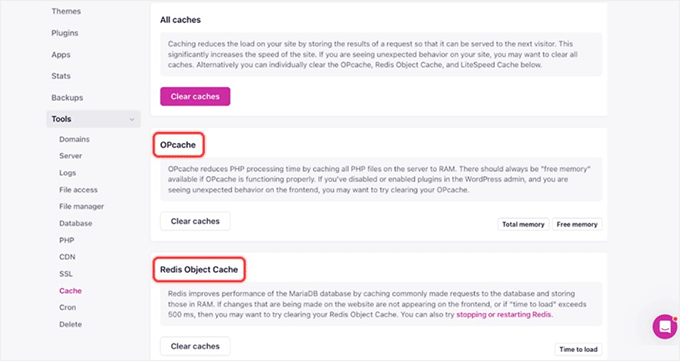
They also use Intelligent WooCommerce Caching, which automatically skips non-cacheable pages like Cart, My Account, and Checkout.
Normally, you’d need to juggle multiple caching plugins to avoid breaking these pages, but Rapyd’s managed WooCommerce hosting handles it out of the box, so you get instant performance improvements without extra setup.
The solution also includes staging environments, which made it easy to test design changes or new plugins before pushing them live.
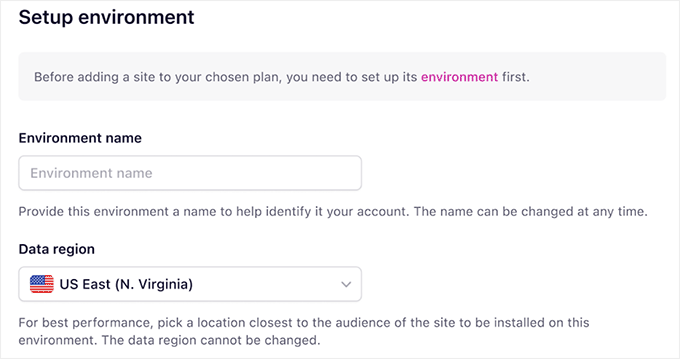
For anyone running a serious store, that’s a huge plus because you don’t want to risk breaking your checkout page with a quick plugin update.
In short, it felt like Rapyd Cloud had already anticipated the tricky parts of running a WooCommerce store and built the solutions right into their hosting platform.
Support & Documentation
When I tested Rapyd Cloud, the support really stood out. With Shopify, you get general help across different types of stores, but with Rapyd Cloud, the team specializes in WooCommerce hosting.
That means when I had a technical question about scaling a store or optimizing checkout performance, their support staff actually understood the nuances of WooCommerce instead of giving generic hosting advice.
They also offer 24/7 live chat and ticket support, and in my experience, the responses were quick and detailed.
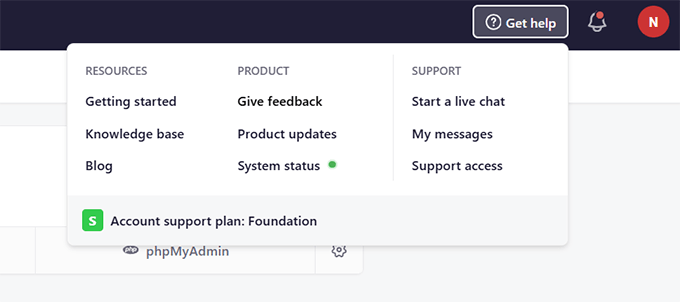
On top of that, Rapyd Cloud has clear documentation that walks you through hosting features, staging setups, and WooCommerce-specific optimizations.
It felt less like I was on my own and more like I had a partner making sure my store kept running smoothly.
✅ What I Like About Managed WooCommerce Hosting by Rapyd Cloud
- WooCommerce-First Hosting – Rapyd Cloud offers managed hosting built specifically for WooCommerce, so the optimizations actually solve real eCommerce performance problems.
- Intelligent Caching – No need to configure complicated caching plugins. Rapyd Cloud automatically bypasses sensitive WooCommerce pages like Cart and Checkout, while still speeding up the rest of the store.
- Smart Purge System – I liked that product updates instantly reflected across category and tag pages. This avoids the common issue of customers seeing outdated prices or product info.
- Hands-Off Setup – Things like caching, backups, and performance tweaks were already handled for me. I didn’t need to install a bunch of extra plugins or pay for premium addons.
❌ What I Don’t Like About Managed WooCommerce Hosting by Rapyd Cloud
- Learning Curve for Beginners – While it’s much easier than managing your own server, some WooCommerce newcomers might feel overwhelmed compared to all-in-one platforms like Shopify.
- Fewer Built-in Marketing Tools – Rapyd Cloud is optimized for performance and reliability. But you’ll still need plugins for things like email marketing, upsells, or automation.
When to Use Managed WooCommerce Hosting by Rapyd Cloud Instead of Shopify
Rapyd Cloud is a great choice if you want the flexibility of WooCommerce but don’t want to deal with the technical side of hosting.
Unlike Shopify’s one-size-fits-all approach, it’s built specifically for WooCommerce. It comes packed with features like Live Cart, intelligent caching, and Smart Purge already set up to handle high traffic and fast checkouts.
If you’ve outgrown Shopify’s limitations, need more control, or want to avoid extra fees and app lock-ins, Rapyd Cloud gives you enterprise-grade performance with the convenience of managed hosting.
More Shopify Alternatives
If none of the Shopify alternatives I’ve covered so far feel like the right fit, don’t worry—you still have other solid options to explore.
Below are a few more platforms, each with its own pros, cons, and best use cases.
1. Magento / Adobe Commerce
🏗 Best For Enterprise-Level Flexibility

The Good: Extremely powerful, customizable, and built for large-scale businesses.
The Bad: Requires technical expertise and higher development costs.
When to Use Instead of Shopify: If you run a large enterprise with in-house developers and need unlimited flexibility.
2. Weebly
🌱Best For a Simple Store

The Good: Very beginner-friendly with drag-and-drop design.
The Bad: Limited scalability for growing eCommerce needs.
When to Use Instead of Shopify: Great for small stores or personal projects that don’t need advanced features.
3. Squarespace
🎨Best For Creators, artists, and small businesses

The Good: Stunning templates, built-in blogging tools, and an all-in-one platform.
The Bad: Limited payment options, fewer advanced eCommerce features.
When to Use Instead of Shopify: Ideal for creatives, portfolios, or small shops where design is the top priority.
Which Is the Best Shopify Alternative for Your Online Store?
- If you want full control and flexibility with WordPress: Go with WooCommerce. It’s highly customizable, packed with features, and perfect for growing stores that need more than what Shopify offers.
- If you’re selling digital products or downloads: Easy Digital Downloads is designed specifically for digital stores. It makes it easy to manage files, licenses, and recurring payments.
- If you’re running a membership or subscription site: MemberPress gives you everything you need to restrict content, manage subscribers, and create premium offerings without heavy technical setup.
- If you prefer an easy drag-and-drop website builder: Wix is beginner-friendly and lets you design your store quickly without touching code.
- If you want an enterprise-ready platform with strong support: BigCommerce is scalable, has powerful built-in features, and offers great support for high-volume sellers.
- If you want the benefits of WooCommerce but with managed hosting and less maintenance: Rapyd Cloud Managed WooCommerce Hosting combines WooCommerce’s flexibility with professional hosting and support
Choose the platform that aligns with your business goals, technical comfort, and budget, and you’ll be set up for long-term success.
Frequently Asked Questions About Shopify Alternatives
Here are some common questions I frequently get from readers about Shopify alternatives.
1. Why should I consider a Shopify alternative?
Shopify is a powerful platform, but it can get expensive with transaction fees, addons, and limited flexibility. Alternatives often provide lower costs, more control, and features tailored to specific business needs like digital products, memberships, or content-based sites.
2. What is the most beginner-friendly Shopify alternative?
If you want something easy to set up, Wix eCommerce is the simplest drag-and-drop Shopify alternative. It’s beginner-friendly and doesn’t require coding.
3. Which Shopify alternative is best for large businesses?
BigCommerce is the best Shopify alternative for scalability and handling high sales volumes. For maximum flexibility and long-term growth, WooCommerce is also excellent since you can add unlimited features with plugins.
4. Is WooCommerce really free?
Yes, WooCommerce is free to download and use on WordPress. However, you’ll need hosting and may want premium plugins or themes. Even then, it’s often more cost-effective than Shopify’s transaction fees and paid addons.
5. Which alternative gives me the most control over my store?
WooCommerce (or Rapyd Cloud Managed WooCommerce Hosting if you want it professionally handled) gives you complete flexibility over design, features, and scalability. Unlike Shopify, you own your store fully.
6. Can I migrate my existing Shopify store to another platform?
Yes. Most Shopify alternatives offer migration tools or services that let you transfer your products, orders, and customer data. WooCommerce, in particular, has migration plugins that simplify the process. To get started, you can see our tutorial on how to properly move from Shopify to WooCommerce.
Additional Resources to Help You Move Away From Shopify
Since you plan to move away from Shopify, these tutorials and comparisons will help you make the right choice and switch smoothly:
- Shopify vs WooCommerce – Which is the Better Platform? (Comparison)
- How to Sell on WordPress Without WooCommerce (3 Methods)
- The Ultimate eCommerce Launch Checklist for WordPress
- How Much Do Ecommerce Websites Cost? (Real Numbers)
- How to Choose the Best Products to Sell Online (Beginner’s Guide)
- Ultimate WordPress Migration Guide for Beginners (Step by Step)
If you liked this article, then please subscribe to our YouTube Channel for WordPress video tutorials. You can also find us on Twitter and Facebook.




Moinuddin Waheed
I used to think that Shopify only offers online store for products but it also allows for any kind of digital store.
I am using memberpress for membership based website whereby I am working on a course website.
I will restrict content based on subscription.
it is one of the best plugin for making subscription based website.
it is easy to use and offers a lot of flexibility and power.
Thanks for mentioning all the powerful Shopify alternatives.
WPBeginner Support
You’re welcome
Admin