Started blogging in 2002 with over 23 years of hands-on experience.
Using WordPress since 2004 and building WordPress websites for more than 21 years.
Proficient web developer and author of several WordPress plugins.
Joined the WPBeginner team in 2012 and has been educating WordPress users for over 11 years.
Experience
Nouman started building websites back in the early days of Geocities and has been working with WordPress since 2004. With over two decades of experience in web development, blogging, eCommerce, and digital publishing, he’s been part of the internet’s growth from the ground up.
He joined the WPBeginner team in 2012 and has written hundreds of tutorials aimed at helping beginners master WordPress. Nouman specializes in simplifying complex technical topics like plugin development, site troubleshooting, and content optimization.
He has developed several WordPress plugins and regularly works with PHP, JavaScript, CSS, and HTML to build solutions that solve real-world problems. His tutorials are known for being easy to follow—even for complete beginners.
When he’s not writing or debugging code, you’ll probably find him exploring new AI tools or helping friends fix their websites.
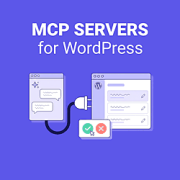
Connecting Claude or ChatGPT to your WordPress site can save you hours of routine admin work. However, the AI can only do what your WordPress MCP server lets it do, and some servers will permanently delete content without asking you first. I wanted to know… Read More »
August was a big month for WordPress. WordPress 7.1 arrived on schedule, and WordCamp US brought four days of AI-focused talks to Phoenix. WPVibe doubled its install base in a single month. There is also a brand-new screen recording tool that we think you will… Read More »
AI assistants like Claude Code, Cowork, and ChatGPT are incredible productivity boosters, and if you wished that you could connect these AI tools with WordPress directly, then you’re not alone. Lately, I have been using WordPress MCP by WPVibe to let my AI assistant manage… Read More »
Adding custom code to WordPress shouldn’t put your entire website at risk. But when you update the functions.php directly, even one incorrect character can trigger a PHP error and lock you out of your WordPress dashboard. A code snippet plugin solves this problem and makes… Read More »
A while ago, I made one of our websites multilingual. At first, everything worked fine. But over time, real problems started to show up. The WordPress admin got slower. Every translation added more and more content to our database, so keeping the site fast became… Read More »
Did you know that WordPress can create duplicate versions of your content without you ever realizing it? Every blog post you publish can spawn several extra URLs, which are near-identical copies you never meant to create. And over time, they hurt your SEO by splitting… Read More »
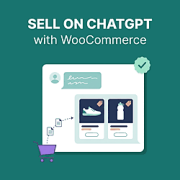
If you run a WooCommerce store, then you have probably heard that people now shop inside ChatGPT. A shopper asks for “a blue yoga mat under $40” and ChatGPT shows real products from registered merchants, with prices, images, and stock levels. Currently, ChatGPT shopping shows… Read More »
It’s a common misconception that you need to hire a developer or spend $10,000+ to build an app. You can actually turn your membership website into a branded app in under three hours and on a much smaller budget. Getting members to consistently come back… Read More »
Every time you upload a photo, WordPress creates five or ten different hidden size variations to fit your theme. These extra files consume your storage and slow your site backups. Plus, most of these extra image sizes are never used on your site. They sit… Read More »
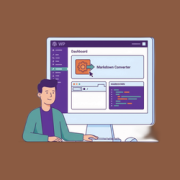
If you want your website to show up in AI search results, then you need to make sure that tools like ChatGPT and Claude can easily read your content. AI crawlers and agents prefer Markdown over HTML because it uses fewer tokens (units of text… Read More »
Used to store interaction and conversion data for campaigns in conjunction with Revenue Attribution.
1 year
_gat_omTracker*
Set, controlled and used by Google Analytics to collect and store data and then send that data to Google Analytics. OptinMonster provides the name if there is no existing tracker found on that page.
-
omCountdown-{id}-{elementId}
Used for countdown elements {elementId} in campaigns {id} to determine when it should complete.
-
om-{id}-closed / omSlideClosed-{id}
Used specifically with slide-in campaigns {id} to determine if it has been closed or not by a visitor.
30 days
om-success-cookie / omSuccessCookie
Used to determine if a visitor has successfully opted in to any campaign on your site to unlock content when using our Content Locking feature.
365 days
om-success-{id} / omSuccess-{id}
Used to determine if a visitor has successfully opted in to a campaign with the ID of {id} on your site.
365 days
omSeen-{id}
Used to determine if a visitor has been shown a campaign by the slug.
30 days
om-{id}
Used to determine if a visitor has interacted with a campaign ID of {id} on your site.
30 days
_omappvs
Used to determine when a new visitor becomes a returning visitor.