


Building a loyal audience takes time and effort—but turning that support into income shouldn’t mean giving up control.
When I started helping creators build their own membership sites, I saw how platforms like Patreon could limit growth and take a larger cut than expected.
That is why I started testing a range of solutions and found that WordPress-based tools offer much more value.
With tools like MemberPress for memberships, Easy Digital Downloads for selling digital products, WooCommerce for physical merchandise, and WP Simple Pay for accepting payments, you can build a sustainable income without relying on a third-party platform.
In this guide, I’ll walk you through the best Patreon alternatives I’ve tested to help you grow your community.
My Verdict: Best Patreon Alternatives
Are you in a hurry? Here’s a quick look at the best Patreon alternatives.
| # | Platforms | Best For | Pricing |
|---|---|---|---|
| 🥇 | MemberPress | Setting up multiple membership tiers | $199.50/yr |
| 🥈 | Easy Digital Downloads | Selling digital products to members | $99.50/yr + Free |
| 🥉 | WooCommerce | Selling merchandise | Free |
| 4 | WP Simple Pay | Adding a payment form | $49.50/yr + Free |
| 5 | Blubrry | Creating exclusive podcasts | $120/yr + Free |
| 6 | WP Charitable | Building a fundraising campaign | $69/yr + Free |
Why Do You Need a Patreon Alternative?
Patreon is a popular platform for creators to earn money, but it has some major downsides. The main reasons you need a Patreon alternative are high platform fees, lack of control over your audience, and strict content censorship.
Here is a closer look at why you might want to switch:
- High Costs: Patreon charges a flat fee of 5% to 10% of your monthly income. This is on top of standard payment processing fees.
- Lack of Branding: It is hard to build your own brand. Plus, you are competing with 300,000+ other creators on the same platform.
- Censorship Risks: Patreon has strict content restrictions. They can ban your account or hide your content at any time.
- Limited Growth: You don’t own your audience data or email list. This makes it hard to grow your business outside of Patreon.
For these reasons, many creators are moving to WordPress. It gives you full control over your content and lets you keep more of your earnings.
Let’s look at why you should use WordPress as a Patreon alternative.
What Makes WordPress a Great Alternative to Patreon?
WordPress is the best alternative to Patreon because it gives you full ownership of your content and audience. Unlike Patreon, you are not renting space on someone else’s platform.
Here are the main reasons why WordPress is a better choice:
- No Platform Fees: WordPress is free to use. There’s no platform fee eating into your monthly income. The only fee you pay is the domain name and hosting fee, which is explained below.
- Full Control: You own the website. You do not need to worry about sudden changes in terms of service or censorship.
- More Customization: You can use thousands of plugins to add features. For example, you can use page builders like SeedProd to create a custom design without coding.
- Unlimited Growth: You are not limited to just memberships. You can sell physical products, run newsletters, or display ads to maximize your income.
To get started with WordPress, you’ll need two things: a domain name (your site’s address) and web hosting (where your site lives). These are the only unavoidable costs, and they’re far more predictable than giving up a percentage of your income every month.
Normally, this setup would cost more upfront, but Bluehost offers WPBeginner readers a generous discount that includes a free domain name and SSL certificate.
That means you can launch your own creator platform at a low cost while keeping full ownership of your content, audience, and earnings.

Basically, you can get started for as low as $2.99 per month.
Simply click on the Bluehost button below, and the discount will automatically be applied.
How I Test And Review Patreon Alternatives
To give our readers some great recommendations, I tested the most popular Patreon alternatives on real demo sites. When doing that, I particularly focused on the following criteria:
- Features: I examined the range of features each platform offers, such as subscription tiers, content delivery options, and community engagement tools.
- Ease of Use: I assessed the user interface and overall ease of setup and management. That included how intuitive the platform is for creators to use and how easily their audience can navigate and engage with it.
- Monetization Options: I looked at the flexibility of payment models, including subscription fees, one-time payments, and commission structures.
- Audience Engagement: I evaluated the tools available for creators to interact with their audience, such as exclusive content, live streaming capabilities, and community management features.
- Security: I ensured that the platform maintains high standards of security to protect creators’ content and payment information.
- User Feedback and Reputation: I considered actual user reviews to gain insights into the real-world experiences of creators using each platform, focusing on satisfaction and any common challenges encountered.
Why Trust WPBeginner?
At WPBeginner, our team of experts has 16+ years of experience in WordPress, eCommerce, SEO, online marketing, and more.
We also have tons of experience in building online communities, monetizing content, and selling directly to customers.
In fact, we built our own free membership website using MemberPress. Additionally, our partner brands use Easy Digital Downloads to sell their software directly on their sites. We have also been monetizing our blog content with affiliate marketing for many years.
To put it simply, we are very familiar with Patreon alternatives. Plus, we thoroughly test and review each tool we recommend. To learn more, see our complete editorial process.
1. MemberPress (Best for Membership Tiers)
MemberPress is the best membership plugin for WordPress. It is the perfect Patreon alternative if you want to set up subscription tiers and allow your community to choose from multiple plans.
At WPBeginner, we have used MemberPress to create and share online courses with our readers, and the experience has been nothing short of excellent.
If you are curious about our learnings, see our MemberPress review.
I particularly appreciate how beginner-friendly the platform is, making it easy to set up courses without needing advanced technical skills.
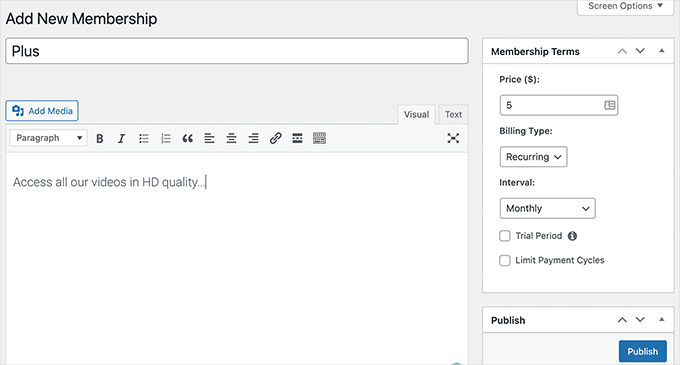
It lets you create a membership website, offer exclusive content to different subscription tiers, and have complete control over who can access your premium content.
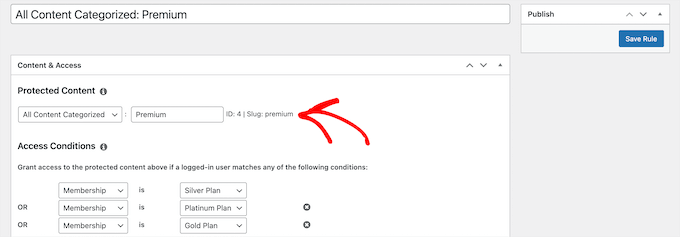
I think it’s a great alternative to Patreon because the plugin lets you set up multiple membership tiers. It also allows you to restrict access to premium content based on the user’s membership level.
You can even use the plugin to create a video membership website in WordPress.
Besides that, I love its powerful course builder.
You can create and sell online courses and use the content drip feature. That way, members see content after they have completed a certain course or been a member for a particular amount of time.

I also appreciate that MemberPress can easily integrate with popular payment providers like Stripe and PayPal, as well as all the best email marketing services.
In my opinion, all these features combined make MemberPress the best Patreon alternative on the market.
✅Pros of MemberPress:
- Personalized discount codes for new subscribers
- Detailed analytics and reporting tools
- BuddyPress integration for community forums
- Full control over branding and site design
- Zero platform fees
❌Cons of MemberPress:
- No free version
Why I recommend MemberPress: If you are looking for a tool that lets you set up subscription tiers like Patreon, then MemberPress is the best option. It is beginner-friendly, has a lot of features, and is super scalable, making it a great choice.
2. Easy Digital Downloads (Best for Selling Digital Products)
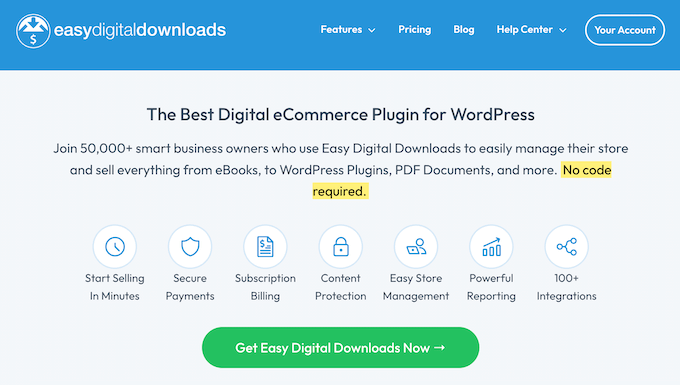
Easy Digital Downloads (EDD) is the best WordPress eCommerce plugin for selling digital products.
If you’re an artist, musician, writer, developer, or any content creator selling items like music, eBooks, PDFs, videos, or software licenses, then it is the ideal Patreon alternative for you.
Several of our partner brands have been using it to sell their plugins and software. They have consistently shared positive feedback, particularly praising how user-friendly the platform is and how well it scales for their needs.
I have also tested it at WPBeginner, and you can read our review for a complete overview of our experience.
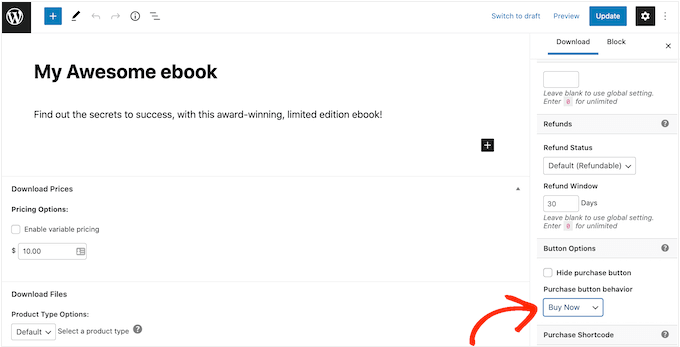
Using the plugin, you can manage and sell files with ease. It also has a built-in shopping cart system that makes it effortless for users to purchase your digital products.
Plus, you can set flexible pricing, including fixed, variable, or pay-what-you-want models, catering to diverse audiences and monetization strategies.
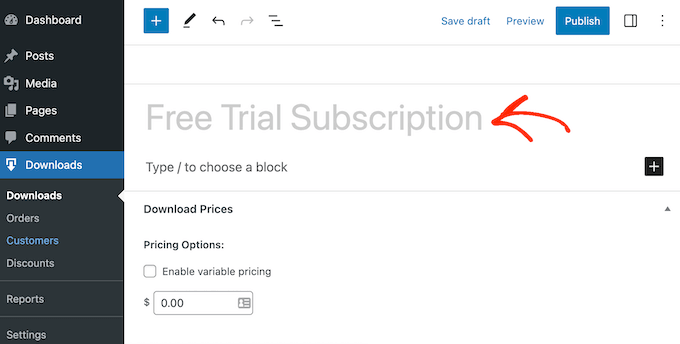
During testing, I discovered that EDD lets you offer subscription-based products with recurring billing to generate income. This will allow you to set up automated payments for products or services, such as access to premium content or membership plans.
You can even add a free trial for your content to encourage more visitors to become members.
What’s more, the plugin lets you track the download activity of your customers inside the WordPress dashboard and get reports to see how your downloads are performing.
Additionally, since it’s a WordPress plugin, EDD doesn’t charge any platform fees.
✅Pros of Easy Digital Downloads:
- Detailed customer records and purchase history
- Secure file delivery with download limits
- Multi-language and multi-currency support
- MemberPress integration for membership tiers
- Support for payment gateways like PayPal and Stripe
❌Cons of Easy Digital Downloads:
- Advanced features require the pro version
Why I recommend Easy Digital Downloads: If you plan to sell exclusive digital products to your members, then setting up a store with Easy Digital Downloads is a fantastic solution. It gives you everything you need and is highly beginner-friendly.
3. WooCommerce (Best for Selling Merchandise)

WooCommerce is the best eCommerce plugin for selling physical products, and you can use it to create an online store in no time. In my experience, it is the best Patreon alternative for selling merchandise to your members and earning some extra cash.
In the past, I have helped our readers and clients build WooCommerce stores of every size, and I’ve had a great experience with the software.
For more information about all the features I have discovered, check out our WooCommerce review.
Using WooCommerce, you can sell digital and physical products easily. I love its inventory management feature, which helps you keep track of the number of products you have available for purchase.
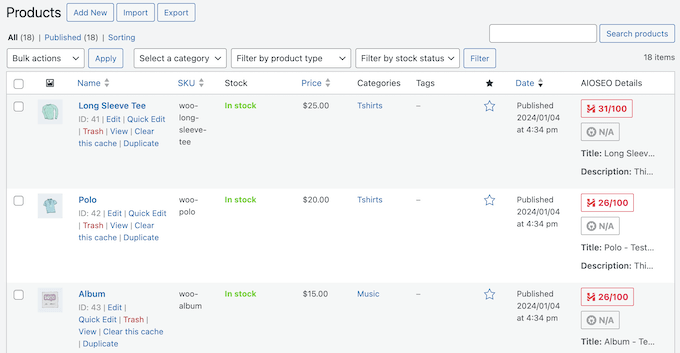
There are also tons of WooCommerce plugins and extensions to help you grow your website.
To fast-track the design process, you can also choose from plenty of themes for WooCommerce.
Alternatively, you can build a custom WordPress theme using a compatible drag-and-drop builder like SeedProd.
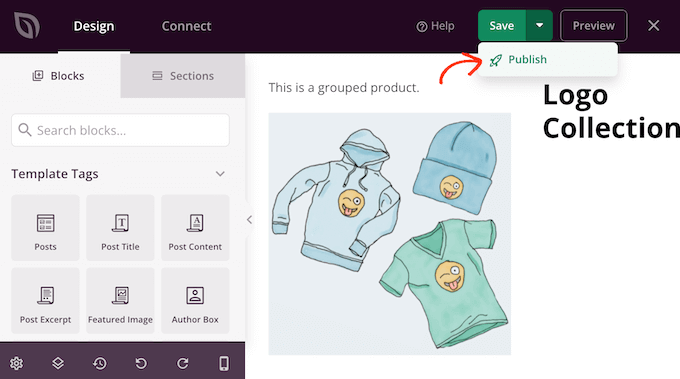
During my testing, I found WooCommerce to be super beginner-friendly and scalable, making it a great option if you have a growing business.
The plugin even offers extensive documentation and community forums to help you out.
✅Pros of WooCommerce:
- Coupons and discount offers
- Cross-selling and upselling features
- Recurring billing via Subscriptions extension
- Complete customization of store design
- Core plugin is free
❌Cons of WooCommerce:
- Limited customer support
- Steep learning curve for beginners
Why I recommend WooCommerce: If you plan to sell merchandise to your fans or members, then WooCommerce is the best eCommerce platform for you.
4. WP Simple Pay (Best for Simple Payments)
If you want to monetize your website by adding a payment button, then WP Simple Pay is a great option. This allows you to accept one-time or recurring payments via Stripe without setting up a shopping cart.
For thorough testing, I created a payment form with WP Simple Pay and found it super easy to use. The beginner-friendly builder and premade templates made the process seamless, and it only took a few clicks to set up a payment option on my site.
To learn more about all its features, you can take a look at our WP Simple Pay review.
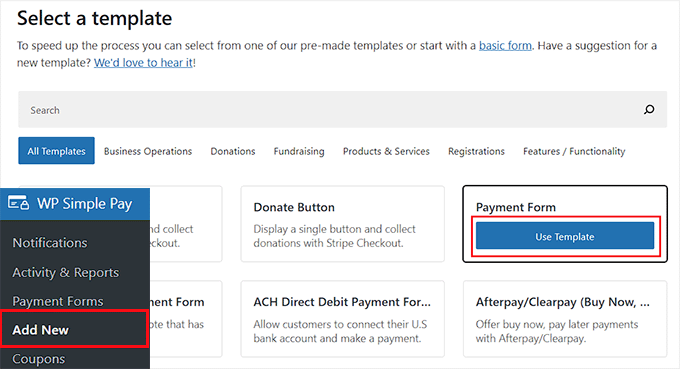
Adding a payment option to your site can be a great way to let your fans support you. WP Simple Pay accepts credit card payments, Apple Pay, Google Pay, ACH payments, iDEAL, Klarna, AliPay, and so many more.
You can even set up multiple recurring subscriptions, just like Patreon, but with much lower fees. This is perfect for setting up a “support me” page where fans are billed automatically every month.
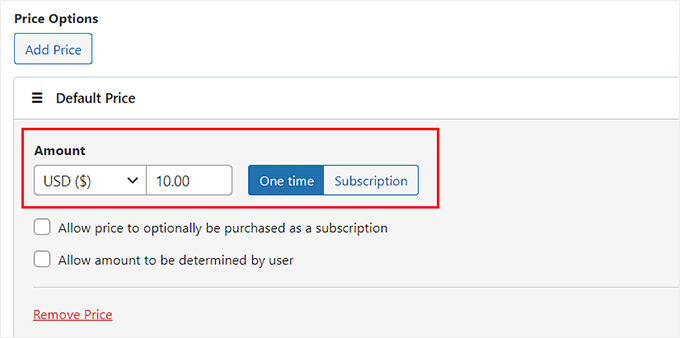
WP Simple Pay also has premade templates for collecting donations. You can set up discount coupon codes, allow users to subscribe or pay one-time, add free trials, and more.
To get started, just see our tutorial on how to accept Stripe payments in WordPress.
✅Pros of WP Simple Pay:
- Customizable form styles
- Built-in analytics for payments and subscriptions
- Custom thank-you page redirects
- Option to pass payment processing fees to customers
- Automated email receipts
❌Cons of WP Simple Pay:
- Limited features in free plan
Why I recommend WP Simple Pay: If you want to create a simple payment form so your fans can support you, then WP Simple Pay is your go to solution. Since it works with Stripe, you’ll be able to accept multiple payment methods.
5. Blubrry (Best for Podcasters)
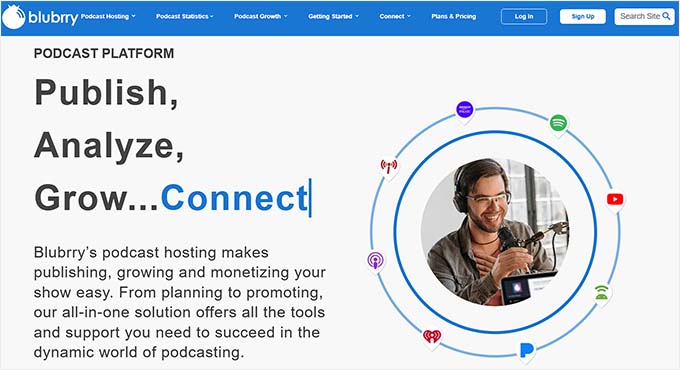
Blubrry is an amazing WordPress podcast hosting service and the perfect Patreon alternative for podcasters who want more control over their content.
You can create a podcast website in no time with Blubrry. Plus, I love how easily you can distribute your podcast to popular platforms like Spotify, Apple Podcasts, Google Podcasts, Amazon Music, TuneIn, iHeart Radio, Pandora, and more.
During my research, I noticed that Blubrry even comes with a powerful podcast plugin called PowerPress that lets you manage your podcast files in WordPress.
Plus, the platform has a large community of podcasters, and you can easily find forums to learn from other experienced and successful podcasters.
✅Pros of Blubrry:
- Premium content paywalls
- Dynamic ad insertion for monetization
- Personalized RSS feeds for subscribers
- Listener donation support
❌Cons of Blurbrry:
- Expensive paid plans
- Complex interface for beginners
Why I recommend Blubrry: If you want to create exclusive podcast content to earn some cash, then Blubrry can be a great Patreon alternative.
6. WP Charitable (Best for Fundraising)
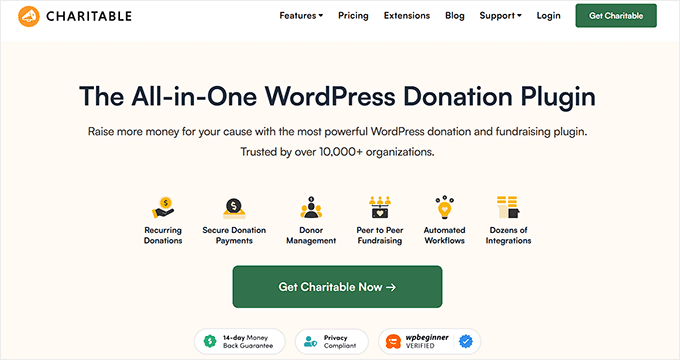
In my opinion, WP Charitable is the best WordPress donation and fundraising plugin. You can use it as a Patreon alternative to create a fundraising site like GoFundMe or Kickstarter.
During my evaluation, I discovered that the plugin offers numerous premade templates and an intuitive drag-and-drop builder, allowing me to create fundraising campaigns in just minutes.
We even use it at the Balkhi Foundations and have had a seamless experience. For more information about it, see our WP Charitable review.
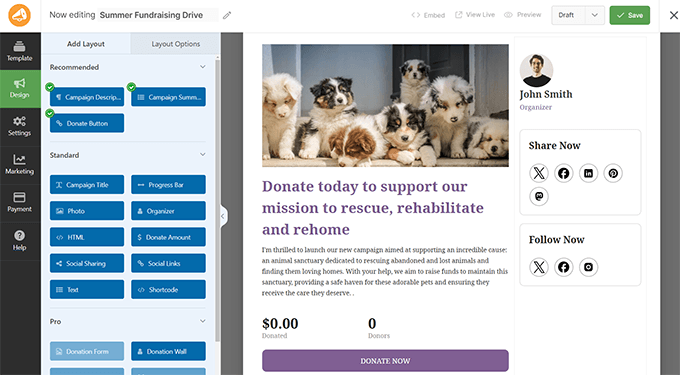
With this tool, you can create and manage multiple fundraising campaigns with ease. Each campaign can have its own goals, donation options, and target audience.
You can even select from multiple layout options and add campaign fields according to your liking. Then, you can choose a fixed donation amount, add a custom amount, or both.
For more details, see our beginner’s guide on how to raise money with crowdfunding in WordPress.
✅Pros of WP Charitable:
- Recurring subscription donations
- Built-in donor management system
- Donation goals and progress bars
- Pledge management
❌Cons of WP Charitable:
- Advanced features locked behind a paywall
Why I recommend WP Charitable: If you want to create a fundraising campaign for your fans or members to support you, then WP Charitable is the most powerful option on the market.
Which Is the Best Patreon Alternative?
After careful evaluation and research, I found that the top Patreon alternative is MemberPress.
It lets you restrict premium content, sell courses, and offers a comprehensive set of features. You can easily create a membership site and set up subscription tiers with just a few clicks, making it an ideal choice.
However, if you want to sell digital products to your members, then you can use Easy Digital Downloads.
Alternatively, if you plan to sell merchandise or other physical goods, then WooCommerce is the best option. It is free, beginner-friendly, and scalable.
On the other hand, if you don’t want to create a full-fledged membership site, then you can use WP Simple Pay. It will let you add a simple payment form that your fans can use to support you.
You can also create a crowdfunding website with WP Charitable. It is a powerful plugin that is ideal for donation and fundraising websites.
Frequently Asked Questions About Patreon Alternatives
Here are some frequently asked questions about Patreon alternatives:
How do membership-based platforms like MemberPress compare to Patreon?
Membership-based platforms like MemberPress offer a similar subscription model to Patreon, allowing creators to charge their audience for access to exclusive content.
However, with MemberPress, creators have more control over pricing, subscription tiers, and the overall user experience since the platform integrates directly into their own website. This eliminates platform fees that Patreon charges, allowing creators to keep more of their earnings.
Additionally, membership platforms often provide more customization options, enabling creators to tailor the design, content access, and rewards to better suit their community’s needs.
Can I use multiple Patreon alternatives together?
Yes, you can use multiple Patreon alternatives together to boost your income.
For example, you can combine your subscription-based website with Easy Digital Downloads to sell digital products or use a crowdfunding platform for specific projects.
This approach allows you to cater to different audience preferences, maximize revenue potential, and offer a variety of ways for your supporters to contribute.
How can ad-supported platforms help creators earn income?
Ad-supported platforms like Blubrry help creators earn income by allowing them to monetize their content through dynamic ad insertion.
For podcasters, Blubrry offers the ability to insert targeted ads into their episodes, generating revenue based on the number of downloads or listeners. As an ad-supported model, creators can offer their content for free while still earning money from advertisers, making it a passive income source.
This works especially well for creators with large audiences, as ad revenue increases with higher engagement and listenership.
Related Guides for Making Money
I hope this article helped you choose a suitable Patreon alternative that fits your needs.
You may also want to see our list of related guides that can help with your business:
- How to Create Peer-to-Peer Fundraising in WordPress (Step by Step)
- How to Restrict Content on WordPress to Patreon Members
- Most Important Reasons to Use WordPress
- How to Offer an Ad-Free Version of Your WordPress Site to Subscribers
- Best Online Community Platforms (Pros and Cons)
- Best WordPress Themes for Crowdfunding
If you liked this article, then please subscribe to our YouTube Channel for WordPress video tutorials. You can also find us on Twitter and Facebook.





Olaf
Patreon is a good platform, but the relatively high fees on every payment you receive there somewhat undermine the whole idea of monetization. When I calculate the cost of the MemberPress plugin (which isn’t exactly cheap) I believe that, over time, if there were greater demand, the annual one-time fee for MemberPress would definitely be worth it, compared to the monthly amount deducted by Patreon. Yes, you may still need to add fees for payment processing, but with higher viewership, it remains a better option for monetizing your website content.
Moinuddin Waheed
patreon is one of the most popular platform for getting for creative content by the loyal user base.
I wan not familiar with the terms and conditions and what it charges for giving it’s platforms.
I am using memberpress for giving content access based on subscription rules.