


When I first started writing online, I wasn’t sure where to publish my content. WordPress felt like a big commitment, and Medium seemed easier, but I worried I’d outgrow it.
I’ve since spent years building websites with WordPress and tried publishing on Medium. Both platforms have their strengths, but I’ve learned that the right choice really depends on what you’re trying to do.
In this guide, I’ll compare WordPress and Medium side by side so you can understand the differences and figure out which one is the better fit for your goals.
To provide you with the most detailed comparison of WordPress vs. Medium, I’ve broken this article into several sections.
You can use the quick links below to jump straight to the section you want to read first:
- WordPress vs. Medium: A Brief Overview
- How I Compared WordPress vs. Medium
- Hosted vs. Self-Hosted
- Features & Plugins
- Design & Layout
- SEO
- Support
- Monetization Options
- Cost
- WordPress vs. Medium: Which Is Better?
- Frequently Asked Questions About WordPress vs. Medium
- Additional Resources for Your New WordPress Website
WordPress vs. Medium: A Brief Overview
Let’s start with a quick overview of what WordPress and Medium actually do.
I’ll walk you through how each platform works so you can get a clear picture before diving into the side-by-side comparison.
What Is WordPress?
WordPress is a free and open-source platform that powers over 43% of all websites on the internet.
It’s the most widely used website builder and content management system (CMS) in the world, trusted by bloggers, small businesses, and many big-name brands.
When you create a new WordPress blog, you’ll need to purchase a domain name and web hosting. Luckily, many top WordPress hosting companies offer one-click installations and step-by-step setup tools that make it easy to get started.
Below, you’ll find some of the main pros and cons of using WordPress. I’ll go into more detail in later sections of this guide.
Pros of WordPress:
- The WordPress software is free and easy to use, even for beginners.
- You have full ownership and control over your website content.
- The block editor lets you create rich posts using drag-and-drop blocks.
- You can add new features with WordPress plugins like contact forms, galleries, and more.
- You can customize your site with free or premium WordPress themes.
- There are many ways to make money from a WordPress blog, including ads, affiliate marketing, and selling products or services.
- You can track visitors and performance using Google Analytics.
- Powerful SEO plugins can help you improve rankings and get more traffic.
Cons of WordPress:
- Getting started requires purchasing a domain name and a hosting plan. However, this can be very affordable if you use one of our recommended deals.
- You need to install WordPress, but most hosting providers offer one-click installation.
- You’ll also need to manage updates and backups, though there are backup plugins that make this easy.
⚠️ In this article, I’m talking about WordPress.org and not the WordPress.com hosting service. For more details, please see our guide on the difference between WordPress.org and WordPress.com.
What Is Medium?
Medium is an online publishing platform launched in 2012. It’s designed to make it easy for anyone to write and share content without having to set up or manage a full website.
You can publish articles directly through Medium’s web interface. There’s no software to install, and you don’t need to worry about hosting, security, or backups because Medium handles all of that for you.
If you want to use your own domain name, Medium gives you that option. But it’s not required, so you can start writing right away using their default setup.
Here’s a quick overview of Medium’s main pros and cons. I’ll explore these in more detail later in the guide.
Pros of Medium:
- You don’t need to install or configure anything—just sign up and start writing.
- The built-in editor is clean and distraction-free.
- Medium handles security, backups, and platform updates for you.
Cons of Medium:
- Medium has limited features and doesn’t support plugins or custom tools.
- You can’t fully customize the design or layout of your site.
- Medium shows content from other writers next to yours, which can distract your readers.
- Monetization is only available through Medium’s Partner Program, which has specific requirements.
- A Medium membership costs $5/month, which may be more expensive than starting a WordPress site with discounted hosting.
Overall, Medium is a good choice if you just want a fast and simple way to share your ideas. But if you’re looking for more control or flexibility, then it may not be the right long-term solution.
How I Compared WordPress vs. Medium
To give you a fair and helpful comparison of WordPress and Medium, I used a mix of personal experience and practical testing.
Over the years, I’ve built websites using both platforms for different purposes—including blogs, small business websites, and online publications.
Along the way, I looked closely at the features, limitations, and real-world use cases for each tool.
Here’s what I focused on:
- Real-world use: I’ve worked with WordPress and Medium across many types of use cases, so I know how they perform in practice.
- Hands-on testing: I tested both platforms for ease of use, speed, and scalability.
- Feature comparison: I looked at customization options, SEO tools, content management, and monetization potential.
- Different use cases: I considered which platform works best for beginners, bloggers, and businesses.
- Cost and value: I reviewed all pricing factors, including hosting, domain names, themes, plugins, and memberships.
- Learning curve: I considered how easy it is to get started and what kinds of support are available.
- Long-term flexibility: I paid attention to content ownership, portability, and how well each platform grows with you.
This comparison is based on real usage—not just specs or marketing claims. And whenever I’m sharing insights from the WPBeginner team, you’ll know it’s grounded in hands-on experience.
📣 Why Trust WPBeginner?
WPBeginner has been a trusted source of help for WordPress users since 2009.
During that time, we’ve guided countless users through starting their first websites and have firsthand experience with virtually every WordPress platform, tool, and hosting provider in the market.
What makes our recommendations different is our commitment to being clear and testing things in the real world.
I haven’t just read about WordPress and Medium – I’ve used them in my own projects. Plus, our editorial team follows strict rules to make sure every comparison is based on actual experience, and not just marketing claims.
Want to know more about how we work? Take a look at our detailed editorial guidelines.
WordPress vs. Medium: Hosted vs. Self-Hosted
WordPress is free software that you can install on your own web hosting account. This means you own 100% of your content and have full control over how you promote your brand.
By contrast, Medium is a completely hosted service. This means your website lives on their servers, and you have to follow their terms of service. Medium can decide to remove your content, announce new pricing plans, or cancel your account at any time.
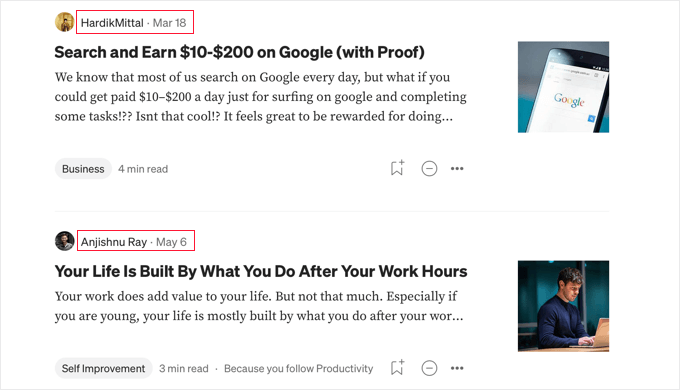
Even worse, Medium will actively promote other authors’ articles right alongside your content. This means your readers can easily get distracted and click away to a story from someone else—potentially even a competitor—making it much harder for you to build a loyal audience.
🏅 Winner – WordPress
While Medium offers a very simple way to start publishing, I find that WordPress gives me significantly more control and true ownership over my content. This is especially important if you want to grow your own brand and online presence.
I also find it incredibly frustrating that Medium uses my posts to promote their own brand, and they show content from other authors right next to my work.
WordPress vs. Medium: Features & Plugins
You can use WordPress to create just about any type of website. You can use it to start a personal blog, small business site, eCommerce site, digital portfolio, and much more.
This is possible because WordPress offers a rich collection of plugins. You can think of these as apps that let you add new features to your website, such as contact forms, image galleries, portfolios, and interactive popups.
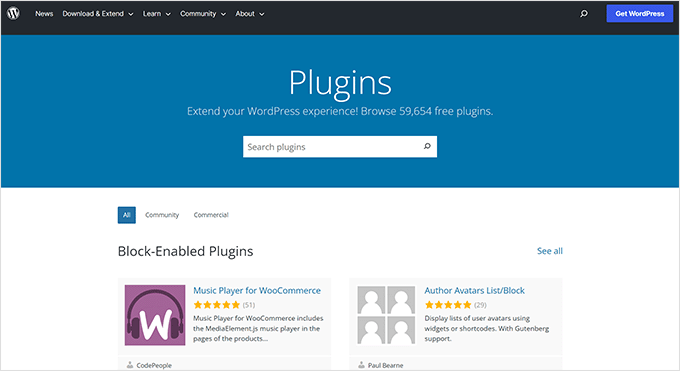
You’ll find around 60,000 free plugins in the official WordPress plugin directory alone. On top of that, there are countless other premium plugins available from third-party websites.
Medium is the complete opposite. It is designed with one purpose in mind: to display content on the web with few distractions. Its main feature is a simple editor with basic formatting options.
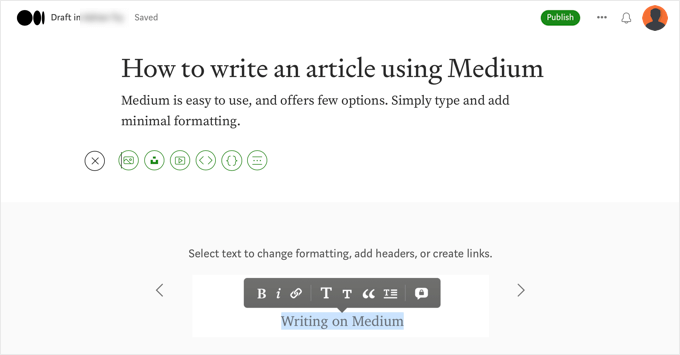
Medium doesn’t offer any extra features, and you can’t use plugins to add more functionality. That said, Medium is easy to use if you just want to publish content online.
🏅Winner: WordPress
When it comes to features and flexibility, WordPress is the clear winner. I’ve used it to create all kinds of websites, ranging from a personal blog right through to an online store.
While Medium’s simplicity made it very easy to get started, it simply couldn’t keep up with my growing needs.
WordPress vs. Medium: Design & Layout
You can customize the look and feel of your WordPress website using themes. Themes control the appearance of your site, and let you create a highly personalized site with unique features.
You can even customize your theme using built-in features like the WordPress theme customizer or the full site editor.
You can also use a page builder to create landing pages and even custom themes. These plugins usually come with a beginner-friendly drag-and-drop editor, along with professionally designed templates.
There are lots of page builder plugins on the market, but I’m a big fan of SeedProd because it lets you create stunning landing pages, homepages, and even entire websites without having to write a single line of code.
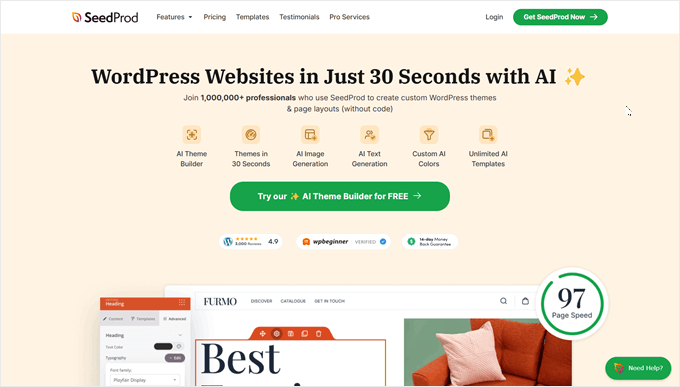
Alternatively, SeedProd has an AI builder that can create a custom website in just a few seconds. For details on how to use it, just see our guide on how to make a WordPress website using AI.
🌟 We’ve used SeedProd to build many of our partner websites, including the Duplicator, WPForms, and WP Charitable websites – even the SeedProd site was designed using SeedProd!
Want to learn more about our experiences? Be sure to read our in-depth SeedProd review.
On the other hand, Medium offers a clean and minimalist design that focuses on the content itself. While it doesn’t have as many customization options as WordPress, it provides a consistent and attractive reading experience.
Medium lets you choose a layout for your publication. You add your own website logo, background color, or image to the header. You can also select a grid or stream-based layout.
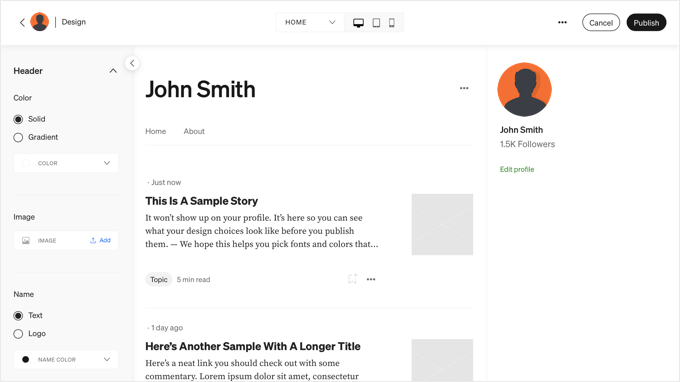
However, you’re still limited to the choices available in Medium. You cannot choose your own design and layout for your publication in the same way you can with WordPress.
🏅 Winner: WordPress
When it comes to design and customization, WordPress is the clear winner.
It gives me endless ways to customize my site’s look and feel, so I can create a truly unique website. The built-in WordPress theme customizer and full site editor make it easy to tweak my design, but if I need to go further, then there are a ton of page builder plugins to choose from.
By contrast, Medium keeps things very simple. While I can choose a basic layout, add a logo, or change the background color, I’m stuck with Medium’s predefined choices.
For anyone who wants full control over their site’s appearance, WordPress offers far more flexibility and creative freedom than Medium.
WordPress vs. Medium: SEO
SEO stands for ‘search engine optimization’. Its purpose is to make your content appear higher on search engine results pages. This helps users find your content easily when they search online.
If you want to rank high in the search engines and get more visitors, then you’ll need to use a search engine-friendly platform.
WordPress is search engine-friendly right out of the box. The core platform is built with SEO best practices in mind, so it’s easy to increase your website traffic and rankings.
For example, you can set up your permalink settings to create SEO-friendly URLs, make categories to organize your content, and much more.
You can further maximize your WordPress SEO by using WordPress SEO plugins and tools.
For example, the All in One SEO plugin lets you fully optimize your site for search engines without hiring an expert. It lets you add SEO titles and meta descriptions, choose a focus keyword, and even provides recommendations on how to optimize your blog posts.
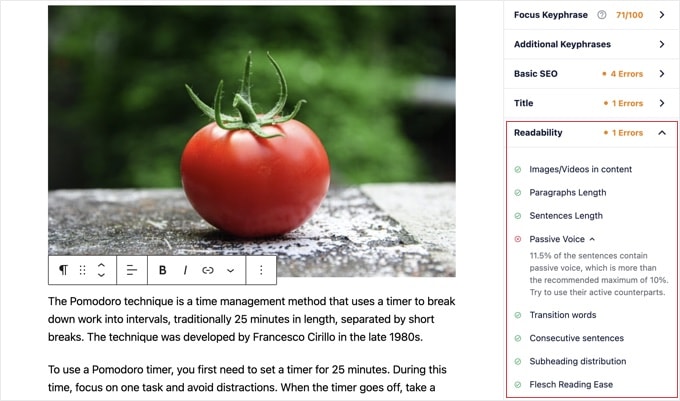
💡 We use AIOSEO to optimize every single page and post across WPBeginner, and we’ve got great results.
Want to learn more? Our in-depth AIOSEO review has all the details.
Medium’s approach is different. It already has a built-in audience of users who enjoy reading its content.
Medium users can discover content they’re interested in through topic tags and algorithms.
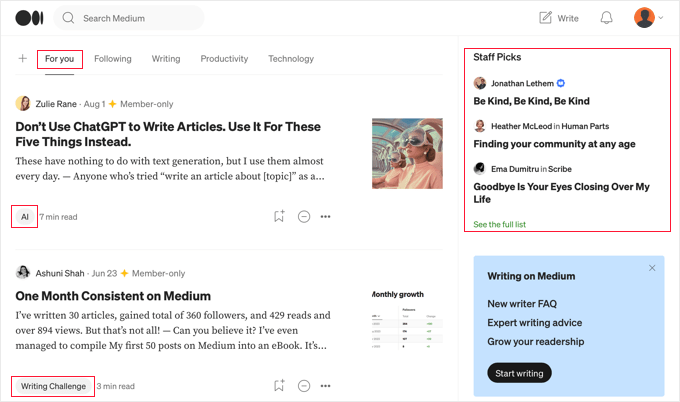
However, Medium will only recommend content that’s published on its own platform. That means readers won’t know about any content you’ve posted elsewhere, which can make it difficult to grow your brand.
Also, there’s no guarantee that Medium will prioritize your quality content over the content published by other Medium authors.
Additionally, when your articles succeed on Medium, you’re building the authority of Medium’s website. With a self-hosted WordPress site, all your SEO efforts build the value of your own domain, which is a digital asset that you completely own and control.
🏅 Winner: WordPress
When it comes to SEO, WordPress is my top pick.
I’ve found that WordPress is designed to be search engine-friendly right out of the box. It has a ton of built-in features, plus plenty of top-notch SEO plugins. For example, AIOSEO lets me fully optimize my site without needing an expert.
For me, having full control over my SEO makes WordPress the superior choice.
WordPress vs. Medium: Support
Because the WordPress community is so large, there are all kinds of useful, free resources available online. I can usually find answers to all my WordPress-related questions with a simple Google search.
Plus, WordPress.org offers official documentation and support forums. And of course, we have lots of free resources at WPBeginner.
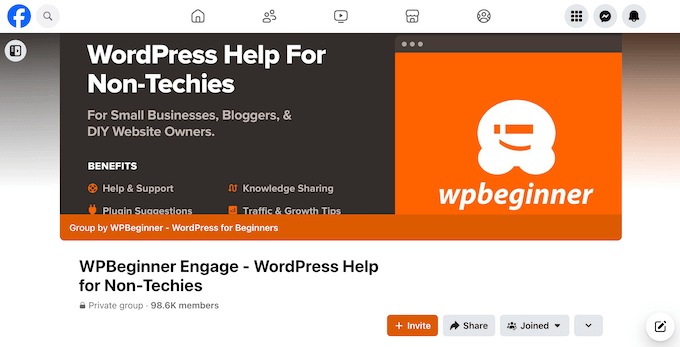
You can also find help and ask questions on social media platforms, such as our WPBeginner Engage Facebook group.
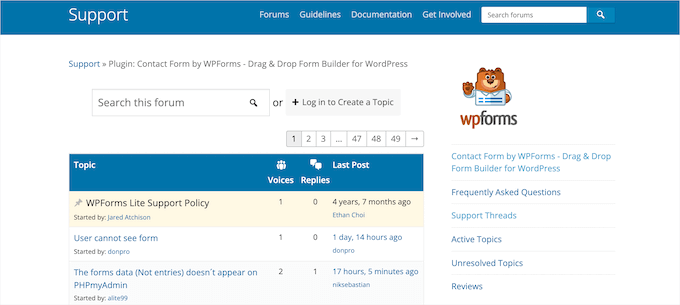
If you need support for a specific plugin, then you can visit its dedicated support forum on WordPress.org.
You can learn more in our guide on how to properly ask for WordPress support and get it.
Medium also offers quite a lot of support for its users. To start, you can reach out to their support team using Medium’s contact form.
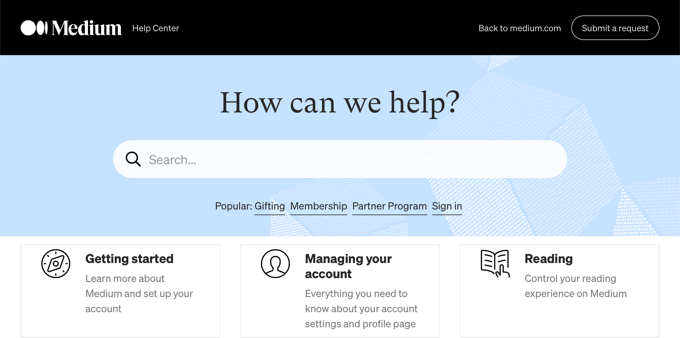
They also have a detailed help center and knowledge base.
🏅 Winner: Tie
When it comes to support, I believe both WordPress and Medium offer valuable resources, making this category a tie.
With WordPress, the sheer size of the community means there’s a lot of help available online.
I’ve personally found answers to almost any WordPress question with a quick Google search.
Plus, there’s a ton of free resources, including WPBeginner, our WPBeginner Engage Facebook group, and support forums on WordPress.org.
Medium also provides solid support for its users. I had no problems contacting their support team for help. Plus, they have a well-organized help center and knowledge base that answers many common questions.
Basically, both platforms offer reliable paths to get the help you need.
WordPress vs. Medium: Monetization Options
Because WordPress gives you complete control, you can monetize your website in any way you want without restrictions.
In fact, there are lots of different ways that you can make money online blogging with WordPress.
For example, you can:
- Insert ads within your post content.
- Do affiliate marketing.
- Create an online store.
- And more.
You may need to put in some time and effort, but then you should be able to earn money doing what you love.
On the other hand, the main way to make money on Medium is through their Partner Program. This program lets writers earn money based on how visitors engage with their articles. This includes how long members spend reading your posts, positive interactions, and subscription fees paid by readers.
However, it can take a lot of time to start earning money. Medium reports that only 6% of its partners make more than $100 per month.
🏅 Winner: WordPress
Having explored both WordPress and Medium thoroughly, I firmly believe that WordPress is the better option if you want to make money online.
While Medium offers the convenience of its Partner Program, I’ve found it to be quite restrictive. It’s the only way to earn money directly on the platform, and your income is tied to Medium’s engagement metrics and member subscriptions.
With WordPress, I have complete freedom. Because I own my site and all its content, I can use any monetization strategy I choose.
I can easily integrate various ad networks, run my own affiliate marketing campaigns, set up an online store to sell my own products or services, offer paid memberships, or even accept donations.
If you want to truly control and grow your income, then WordPress gives you the freedom to explore every option.
WordPress vs. Medium: Cost
Cost can be a big factor when deciding which platform to use.
That said, let’s look at how much it costs to publish your content on a WordPress website vs. Medium. I’ll also share tips to keep your costs as low as possible.
The Cost of a WordPress Website
While the WordPress software is free, you’ll need to pay for a domain name and web hosting when you create a website. So, how much will this cost?
Typically, you can expect to pay $14.99 per year for a domain name and $7.99 per month for a hosting plan. When you’re just starting, these costs can really add up.
Luckily, you can save money by choosing Bluehost. They are recommended by WordPress.org and have agreed to give our readers a huge discount on hosting, plus a free domain name.
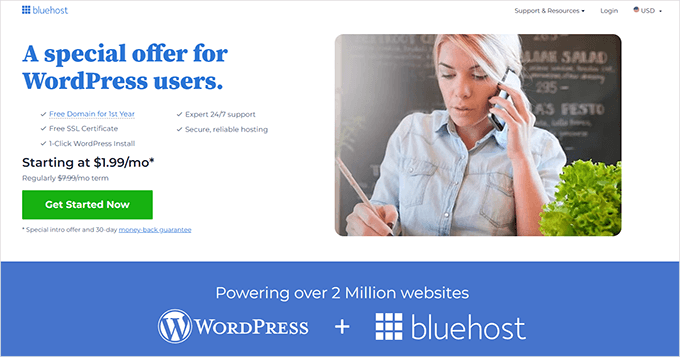
That means you can get started for as little as $1.99 per month.
They also include a free SSL certificate.
If you start out by using free WordPress plugins and themes, then you can save even more money. Most premium plugins and themes also have free versions with fewer features. As your website grows, you can invest in premium themes or plugins as needed.
💰 For a more detailed breakdown, take a look at our guide to the cost of building a WordPress site.
The Cost of Publishing on Medium
While you can start writing on Medium with their free plan, you’ll likely want to become a Medium member quickly. This costs $5 per month, or $50 per year.
Even though you can create unlimited content on the free plan, there are several important benefits to becoming a paying member:
- You can make money from your content.
- Medium’s algorithms may recommend your content more often.
- You get access to more detailed analytics about your content and readers.
- You can use your own domain name.
- You can create a Medium publication. This is a place on Medium where you show content on a specific topic. You can write the content yourself or have multiple authors.
🏅 Winner: WordPress
When considering cost, I believe WordPress is the better option for anyone looking to get the most value for money.
While you’ll need to pay for a domain name and web hosting, I found that I could significantly reduce these initial costs by choosing a recommended host like Bluehost.
This allowed me to start a site for as little as $1.99 per month, which is very budget-friendly. I also appreciate that I can start with free WordPress themes and plugins, and only pay for premium options as my site grows and my needs change.
Medium’s free plan seems appealing at first, but I quickly learned that it has pretty serious limitations. To truly make use of the platform, I needed to become a paying Medium member at $5 per month, or $50 per year.
For me, the upfront, transparent, and scalable costs of WordPress offer far greater value and control compared to Medium.
WordPress vs. Medium: Which Is Better?
After comparing WordPress and Medium, I can see that WordPress is a much better option for starting a new blog or website.
WordPress is a more flexible solution than Medium, which is just a quick and simple blogging platform. WordPress also offers far better design options and themes, plus countless plugins that can add features to your site.
Plus, WordPress does all this for a much lower monthly price. With WordPress, you remain in complete control over how much you spend when building your blog, website, or online marketplace.
If you’re ready to get started with WordPress, then you can see our complete step-by-step guide on how to create a WordPress website.
Are you a writer who started on Medium because it seemed easier to set up? Then you might be wondering if you can move your content to a WordPress blog.
Unfortunately, it can be quite difficult to export your data from Medium in a format that works with WordPress.
That’s why we developed a Medium to WordPress Importer tool that exports your content from Medium in a format that’s compatible with WordPress. To find out more, see our guide on how to properly move from Medium to WordPress.
Frequently Asked Questions About WordPress vs. Medium
Do you still have questions about Medium vs. WordPress? Here are the answers to some questions we get asked most often by WPBeginner’s readers.
Which is cheaper, WordPress or Medium?
While the WordPress software is free, you’ll need to pay for a domain name and hosting. The prices vary between hosting providers, but if you take advantage of our exclusive Bluehost coupon, then you can get started for just $1.99 per month.
While you can start writing on Medium for free, you’ll miss out on important benefits. These include detailed analytics, the ability to monetize your content, and creating Medium publications. These additional benefits will cost you $5 per month.
So, you may find that WordPress is the more affordable option in the long run.
Which is easier to use, WordPress or Medium?
Both WordPress and Medium are quite easy to use. Medium has a simpler and more streamlined interface, so it can be easier for beginners to get started. But this simplicity comes at a price: Medium has much less functionality.
WordPress has more features and customization options. This means it takes more time to learn and can be more complex for beginners. However, it will also likely continue to meet your needs as your website grows.
Can I use my own domain name with Medium?
Yes, if you pay for a Medium membership, then you can use a custom domain or subdomain for your profile page or publication.
Can I migrate my content from Medium to WordPress?
Yes, you can use our Medium to WordPress Importer tool to easily move your Medium content to WordPress.
We have also written a step-by-step guide on how to properly move from Medium to WordPress.
Additional Resources for Your New WordPress Website
Ready to get started with WordPress? To help you out, I’ve hand-picked some essential resources for new WordPress users:
- How to Start a WordPress Blog: A complete walkthrough on how to launch your first blog, covering everything from choosing a domain name, right through to publishing your first post.
- How to Choose the Best WordPress Hosting (Compared): A detailed comparison of the top WordPress hosting providers, to help you make the right choice.
- Best WordPress SEO Plugins and Tools: Essential SEO tools to improve your search engine rankings and help more people discover your new website.
- Proven Ways to Make Money Online Blogging: Tried-and-tested monetization strategies to help you earn money from your WordPress blog or website.
- How to Build an Email List in WordPress: Set your site up for success by building a direct connection with your readers.
I hope this tutorial helped you compare WordPress vs. Medium. You may also want to see our guide on the most common misconceptions about WordPress and our expert pick of the best WordPress drag-and-drop page builders.
If you liked this article, then please subscribe to our YouTube Channel for WordPress video tutorials. You can also find us on Twitter and Facebook.



Moinuddin Waheed
In my personal humble opinion both the platforms medium and WordPress serve different purposes though there are some commonalities between them.
Whereas wordpress can be used for creating any kind of website, making online presence, medium is only for content creation with a simplistic editor with limited control over look and feel.
Having said this, there is no wordpress vs medium but infact it is wordpress and medium as I don’t see any rivalry amongst the two platforms.
Dennis Muthomi
Very SOLID point there
Ok, I agree they serve different goals. But those using Medium may find themselves needing more advanced funtionalities over time that WordPress can provide. But for quick blogging, Medium definitely still wins!
Allan Seabrook
Hello,
Thanks for your article which answers many of my questions on ‘why Medium?’
Perhaps you could also help me to understand why seasoned writers like Jeff Goins would use Medium as well as their personal website blogs, often to post the same articles. I’m puzzled about this.
Thanks!
Hussainart
Well, much of all said here was convincing but the article was definitely biased. Should’ve done a more professional approach in differentiating them. WordPress may not have many Cons, but Medium does have a lot of Pros. Plus it’s new (and gorgeous), may be it will take over the rest? May be not. Hm.
Mainul Kabir Aion
HI there,
Thank you for this awesome post. I was wondering where is the 7th step?
WPBeginner Support
Hey Mainul,
Thank you for notifying us We have fixed it.
Admin
Tony B
It’s a no brainer, if you want to leverage YOUR brand it must be on your own piece of interweb.
Full control means full flexibility.
Wordpress is what I’d recommend for most solopreneurs wanting to carve a piece of the pie, be it for hobby or business.
Medium is a ‘nice looking’ platform, but what’s the USP?
Tyler
I guess to me Medium is nothing new. I tried it out and I can’t figure out what all the buzz is about. Plus, they are paying big brands to use their platform to make them seem more successful.
Awontis
We will always recommend WordPress due to the wide spectrum of possibilities with formating text, pictures, and simple usage.
Sergiu Poenaru
Worst case scenario, if Medium falls down, there will be a Syed to create a migration plugin from Medium to WP. Problem solved.