Often beginners get confused when trying to pick the right WordPress plugins for their needs. We frequently get questions like what is the best WordPress plugin to build an online store, add testimonials, accept payments, create a contact form, and so much more. Unlike other sites, our expert team at WPBeginner tests and review the best WordPress plugins for each task and create step-by-step installation guides to make your life easier. We do the research, so you don't have to.
If you're just getting started, then you may want to start with our popular WordPress plugin guides:
We also have a WPBeginner Solutions Center where we have our expert reviews and our community reviews of top WordPress plugins and tools.
You can find our other latest WordPress plugin guides below, and you can always use the search feature on our site to find helpful WordPress tutorials faster.
If you don't see a WordPress plugin guide that you're looking for, then please reach out to your team and let us know. All our WordPress content ideas are suggested by our users over the last 15+ years.
WordPress widgets allow users to add different functionality to their posts and pages without writing a single line of code. Whether it’s displaying recent posts, social media feeds, or custom HTML, adding widgets to your content allows for a more dynamic and interactive site. At… Read More »
Adding affiliate links for third-party products/services on your website is a great way to generate passive income. You can use a plugin like ThirstyAffiliates to simplify the process of managing and adding affiliate links. It makes it super easy to organize, track, and insert links… Read More »
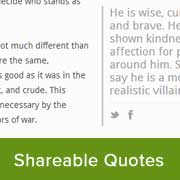
Most newspapers and main stream media sites often add customized quotation blocks in their articles. Why? Well because quotes are probably the most memorable and shared part of the article. Quotes have a potential to go viral. Recently we showed you 9 different design examples… Read More »
You’ve just hit ‘Publish’ on your latest WordPress masterpiece. Now comes the familiar dance of hopping from platform to platform to share your content manually. Exhausting, right? We’ve been there—juggling multiple social accounts, trying to remember what to post where, and sometimes forgetting entirely. Readers… Read More »
Facebook is the largest social networking website in the world. This is why many websites integrate with Facebook in various different ways such as by adding a facebook like box, facebook comments, facebook like button, and facebook send button. Many websites claim that by adding… Read More »
Whether you’re writing a long, in-depth post or creating a detailed FAQ section, it can be tricky to present a lot of information without overwhelming your readers. In this case, our go-to solution is to show and hide text with a toggle effect. This approach saves space,… Read More »
Standard WordPress user profiles are quite basic. They only ask for a username and email, which doesn’t tell you much about your subscribers. If you run a membership site or community, you likely need more specific details. Missing out on phone numbers or social profiles… Read More »
One of the most effective ways to improve your WordPress site’s conversion rates is to keep important widgets visible as visitors scroll down posts and pages. That’s exactly what a sticky floating sidebar does – it ensures your call-to-action, social buttons, or other important elements… Read More »
Are you hoping to show custom taxonomy terms on your WordPress sidebar? Custom taxonomies allow you to group your content beyond categories and tags, such as organizing book reviews by fiction and nonfiction. Displaying the taxonomy terms you use can help your visitors find the… Read More »
Ever clicked on a great blog post, only to struggle to find it again later? Your readers might be having the same experience on your WordPress site. When visitors browse a site, they often jump between multiple posts. They browse, skim, and sometimes leave before… Read More »
Used to store interaction and conversion data for campaigns in conjunction with Revenue Attribution.
1 year
_gat_omTracker*
Set, controlled and used by Google Analytics to collect and store data and then send that data to Google Analytics. OptinMonster provides the name if there is no existing tracker found on that page.
-
omCountdown-{id}-{elementId}
Used for countdown elements {elementId} in campaigns {id} to determine when it should complete.
-
om-{id}-closed / omSlideClosed-{id}
Used specifically with slide-in campaigns {id} to determine if it has been closed or not by a visitor.
30 days
om-success-cookie / omSuccessCookie
Used to determine if a visitor has successfully opted in to any campaign on your site to unlock content when using our Content Locking feature.
365 days
om-success-{id} / omSuccess-{id}
Used to determine if a visitor has successfully opted in to a campaign with the ID of {id} on your site.
365 days
omSeen-{id}
Used to determine if a visitor has been shown a campaign by the slug.
30 days
om-{id}
Used to determine if a visitor has interacted with a campaign ID of {id} on your site.
30 days
_omappvs
Used to determine when a new visitor becomes a returning visitor.