


Do you want to improve your contact form page design?
A good contact form page design encourages more users to contact you thus boosting your conversions.
In this article, we will show you the best practices of good contact form page designs and what makes them so useful.
Why A Good Contact Form Page is so Important?
A contact form page is a must-have for all websites. Whether you are running a personal blog or a business website, a contact form page helps users reach out to you at any time while visiting your website.
Unlike social media, a contact form allows users to communicate with you privately which builds confidence and closes sales.
Many website owners often don’t pay much attention to their contact page. Most people just add a contact form, and then forget about it.
If you are not getting enough leads from the contact page on your website, then continue reading because we will show you how to make your contact page optimized for conversions.
How to Create a Contact Form Page in WordPress?
WordPress does not come with a built-in contact form page. You will need a contact form plugin to create a form and then add it to your contact page.
We recommend using WPForms. Our team created it to be the most beginner-friendly contact form plugin for WordPress. The free version of WPForms is available on the official WordPress.org plugin directory.
For complete step-by-step instructions, see our guide on how to create a contact form in WordPress.
Now that you have created a contact form, let’s take a look at the best practices of contact form page designs that can help you boost your conversions.
1. Make Sure Your Contact Form is Working
Often WordPress hosting providers have poorly configured mail functions which stops your contact form plugin from sending email notifications.
If you are using the pro version of WPForms, then you can still see the form entries inside the WordPress admin area. However, if you are using a free contact form plugin, then you will not even notice that your form is not working.
After adding a contact form to your WordPress site, it’s important to make sure that it is working properly by sending a test submission.
If you are not getting email notifications, then follow the instructions in our guide on how to fix WordPress not sending emails issue.
2. Avoid Unnecessary Fields in Contact Form
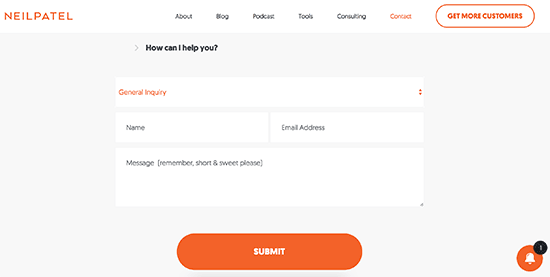
You can add as many fields to your contact form as you like. However, each additional field you add to your contact form makes it more time-consuming for your users to fill them.
That’s why we recommend keeping your contact form fields to a minimum level and only adding fields that truly help you better understand the user’s question.
Now if you must create a longer form, then you need to check out the bonus tip towards the end of this article that will help you reduce form abandonment.
(Source: Neil Patel)
3. Explain Why Users Should Contact You
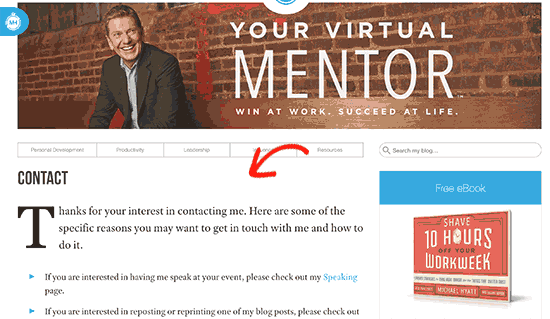
Your contact form page should be inviting and welcoming to the users. A greeting, followed by a welcome message can make it look more polite and helpful. Let users know what kind of questions you can help them with.
(Source: Michael Hyatt)
If you have different pages for different departments, then point users in the right direction. For example, you can direct existing customers to support or guest bloggers to a write for us form.
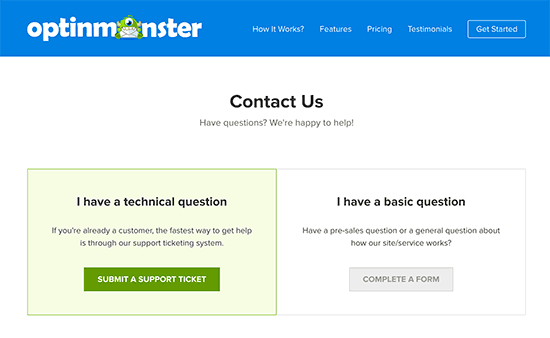
(Source: OptinMonster)
4. Provide Alternate Ways to Contact
Adding a form to your contact page is the most convenient way for users to send you a message. However, adding alternate ways to contact can help users decide what works best for them.
You can add an email address, WhatsApp, or phone number as alternate ways to contact.
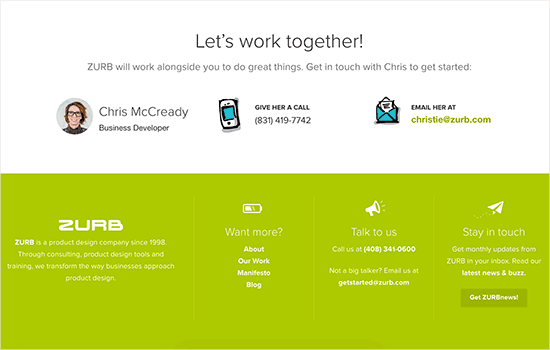
(Source: ZURB)
5. Add Social Media Profiles
While most users want to contact you privately, some may prefer to get in touch on Facebook or Twitter.
You can add social media buttons to your contact form page as an alternate way for users to contact you.
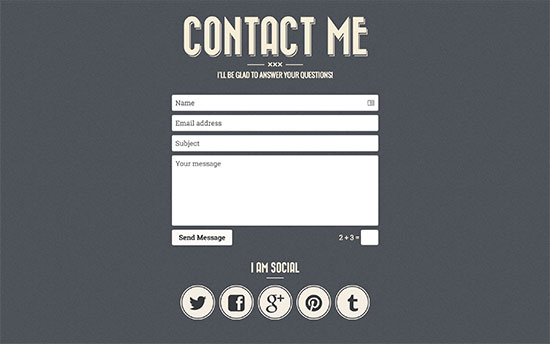
(Source: Retro Portfolio)
6. Adding Address and Map
Adding an address and location on the map helps boost user confidence in an online business.
Even if you don’t have a physical store or office, users find comfort in knowing where you are located.
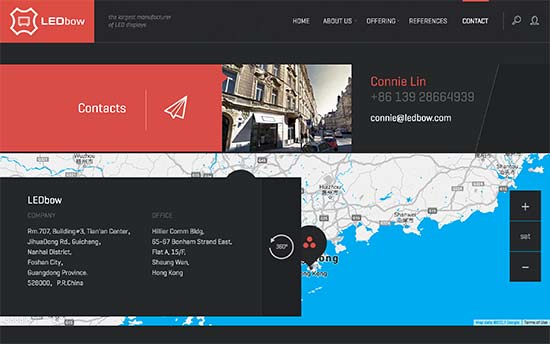
(Source: LEDbow)
If you have multiple locations in different cities or countries, then adding all of them makes your contact form page much more useful.
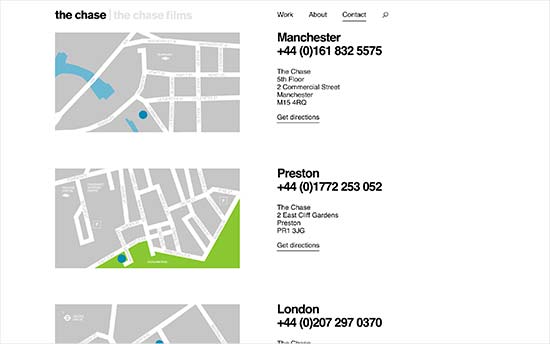
(Source: The Chase)
7. Adding FAQs and Links to Resources
After a while, you will realize that many of your users ask similar questions. You can help them save some time and answer those questions directly on your contact page by adding a FAQs section.
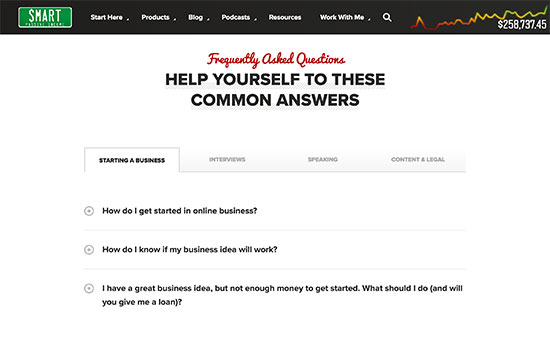
(Source: Smart Passive Income)
8. Optimize Your Form Confirmation Page
Upon form submission, most contact form plugins allow you to either show users a confirmation message or redirect them to a different page.
Redirecting users gives you a chance to show them your most helpful resources such as your most popular content or offering a discount code.
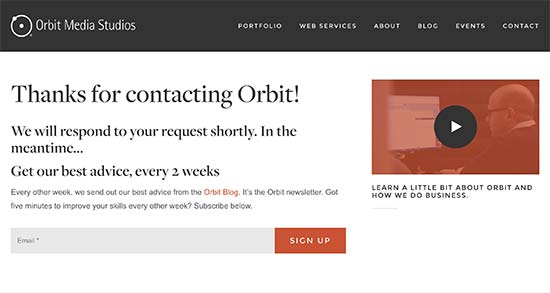
(Source: Orbit Media)
9. Ask Users to Join Your Email List
Your users will need to add their email addresses when filling out the form. You can add a check box to ask them to join your email list as well.
If you are not already building an email list, then see our guide on why it is so important to build an email list.
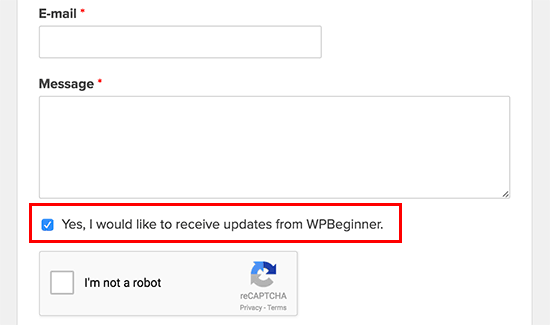
(Source: WPBeginner)
10. Add Photos of Your Team
Adding photos of your team members and staff on the contact page makes it more personable and welcoming. It reassures your visitors that there are real people behind your contact form page who will be answering their questions.
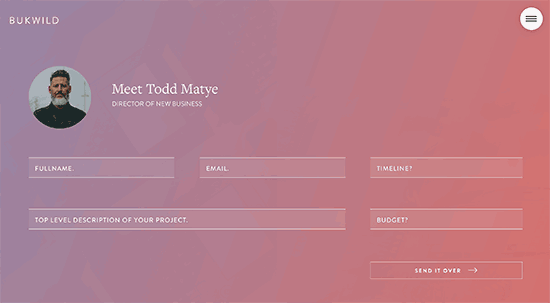
(Source: Bukwild)
11. Make Your Contact Form Page Engaging
Your contact form page doesn’t need to be plain. You can add photos of your office, store, or support team to reflect your company’s culture and values.
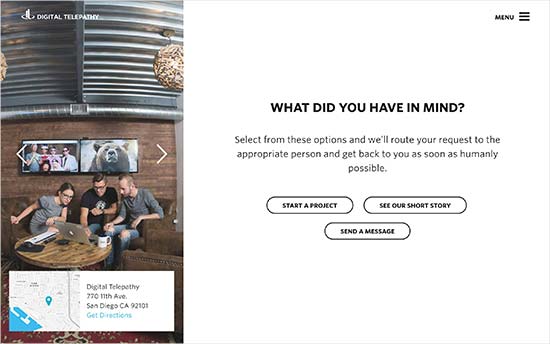
(Source: Digital Telepathy)
12. Be Creative With Your Contact Page Design
You may have noticed that a lot of contact pages on different websites follow a simple and very predictable layout. While it serves the purpose, you can use it as an opportunity to stand out.
Many premium WordPress themes come with built-in styles for forms. You can customize those styles by adding custom CSS or using a plugin like CSS Hero.
We recommend using a drag-and-drop page builder plugin to create your contact form page layout. This will allow you the flexibility to be more creative without writing any code.
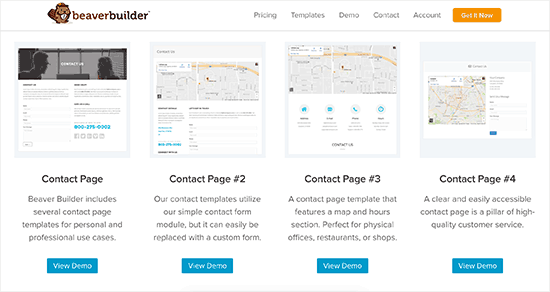
(Source: Beaver Builder)
Bonus: Reduce Form Abandonment
When you create a multi-page form or a form with a lot of fields, then you risk reducing your conversion rate. Often users get form fatigue and leave before completing the entire form.
To combat form fatigue, many advanced form builders like Wufoo and WPForms come with form abandonment addons. This helps you capture partial entries from your forms.
Simply put, it helps you get more leads without increasing your traffic.
Expert Guides on WordPress Contact Forms and Pages
Now that you know the best practices for creating a contact page, you may like to see some other guides related to contact forms and pages in WordPress.
- How to Create a Contact Form in WordPress (Step by Step)
- How to Create a Secure Contact Form in WordPress
- How to Create a Contact Form with Multiple Recipients
- How to Add a Contact Form Popup in WordPress
- How to Add Slide Out Contact Form in WordPress (Easy Tutorial)
- How to Embed a Google Map in Contact Forms (With Map Pin)
- How to Use Contact Form to Grow Your Email List in WordPress
- How to Block Contact Form Spam in WordPress
- Best Contact Form Plugins for WordPress Compared
- How to Do Lead Generation in WordPress Like a Pro
We hope this article helped you learn the best practices of great contact form page designs. You may also want to see our step-by-step WordPress SEO guide to improve your rankings or our expert pick of the best WordPress survey plugins.
If you liked this article, then please subscribe to our YouTube Channel for WordPress video tutorials. You can also find us on Twitter and Facebook.





Syed Balkhi says
Hey WPBeginner readers,
Did you know you can win exciting prizes by commenting on WPBeginner?
Every month, our top blog commenters will win HUGE rewards, including premium WordPress plugin licenses and cash prizes.
You can get more details about the contest from here.
Start sharing your thoughts below to stand a chance to win!
Lauren says
Thanks, very useful.
magnaa says
Excellent article – some great tips about contact form pages that I’ll be implementing! I think sounding more human is key. Gives everything a more authentic and enjoyable experience.
natalie says
Thanks for the article, I would like to do your point number 9, see my attachment; Can you explain how to add that tick box please.
thanks
natalie
WPBeginner Support says
Hi Natalie,
It depends on which email service provider you are using. If you are using MailChimp, then you can follow these instructions.
Admin
Graham says
Great article guys, and I appreciate the example you have shared as well. Having created plenty of contact pages over the past 10 years, some fresh inspiration and good ideas are always welcomed!
Sven Kox says
Nice article, thanks. I added a few new ones to my knowledge.
One more tip: keep the field for the message big enough.
It is not inviting if you have to write your message in a tiny window.
Keely Worth says
Excellent article – some great tips about contact form pages that I’ll be implementing! I think sounding more human is key. Gives everything a more authentic and enjoyable experience.