


Whether you’re offering client services or selling products online, invoicing is one of those tasks that can quickly pile up and steal time from more important work.
As a team that’s helped countless small business owners build and manage their WordPress websites, we’ve seen these challenges up close. Manual invoicing is time-consuming, prone to errors, and often results in invoices that look inconsistent or less professional than they should.
That’s why we recommend using a professional invoicing plugin. The right tool makes it easy to generate invoices, collect payments, and keep your finances organized, all without extra hassle.
Plus, with automation in place, you can streamline your entire invoicing process and free up more time to focus on growing your business instead of chasing payments.
In this article, we’ll share some of the best WordPress invoicing plugins for different needs, based on our hands-on testing and real-world experience.
Overview: Our Picks of the Best Invoicing Plugins for WordPress
| # | Plugin | Best For | Starting Price | Free Version |
| 🥇 | WPForms | Creating payment forms & generating PDF invoices | $49.50/yr | ✅ |
| 🥈 | WP Simple Pay | Accepting one-time & recurring payments in WordPress | $49.50/yr | ✅ |
| 🥉 | FreshBooks | Full-featured accounting & invoicing software | $192.78/ yr | ❌ |
| 4 | Sliced Invoices | Simple invoicing in WordPress | $79/yr | ✅ |
| 5 | EDD Invoices | Invoicing for digital product stores | $99.50/yr | ✅ |
| 6 | WooCommerce PDF Invoices | Sending PDF invoices with WooCommerce orders | Free | ✅ |
| 7 | Sprout Invoices | Advanced invoicing and payment scheduling | $39.50/yr | ✅ |
How We Test & Review the Best WordPress Invoicing Plugins
When evaluating invoicing plugins, we look for tools that make it easy to create professional invoices, track payments, and automate reminders, all from your WordPress dashboard.
We focus on the key features that make a plugin both powerful and easy to use for businesses of all sizes:
- ✅ User-friendliness: A plugin should be easy to install, set up, and navigate, even for beginners. Clear interfaces and helpful documentation save time and reduce frustration.
- 💳 One-time and recurring payment collection: The plugin should support both single and recurring payments, giving you flexibility in billing clients or offering subscription services.
- 🪙 Partial payment options: This allows clients to pay in installments, which can improve cash flow and make it easier for customers to afford larger projects.
- ➕ Automatic tax calculation and reporting: Proper tax handling saves time and helps prevent costly mistakes when filing taxes or generating reports.
- 📈 Single dashboard to manage all invoices and payments: Centralized management reduces errors, keeps your business organized, and makes tracking payments simple.
- 🔌Integration with popular payment gateways: Integration with trusted payment platforms like Stripe, PayPal, and Square ensures smooth transactions for both you and your clients.
- 🕞 Payment scheduling and late fee options: Automating payment reminders and late fees helps maintain cash flow while reducing the time spent chasing overdue payments.
While no single plugin is perfect for every business, these are the features we look for to help you find an invoicing solution that fits your needs and simplifies your workflow.
Why Trust WPBeginner?
Our team at WPBeginner has 16+ years of experience with WordPress, business tools, eCommerce, and online marketing.
We’ve personally tested and reviewed every invoicing plugin on this list to ensure our recommendations are reliable for small businesses and freelancers. To learn more, see our complete editorial process.
That being said, let’s take a look at our top picks for the best invoicing plugins for WordPress.
1. WPForms
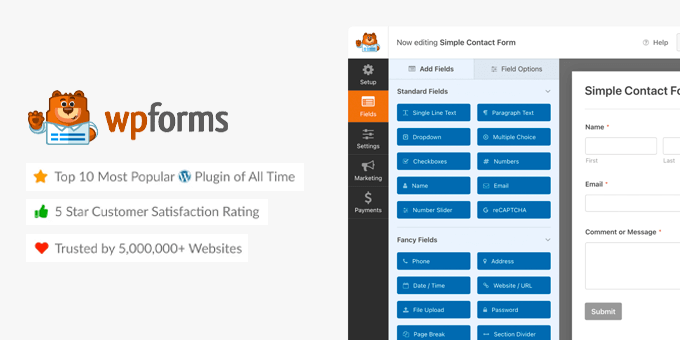
WPForms is the most beginner-friendly WordPress form plugin. With its easy drag and drop builder, you can create any type of form, like an online order form, and then send PDF invoices and collect payments right from your WordPress site.
Once a customer submits an order, the WPForms PDF addon makes it simple to turn that submission into a professional invoice or document.
You can choose from ready-made PDF templates, add your logo, adjust colors and layouts, and automatically pull in customer details, so every invoice looks polished and consistent.
WPForms integrates with PayPal, Stripe, Square, and Authorize.net to collect payments. This allows you to easily accept credit card payments without using a shopping cart plugin or eCommerce software. Plus, there’s no additional transaction fees.
You can even use it to set up recurring payment invoices and collect client’s digital signature at no additional fees.
While WPForms is not as robust as some other WordPress invoice plugins below, it has all the essentials features that you’ll need. This will help save you money because it can serve multiple purposes such as help you build contact forms, request a quote lead forms, collect feedback via surveys, etc.
WPForms comes with over 2,000+ pre-built form templates, and tons of other powerful features like form landing pages, conversational forms, form abandonment tools, custom thank you pages, privacy compliance, and more.
This is why over 6 million websites are now using WPForms, and it’s the fastest growing WordPress form builder in the market.
You can use our WPForms coupon to get an additional 50% off.
Note: There’s also a free version of WPForms that you can use. It doesn’t come with all the premium features, but it lets you create simple forms, send email notifications, accept Stripe payments, and more.
2. WP Simple Pay
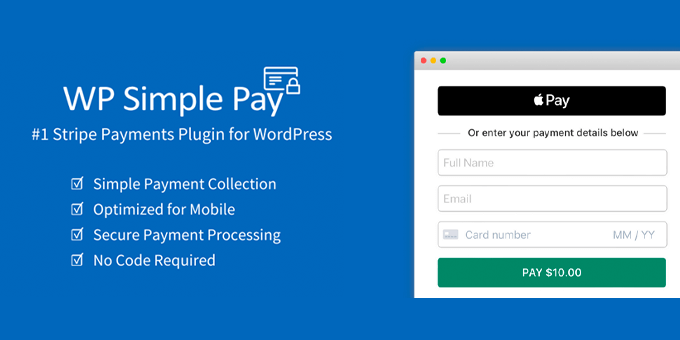
WP Simple Pay is one of the top WordPress invoicing and payments plugin for small business owners because it’s both simple and powerful.
The best part is that it lets you start accepting one-time and recurring payments on your WordPress site without setting up a complex shopping cart (no coding needed).
It has a smart payment form builder that lets you accept credit card payments, Apple Pay, Google Pay, ACH bank debit, SEPA direct debit, Alipay, Giropay, iDEAL, and more.
Basically, it supports 30+ languages and 135+ currencies, so you can accept payments worldwide.
The best part is that WP Simple Pay does not charge you any additional transaction fees.
You also have the option to set up custom coupon codes for customers, allow payments in installments, add free trial periods, charge custom one-time setup fees, and more.
There is a free version of WP Simple Pay available with some basic functionality that lets you accept Stripe payments.
3. FreshBooks
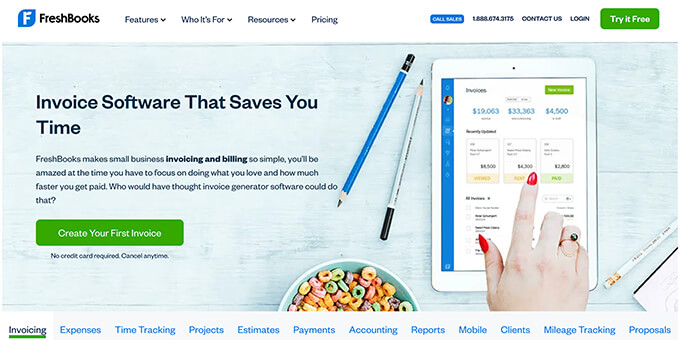
FreshBooks is popular accounting software for small businesses. It allows you to create professional invoices in a few clicks. You can fully customize the invoice by adding your business logo and personalized note.
It has an automated system to send reminders to customers for the overdue payments. FreshBooks also charges your clients’ credit card securely for recurring payments and sends notifications to you and your customers.
You can add your work hours and expenses in the invoices to display a proper breakdown of the payment. It also offers tax collection, preferred currency selection, discount codes, and pre-payment option.
FreshBooks is a SaaS invoicing platform that works with all best website builders, including WordPress. It is the most robust invoice software in the list, but their pricing is a bit more expensive since they charge you based on the number of billable clients.
4. Sliced Invoices
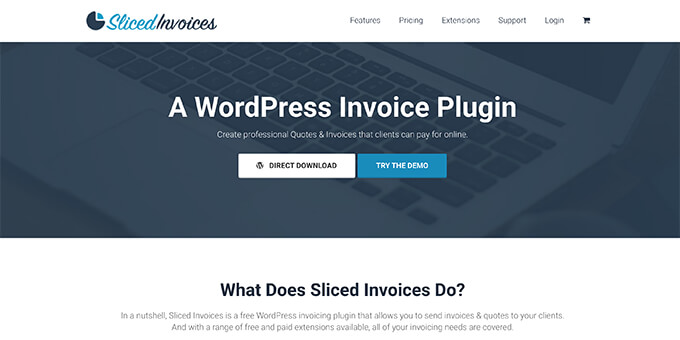
Sliced Invoices is a professional WordPress invoicing plugin. It has multiple pre-built templates and designs to generate invoices quickly. You can also create custom invoices with your logo and text, so you can send quotes directly to customers.
It comes with a reporting system to manage all your invoices and quotes in one place. Sliced Invoices is translation-ready, which enables you to send invoices in your customers’ language. It also includes extensions for PDF invoices, recurring payments, deposit invoices, and more.
Slide Invoices is a free plugin, but you will have to pay for individual extensions, or you can buy a bundle membership which is a much better deal.
5. EDD Invoices
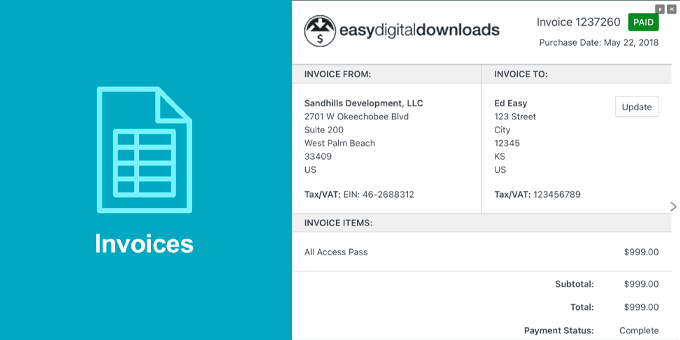
EDD Invoices is an extension for the popular WordPress eCommerce plugin, Easy Digital Downloads. It provides a complete solution for generating invoices for all EDD customers.
When a customer purchases any digital download, an invoice will be generated either in an HTML or PDF format. You can customize the information that shows up on the invoice including your custom logo, business address, tax ID, and more.
You can even give customers the ability to generate custom invoices with their own VAT number for accounting purposes.
6. WooCommerce PDF Invoices
WooCommerce PDF Invoices is a WooCommerce extension to send a PDF invoice with every order confirmation email. It has a ready-made template for the PDF invoices, and you can also create your own custom invoice templates.
It manages a sequence number for the invoices so that you can keep track of all the payments. The customers can download invoices from their account page on your eCommerce website.
You can also connect a printer with the plugin to print invoices as soon as the customers confirm the order. If you run an online store using WooCommerce, then this plugin can be the answer to your invoicing needs.
This plugin does not work with other WordPress eCommerce plugins, but most other solutions have their own invoice extensions.
7. Sprout Invoices
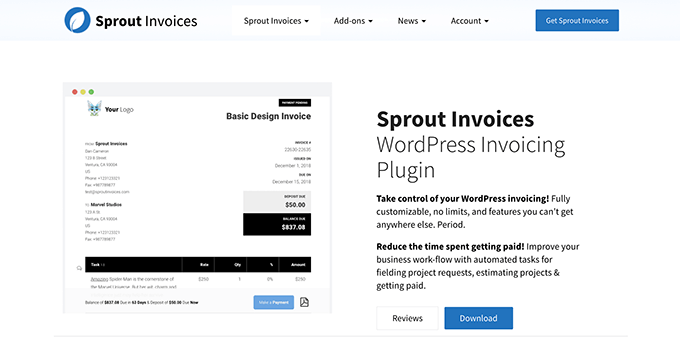
Sprout Invoices is a full-fledged invoicing plugin for WordPress sites. It can estimate the cost of your services and generate detailed invoices for customers automatically.
The plugin integrates with 300+ apps for payments, invoice designs, workflows, and more. It has a powerful payment scheduling system to set terms for customers like payment amount, due date, late fees, etc.
The free version is quite limited, and you’d have to upgrade to the Pro version to get all the features.
We hope this article helped you find the best invoicing plugins for WordPress. You may also want to check out our expert pick of the best WordPress plugins, best email marketing services, and best business phone services for small businesses.
If you liked this article, then please subscribe to our YouTube Channel for WordPress video tutorials. You can also find us on Twitter and Facebook.





Moinuddin Waheed
Having invoice becomes essential at times and it is good idea to have an invoice in the website.
wpforms is so much powerful that it can tackle any forms related task.
Thanks wpbeginner for making such awesome products.
it really help make a difference in the businesses.
Alex Miller
Awesome. Thank you for sharing this useful information. I was completely unaware of the existence of these plugins. It will undoubtedly benefit my e-commerce business.
WPBeginner Support
Glad we could help bring these to your attention
Admin
Herman
Great enlightening article.
WPBeginner Support
Glad you liked our article
Admin
Minhaz Uddin
Awesome. Thanks for the valuable information. Didn’t really know about these plugins existence. It will surely help me out in my e-commerce store.
WPBeginner Support
Glad our article could help
Admin