


I’ve used ChatGPT since it first came out. It helps me write blog posts, brainstorm ideas, and build outlines quickly.
But sometimes, it gives generic answers or misses the tone I’m going for. Other times, the information is outdated or just plain wrong.
So, I started testing other AI tools. Some didn’t work well. But a few gave better suggestions, cleaner structure, and faster results. Some even work directly inside apps I already use every day.
If you’re a blogger or marketer like me, the right AI tool can save you hours and improve your content. It should feel like a real teammate who understands your style and goals.
In this guide, I’ll share the best ChatGPT alternatives I’ve personally tested. I’ll explain how I used each one, what worked well, and when I’d choose them over ChatGPT.
Quick Summary: Top ChatGPT Alternatives for Bloggers / Marketers
In a hurry? Here are my top picks for the best ChatGPT alternatives.
But I recommend scrolling down to view the complete list of different tools and what they can do for your business.
| # | Tool | Best For | Pricing |
|---|---|---|---|
| 🥇 | Gemini | Best overall alternative to ChatGPT with deep Google integration | Free, Pro $19.99/mo |
| 🥈 | Claude | Creative and analytical writing with web search and file uploads | Free, Pro $17/mo, Max from $100/mo |
| 🥉 | Perplexity | Research, citations, and instant answers with web access | Free, Pro $20/mo |
| 4 | All in One SEO | AI content and image generation directly inside WordPress | Free, Paid plans from $49.60/yr |
| 5 | Copy.ai | Automated marketing copy and workflows | Free, Plans from $49/mo |
| 6 | Jasper | Brand-voice aligned content for businesses and teams | Starts at $39/mo |
| 7 | SEOBoost | Affordable AI-powered SEO content research and optimization | 14-day free trial, Paid plans from $22.50/mo |
Why Trust Me (and WPBeginner) 🤝
I’ve been writing content online for more than 20 years and teaching WordPress for over a decade. I rely on AI tools every day to write, plan, and publish content, not just test them.
This list is based on real-world use. I tested every tool by doing things like outlining blog posts, editing long-form content, and generating ideas when I hit a wall.
On top of that, WPBeginner has a proven editorial process. We fact-check, update, and review everything to help you get reliable results. You can read more about our editorial standards here.
Bottom line: I won’t recommend a tool unless it makes my work easier or better. And I made sure every suggestion in this list earned its spot.
How I Picked & Tested the Best ChatGPT Alternatives
I didn’t just Google a list of AI tools and call it a day. I personally used each one to write blog posts, create outlines, summarize research, and polish drafts.
Some tools impressed me right away. Others didn’t stick.
My goal was simple: find tools that help real writers, bloggers, and marketers. I looked for options that saved time, worked with my existing apps, and produced content I’d actually want to publish.
Here are some of the things I tested for in every tool:
- How fast and accurate the AI was for writing long-form blog posts
- Whether it supported real-time search, citations, or current data
- How well it handled tone, structure, and different writing styles
- Extra features like image generation, voice input, or SEO tools
- If it fit naturally into my writing workflow without extra friction
If a tool gave me generic answers, felt clunky, or slowed me down, I dropped it. The ones you’ll see below are the ones I’d recommend to my teammates and friends because they actually helped me get work done.
Why Not Just Use ChatGPT?
ChatGPT is great, but it’s not always the best tool for the job at hand. Sometimes, the answers feel too generic.
Other times, it gives outdated or incorrect info, especially if I don’t double-check. And depending on your writing style or the tools you use, it might not fit how you work.
That’s why I started looking for alternatives, tools that do some things better than ChatGPT. Some are better at research. Some work right inside apps like Google Docs or WordPress. Others give me more control over tone or formatting.
Let me be clear. I still use ChatGPT a lot. It’s one of the fastest and easiest ways to draft content, ask questions, and get ideas when I’m feeling stuck. I’ve used it for blog post outlines, headlines, social media posts, landing page copy, newsletters, and even writing code snippets.
If you’re curious about writing better prompts, I also wrote a guide on how to write ChatGPT prompts for bloggers and marketers.
So yes, ChatGPT is useful. But depending on your needs, the tools I’m about to show you might give you better results.
Best ChatGPT Alternatives to Try
ChatGPT is not the only generative text AI powered by machine learning. There are several very similar AI tools already available.
Some are more generic and powerful, while others are more specialized and can be used for specific scenarios.
Here are our top picks for the best ChatGPT alternatives that you should try.
1. Gemini (Free + Pro)
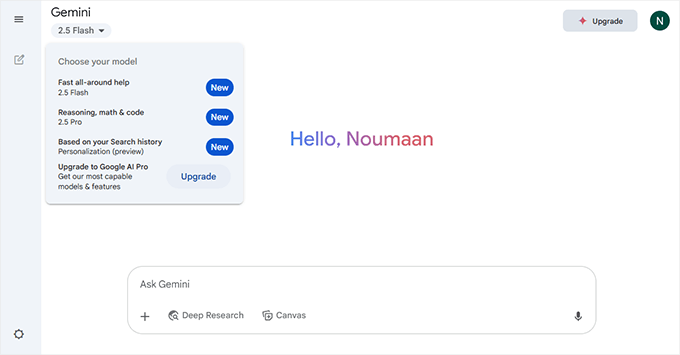
Gemini is one of the best ChatGPT alternatives I’ve used for real writing tasks inside Google Docs and Gmail. It’s deeply integrated with Google Workspace, which means I can ask it to rewrite a paragraph, summarize research, or brainstorm blog titles without switching tabs.
I’ve used the free version for quick tasks like editing drafts or asking follow-up questions, but Gemini Pro (based on the 2.5 Pro model) is where things really get powerful.
It can handle long-form content, complex research, image generation, and even video clips using tools like Imagen 4, Veo 3, and Whisk Animate.
The responses are usually accurate and well-structured, especially when I provide clear instructions. One of my colleagues built a really powerful fact-checking tool using Gemini Pro, and it is now my go-to tool for giving articles a final check before I publish them.
Gemini Ultra takes things even further with cinematic video generation, NotebookLM for deep research, and 30 TB of storage bundled through Google One. I haven’t needed Ultra for my blogging work yet, but it’s built for power users and teams working on multimedia projects.
How It Compares to ChatGPT
- Stronger Google integration — Works inside Docs, Gmail, and Sheets out of the box.
- Better image and video tools — Includes Imagen, Veo, Whisk, and NotebookLM.
- Multiple response drafts — Helps choose tone, structure, and style faster.
- Free plan is more limited — Only partial access to the 2.5 Pro model, and fewer advanced features.
- The plugin ecosystem is weaker — ChatGPT still leads in third-party GPT tools and integrations.
Gemini is one of the best ChatGPT alternatives I’ve tested for writing, editing, and research. You can use it directly in its mobile app, browser interface, or inside tools like Google Docs and Gmail.
I’ve also seen it show up as an option in some WordPress AI content generator plugins, making it more flexible than many people realize.
Best for: Bloggers, marketers, and WordPress users looking for a flexible writing assistant with visual and research tools. Works great inside Google apps, but also functions well on its own or when integrated into third-party platforms.
Pricing: The Free plan includes Gemini 2.5 Flash and limited access to 2.5 Pro. Google AI Pro costs $19.99/month and includes access to Gemini 2.5 Pro, NotebookLM Pro, and 2 TB Google One storage. Google AI Ultra is priced at $49.99/month.
2. Claude (Anthropic)
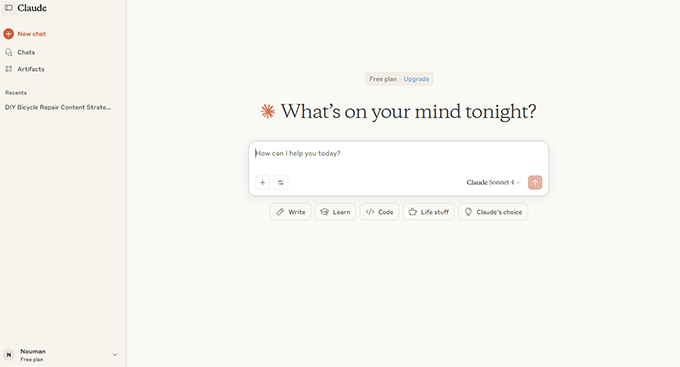
Claude has quickly become one of my favorite tools for editing, rewriting, and creating structured content. It’s fast, calm, and surprisingly accurate when it comes to tone and formatting.
I’ve used it to clean up long blog posts and brainstorm new article ideas, and the results are sometimes better than ChatGPT.
The thing that makes Claude different is how well it organizes its answers. When I ask for content outlines, feedback, or even simple rewrites, the results are clean and thoughtful.
It’s also very good at handling larger contexts, which is helpful when working with long content or detailed instructions.
One of Claude’s best features is called Artifacts, which lets you create and edit documents, code, and graphics directly alongside your chats. It’s great for multitasking and actually seeing your content evolve in real-time.
Claude also includes built-in web browsing, and the free version gives you access to all core features, including Sonnet 4.
If you want even more usage, the Pro and Max plans offer higher limits, integration with Google Workspace, and access to Claude’s Research tools and advanced models. It also supports custom integrations for more technical workflows.
How It Compares to ChatGPT
- Better formatting — Claude’s structure is often cleaner and more scannable than ChatGPT’s output.
- Real-time artifacts — You can create and edit code, documents, and graphics directly next to your chat.
- Web access built-in — Available even in the free version, unlike ChatGPT Free, which lacks browsing.
- Less plugin support — ChatGPT has a wider range of third-party tools and integrations.
- Claude Sonnet 4 feels more like an editor, while ChatGPT is more like a friendly assistant.
Best for: Writers, editors, researchers, and anyone who works with long-form content or needs better structure and clarity in their writing.
Pricing: Free for core features including Claude Sonnet 4, web access, and Artifacts. Pro costs $17/month (billed annually) and includes more usage, access to Claude Code, integrations, and research tools. Max starts from $100/month for higher usage and early access to new features.
3. Perplexity
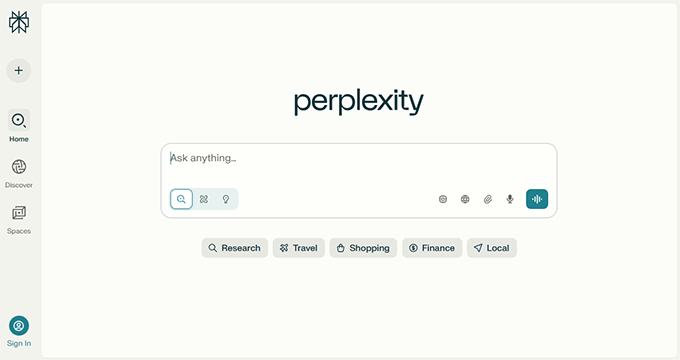
Perplexity is the tool I turn to when I need quick and accurate research. Unlike other AI tools that generate content based on training data alone, Perplexity searches the live web and shows you where its answers come from. It feels like combining Google Search with an AI that can actually summarize the results for you.
I’ve used it to fact-check blog posts, generate keyword ideas, and explore topics that need up-to-date citations.
One of my favorite things is how Perplexity includes clickable sources right inside the response. That makes it easy to verify claims or dig deeper when something looks interesting.
There’s also a Pro version that gives you access to multiple AI models, including GPT-4, Claude, and Gemini. You can even ask Perplexity to answer using a specific model if you want.
For bloggers and marketers who write research-heavy content, this is a fantastic companion to ChatGPT.
How It Compares to ChatGPT
- Real-time search — Perplexity browses the live web, while ChatGPT (Free) uses older data.
- Cited answers — Sources are listed right in the reply, making it more reliable for research.
- Model choice — With Pro, you can pick between GPT-4, Claude, and others.
- No long-form writing features — ChatGPT is better for drafting full blog posts or emails.
Best for: Bloggers, researchers, and marketers who need real-time, source-backed answers and summaries.
Pricing: The core version is free and includes access to Perplexity’s real-time search with citations. Perplexity Pro costs $20/month and gives you access to premium models like GPT-4, Claude, and Mistral, along with advanced usage features.
4. All in One SEO
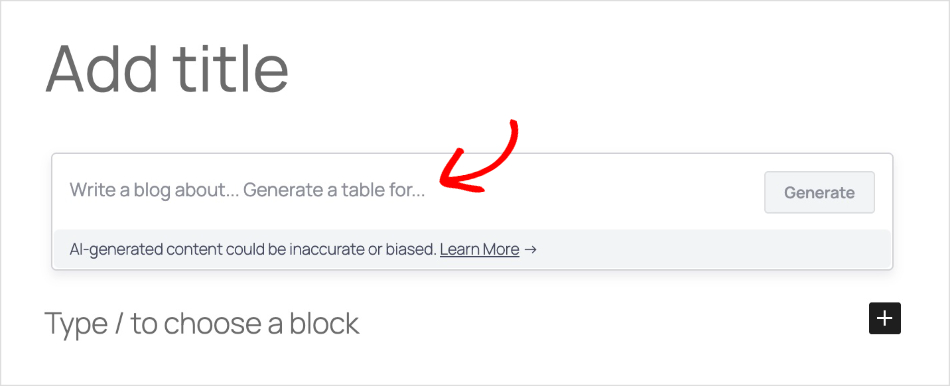
All in One SEO is the best WordPress SEO plugin, and it now includes powerful AI features that make it a solid ChatGPT alternative for bloggers.
What makes it special is that everything works directly inside the WordPress editor, so you never have to leave your site to generate content.
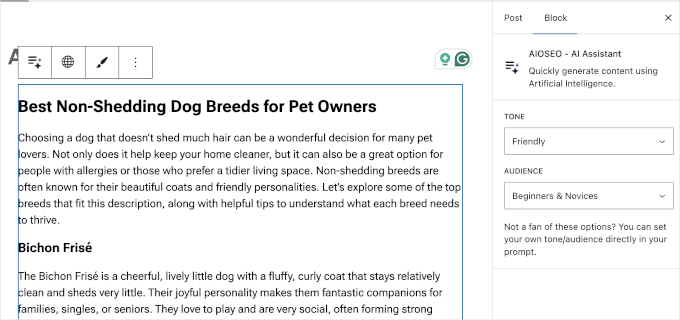
The AI Assistant lets you type a prompt and generate full blog posts, product pages, FAQs, comparison tables, and more in seconds. I’ve used it to quickly draft content when I’m stuck or need a starting point for a new article.
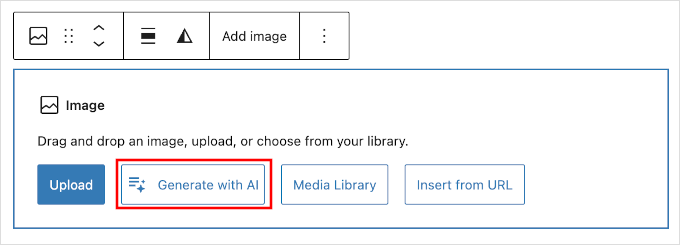
But the feature that really impressed me is the AI Image Generator. You can create original images from text prompts without needing a separate tool like Midjourney or DALL·E.
Just describe what you want, choose a style (cinematic, illustration, minimalist, etc.), and the image appears right in your media library.
Beyond content generation, All in One SEO also includes AI-powered title and meta description generators, a social posts generator, and an email writer.
These tools help you optimize your content for search engines and social media without switching between apps.
It also has an AI Keyword Report feature that shows which brands rank in AI search results for any keyword. This is incredibly useful for understanding the new landscape of AI-powered search engines like ChatGPT, Perplexity, and Google’s AI Overviews.
How It Compares to ChatGPT
- Works inside WordPress — No need to copy and paste from a separate chat window.
- Built-in image generation — Create visuals from prompts without leaving your site.
- SEO-focused AI — Includes AI-powered titles, meta descriptions, and social post generation.
- AI search insights — See which brands rank in AI search engines for your target keywords.
- WordPress-only — Unlike ChatGPT, it requires a WordPress site to use.
Best for: WordPress bloggers and content creators who want AI writing and image generation built directly into their publishing workflow.
Pricing: A free Lite version is available with 100 AI credits. Paid plans start at $49.60/year and include more AI credits, advanced SEO features, and priority support.
5. Copy.ai
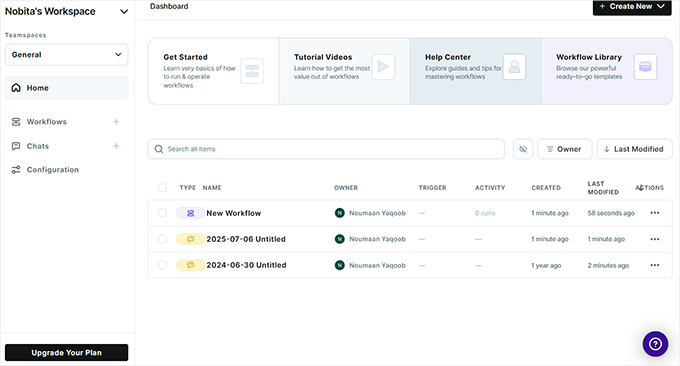
I’ve used Copy.ai for writing email sequences, product descriptions, and even some cold outreach campaigns. What sets it apart from tools like ChatGPT is how it’s built around workflows.
You don’t just get a blank prompt. You get structured tools to guide your writing, which is helpful when you’re moving fast or handing tasks off to team members.
The platform now includes a full workflow automation feature. For example, you can set up a lead generation flow that pulls data from LinkedIn and automatically generates personalized emails.
That’s a big timesaver if you work in sales or marketing. It also integrates with top CRM software like HubSpot and Salesforce, which is a huge bonus if you’re scaling content operations.
I still prefer ChatGPT for freeform writing and brainstorming. But for repeatable content tasks like blog intros, product copy, and cold outreach, Copy.ai’s templates and automation tools really shine.
How It Compares to ChatGPT
- Workflow-first design — Copy.ai focuses on structured workflows, while ChatGPT provides a blank canvas.
- Integrations — Built-in support for CRMs and sales tools makes Copy.ai more business-friendly.
- Less flexible for creative writing — ChatGPT is still better for brainstorming and long-form content.
- Team-ready — Great for teams that need repeatable outputs and automation.
Best for: Sales teams, content marketers, and small businesses that want to automate repetitive writing tasks.
Pricing: The free plan includes limited workflows. The Pro plan starts at $49/month with access to advanced workflows, integrations, and higher usage limits.
6. Jasper
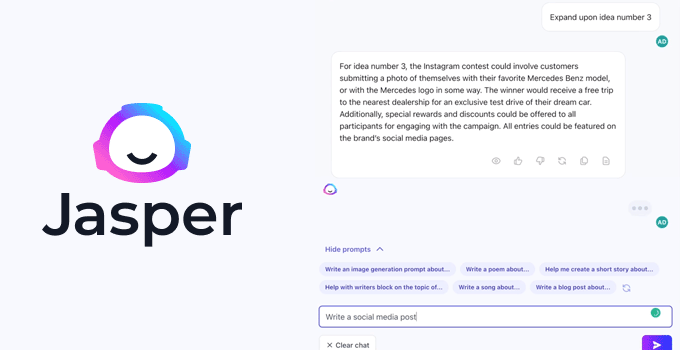
Jasper was one of the first AI writing tools I tried when exploring marketing-focused platforms. It’s designed for businesses and teams that want to scale content production while staying on-brand.
Unlike ChatGPT, Jasper comes equipped with ready-made tools for marketers, including campaign workflows, content templates, and tone control.
It even includes an image generation suite and a style guide feature that makes sure everyone on your team writes in the same voice.
Jasper works across your browser and integrates with tools like Google Docs, Webflow, and Slack. I’ve used it to create blog posts, social media campaigns, landing pages, and sales emails, all without having to switch tools. It also supports over 30 languages, which is a big win for multilingual content teams.
How It Compares to ChatGPT
- Marketing focus — Jasper is fine-tuned for writing campaigns, landing pages, and brand content.
- Team features — Built-in tools for brand voice, team collaboration, and content approval.
- Better for structure — Jasper helps you follow a process. ChatGPT gives you more flexibility and freedom.
- Multi-model routing — Jasper uses a combination of LLMs and its own training layers for better marketing results.
Best for: Marketing teams, content agencies, and businesses that need brand-safe, repeatable content at scale.
Pricing: Jasper offers a 7-day free trial. Paid plans start at $39/month for solo creators. The Pro plan is $59/month per seat and adds multi-brand support, image tools, and team collaboration. The Business plan has custom pricing and includes advanced controls, SSO, API access, and custom workflows.
Best ChatGPT Alternatives for SEO Content Optimization
ChatGPT is great for general SEO tasks like keyword research, writing, and editing. But it lacks the specialized SEO tools that can help you boost your content’s visibility in the search results.
Now, with Generative Engine Optimization (GEO), the SEO game has changed completely. I have found the following tools to be much better at content optimization tasks than ChatGPT.
7. SEOBoost

I use SEOBoost for optimizing content for SEO and AI Search. It integrates smoothly with All in One SEO, the best WordPress SEO plugin, which I use on all my WordPress websites. It’s simple to use, helps me write content that ranks better, and doesn’t break the bank.
SEOBoost offers a full set of features: topic research, AI-generated content briefs, real-time SEO scoring, NLP keyword suggestions, and content audits. It feels like having a content strategist and SEO expert in one tool. I especially like how quickly I can create outlines and send them to writers.
Compared to more expensive SEO tools, SEOBoost is more affordable yet still powerful enough for agencies and serious bloggers. It’s especially useful if you’re managing multiple content projects or working with a team.
How It Compares to ChatGPT
- SEO-focused from the start: Unlike ChatGPT, SEOBoost is built specifically for content planning and optimization.
- Includes NLP tools: Helps you add search-friendly phrases and keywords that match how people search.
- Real-time scoring: Rates your content as you edit to improve SEO performance.
- Better content management: Offers workflows, content calendars, and team collaboration tools.
- Not ideal for content generation: It is not made for generating AI articles. For that, I still use ChatGPT.
Best for: Bloggers, agencies, and content teams using WordPress and All in One SEO who want better rankings at a lower cost.
Pricing: Starts at $22.50/month (Billed annually) or $30 month-to-month. A free 14-day trial is also available.
8. Scalenut
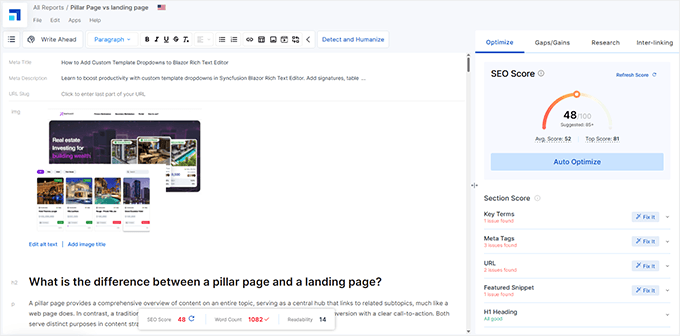
I’ve used Scalenut when optimizing blog posts for SEO that need strong outlines, keyword optimization, and competitor research all in one place. It’s built for content marketers who want more structure than what ChatGPT offers by default.
Scalenut’s standout feature is its SEO content editor. You can enter your keyword and instantly get a suggested outline based on top-ranking pages. It also recommends internal linking, readability scores, and real-time keyword usage as you write.
I like that it includes tools for both AI writing and SEO planning in one workflow. Plus, the Cruise Mode lets you generate a full article draft with just a brief. While the writing quality isn’t always perfect, it’s solid enough to speed up content production.
How It Compares to ChatGPT
- SEO-first approach — Built-in tools for keyword clustering, SERP analysis, and optimization.
- Guided workflow — You don’t start with a blank screen. You get templates and outlines to follow.
- Chat vs Editor — ChatGPT gives raw text responses. Scalenut gives a document-style editor with real-time suggestions.
- Less flexible — If you want open-ended brainstorming, ChatGPT might be a better fit.
Best for: Bloggers, SEO writers, and teams who want faster, optimized long-form content.
Pricing: Scalenut offers a free trial with limited credits. Paid plans start at $39/month for the Essential plan. The Growth plan is $79/month and adds Cruise Mode, AI templates, and advanced analytics. There’s also a Pro plan with custom pricing for large teams.
9. Surfer
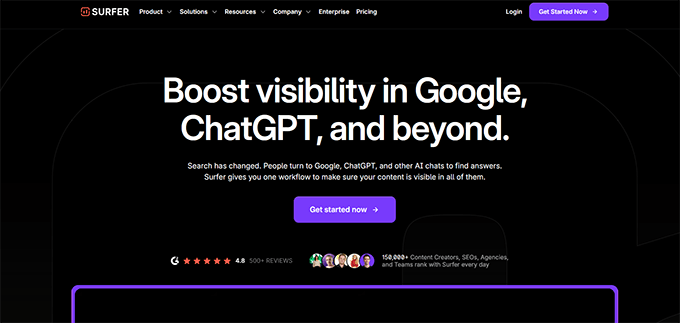
SurferSEO helps you create SEO-optimized articles in just a few minutes. You choose a keyword, and the tool builds the article for you.
It builds the full article with an outline, headings, and body content based on top results from Google. I’ve used it to generate drafts that only need small edits before publishing.
Surfer AI works best when your main goal is to rank for a keyword. It combines AI writing with Surfer’s built-in SEO tools. But it’s not ideal for creative writing. If you want original or more engaging content, ChatGPT is better.
Surfer also includes an AI content detector that checks whether content is human-written or generated by AI. It’s useful for publishers, educators, and content managers who need to maintain quality standards and comply with evolving content guidelines.
How It Compares to ChatGPT
- SEO score included: Surfer checks keyword usage, headings, and structure while you write.
- Fast process: You can go from keyword to full article in under five minutes.
- Less creative: The content is optimized but plain. ChatGPT gives you more control over tone and style.
- Pay per article: Surfer charges for each article. ChatGPT uses a monthly subscription model.
Best for: Bloggers and marketers who want quick, SEO-friendly posts with little effort.
Pricing: Surfer SEO subscription starts at $79/month and gives you credit for 60 rank-ready AI articles. You can buy additional AI credits as needed.
Best ChatGPT Alternatives for Productivity
ChatGPT is great for writing, but it’s not always integrated into different workflows. That’s where productivity-focused AI tools come in.
I use these alongside ChatGPT to streamline my editorial workflow, manage tasks, and edit faster. They’re especially helpful when I need AI at different stages of work and inside different apps.
10. Microsoft Copilot
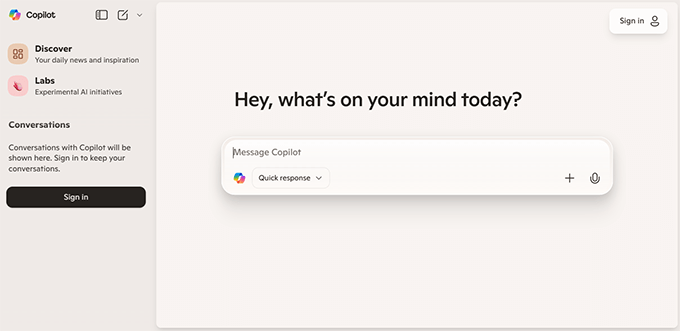
Copilot is Microsoft’s AI companion designed to work across their ecosystem, including the Windows operating system, Microsoft 365 (Word, Excel, Outlook, PowerPoint, etc), and Edge browser.
I currently use a Windows PC, which has a native Copilot app. It has proven to be somewhat useful when I needed quick answers or wanted to compare AI responses.
However, since we use Google Workspace at WPBeginner, Gemini is more integrated into my day-to-day workflow.
However, I have found Copilot to be a very capable AI suitable for all kinds of tasks. Text generation, writing, and quick answers. It has search and internet access built in, which is quite useful. Plus, it also gives you access to newer image generation models of OpenAI.
It’s built into Microsoft 365 apps, so you don’t need to install anything. If your team already uses Excel or PowerPoint, Copilot can also help automate spreadsheet tasks or generate slide content.
How It Compares to ChatGPT
- Deep integration: Copilot works natively in Word, Excel, and Outlook.
- Limited outside Microsoft tools: Doesn’t integrate with apps outside the Microsoft ecosystem.
- More context-aware: Pulls in calendar, email, and document info to generate better replies.
- Enterprise-ready: More compliant for company-wide rollout than ChatGPT.
Best for: Professionals or teams using Microsoft 365 who want AI embedded into daily tools.
Pricing: Basic free plan with a Microsoft account. Additional features are available with a Microsoft 365 subscription.
11. Grammarly
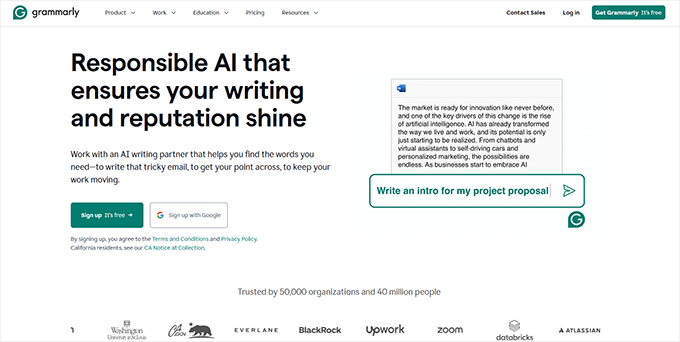
Grammarly is my go-to writing assistant. It helps me fix grammar, improve clarity, and keep my tone polite and professional.
Its AI now includes generative features, so I can rephrase sentences or summarize a paragraph with a click. It works inside browsers, Word, Gmail, and even Google Docs.
One standout feature of Grammarly for me is that it easily cleans the unnecessary em dashes added by ChatGPT.
However, what I disliked about Grammarly is that if you are using a free plan, it will often highlight text that you can only fix if you have a premium plan. You can dismiss these suggestions, but they are quite annoying.
It’s especially helpful when I want my blog posts to sound natural but still follow proper writing rules. Grammarly feels like a lightweight editor that’s always on standby.
How It Compares to ChatGPT
- Grammar-first: Grammarly focuses on sentence structure and tone.
- Lighter generation: ChatGPT is better for full content writing, but Grammarly is better for polishing.
- Real-time suggestions: Works as you type, unlike ChatGPT, which requires full prompts.
- Multi-platform: Available in email, social media, docs, and browser extensions.
Best for: Writers who want clean, polished writing across apps without copy-pasting into ChatGPT.
Pricing: Free plan available. Premium plans start at $12/month.
ChatGPT Alternatives for Multimedia / Images
Sometimes words aren’t enough. If you’re creating blog thumbnails, social posts, or even podcast voiceovers, these AI tools can help.
I’ve used them to turn article ideas into visuals, generate voice clips for videos, and create scroll-stopping graphics without hiring a designer. They’re a perfect companion when you want to go beyond text.
12. ElevenLabs
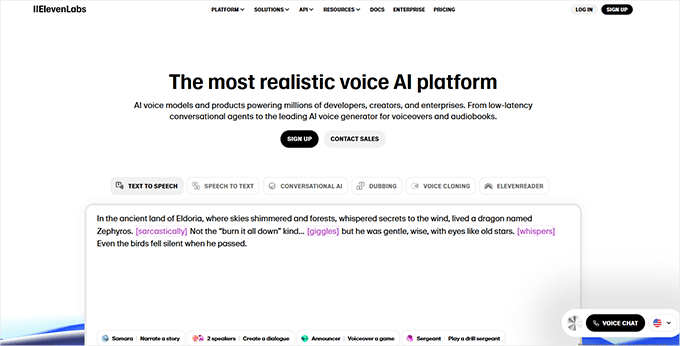
ChatGPT does not have text-to-speech models built in, which is why I use ElevenLabs to convert blog posts into natural-sounding audio. It reads your content in a human-like voice that doesn’t sound robotic or flat.
I have used it to narrate YouTube videos, create shorts and reels, and even experimented with podcast-style content. The voice quality is amazingly good, and it’s really fast to generate.
It also lets you clone your own voice or choose from a wide library of tones. This gives your brand a consistent audio presence across platforms.
How It Compares to ChatGPT
- Audio-focused: ElevenLabs doesn’t write content—it converts it to voice.
- High-quality output: Far better than built-in text-to-speech tools.
- Voice cloning: Great for brand consistency in podcasts or videos.
- Content repurposing: Helps reuse blog posts for new channels.
Best for: Bloggers, podcasters, and YouTubers looking to add high-quality narration to content.
Pricing: Free plan available. Paid plans start at $5/month.
13. Ideogram
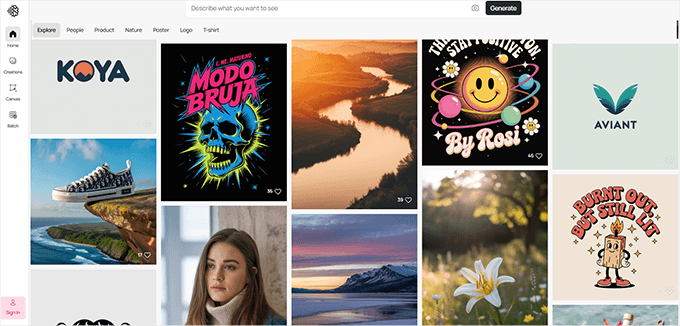
Ideogram is the only AI image generator I’ve found that handles text properly. It can generate stylish blog thumbnails, social media quotes, or even logos with real words.
Most AI tools struggle with adding readable text inside images. But Ideogram nails this use case—it’s perfect when I want to make catchy visual headlines or YouTube graphics.
It’s free to use with some limitations, and ideal if you want an alternative to Canva for fast, AI-powered graphics.
How It Compares to ChatGPT
- Text in images: Excels at generating visuals with readable text, unlike Midjourney.
- No writing features: Doesn’t generate or edit articles like ChatGPT.
- Quick thumbnails: Great for blog titles, memes, and social promos.
- Creative tool: Makes it easy to visualize ideas with text-based designs.
Best for: Bloggers and marketers who want AI-generated images that include real text.
Pricing: Free plan available. Paid plans start at $7/month.
Other Notable ChatGPT Alternatives Worth Exploring
- MidJourney – Creates stunning AI-generated artwork based on text prompts.
Best for: Visual creators, designers, and marketers.
Pricing: Starts at $10/month (no free plan). - Chatsonic – An AI chatbot with access to real-time internet data and image generation.
Best for: Users who want a more current and visual version of ChatGPT.
Pricing: Free plan available; paid plans start at $16/month. - Meta AI – A free AI assistant integrated into WhatsApp, Instagram, and Messenger.
Best for: Casual users who want AI help while chatting or browsing.
Pricing: Free. - Grok – Elon Musk’s take on conversational AI, designed with a sarcastic edge.
Best for: X (Twitter) power users and those wanting AI with personality.
Pricing: Included in X Premium+ ($16/month). - DeepSeek – Open-source LLM built for reasoning and academic-style responses.
Best for: Researchers, students, and technical users.
Pricing: Free to use. - Pi.ai – A friendly, emotional AI designed for conversations and coaching.
Best for: Users seeking casual, emotionally intelligent AI chats.
Pricing: Free (with optional app upgrades).
Final Verdict: Which is the Best ChatGPT Alternative?
Google’s Gemini is the best overall ChatGPT alternative, and in many ways, it’s even better than ChatGPT itself. It offers tight integration with Google tools, access to powerful models like 2.5 Pro and Imagen 4, and a generous free plan.
That said, the best ChatGPT alternative may still depend on what you’re trying to achieve.
If you’re writing blog posts or marketing copy, tools like Claude and Perplexity can help you write well-researched content. For WordPress users who want AI built directly into their workflow, All in One SEO offers content generation, image creation, and SEO optimization all in one plugin. For SEO improvements, SEOBoost can further improve your marketing content for maximum organic traffic.
If your business uses Microsoft 365, then you may find CoPilot integration a lot more helpful than switching between different AI platforms.
There’s no single winner for everyone, but with so many free trials and plans, you can test what works best for you.
We hope this article helped you find the best ChatGPT alternatives to try. You may also want to see our tips for using OpenAI on your WordPress website or check out our expert picks for the best WordPress plugins using AI.
Frequently Asked Questions
Can I use ChatGPT alternatives for free?
Yes, many ChatGPT alternatives like Gemini, Claude, Perplexity, and All in One SEO offer free plans. These usually come with basic features and limited usage. You can try them without paying to see what works best for you.
Which ChatGPT alternative is best for SEO content?
Tools like Surfer, Jasper, SEOBoost, and All in One SEO are built specifically for SEO writing. They include keyword analysis, content scoring, and optimization suggestions—features ChatGPT doesn’t offer by default.
Is Claude better than ChatGPT?
Claude is great for understanding context, summarizing long documents, and handling complex reasoning tasks. It’s not necessarily better than ChatGPT in every area, but it’s a strong option, especially for research and professional writing.
Can I use these tools inside WordPress?
Yes. Some AI tools integrate with WordPress through plugins. For example, All in One SEO includes a built-in AI content generator and image generator that work directly in the WordPress editor. SEOBoost also works with All in One SEO, and many AI plugins let you connect to OpenAI, Gemini, or Claude models.
What is the most powerful ChatGPT alternative?
Gemini and Claude are two of the most capable tools right now. Both use large language models with strong reasoning abilities. Gemini’s Pro and Ultra plans even support image and video generation, while Claude Sonnet 4 is known for reliable answers and in-depth analysis.
Learn More About Using AI for Your Website
Curious how to actually put these AI tools into action? We’ve tested dozens of WordPress plugins, content generators, image creators, and automation helpers to see what works. These guides show you real-world ways to apply AI to your website, especially if you’re a blogger, marketer, or small business owner.
- 11 Best ChatGPT WordPress Plugins – A practical comparison of top plugins that let you use ChatGPT directly inside WordPress.
- A Small Business Owners’ Guide to Artificial Intelligence – Learn how to use AI for marketing, support, automation, and growth.
- How to Use AI to Generate Images in WordPress – A step-by-step guide for creating visuals using tools like DALL·E and Midjourney.
- How to Write Content Using AI in WordPress – Shows how to generate high-quality blog content using AI writing assistants.
AI tools are evolving fast, and there is a lot happening. Whether you’re a blogger, business owner, or content creator, I recommend trying new tools to continuously refine and improve your AI workflows.
If you liked this article, then please subscribe to our YouTube Channel for WordPress video tutorials. You can also find us on Twitter and Facebook.




Dayo Olobayo
Of all the tools listed above, I use Google Bard (now Gemini) the most and it has proved very useful for my blog writing tasks. Never knew Microsoft has an alternative at all. I’ll be trying that out as well.
Jiří Vaněk
Microsoft currently doesn’t have any alternative. Their Bing chat is built on Chat GPT. Essentially, they took the standard Chat GPT and integrated it into their search engine. The advantage is that this GPT has access to the internet (which current models also have). However, Bing Chat essentially uses Chat GPT for summarizing search results, something that any language model with internet access can do. Personally, I see Bing Chat more as a helper when I’m searching for something on the internet rather than a direct alternative to models like Gemini or GPT 4O. Moreover, GPT 4O can now work quite well with images, voice, and spoken language.
THANKGOD JONATHAN
This is a great overview of ChatGPT alternatives. I’m particularly interested in Bard – it seems like a powerful tool for content creation. Do you have any experience using it?
WPBeginner Support
Some of our team have tested bard and we have shared their opinion under bard in the article
Admin
Moinuddin Waheed
These tools can be best utilised as writing assistant and not as a full writing posts or pages.
I have used Google bard , Microsoft bing and Jasper ai and these are great writing assistant tools.
it helps generate ideas and tweak according to our test and requirements.
Thanks for the list of these tools, I will explore these to enhance my productivity and blog journey.
Ralph
I tried writing may articles with ChatGPT, and it is average at best. It makes many mistakes and writes really amateurishly. I found it ok for giving me ideas for titles as I batch produce my content and H2, H3 etc. It is good for that, but nothing more if you have technical niche.
I will check out other alternatives and hope they are at least slightly better.
Thank ouy for this post!
WPBeginner Support
Rather than writing an entire article for you, we would recommend using AI as a tool for brainstorming.
Admin
Jiří Vaněk
Great list of tools. Until now, I’ve only used BING creator and Midjurney. However, with Midjurney, there’s an issue, if it’s not paid for, you don’t get many options for creating images. So, it’s good to know about other tools as well.
WPBeginner Support
Glad we could share these tools
Admin
Suresh
You should definitely consider using Google Bard as a fantastic free alternative to ChatGPT. The Google chatbot uses PaLM 2, a large language model created by Google in 2023, which is an upgraded version of their previous models.
WPBeginner Support
Thank you for sharing your preferred tool
Admin
Darren Edwards
What a great little resource that describes the current options open to us all. With the revert changing landscape, it is great to have someone take the time to effectively share the range of tools available and explain their differences. Great job.
WPBeginner Support
Glad to hear you found our list helpful!
Admin
Jeannine Sonnenberg
Thank you for this article!!!
As a newbie with computers, I had no idea what all could be done.
Mind boggling AND exciting all at the same time…, J
WPBeginner Support
Glad to hear our list of alternatives was helpful!
Admin