Often beginners get confused when trying to pick the right WordPress plugins for their needs. We frequently get questions like what is the best WordPress plugin to build an online store, add testimonials, accept payments, create a contact form, and so much more. Unlike other sites, our expert team at WPBeginner tests and review the best WordPress plugins for each task and create step-by-step installation guides to make your life easier. We do the research, so you don't have to.
If you're just getting started, then you may want to start with our popular WordPress plugin guides:
We also have a WPBeginner Solutions Center where we have our expert reviews and our community reviews of top WordPress plugins and tools.
You can find our other latest WordPress plugin guides below, and you can always use the search feature on our site to find helpful WordPress tutorials faster.
If you don't see a WordPress plugin guide that you're looking for, then please reach out to your team and let us know. All our WordPress content ideas are suggested by our users over the last 15+ years.
Have you ever tried printing a WordPress blog post only to end up with a messy page full of sidebars, ads, and navigation menus? Your visitors might run into the same problem on your site. It’s a common issue, and many site owners don’t even… Read More »
Many readers have asked us why their menu isn’t showing up on their website, or if it’s possible to create different menus for specific pages or posts. The answer to both questions is yes, but the process for adding menus in WordPress posts and pages… Read More »
Have you thought about turning off plugin updates in WordPress? Many website owners wonder about this, often because they worry updates might break their site. We’ve worked with lots of WordPress sites over the years, and we’ve seen what happens when you don’t update plugins.… Read More »
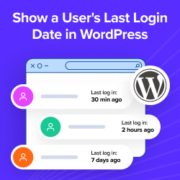
If you run a WordPress site with multiple users, you’ve probably wondered how to see when someone last logged in. Whether you’re managing a membership site, an online store, or a blog with several authors, tracking user activity can help you spot inactive accounts and… Read More »
Over the past few years of running WordPress sites, I’ve learned that speaking your audience’s language is very important if you want them to engage with your content. That’s one reason the team and I have translated WPBeginner into many different languages, such as Japanese,… Read More »
At WPBeginner, we have found that one often overlooked aspect of running a multi-author WordPress blog is keeping authors in the loop, especially when their articles go live. Timely communication ensures that authors know when their work is published, helping them feel more connected to… Read More »
WordPress only shows update notifications when you log in, which makes it easy to miss critical updates. Without automatic updates, your site could become vulnerable without you even realizing it. Staying on top of updates is challenging if you don’t check your admin dashboard regularly.… Read More »
We manage a lot of WordPress websites and understand that keeping them up to date is essential for their security, performance, and stability. But manually managing those updates can be time-consuming and frustrating. Wouldn’t it be easier if WordPress could handle those updates for you… Read More »
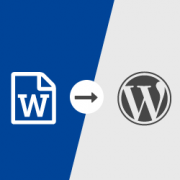
Do you like writing in Microsoft Word instead of WordPress? Want to import the .docx document in WordPress instead of copying / pasting which usually messes up the formatting? In this article, we will show you how to import .docx documents in WordPress. Why and… Read More »
Do you want to stop content pirates from showing their own ads on your WordPress site? There are several tools that allow marketers to place their own call to actions and advertisements on any link they want. In this article, we will show you how… Read More »
Used to store interaction and conversion data for campaigns in conjunction with Revenue Attribution.
1 year
_gat_omTracker*
Set, controlled and used by Google Analytics to collect and store data and then send that data to Google Analytics. OptinMonster provides the name if there is no existing tracker found on that page.
-
omCountdown-{id}-{elementId}
Used for countdown elements {elementId} in campaigns {id} to determine when it should complete.
-
om-{id}-closed / omSlideClosed-{id}
Used specifically with slide-in campaigns {id} to determine if it has been closed or not by a visitor.
30 days
om-success-cookie / omSuccessCookie
Used to determine if a visitor has successfully opted in to any campaign on your site to unlock content when using our Content Locking feature.
365 days
om-success-{id} / omSuccess-{id}
Used to determine if a visitor has successfully opted in to a campaign with the ID of {id} on your site.
365 days
omSeen-{id}
Used to determine if a visitor has been shown a campaign by the slug.
30 days
om-{id}
Used to determine if a visitor has interacted with a campaign ID of {id} on your site.
30 days
_omappvs
Used to determine when a new visitor becomes a returning visitor.