Often beginners get confused when trying to pick the right WordPress plugins for their needs. We frequently get questions like what is the best WordPress plugin to build an online store, add testimonials, accept payments, create a contact form, and so much more. Unlike other sites, our expert team at WPBeginner tests and review the best WordPress plugins for each task and create step-by-step installation guides to make your life easier. We do the research, so you don't have to.
If you're just getting started, then you may want to start with our popular WordPress plugin guides:
We also have a WPBeginner Solutions Center where we have our expert reviews and our community reviews of top WordPress plugins and tools.
You can find our other latest WordPress plugin guides below, and you can always use the search feature on our site to find helpful WordPress tutorials faster.
If you don't see a WordPress plugin guide that you're looking for, then please reach out to your team and let us know. All our WordPress content ideas are suggested by our users over the last 15+ years.
Long-form content is fantastic for SEO and providing value to your readers, but there’s one small problem: people like to know what they’re getting into. When someone lands on a 3,000-word tutorial, they want to understand their commitment upfront. Progress bars solve this beautifully by… Read More »
Small design touches can make a huge difference in how professional your website looks. Custom scrollbars are one of those details that most visitors won’t consciously notice, but they’ll definitely feel the improved visual consistency when navigating through your content. The good news is that… Read More »
If you’ve ever explored your WordPress dashboard, you’ve probably noticed a mysterious plugin called “Hello Dolly” that you never installed. It’s one of those things that makes you wonder: “Is this important? Should I activate it? Can I delete it?” 🤔 This little plugin has… Read More »
Do you want to limit the number of tags authors can add to WordPress posts? Tags help organize your content and make it easier for visitors to find related posts. But when authors add too many tags, your site can end up with cluttered tag… Read More »
A business directory can turn your WordPress site into a place people come to find local services, professionals, or niche experts. Meanwhile, it gives businesses a simple way to reach new customers. The hard part isn’t the idea. It’s choosing the right plugin. Some directory… Read More »
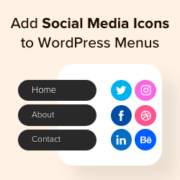
Adding social media icons to your WordPress menu is a smart way to promote your profiles without cluttering your site. These small, recognizable logos can encourage visitors to follow you on various platforms, potentially boosting your online presence and engagement. We’ve found that with WordPress,… Read More »
We have worked with many WordPress sites that have complex structures, so we understand that many users are looking for a better way to manage and organize their WordPress pages. It can be frustrating to manage a site with a lot of pages. The default… Read More »
Want to make design tweaks that WordPress’s built-in customizer or even page builders don’t offer? The CSS Hero plugin lets you customize these hard-to-reach elements without touching any code. We often use CSS Hero ourselves when we need to adjust specific design elements – like… Read More »
Are you looking for the best audio player plugins for WordPress? WordPress has built-in support to handle audio files in various formats. It can automatically embed an audio file in a supported format, but what if you need more features like playlists, customization options, etc?… Read More »
When we first started building WordPress sites for clients, we quickly learned that the standard admin dashboard could be intimidating for beginners. Many of our clients would call us for help with simple tasks because they couldn’t navigate through all the menu items and settings.… Read More »
Used to store interaction and conversion data for campaigns in conjunction with Revenue Attribution.
1 year
_gat_omTracker*
Set, controlled and used by Google Analytics to collect and store data and then send that data to Google Analytics. OptinMonster provides the name if there is no existing tracker found on that page.
-
omCountdown-{id}-{elementId}
Used for countdown elements {elementId} in campaigns {id} to determine when it should complete.
-
om-{id}-closed / omSlideClosed-{id}
Used specifically with slide-in campaigns {id} to determine if it has been closed or not by a visitor.
30 days
om-success-cookie / omSuccessCookie
Used to determine if a visitor has successfully opted in to any campaign on your site to unlock content when using our Content Locking feature.
365 days
om-success-{id} / omSuccess-{id}
Used to determine if a visitor has successfully opted in to a campaign with the ID of {id} on your site.
365 days
omSeen-{id}
Used to determine if a visitor has been shown a campaign by the slug.
30 days
om-{id}
Used to determine if a visitor has interacted with a campaign ID of {id} on your site.
30 days
_omappvs
Used to determine when a new visitor becomes a returning visitor.