Often beginners get confused when trying to pick the right WordPress plugins for their needs. We frequently get questions like what is the best WordPress plugin to build an online store, add testimonials, accept payments, create a contact form, and so much more. Unlike other sites, our expert team at WPBeginner tests and review the best WordPress plugins for each task and create step-by-step installation guides to make your life easier. We do the research, so you don't have to.
If you're just getting started, then you may want to start with our popular WordPress plugin guides:
We also have a WPBeginner Solutions Center where we have our expert reviews and our community reviews of top WordPress plugins and tools.
You can find our other latest WordPress plugin guides below, and you can always use the search feature on our site to find helpful WordPress tutorials faster.
If you don't see a WordPress plugin guide that you're looking for, then please reach out to your team and let us know. All our WordPress content ideas are suggested by our users over the last 15+ years.
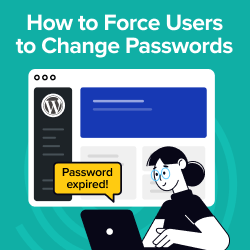
Making your WordPress site more secure is always a smart move. One effective way to do this is by requiring users to change their passwords regularly. This simple step can make it much tougher for hackers to break in. Regular password changes protect your data… Read More »
Over the years, many users have asked us if there is a way to keep visitors on your website longer. One way to do that is to show them interesting articles related to the one they just read. This is where related posts plugins come… Read More »
WordPress emails typically come in plain text, which may not reflect the polished look you’d expect from a professional brand. Adding custom templates can give your messages a more appealing design and keep them in line with your brand’s style, creating a better user experience.… Read More »
WordPress excerpts give readers a quick preview of your posts on archive pages, search results, and your homepage. When they work well, they help people decide what to click. When they don’t, they can feel generic, cut off mid-sentence, or miss the point of your… Read More »
Tired of sharing links that look boring and get completely ignored by your readers? This is one of the most common frustrations website owners face when trying to share valuable content. The thing is, plain links don’t grab attention. Fortunately, WordPress has a built-in feature… Read More »
Google Maps is an online tool that provides detailed maps, navigation, and location information. Adding it to your WordPress site can greatly improve the user experience by giving visitors easy access to your location details. This can be helpful if you want to add your… Read More »
At WPBeginner, we use a WhatsApp share button on our website because it gives readers a quick way to pass our guides along to friends and family. It’s a simple feature that consistently helps our content reach more people. If you want to add the… Read More »
We’ve been running online stores through WordPress for a long time, so we know that using plugins can be a huge help. From setting up coupons to automated sales funnels, WooCommerce plugins can instantly transform your store. There are tons of free and paid WooCommerce… Read More »
Sending a client a messy list of links often looks unprofessional and can cost you the project. Many creatives worry that building a proper portfolio requires expensive software or complex coding. You might feel stuck because you want to stand out but do not know… Read More »
Managing WordPress comments gets messy fast. One popular blog post can trigger spam, nonstop notifications, and moderation work that takes longer than writing the article itself. The issue isn’t your content — it’s the default WordPress comment system. It’s too basic for real discussion and… Read More »
Used to store interaction and conversion data for campaigns in conjunction with Revenue Attribution.
1 year
_gat_omTracker*
Set, controlled and used by Google Analytics to collect and store data and then send that data to Google Analytics. OptinMonster provides the name if there is no existing tracker found on that page.
-
omCountdown-{id}-{elementId}
Used for countdown elements {elementId} in campaigns {id} to determine when it should complete.
-
om-{id}-closed / omSlideClosed-{id}
Used specifically with slide-in campaigns {id} to determine if it has been closed or not by a visitor.
30 days
om-success-cookie / omSuccessCookie
Used to determine if a visitor has successfully opted in to any campaign on your site to unlock content when using our Content Locking feature.
365 days
om-success-{id} / omSuccess-{id}
Used to determine if a visitor has successfully opted in to a campaign with the ID of {id} on your site.
365 days
omSeen-{id}
Used to determine if a visitor has been shown a campaign by the slug.
30 days
om-{id}
Used to determine if a visitor has interacted with a campaign ID of {id} on your site.
30 days
_omappvs
Used to determine when a new visitor becomes a returning visitor.