Ever get frustrated hunting for buttons and options while writing blog posts? We sure did when we first started with WordPress. It felt like playing hide and seek with the post editor! The good news is that you can rearrange the post edit screen in WordPress exactly… Read More »
An email list is the best way to stay in touch with your audience long after they’ve left your site. Think about it: even if someone hasn’t thought about your brand in months, your email list is still a direct line to them. It allows… Read More »
Have you ever created the perfect video for your audience, only to get stuck on how to get it into your WordPress blog post? It can be frustrating, and you might worry that adding videos will slow your site down or require messing with complicated… Read More »
Have you ever had that moment when you paste some text into WordPress, and your carefully planned post suddenly looks completely different? The fonts don’t match, the spacing is off, and somehow, you’ve got multiple text styles that clash with your website’s design. We’ve been… Read More »
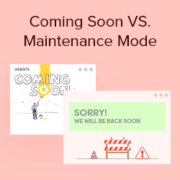
Choosing between coming soon and maintenance mode can feel confusing, especially if you’re launching or updating a WordPress site for the first time. They might look similar, but using the wrong one can affect how your site appears to visitors and search engines, which can… Read More »
Displaying featured posts in your WordPress sidebar is a great way to highlight important content, engage visitors, and increase page views. For example, at WPBeginner, we display our latest posts, helpful guides, and coupon pages in our sidebar. This motivates users to explore more of… Read More »
Writing math equations in WordPress can be challenging since the default editor doesn’t fully support mathematical formatting. However, there are ways to add equations to your site easily. In this article, we’ll guide you through three different methods for writing math equations in WordPress. Whether… Read More »
I first learned about WordPress from a friend as an alternative to another CMS platform. At that time, I wasn’t sure what it was or how to use it on my own websites. If you’re feeling that same uncertainty, you’re in the right place. Now,… Read More »
Deciding to build your own website is an exciting step. However, when you start looking at WordPress hosting plans, the number of options can feel a bit overwhelming. It can be tricky to figure out which plan is right for you. Some options might seem… Read More »
When you create a WordPress website for the first time, you will notice the “Just another WordPress site” text in the header or title bar in some themes. Beginners often don’t know how to change this tagline, but leaving it in place doesn’t look good.… Read More »
Used to store interaction and conversion data for campaigns in conjunction with Revenue Attribution.
1 year
_gat_omTracker*
Set, controlled and used by Google Analytics to collect and store data and then send that data to Google Analytics. OptinMonster provides the name if there is no existing tracker found on that page.
-
omCountdown-{id}-{elementId}
Used for countdown elements {elementId} in campaigns {id} to determine when it should complete.
-
om-{id}-closed / omSlideClosed-{id}
Used specifically with slide-in campaigns {id} to determine if it has been closed or not by a visitor.
30 days
om-success-cookie / omSuccessCookie
Used to determine if a visitor has successfully opted in to any campaign on your site to unlock content when using our Content Locking feature.
365 days
om-success-{id} / omSuccess-{id}
Used to determine if a visitor has successfully opted in to a campaign with the ID of {id} on your site.
365 days
omSeen-{id}
Used to determine if a visitor has been shown a campaign by the slug.
30 days
om-{id}
Used to determine if a visitor has interacted with a campaign ID of {id} on your site.
30 days
_omappvs
Used to determine when a new visitor becomes a returning visitor.