We’ve worked on blogs with hundreds of internal links, and one thing that used to drive us crazy was the flood of self-pingbacks in the comments section. Every time we linked to our own content, WordPress would treat it like a new comment. It clutters… Read More »
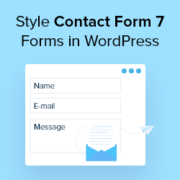
You likely installed Contact Form 7 on your WordPress site because it is free and has been one of the most popular contact form plugins for WordPress. However, you may have noticed that the default forms look quite plain on your live site. That basic… Read More »
Long-form content is fantastic for SEO and providing value to your readers, but there’s one small problem: people like to know what they’re getting into. When someone lands on a 3,000-word tutorial, they want to understand their commitment upfront. Progress bars solve this beautifully by… Read More »
Used to store interaction and conversion data for campaigns in conjunction with Revenue Attribution.
1 year
_gat_omTracker*
Set, controlled and used by Google Analytics to collect and store data and then send that data to Google Analytics. OptinMonster provides the name if there is no existing tracker found on that page.
-
omCountdown-{id}-{elementId}
Used for countdown elements {elementId} in campaigns {id} to determine when it should complete.
-
om-{id}-closed / omSlideClosed-{id}
Used specifically with slide-in campaigns {id} to determine if it has been closed or not by a visitor.
30 days
om-success-cookie / omSuccessCookie
Used to determine if a visitor has successfully opted in to any campaign on your site to unlock content when using our Content Locking feature.
365 days
om-success-{id} / omSuccess-{id}
Used to determine if a visitor has successfully opted in to a campaign with the ID of {id} on your site.
365 days
omSeen-{id}
Used to determine if a visitor has been shown a campaign by the slug.
30 days
om-{id}
Used to determine if a visitor has interacted with a campaign ID of {id} on your site.
30 days
_omappvs
Used to determine when a new visitor becomes a returning visitor.