



Are your WordPress emails going missing? Contact forms vanishing? Vital notifications never arriving? These email delivery problems can be a major headache for website owners.
I’ve seen countless creators lose revenue simply because their server could not handle the modern security requirements like DMARC and SPF authentication.
Here at WPBeginner, we know a thing or two about reliable email. We rake in around 445-470 new email subscribers daily and send tons of messages every week across our brands. We’ve battled with email deliverability problems and won, so we know what works.
In my 15 years of helping users, I’ve found that relying on your web host to send emails is the most common reason for high bounce rates.
That’s why I’m diving deep into SendLayer.
In this SendLayer review, we’re going to see how this popular SMTP service provider compares to the competition. We’ll explore its features, check out the support, and break down the pricing to help you decide if it’s the right fit for your WordPress website.
I have specifically looked into how it handles the newer inbox filters from major providers to see if it still holds up.
Let’s find out if SendLayer is the solution to all your email woes, in this in-depth SendLayer review.
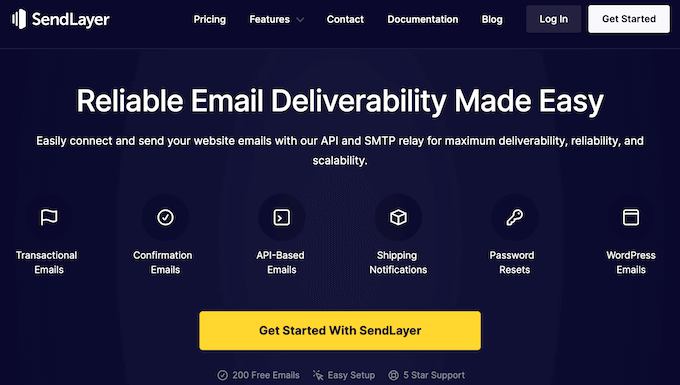
SendLayer Review: Why Use It in WordPress?
Today, we’re looking at a common WordPress headache: WordPress not sending emails.
Now, here’s the deal: this usually happens because your WordPress hosting server isn’t configured to use the default PHP mail() function. However, email service providers like Gmail and Outlook also use sophisticated tools to reduce email spam, and sometimes WordPress emails just can’t pass the test.
Lately, website owners have noted that Google and Yahoo now strictly require valid DMARC records, which standard hosting rarely provides.
With that being said, your emails may get sent to the spam folder, even if your server is configured correctly.
That’s where SendLayer comes in.
SendLayer is a SMTP email service and API that helps your emails land safely in the receiver’s inbox, and not in the spam graveyard. By using their dedicated infrastructure, you are shielding your main domain from being blacklisted by aggressive spam filters.
SendLayer seamlessly connects with WordPress, so you can use it to reliably send all kinds of emails, including WooCommerce store receipts, confirmation emails, shipping notifications, password reset emails, and more.
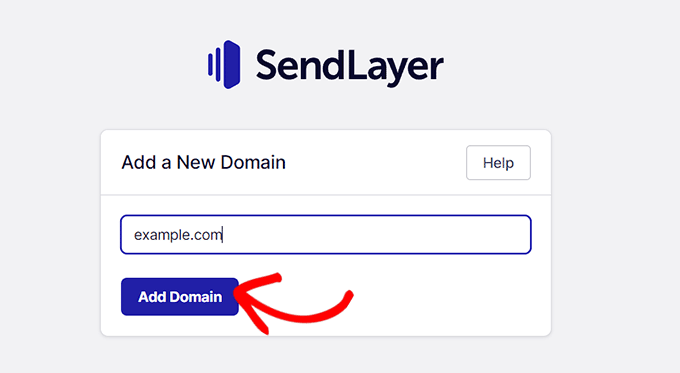
In addition to WordPress, SendLayer works with platforms like WooCommerce, BigCommerce, Magento, Drupal, HelpScout, and many others.
I’ve found it particularly useful for protecting transactional email delivery even when your marketing list experiences high unsubscribes.
Want to know if your emails are actually being opened and clicked? Each time it sends an email, SendLayer creates a detailed log so you can see whether the message was delivered successfully, along with its view, open, and click-through rates.
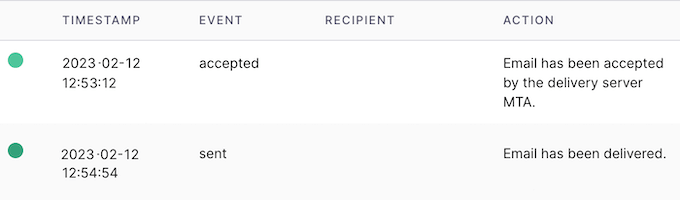
This email tracking can help you see what’s working and what’s not working, so you can continuously improve your email marketing to get more clicks and conversions.
SendLayer has a free trial that can send up to 200 emails. It’s perfect for getting a feel for this popular SMTP service provider. However, if you want to send more emails then you’ll need to jump onto the premium plan at some point.
Unlike some competitors that offer a permanent free tier, SendLayer focuses on providing a clean, professional environment for serious senders.
SendLayer Review: Is It The Right SMTP Service Provider for You?
Did you know that email marketing consistently delivers a higher ROI compared to other marketing channels? But to really make email work for you, you need a reliable way to get those emails delivered.
In my experience, if your click-through rate is low, it might not be your copy; it might be that your emails are arriving in the Promotions or Spam tab.
With the right right SMTP service provider, you can be confident that customers and users will receive your purchase confirmations, receipts, password reset… all that good stuff. It keeps your business running smoothly and builds trust with your audience.
So, in this SendLayer review we’re going to put this popular SMTP service provider to the test. We’ll explore its features, see how easy it is to use with WordPress, and help you decide if it’s the right fit for your needs.
By the end of this SendLayer review, you’ll know if it’s the email delivery hero your WordPress blog deserves!
1. Support for 1000+ Platforms, Apps, and Programming Language
One of the great things about SendLayer is that it plays nice with a whole bunch of platforms. I’m talking about WordPress, WooCommerce, Magento, and more. If you can add SMTP details to the platform, then you’re good to go with SendLayer. In fact, SendLayer integrates seamlessly with 1000+ platforms.
And here’s another cool thing: you don’t have to worry about the programming language you use to build your website or application. No matter whether you use PHP, Python, JavaScript, Ruby on Rails, or some other language, SendLayer will have no problems sending your emails with SMTP.
I’ve even used it with custom-built Node.js apps, and the JSON-based API makes it incredibly lightweight for developers.
2. Easy to Setup
There are dedicated WordPress SMTP plugins that allow you to easily send emails using a simple mail transfer protocol (SMTP).
However, installing an SMTP plugin like WP Mail SMTP is just the first step. You’ll also need an SMTP email provider that’s built for maximum deliverability, reliability, and scalability. That’s where SendLayer shines.
With SendLayer, it’s easy to setup SMTP. If your website or platform supports API credentials, you can literally just copy and paste that info into your site. No coding required!
If you’re using WordPress and WP Mail SMTP, then you can simply go to the plugin’s settings and select the SendLayer mailer.
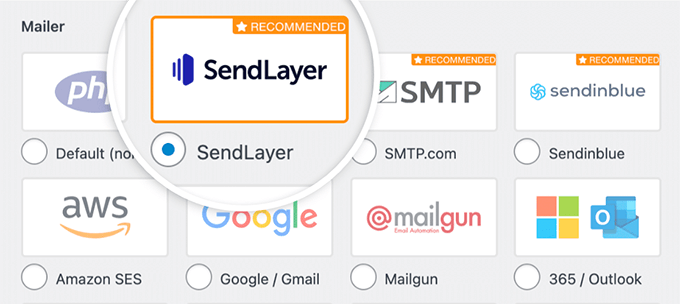
After that, just enter the API key that SendLayer creates automatically when you authorized your domain.
To help you find this key, WP Mail SMTP even shows a link that you can follow.
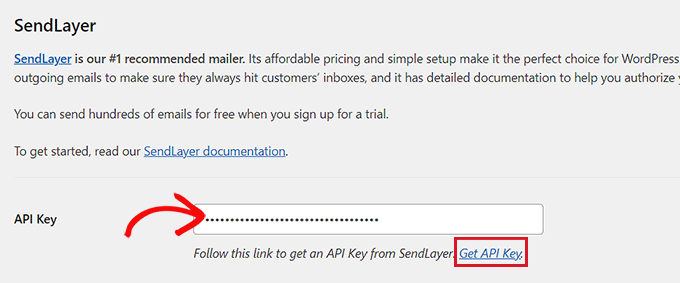
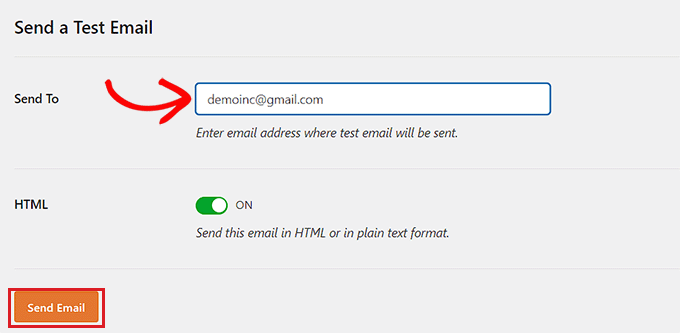
After adding the key, we recommend sending a test email to make sure everything is working. I always suggest checking the Email Test tab in your plugin to confirm your SPF and DKIM records are fully green.
And with that done, you’re all set to send emails like a pro using SMTP.
3. Improve Email Deliverability With Ease
Let’s talk about one of the most important things in email marketing: deliverability. You can craft the most amazing emails in the world – but if they end up in the spam folder, then what’s the point?
That said, this SendLayer review won’t be complete without talking about how it improves your email deliverability rates.
First off, SendLayer makes it super easy to authorize your domain name, so email servers recognize you as a verified sender. This will stop providers such as Google and Outlook flagging your messages as spam.
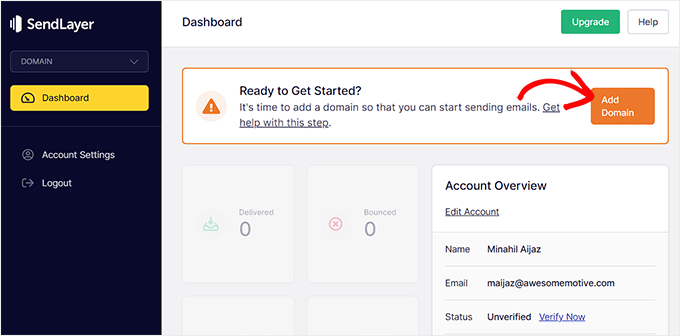
And here’s the best part: unlike some other mailing services like Sendinblue, you don’t need to mess around setting up subdomains.
SendLayer specifically helps you set up a subdomain like https://www.google.com/search?q=mail.yourdomain.com, which isolates your transactional reputation from your main site emails. This saves you a ton of time and hassle, especially if you’re not super technical.
4. Optimized for Performance
Sending a massive amount of emails can put a real strain on your hosting server.
But with SendLayer, you can offload that heavy lifting. They’ve built a system specifically for high-volume email sending, so you can blast out a ton of messages at the same time. This prevents your website from slowing down or timing out when you have a surge in orders or registrations.
In this way, you can boost your website’s speed and performance, while making sure your users never have to wait for a password reset notification, purchase confirmation, receipt, or any other important email. Everything gets delivered quickly and reliably.
5. Detailed Email Logs
You know how important it is to make sure those messages actually reach your audience, right? Especially those crucial ones like order confirmations and password resets.
That’s where SendLayer’s email logs come in. It creates a detailed record for every email it sends, and displays this information in your online dashboard.
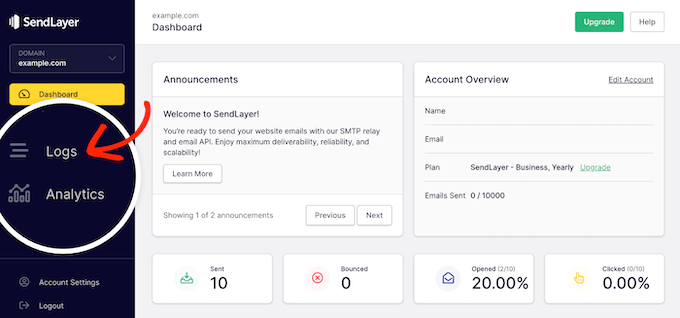
These email logs contain the timestamp, recipient, and details about each event. This means you can see at a glance whether a specific email was sent and delivered successfully, or if it hit a snag along the way.
Most of the time, you’ll see that your emails arrived safe and sound in the recipient’s inbox. But if there’s a problem, these logs help you spot it early on, so you can fix it ASAP. This is particularly important if you run an online store or sell digital downloads online, as customers often use emails to track their purchase.
If a bounce occurs, SendLayer categorizes it so you can see if the address was invalid or if the mailbox was full.
6. Built-in Email Analytics
Let’s talk about getting those emails opened and clicked. You see, sending emails is only half the battle. You also need people to actually engage with them, right? That’s where tracking and analytics come in.
By monitoring user engagement, you can see what’s working and what isn’t. You can then adjust your approach to improve your open and click-through rates.
And guess what? SendLayer has built-in email tracking and analytics. Here’s how it works: it places a small image inside your emails to record the open rates, and adds tracking links to all the URLs inside the message.
You get data on open rates, click-through rates, bounces, unsubscribes – all that good stuff. And all this information is neatly displayed in your SendLayer dashboard.
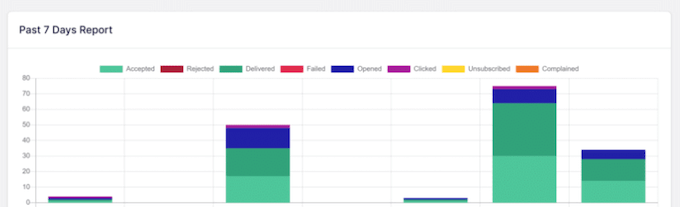
I’ve found that comparing the open rates of different subject lines for your automated welcome emails can lead to a huge jump in customer retention.
You can also filter the email records by status and recipient. This makes it easy to spot trends, patterns and potential problems, and find the exact information you need. No more sifting through mountains of data!
7. API Email Relay
Let’s get a little geeky for a moment and talk about APIs. You see, a lot of older email services use XML-based APIs, which require a lot of bandwidth.
But SendLayer does things differently. It sends emails through an API based on JSON input, which needs fewer resources. This makes your API calls much faster, reducing the latency on your server when a user clicks Submit on a form.
And here’s another cool thing: SendLayer doesn’t limit the number of API connections you can have. You can create as many API keys as you need and send as many requests as you want. No restrictions!
I often suggest creating separate API keys for your staging site and production site to keep your data clean.
8. Community and Professional Support
Alright, let’s talk about getting support when you need it. As we’ve seen in this SendLayer review, this platform is all about boosting your email deliverability and making email marketing a breeze. They’ve designed it to be super user-friendly – but we all have questions sometimes!
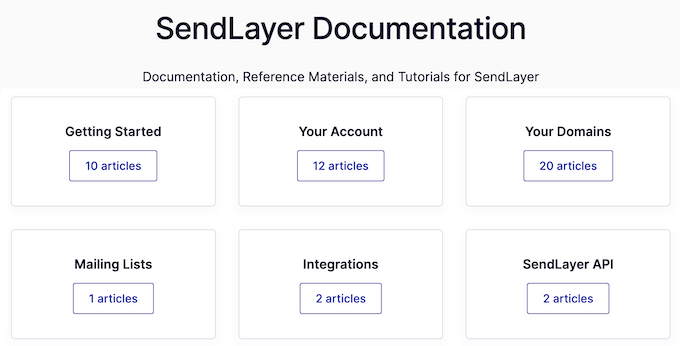
If you prefer to research yourself, then SendLayer has in-depth online documentation. Think of it as your SendLayer encyclopedia.
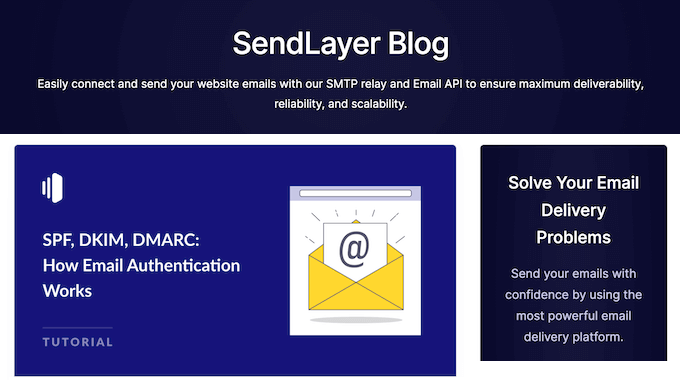
There’s also a SendLayer blog where you’ll find detailed guides on how to use the service.
Here, you’ll also find best practices, tips, and general advice on how to grow your email list. Both of these resources were a BIG help when writing this SendLayer review.
If you opt for SeedProd premium, then all their plans come with professional support.
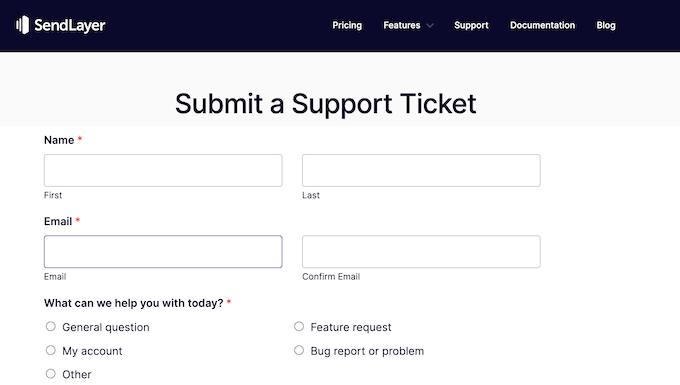
Simply log into your SendLayer account and complete a quick form, and the customer support team will get back to you as soon as possible.
So, whether you prefer to find solutions yourself or you’d rather have an expert lend a hand, SendLayer has your back.
SendLayer Review: Pricing Plans
If you’re the ‘try-before-you-buy’ type, they’ve got you covered. You can create a free account and send up to 200 emails, no strings attached. It’s a great way to get a feel for the platform.
But if you’re serious about email marketing and need to send more emails, then you’ll want to upgrade to a premium plan.

No matter what plan you buy, you’ll get access to all the SendLayer features: open and click tracking, support for over 1,000 platforms, and that awesome deliverability boost I talked about.
SendLayer also provides a dedicated IP address, which is a rare find at this price point.
However, there are some key differences between each plan:
- Starter. This is the perfect starting point for bloggers and startups. For just $5 a month, you can send up to 1,000 emails, use SendLayer with up to 3 sender domains, and access email logs for the past 3 days.
- Business. If you’re looking to grow your small business website, the Business plan is a great option. For $15 a month, you can send up to 5,000 emails, use 5 sender domains, and keep those email logs for 15 days.
- Growth. For established brands and websites with larger email lists, the Growth plan is where it’s at. For $25 a month, you can send a whopping 10,000 emails and access email logs for a full 30 days.
- Scale. Do you need to send more than 10,000 emails per month? SendLayer also offers a bespoke Scale plan that’s custom tailored to fit your needs. Just get in touch with them, and they’ll work out a solution that’s perfect for you. I’ve noticed that for very high-volume senders, the Scale plan often beats out SendGrid and Mailgun in terms of pure cost-per-thousand emails.
SendLayer Review: Is it Worth It?
Let’s wrap up this detailed SendLayer review. After putting it through its paces, we’re confident in saying it’s one of the best SMTP service providers out there. They’ve really nailed it when it comes to deliverability, ease of use, and making sure your emails get where they need to go.
I recommend SendLayer most to people who are tired of the complex, developer-centric interfaces of other platforms.
And remember, SendLayer integrates seamlessly with over 1,000 platforms, so you can use it with pretty much any website or app.
If you run a smaller blog or website, then you can sign up to the free plan and send 200 emails. However, if you want to build an email list and send more messages, then you’ll need to upgrade to a premium plan.
The Starter plan can send up to 1,000 emails every single month, so it’s great choice for bloggers, startups, or anyone who is just starting to do lead generation.
If you have a bigger email list, then Business allows you to send 5,000 messages every single month. Finally, established brands and websites may want to look at the Growth plan, which raises that limit to 10,000 emails per month.
No matter which plan you choose, SendLayer gives you the tools and peace of mind to make email marketing a success. So, ditch those email deliverability woes and give SendLayer a try. Your emails (and your audience) will thank you!
SendLayer Review: FAQS
Is SendLayer good?
Absolutely! SendLayer is a fantastic SMTP service provider that excels in deliverability, ease of use, and affordability. I’ve found that it’s especially effective at bypassing the newer AI-driven spam filters that often block standard PHP mail.
SendLayer makes sure your emails get where they need to go, and don’t land in the recipient’s spam folder. They make it easy to authorize your domain and handle all the technical stuff behind the scenes so email providers trust your emails.
It also works with over 1,000 platforms, including WordPress, WooCommerce, Magento, and more. No matter your tech stack, SendLayer can handle your email delivery needs.
What does SendLayer do?
SendLayer is an email delivery service that helps businesses ensure their emails reach the recipient’s inbox safely, instead of getting flagged as spam.
It acts as a high-reputation bridge between your website and the customer inbox, replacing the unreliable mail settings found in most web hosting accounts.
Essentially, SendLayer takes the hassle out of email delivery, allowing you to focus on creating great email content and building relationships with your audience, while they handle the technical side of getting your messages delivered.
It also tracks key metrics like open rates, click-through rates, and bounces. This data helps you understand how your audience interacts with your emails so you can optimize your email marketing strategy.
How does SendLayer compare to Mailgun or SendGrid?
In my testing, SendLayer is much more beginner-friendly than Mailgun, which can feel overly technical for the average WordPress user. While SendGrid is a powerhouse, SendLayer offers a cleaner dashboard and better value for the specific needs of small to mid-sized businesses.
Will SendLayer help with my SPF and DKIM records?
Yes, this is one of its strongest features. During the setup process, SendLayer provides a clear checklist of the DNS records you need to add to your domain registrar. I have found their step-by-step guidance makes it nearly impossible to mess up your authentication, ensuring your emails are fully verified from day one.
Can I use SendLayer for my newsletters?
While SendLayer is primarily a transactional SMTP service, it can definitely handle bulk emails for newsletters. However, its real strength lies in ensuring high-priority emails like receipts and password resets arrive quickly and safely.
Additional Resources: SendLayer Review
As you explore SendLayer and its capabilities, these additional resources can provide some extra insights and guidance. We’ve picked each resource carefully to help you optimize your site, while also refining your email strategies.
- How to Increase Your Blog Traffic – The Easy Way (Proven Tips): Get actionable tips and strategies to drive more visitors to your site, so you can generate leads and grow your email list faster.
- How to Fix WordPress Not Sending Emails Issue: Learn how to fix common Wordpress email delivery problems, so your messages arrive safely every time.
- How to Build an Email List in WordPress: This guide covers everything from choosing the right email marketing service to setting up opt-in forms, helping you connect with your audience and generate more leads for your mailing list.
- How to Set Up WordPress Email Logs: Monitor the success of your email marketing campaigns, by maintaining a complete email log.
- The Ultimate Guide to Boost WordPress Speed & Performance: Speed up your site and improve the user experience with these expert tips.
We hope this SendLayer review helped you decide whether it’s the right SMTP service provider for you. You can also check out our guide on how to increase your blog traffic, or see our expert pick of the best web push notification software.
If you liked this article, then please subscribe to our YouTube Channel for WordPress video tutorials. You can also find us on Twitter and Facebook.

SendLayer User Reviews
Please share your SendLayer review to help others in the community.