


Most experts will warn you away from free website hosting, but after helping millions of users get started, we see things a little differently.
For many beginners, it’s a perfectly logical way to test an idea without a big financial commitment. The secret isn’t to avoid free hosting, but to be smart about it.
The reality is that many “free” services come with hidden trade-offs, like surprise ads on your site or slow speeds that can frustrate your first visitors.
That’s why we’ve put in the time testing dozens of these platforms. We’ve sorted through all the fine print to find the reliable options that won’t cause you headaches later on.
In this guide, we’ll compare the best free and nearly-free providers. We’ll show you exactly what to expect so you can launch your website with confidence.

Here is an overview of this guide and what you’ll learn:
- The Truth About Free Website Hosting Services
- How We Picked The Best Free Website Hosting
- Why Trust WPBeginner?
- Quick Pick – The Best Free Website Hosting
- Best Value "Almost-Free" Website Hosting
- Best Free Hosting Sites
- Conclusion: Which Free Website Hosting Should You Choose?
- FAQs About Free Website Hosting
- Additional Resources
The Truth About Free Website Hosting Services
While creating a website for free is an attractive idea, it’s important to understand that free hosting services have to make money somehow. This often leads to trade-offs that can negatively affect your website.
Here are the most common limitations and hidden costs that come with free hosting:
- Forced Advertising: Many free hosts place their own ads on your website. These can be irrelevant, unprofessional, or even promote your competitors.
- Limited Resources: Free plans come with strict limits on traffic, storage space, and bandwidth, which can cause your site to slow down or go offline if you get too many visitors.
- Surprise Costs & Upsells: What starts as free can quickly become expensive. You may be charged for extra features, technical support, or even for migrating your site to a different host.
- Lack of Control: You often have little control over your website’s data and files. Some free providers can shut down your site without notice, leading to potential data loss.
- No Professional Email: Free hosting rarely includes the ability to create a professional email address (like yourname@yourdomain.com), which can make a business look less credible.
To help you navigate these options, we have divided our recommendations into three categories:
- Almost-Free Hosting: These are low-cost, premium providers that offer the best value. For a few dollars a month, you get a free domain, no forced ads, and reliable performance.
- Truly Free Hosting: These services offer a 100% free plan but come with significant limitations. They are best for small personal projects, hobbies, or testing ideas.
- Free Trials & Credits: These are advanced cloud platforms that offer a free trial period or service credits. They are powerful but require technical expertise and are not suitable for beginners.
How We Picked The Best Free Website Hosting
We evaluated our recommendations based on the following criteria:
- Hands-On Testing: We build real websites to measure each provider’s performance, speed, and reliability under normal usage.
- Feature Analysis: Our team checks for critical limitations, including storage caps, bandwidth restrictions, and the availability of security features like SSL.
- Support Assessment: We evaluate the quality and accessibility of customer support channels to see if you can get help when you need it.
- Hidden Drawbacks: We investigate for any forced advertising, surprise fees, or aggressive upsells that could impact your experience.
Why Trust WPBeginner?
Transparency is important to us, so we want to share how we evaluate each free hosting provider. Understanding our process will help you see why we recommend certain services over others.
When reviewing free hosting services, we focus on several key factors:
- Performance and Uptime: We test uptime and monitor server response times to ensure that websites remain online and load quickly. Slow or unreliable hosting can hurt your site’s SEO and user experience.
- Storage and Bandwidth Limits: Free hosting plans often come with restrictions, so we evaluate how much content a website can handle before hitting these limits.
- Security Features: A secure website is essential, even on a free plan. We check if hosting providers offer SSL certificates, malware scanning, and data backups to protect your site. We test each hosting provider’s dashboard, installation process, and overall user experience to see how beginner-friendly they are.
- Support and Resources: Many free hosting providers offer little to no customer support. We evaluate their help documentation, community forums, and available support channels to see if users can get assistance when needed.
- Hidden Costs and Limitations: Some free hosts display ads, limit features, or make it difficult to migrate your site later. We investigate these hidden drawbacks to ensure you know what you’re signing up for.
Our goal is to give you honest and practical insights based on real-world testing. To learn more about our process, check out our editorial process.
Quick Pick – The Best Free Website Hosting
If you are in a hurry, here are our top recommendations:
| # | Host | Free Offer | Pricing | Best For | Our Rating |
|---|---|---|---|---|---|
| 🥇 | Bluehost | N/A | $2.99/mo | Best almost-free website hosting | A++ |
| 🥈 | WordPress.com | Free Plan | Free plan available * Paid plans start from $4/mo | Easiest free website hosting | A+ |
| 🥉 | Hostinger | N/A | Starting from $2.69/mo | Premium hosting at affordable costs | A+ |
| 4 | SiteGround | N/A | Starting from $2.99/mo | Small businesses and professionals | A++ |
| 5 | DreamHost | N/A | Starting from $2.59/mo | Beginner websites and privacy-conscious users | A+ |
| 6 | HostGator | N/A | Starting from $2.52/mo | Small businesses and budget-conscious users | A |
| 7 | Wix | Free Plan | Free plan available; paid plans start from $16/mo | Small personal projects and hobby sites | B |
| 8 | Weebly | Free Plan | Free plan available; paid plans start from $10/mo | Hobby projects and simple websites | B |
| 9 | GoDaddy Website Builder | Free Trial | Paid plans start from $9.99/mo | Quick setups and beginner projects | B |
| 10 | Squarespace | Free Trial | Paid plans start from $16/mo | Creative portfolios and business websites | B |
| 11 | Google Cloud Hosting | Free Credits | Pay-per-use | Students, developers, and scalable projects | A |
| 12 | Amazon Web Services (AWS) | Free Tier | Pay-as-you-go | Developers and enterprise solutions | A |
Best Value “Almost-Free” Website Hosting
These providers are highly reputable and are a great place for small businesses to start their websites.
Some of them are even officially recommended by WordPress, WPBeginner, and other large organizations because they have demonstrated a high level of quality and service.
If you are serious about your website, then we recommend you start your website with one of these 5 premium hosting providers.
1. Bluehost

Bluehost is a web hosting provider officially recommended by WordPress.org, with plans starting from just $2.99 per month.
It’s our top “almost-free” recommendation because it includes a free domain name and a free SSL certificate, which avoids the common downsides of free hosting like forced ads and poor performance. This makes it ideal for users who want a reliable, professional start at a very low cost.
Unlike free hosting providers, Bluehost gives you full control over your site. You can install WordPress with a single click, create professional business email addresses, and use built-in website optimization tools to improve your site’s speed and security.
Why Do We Recommend Bluehost?
- One of the most affordable hosting providers with premium features.
- Perfect for users looking for a low-cost alternative to free hosting.
- Includes a free domain and SSL certificate.
- User-friendly dashboard designed for beginners.
- Reliable uptime and fast performance compared to free hosting options.
To learn more about Bluehost’s features and performance, check out our detailed Bluehost review, where we’ve tested their hosting services in depth.
Pros of Bluehost
- One of the few budget-friendly hosts officially recommended by WordPress.org.
- Free domain, SSL, and business email are included.
- Offers generous storage suitable for a new website.
- Beginner-friendly setup with one-click WordPress installation.
- Fast and reliable performance compared to free hosts.
- 24/7 customer support via chat, phone, and tickets.
- 30-day money-back guarantee for risk-free trials.
Cons of Bluehost
- Renewal rates are higher after the initial term.
- Some upsells during checkout.
Pricing: Starting from $2.99 per month
Best for: Best almost-free website hosting 🏆
2. Hostinger

Hostinger is a top alternative to free hosting, offering premium features for starter websites on a budget. Their shared hosting plans start at just $2.69 per month and include a free domain, free business email addresses, and the ability to host up to 100 websites.
All plans come with a 30-day money-back guarantee. Upgrading your hosting plan unlocks additional features, including increased storage, daily backups, unlimited bandwidth, and object caching for faster performance.
Why Do We Recommend Hostinger?
- Affordable hosting plans with premium features.
- Beginner-friendly setup and user interface.
- Fast loading speeds with advanced caching options.
To learn more about Hostinger’s features and performance, check out our detailed Hostinger review.
Pros of Hostinger
- Affordable pricing with a wide range of features.
- Free domain and SSL with premium plans.
- Easy-to-use control panel for beginners.
- Optimized performance with caching and daily backups.
Cons of Hostinger
- No free phone support.
- Some features are only available in higher-tier plans.
- Renewal prices are higher than introductory rates.
Pricing: Starting from $2.69 per month
Best for: Users looking for premium hosting at affordable prices.
3. SiteGround
SiteGround is a premium managed WordPress hosting provider known for its exceptional customer support and high-speed performance. We like it so much that we use SiteGround to host the WPBeginner website. It is an excellent choice for small businesses and professionals who need top-tier reliability.
SiteGround’s hosting plans include a website builder, a 1-click installer for WordPress, fast SSD storage, and unlimited email accounts. With data centers across four continents and a 99.99% uptime guarantee, SiteGround ensures your website remains fast and accessible to visitors worldwide.
Why Do We Recommend SiteGround?
- Outstanding customer support.
- Blazing-fast performance with advanced tools.
- Reliable uptime guarantee and global data centers.
To learn more, check out our in-depth SiteGround review, where we tested their performance and uptime.
Pros of SiteGround
- Excellent customer support available 24/7.
- Optimized for speed with advanced caching and ultra-fast PHP.
- Data centers across four continents.
- 99.99% uptime guarantee.
- Easy upgrades for growing websites.
- Exclusive 83% discount for WPBeginner readers.
Cons of SiteGround
- Higher renewal rates compared to introductory pricing.
- Limited storage on lower-tier plans.
- No free domain included in basic plans.
Pricing: Starting from $2.99 per month
Best for: Small businesses and professionals
4. DreamHost
DreamHost is an excellent choice for beginners and privacy-conscious users because it includes free domain privacy with all plans. Starting at just $2.59 per month, its plans include a free domain, a free SSL certificate, and automatic daily backups. DreamHost also stands out with an industry-leading 97-day money-back guarantee, giving you one of the longest risk-free trials available.
We’ve tested DreamHost extensively and found it to be one of the most user-friendly options for beginners who want to keep their personal information safe from spammers.
Why Do We Recommend DreamHost?
- Perfect for beginners who need easy-to-use hosting with privacy protection.
- Includes free domain privacy, reducing spam and unwanted solicitations.
- Automatic daily backups keep your data secure.
- Generous 97-day money-back guarantee for risk-free testing.
To learn more, check out our in-depth DreamHost review, where we evaluate its features, performance, and support in detail.
Pros of DreamHost
- Affordable pricing starting at $2.59 per month.
- Includes free domain name, SSL certificate, and domain privacy.
- Automatic daily backups for data security.
- 97-day money-back guarantee—one of the longest in the industry.
- Environmentally friendly with green hosting initiatives.
Cons of DreamHost
- Live chat support is not available 24/7.
- The control panel has a learning curve for first-time users.
- No free phone support included.
Pricing: Starting from $2.59 per month
Best for: Beginner websites and privacy-conscious users 🔒
5. HostGator
HostGator is a reliable and budget-friendly hosting provider popular with small businesses. Their plans include a free domain, unmetered bandwidth, and the user-friendly cPanel control panel, which makes it easy for beginners to manage their site and install WordPress with one click.
Established in 2002, HostGator is one of the largest and most trusted hosting providers on the market, known for competitive pricing, reliable web hosting, and quality customer support.
Why Do We Recommend HostGator?
- Budget-friendly hosting plans.
- Reliable uptime and unmetered bandwidth.
- User-friendly cPanel with 1-click WordPress installation.
To learn more, check out our in-depth HostGator review, where we’ve tested their features, performance, and support.
Pros of HostGator
- Affordable plans start at $2.52 per month.
- Unmetered storage and bandwidth.
- Free domain, subdomains, and email addresses.
- Free SSL and HTTPS for secure browsing.
- User-friendly cPanel for website management.
Cons of HostGator
- Renewal rates are higher than introductory pricing.
- Some advanced features require additional purchases.
- Customer support wait times can vary.
Pricing: Starting from $2.52 per month
Best Free Hosting Sites
While free is tempting, it’s always limited when it comes to website hosting. With that in mind, we have handpicked the best free website hosting sites for you to get started.
These hosting sites are 100% free for you to use.
If you’re serious about your website, then we strongly recommend you read our comprehensive guide on how to choose the best WordPress hosting before making your final decision.
Now, here are the best free hosting companies in the world.
6. WordPress.com

WordPress.com is one of the easiest ways to create a free website. It provides a fully managed WordPress experience, handling hosting, security, and maintenance for you.
With the free plan, you get a WordPress.com subdomain (e.g., yourwebsite.wordpress.com), 3 GB of storage, and access to free website templates. The simple setup process makes it ideal for beginners who want a no-hassle way to start a blog or personal site.
However, the free plan has some trade-offs. Your site will display ads, and you won’t be able to use a custom domain or install plugins. Upgrading to a paid plan removes these limitations and unlocks more customization options.
Why Do We Recommend WordPress.com?
- One of the easiest free website hosting platforms for beginners.
- Managed hosting with security and automatic updates.
- Upgrade options are available for more flexibility.
For a full comparison, check out our guide on WordPress.com vs. WordPress.org to see the key differences.
Pros of WordPress.com
- Free hosting with no technical setup required.
- Built-in security, backups, and maintenance.
- Beginner-friendly interface with free templates.
- Paid plans are available for added features and customization.
Cons of WordPress.com
- Displays ads on free sites.
- No custom domain unless you upgrade.
- Limited storage on the free plan.
- Advanced customization requires a paid plan.
Pricing: Free plan available. To remove ads, use a custom domain, and access more features, consider upgrading to a paid plan. Use coupon WPB50 for 50% off and a free domain. See our complete WordPress.com review for more details.
Best for: Easiest free website hosting
👉 Expert Tip: Upgrading to a paid WordPress.com plan unlocks features like custom domains, plugins, and themes. WPBeginner readers can get 50% off their first year with the coupon code WPB50, plus a free domain name.
7. Wix

Wix is a website builder that also provides free website hosting. It’s a good option for users who want an easy, all-in-one solution without managing hosting separately.
With the free plan, you get a Wix.com subdomain, access to website templates, and 500 MB of storage and bandwidth. This makes it suitable for small personal projects or hobby sites that don’t require advanced customization.
Like most free hosting services, Wix displays ads on free websites and limits certain features. Upgrading to a paid plan removes these ads and allows you to use a custom domain, add more storage, and access premium features.
Why Do We Recommend Wix?
- Easy-to-use website builder with built-in hosting.
- Drag-and-drop editor makes designing simple for beginners.
- A good selection of free and paid templates for customization.
For a detailed comparison, check out our guide on Wix vs. WordPress, where we discuss the pros and cons of both platforms.
Pros of Wix
- The free plan includes hosting with no setup required.
- Beginner-friendly drag-and-drop website builder.
- A wide range of design templates.
- Paid plans allow for custom domains and an ad-free experience.
Cons of Wix
- Ads are displayed on free websites.
- Limited storage and bandwidth on the free plan.
- Premium plans can become expensive over time.
- Less flexibility compared to self-hosted platforms like WordPress.org.
Pricing: Free plan available, and paid plans start from $16 per month
Best for: Small personal projects and hobby sites
8. Weebly
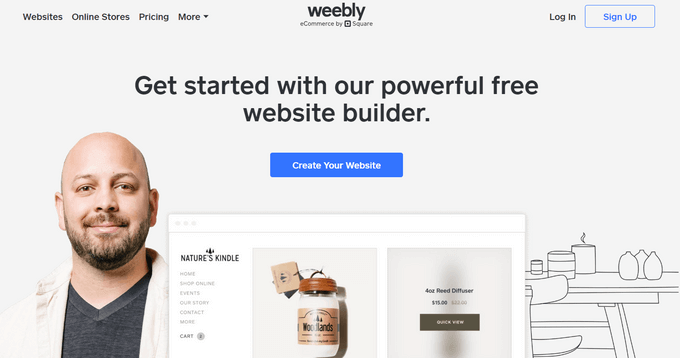
Weebly is a website builder that offers free hosting with an easy-to-use drag-and-drop editor. It’s a good choice for beginners who want to create a simple website without dealing with technical setup.
The free plan includes a Weebly subdomain, 500 MB of storage, and built-in templates. However, it also displays Weebly ads on your site. Upgrading to a paid plan allows you to remove ads, connect a custom domain, and unlock additional features.
Weebly is best suited for hobby projects and small personal websites. For business or professional use, upgrading to a premium plan provides more customization options and eCommerce tools.
Why Do We Recommend Weebly?
- Simple drag-and-drop editor for easy website building.
- Free hosting with a selection of templates.
- Option to upgrade for more storage and advanced features.
For a full comparison, check out our guide on Weebly vs. WordPress, where we explore the differences between the two platforms.
Pros of Weebly
- Beginner-friendly drag-and-drop website builder.
- The free plan includes hosting and basic website tools.
- Decent selection of design templates.
- Upgrade options for custom domains and more features.
Cons of Weebly
- Displays ads on free websites.
- Storage space is limited on the free plan.
- Advanced features require a paid plan.
- Less flexible than self-hosted platforms like WordPress.org.
Pricing: Free plan available, and paid plans start from $10 per month
Best for: Hobby projects and simple websites
9. GoDaddy Website Builder
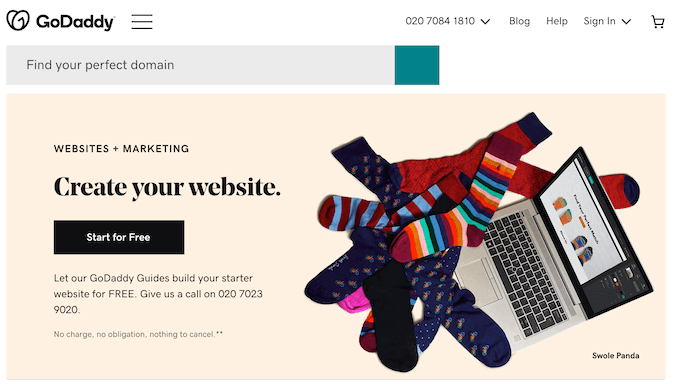
GoDaddy is the largest domain name registrar and a popular hosting provider. They also offer GoDaddy Website Builder, which is a drag-and-drop platform designed for beginners.
With GoDaddy Website Builder, you can choose from pre-designed templates to create a website quickly. It comes with a free trial, after which premium plans start at $9.99 per month, making it an affordable option for getting started.
While it’s user-friendly and budget-friendly, GoDaddy Website Builder has limitations. As your website grows, you may find its features restrictive. Additionally, it can be challenging to migrate from GoDaddy Website Builder to WordPress or other platforms.
Why Do We Recommend GoDaddy Website Builder?
- Affordable plans with a free trial.
- Easy-to-use drag-and-drop editor.
- Wide selection of templates for quick setup.
To learn more, check out our guide to the best GoDaddy website builder alternatives, which includes cheaper and more versatile options.
Pros of GoDaddy Website Builder
- A simple drag-and-drop editor.
- Free trial available.
- Wide range of pre-designed templates.
- Includes basic hosting and domain management.
Cons of GoDaddy Website Builder
- Limited scalability for growing websites.
- Challenging to migrate to other platforms.
- Fewer advanced features compared to competitors.
- Custom domains and advanced tools require paid plans.
Pricing: Free trial, and paid plans start from $9.99 per month
Best for: Quick setups and beginner projects
10. Squarespace
Squarespace is an all-in-one website builder known for its sleek, professional templates. It offers an intuitive drag-and-drop interface, allowing users to create visually stunning websites without any technical skills.
It is suitable for creative portfolios and small business websites due to its quick setup and intuitive no-code design interface.
Squarespace provides a 14-day free trial, allowing you to explore its features and build your site. However, you cannot publish your website for the public to see unless you upgrade to a paid plan.
Paid plans start at $16 per month and include a free custom domain, unlimited bandwidth, and storage. You’ll also gain access to their extensive library of professional templates tailored for different industries.
Why Do We Recommend Squarespace?
- Elegant and professional templates.
- Beginner-friendly drag-and-drop builder.
- 14-day free trial to test features.
To learn more, check out our in-depth comparison of Squarespace vs. WordPress, where we evaluate its features, pros, and cons.
Pros of Squarespace
- Professional, high-quality templates.
- Simple and intuitive drag-and-drop editor.
- Unlimited bandwidth and storage on paid plans.
- 14-day free trial to explore features.
Cons of Squarespace
- Websites remain private during the free trial.
- Higher pricing compared to some competitors.
- Limited flexibility for advanced customizations.
- Upgrading is required to publish and access advanced features.
Pricing: Free 14-day trial, and paid plans start from $16 per month
Best for: Creative portfolios and business websites
11. Google Cloud Hosting

⚠️ Warning: For Technical Users Only. Google Cloud requires technical knowledge of server management and is not recommended for beginners. For a user-friendly alternative, we recommend Bluehost.
Google Cloud Hosting provides a powerful and scalable hosting solution, making it a great option for students, developers, and projects that need room to grow. Built on the same infrastructure that powers Google’s services, it offers high performance and reliability.
New users get $300 in free credits, which are usually valid for 90 days. Additionally, Google offers an “Always Free” tier that can cover hosting costs for small personal projects or test sites indefinitely, provided you stay within specific resource limits.
Google Cloud supports popular website platforms, including WordPress, which can be hosted on Google Compute Engine for better flexibility and performance. However, it requires some technical knowledge for setup and management.
Why Do We Recommend Google Cloud Hosting?
- Scalable hosting with flexible pay-per-use pricing.
- $300 free credit for new users, great for testing projects.
- Supports WordPress and other website platforms.
To learn more, check out our guide on installing WordPress on Google Cloud.
Pros of Google Cloud Hosting
- Flexible pay-as-you-go pricing.
- $300 free credit for new users.
- Scalable infrastructure suitable for growing websites.
- Supports WordPress and other CMS platforms.
- Highly reliable uptime and performance.
Cons of Google Cloud Hosting
- Requires technical knowledge for setup.
- Pay-per-use pricing can be unpredictable for larger projects.
- No built-in website builder.
- Limited support for complete beginners.
Pricing: Free $300 credit for new users, with a pay-per-use pricing model
Best for: Students, developers, and scalable projects
12. Amazon Web Services (AWS)

⚠️ Warning: For Technical Users Only. AWS is an enterprise-grade platform that requires significant technical knowledge. It is not recommended for beginners. For a more user-friendly option, we recommend SiteGround.
Amazon Web Services (AWS) is a cloud computing platform used by businesses, developers, and enterprises to build scalable web applications. It offers powerful hosting options, making it a preferred choice for high-performance websites.
AWS Free Tier provides 12 months of free usage along with some always-free products. This makes it useful for testing, learning cloud computing, or running small-scale applications before committing to a paid plan.
While AWS is flexible and highly scalable, it requires technical knowledge to set up and manage. Beginners may find the interface complex, but developers and businesses looking for enterprise-grade hosting will benefit from its powerful infrastructure.
Why Do We Recommend AWS?
- Highly scalable cloud hosting for any project size.
- 12 months of free hosting through AWS Free Tier.
- Enterprise-grade infrastructure with global data centers.
- Ideal for developers and businesses needing custom solutions.
For step-by-step guidance, check out our tutorial on hosting WordPress on AWS.
Pros of AWS
- 12 months of free hosting with AWS Free Tier.
- Scalable and flexible infrastructure for any project.
- Access to enterprise-level cloud computing technologies.
- Extensive documentation and developer resources.
Cons of AWS
- Requires technical knowledge to set up and manage.
- Pay-as-you-go pricing can become expensive for larger projects.
- No built-in website builder for beginners.
- Not ideal for small businesses without a development team.
Pricing: Free Tier available, with pay-as-you-go pricing for advanced usage
Best for: Developers and enterprise solutions
Note: We looked at many other free hosting providers, including InfinityFree, AwardSpace, 000WebHost, ByetHost, and others. But we decided to only include the best affordable hosting options in this list to help you avoid choice paralysis.
Conclusion: Which Free Website Hosting Should You Choose?
After comparing all the options, we believe that low-cost hosting is a much better choice than free hosting for anyone serious about their website. The limitations of free services can be unreliable and harmful in the long run.
For this reason, our top recommendation is Bluehost. With plans starting at $2.99 per month and including a free domain, it provides the best value for building a professional website.
If your budget is truly zero and you just need a place to start a personal project or hobby, then WordPress.com offers the most reliable free plan available.
FAQs About Free Website Hosting
Here are some common questions we’ve heard from users about free website hosting and how to make the best choice.
1. Is free website hosting reliable?
Free website hosting can be reliable for small projects, hobby sites, or test environments. However, it often comes with limitations like ads, lower performance, and restricted features. For serious projects or businesses, we recommend affordable hosting services like Bluehost or Hostinger.
2. What are the main limitations of free hosting?
Free hosting typically includes limited storage, bandwidth, and customization options. Many free hosting providers display ads on your site, which can negatively impact the user experience. Upgrading to a paid plan is often necessary for full control and better performance.
3. Can I use free website hosting for a business website?
While free hosting can work for small or hobby businesses, it is not ideal for professional websites. Limited features, ads, and a lack of scalability can hurt business growth. For a reliable solution, budget-friendly paid hosting options are recommended.
4. Which free website hosting is best for beginners?
For beginners, WordPress.com offers a user-friendly platform with a free plan. However, its features are limited, and upgrading to a paid plan is often necessary as your site grows. Bluehost is another great beginner-friendly option for low-cost hosting.
5. How does free hosting compare to paid hosting?
Free hosting is great for small projects but lacks the reliability, performance, and features of paid hosting. Paid hosting provides custom domains, no ads, better speed, and 24/7 support, making it a better choice for professional websites.
Additional Resources
We hope this article helped you find the best free website hosting service for your next project. You may also want to check out these other helpful guides:
- How to choose the best blogging platform
- Fastest WordPress Hosting (Performance Tests)
- How to Make a WordPress Website (Ultimate Guide)
- Best virtual business phone number apps (with free options)
If you liked this article, then please subscribe to our YouTube Channel for WordPress video tutorials. You can also find us on Twitter and Facebook.



Mrteesurez
While there might be some free web hosting outside offering free website, it should certainly be based on testing, no serious business website has ever built on free hosting. You are limited with space so you can add much contents and file untill you upgrade.
Abdullah-Al-Masud Mazumder
I have a query, as a beginner, if I make a website on a hosting server, is it possible for me to change the same domain to another hosting server?
WPBeginner Support
Yes, you are not locked into keeping your site on a specific hosting provider
Admin
Moinuddin Waheed
Having a free web hosting is not a good idea for businesses or blogs.
it may seem affordable for someone just starting out but it comes with a heavy cost.
very little to no customisation option and a lot of annoying advertisements. These a lot of nearly no cost hosting plans are which comes with tons of customisation and other needed options.
Thanks wpbeginner for simplifying free hosting nuance for us.
Nazeer
if i signup at wordpress.com and create a free website, (so hosting will be totally free) and only buy domain name, is it possible? i mean free hosting and paid domain, is it work better?
WPBeginner Support
That would be a WordPress.com site and WordPress.com is one of the free hosts we do recommend so you can certainly do that
Admin
francis gbohunmi
Really helpful for a beginner like me.
WPBeginner Support
Glad our comparison was helpful!
Admin
Peter Wilson
I really appreciate this post. On my own, I was attempting to compare several web hosts. My confusion was so much clearer after reading this.
WPBeginner Support
Glad to hear our list was helpful!
Admin
Philana
Thank you so much for this post. I was trying to compare web hosting sites on my own. This brought so much clarity to my confusion.
WPBeginner Support
Glad our list was able to help
Admin
Alexander Mihail Petrov
Really amazing post about the hosting servers.
Thanks to you, I’ve known roughly about the usage of hosting server providing websites.
WPBeginner Support
Glad you found our guide helpful
Admin
mohammad
oh, men! most useful post about free hostings I have ever seen!
WPBeginner Support
Glad our guide was helpful
Admin
Shailesh S B
Hi
I have a domain name that I have already purchased from go Daddy. Can I host my website on any hosting provider? Or do I need to go with GoDaddy itself?
WPBeginner Support
You can host your site with a different hosting provider.
Admin
Darren Lewis
Excellent article.
I was looking at building a site, I haven’t built one since 98 so I’m thinking it would be easier.
Thanks.
WPBeginner Support
We hope our guides can help make the process even easier for you when you’re creating your site
Admin
jim
is there any you can connect a domain to?
WPBeginner Support
You can connect a domain to most if not all of these options.
Admin
JohnWaldeck
That was a great overview, and its appreciated. You helped me make some decisions on my next steps. Thank you!
WPBeginner Support
You’re welcome, glad our guide could help you
Admin
Sarad Mishra
Great interesting blog…. Web Hosting is very useful for readers. I’m glad I came up with your site thanks for sharing this article.
WPBeginner Support
Glad you found our article helpful
Admin
Erica Buresh
I rarely leave comments but wanted to take the time to thank you for writing a wonderful article filled with valuable information. I am getting ready to start a new era and venture in my life and consolidating my blogs. I appreciate the comparisons of the various sites that you shared with us today.
With all the information accessible
I get overwhelmed and frustrated. There is just enough years in our life to absorb the information offered online. Regardless, I wanted to thank you for sharing your knowledge and look forward to reading more articles from you in the future. Best of luck!
WPBeginner Support
Thank you for your comment, glad our content can help clear up any confusion and help you feel in control of your site
Admin
Rajesh Godhaniya
such a great article about web hosting companies. keep sharing. I use Bluehost from last 2 years and it provides great services
WPBeginner Support
Thank you, glad you like our content
Admin
Rakib Islam
change the title free webhost
WPBeginner Support
We’ve had multiple users request our recommendations for free web hosts which is why the article has the title that it does
Admin
Aftab Hussain
Its is really a very good article for the beginners. Appreciated
Editorial Staff
Thanks Aftab
Admin
Shankha Kamley
How about inmotionhosting? Aren’t they good???
Editorial Staff
Hi Shanka, they’re definitely a good provider, but they have recently raised their prices. So it doesn’t quite fit this category.
Admin
WPBeginner Support
Hi Shankha,
They are good and one of our recommended WordPress hosting providers.
Admin
Salman khan
Thank you for such good information, as a student it is very helpful and amazing…
Editorial Staff
Thanks Salman, glad you found it helpful
Admin
WPBeginner Support
Hey Salman,
We are glad you found this information helpful.
Admin
Usman Malik
This blog helps me very much to know the disadvantages of free hostings.
Sir i am very thankful to you for describing everything in simple words.
Editorial Staff
Thanks Usman. Glad you found it helpful
Admin
Thomas
Lightsail from Amazon is also an option.
Editorial Staff
Thanks Thomas. Yes, we linked to the Amazon page in general which lists all the free services. Lightsail is definitely good.
Admin
Tim
How in the world is Squarespace free when there is a monthly or annual price to use their hosting? And it’s kind of weird for a site about WordPress to consider companies where you cannot use WordPress.
Editorial Staff
Tim, Squarespace offers a free trial account. We do our best to recommend WordPress, and that’s always our #1 choice. However we understand that some people may want to use another platform when they’re starting out, and that’s ok too.
We want to do our best to educate them and then offer an easy way to switch to WordPress through our tutorials.
Admin
Naa
The list you mentioned are very popular and expensive. However, Can you please tell me what are the best VPS or Dedicated Hosting Website in cheap price.
Editorial Staff
HostGator offers fairly cheap VPS servers that are also pretty decent quality.
SiteGround hosting for students is very affordable in our list.
Also look into Amazon which offers a lot of free resources for those who’re just starting out.
Admin