


Ever notice how WordPress problems never show up at a convenient time? Everything runs smoothly for weeks, then a plugin update breaks your layout or your site slows to a crawl, often right before a launch or while you’re offline for the weekend.
I’ve seen this happen to a lot of WordPress site owners. Trying to fix it yourself eats up time you don’t have and usually adds more stress than it’s worth.
That’s why I recommend turning to professional WordPress support.
In this guide, I’ve handpicked the best WordPress support agencies for 2026. Many of these services offer 24/7 monitoring, fast response times, and expert help to keep your site secure, updated, and running smoothly, so you can stay focused on growing your business.
🗝️ Key Takeaways: A WordPress support agency is a professional service that handles technical maintenance, security, and updates for your website. At WPBeginner, we recommend WP Buffs as the top overall choice for businesses of all sizes in 2026.
Quick Picks 🔍 : 6 Best WordPress Support Agencies for 2026
If you’re in a rush, the table below highlights the top WordPress support agencies I’ve reviewed.
You can use this as a starting point, then read on for a detailed comparison and expert tips:
| # | WordPress Support Agency | Best For | Support Time | Price |
|---|---|---|---|---|
| 🥇 | WP Buffs | Growing Businesses | 24/7 | $89/month |
| 🥈 | GoWP | Agency Owners | 24/7 | $39/month |
| 🥉 | FixRunner | Personalized Support | 24/7 | $49/month (billed annually) |
| 4 | Seahawk Media | Wide Range of Services | 24/7 | $49/month |
| 5 | WP Fix It | One-time Fixes | 24/7 | $22/month |
| 6 | TemplateMonster | TemplateMonster Users | Limited | $99/month |
Why Use a WordPress Support Agency?
Managing a WordPress website can quickly get overwhelming. It’s not just about publishing content because you also have to manage tasks like:
- Backups and restores
- Security monitoring and malware removal
- Plugin and theme updates
- Performance optimization and uptime monitoring
Without proper support, small issues can quickly turn into big headaches.
Having a reliable WordPress support agency takes the stress off your shoulders. They handle all the technical maintenance behind the scenes so your site stays fast, secure, and running smoothly.
Plus, WordPress support isn’t just for emergencies.
Regular maintenance, updates, and monitoring help prevent problems before they happen. Just like unoptimized images can slow down your site, neglected updates or security gaps can cause bigger issues down the line.
Sure, you could do all this yourself – troubleshoot errors, monitor uptime, run backups, and secure your site. But it takes time, effort, and technical know-how.
A WordPress support agency handles all of it for you, from routine maintenance to urgent fixes, so your site stays healthy and you don’t have to worry.
And that allows you more time to focus on your business, blog, or project. 🌟
From My Desk: Testing the Best WordPress Support Options
Finding the perfect WordPress support agency can be overwhelming and frustrating. You need a reliable partner who understands your website’s complexities, offers responsive support, and fits your budget.
For this roundup, I wanted to see who could really handle a site’s technical needs, respond quickly when issues pop up, and deliver good value for the price.
Here’s how I put each agency to the test:
Pricing and Value: I compared plans to see which agencies give the best value for the money, including perks like uptime guarantees, dashboards, or money-back policies.
Features and Services: I checked what each agency covers, from core maintenance like backups, security updates, and performance optimization, to extras like plugin troubleshooting, theme tweaks, and on-demand support.
Expertise and Experience: I made sure each team has experienced WordPress developers who know the latest trends and best practices, so I could trust them with real-world site challenges.
Customer Support: I tested each agency’s phone, email, and chat channels, noting response times, clarity, and how easy it was to get problems solved. Fast, helpful support is key.
Why Trust WPBeginner?
At WPBeginner, we’re a team of WordPress experts with over 17 years of experience in:
- Website development
- Performance optimization
- Security
- SEO
- Technical troubleshooting
To help you find the best WordPress support agency for your needs, I personally reviewed each service based on a variety of factors, including:
- Real-world use cases
- Support responsiveness
- Features offered
- Pricing
- Customer satisfaction
I evaluated both general maintenance services and specialized support options to make sure you’re getting recommendations you can rely on.
Every agency on this list was selected through our rigorous review process. You can learn more about it on our editorial process page.
Let’s dive into my top picks for the best WordPress support agencies:
1. WP Buffs
| Pros of WP Buffs | ✅ Unlimited website edits included ✅ 24/7 security monitoring and malware removal ✅ Weekly updates and cloud backups ✅ Performance optimization included ✅ Fast, expert emergency support |
| Cons of WP Buffs | ❌ Unlimited edits don’t include custom development or design work ❌ Higher-tier plans may be expensive for small budgets |
| Pricing | Plans start at $89 per month. Higher tiers include priority support, speed optimization, and additional services. |
| Best For | Website owners and agencies who want hands-off WordPress maintenance, unlimited small edits, and 24/7 security monitoring. |
WP Buffs is one of the best WordPress support agencies on the market, and they’ve been recommended by top companies such as SiteGround, HubSpot, Rank Math, and more. It’s an excellent choice for powerful site management.
My Experience
The unlimited 24/7 website edits were a standout feature during my testing. I could request content updates, tweak plugins, or adjust CSS without the stress of hourly billing.
Expert Tip: While ‘unlimited edits’ sounds like you can build anything, most agencies define this as tasks that take 30 minutes or less. If you need a custom feature built from scratch, you’ll likely need to pay for a separate development project.
I also relied on their team for core maintenance tasks. They handled security monitoring around the clock, ran weekly backups, and kept all my plugins, themes, and WordPress core up to date.
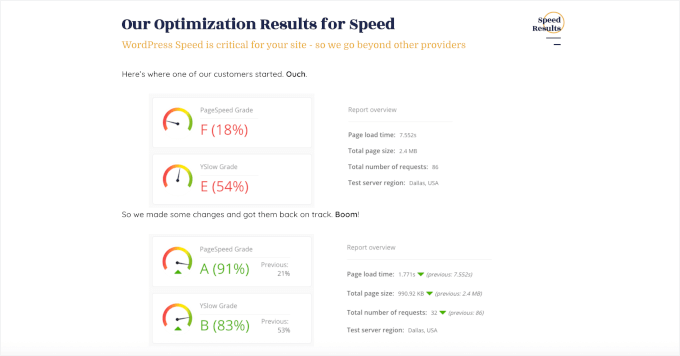
Performance optimization was another highlight. I saw my sites stay fast and responsive, and I always knew I could reach their support team quickly if something urgent came up.
For agency use, I appreciated the white-label plans. They made it easy to manage multiple client sites without juggling updates, backups, and security individually.
🌟 Why I recommend WP Buffs: WP Buffs is a great choice if you want peace of mind knowing your websites are well cared for. The unlimited edits feature alone saves a ton of time, and their 24/7 monitoring ensures your sites stay secure.
2. GoWP
| Pros of GoWP | ✅ 24/7 content edits for flexible updates ✅ Dedicated developer, copywriter, and designer support ✅ WordPress housekeeping: backups, updates, and performance checks ✅ Helpful training resources and active community forum |
| Cons of GoWP | ❌ Tasks that take over 30 minutes incur extra fees ❌ Dedicated services can be expensive for smaller businesses |
| Pricing | Maintenance plans start at $39/month. Content editing services start at $99/month per site. |
| Best For | Agencies, freelancers, and site owners who want reliable WordPress maintenance plus ongoing content edits, including white-label support for scaling client work. |
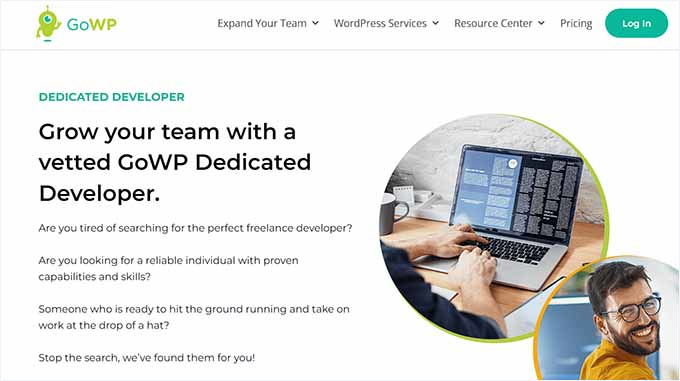
GoWP specializes in website maintenance and content editing, making it perfect for businesses that want to scale without hiring a full-time team. They provide access to a dedicated team of WordPress experts, including developers, copywriters, and designers.
My Experience
I found GoWP’s 24/7 content edits to be their most valuable service. On the higher-tier plans, I could get blog posts updated, WooCommerce pages tweaked, and menus adjusted without doing the work myself.
It made managing my sites so much easier and saved me a lot of time.
Their white-label support also impressed me. This means they do the technical work, but you can put your own brand’s logo on the reports you send to your clients. It’s a huge help when managing multiple websites.
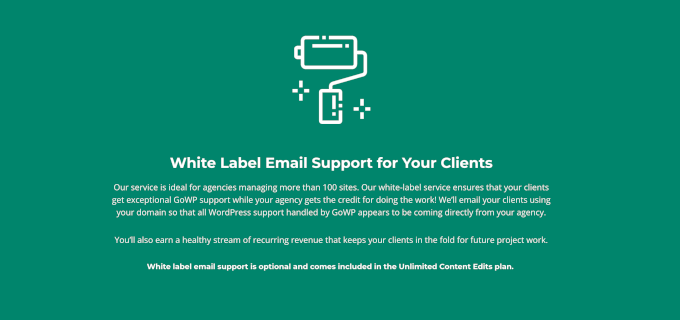
On the backend, GoWP handled everything essential: automated backups, security monitoring, plugin updates, and even malware cleanup.
⭐ Why I Recommend GoWP: From my experience, GoWP handles both maintenance and content edits smoothly. Their team is responsive and reliable, the white-label option is perfect for agencies or freelancers, and it’s great for outsourcing WordPress tasks for peace of mind.
3. FixRunner
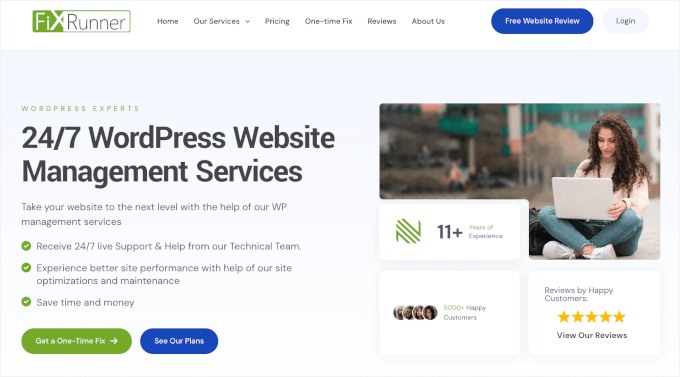
| Pros of FixRunner | ✅ 24/7 WordPress support via email, live chat, phone, and tickets ✅ Security monitoring and malware removal included ✅ Ongoing maintenance: uptime monitoring, speed optimization, cloud backups, and core updates ✅ 30-day money-back guarantee |
| Cons of FixRunner | ❌ No unlimited support time option ❌ No free trial available |
| Pricing | Plans start at $49/month (billed annually). |
| Best For | Site owners who want reliable WordPress maintenance with multiple support channels and fast access to real experts when issues arise. |
FixRunner is a WordPress maintenance service known for its multi-channel 24/7 support. You can reach their team by phone, email, live chat, or support tickets, which is especially helpful when you’re facing an urgent issue.
My Experience
FixRunner provides a ‘set it and forget it’ experience for technical maintenance. Their team proactively monitors security and performance, catching issues before they become problems.
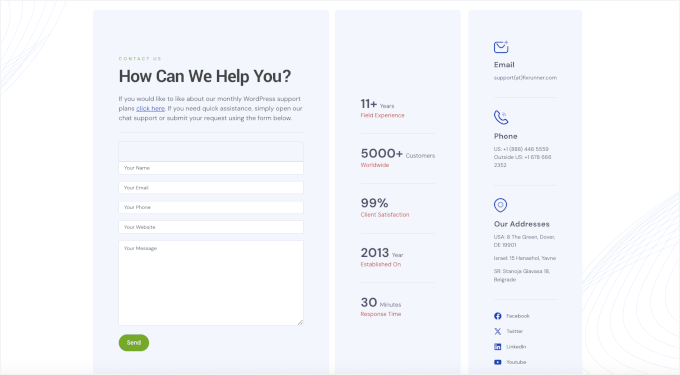
I also liked having 24/7 emergency support. Whenever something urgent came up, I could reach them quickly across every major communication channel — email, phone, live chat, or support ticket.
Their service covers all the essentials I expect, including:
- Speed optimization
- Uptime monitoring
- Automated cloud backups
- Timely updates for WordPress core, plugins, and themes
⭐ Why I Recommend FixRunner: If having multiple ways to reach your support team matters to you, FixRunner is a smart choice. Their comprehensive maintenance plans keep your WordPress site secure and optimized. Plus, their support team is always ready to step in.
4. Seahawk Media
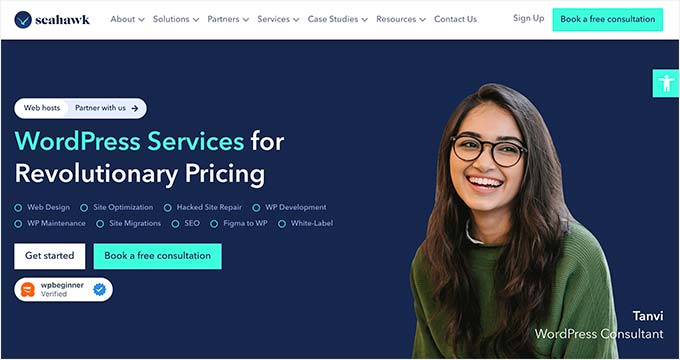
| Pros of Seahawk Media | ✅ Custom WordPress development and growth services ✅ 24/7 monitoring and urgent support with a dedicated account manager ✅ Comprehensive WordPress support and maintenance plans ✅ Optional add-ons like SEO audits and design assistance |
| Cons of Seahawk Media | ❌ Support plans can’t be transferred to another website |
| Pricing | WordPress Maintenance and Care Services start at $49/month. Custom pricing is available for larger or more complex sites. |
| Best For | Small business owners, entrepreneurs, bloggers, and eCommerce site owners who want a hands-on WordPress partner to manage, support, and grow their websites. |
Seahawk Media is a reliable WordPress support solution designed to give you complete peace of mind. At WPBeginner, we’ve worked with Seahawk before, and we’ve always been happy with their services.
For details, see our complete Seahawk Media review.
My Experience
Seahawk Media handles much more than simple technical fixes. They provide a full-service approach to keeping a WordPress site running smoothly.
Their comprehensive care plans take care of WordPress core, theme, and plugin updates, along with 24/7 uptime monitoring.
I also appreciated the regular, secure backups and daily security scans to protect against malware. They helped improve my site speed by setting up proper caching, compressing images, and optimizing server settings.
Having a dedicated account manager was a major advantage. It meant I had a consistent point of contact who already understood my site’s specific setup.
I also found a website migration service to move your site without downtime or data loss. Plus, their optional growth services were handy for optimization and scaling as my needs grew.
⭐ Why I Recommend Seahawk Media: From my experience, Seahawk Media is an excellent hands-on partner that manages and grows your WordPress site. They’re perfect for small business owners, busy bloggers, or eCommerce sites that need fast, reliable support.
5. WP Fix It
| Pros of WP Fix It | ✅ Fast response times with clear communication ✅ Scheduled, automated cloud backups included ✅ User-friendly control panel for site monitoring ✅ 24/7 emergency WordPress fixes available |
| Cons of WP Fix It | ❌ Custom care plans can be expensive for smaller businesses |
| Pricing | Monthly care plans start at $57/month. One-time WordPress fixes are available for a flat $47 (no subscription required). |
| Best For | Site owners who need fast, reliable help for specific WordPress issues, small websites, or one-time fixes without committing to a long-term plan. |
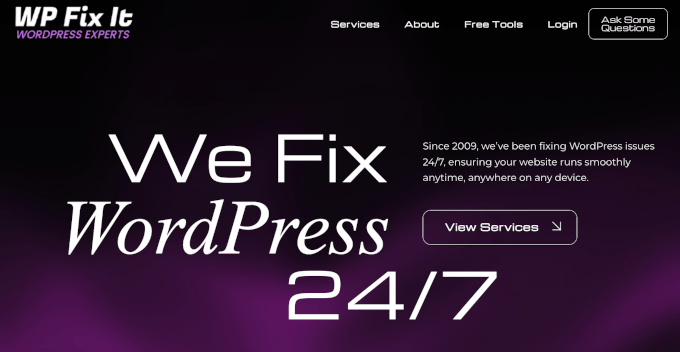
WP Fix It is a great choice when you need help fast but don’t want to commit to an ongoing support plan. They specialize in quick, targeted one-time services such as bug fixes, malware removal, speed optimization, and site migrations.
My Experience
WP Fix It is exceptionally fast, often responding to emergency tickets within minutes. When you’re dealing with a site-breaking issue, that speed removes a lot of stress.
I was also impressed by their 24/7 emergency support with an affordable, flat-fee one-time fix. This means you can reach an expert whenever a critical problem pops up, making them ideal if you’re facing a single issue that needs to be resolved immediately.
Beyond emergencies, they also support a wide range of sites, including blogs, eCommerce stores, and membership sites. If you do want ongoing care, their maintenance plan includes a dashboard that makes it easy to monitor your site and stay on top of updates.
⭐ Why I Recommend WP Fix It: For quick, effective help with specific WordPress problems, WP Fix It is an excellent choice. It’s also great if you’re on a budget or managing smaller sites, whether it’s a bug, malware, or a migration task.
Plus, WP Fix It delivers reliable results without the need for a long-term contract.
6. TemplateMonster
| Pros of TemplateMonster | ✅ Wide range of WordPress website maintenance services ✅ Uptime monitoring and built-in security features ✅ Regular backups and updates keep sites running smoothly ✅ Clear monthly maintenance reports and communication |
| Cons of TemplateMonster | ❌ Limited to 5 developer hours per month ❌ Not ideal for sites needing frequent or complex customizations |
| Pricing | Website Maintenance plans start at $99/month. |
| Best For | Site owners who want a reliable, no-frills maintenance service—especially those already using TemplateMonster themes and templates. |
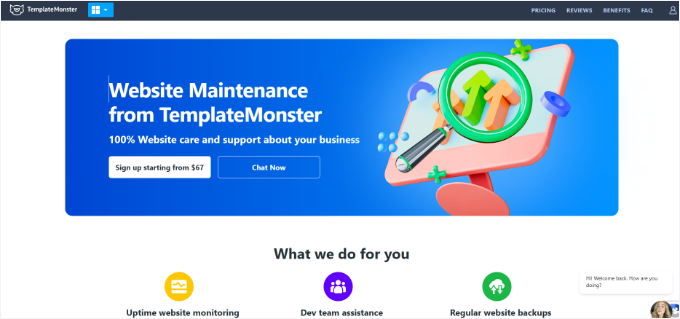
TemplateMonster is best known as a huge digital marketplace for website templates, plugins, and graphics. Leveraging that expertise, they now offer a subscription-based website maintenance service specifically for WordPress sites.
My Experience
TemplateMonster handles all the technical essentials I look for in a maintenance service, including:
- Uptime monitoring
- Regular backups
- Security scans
- Performance optimization
- Theme and plugin updates
I found their expertise with theme-related issues particularly useful, especially if you’re using one of their templates. They also provide monthly reports so I could see my site’s health at a glance.
Support is available through chat and tickets, though it lacks the 24/7 emergency coverage found in other agencies. Their plan also includes a cap of 5 developer hours per month, which makes it less suitable for sites that need frequent custom work.
⭐ Why I Recommend TemplateMonster: If you want a solid, no-fuss maintenance service that covers the essentials and keeps your site updated, TemplateMonster is a solid choice. It’s especially convenient if you’re already using one of their popular themes.
Which WordPress Support Agency Should You Choose?
After reviewing and testing different WordPress support agencies, we believe WP Buffs is the best option.
Their team of experts provides around-the-clock support and handles tasks like removing malware, monitoring for security threats and downtime, regular backups, and routine updates.
I found that WP Buffs offers the best balance of 24/7 technical coverage and value for most business owners. It is the top recommendation for those who want a completely hands-off experience.
On the other hand, if you are an agency owner looking to scale your business and outsource maintenance for your clients’ sites, you can also give GoWP a try.
FAQs About WordPress Support Agencies
Here are some frequently asked questions about the best WordPress support agencies.
What should I look for in a WordPress support agency?
When looking for a WordPress support agency, you should find one that offers the services you need at a price that fits your budget. It’s also important to check the agency’s reviews and reputation to make sure they’re reliable and trustworthy.
Many agencies offer a free one-on-one call to understand your needs. This is a great way to get to know the agency and see if they’re a good fit for your business.
How much should I expect to pay for WordPress support?
The cost of website support can vary depending on the level of service you need. For basic support like plugin and theme updates, backups, and security monitoring, the cost is typically between $27 and $80 for a starting plan.
The price may increase if you have a larger website, like an eCommerce store, or require more extensive support, like custom development or one-on-one consulting.
What are the benefits of using a WordPress support agency?
There are many benefits to hiring a WordPress support agency:
- Provides peace of mind knowing your site is in good hands.
- Saves you time and keeps your site up-to-date.
- Offers expertise in security, performance, and troubleshooting.
Are there any free WordPress support options?
Different WordPress forums offer help from volunteers (mixed skill levels). However, they are limited to basic troubleshooting and may require technical knowledge.
Instead, you can hire a WordPress support and maintenance agency for personalized tasks and development. Most agencies also offer a free one-on-one call to understand your needs.
However, keep in mind that using free help from unknown providers on public forums can be risky, as there is no guarantee of expertise or security for your site’s data.
Do these WordPress support agencies handle WooCommerce stores?
Yes, most professional support agencies like WP Buffs and Seahawk Media have specialized plans for WooCommerce. They handle complex tasks like database optimization and checkout testing to ensure your store never loses a sale during updates.
What is the difference between WordPress maintenance and managed WordPress hosting?
Managed hosting provides the server environment and basic updates, but they won’t fix a broken plugin or edit your content. A maintenance agency acts as your personal developer, handling the actual site-level fixes and content changes that hosts usually won’t touch.
Bonus Resources 📚: More WordPress Maintenance Guides
I hope this article helped you pick the best WordPress support agency. Next up, you might also want to read:
- WordPress Maintenance – Ultimate Guide for Beginners
- Best Website Maintenance Services for WordPress
- How to Enable Maintenance Mode for WooCommerce
- Crucial WordPress Maintenance Tasks to Perform Regularly
- How to Preview Your WordPress Website Before Going Live
If you liked this article, then please subscribe to our YouTube Channel for WordPress video tutorials. You can also find us on Twitter and Facebook.



Dennis Muthomi
Hi, great overview of WordPress support options!
I have a QUICK question for your Maintenance Services, do you offer an affiliate program for your services?
I would like to join
WPBeginner Support
We do not have an affiliate program for our services at this time.
Admin
Edwine Ogada
Malware scanning is one of the most critical security and monitoring features WordPress Agencies should have to ensure clients’ businesses are up 24/7. There are hundreds of agencies out there, but WPBeginner is one the stellar agencies entrepreneurs should look forward to work with given, their expertise and coverage on WordPress, ranging from thousands of free tutorials to helpful plugins.
WPBeginner Support
Glad you found our site helpful
Admin