


When something goes wrong with your WordPress site, you need to fix it quickly. A plugin update can break your layout, a security issue can take your site offline, or a performance problem can drive visitors away.
If you don’t have the time or skills to troubleshoot these issues yourself, a WordPress support agency can help.
In this guide, we’ve compared the best WordPress support agencies for 2026. We’ll look at what each agency offers, how much it costs, and who each service is best suited for.
Quick Picks: 6 Best WordPress Support Agencies for 2026
If you’re in a rush, the table below highlights the top WordPress support agencies we’ve reviewed. You can use this as a starting point, then read on for a detailed comparison and expert tips:
| Agency | Support Time | Price (/month) | What the Plan Covers |
|---|---|---|---|
| WP Buffs | 24/7 | $89 | Unlimited 24/7 edits, weekly updates, security monitoring, cloud backups |
| GoWP | Not published | $39/site | Automated updates, daily backups, security scans, 15 AI edits/month |
| FixRunner | 24/7 | $59 (yearly) | Cloud backups, uptime monitoring, security scans, core/plugin updates |
| WP SitePlan | Business hours (Mon – Fri) | $59 | Backups, malware scans, firewall |
| WP Fix It | 24/7 | $47 one-time ($27 Care Plan) | A single flat-fee fix with no subscription, or ongoing Care Plan support access |
| WP Tech Support | 24/7 | Request a quote | Up to 3 priority fixes/month |
Why Use a WordPress Support Agency?
Managing a WordPress website involves more than publishing content. You may also need to handle tasks like:
- Backups and restores
- Security monitoring and malware removal
- Plugin and theme updates
- Performance optimization and uptime monitoring
A WordPress support agency can take these technical tasks off your plate. Depending on the service you choose, its team can handle maintenance, troubleshooting, security, and monitoring to help keep your site fast, secure, and running smoothly.
Not every website needs a dedicated support agency. If you’re running a single, low-traffic site on managed hosting with automatic updates and host-level backups, you may already have enough coverage without adding another monthly expense.
A support agency becomes more useful when your site has significant traffic or revenue, relies on custom or premium plugins that need testing before updates, or simply requires more technical attention than you have time to provide.
How We Test and Review WordPress Support Agencies
Choosing a WordPress support agency means looking at more than just the price. We compared each service based on its features, expertise, support, and overall value.
Here’s what we looked at:
- Pricing and Value: We compared plans, pricing, and included benefits such as uptime guarantees, client dashboards, and money-back policies.
- Features and Services: We looked at what each agency covers, from essentials like backups, security updates, and performance optimization to extras like plugin troubleshooting, theme changes, and on-demand support.
- Expertise and Experience: We made sure each team has experienced WordPress developers with the skills to handle common technical issues and more complex site problems using current best practices.
- Customer Support: When we directly tested an agency’s phone, email, or chat support, we noted the response time and quality of the interaction. For agencies we haven’t personally tested, we relied on their published support terms and reputable third-party reviews.
Here are our top picks for the best WordPress support agencies:
1. WP Buffs
| Pros of WP Buffs | ✅ Unlimited website edits included ✅ 24/7 security monitoring and malware removal ✅ Weekly updates and cloud backups ✅ Performance optimization included ✅ Fast, expert emergency support |
| Cons of WP Buffs | ❌ Unlimited edits don’t include custom development or design work ❌ Higher-tier plans may be expensive for small budgets |
| Pricing | Plans start at $89 per month. Higher tiers include priority support, speed optimization, and additional services. |
| Best For | Website owners and agencies who want hands-off WordPress maintenance, unlimited small edits, and 24/7 security monitoring. |
WP Buffs is a WordPress support agency that has been recommended by companies such as SiteGround, HubSpot, and Rank Math. It offers ongoing maintenance, security, performance optimization, and support for WordPress websites.
Our Experience
The unlimited 24/7 website edits were one of the standout features. We could request content updates, tweak plugins, or adjust CSS without worrying about hourly billing.
You can also rely on their team for regular maintenance. They handle security monitoring, run weekly backups, and keep your plugins, themes, and WordPress core up to date.
Performance optimization was another highlight. It helped keep our sites fast and responsive, and we could reach their support team quickly when we needed help with an urgent issue.
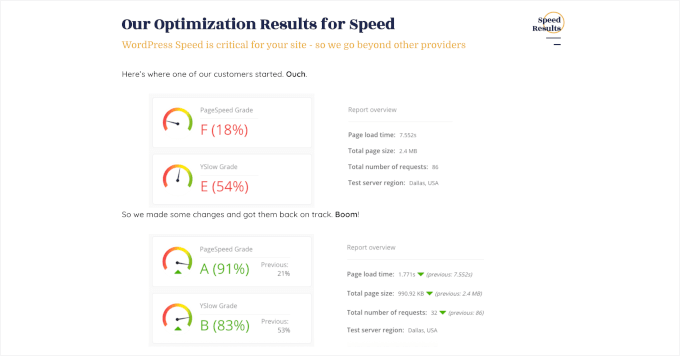
For agencies, we appreciated the white-label plans. WP Buffs handles the technical work, while you can use your own branding on the reports you send to clients. This makes it easier to manage multiple client sites without handling updates, backups, and security for each one yourself.
Keep in mind that while ‘unlimited edits’ sounds like you can build anything, most agencies define this as tasks that take 30 minutes or less. If you need a custom feature built from scratch, you’ll likely need to pay for a separate development project.
🌟 Why we recommend WP Buffs: WP Buffs is a good option if you want ongoing WordPress maintenance and support without handling everything yourself. The unlimited edits can save time on smaller changes, while 24/7 monitoring helps keep your sites secure and running smoothly.
2. GoWP
| Pros of GoWP | ✅ AI Editor for fast, self-serve content changes ✅ Automated WordPress housekeeping: backups, updates, and security scans ✅ Helpdesk support from a real person on paid plans ✅ Free tier available to try before you commit |
| Cons of GoWP | ❌ Human edits are capped even on the top plan (5 per month on Business) ❌ No published 24/7 support commitment, unlike most other agencies on this list |
| Pricing | Free to start. Pro plan is $39 per site/month Business plan (5 human edits/month) is $99 per site/month. |
| Best For | Agencies and freelancers who want automated WordPress maintenance plus AI-assisted content edits, with white-label branding available as an add-on. |
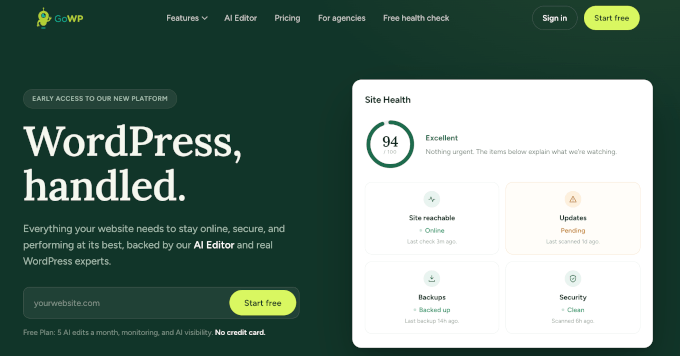
GoWP centers its service on an AI Editor for routine site changes, along with automated maintenance and a limited number of human-completed edits on the Business plan.
Our Experience
We tested GoWP’s AI Editor on the Free plan for routine site changes, including updating page copy and replacing images. For these types of requests, the AI Editor was able to handle the changes without requiring a developer. The Free plan also includes monthly uptime, SSL, and WordPress version monitoring, plus one manual update a month with visual checks.
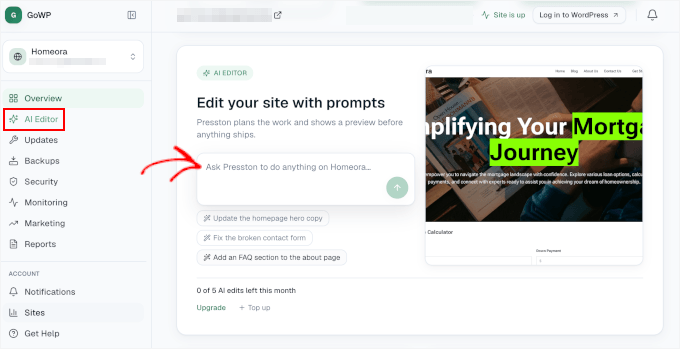
The paid tiers add more coverage. The Business plan includes up to five human-completed edits a month, each limited to about 30 minutes of work, for tasks such as updating holiday hours or adding a team member to an About page.
The Pro and Business plans also add automatic updates with visual checks, daily backups with 90 days of history, and daily security scans with malware cleanup.
If you’re using GoWP for client sites, keep in mind that white-label branding is a separate $49/month add-on. It lets you use your own domain, sending address, and branding in client reports.
⭐ Why we recommend GoWP: It is worth considering if you mainly need routine maintenance handled automatically and are comfortable using AI for everyday site changes. Just note that the Business plan has a limited number of human edits each month rather than unlimited hands-on content work.
3. FixRunner
| Pros of FixRunner | ✅ 24/7 WordPress support via email, live chat, phone, and tickets ✅ Security monitoring and malware removal included ✅ Ongoing maintenance: uptime monitoring, speed optimization, cloud backups, and core updates ✅ 30-day money-back guarantee |
| Cons of FixRunner | ❌ No unlimited support time option ❌ No free trial available |
| Pricing | Plans start at $59/month when billed yearly (3-month minimum term) |
| Best For | Site owners who want reliable WordPress maintenance with multiple support channels and fast access to real experts when issues arise. |
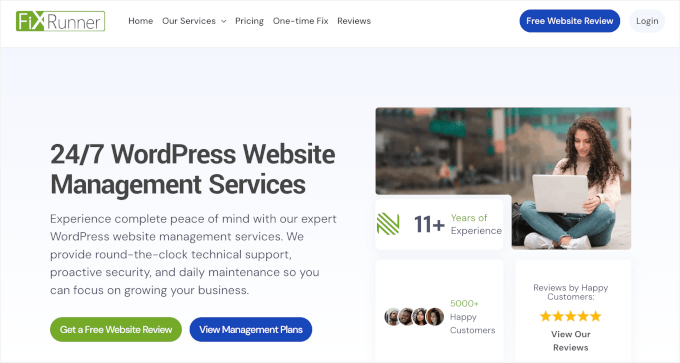
FixRunner is a WordPress maintenance service that offers 24/7 support through multiple channels. You can reach its team by phone, email, live chat, or support tickets, which can be useful when you need help with an urgent issue.
Our Experience
FixRunner offers a “set it and forget it” approach to WordPress maintenance. Its team monitors your site’s security and performance and can step in when issues come up.
We also liked having 24/7 emergency support. When something urgent came up, we could contact the team through phone, email, live chat, or support tickets.
The service covers the main maintenance tasks you’d expect, including:
- Speed optimization
- Uptime monitoring
- Automated cloud backups
- Timely updates for WordPress core, plugins, and themes
⭐ Why we recommend FixRunner: If you want multiple ways to contact your support team, especially for urgent issues, FixRunner is a smart choice. Their plans also cover the core maintenance tasks needed to keep a WordPress site secure, backed up, and running smoothly.
4. WP SitePlan
| Pros of WP SitePlan | ✅ Manual, hands-on updates rather than automated scripts ✅ White-label services available for agencies ✅ Add-on hosting through WP Engine with 24/7 Tier 2 support ✅ Well-reviewed for WooCommerce site management |
| Cons of WP SitePlan | ❌ Support runs Monday-Friday, 8 am-5 pm ET only (no 24/7 coverage) ❌ The entry-level Essentials plan doesn’t include help desk support at all; you need the $119/mo Professional plan for that |
| Pricing | Essentials starts at $59/month (maintenance only). Professional is $119/month and adds help desk support. Enterprise is $229/month. |
| Best For | Site owners who want scheduled, hands-on maintenance and don’t need round-the-clock emergency coverage. |
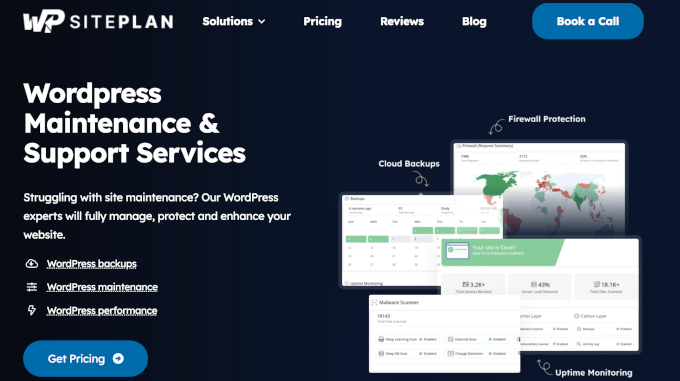
WP SitePlan is a straightforward WordPress maintenance service that focuses on manual, hands-on updates rather than automated scripts. One thing to keep in mind is that its support is available during standard US business hours. For 24/7 coverage, WP SitePlan points customers to its hosting partner.
What You Get
The Essentials plan covers the basic maintenance tasks most WordPress sites need: backups, WordPress core and plugin updates, firewall protection, brute-force login protection, and malware scanning and removal.
More hands-on help, such as page edits, bug fixes, and plugin installation, is only available on the Professional plan and higher, with each support request limited to about 30 minutes of work.
WooCommerce sites need at least the Professional plan. The Essentials plan is intended more for routine maintenance than for ongoing troubleshooting.
⭐ Why we recommend WP SitePlan: If you mainly need regular backups, updates, and security checks without 24/7 support, WP SitePlan is worth considering. If round-the-clock emergency support is important to you, one of the other agencies in this roundup may be a better fit.
5. WP Fix It
| Pros of WP Fix It | ✅ Fast response times with clear communication ✅ Scheduled, automated cloud backups included ✅ User-friendly control panel for site monitoring ✅ 24/7 emergency WordPress fixes available |
| Cons of WP Fix It | ❌ Custom care plans can be expensive for smaller businesses |
| Pricing | Care Plan starts at $27/month. One-time WordPress fixes are available for a flat $47. |
| Best For | Site owners who need fast, reliable help for specific WordPress issues, small websites, or one-time fixes without committing to a long-term plan. |
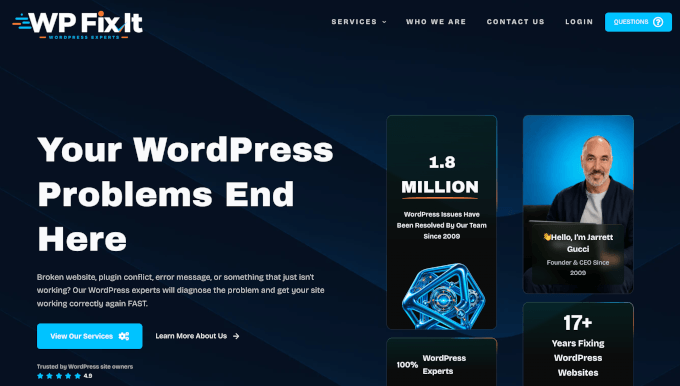
WP Fix It is a good option when you need WordPress help quickly but don’t want to commit to an ongoing support plan. It specializes in one-time services such as bug fixes, malware removal, speed optimization, and site migrations.
Our Experience
WP Fix It stood out for its quick response times. During our testing, we often received responses to emergency tickets within minutes. When your site is down or something has gone seriously wrong, being able to reach someone quickly can make a big difference.
We also liked that its 24/7 emergency support is available as a one-time, flat-fee service. This makes it useful when you have a specific problem that needs attention but don’t need ongoing maintenance.
Beyond emergencies, they also support a wide range of sites, including WordPress blogs, eCommerce stores, and membership sites. If you do need ongoing care, its Care Plan includes a dashboard for monitoring your site and keeping up with regular updates.
⭐ Why we recommend WP Fix It: For quick, effective help with specific WordPress problems, WP Fix It is an excellent choice. It’s also great if you’re on a budget or managing smaller sites, whether it’s a bug, malware, or a migration task.
6. WP Tech Support
| Pros of WP Tech Support | ✅ Genuinely 24/7/365 coverage from a globally distributed team ✅ Daily offsite backups with 90-day retention on every plan ✅ Unlimited bug fixes on Pro plan and up ✅ Manual, staging-tested updates rather than fully automated ones |
| Cons of WP Tech Support | ❌ No phone support (email, live chat, and tickets only) ❌ Standard plan caps priority fixes at 3 per month ❌ Current pricing isn’t published directly on their site, and you’ll need to request a quote to confirm the exact rate for your plan |
| Pricing | Plans have historically run from $55 to $175/month. A one-time fix is $79. Request a quote to confirm current pricing before signing up. |
| Best For | Site owners who specifically want round-the-clock ticket coverage and are comfortable communicating in writing rather than by phone. |
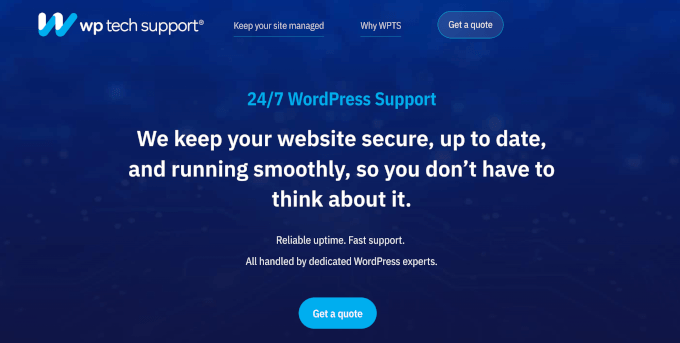
WP Tech Support is a WordPress-only maintenance provider built specifically around 24/7 coverage. Its team is spread across time zones worldwide, which is how it can genuinely staff support around the clock rather than just during one region’s business hours.
What You Get
Much of WP Tech Support’s maintenance and security work happens in the background. Its plans cover daily backups, uptime monitoring, malware scans, and a web application firewall, so you don’t have to manage these routine tasks yourself.
Standard includes up to three priority bug fixes per month, while Pro and higher plans include unlimited fixes for existing site issues. Higher-tier plans also include 60 to 180 minutes of development time each month for smaller custom changes.
Support is available through email, live chat, and tickets, but not by phone. The company says this keeps every request documented in writing, which is worth knowing if you prefer phone support.
⭐ Why we recommend WP Tech Support: WP Tech Support is for site owners who want a real 24/7 safety net and are comfortable working through email, live chat, and tickets. Its plans cover essential maintenance and security tasks, along with a set amount of development time on higher-tier plans.
Which WordPress Support Agency Should You Choose?
The right WordPress support agency depends on what kind of help you need and how much ongoing support your site requires.
WP Buffs is a good fit if you want ongoing maintenance with 24/7 support. Its team can handle tasks such as malware removal, security and uptime monitoring, backups, routine updates, and smaller website edits.
If you’re an agency owner looking to outsource maintenance for client sites, GoWP is worth considering. Its AI Editor can handle many routine site changes, while its team can take care of more involved tasks on plans that include human edits.
If you only need help when something goes wrong, WP Fix It takes a different approach. You can pay for a one-time fix instead of committing to a monthly maintenance plan, making it useful for specific issues such as bugs, malware, or site migrations.
FAQs About WordPress Support Agencies
Here are some common questions about WordPress support agencies.
How much should I expect to pay for WordPress support?
Based on the agencies in this guide, paid plans start at $27 to $89 per month for services such as plugin and theme updates, backups, and security monitoring. Higher-tier plans with features like unlimited edits or dedicated account managers can cost $150 to $250 per month or more. See our WordPress maintenance costs guide for a more detailed breakdown.
The price may also be higher for larger websites, such as eCommerce stores, or if you need custom development or one-on-one consulting.
What are the benefits of using a WordPress support agency?
A WordPress support agency can:
- Save you time by handling routine maintenance and updates.
- Provide help with security, performance, and troubleshooting.
- Give you access to WordPress expertise when you need it.
Are there any free WordPress support options?
Yes, you can get basic troubleshooting help for free through the WordPress.org support forums. Volunteers answer questions, but response times and the level of help can vary.
If you need someone to handle ongoing maintenance or fix issues for you, you’ll generally need a paid service.
Do these WordPress support agencies handle WooCommerce stores?
Some WordPress support agencies also support WooCommerce websites, but the services and plan requirements vary. For example, WP Buffs and FixRunner offer WooCommerce support.
Before signing up, check whether your agency’s plan covers the WooCommerce tasks you need, especially if you run a busy online store.
What is the difference between WordPress maintenance and managed WordPress hosting?
Managed WordPress hosting provides the hosting environment along with services such as automatic updates, backups, and security features. However, the host may not handle site-specific tasks such as fixing a broken plugin or editing your content.
A WordPress support agency focuses on the website itself. Depending on the service, its team can handle troubleshooting, updates, security, performance, and other site-level tasks.
We hope this article helped you pick the best WordPress support agency. Next up, you might also want to read the ultimate WordPress maintenance guide for beginners and our expert picks of the best website maintenance services for WordPress.
If you liked this article, then please subscribe to our YouTube Channel for WordPress video tutorials. You can also find us on Twitter and Facebook.


Dennis Muthomi
Hi, great overview of WordPress support options!
I have a QUICK question for your Maintenance Services, do you offer an affiliate program for your services?
I would like to join
WPBeginner Support
We do not have an affiliate program for our services at this time.
Admin
Edwine Ogada
Malware scanning is one of the most critical security and monitoring features WordPress Agencies should have to ensure clients’ businesses are up 24/7. There are hundreds of agencies out there, but WPBeginner is one the stellar agencies entrepreneurs should look forward to work with given, their expertise and coverage on WordPress, ranging from thousands of free tutorials to helpful plugins.
WPBeginner Support
Glad you found our site helpful
Admin