Often beginners get confused when trying to pick the right WordPress plugins for their needs. We frequently get questions like what is the best WordPress plugin to build an online store, add testimonials, accept payments, create a contact form, and so much more. Unlike other sites, our expert team at WPBeginner tests and review the best WordPress plugins for each task and create step-by-step installation guides to make your life easier. We do the research, so you don't have to.
If you're just getting started, then you may want to start with our popular WordPress plugin guides:
We also have a WPBeginner Solutions Center where we have our expert reviews and our community reviews of top WordPress plugins and tools.
You can find our other latest WordPress plugin guides below, and you can always use the search feature on our site to find helpful WordPress tutorials faster.
If you don't see a WordPress plugin guide that you're looking for, then please reach out to your team and let us know. All our WordPress content ideas are suggested by our users over the last 15+ years.
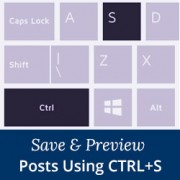
Ctrl + S is a universal keyboard shortcut for saving your work across applications. When a beginner starts using WordPress, it’s a really weird experience to find that the most commonly used keyboard shortcut is not available. In this article, we will show you how… Read More »
You might finish a website redesign only to find your old featured images look terrible with the new layout. Updating them one by one is a slow and frustrating process that takes away from growing your business. At WPBeginner, we have managed thousands of posts… Read More »
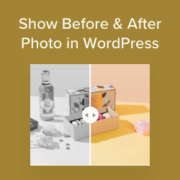
Do you want to show a dramatic transformation on your website? Static side-by-side photos often lose the ‘wow’ factor because visitors cannot interact with them. We have found that an interactive before-and-after slider is the best way to highlight the impact of a product or… Read More »
If you’ve noticed that visitors are scrolling past your links without clicking, then you’re not alone. In my experience, plain text links are often too subtle to grab attention, which means readers miss out on the helpful resources and tools you recommend. That’s where live… Read More »
Have you ever imagined visiting a website and finding that you just couldn’t read the text, use the menus, or understand anything at all? It’s hard to believe, but this is the reality for many people with disabilities every single day. When people build websites,… Read More »
We’ve learned that the best websites are the ones that adapt to their users, not the other way around. One of the most effective ways to do this is by adding a font resizer that lets visitors adjust text size to their comfort level. Font… Read More »
Adding a map to your WordPress site is important when you’re running a business with a physical location or creating content about specific places. It may seem complicated at first, but we’ve found some helpful tools that make the process much easier. In this article,… Read More »
WordPress login and user registration pages are often prime targets for hackers, spammers, and brute-force attacks. One of the best ways to prevent these threats is by adding CAPTCHA, which blocks spambots and helps secure your site from unauthorized access. At WPBeginner and our partner… Read More »
Sharing old WordPress posts is one of our go-to tricks for getting more traffic and engagement without any extra effort. It can also keep your social media profiles active and interesting, even if you do not publish new content every day. At WPBeginner, we regularly… Read More »
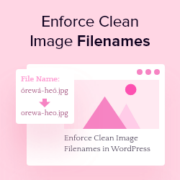
Managing a busy site like WPBeginner involves dozens of image uploads every single day. We quickly realized that filenames containing spaces, capital letters, or accent characters can cause broken links and hurt our SEO rankings. Asking every author to strictly follow file-naming rules, like avoiding… Read More »
Used to store interaction and conversion data for campaigns in conjunction with Revenue Attribution.
1 year
_gat_omTracker*
Set, controlled and used by Google Analytics to collect and store data and then send that data to Google Analytics. OptinMonster provides the name if there is no existing tracker found on that page.
-
omCountdown-{id}-{elementId}
Used for countdown elements {elementId} in campaigns {id} to determine when it should complete.
-
om-{id}-closed / omSlideClosed-{id}
Used specifically with slide-in campaigns {id} to determine if it has been closed or not by a visitor.
30 days
om-success-cookie / omSuccessCookie
Used to determine if a visitor has successfully opted in to any campaign on your site to unlock content when using our Content Locking feature.
365 days
om-success-{id} / omSuccess-{id}
Used to determine if a visitor has successfully opted in to a campaign with the ID of {id} on your site.
365 days
omSeen-{id}
Used to determine if a visitor has been shown a campaign by the slug.
30 days
om-{id}
Used to determine if a visitor has interacted with a campaign ID of {id} on your site.
30 days
_omappvs
Used to determine when a new visitor becomes a returning visitor.