Often beginners get confused when trying to pick the right WordPress plugins for their needs. We frequently get questions like what is the best WordPress plugin to build an online store, add testimonials, accept payments, create a contact form, and so much more. Unlike other sites, our expert team at WPBeginner tests and review the best WordPress plugins for each task and create step-by-step installation guides to make your life easier. We do the research, so you don't have to.
If you're just getting started, then you may want to start with our popular WordPress plugin guides:
We also have a WPBeginner Solutions Center where we have our expert reviews and our community reviews of top WordPress plugins and tools.
You can find our other latest WordPress plugin guides below, and you can always use the search feature on our site to find helpful WordPress tutorials faster.
If you don't see a WordPress plugin guide that you're looking for, then please reach out to your team and let us know. All our WordPress content ideas are suggested by our users over the last 15+ years.
WordPress allows you to create private posts and even password protected posts. The problem with private posts is that you need to have editor level permissions to see this post. But what if you wanted to share post with only a specific group of people… Read More »
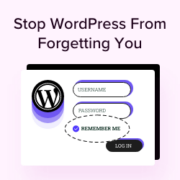
Nothing’s more frustrating than getting logged out of your WordPress dashboard right in the middle of editing a post or updating a plugin. One minute you’re working – the next, you’re staring at the login screen again. By default, the ‘Remember Me’ feature only keeps… Read More »
In the past, adding a Frequently Asked Questions (FAQ) section to your website was difficult. You had to make it look good for visitors while also adding complex technical SEO code for Google. After testing dozens of tools on our own sites, we found that… Read More »
Boosting user engagement is important for the success of any website. One effective strategy is to add a points system, which rewards users for their interactions and activities on your site. By gamifying the user experience, you can build a more loyal community and encourage… Read More »
Last month, a reader spotted a broken link in one of my posts on my personal site. By the time they emailed me about it, the post had already been live for three weeks. That experience made me wish there was an easier way for… Read More »
Are you using Periscope? Recently, one of our readers asked if there was an easy way to show the Periscope on air status in WordPress. In this article, we will show you how to add Periscope on air button in WordPress. What is Periscope? Periscope… Read More »
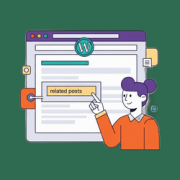
Do you want to keep visitors on your website longer and increase your pageviews? Getting users to read more than one article is a challenge for every blogger. While many sites place related posts at the bottom of the page, I’ve learned that many readers… Read More »
When I first started blogging, I linked to everything. Helpful tools, cool articles, and products I loved. I didn’t realize that sharing too many links without the right settings could actually confuse search engines. Google gets picky when you link to sponsored content or affiliate… Read More »
Managing a WordPress site often involves making changes across many posts and pages. One common task is searching for specific content and replacing it with something new. We know firsthand how time-consuming it can be to search for and replace content manually. If you aren’t… Read More »
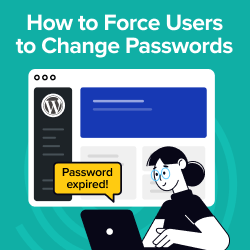
Making your WordPress site more secure is always a smart move. One effective way to do this is by requiring users to change their passwords regularly. This simple step can make it much tougher for hackers to break in. Regular password changes protect your data… Read More »
Used to store interaction and conversion data for campaigns in conjunction with Revenue Attribution.
1 year
_gat_omTracker*
Set, controlled and used by Google Analytics to collect and store data and then send that data to Google Analytics. OptinMonster provides the name if there is no existing tracker found on that page.
-
omCountdown-{id}-{elementId}
Used for countdown elements {elementId} in campaigns {id} to determine when it should complete.
-
om-{id}-closed / omSlideClosed-{id}
Used specifically with slide-in campaigns {id} to determine if it has been closed or not by a visitor.
30 days
om-success-cookie / omSuccessCookie
Used to determine if a visitor has successfully opted in to any campaign on your site to unlock content when using our Content Locking feature.
365 days
om-success-{id} / omSuccess-{id}
Used to determine if a visitor has successfully opted in to a campaign with the ID of {id} on your site.
365 days
omSeen-{id}
Used to determine if a visitor has been shown a campaign by the slug.
30 days
om-{id}
Used to determine if a visitor has interacted with a campaign ID of {id} on your site.
30 days
_omappvs
Used to determine when a new visitor becomes a returning visitor.