Often beginners get confused when trying to pick the right WordPress plugins for their needs. We frequently get questions like what is the best WordPress plugin to build an online store, add testimonials, accept payments, create a contact form, and so much more. Unlike other sites, our expert team at WPBeginner tests and review the best WordPress plugins for each task and create step-by-step installation guides to make your life easier. We do the research, so you don't have to.
If you're just getting started, then you may want to start with our popular WordPress plugin guides:
We also have a WPBeginner Solutions Center where we have our expert reviews and our community reviews of top WordPress plugins and tools.
You can find our other latest WordPress plugin guides below, and you can always use the search feature on our site to find helpful WordPress tutorials faster.
If you don't see a WordPress plugin guide that you're looking for, then please reach out to your team and let us know. All our WordPress content ideas are suggested by our users over the last 15+ years.
When you’re selling digital products, your customers often need invoices for their business records, tax purposes, or expense tracking. Easy Digital Downloads has a built-in invoice feature that many store owners overlook. Our partner brands like WPForms and Duplicator have been using it successfully for… Read More »
We’ve all opened our WordPress site and cringed at low-quality or off-brand images that should’ve been replaced long ago. If you’re seeing a blurry logo or an outdated screenshot, it’s probably time for a refresh. But replacing media files often feels more complicated than it… Read More »
Ever come across a site that has custom shapes for their user avatars or gravatars? Want to add the same style on your site? In the past, we have written about how to add round avatars using CSS, but that requires tweaking code. In this… Read More »
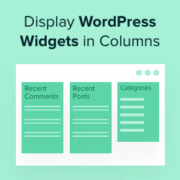
Widgets allow you to add dynamic content to areas you can’t edit using the standard WordPress content editor. People often add widgets to the sidebar, but you can show them in other areas in multiple columns. This approach allows you to organize and present content… Read More »
Have you ever spent ages crafting the perfect blog post, only to find that the beautiful, high-resolution images are making your site painfully slow? I’ve been there, and it’s frustrating to know that slow load times can drive visitors away before they even see your… Read More »
If you run a multi-author blog, work on client projects, or manage your own tasks, you may want an easy way to leave notes inside WordPress. WordPress doesn’t include a notepad on your dashboard, but with a plugin, you can still display notes within the… Read More »
Have you ever wondered if it was possible to hide the title of select posts or pages on your homepage? The answer is Yes. In this article, we will show you how to disable post title for selective posts in WordPress. You will also be… Read More »
Have you noticed that most popular sites like Facebook, Twitter, etc allow users to log in with email or their username? Want to add the same functionality on your site? In this article, we will show you how to allow user log in with email… Read More »
Displaying PDFs directly on your WordPress site can boost the user experience by providing easy access to documents, e-books, and other valuable material. An embedded PDF viewer allows your audience to view content seamlessly and interact with it right on your website. Plus, it ensures… Read More »
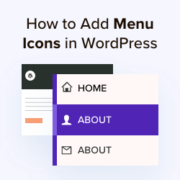
Over the years, we have helped thousands of readers customize their WordPress sites to improve both user experience and visual appeal. From our hands-on experience with web design, we’ve learned that adding image icons to WordPress navigation menus can drastically improve your site’s usability. That’s… Read More »
Used to store interaction and conversion data for campaigns in conjunction with Revenue Attribution.
1 year
_gat_omTracker*
Set, controlled and used by Google Analytics to collect and store data and then send that data to Google Analytics. OptinMonster provides the name if there is no existing tracker found on that page.
-
omCountdown-{id}-{elementId}
Used for countdown elements {elementId} in campaigns {id} to determine when it should complete.
-
om-{id}-closed / omSlideClosed-{id}
Used specifically with slide-in campaigns {id} to determine if it has been closed or not by a visitor.
30 days
om-success-cookie / omSuccessCookie
Used to determine if a visitor has successfully opted in to any campaign on your site to unlock content when using our Content Locking feature.
365 days
om-success-{id} / omSuccess-{id}
Used to determine if a visitor has successfully opted in to a campaign with the ID of {id} on your site.
365 days
omSeen-{id}
Used to determine if a visitor has been shown a campaign by the slug.
30 days
om-{id}
Used to determine if a visitor has interacted with a campaign ID of {id} on your site.
30 days
_omappvs
Used to determine when a new visitor becomes a returning visitor.