Often beginners get confused when trying to pick the right WordPress plugins for their needs. We frequently get questions like what is the best WordPress plugin to build an online store, add testimonials, accept payments, create a contact form, and so much more. Unlike other sites, our expert team at WPBeginner tests and review the best WordPress plugins for each task and create step-by-step installation guides to make your life easier. We do the research, so you don't have to.
If you're just getting started, then you may want to start with our popular WordPress plugin guides:
We also have a WPBeginner Solutions Center where we have our expert reviews and our community reviews of top WordPress plugins and tools.
You can find our other latest WordPress plugin guides below, and you can always use the search feature on our site to find helpful WordPress tutorials faster.
If you don't see a WordPress plugin guide that you're looking for, then please reach out to your team and let us know. All our WordPress content ideas are suggested by our users over the last 15+ years.
Are you drowning in WordPress notification emails? With comment alerts, new user signups, plugin updates, and form messages piling up, your inbox can spiral out of control. The problem is, important business emails can easily get buried, and you end up missing things that actually… Read More »
Writing blog posts should be easy, but retyping the same sections over and over makes it frustrating. Believe me, I experienced this firsthand in my early days at WPBeginner. Whether it’s introductions, call-to-actions, or FAQs, the process eats up valuable time. Using content templates in… Read More »
Some WPBeginner readers have asked us how to disable post oEmbed on their WordPress websites. By default, WordPress allows any user to embed your posts on their website using the built-in URL block. While this can help spread your content, it also means you have… Read More »
Have you ever visited a plugin or theme website where information like download numbers or ratings is prominently displayed? Showcasing facts such as ratings, download counts, and update dates can help users make informed choices, build trust, and even boost your installation rates. We have… Read More »
Over the years, we have experimented with different ways to make WordPress websites more interactive. If you are looking to catch your visitors’ attention, then animations can be highly effective. You can use animations to grab a visitor’s attention and highlight a page’s most important… Read More »
Publishing content consistently is one of the best ways to grow your WordPress blog and keep your audience engaged. But manually hitting ‘Publish’ every time can be a hassle if you’re managing a busy content calendar. While we manually schedule all posts on WPBeginner, many… Read More »
One of our readers recently shared a common concern about multilingual WordPress sites. They wanted to know if the WordPress admin area could stay in English while the site supported multiple languages. At WPBeginner, we’ve been serving a global audience for over a decade, so… Read More »
How can I boost my user engagement is a question we’ve been getting a lot lately. We have written several articles about it such as using point system and post reactions. In this article, we will show you how to boost user engagement with a… Read More »
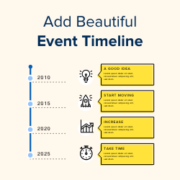
Do you want to share your company’s story without boring your visitors with walls of text? A visual timeline is the perfect solution. Event timelines are a fantastic way to highlight your story or showcase key moments in a way that truly engages your audience.… Read More »
Adding a YouTube video gallery to your WordPress site can make it more engaging. While WordPress lets you embed YouTube videos in posts, the built-in Embed block isn’t ideal for creating a clean gallery layout. The good news is there are great plugins to help… Read More »
Used to store interaction and conversion data for campaigns in conjunction with Revenue Attribution.
1 year
_gat_omTracker*
Set, controlled and used by Google Analytics to collect and store data and then send that data to Google Analytics. OptinMonster provides the name if there is no existing tracker found on that page.
-
omCountdown-{id}-{elementId}
Used for countdown elements {elementId} in campaigns {id} to determine when it should complete.
-
om-{id}-closed / omSlideClosed-{id}
Used specifically with slide-in campaigns {id} to determine if it has been closed or not by a visitor.
30 days
om-success-cookie / omSuccessCookie
Used to determine if a visitor has successfully opted in to any campaign on your site to unlock content when using our Content Locking feature.
365 days
om-success-{id} / omSuccess-{id}
Used to determine if a visitor has successfully opted in to a campaign with the ID of {id} on your site.
365 days
omSeen-{id}
Used to determine if a visitor has been shown a campaign by the slug.
30 days
om-{id}
Used to determine if a visitor has interacted with a campaign ID of {id} on your site.
30 days
_omappvs
Used to determine when a new visitor becomes a returning visitor.