Running two separate WordPress sites is often twice the work. You have to juggle multiple updates, split your marketing budget, and create double the content. We often hear from users who want to combine their websites but are terrified of losing their search rankings. It… Read More »
Do you want to display WordPress photos in columns and rows? By default, WordPress adds images in a vertical column on top of each other. However, if you are adding multiple photos to a blog post, then this doesn’t look very clean and requires a… Read More »
WordPress plugins are essential for customizing your website without editing code. They add all kinds of features that will make your website more dynamic and functional. From enhancing SEO to improving security, plugins can transform your site in many ways. In this beginner’s guide, we’ll… Read More »
Do you want to add space or indent paragraphs in WordPress? While most of your text is aligned left, in some cases you may want to indent paragraph for improved typography and better reading experience. In this article, we will show you how to easily… Read More »
Recently one of our readers asked us how to add an email address in WordPress? Creating a link to an email address allows users to send you an email with a click. In this article, we will show you how to link to an email… Read More »
When I started WPBeginner, I had already been using WordPress for years. To this day, I truly believe it’s the best blogging platform out there. Otherwise, I wouldn’t have dedicated over a decade to writing this blog! But I know not everyone shares this view.… Read More »
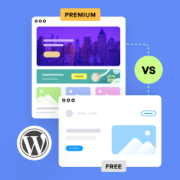
Many WordPress beginners struggle to decide between starting with a free theme or investing in a paid one right away. Free WordPress themes offer basic designs and features at no cost, ideal for beginners and simple websites. Premium themes provide advanced customization, dedicated support, and… Read More »
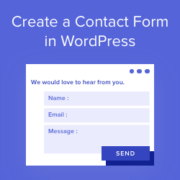
When I first started building WordPress websites, I didn’t realize how useful a contact form could be. It’s not just a way for people to reach you. It also keeps your email address private, cuts down on spam, and makes it easier to stay organized.… Read More »
Email marketing can be a game-changer for your WordPress site, but it’s easy to stumble into mistakes that hurt your results. Small errors can add up quickly, making it harder to connect with your audience and grow your business. Things like sending too many emails,… Read More »
One of the things I’ve always appreciated about WordPress is how much you can do with it, even if you’re not a developer. But every now and then, something stops working. Maybe a plugin update changes something, or a setting quietly causes an issue in… Read More »
Used to store interaction and conversion data for campaigns in conjunction with Revenue Attribution.
1 year
_gat_omTracker*
Set, controlled and used by Google Analytics to collect and store data and then send that data to Google Analytics. OptinMonster provides the name if there is no existing tracker found on that page.
-
omCountdown-{id}-{elementId}
Used for countdown elements {elementId} in campaigns {id} to determine when it should complete.
-
om-{id}-closed / omSlideClosed-{id}
Used specifically with slide-in campaigns {id} to determine if it has been closed or not by a visitor.
30 days
om-success-cookie / omSuccessCookie
Used to determine if a visitor has successfully opted in to any campaign on your site to unlock content when using our Content Locking feature.
365 days
om-success-{id} / omSuccess-{id}
Used to determine if a visitor has successfully opted in to a campaign with the ID of {id} on your site.
365 days
omSeen-{id}
Used to determine if a visitor has been shown a campaign by the slug.
30 days
om-{id}
Used to determine if a visitor has interacted with a campaign ID of {id} on your site.
30 days
_omappvs
Used to determine when a new visitor becomes a returning visitor.