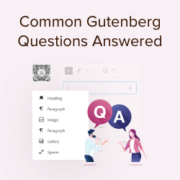
Remember when Gutenberg first launched and everyone was confused about how to use it? We do because we were answering dozens of questions about it every day. Now, several years and WordPress updates later, we are still helping users understand how to make the most… Read More »
This article will help you through out writing your first post. We will mention features that often go unnoticed on add a new post page. This should be your reference guide for adding a new post and utilizing all the features.
When I first started using WordPress, I often confused featured images with cover images. As a result, some of my early blog posts didn’t quite hit the mark. Either they were missing key visuals, or the images were misplaced, leaving the design a bit off.… Read More »
Did you know that nearly 30% of customers decide whether to open an email based on the sender’s address alone? A professional email address is one of the first things people notice. When I first switched from using a free Gmail account for business to… Read More »
The first time I saw the ‘Your connection is not secure’ message on my site, it seemed like a major problem. I immediately worried that visitors would see the warning and leave, or that it would destroy my search engine rankings. But it turns out… Read More »
I still remember the thrill of registering my first domain name when I was just 14 years old. It’s one of the most exciting steps in starting a new project because it makes your idea feel real, like claiming your own piece of the internet.… Read More »
Updating old content is a necessary part of maintaining a successful WordPress site. Through working with numerous WordPress users, we’ve seen how converting classic posts to blocks can enhance older content while improving its performance. Many site owners worry that updating old posts with Gutenberg… Read More »
One of the best parts of blogging is seeing more and more people read and share your work. At WPBeginner, we’ve transformed our own small site into a platform that helps millions of readers. We know it can feel overwhelming trying to figure out which… Read More »
Reusable blocks, now known as patterns, allow you to save any content block and reuse it in other posts and pages on your website. Whether it’s a call-to-action section, a subscription form, or a beautifully designed banner, you can create it once, save it as… Read More »
We’ve learned that the secret to sustainable traffic growth isn’t about guesswork. It’s about using the clear roadmap Google provides through its own free tool, Search Console. It’s the single most powerful free tool from Google, yet after helping over 20 million people, we’ve seen… Read More »
Used to store interaction and conversion data for campaigns in conjunction with Revenue Attribution.
1 year
_gat_omTracker*
Set, controlled and used by Google Analytics to collect and store data and then send that data to Google Analytics. OptinMonster provides the name if there is no existing tracker found on that page.
-
omCountdown-{id}-{elementId}
Used for countdown elements {elementId} in campaigns {id} to determine when it should complete.
-
om-{id}-closed / omSlideClosed-{id}
Used specifically with slide-in campaigns {id} to determine if it has been closed or not by a visitor.
30 days
om-success-cookie / omSuccessCookie
Used to determine if a visitor has successfully opted in to any campaign on your site to unlock content when using our Content Locking feature.
365 days
om-success-{id} / omSuccess-{id}
Used to determine if a visitor has successfully opted in to a campaign with the ID of {id} on your site.
365 days
omSeen-{id}
Used to determine if a visitor has been shown a campaign by the slug.
30 days
om-{id}
Used to determine if a visitor has interacted with a campaign ID of {id} on your site.
30 days
_omappvs
Used to determine when a new visitor becomes a returning visitor.