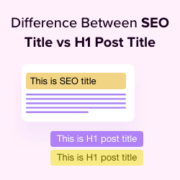
Have you ever published a post and then seen a different title for it in Google’s search results? This is a common and confusing experience. The good news is you probably didn’t do anything wrong! The truth is, your WordPress site uses two different titles:… Read More »
When starting a blog, choosing the right theme is crucial for your success. During the process, you will likely have to decide between free WordPress themes vs premium WordPress themes. In our 16+ years of experience, we’ve helped thousands of users pick themes and design… Read More »
Are you wondering if you should use a headless WordPress setup for your website? It is an advanced topic that has gained popularity among developers. Many claim it is the best way to build a modern site. However, going headless is often overkill for most… Read More »
I still remember the first time I saw a competitor’s search result decorated with shiny star ratings and an event date. My own plain blue link suddenly felt invisible, and I worried that getting those eye-catching results was far too technical for me. That’s when… Read More »
The WordPress site icon (also known as a favicon) appears by default in the browser tab for your website. While it works fine when you are just working on your new site, many website owners prefer to replace or remove it to better reflect their… Read More »
Do you want to create a contact info widget in WordPress? Adding a contact info widget will let you display your email address, phone number, address, and social media profiles. This will make it super easy for visitors to reach out to you. In this… Read More »
Dealing with a slow website is incredibly frustrating. After helping thousands of WPBeginner readers speed up their sites, we’ve found that one problem appears more than any other: large, unoptimized images. Many website owners worry that shrinking their images will make them look blurry and… Read More »
GA4 is the latest version of Google Analytics and has fully replaced Universal Analytics. Since Universal Analytics has closed and is no longer available for tracking website data, many business owners might be wondering what’s the difference between the new and old versions. In Google… Read More »
We always hide our new sites from search engines until they are ready for real visitors. Launching a half-finished site can feel stressful when you want everything to look perfect. Controlling your site’s visibility protects your private work and prevents Google from ranking incomplete pages.… Read More »
Imagine you have an important message to share with your audience. Do you send a quick ping directly to their devices, grabbing their attention instantly? Or do you craft a thoughtfully designed email that lands in their inbox, waiting to be opened? At WPBeginner, we… Read More »
Used to store interaction and conversion data for campaigns in conjunction with Revenue Attribution.
1 year
_gat_omTracker*
Set, controlled and used by Google Analytics to collect and store data and then send that data to Google Analytics. OptinMonster provides the name if there is no existing tracker found on that page.
-
omCountdown-{id}-{elementId}
Used for countdown elements {elementId} in campaigns {id} to determine when it should complete.
-
om-{id}-closed / omSlideClosed-{id}
Used specifically with slide-in campaigns {id} to determine if it has been closed or not by a visitor.
30 days
om-success-cookie / omSuccessCookie
Used to determine if a visitor has successfully opted in to any campaign on your site to unlock content when using our Content Locking feature.
365 days
om-success-{id} / omSuccess-{id}
Used to determine if a visitor has successfully opted in to a campaign with the ID of {id} on your site.
365 days
omSeen-{id}
Used to determine if a visitor has been shown a campaign by the slug.
30 days
om-{id}
Used to determine if a visitor has interacted with a campaign ID of {id} on your site.
30 days
_omappvs
Used to determine when a new visitor becomes a returning visitor.