


Running into WordPress problems can feel overwhelming, especially when you’re not sure where to get help. Many beginners expect a support hotline or live chat, but WordPress doesn’t have an official number you can call.
And when you’re already stressed by an error, that makes things even more confusing.
At WPBeginner, we’ve helped thousands of users fix everything from plugin issues to completely broken sites. We understand how frustrating it feels when you’re stuck with no clear direction.
That’s why we created this beginner-friendly guide.
In this tutorial, we’ll show you exactly where to find reliable WordPress support, from free community forums to expert paid services, so you never have to guess where to turn next.
When Might You Need to Contact WordPress Support?
While WordPress is incredibly user-friendly and powers more than 43% of the websites on the internet, there can be times when you hit a roadblock and don’t know what to do next. This usually happens during updates, theme or plugin issues, or when something suddenly looks “off” on your website.
Here’s a quick breakdown:
| Situation | Why You Might Need Help |
|---|---|
| Plugin or theme conflicts | Your layout breaks, a feature stops working, or something behaves weirdly after you install or update a plugin/theme. |
| Editing theme code | A small change in your theme files causes WordPress errors or unexpected design changes, and you need help rolling it back. |
| WordPress updates | Updating WordPress causes a plugin or theme to stop working properly. Parts of your site may look wrong or break. |
| Security issues or hacking | You notice something suspicious on your site and need help checking for malware or locking things down. |
Why Doesn’t WordPress Offer Support Services?
WordPress doesn’t offer direct support because it’s free, open-source software. There’s no subscription fee behind it to fund a dedicated support team.
Since WordPress.org is built and maintained by a global community of contributors, there’s no central company running live chat, email support, or a phone hotline. That’s why you won’t find an official WordPress.org support number or inbox.
Instead, WordPress relies on community-driven help. The support forums are where you can ask questions and get answers from other users and experienced volunteers.
It is important to remember that there is a difference between WordPress.org and WordPress.com.
WordPress.com (the hosted version) does offer email and live chat support on its paid plans. But when people refer to “WordPress” in tutorials and guides, they usually mean the self-hosted WordPress.org platform – and that version doesn’t include direct support.
That said, there are different ways to contact WordPress support. You can click the links below to jump ahead to any section:
Let’s dive right in!
1. Get Free Support From WordPress Forums and Communities
The best part about using WordPress is that there are tons of free resources available to help you troubleshoot issues and get answers to your questions.
To start, you can visit the WordPress.org forum, where you’ll find forums dedicated to specific WordPress features, plugins, and themes.
For example, you can view questions about installing WordPress, fixing errors, and configuring specific features. Just keep in mind that to post your own question, you will need to register for a free WordPress.org account.
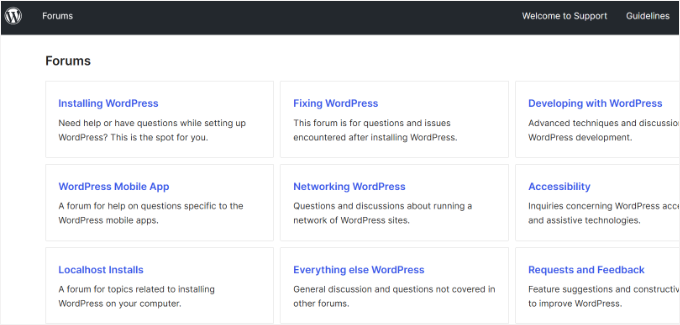
Since the forums are run by volunteers, you may not get an answer immediately. However, the community is very active and usually helpful.
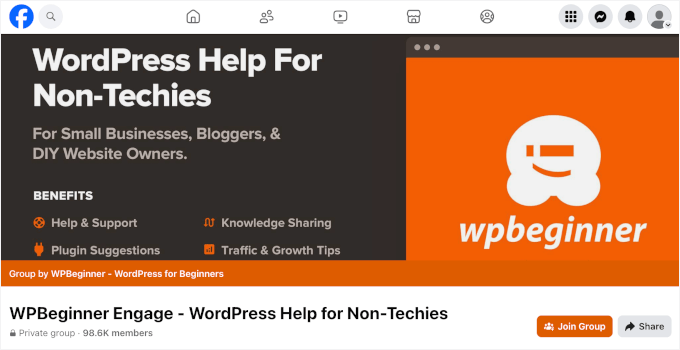
Besides the official forum, there are other platforms where you can reach out for help and support. For instance, you can join our Facebook group, which has nearly 100,000 members.
Simply post your questions in the group, and other WordPress enthusiasts and experts will respond. You can also search for existing conversations around the same topic to find solutions.
2. WordPress Documentation, Blogs, and Other Resources
Another way to get WordPress support is through documentation, tutorials, and guides on blogs and other free resources.
To start, you can view the documentation section on the WordPress.org website. There, you can find tutorials on how to get started with and use WordPress.
You’ll also find technical guides and documentation on maintaining your website. These are good starting points for getting basic support and troubleshooting WordPress on your own, even if you don’t have technical expertise.

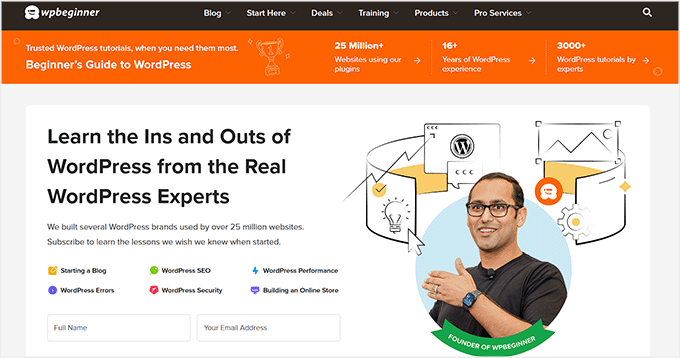
Other than that, there are many WordPress blogs you can follow to get support. For instance, you can follow WPBeginner, as we are the largest free WordPress resource site for beginners.
Founded in 2009 by Syed Balkhi, our goal is to provide helpful tutorials on WordPress for small business owners, bloggers, and non-techy WordPress users.
You can follow our tutorials and guides to learn about WordPress and get step-by-step support.
Aside from written tutorials, you can also watch videos on our YouTube channel to fix issues on your site or add new features. There are thousands of videos you can easily learn from.
Finally, we have a portal of free video tutorials on our own website. Here, we cover everything from installing WordPress to troubleshooting issues and making money from your website.
💡 Note: We use MemberPress to power the free WPBeginner video portal. It’s a powerful all-in-one membership plugin that makes it easy to sell online courses, restrict content, and manage subscribers.
Read our full MemberPress review to see how it can work for your site.
3. Reach Out to WordPress Hosting and Plugin Support
While there are fantastic free resources available, sometimes you might need a more personalized approach. Luckily, your web hosting service, theme, and plugin developers often offer both free and paid support options.
For instance, many WordPress hosting companies offer 24/7 live chat or phone support as part of their hosting plans. It’s best to check with your provider to see what kind of support they offer.
For example, Bluehost is an official WordPress recommended hosting provider. This means their support team is specifically trained to help you with WordPress issues. They offer 24/7 live chat and phone support along with a detailed knowledge base.
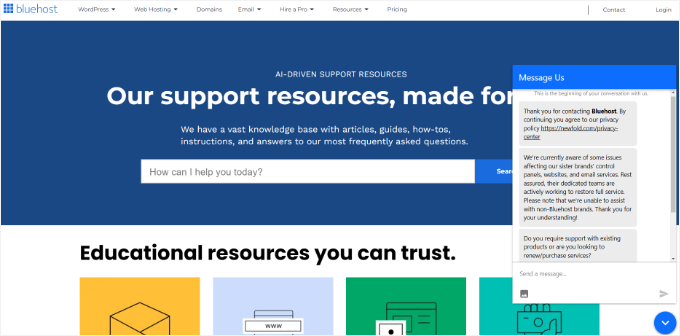
Similarly, many theme and plugin developers offer premium support for their products. This typically includes direct email access, ticket systems, or live chat with their support team.
Depending on your pricing plan, you’ll get either standard support or priority support. Keep in mind that plugin and theme developers can usually only help you with issues related to their specific product, not general WordPress errors.
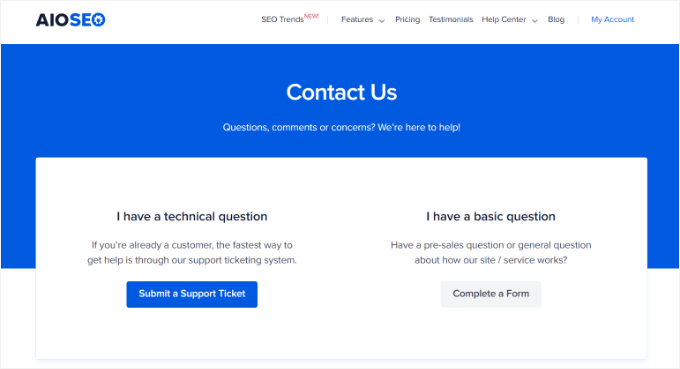
Here’s how All in One SEO (AIOSEO) offers support to its customers. You can open a support ticket to resolve technical issues or ask questions through a form.
💡 Note: We use All in One SEO to optimize WPBeginner for search engines. It’s a beginner-friendly SEO plugin that helps you boost rankings, improve click-through rates, and get more traffic, without needing expert knowledge.
Check out our full AIOSEO review to see how it can help grow your website.
4. Hire a WordPress Support Agency
If you have tried the options above and still can’t resolve your issue, or if you simply don’t have the time to troubleshoot it yourself, then it may be time to hire a professional.
WordPress maintenance agencies and development services can fix specific issues, usually for a one-time fee or a monthly subscription.
For professional WordPress support, we recommend WP Buffs. They provide pro WordPress support services at affordable prices for non-technical users, small business owners, agencies, and freelancers.
Whether you need help with a hacked site update, site speed optimization, or a custom design fix, their team of experts can help you get back on track quickly.
Alternatively, you can post a project on Codeable, which is a platform that connects you with vetted WordPress developers.
FAQs About WordPress Support
Still have questions about how WordPress support works? Here are some quick answers to the most common ones we hear from our readers:
What is the WordPress phone number?
WordPress.org does not offer phone support. Instead, you can use the free WordPress.org forums, ask for help from your hosting provider, or hire a WordPress support agency.
Does WordPress.org have email support?
WordPress.org doesn’t have email support, but you can often get email or ticketing support from plugin developers. There are also support options from hosting providers and WordPress maintenance agencies.
Does WordPress.org have 24/7 support?
No, WordPress.org doesn’t provide 24/7 support. Since it’s a free, open-source platform, support is community-driven. You can ask questions on the WordPress.org forums at any time, but replies aren’t guaranteed to be instant or around the clock.
For 24/7 support, consider using a managed WordPress hosting provider or a professional support service.
How do I speak to someone at WordPress.org?
There’s no direct phone or live chat support team at WordPress.org. However, you can interact with community volunteers on the forums. If you need hands-on help, many plugin and theme developers offer support channels. Some hosting companies also include live chat or phone support as part of their plans.
Is WordPress.org no longer free?
WordPress.org is still completely free to download and use.
What’s not free are the other pieces you’ll need — like web hosting, a domain name, and possibly premium themes or plugins. These costs can vary depending on your site’s needs, but the core WordPress software remains open source and free forever.
Other Helpful Guides for WordPress Maintenance
We hope this article helped you learn how to contact WordPress support. You may also want to see our guides on:
- Crucial WordPress Maintenance Tasks to Perform Regularly
- How Long Does WordPress Maintenance Take?
- WordPress Maintenance Costs – How Much Should You Pay?
- Coming Soon and Maintenance Mode – What’s the Difference
- Ultimate WordPress Maintenance Guide
If you liked this article, then please subscribe to our YouTube Channel for WordPress video tutorials. You can also find us on Twitter and Facebook.



Moinuddin Waheed
Usually whenever I get stuck and seems no solution to my problem, I reach out to Google and type the specific problem that I am stuck in.
This helps in most of the cases to get good help article specially from wpbeginners website.
I cases where there is specific problem related to themes and plugins that I have purchased, I directly contact the support team and they help troubleshoot the issue.
I think it is very obvious to get stuck in some or the other errors in wordpress journey and it is important to know how to approach the support and solutions.
Thankfully, there is a large community of wordpress users with tons of resources to help resolve the issue.
Yunus Rahman
Thanks for helping to demystify the support process, WPBeginner. This article will undoubtedly reduce stress and save time for many WordPress users!
WPBeginner Support
You’re welcome!
Admin
Kzain
I have not encountered any issues with WordPress yet but I think if it happens the only thing you could do is ask a professional site such as WP beginners, YouTube, WordPress Forums, Communities, or Hosting and Plugin Support they might guide the best depending on the problem
Oyatogun Oluwaseun Samuel
I did not understand wordpress on my own until I undergone tutorship with your free 101 wordpress video tutorial. Of all the support services here I think your the foremost. for example any query by me on troubleshooting wordpress on search engines often yield your website wpbeginner.com in the result page. thanks for all the help I have received from you.
Mrteesurez
Yes, that was how I too ended up in WPbeginner, when I search for tutorials or guide on Google, WPbeginner is mostly showed up in the search results page, For me, out of all the support method reaching out to an agency like WPbeginner Pro services is what is best as you will have access to direct and dedicated support specifically for your site.
Jiří Vaněk
WP Beginner is a great website, but in many cases, the tutorials are quite general. Personally, I’ve gotten used to entering specific search terms like full PHP errors and such into the search engine. These specific search queries usually lead me to a website where the exact same or very similar problem is being addressed. That’s why I do it that way. However, I also found WP Beginner through Google once and they helped me with many things. The tutorials here are absolutely great, and it’s surprising how much time the website’s team has invested in articles that aren’t monetized for users and are completely free. Hats off to such enthusiasm.
Jiří Vaněk
Usually, I try to solve website issues on my own first. This means I start by searching on Google, GitHub, and possibly discussion forums. There is a high chance that someone has already faced the problem before me, and the solution is described somewhere. Then, of course, it depends on how complex the implementation of the solution is and whether I can handle it myself or not. Regarding support, if I do contact them, I do so with a specific purpose and very often use the support forums directly for the specific plugin on wordpress.org. These support forums are great because responses can come from either the developer or someone from the community who has already solved the same problem. Generally, many shared hosting customer supports also end up directing users straight to the developers unless it is a common issue they can resolve with a simple procedure. I only have a few paid plugins, but they usually work so well that I haven’t had to contact support for them yet :).
Mrteesurez
That is why reaching out to community is helpful, either the developer or someone that has encountered the same issue and got it solved or volunteer developer can reply and provide a working solution but nothing can be compared to having a dedicated support agency because not all forum or community questions are attended to especially when you are a free user.
Jiří Vaněk
I understand your point, and yes, you’re right. But that’s only if you have a budget. Many people use WordPress precisely because practically everything you need can be done for free. When you don’t have a budget, you have to figure things out yourself. It has its advantages. First, you understand WordPress and improve over time. You grasp how the core works, what it consists of, how plugins function… Second, apart from saving money, you also learn to find answers online and within the community. Paid agencies are indeed great, but not everyone can afford to pay a monthly fee, sometimes larger than the cost of shared web hosting for an entire year. We’re talking about prices often around $100 per month, which is a significant amount for a non-profit blog or personal website.
Mrteesurez
I appreciate your thoughtful reply, and you make a valid point. Not everyone has the budget to pay for dedicated support, especially beginners and non-profit organizations. However, while it’s true that figuring things out on your own can help you understand WordPress better, I still believe that sourcing dedicated support is the best way to get reliable solutions, especially for critical issues. Even though it’s not compulsory, having access to expert help can save you time and prevent costly mistakes. I understand that not everyone can afford it, but for those who can, it’s a worthy investment.