Losing critical data or having your site crash without a backup is every website owner’s worst nightmare. Manual backups can help, but let’s face it – they’re easy to forget. That’s where automatic backups come in. They quietly run in the background, protecting your site… Read More »
If you’re using Blogger with a custom domain, then moving to WordPress can feel risky. You might worry about losing traffic, breaking links, or messing up your domain settings. But the move is worth it. With WordPress, you get complete ownership of your website, better… Read More »
Do you want to create a mobile apps review blog using WordPress? Mobile app review sites not only help users find apps, but you can also make money out of them by signing up as an affiliate to paid apps. In this article, we will… Read More »
Finding high-quality images for your WordPress blog shouldn’t cost a fortune or put you at risk of a lawsuit. Unfortunately, tracking down safe-to-use photos is often a frustrating and confusing process for beginners. To help you save money, we have curated a list of the… Read More »
If you are developing a WordPress site for a client, then it’s likely that you will have shortcodes for your clients to use. The problem is that many beginners don’t know how to add shortcodes and if there are complex parameters involved, then it’s even… Read More »
Have you ever wanted to compare active WordPress plugins between two sites? WordPress has a search feature on the plugins page, but it is not as efficient when comparing installed plugins. In this article, we will show you how to compare active WordPress plugins between… Read More »
You’re probably familiar with the Category widget in WordPress. Recently, one of our readers asked us if it was possible to display recent posts in a drop down as well. In this article, we will show you how to show recent posts as a drop… Read More »
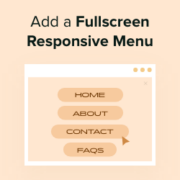
Menus are essential for helping visitors navigate your WordPress website and find more of your posts and pages. Fullscreen responsive menus can be particularly helpful when designing your website for mobile users. When your users click or tap a hamburger icon, a fullscreen overlay of… Read More »
In our article about why you do not see all the plugins your WordPress multisite network, we covered the topic of network activating plugins. This also brings the question of whether you should network activate all plugins on your WordPress multisite. On a multisite network,… Read More »
One of our users recently asked us why they can’t see some of their plugins on their WordPress multisite network. After they installed the plugins, they were unable to locate them on the plugins page in their multisite network. In this article, we will explain… Read More »
Used to store interaction and conversion data for campaigns in conjunction with Revenue Attribution.
1 year
_gat_omTracker*
Set, controlled and used by Google Analytics to collect and store data and then send that data to Google Analytics. OptinMonster provides the name if there is no existing tracker found on that page.
-
omCountdown-{id}-{elementId}
Used for countdown elements {elementId} in campaigns {id} to determine when it should complete.
-
om-{id}-closed / omSlideClosed-{id}
Used specifically with slide-in campaigns {id} to determine if it has been closed or not by a visitor.
30 days
om-success-cookie / omSuccessCookie
Used to determine if a visitor has successfully opted in to any campaign on your site to unlock content when using our Content Locking feature.
365 days
om-success-{id} / omSuccess-{id}
Used to determine if a visitor has successfully opted in to a campaign with the ID of {id} on your site.
365 days
omSeen-{id}
Used to determine if a visitor has been shown a campaign by the slug.
30 days
om-{id}
Used to determine if a visitor has interacted with a campaign ID of {id} on your site.
30 days
_omappvs
Used to determine when a new visitor becomes a returning visitor.