


Managing customer relationships can feel like a huge headache for WordPress site owners. You’ve got customer emails in one place, contact form submissions somewhere else, and sales data scattered across different platforms.
It’s easy to see why many businesses struggle to stay organized and end up losing out on potential sales.
That’s where WordPress CRM plugins come in. These tools help website owners keep all their customer relationships organized in one central location.
We’ve experimented with a variety of CRM tools over the years, so we know what works and what doesn’t. And in this article, we’ll share the best WordPress CRM plugins to improve your customer service and support.
Quick Pick – The Best WordPress CRM Plugins
If you’re in a rush, you can take a quick look at our top picks to make a decision.
| # | Plugins | Best For | Pricing |
|---|---|---|---|
| 🥇 | HubSpot | All-in-one CRM plugin | $20/user/mo + Free |
| 🥈 | FunnelKit Automations | CRM + marketing automation | $99.50/yr |
| 🥉 | Freshsales CRM | Sales-oriented CRM | $9/user/mo |
| 4 | Brevo | CRM + email marketing | $8.08/mo + Free |
| 5 | Pipedrive CRM | Sales pipeline management | $14/user/mo |
| 6 | GreenRope CRM | Best multi-department CRM solution | $99/mo |
| 8 | WP-CRM System | Best free WordPress-native CRM | Free |
Why Use a WordPress CRM Plugin?
A customer relationship management (CRM) plugin stores your customers’ and prospects’ contact details, quickly displays your previous interactions with them, and helps you deliver streamlined customer service across your business.
This data can be used by your sales, marketing, and customer service teams to follow up on leads, view purchasing history, and record how your customers’ problems were solved.
A CRM plugin needs to integrate with social media platforms, your lead generation software and email marketing service, and your membership website or online store. It should offer everything you need to manage your customers in one place.
Now, let’s take a look at how we tested and chose the best WordPress CRM plugins to help you choose the best tool for your business.
How We Test and Review CRM Plugins in WordPress
We understand that a CRM isn’t just about collecting data; it’s about building stronger customer relationships and ultimately growing your business. That’s why we’re committed to helping you find the best CRM plugin for you.
That said, here’s exactly how we put each CRM solution to the test:
- Real-World Testing: We don’t just look at features on paper. Our team installs each CRM plugin on a brand-new WordPress website. Then we test them using real contact data, lead-capture forms, and customer interaction workflows.
- Easy Setup and Smooth Integration: We test how quickly you can get up and running without any technical headaches. We check the initial WordPress integration, how well it plays with other plugins, and whether you’ll need a developer’s help just to capture your very first lead.
- Contact Management Evaluation: A CRM is only as good as its contact management. We test how easily you can import contacts, how well it organizes your data, if you can track a customer’s full history, and, most importantly, how simple it is to find specific customer information exactly when you need it.
- Automation and Workflow Testing: Small business owners need tools that save them time, not create more work. We check out email sequences, lead scoring, task automation, and follow-up reminders to see which features genuinely save you time and help streamline your workflows.
- Pricing and Value Assessment: We evaluate each CRM’s free tier limitations, paid plan costs, and overall value for money. We look at whether pricing is per user, per contact, or based on email volume so you can make an informed decision based on your budget.
- Data Ownership and Privacy: We assess where your customer data is stored, whether on your own WordPress server or a third-party cloud. For businesses that need full data control and General Data Protection Regulation (GDPR) compliance, this is a critical factor.
Why Trust WPBeginner?
Our team has been putting WordPress plugins to the test and helping folks build successful websites for a long time.
We’ve personally worked with many CRM solutions, from basic contact forms to complex customer management systems. This gives us a clear understanding of what truly works for WordPress site owners.
What makes this CRM plugin review different is our dedication to real-world testing and transparency. Every single plugin we recommend has been installed, set up, and tested by our own team members.
We don’t just read through feature lists – we make sure these CRM plugins can handle the practical challenges of growing a business online.
For more information, see our editorial process.
1. HubSpot – Best All-In-One CRM Plugin

HubSpot is a comprehensive CRM plugin for WordPress that integrates seamlessly with its marketing, sales, and customer service products. It allows you to capture leads, manage contacts, and track user interactions.
HubSpot CRM comes with built-in tools to collect customer data on your WordPress website and add it to your contacts list. These include forms, email, and live chat.

Your data is stored on HubSpot’s cloud platform. It also integrates with more than 1000 apps and services, such as email marketing and lead generation software like OptinMonster.
The core HubSpot CRM platform is free and supports unlimited users and unlimited contacts. You can upgrade to a paid plan for more powerful features.
HubSpot is easy to use, and we show you how to add it to your WordPress website step-by-step in our guide on how to add a CRM to your WordPress site and get more leads.
Pros:
- HubSpot is an easy-to-use CRM.
- The core HubSpot CRM features are free.
- With paid plans, you can choose to focus on marketing, sales, or customer service.
- You can easily embed forms and live chat on your site.
Cons:
- Beginners may find the plugin has a learning curve.
- Data is stored on the HubSpot cloud service.
Pricing: Free CRM with unlimited users. Paid plans start at $20/user/month (Starter)
Why we chose HubSpot: HubSpot is the best CRM for small businesses and easily integrates with your WordPress website.
For a more in-depth look, be sure to read our HubSpot review.
2. FunnelKit Automations – Best for Marketing Automation
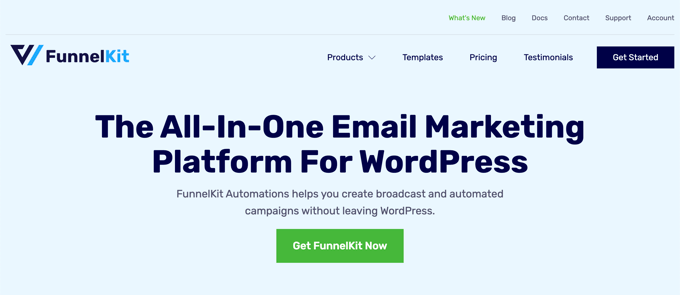
FunnelKit Automations is a powerful CRM and marketing automation tool for WordPress websites and WooCommerce stores.
You can use it to view every detail about your customers, including their names, email addresses, genders, geographic locations, tags, lists, and more. You can also see details of their past purchases on your website or online store.
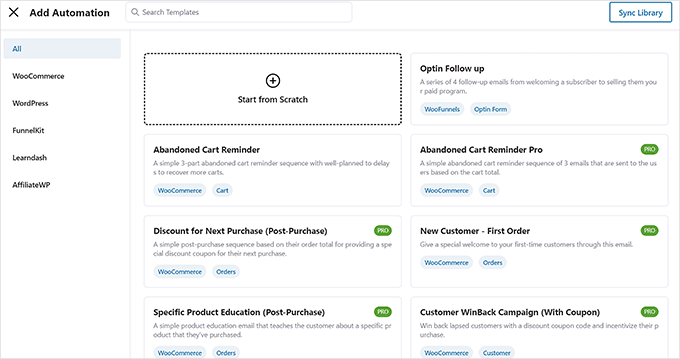
The plugin’s strength lies in automation. You can use its visual automation builder to automate targeted email and SMS campaigns, create subscription reminders, send automated coupons, and much more.
FunnelKit Automations also offers advanced features like revenue tracking, A/B testing for email campaigns, and detailed analytics dashboards. This makes it easy to see which automations are driving the most revenue and optimize accordingly.
🌟 Want to learn more? See our in-depth FunnelKit Automations review.
Pros:
- In-depth contact profiles show all client information in one place.
- It allows you to automate your WooCommerce store, including emails and SMS messages.
- FunnelKit Automations has advanced features like analytics, revenue tracking, and A/B testing.
- It has integrations with popular apps and plugins.
Cons:
- Beginners will find there is a learning curve.
- It is more expensive than most CRM solutions.
Pricing: FunnelKit Automations starts at $99.50/year for a standalone license. The bundle with FunnelKit Funnel Builder costs $249.50/year. A 14-day money-back guarantee is included.
Why we chose FunnelKit Automations: FunnelKit Automations is one of the best marketing automation platforms for WooCommerce. Its contact profiles give you easy access to customer details and purchase history.
3. Freshsales CRM – Best Sales-Oriented CRM
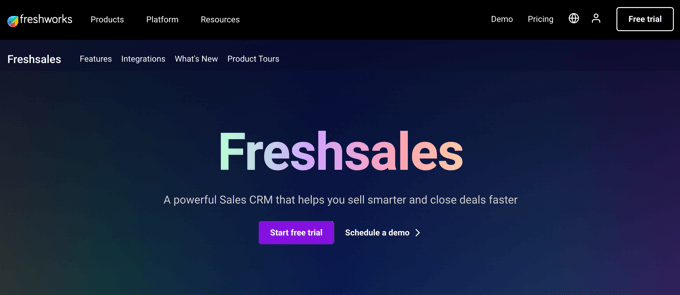
Freshsales CRM is a popular and affordable CRM with a sales-oriented approach. It has a scoring feature that helps you prioritize and personalize customer engagement.
Its dashboard gives you instant access to customer data, including reports, activities, phone calls, emails, and contact details.
Other features include visual sales pipelines, actionable insights into conversations, event tracking, custom workflows, and integrations with popular third-party services.
Freshsales also helps save you time by automating tasks. For example, you can automatically assign leads, send emails, add to-do items, create reminders, and much more.
You can find the Freshsales Integration plugin in the WordPress plugin directory. It allows you to sync contacts and leads, embed forms, track website activity, and receive notifications.
Freshsales also offers a free plan for up to 3 users, which is great for very small teams just getting started with CRM. The free plan includes basic contact management, built-in phone and email capabilities, and a mobile app.
Pros:
- Affordable and easy to use.
- The scoring system helps you prioritize leads.
- Automation features save you time.
- Inexpensive and offers a 21-day free trial.
- A free plan is available for up to 3 users.
Cons:
- Offers less customization than other CRMs.
- Offers fewer integrations than some other CRMs.
- Advanced features like AI lead scoring and sales sequences are only available on higher-tier plans.
Pricing: Free plan for up to 3 users. Paid plans start at $9/user/month (billed annually). A 21-day free trial is available for all paid plans.
Why we chose Freshsales CRM: Freshsales CRM has a sales-oriented approach. It helps you prioritize your leads and saves time by automating tasks and data entry.
4. Brevo (Formerly Sendinblue) – Best for Email Marketing
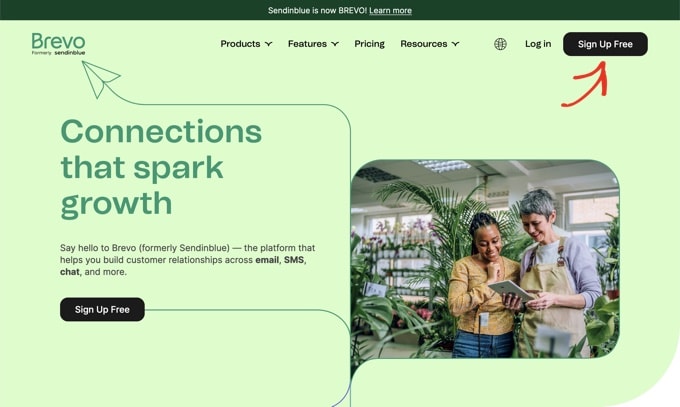
Brevo, formerly known as Sendinblue, is a popular email marketing service. It offers CRM features like contact management with custom fields, contact tracking, lead scoring, and transactional email logs. It can also integrate with other CRM products.
The company also offers a free WooCommerce CRM plugin in the official WordPress plugin directory. It connects your store to the Brevo platform and automatically syncs customer data, allowing you to manage customer service from a single dashboard.
Once your online store data has been synced, you will be able to better manage your customers and their orders, create effective email and SMS campaigns, and track how many emails were delivered, opened, and clicked on.
One thing that sets Brevo apart from many competitors is its pricing model. Instead of charging per contact, Brevo charges based on the number of emails you send. This means you can store unlimited contacts on every plan, including the free tier.
Pros:
- Pricing is based on email volume, not contact count, which can save money if you have a large contact list.
- Its limited CRM features can do all you need if email marketing is your focus.
- You can set up automated workflows to increase conversions in your store.
- Brevo’s free plan allows you to create unlimited contacts and send up to 300 emails per day.
- The Brevo plugin for WooCommerce is free.
Cons:
- Its CRM features are more limited than those of other CRM solutions.
- Plugin integration is only for WooCommerce stores, not general WordPress websites.
- You depend on Brevo’s platform, so any downtime may affect your campaigns.
Pricing: Free plan (300 emails/day, unlimited contacts). Starter plan from $8.80/month.
Why we chose Brevo: Brevo is one of the best email marketing services and will provide all the CRM features you need for email marketing. The free WordPress plugin also lets you instantly sync customer data in your WooCommerce store.
Dive deeper into Brevo! Read our comprehensive Brevo review for all the details.
5. Pipedrive CRM – Best for Sales Pipeline Management
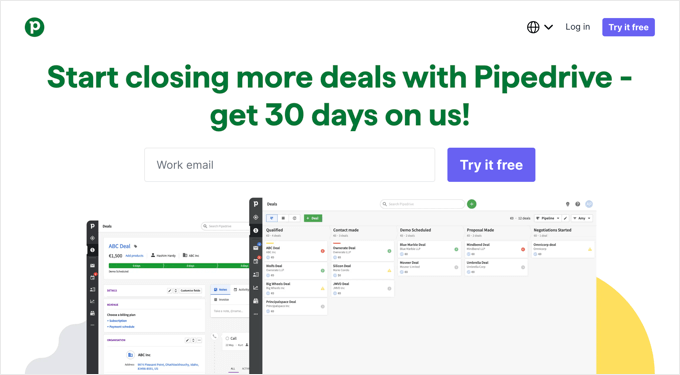
Pipedrive CRM is another sales-driven CRM plugin for businesses. It lets you manage your sales pipeline using a user-friendly interface that gives you quick access to all the information you need.
It is designed specifically for sales teams and offers functions such as sales reporting, precise activity tracking, advanced contact information, customizable pipelines, sales forecasting, and seamless email integration.
In addition, it offers plenty of integration options, enabling you to link your CRM with your existing services.
You can find the LeadBooster Chatbot by Pipedrive plugin in the WordPress Plugin Directory. It is a chatbot plugin that captures visitors to your WordPress website and converts them into qualified leads in your Pipedrive CRM account.
Pros:
- Intuitive interface.
- Monitors your sales performance and conversion rates.
- Tracks customer communication.
- Automate repetitive tasks.
- Affordable pricing.
Cons:
- Its advanced reporting and automation capabilities are more limited than those of other CRMs.
- Some advanced features have a steep learning curve
Pricing: Lite plan starts at $14/seat/month (billed annually). Growth plan at $39/seat/month. A 14-day free trial is available.
Why we chose Pipedrive CRM: Pipedrive CRM is an affordable customer relations solution for sales teams.
6. GreenRope CRM – Best Multi-Department CRM Solution
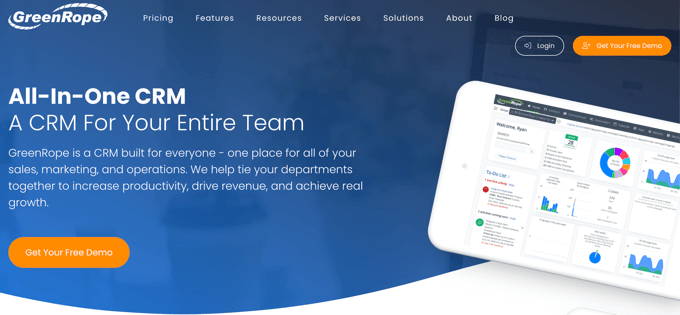
GreenRope CRM is a multi-purpose CRM designed for teams. It allows your sales and marketing, customer service, and operations departments to all use a single platform when dealing with your customers.
It integrates CRM, email marketing, automation, social media, project management, and more into a single flexible system.
The CRM also offers features that allow you to automate customer communication, prioritize your leads, track deals, and monitor social engagement.
You can find the GreenRope Analytics WordPress CRM plugin in the WordPress Plugin Directory. It lets you track visitors to your WordPress site in your GreenRope account.
Unlike many CRMs that charge per user, GreenRope includes unlimited users and unlimited emails on every plan. Pricing is based solely on the number of contacts you have, which can be very cost effective for larger teams.
Pros:
- A single tool can meet the needs of your sales, marketing, and support teams.
- Additional features include project management, lead scoring, and event management.
- It is highly customizable.
- Unlimited users and emails are included on every plan.
Cons:
- This tool serves multiple purposes, so it has a learning curve.
- It is more expensive than some CRM solutions.
Pricing: Starter plan (up to 500 contacts) at $99/month. Essential plan (up to 2,000 contacts) at $199/month. All plans include unlimited users and emails.
Why we chose GreenRope CRM: GreenRope CRM is a flexible CRM tool that can meet the needs of multiple departments in your business or online store.
7. WP-CRM System – Best Free WordPress-Native CRM
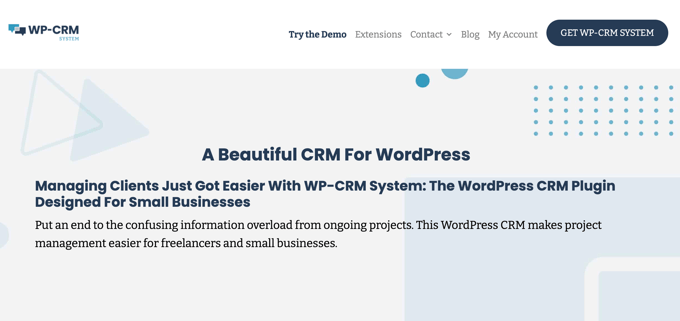
WP-CRM System is a free WordPress CRM plugin designed for freelancers and small business owners. It provides basic CRM functionality for WordPress websites, such as managing contacts, tracking communication history, and assigning tasks.
Like FluentCRM, WP-CRM stores all of its data in your WordPress database. This means you own all your data and don’t depend on another company to keep it accessible.
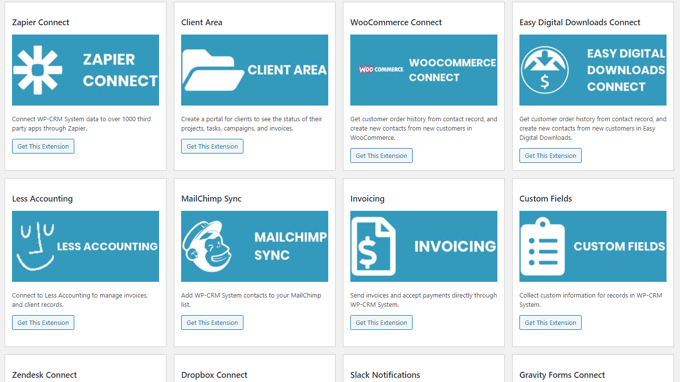
You can also purchase extensions to add new features, such as custom fields and integrations.
Pros:
- User-friendly and easy to navigate.
- Data is stored on your WordPress website, not a third-party cloud service.
- No limits on the number of contacts or records you can create.
- The free plugin will meet the needs of many freelancers and small businesses.
Cons:
- Limited advanced features.
- The cost of paid extensions can add up.
Pricing: Free core plugin. Premium plans start at $99/year. Individual extensions can also be purchased separately.
Why we chose WP-CRM System: WP-CRM System is the best free CRM plugin for WordPress. The basic plugin will meet the needs of many small businesses, and you can purchase extensions to add custom fields and integrations as you need them.
What Is the Best WordPress CRM Plugin?
In our expert opinion, we believe that HubSpot is the best WordPress CRM plugin. It’s easy to use, offers the most important features, and the core plugin is free.
On the other hand, if you have a WooCommerce store and need a CRM with eCommerce-focused marketing automation, then you should also look at FunnelKit Automations. It’s powerful, can help you grow your overall sales, and is worth every penny.
However, if you are looking for a completely sales-focused CRM, then we also recommend using Freshsales CRM or Pipedrive CRM. These are great HubSpot alternatives because they are sales-driven and can help you automate your sales processes.
How to Choose the Right WordPress CRM Plugin
With so many options available, picking the right CRM plugin can feel overwhelming.
With that in mind, here’s the key factors to consider when making your decision:
- Your Business Type: If you run a WooCommerce store, a CRM with deep eCommerce integration like FunnelKit Automations or Brevo will serve you best. For service-based businesses, a sales pipeline CRM like Pipedrive or Freshsales is typically the better fit.
- Budget: If you’re just getting started, free options like the HubSpot CRM or WP-CRM System can help you manage contacts without any upfront cost. As your business grows, you can upgrade to paid plans.
- Data Ownership: Some CRM plugins like WP-CRM System store all your data on your own WordPress server. Others like HubSpot and Pipedrive store data on their cloud platforms. If data privacy and GDPR compliance are important to you, a self-hosted solution may be the better option.
- Team Size: If you have a large team, look for CRMs that offer affordable (or unlimited) user seats. GreenRope and HubSpot’s free tier both support unlimited users.
- Integration Needs: Make sure the CRM you choose integrates with the tools you already use, such as your email marketing service, form builder, and eCommerce plugin.
FAQs About CRM Plugins for WordPress
Do you still have questions? Here are answers to some of the most common questions we are asked about WordPress CRM plugins.
Is WordPress a CRM or CMS?
WordPress is a CMS, or content management system. It lets you build and manage your website and all its content.
However, WordPress is a very flexible platform that can be used for many purposes.
You can easily install a WordPress plugin to add the features you need to use your website for customer relationship management (CRM).
What is a WordPress CRM plugin?
A WordPress CRM plugin is an add-on that puts customer relationship management functionality directly into a WordPress website. It allows users to manage leads, contacts, and customer interactions within the WordPress dashboard.
Do you need a CRM plugin for your WordPress site?
Whether you need a CRM plugin depends on your business goals and the level of customer relationship management required. If you interact with leads or customers frequently, then a CRM plugin can help organize and streamline these interactions.
What features should you look for in a WordPress CRM plugin?
Important features to look for in a CRM include contact management, lead tracking, email integration, task management, reporting and analytics, customization options, and integration with other tools and platforms.
However, the features you need will vary depending on your specific requirements, the size of your team, the number of customers you need to deal with, and the type of business you are running.
Expert WordPress Guides for Customer Service
Now that you have learned about the best WordPress CRM plugins, you may like to see some of our other guides on customer service:
- How to Add a CRM on Your WordPress Site and Get More Leads
- How to Optimize the Customer Journey for WooCommerce Store
- Best CRM Apps for Small Businesses (With Free Options)
- Best WooCommerce CRM to Grow Your Store (Compared)
- Best Customer Service Software for Business (Compared)
- Best Business Phone Services for Small Business
We hope this tutorial helped you find the best WordPress CRM plugins. You may also want to see our guide on how to increase your blog traffic or our expert picks for the best WordPress help desk plugins for customer support.
If you liked this article, then please subscribe to our YouTube Channel for WordPress video tutorials. You can also find us on Twitter and Facebook.


THANKGOD JONATHAN
If Funnelkit is very expensive. Brevo’s intergrations is very limited. Freshsales have fewer customization and intergrations. GreenRope also expensive. Then Hubspot is better, although it has some learning curve but with time I will get use to it. Plus it stores data in it’s cloud service which is for me another advantage to reduce my server load.
Thank you for the comparison including the pros and cons of these CRMs.
Eyuel Melaku Tsega
It is helpful information, thank you for sharing
WPBeginner Support
You’re welcome, glad our list was helpful
Admin