


I still remember the first time I registered a domain name. It felt like a huge step, but a wave of anxiety washed over me when I learned my personal information, name, address, and email, would be listed in a public directory.
Many of our readers share this same concern about the public WHOIS database. It’s a valid worry, as exposing your details can lead to a flood of spam emails and put you at risk of identity theft.
After registering hundreds of domains for our own projects, we’ve mastered the art of keeping personal data private. This guide will walk you through the exact methods we use to buy a domain name anonymously.
Why Buy a Domain Name Anonymously?
When you create a WordPress website, you’ll need a domain name. It’s your site’s address that people will type into their browsers to visit your website.
However, when you buy a domain name, your personal information is saved in a public WHOIS database. The Internet Corporation for Assigned Names and Numbers, or ICANN, requires every domain registrar to maintain a WHOIS database.
Using this database, anyone can find out who actually owns a domain name. This includes your name, email address, physical address, server name, DNS, and other information.
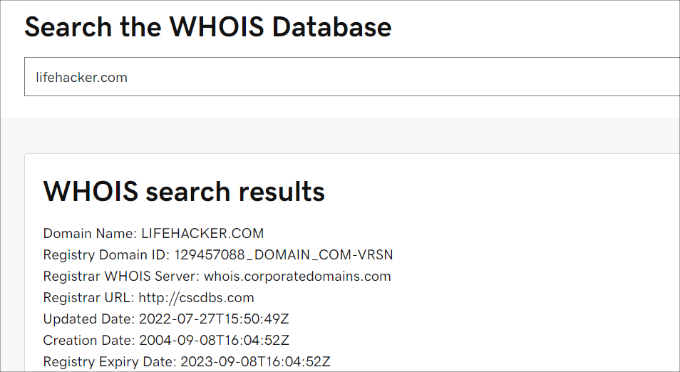
Buying a domain with privacy protection allows you to hide your personal data in the public WHOIS database. Instead of your details, it will show generic proxy information from your registrar.
Additionally, most registrars bundle this with a Domain Protection service, which helps prevent malicious or accidental domain transfers by locking your domain.
Getting the domain anonymously enhances your site’s online security. It prevents hackers from stealing your domain or misusing it for monetary benefit.
On top of that, registering a domain name with your personal information may expose you to spam emails, unsolicited phone calls, or even physical mail. Anonymously registering a domain can help reduce the risk of such unwanted communication.
With that in mind, we’ll show you 3 ways to hide your information in the WHOIS database using domain registrars and a web hosting company.
You can click the links below to jump ahead to your preferred section:
Ready? Let’s jump right in!
Method 1: Buy Domain Name Anonymously Using Network Solutions
Network Solutions is one of the oldest and largest domain name registrars. You can easily find a domain for your website, as it offers a wide variety of website name extensions.
With Network Solutions, you get access to multiple tools for domain management. For example, you get bulk registration, easy transfers, DNS management, domain forwarding, and more.
To anonymously buy a domain name, you’ll first visit the Network Solutions website and enter a name in the search bar. After that, simply click the ‘Search’ button.
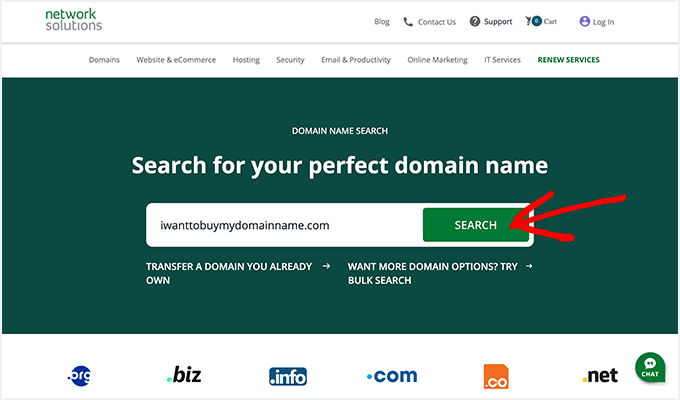
The domain name registrar will now see if the domain you’re looking for is available and show a list of options with different website extensions.
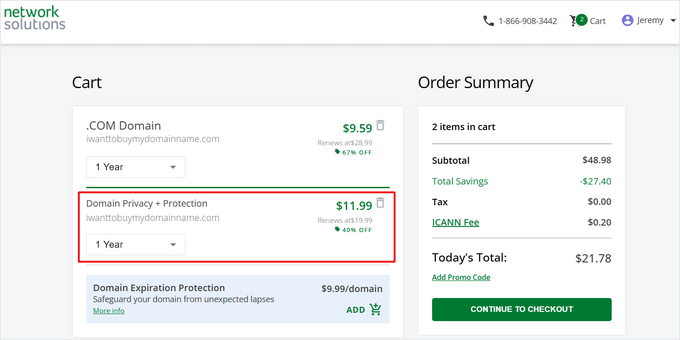
If your domain is available, you can add it to your cart. Network Solutions will add the ‘Domain Privacy + Protection’ add-on by default. However, this is a paid add-on and will cost you an additional $11.99 per year, along with the cost of the domain name.
You will see it in your shopping cart, and you can click the ‘Continue to Checkout’ button to complete your purchase.
Note: Network Solutions offers WPBeginner readers up to 67% off on new domain registrations and add-ons like Privacy + Protection. All you have to do is use the Network Solutions coupon and the promo code: NAMEBOY at checkout.
Method 2: Buy Domain Name Anonymously Using Bluehost
Bluehost is one of the largest hosting companies in the world and an official WordPress hosting partner. When you sign up for their hosting service, you can register a domain for free.
Bluehost lets you add the ‘Domain Privacy Protection’ add-on to your package during signup. This way, your private information won’t be publically available, as it will be replaced with generic Bluehost contact details in the WHOIS database.
Note: Bluehost offers an exclusive discount for WPBeginner users. Using the Bluehost coupon code, you can get website hosting, a free domain name, and a free SSL certificate for just $2.99 per month.
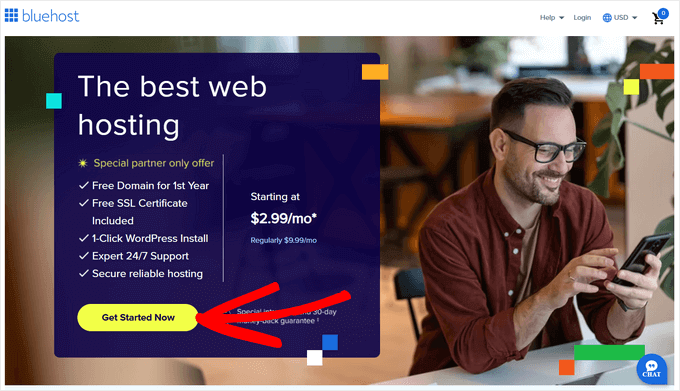
To get started, you need to visit the Bluehost website and click the ‘Get Started Now’ button.
Next, you will need to select a pricing plan.
Simply click the ‘Choose Plan’ button for any plan you’d like to use.

After that, Bluehost will ask you to set up a domain. First, make sure that the ‘Domain Privacy + Protection’ add-on is selected.
Bluehost charges $11.88 per year for ‘Domain Privacy + Protection.’
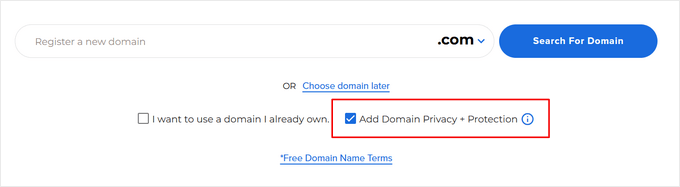
Next, since we’re buying a new domain, simply enter a name under the ‘Register a new domain’ field and click the ‘Search For Domain’ button. You can also choose the domain extension you’d like to use.
For more help, check out our article on how to choose the best domain name.

Bluehost will then check if the domain name you entered is available.
If it is, then you’ll see the cart page.

Click on the ‘Continue to Checkout’ button to proceed.
Next, you can add your personal details to create an account.
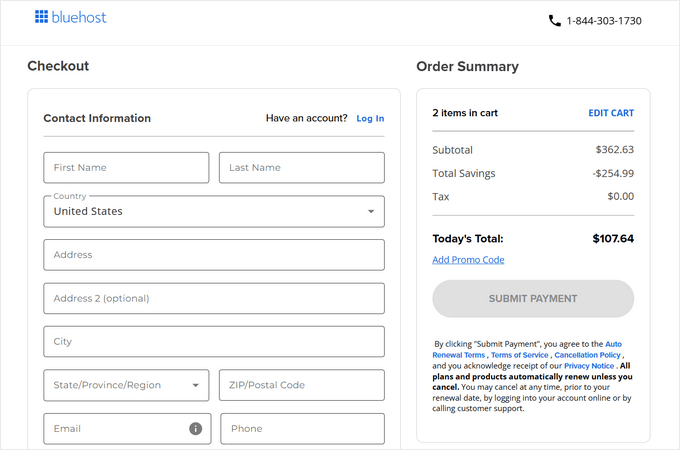
Lastly, scroll down the page to enter your payment details to purchase website hosting and domain names anonymously.
Method 3: Buy Domain Name Anonymously Using GoDaddy
Another way you can get a domain name anonymously is to use GoDaddy, one of the market’s oldest and most popular domain registrars.
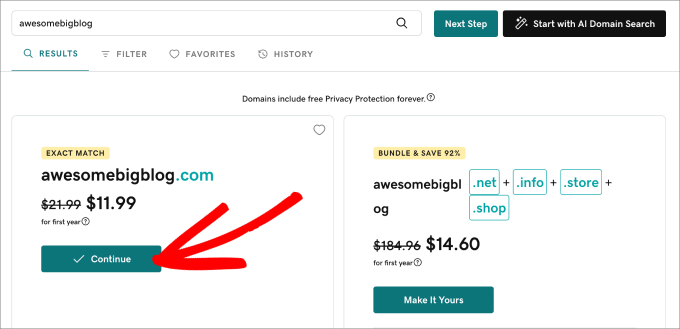
To get started, you can search the GoDaddy website for a domain name.
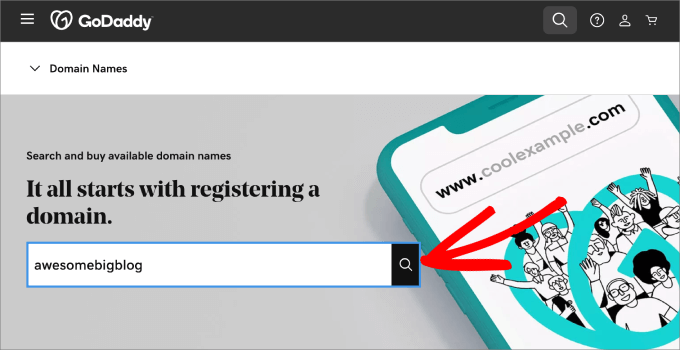
Next, GoDaddy will check to see if your domain name is available. It will also show different domain extensions you can purchase along with the .com extension.
If it’s available, simply click the ‘Continue’ button.
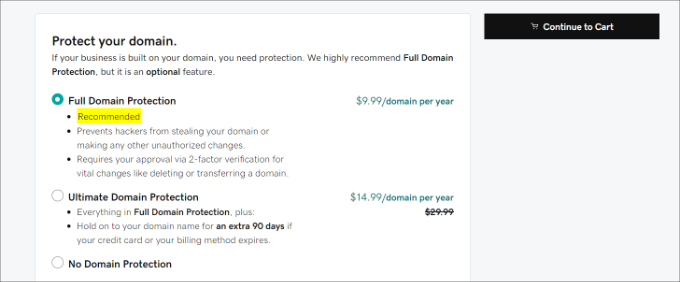
On the next screen, you can select different add-ons for your domain name. This includes protecting your domain and keeping your information anonymous.
Simply select the ‘Full Domain Protection’ option, which is $9.99 per year, and click the ‘Continue to Cart’ button.
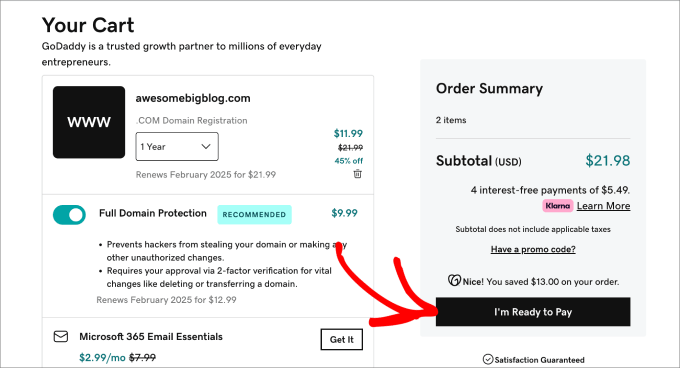
After that, GoDaddy will show you a summary of your cart, and you can check if everything is correct.
Next, go ahead and click the ‘I’m Ready to Pay’ button to proceed to the payment process and finalize your purchase.
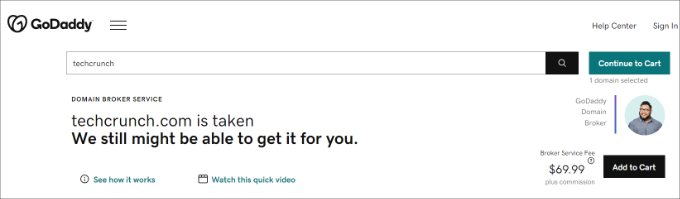
Additionally, GoDaddy differs from other registrars because you can buy a domain name that’s already taken by using their domain broker service.
If the domain name you’re looking for is owned by someone else, then GoDaddy will work as a broker and try to work out a deal with the domain owner.
Since GoDaddy acts as the middleman and handles all the steps, your identity is never revealed to the actual owner.
Simply visit the GoDaddy Domain Broker Service webpage and enter the domain name in the search bar.
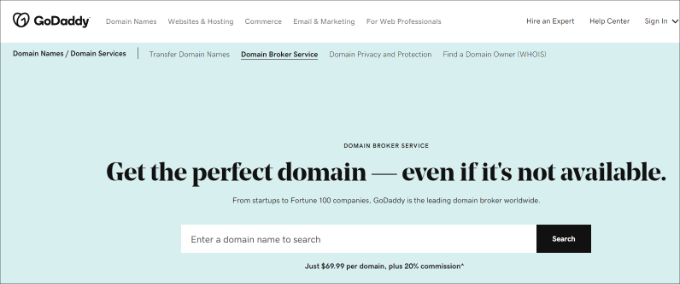
Next, you can hire GoDaddy as your domain broker so they can negotiate a deal to purchase your domain name.
Doing so and using GoDaddy as a broker will cost you $69.99 per domain, plus a 20% commission on the final price of the domain.
Bonus Tip: Create a Fully Anonymous WordPress Website
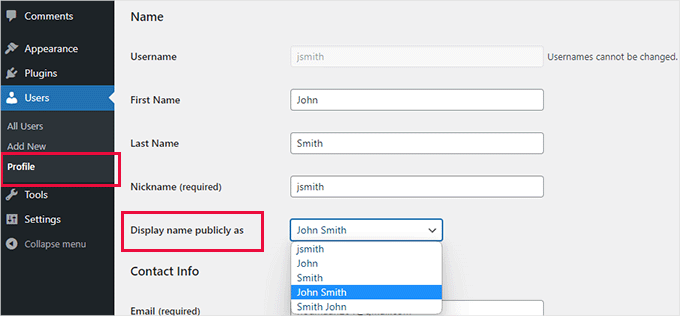
Now that you’ve bought a domain name anonymously, you might want to check out how to create a fully anonymous WordPress website.
An anonymous website hides who runs or owns it, allowing people to stay private.
There are many reasons someone might want to be anonymous.
For instance, whistleblowers may need to expose corruption without getting in trouble, and journalists in harsh regimes might need anonymity to stay safe.
Or, you’re an aspiring content creator who wants to keep your work secret from employers or family so you can express yourself freely. And if you’re a blogger trying to get better at writing, you might also prefer being anonymous for a while.
For more details, you can read our guide on how to create a truly anonymous website.
Frequently Asked Questions About Buying a Domain Anonymously
We get a lot of questions about anonymous domain registration. Below are answers to some of the most common ones we receive.
1. What is domain privacy protection?
Domain privacy protection is a service offered by domain registrars that hides your personal contact information from the public WHOIS database.
Instead of your name, address, and email, it displays generic proxy information provided by the registrar, protecting you from spam and identity theft.
2. Is it legal to buy a domain name anonymously?
Yes, it is completely legal to buy a domain name using privacy protection. Most domain registrars offer this service as a standard add-on to help you comply with ICANN rules while still protecting your personal information from being publicly accessible.
3. How much does domain privacy cost?
The cost varies by registrar. Some, like Bluehost, may offer it as part of a hosting package, while others charge an annual fee. For example, the services mentioned in this guide have prices ranging from about $9.99 to $11.99 per year.
4. Can I add privacy protection to a domain I already own?
Yes, in most cases, you can add domain privacy protection to an existing domain name. You can typically do this through your domain registrar’s dashboard. Keep in mind that it may take a day or two for the WHOIS database to update with the new private information.
Additional Resources
We hope this article helped you learn how to buy a domain name anonymously. You might also want to check out these related articles on domain names and website security:
- Beginner’s Guide: What is a Domain Name and How Do Domains Work? – A great starting point if you’re new to the world of domains.
- How to Choose the Best Domain Registrar (Compared) – This guide breaks down the best places to register your domain name.
- How to Buy a Domain Name That is Taken – Learn the steps to acquire a domain that someone else already owns.
- Best Places to Find Premium Domain Names for Sale – Discover marketplaces for high-value and brandable domain names.
- The Ultimate WordPress Security Guide – A comprehensive checklist to keep your entire website secure.
If you liked this article, then please subscribe to our YouTube Channel for WordPress video tutorials. You can also find us on Twitter and Facebook.


Dennis Muthomi
I have a question based on the methods you outlined. When registering a domain name, do you think it is wiser for me to use a company that offers both domain registration and web hosting services?
Or would it be better to register my domain to a company that is for registering domains only separately from my web hosting provider?
WPBeginner Support
There is no definitive answer for that question, it would be more based on personal experience and preference.
Admin
Dennis Muthomi
ok.
Its just that Many YouTube tutorials I’ve watched recommend registering domains through Namecheap, and then getting hosting separately on platforms like Bluehost.
And i have always thought that’s the case.
Dayo Olobayo
In addition, it’s also important to keep your domain registration information up to date even if you’ve purchased domain privacy. This is because your domain registrar may need to contact you if there are any problems with your domain name.
Jiří Vaněk
It is also good to think about anonymous DNS. According to the ping on the domain, you can determine, for example, the hosting provider. That’s why it’s a good idea to have your DNS hidden behind a reverse proxy. I therefore recommend improving your anonymity by using DNS, for example from CloudFlare, who offer this for free.
WPBeginner Support
Thank you for sharing another possible tool that can be used.
Admin