


Picking the right payment solution can really impact your online store’s bottom line – affecting everything from conversion rates to transaction fees. 💵
What many people don’t realize is that the best payment gateway isn’t always the most popular one.
Through testing different solutions and monitoring their performance across stores, I’ve identified which gateways consistently deliver better results for different types of businesses.
In this guide, I’ll share the best WooCommerce payment gateways. These insights come from hands-on experience helping stores process millions, and not just skimming feature lists.
My Verdict: The Best WooCommerce Payment Gateways
In a hurry? Here’s a quick overview of the best WooCommerce payment gateways compared:
| # | Gateways | Best For | Transaction Fee |
|---|---|---|---|
| 🥇 | Stripe | Businesses that want a feature-rich, on-site checkout experience with lots of control | 2.9% + $0.30 per transaction |
| 🥈 | PayPal | Businesses that want a trusted brand name that many customers already use, prioritizing ease of use for existing PayPal users | 2.99% + a fixed fee (depending on location) |
| 🥉 | Square | WooCommerce stores with physical locations | 2.9% + 30¢ for online sales |
| 4 | Authorize.net | Selling subscriptions with WooCommerce | 2.9% + $0.30 per transaction |
| 5 | WooPayments | Beginners on a budget | 2.9% + $0.30 per transaction |
| 6 | Afterpay | Accepting payments in installments. | 4-6% per transaction |
What Is a WooCommerce Payment Gateway?
If you are running a WooCommerce store, then you will need a way to securely accept payments. That’s where payment gateways come in.
A payment gateway is a service that processes credit card and digital payments on your site. It acts as a bridge between your customer’s payment method and your bank account.
💡 Wondering how this works? You may want to look at our ultimate WordPress payment processing guide.
How I Test And Review WooCommerce Payment Gateways
Not all payment gateways have the same policies, processing rates, and features, so it’s important to choose carefully. Don’t worry, though—I’ve done the research for you.
When I recommend a WooCommerce payment gateway, I don’t just look at flashy features. I have tested how each solution performs in real-world scenarios to ensure it is reliable, secure, and beginner-friendly.
Here are the criteria that I focused on when testing each payment gateway:
- Ease of Use: I checked how easy it is to set up and use each gateway, from connecting it to WooCommerce to customizing the checkout experience.
- Global Availability: I looked at whether the gateway supports multiple countries and currencies. This will be a critical feature if you plan to sell internationally.
- Transaction Fees: I compared all the costs involved, including per-transaction fees, monthly charges, and any hidden costs, so you know what you’re signing up for.
- Processing Time: Getting paid fast matters. I tested how quickly the gateways transfer funds to your account after a customer completes their purchase.
- Security: I only recommend gateways that meet strong security standards, including PCI compliance, encryption, and built-in fraud protection.
- Customer Support: If something breaks, I want to know you will have help. That’s why I checked the support options and tested how responsive and helpful their team is.
- WooCommerce Compatibility: Some gateways just work better with WooCommerce than others. I tested how smoothly each one integrates, including plugin compatibility, updates, and overall performance.
Why Trust WPBeginner?
At WPBeginner, my teammates and I have spent years testing dozens of payment gateways to help our partner brands run successful online stores.
From small businesses to large eCommerce sites, I’ve seen firsthand what works and what doesn’t when it comes to accepting payments.
While many of our partners rely on Stripe and PayPal because of their global reach and top-notch security, we’ve also tested other solutions to find options for different needs.
In this article, I am going to recommend tools I have personally tested and trust. To learn more, see our editorial process.
Having said that, let’s take a look at the best WooCommerce payment gateways.
1. Stripe
| ✅ Stripe Pros | ✅ Supports a wide range of payment methods, including credit/debit cards, Apple Pay, Google Pay, ACH bank transfers, and local payments ✅ Keeps customers on your site during checkout for a smoother user experience ✅ Fully supports recurring payments for subscriptions and memberships ✅ Fast payment processing with excellent uptime and quick payouts ✅ PCI-compliant with advanced fraud detection and top-tier security |
| ❌ Stripe Cons | ❌ Not available in as many countries as PayPal ❌ Extra fees for international cards and currency conversions |
| Transaction Fees | 2.9% + $0.30 per transaction |
| Best For | Businesses that want a secure, flexible, and beginner-friendly payment gateway that integrates seamlessly with WooCommerce |
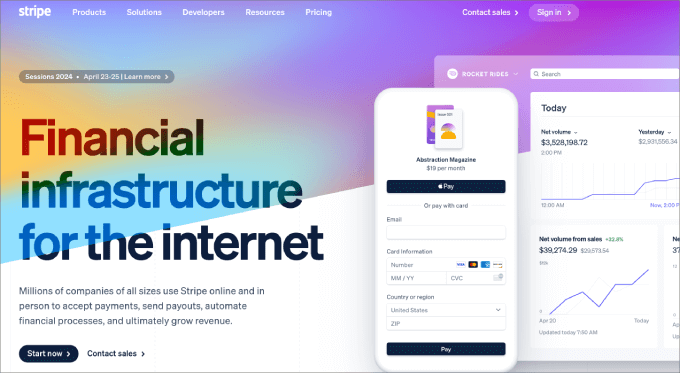
Stripe is the best WooCommerce payment gateway on the market.
Several of WPBeginner’s partner brands have been using it across their eCommerce stores because of its security, reliability, and ease of use.
Whether I’m launching a new store or scaling an existing one, Stripe is always my first choice, and I recommend it to most of our readers as well.
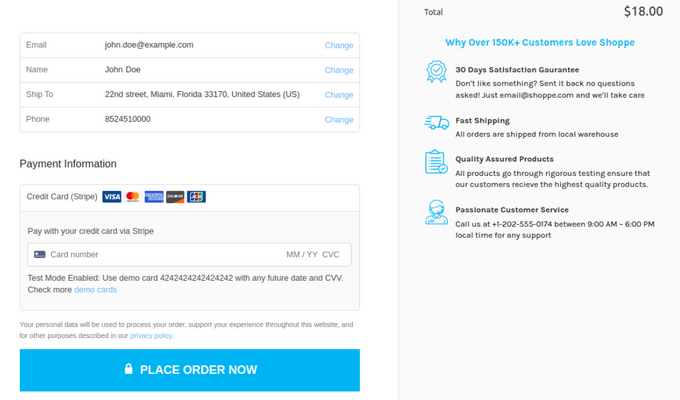
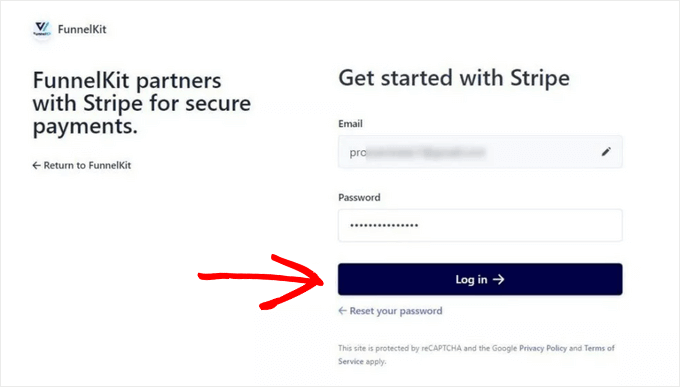
One of the reasons Stripe stands out is how simple it is to integrate with WooCommerce.
You don’t need to be a developer or worry about complicated setups. The official WooCommerce Stripe addon makes it easy to connect your store and start accepting payments in just a few clicks.
That said, I also like the free Stripe Payment Gateway for WooCommerce plugin, which offers features like an onboarding wizard, express checkout via Google and Apple Pay, and more.
When it comes to transaction fees, Stripe charges the standard 2.9% + 30¢ per successful U.S. transaction.
While there are additional fees for international cards and currency conversions, I’ve found the pricing transparent and fair, considering the quality features and support you get in return.
Stripe is also an excellent option for selling to a global audience. It’s available in 46+ countries and supports payments in 135+ currencies, making it flexible for online stores that want to grow beyond their local market.
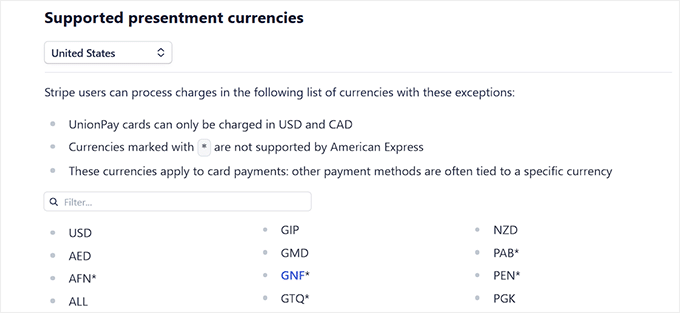
Most importantly, Stripe is built with security at its core. It’s PCI-compliant, uses advanced fraud detection tools, and constantly updates its platform to meet the latest standards.
Overall, if you’re looking for a powerful, secure, and beginner-friendly way to accept payments on your WooCommerce store, Stripe is the clear winner.
To get started, see our tutorial on how to accept Stripe payments in WordPress.
Why I recommend Stripe: If you are looking for a powerful, secure, and beginner-friendly payment gateway that easily integrates with WooCommerce, then I recommend Stripe.
💡 Bonus Tip: If you just want to create a simple payment form for donations or online orders, then WP Simple Pay is the best option. For details, see our complete WP Simple Pay review.
2. PayPal
| ✅ PayPal Pros | ✅ Easy to set up using the official WooCommerce PayPal extension ✅ Accepts credit cards, bank transfers, and PayPal balances ✅ Available in 200+ countries and supports 25+ currencies ✅ Offers recurring payments and subscriptions support ✅ Two-factor authentication (2FA) adds an extra layer of account security |
| ❌ PayPal Cons | ❌ Requires a PayPal Business account to use with WooCommerce ❌ Doesn’t offer a fully on-site checkout experience |
| Transaction Fees | 2.99% + a fixed fee (depending on location) |
| Best For | Stores that want a globally recognized, secure, and beginner-friendly payment gateway trusted by millions of online shoppers |
PayPal is one of the oldest and most trusted payment services in the world, and it’s also one of the most popular options for online stores. It’s a great option if you want to offer a convenient option for existing PayPal users.
WooCommerce even comes with an extension for PayPal, which makes the setup process simple and seamless for beginners. I’ve tested it thoroughly across multiple sites, and it just works right out of the box.

Our partner brands also use PayPal in their online stores because many of their customers come from around the world.
In my experience, offering PayPal as a checkout option can significantly increase conversions, simply because it’s a globally recognized and trusted platform.
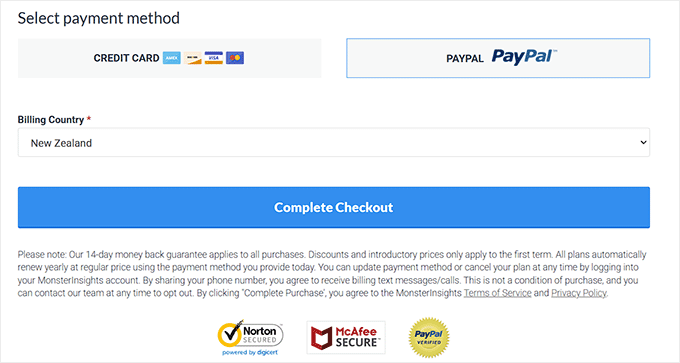
When it comes to reach, PayPal is available in over 200 countries and regions and supports 25+ currencies. That kind of global coverage is hard to beat if you’re planning to sell internationally.
It even includes language and currency localization, which helps your international customers feel more comfortable and confident when checking out.
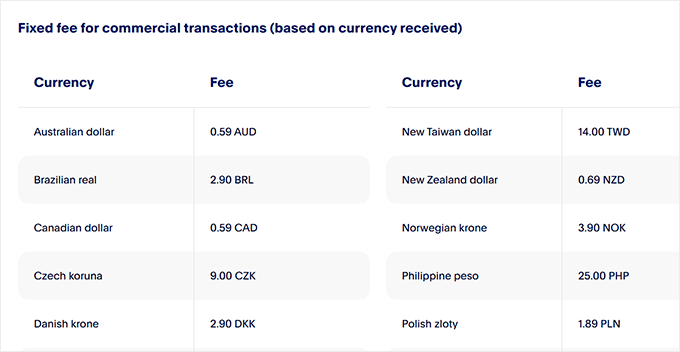
In terms of cost, PayPal charges 2.99% + a fixed fee per transaction in the U.S., with slightly different rates for international or currency conversion transactions.
On the security front, it uses advanced encryption to protect all transaction data and is PCI-compliant. It also includes buyer and seller protection policies, which give your customers even more confidence in their purchase.
PayPal is a fantastic choice if you’re looking for a reliable, secure, and globally accepted payment gateway for WooCommerce.
For even more information, check out our comparison of Stripe vs. PayPal: which is better.
Why I recommend PayPal: PayPal is a solid choice if you are looking for a globally available and trusted payment processor for your WooCommerce store.
💡Bonus Tip: If all you need is a PayPal payment form for your business, then check out WPForms or WP Payment Pal. Both plugins allow you to easily accept payments and donations via PayPal.
3. Square

| ✅ Square Pros | ✅ Includes a complete Point of Sale (POS) system for in-person transactions ✅ Automatically syncs inventory between your WooCommerce store and physical location ✅ Supports all major credit/debit cards plus Apple Pay and Google Pay ✅ Accepts EMV chip and contactless payments for modern checkout experiences ✅ Offers detailed sales reports, customer insights, and performance trends |
| ❌ Square Cons | ❌ Requires separate accounts for each country when selling internationally |
| Transaction Fees | 2.9% + 30¢ per online transaction (2.6% + 10¢ for in-person payments) |
| Best For | Store owners who sell both online and in person and want to keep all payments, inventory, and sales data synced in one place |
If you run a WooCommerce store with a physical location, then Square is one of the best payment gateways you can use.
I’ve recommended it to store owners who have both online shops and brick-and-mortar stores, and it’s worked really well for managing all their payments in one place.
What makes Square unique is that it doesn’t just handle online payments. It also gives you a complete Point of Sale (POS) system.
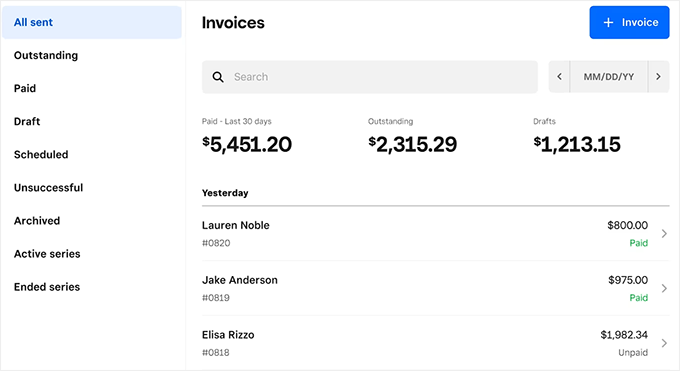
That means you can process in-person payments using the same platform that powers your WooCommerce store. This is ideal if you want to keep inventory and transactions in sync across your online and physical locations.
WooCommerce offers an official Square extension, which I found to be super easy to install and connect.
Once set up, your inventory syncs automatically between your store and your Square POS system, so you don’t need to manually update stock levels.
Square supports all major credit and debit cards, and it also works with popular mobile payment methods like Apple Pay and Google Pay.
If you are accepting payments in person, you’ll be glad to know that Square also supports EMV chip cards and contactless payments, which more customers are expecting in physical stores nowadays.
This makes it a great option for both online and in-person transactions. To get started, see our tutorial on how to integrate Square payments in WordPress.
Why I recommend Square: To accept payments for your online and physical store using a single payment processor, I recommend Square.
💡 Bonus Tip: If you only need a Square payment form for your website, I recommend using MyPayKit. You can create a form in less than two minutes, no coding required, and it offers a free plan.
4. Authorize.net

| ✅ Authorize.net Pros | ✅ Supports credit/debit cards and mobile payments directly on your WooCommerce site ✅ Includes advanced fraud detection tools like AVS and CAPTCHA ✅ Handles PCI compliance and uses tokenization for secure transactions ✅ Let customers securely save payment details for faster future checkouts ✅ Offers detailed analytics, transaction history, and reporting tools |
| ❌ Authorize.net Cons | ❌ Charges a $25 monthly fee, which can add up for small businesses ❌ Slightly more complex setup process for beginners |
| Transaction Fees | 2.9% + $0.30 per transaction |
| Best For | WooCommerce stores selling subscriptions, online courses, or membership products that need advanced fraud protection and flexible payment control |
Authorize.net is a reliable payment gateway that’s been around for decades. It has built a solid reputation for supporting businesses of all sizes, from small startups to enterprise-level eCommerce brands.
I have recommended Authorize.net to many store owners who want more control over payments, better fraud protection, and a seamless checkout experience.
The Authorize.net for WooCommerce extension makes integration easy, and your customers can pay with credit or debit cards directly in your store.
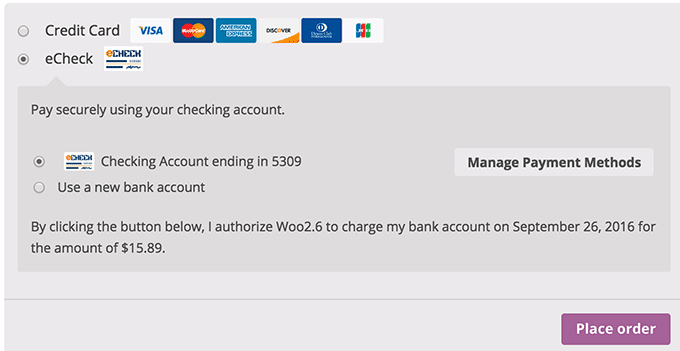
The payment is processed securely in the background through the platform’s servers, which helps increase trust and reduce cart abandonment.
In my opinion, one of the biggest perks of Authorize.net is its support for WooCommerce Subscriptions, making it a great option if you’re selling recurring memberships, subscription boxes, or online courses.
Customers can even save their payment details securely and reuse them for faster checkouts.
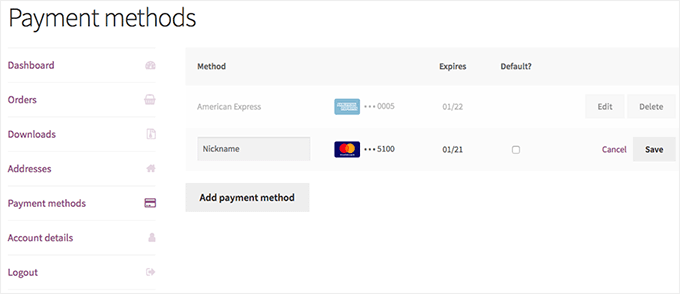
Overall, Authorize.net is versatile, user-friendly, and built for scalability, which is why so many growing businesses rely on it.
Why I recommend Authorize.net: If you plan to sell subscriptions or online courses with WooCommerce, then Authorize.net is a great option.
5. WooPayments
| ✅ WooPayments Pros | ✅ Supports 135+ currencies ✅ Accept contactless in-person payments directly from the WooCommerce Mobile App ✅ Includes strong security features such as 3D Secure, Card Account Updater, and Adaptive Acceptance ✅ Flexible payout schedules — choose daily, weekly, monthly, or on-demand payments ✅ Seamless integration with WooCommerce |
| ❌ WooPayments Cons | ❌ Lacks some advanced features available in platforms like Stripe ❌ Not ideal for managing large-scale WooCommerce stores |
| Transaction Fees | 2.9% + $0.30 per transaction for U.S. cards (rates vary by country) |
| Best For | New or small WooCommerce store owners who want a simple, beginner-friendly payment solution built directly into WooCommerce |
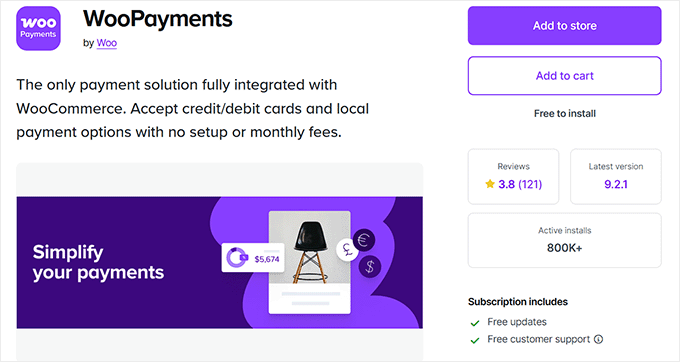
WooPayments is a payment solution provided by the people behind WooCommerce. It offers a smooth WordPress checkout experience that is often more streamlined than that of other non-integrated payment gateways.
I’ve seen many new store owners use WooPayments because it’s built to work smoothly with WooCommerce, with no extra setup or third-party accounts required.
You can manage your payments, refunds, and deposits right from your WordPress dashboard, which keeps things simple and beginner-friendly.
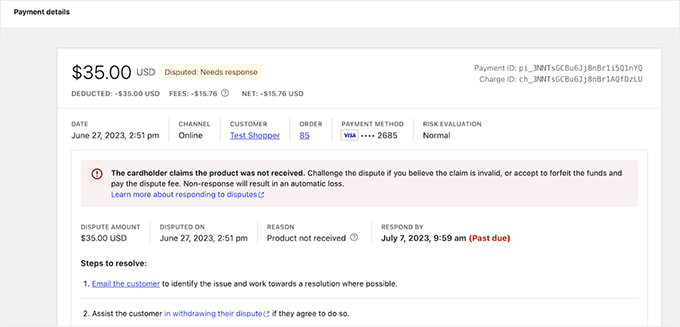
In terms of transaction fees, WooPayments charges 2.9% + $0.30 per transaction for U.S.-issued cards, which is on par with other top payment processors.
International cards have a slightly higher fee, usually +1%, which is something to keep in mind if you’re selling globally.
Speaking of global sales, WooPayments is currently available in 38 countries, including the US, Canada, the UK, Australia, and much of the EU.

The team behind WooCommerce continues to expand its availability, so more countries are being added regularly.
If you’re looking for a beginner-friendly, no-cost way to start processing payments, WooPayments is a solid starting point
Why I recommend WooPayments: If you are just starting your WooCommerce store and looking for a simple solution, then I recommend WooPayments.
6. Afterpay
| ✅ Afterpay Pros | ✅ Offers flexible installment plans ranging from 6 to 12 months ✅ Works seamlessly with both online and physical retail stores ✅ Allows customers to reschedule payments for added convenience ✅ Supports contactless payments through the Afterpay Card via Apple Pay and Google Pay ✅ Can help boost sales by making premium products more accessible to shoppers |
| ❌ Afterpay Cons | ❌ Higher transaction fees (around 4–6% + a small fixed fee per order) ❌ Not ideal for stores that don’t sell high-value or premium products |
| Transaction Fees | Starts at approximately 4–6% + a small fixed fee per transaction |
| Best For | WooCommerce stores that want to offer flexible installment payment options to customers buying premium or higher-priced products |
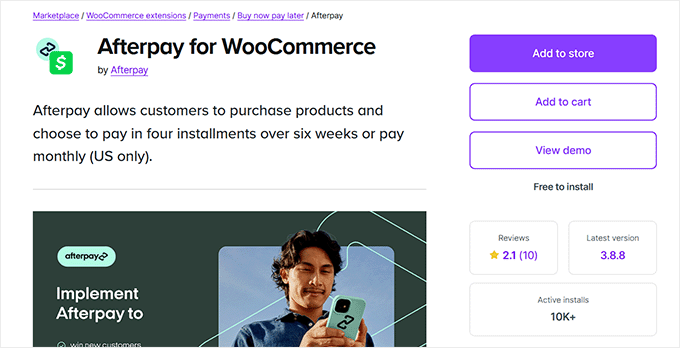
If you want to increase conversions and average order value for higher-priced items, then Afterpay is a great addition to your WooCommerce store.
It allows customers to buy now and pay later in four interest-free installments, which has become a popular payment method, especially among younger shoppers.
I’ve recommended Afterpay to several store owners who sell fashion, electronics, wellness products, and home goods. By simply offering customers more flexible payment options at checkout, they’ve seen an uplift in sales.
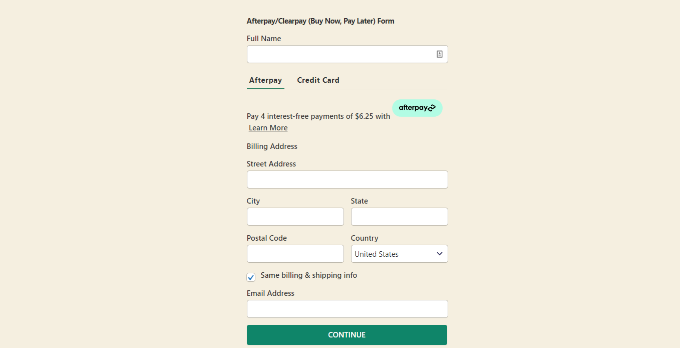
With the official Afterpay for WooCommerce extension, integration is seamless.
The option appears directly on your product and checkout pages, making it easy for customers to choose the ‘Pay in 4’ plan without leaving your site.
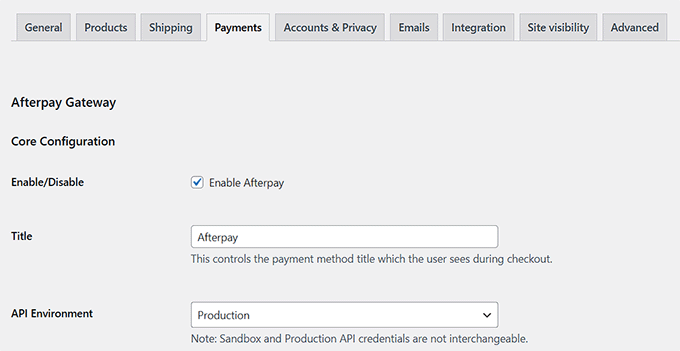
Afterpay is currently available in several key markets, including the United States, Canada, Australia, New Zealand, and the UK.
So if you’re targeting shoppers in those regions, adding Afterpay to your WooCommerce checkout can help reduce friction and make larger purchases more accessible.
Why I recommend Afterpay: If you want to accept installment payments on your WooCommerce store, then Afterpay is a great solution.
Which Is the Best WooCommerce Payment Gateway?
The best WooCommerce payment gateway is the one that offers the lowest transaction fees, is available in your target region, and offers a better user experience for your customers.
Considering these factors, I would recommend Stripe as the best payment gateway for WooCommerce. It provides a good checkout experience and a competitive transaction rate.
It is also available in many countries and supports 135 currencies. This helps you optimize your customer journey all across the globe to boost conversion rates and profits.
However, if you are looking for a globally recognized and trusted solution, then PayPal is the better choice. It is secure, reliable, and beginner-friendly.
On the other hand, I would recommend Square if you have a physical and online store and want a single POS system for it.
Similarly, WooPayments is a great option for beginners on a budget.
Frequently Asked Questions About Payment Gateways
Here are some questions that are frequently asked by our readers about WooCommerce payment gateways.
Can I use multiple payment gateways in my WooCommerce store?
Yes, you can use multiple payment gateways in your online store. WooCommerce makes it easy to offer different payment options so your customers can choose the one they are most comfortable with.
For example, you can accept credit cards with Stripe, let customers pay using PayPal, offer buy now, pay later options like Afterpay, and even accept bank transfers or cash on delivery.
You can enable and manage all of these right from your WooCommerce settings without any special coding. For step-by-step instructions, see our tutorial on how to allow users to choose a payment method in WordPress.
How do I test a payment gateway before going live?
Most WooCommerce payment gateways offer a test mode that lets you simulate transactions without processing real money. This is a safe way to make sure your checkout process is working correctly before your store goes live.
You can test everything from placing orders and verifying payment confirmations to checking email notifications and order statuses.
For example, Stripe provides an easy-to-use test environment where you can use special test card numbers to place orders.
In WooCommerce, all you need to do is enable test mode under the Stripe settings and use the test API keys from your Stripe dashboard.
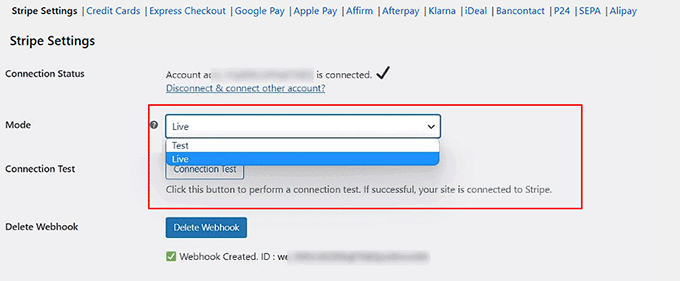
This way, you can confidently check if everything functions as expected without any actual charges being made. For more information, see our guide on how to test Stripe payments in WordPress.
What is the difference between on-site and off-site payments?
The main difference between on-site and off-site payments is where the payment is completed during checkout.
With on-site payment gateways, the entire transaction happens directly on your website. This means the customer enters their payment details right on your checkout page, and the payment is processed without ever leaving your site.
Gateways like Stripe, WooPayments, and Authorize.net are good examples of this.
On the other hand, off-site payment gateways redirect customers to a third-party platform (like PayPal or Afterpay) to complete the payment. Once the transaction is done, the customer is brought back to your store.
Related Guides for WooCommerce Stores
Looking to go beyond just accepting payments?
These guides cover everything from improving checkout experiences to boosting conversions and managing payment-related tasks in your WooCommerce store:
- How to Optimize the Customer Journey for WooCommerce Stores
- How to Set Up Installment Payments in WooCommerce
- Ways to Recover WooCommerce Abandoned Cart Sales
- How to Limit Purchase Quantity in WordPress (Step by Step)
- How to Add Trust Badges to Checkout Pages in WordPress (& Boost Sales)
- Ways to Increase WooCommerce Sales (Actionable Tips)
- How to Reduce Stripe Transaction Fees in WordPress (Expert Tips)
- How to Create Invoices for Clients Using WordPress
If you liked this article, then please subscribe to our YouTube Channel for WordPress video tutorials. You can also find us on Twitter and Facebook.



Mrteesurez
Having support for more payment gateway is a major reason why most people still live woocomerce.
Most of the gateway you mentioned are not supported in our region, but We have Paystack that works for us, it’s popular for Africans but you didn’t mentioned it.
Thanks for sharing this information