


Trying to manage PDFs on your WordPress site can feel like a real headache. You might need to embed a document, let users download a post, or even generate a PDF from a form, but finding the right tool is often confusing.
I’ve been in the same boat, testing dozens of plugins on my own websites to see what actually works. I’ve figured out which ones are simple to use and which ones are more trouble than they’re worth.
In this guide, I’ll share everything I learned and show you the very best PDF plugins I recommend. This will help you pick the perfect one for your website without trial and error.
If you are in a hurry, you can make a decision quickly by reviewing our expert picks.
| # | Plugins | Best For | Pricing |
|---|---|---|---|
| 🥇 | WPForms | Creating PDFs from form submissions | $49.50/yr + Free |
| 🥈 | PDF Embedder | Embed PDF files in pages and posts | $29.50/yr + Free |
| 🥉 | EmbedPress | Uploading videos, Google Maps, PDF, and Docs | $39/yr + Free |
| 4 | E2PDF | Create, edit, and display PDF | $20/yr + Free |
| 5 | PDF & Print by BestWebSoft | Adding a PDF download and print button | Free |
| 6 | WooCommerce PDF Invoices & Packing Slips | Generate and send PDF invoices | Free |
| 7 | PDF Poster | Embedding PDF files | Free |
| 8 | PDF.js Viewer | Show PDF files using shortcode | Free |
| 9 | MonsterInsights | Tracking PDF file downloads | $99.60/yr + Free |
How I Test And Review WordPress PDF Plugins
WordPress does not support PDF embedding or downloading blog posts as PDFs by default.
A WordPress PDF plugin allows you to display the documents in your articles. Your visitors can then view them in a PDF viewer while staying on your website. It also helps users download any blog post or page as a PDF document.
When I was testing the popular PDF plugins, I paid special attention to the following factors:
Ease of Use: For this showcase, I have included plugins that are beginner-friendly and do not require any coding knowledge. I have also prioritized extensive documentation.
Features: I’ve included plugins that offer all the necessary features like a PDF viewer, annotation, navigation features, a PDF embed option, customization, and more.
Reliability: To give you the best options, I have only recommended the plugins that we have tested ourselves on real websites.
Why Trust WPBeginner?
WPBeginner has a team of experts with years of experience in WordPress, hosting, online marketing, SEO, and more.
We thoroughly test and extensively review each plugin in the list to give you the best recommendations. To learn more, see our editorial process.
With that said, let’s look at the best PDF plugins for WordPress.
1. WPForms
WPForms is the most beginner-friendly WordPress contact form plugin used by over 6 million website owners. It allows you to build any type of form for your website and automatically generate PDF documents based on the information users submit through those forms.
With the PDF addon, creating a PDF is just as simple as creating a form, and you can do it all right inside WordPress. You name your document, pick from 17 ready-made PDF templates, and use the live preview editor to see your changes in real time.
I love that you can include data from form fields dynamically, so every PDF is generated with the exact information a user submits.
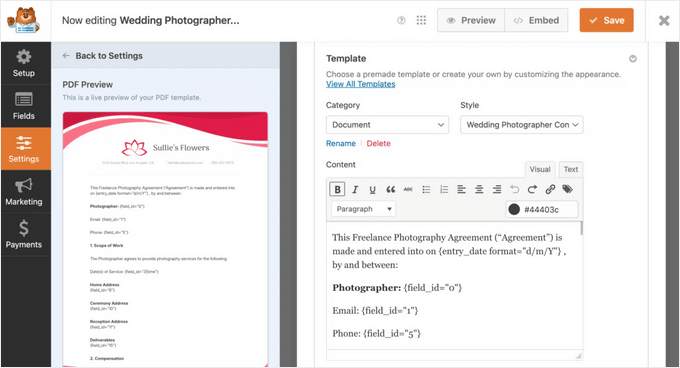
You can add your logo, choose colors, and select from a variety of themes to ensure your documents always look polished and on-brand.
I think it’s a great solution for a wide range of businesses because you can easily create professional contracts, invoices, certificates, proposals, and more.
Plus, it includes advanced options like password protection, role-based access, and conditional generation so you can control exactly how and when PDFs are created.
In addition to creating PDFs, you can also allow users to submit PDF files to your website through a file upload form. See our guide on how to create a file upload form in WordPress.
At WPBeginner, WPForms is my go-to solution for creating forms. The PDF addon takes it a step further by making it simple to generate polished documents directly from submissions. You can check out my complete WPForms review for more details.
What I Like About WPForms:
- It’s not just a PDF generator; it’s a full-featured form builder, which is something most websites need anyway.
- I love that you can add your own branding, headers, and footers, and use conditional logic to control when a PDF is generated.
- The drag-and-drop form builder and the live PDF preview editor are incredibly easy to use.
- It comes with multiple PDF templates to get you started quickly.
What I Don’t Like About WPForms:
- The PDF addon, which is the core feature here, is only available in the Pro license and above.
- If all you want to do is embed an existing PDF, this plugin is more than you need.
Why I Recommend WPForms: I recommend WPForms because it’s the best solution for anyone who needs to automatically create professional PDFs from information submitted by users.
It’s perfect for generating contracts, applications, certificates, or invoices, turning a manual process into an automated workflow right within WordPress.
2. PDF Embedder
PDF Embedder is the best PDF plugin for WordPress. It’s an excellent all-around choice, and its premium version includes security features to prevent visitors from downloading or printing your original PDF file.
The plugin uses JavaScript to embed files with a fully functional toolbar, allowing users to zoom in, navigate to specific page numbers, and even download the PDF file. This makes the plugin different from others on our list.
JavaScript allows you more flexibility on how your PDF documents will appear. The plugin automatically adjusts the size of your PDF files. You can also enter the width manually, and the plugin will automatically calculate the height.
There is a free version of the plugin that you can use to get started. However, the premium version comes with more powerful features like PDF downloads, clickable hyperlinks, and more.
I extensively tested this plugin, so if you want to learn about more of its features, check out my detailed PDF Embedder review.
PDF Embedder starts at $29.50 per year for the Basic plan. If you want to prevent viewers from downloading or printing your original PDF files, you can upgrade to the Pro plan for Secure PDF features.
What I Like About PDF Embedder:
- The JavaScript-based viewer is fast, looks professional, and the toolbar for zooming and navigation is very intuitive for visitors.
- It does one job—embedding PDFs—and it does it exceptionally well without unnecessary bloat.
- It intelligently resizes the PDF embed to fit the available space, which is great for responsiveness.
- The Pro version offers top-notch security to prevent users from downloading or printing your sensitive documents.
What I Don’t Like About PDF Embedder:
- The free version has a prominent watermark and lacks key features like the download button and full-screen mode.
- It doesn’t offer any creation or editing capabilities; it’s strictly for displaying existing PDFs.
Why I Recommend PDF Embedder: I recommend PDF Embedder as my top choice for anyone whose primary goal is to display a PDF on their website.
If you want a clean, reliable, and professional-looking viewer for your documents, this is the most straightforward and effective tool for the job.
3. EmbedPress
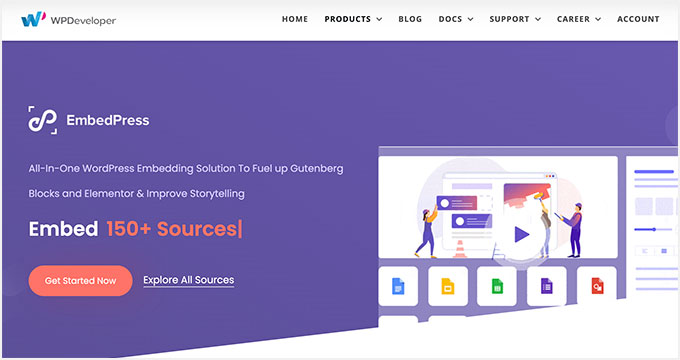
EmbedPress is a complete plugin that allows you to add and display PDF files in your WordPress posts and pages. It’s easy to use, and you can upload your PDF documents through the media library and place them anywhere on your site.
EmbedPress also lets you upload other types of media to your WordPress website. You can use it to add videos from YouTube, Vimeo, or Twitch.
Besides that, EmbedPress lets you upload Google Maps, docs, forms, sheets, Facebook posts, audio files, and much more. It’s the best choice if you manage many different types of media—not just PDFs—and want a single plugin to handle embedding everything from Google Docs to YouTube videos.
What I Like About EmbedPress:
- Its ability to embed over 150 types of content makes it a powerhouse for media-rich websites.
- You just upload your PDF to the media library, and the plugin handles the rest beautifully.
- It saves you from needing to install multiple plugins for different types of media like videos, maps, or documents.
What I Don’t Like About EmbedPress:
- Compared to a dedicated tool like PDF Embedder, it offers fewer specific controls for the PDF viewer itself.
- If you only ever plan to embed PDFs and nothing else, this plugin has many features you’ll never use.
Why I Recommend EmbedPress: I recommend EmbedPress for the content creator who does it all. If your website features a mix of PDF documents, YouTube videos, Google Maps, and social media posts, this plugin streamlines your entire workflow into a single, powerful tool.
4. E2Pdf
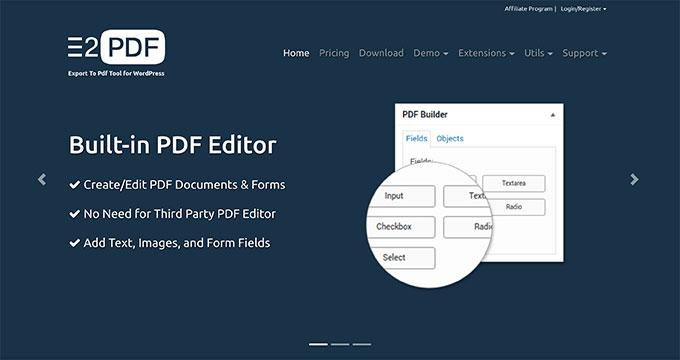
E2Pdf is a clean and simple WordPress PDF plugin that lets you create, edit, and display PDF documents to your visitors.
You can show static or dynamic PDF files to your audience. It lets you create and edit PDF documents and forms without leaving your WordPress site.
Unlike plugins that create PDFs from user entries, E2Pdf lets you design PDF templates that can be automatically filled with content from your existing WordPress posts and pages. This makes it perfect for creating product catalogs, certificates, or site archives.
What I Like About E2Pdf:
- The ability to create and edit PDF templates directly within the WordPress dashboard is a unique and powerful feature.
- It can automatically populate your PDF templates with content from your posts, pages, or even form submissions.
- It works with popular form plugins, allowing you to use it as a PDF generator for them.
What I Don’t Like About E2Pdf:
- The template editor is powerful, but it’s not as intuitive as a simple embedder and can take some time to master.
- If you just want to display an existing PDF, this plugin’s features are far more than you need.
Why I Recommend E2Pdf: I recommend E2Pdf for users who need to create highly customized, dynamic PDF documents from their website’s content. It’s perfect for generating reports, catalogs, or data sheets that pull information directly from your WordPress posts or pages.
5. PDF & Print by BestWebSoft
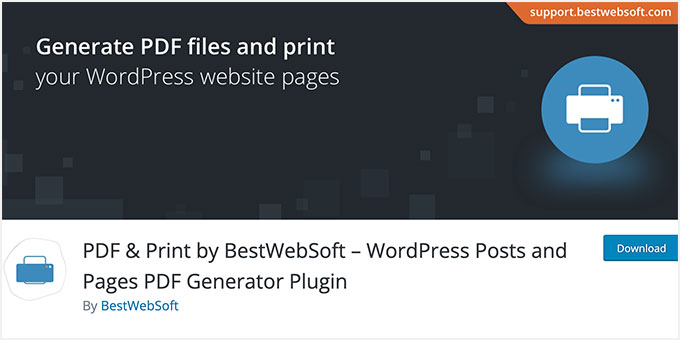
PDF & Print by BestWebSoft, as the name suggests, adds a PDF download and print button to your WordPress posts, pages, and custom post types.
You can add your website title, featured image, custom styles, and fonts. The plugin can also execute shortcodes when generating PDFs or creating a printer-friendly version.
What I Like About PDF & Print by BestWebSoft:
- It does exactly what its name promises with no complicated setup.
- You can place the PDF and print buttons in multiple locations on your posts and pages.
- It’s a small plugin that won’t slow down your site.
- I like that you can include your site title and featured image in the generated PDF.
What I Don’t Like About PDF & Print by BestWebSoft:
- The button designs are functional but not very modern.
- This plugin only generates a PDF for download; it doesn’t embed or display PDFs on your site.
Why I Recommend PDF & Print by BestWebSoft: I recommend this plugin for bloggers, recipe sites, or tutorial creators who want to offer their readers an easy, one-click way to save or print their content. It’s a fantastic tool for improving user experience by making your content portable.
6. WooCommerce PDF Invoices & Packing Slips
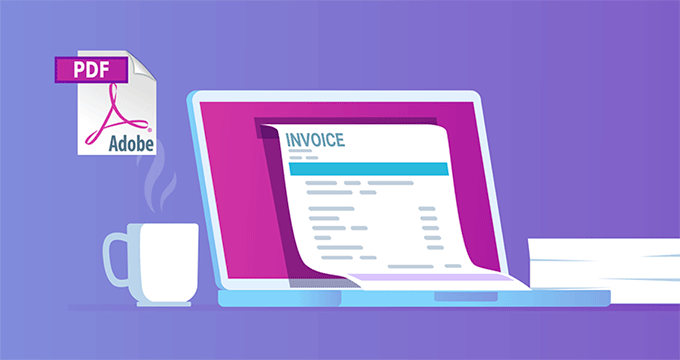
WooCommerce PDF Invoices and Packing Slips is a PDF plugin for WordPress that allows you to generate, download, and send PDF invoices with order confirmation emails on your WooCommerce store.
You get basic templates with the ability to customize them according to your business needs. The plugin also helps you handle your packing slips and invoices from your WooCommerce admin area.
What I Like About WooCommerce PDF Invoices & Packing Slips:
- It provides essential eCommerce functionality at no cost.
- Automatically attaching a PDF invoice to order confirmation emails saves a huge amount of time.
- It feels like a native part of WooCommerce, right down to the settings menu.
- You can generate and download invoices and packing slips in bulk from the order page.
What I Don’t Like About WooCommerce PDF Invoices & Packing Slips:
- It is only useful if you run a WooCommerce store.
- While the basic template is customizable, more advanced designs and features require paid extensions.
Why I Recommend WooCommerce PDF Invoices & Packing Slips: I recommend this plugin to every single person running a WooCommerce store.
It’s a non-negotiable, must-have tool that automates a critical part of the sales process professionally and reliably, and the fact that it’s free makes it an absolute no-brainer.
7. PDF Poster
PDF Poster is another user-friendly WordPress plugin that you can use to embed PDF files on your website.
Using a shortcode, you can add PDF documents to your WordPress posts, pages, widget area, and theme files. Plus, you can add a download button so people can easily access your PDF files.
Its main advantage is its focus on a minimalist display by removing the viewer frame, making it a great option if you want your embedded PDF to blend seamlessly with your page design.
What I Like About PDF Poster:
- I love that it removes the viewer frame, which allows the PDF to blend seamlessly into the page content.
- Easy to add PDFs anywhere, including posts, pages, and even widget areas.
- It’s a simple, free plugin that is focused on doing one thing without adding extra weight to your site.
What I Don’t Like About PDF Poster:
- It lacks the navigation and zoom controls that more advanced viewers offer.
- It doesn’t have any advanced features like security or password protection.
Why I Recommend PDF Poster: I recommend PDF Poster for users who want the simplest possible way to embed a PDF with a minimalist look.
If you value a clean design over advanced features and just want your document to appear on the page without any fuss, this is a great free option.
8. PDF.js Viewer
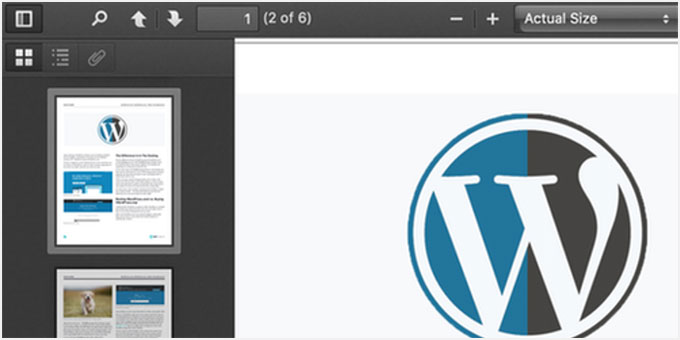
PDF.js Viewer lets you show PDF files inside your WordPress posts and pages through a simple shortcode or Gutenberg block.
It uses Mozilla’s PDF.js to display PDF documents in a browser. Users get all the functionality, such as scrolling through the document, searching, printing, and downloading PDF files.
This plugin is ideal if you want advanced technical control, as you can manage features like password protection and zoom levels directly within the shortcode or block.
Besides that, the plugin lets you password-protect your PDF documents, set up advanced zoom settings, show a loading bar, and display partially loaded PDF documents.
What I Like About PDF.js Viewer:
- It uses Mozilla’s powerful PDF.js library, giving users a familiar and functional viewing experience with search, print, and download options.
- It gives you a high degree of control through the Gutenberg block or shortcode parameters.
- Features like password protection and advanced zoom settings are great additions for a free plugin.
What I Don’t Like About PDF.js Viewer:
- While easy to use, getting the most out of the shortcode requires you to be comfortable with adjusting parameters in the text editor.
- The viewer looks great, but it’s a standard interface and not as minimalist as something like PDF Poster.
Why I Recommend PDF.js Viewer: I recommend this plugin for users who want a robust, full-featured PDF viewer without paying for a premium plugin. It offers the best balance of advanced features (like password protection) and ease of use in the free category.
9. MonsterInsights

MonsterInsights is the best WordPress analytics plugin used by over 3 million website owners. It helps you see how people find and use your website.
It has a built-in download tracking feature that helps you monitor how many PDF downloads you get from your WordPress site.
Aside from download tracking, it also lets you see how many people click on specific PDF files, links, buttons, or any other element on your site. You also see other important items such as real-time analytics, top referral sources, page-level analytics, custom dimensions, and more.
The PDF tracking feature is also available in MonsterInsights Lite, the free version of the plugin.
What I Like About MonsterInsights:
- It works right out of the box. I love that you don’t need to configure anything to start tracking file downloads.
- This powerful feature is included in MonsterInsights Lite, making it accessible to everyone.
- You can see your download stats and other important metrics right inside your WordPress admin area.
- It tracks downloads for any file type (docs, spreadsheets, zip files) and much more.
What I Don’t Like About MonsterInsights:
- It’s important to remember this plugin is for analytics. It won’t help you display or create PDFs.
- It works by making Google Analytics easier to use, so you still need a GA account.
Why I Recommend MonsterInsights: I recommend MonsterInsights because data is essential for growing your website. If you offer PDF downloads, you need to know which ones are popular.
This plugin makes it incredibly simple to get that data, helping you understand what content your audience values most.
Bonus WordPress PDF Plugins
The plugins I’ve covered so far help you create, display, or manage PDF files directly. The next two are bonus tools that solve closely related problems: making your PDF content discoverable and using it to grow your audience.
I’m including them in a simpler format because they serve a different, but very important, purpose.
10. SearchWP

SearchWP is a paid WordPress plugin. It allows you to add a better search experience to your WordPress site.
One of the features of this plugin is the ability to search the text inside PDF files. However, it cannot search PDF files that are encrypted, stored outside the media library, or have images as text. See our guide on how to improve WordPress search with SearchWP.
11. OptinMonster
OptinMonster is the best lead generation and conversion optimization plugin for WordPress.
It is a powerful tool that helps you grow your email list and convert abandoning visitors into subscribers. You can ask users to sign on to your email list to download PDF resources.
You can also use it to offer content upgrades. See this list of content upgrade ideas to increase your subscribers by 10X.
Which Is the Best PDF Plugin for WordPress? My Final Recommendations
After testing all these plugins, my final recommendation depends entirely on what you need to accomplish. Here are my top picks based on the most common tasks:
🥇 For Generating PDFs from Form Submissions: WPForms is my number one choice. If you need to automatically create contracts, certificates, or invoices based on user input, the PDF addon for WPForms is the most powerful and user-friendly solution available.
🥈 For Displaying a PDF on Your Website: PDF Embedder is the best dedicated plugin for the job. It offers a clean, professional viewer and is the right choice if your main goal is simply to embed an existing PDF for your visitors to see.
🥉 For Converting Blog Posts to PDFs: PDF & Print by BestWebSoft is perfect. It gives your readers a simple one-click button to download or print your articles, which is a great feature for any content-heavy site.
📈 For Tracking and Lead Generation: To understand which PDFs are most popular, I recommend MonsterInsights for its automatic download tracking. To use your PDFs as lead magnets to grow your email list, OptinMonster is the undisputed best tool for the job.
Frequently Asked Questions About WordPress PDF Plugins
Our readers often ask us about the best ways to handle PDF files in WordPress. Below are the answers to some of the most common questions I receive.
1. What is the best PDF plugin for WordPress?
The best plugin really depends on what you need to do. If you want to automatically create PDFs from user form entries, then WPForms is my top recommendation because it’s powerful and easy to use.
For simply embedding a PDF file into your posts or pages with a clean viewer, PDF Embedder is an excellent choice.
2. Can I embed a PDF in WordPress without a plugin?
You can upload a PDF to your WordPress media library and insert it like an image. However, this will only create a link to the file, not display it in an interactive viewer.
To let visitors view the document directly on your page, you will need a plugin like PDF Embedder or EmbedPress.
3. How do I track PDF downloads in WordPress?
Tracking file downloads is important for understanding what content your audience finds most valuable. The easiest way to do this is with an analytics plugin.
MonsterInsights automatically tracks file downloads, including PDFs, right out of the box. You can see which files are being downloaded most often directly in your WordPress dashboard.
4. How do I allow users to download a post as a PDF?
If you want to offer your articles or pages as downloadable PDFs, you can use a plugin like PDF & Print. It adds simple buttons to your content that let users generate a PDF version or print the page with just one click.
Additional Resources on Using PDFs in WordPress
I hope this article helped you discover the best PDF plugins for WordPress. You may also like to see some other guides related to using PDFs on your WordPress website:
- How to Easily Hide (Noindex) PDF Files in WordPress
- How to Add PDF Indexing and Searching in WordPress
- How to Add a PDF Download for Posts in WordPress (Easy Method)
- How to Add a PDF Viewer in WordPress (The Easy Way)
- How to Upload PDF Files to Your WordPress Site
- How to Regenerate PDF Thumbnails in WordPress
- How to Sell Personal Training Services with WordPress
- Best Drag and Drop WordPress Page Builders
- Best Email Marketing Services for Small Businesses
- Must-Have WordPress Plugins for Business Websites
If you liked this article, then please subscribe to our YouTube Channel for WordPress video tutorials. You can also find us on Twitter and Facebook.


kzain
One plugin that stood out to me is PDF Embedder.
The fact that it maintains responsive design is crucial, especially since many of my readers access content from their mobile devices. Loving the information you are sharing!
Jiří Vaněk
Exactly, Kzain, I also dealt with how to best handle PDFs on my website, and responsiveness is key for me because, according to the metrics, almost 70% of my users are on mobile devices. It’s essential that these files look good everywhere. The PDF Embedder plugin is great in this regard, and like you, I can also recommend it. It’s unfortunate that WordPress doesn’t natively support this when PDF is such a widely used format for files and books today.
muhammad
i need one…. prevent download of these pdf
WPBeginner Support
While none of these are for displaying and preventing the download of PDFs, you may want to add branding or a watermark to dissuade people from downloading them while being able to view the entire document
Admin
Vern Rolton
Embed any document plugin works for me.
Iban
Hi.
Do you know any plugin which let you select images from a gallery, or a page, and generate a PDF with all those selected images?
Jayasheelan
Some plugins are out dated, however, very useful information, appreciated.
Farcas Gelu Danut
Are they all mobile friendly? And SEO is OK? Page speed?
Amy
Based on the changes with Wordpress 4.7 which pdf plugin do you recommend? I’m just looking to display a thumbnail of the pdf that’s clickable to open the pdf. WP 4.7 still won’t display the thumbnail on the page. A lot of these haven’t been updated based on the 4.7 changes. Do you have a recommendation?
thanks!
Lily
Do all of these plugins work for WordPress.com as well as .org? I have the free WordPress site & when trying to install the first plugin you mentioned it didn’t work. I know some plugins are only made for the .org so if you have a list for strictly WordPress.com that would be great. Ty
WPBeginner Support
Hi Lily,
No, none of these plugins can be installed on WordPress.com. Please see our guide on the difference between self hosted WordPress.org vs free WordPress.com blog.
Admin
Lis
Thanks for sharing this!
Richard
Is there a WP PDF plugin that will show the bookmarks and pages that the original Acrobat binder includes?
Thanks Sayed.
Grace Suarez
WP Viewer didn’t work for me. Tried it on two sites. Got an error message.
Steve
Great post. Thanks so much. Very useful.
Jennifer
Wow, this article is super helpful! It never even occurred to me to use a PDF plugin – thank you so much for the great tips.