WPBeginner WordPress tutorials help you learn WordPress, so you can improve your website. Our step by step WordPress tutorials are easy to understand and will help you follow the WordPress best practices. Don't waste your time buying WordPress books or outdated WordPress tutorial PDFs that cover just the basics. Our WordPress tutorials are written by experts with 15+ years of WordPress experience, and it contains real-life examples and tips that allows you to learn WordPress faster. We also keep our tutorials up to date.
You can find our other latest free WordPress tutorials below, and you can always use the search feature on our site to find helpful WordPress tutorials faster.
If you don't see a WordPress tutorial that you're looking for, then please reach out to your team and let us know. All our WordPress tutorial ideas are suggested by our users over the last 13+ years.
You spend hours editing a photo only to have it look dull and washed out once uploaded to WordPress. We have faced this exact frustration many times with our own featured images. This problem usually happens because of a simple mismatch between color profiles. Luckily,… Read More »
Navigating a website should feel effortless, but short menu labels sometimes leave visitors guessing where a link leads. This uncertainty can frustrate users and make them hesitate to click on important content. At WPBeginner, we have found that adding title attributes is a quick fix… Read More »
We recently received a question from a reader that we hear quite often around here: “How do I disable the REST API on my WordPress site?” And honestly, it’s a valid concern. When WordPress version 4.4 was released with the JSON REST API, it opened… Read More »
If you run Facebook ads, adding a Facebook Pixel to your WordPress site is very important. It helps you understand what people do after clicking your ads, which lets you make better decisions and improve your results. A Facebook Pixel is a small tracking code… Read More »
Losing critical data or having your site crash without a backup is every website owner’s worst nightmare. Manual backups can help, but let’s face it – they’re easy to forget. That’s where automatic backups come in. They quietly run in the background, protecting your site… Read More »
If you’re using Blogger with a custom domain, then moving to WordPress can feel risky. You might worry about losing traffic, breaking links, or messing up your domain settings. But the move is worth it. With WordPress, you get complete ownership of your website, better… Read More »
If you are developing a WordPress site for a client, then it’s likely that you will have shortcodes for your clients to use. The problem is that many beginners don’t know how to add shortcodes and if there are complex parameters involved, then it’s even… Read More »
Password-protected posts are meant to stay hidden, but WordPress still shows their titles in blog lists, archives, and search results. When someone clicks one and suddenly runs into a password screen, it can be confusing. This doesn’t leave the best impression, especially if the content… Read More »
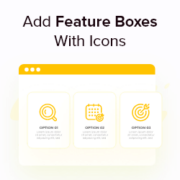
Look at any successful business website, and you’ll likely see feature boxes with icons highlighting their key offerings. It’s a proven design pattern we’ve used countless times because it works. It helps visitors to quickly see what makes your business special without reading large blocks… Read More »
Did you notice that there was a slight change in the comment form fields in WordPress 4.4? The comment textarea is moved to the top whereas the Name, Email, and Website field is moved to the bottom. One of our readers asked if there was… Read More »
Used to store interaction and conversion data for campaigns in conjunction with Revenue Attribution.
1 year
_gat_omTracker*
Set, controlled and used by Google Analytics to collect and store data and then send that data to Google Analytics. OptinMonster provides the name if there is no existing tracker found on that page.
-
omCountdown-{id}-{elementId}
Used for countdown elements {elementId} in campaigns {id} to determine when it should complete.
-
om-{id}-closed / omSlideClosed-{id}
Used specifically with slide-in campaigns {id} to determine if it has been closed or not by a visitor.
30 days
om-success-cookie / omSuccessCookie
Used to determine if a visitor has successfully opted in to any campaign on your site to unlock content when using our Content Locking feature.
365 days
om-success-{id} / omSuccess-{id}
Used to determine if a visitor has successfully opted in to a campaign with the ID of {id} on your site.
365 days
omSeen-{id}
Used to determine if a visitor has been shown a campaign by the slug.
30 days
om-{id}
Used to determine if a visitor has interacted with a campaign ID of {id} on your site.
30 days
_omappvs
Used to determine when a new visitor becomes a returning visitor.