WPBeginner WordPress tutorials help you learn WordPress, so you can improve your website. Our step by step WordPress tutorials are easy to understand and will help you follow the WordPress best practices. Don't waste your time buying WordPress books or outdated WordPress tutorial PDFs that cover just the basics. Our WordPress tutorials are written by experts with 15+ years of WordPress experience, and it contains real-life examples and tips that allows you to learn WordPress faster. We also keep our tutorials up to date.
You can find our other latest free WordPress tutorials below, and you can always use the search feature on our site to find helpful WordPress tutorials faster.
If you don't see a WordPress tutorial that you're looking for, then please reach out to your team and let us know. All our WordPress tutorial ideas are suggested by our users over the last 13+ years.
Here’s something we’ve learned after running WordPress blogs for over a decade: showing old comments at the top of your posts can make your site look dusty. Think about it. A new visitor lands on your blog and sees comments from 10 years ago. Not… Read More »
By default, WordPress doesn’t make it easy to display all your blog authors in one place. As a result, your writers often stay hidden behind individual posts, even when they’re regularly publishing great content. This can hold your blog back. When readers only see single… Read More »
Most people don’t think about securing their WordPress admin area until it’s too late. We’ve helped users recover from attacks where the WordPress admin area was left wide open. That’s why we recommend restricting admin area access by IP. It’s a technique we’ve used on… Read More »
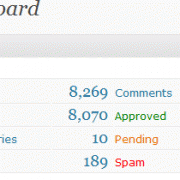
We can see the number of comments made in our dashboard, but our advertisers cannot see that. If you have a page for advertisers, you want to add this number to give them one more reason to buy advertisement on your site. Specially when you are selling ads towards the comment area.
Subcategories are great because it helps us sort content, but sometimes it looks ugly in the template. In this tutorial, we will show you how you can either hide the subcategories, or you can style them with one single code snippet.
After spending some time with WordPress on your local server, you finally decide to move it to a live website. However, it seems like you don’t know what your next step should be. This tutorial will take you through the steps necessary to move your local WordPress installation to your live website.
RSS feeds are a powerful way to engage your audience and keep them updated with your latest content. However, WordPress only generates a single RSS feed for your entire site. Categories allow you to easily sort your content into major sections. By adding category RSS… Read More »
Used to store interaction and conversion data for campaigns in conjunction with Revenue Attribution.
1 year
_gat_omTracker*
Set, controlled and used by Google Analytics to collect and store data and then send that data to Google Analytics. OptinMonster provides the name if there is no existing tracker found on that page.
-
omCountdown-{id}-{elementId}
Used for countdown elements {elementId} in campaigns {id} to determine when it should complete.
-
om-{id}-closed / omSlideClosed-{id}
Used specifically with slide-in campaigns {id} to determine if it has been closed or not by a visitor.
30 days
om-success-cookie / omSuccessCookie
Used to determine if a visitor has successfully opted in to any campaign on your site to unlock content when using our Content Locking feature.
365 days
om-success-{id} / omSuccess-{id}
Used to determine if a visitor has successfully opted in to a campaign with the ID of {id} on your site.
365 days
omSeen-{id}
Used to determine if a visitor has been shown a campaign by the slug.
30 days
om-{id}
Used to determine if a visitor has interacted with a campaign ID of {id} on your site.
30 days
_omappvs
Used to determine when a new visitor becomes a returning visitor.