Often beginners get confused when trying to pick the right WordPress plugins for their needs. We frequently get questions like what is the best WordPress plugin to build an online store, add testimonials, accept payments, create a contact form, and so much more. Unlike other sites, our expert team at WPBeginner tests and review the best WordPress plugins for each task and create step-by-step installation guides to make your life easier. We do the research, so you don't have to.
If you're just getting started, then you may want to start with our popular WordPress plugin guides:
We also have a WPBeginner Solutions Center where we have our expert reviews and our community reviews of top WordPress plugins and tools.
You can find our other latest WordPress plugin guides below, and you can always use the search feature on our site to find helpful WordPress tutorials faster.
If you don't see a WordPress plugin guide that you're looking for, then please reach out to your team and let us know. All our WordPress content ideas are suggested by our users over the last 15+ years.
Lots of WordPress users start with the default theme and plugin editors. While these offer a basic level of functionality, they can feel restrictive for those seeking more advanced customization options. Upgrading to a more robust code editor will empower you with new features like… Read More »
Losing a chunk of your search traffic can be a scary experience. A reader recently saw their traffic dip by 30%, and we quickly found the problem was something they hadn’t even noticed. Dozens of broken links were scattered across their content. These ‘dead links’… Read More »
If you are working on a website with lots of content in custom taxonomies and post types, then you would want to make it easy for your users to find it. One way to do this is by allowing your users to narrow down their… Read More »
Can you imagine your audience effortlessly downloading resources, connecting with you on social media, or finding your store location just by scanning a code with their smartphone? That’s the power of QR codes! QR codes are everywhere these days, and their usage is skyrocketing! Almost… Read More »
Sliders are a popular way to showcase your best content, but getting them to look good on every device is often a challenge. A slider that looks great on a desktop often breaks completely on mobile screens or fails to respond to touch gestures, driving… Read More »
Whenever we create a new WordPress website, one thing we never forget to do is add social media icons. It’s such a simple yet powerful way to connect with our audience beyond the website itself. Adding social icons to your site is like leaving a… Read More »
Your website is your hard work, and a WordPress backup is your safety net. It saves all your posts, pages, images, and database in case anything goes wrong. Hacks, accidental mistakes, or broken updates can happen at any time, and a backup lets you restore… Read More »
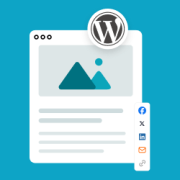
Getting readers to share your content is one of the best ways to reach a new audience. However, standard sharing buttons often disappear from view the moment a visitor starts scrolling. A floating social share bar solves this by staying visible at all times, making… Read More »
Comments are a great way to increase user engagement on your website. But how do you get people to comment on your articles? There is no one answer to that question, but one thing is certain that you need to make an effort. You can… Read More »
Are you worried that a compromised account might put your entire WordPress website at risk? It is a scary thought, but taking immediate action can stop a security breach in its tracks. We have managed high-traffic websites for over a decade, so we know the… Read More »
Used to store interaction and conversion data for campaigns in conjunction with Revenue Attribution.
1 year
_gat_omTracker*
Set, controlled and used by Google Analytics to collect and store data and then send that data to Google Analytics. OptinMonster provides the name if there is no existing tracker found on that page.
-
omCountdown-{id}-{elementId}
Used for countdown elements {elementId} in campaigns {id} to determine when it should complete.
-
om-{id}-closed / omSlideClosed-{id}
Used specifically with slide-in campaigns {id} to determine if it has been closed or not by a visitor.
30 days
om-success-cookie / omSuccessCookie
Used to determine if a visitor has successfully opted in to any campaign on your site to unlock content when using our Content Locking feature.
365 days
om-success-{id} / omSuccess-{id}
Used to determine if a visitor has successfully opted in to a campaign with the ID of {id} on your site.
365 days
omSeen-{id}
Used to determine if a visitor has been shown a campaign by the slug.
30 days
om-{id}
Used to determine if a visitor has interacted with a campaign ID of {id} on your site.
30 days
_omappvs
Used to determine when a new visitor becomes a returning visitor.