Often beginners get confused when trying to pick the right WordPress plugins for their needs. We frequently get questions like what is the best WordPress plugin to build an online store, add testimonials, accept payments, create a contact form, and so much more. Unlike other sites, our expert team at WPBeginner tests and review the best WordPress plugins for each task and create step-by-step installation guides to make your life easier. We do the research, so you don't have to.
If you're just getting started, then you may want to start with our popular WordPress plugin guides:
We also have a WPBeginner Solutions Center where we have our expert reviews and our community reviews of top WordPress plugins and tools.
You can find our other latest WordPress plugin guides below, and you can always use the search feature on our site to find helpful WordPress tutorials faster.
If you don't see a WordPress plugin guide that you're looking for, then please reach out to your team and let us know. All our WordPress content ideas are suggested by our users over the last 15+ years.
Are you looking for little tweaks to boost your WordPress website’s speed? Well, have you ever thought about limiting the WordPress Heartbeat API? It might sound a bit techy, but stick with us! The WordPress Heartbeat API is a helpful system that works behind the… Read More »
Have you seen websites that offer Connect with Facebook option for registering? Want to add login with Facebook option on your WordPress site? In this article, we will show you how to add one-click registration and login with Facebook in WordPress. Why Add Facebook Connect… Read More »
Have you ever lost a customer because your WordPress form was too long or frustrating to fill out? It happens all the time. A shopper is ready to buy, but then they get stuck typing a long address, especially on a mobile device. One small… Read More »
Are you finding it hard to highlight your best content on your WordPress homepage? It’s actually a common issue – great posts often get buried in menus, and many visitors never even see them. That’s where featured content sliders come in. Based on our experience,… Read More »
There are times when posting time-sensitive updates might be necessary. For example, you may want to promote limited-time offers or share special announcements. When you do that, managing who sees this content and for how long is key. The good news is that WordPress lets… Read More »
When we first explored building a photography website using WordPress, we quickly realized that dumping all our images onto a single page just didn’t work. That’s when we started looking into better gallery solutions. Since then, we’ve helped many users turn cluttered image collections into… Read More »
Watching your WordPress bounce rate climb while competitors effortlessly capture attention can be frustrating. Often, the difference comes down to one thing: movement. Static pages struggle to hold interest, leaving visitors scrolling past without engaging. One way to fix this? Adding a video slider. Video… Read More »
Have you ever wanted to set custom avatars for users who leave comments with no Gravatar? Or want to get rid of gravatar altogether and speed up your page load time? In this article, we will show you a gravatar alternative that allows you to… Read More »
By default a WordPress user can login to an account from multiple locations at the same time. This may compromise security of your multi-author WordPress site, and it can definitely hurt your profits if you run a membership site. In this article, we will show… Read More »
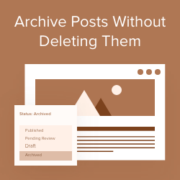
Just like with emails, you can archive posts in WordPress. This helps keep your site clean and organized while still allowing you to access older posts when needed. This can be handy when you’ve been running a blog for a long time, like we have… Read More »
Used to store interaction and conversion data for campaigns in conjunction with Revenue Attribution.
1 year
_gat_omTracker*
Set, controlled and used by Google Analytics to collect and store data and then send that data to Google Analytics. OptinMonster provides the name if there is no existing tracker found on that page.
-
omCountdown-{id}-{elementId}
Used for countdown elements {elementId} in campaigns {id} to determine when it should complete.
-
om-{id}-closed / omSlideClosed-{id}
Used specifically with slide-in campaigns {id} to determine if it has been closed or not by a visitor.
30 days
om-success-cookie / omSuccessCookie
Used to determine if a visitor has successfully opted in to any campaign on your site to unlock content when using our Content Locking feature.
365 days
om-success-{id} / omSuccess-{id}
Used to determine if a visitor has successfully opted in to a campaign with the ID of {id} on your site.
365 days
omSeen-{id}
Used to determine if a visitor has been shown a campaign by the slug.
30 days
om-{id}
Used to determine if a visitor has interacted with a campaign ID of {id} on your site.
30 days
_omappvs
Used to determine when a new visitor becomes a returning visitor.