Often beginners get confused when trying to pick the right WordPress plugins for their needs. We frequently get questions like what is the best WordPress plugin to build an online store, add testimonials, accept payments, create a contact form, and so much more. Unlike other sites, our expert team at WPBeginner tests and review the best WordPress plugins for each task and create step-by-step installation guides to make your life easier. We do the research, so you don't have to.
If you're just getting started, then you may want to start with our popular WordPress plugin guides:
We also have a WPBeginner Solutions Center where we have our expert reviews and our community reviews of top WordPress plugins and tools.
You can find our other latest WordPress plugin guides below, and you can always use the search feature on our site to find helpful WordPress tutorials faster.
If you don't see a WordPress plugin guide that you're looking for, then please reach out to your team and let us know. All our WordPress content ideas are suggested by our users over the last 15+ years.
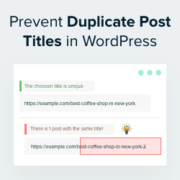
Have you ever clicked ‘Publish’ on a WordPress blog post and then realized that you used the same title as another post? It’s an easy mistake to make, especially if you’ve been blogging for a while or manage a large site. But duplicate post titles… Read More »
Have you ever looked at a photo on a website and felt like it was missing something? Images can capture attention, but when you add a voice narration or sound clip, they come alive and create a lasting impression for your visitors. In this guide,… Read More »
Falling snowflakes can help create holiday cheer and excitement on your website to make it visually more appealing. This is a fun way to add animations to your WordPress site for winter and the holiday season. However, knowing how to add these effects without slowing… Read More »
Improving user interaction on your WordPress site can increase engagement and support a more lively community. Allowing users to like or dislike comments boosts interactivity, letting visitors share their opinions and participate in meaningful discussions. This feature can help highlight popular comments and even discourage… Read More »
You’ve just organized an amazing event calendar on Facebook, but your WordPress site visitors are missing out. Frustrating, right? Thankfully, integrating your Facebook Events directly into your WordPress site is easier than you think. And it’s the key to keeping your audience engaged without doubling… Read More »
Struggling to keep your readers engaged? Even the best-written blog posts often get skimmed or ignored, especially when they’re just long blocks of text. If you want visitors to actually interact with your content, you need to show, not just tell. That’s where Google Slides… Read More »
Imagine opening a long, helpful blog post that many people have commented on. WordPress will normally load the page and all of the comments first, before displaying it to the user. This results in a slower website and poor user experience. In our experience at… Read More »
Running a successful WordPress website means protecting the valuable content and functionality you’ve built over time. Throughout our years of helping WordPress users, we’ve consistently recommended having a solid backup strategy as one of the most important steps for any site owner. We’ve personally tested… Read More »
By default, you can change the permalink structure of WordPress posts, but not custom post types. However, with the right plugin, you can easily create permalinks for custom posts. Over the years, we’ve helped thousands of WordPress users optimize their sites for search engines and… Read More »
After years of blogging and managing multiple WordPress sites, we’ve had our fair share of heart-stopping moments. You know the ones – where you accidentally hit ‘Publish’ on a half-finished post, or worse, on one that’s barely started. It’s happened to us, and we bet… Read More »
Used to store interaction and conversion data for campaigns in conjunction with Revenue Attribution.
1 year
_gat_omTracker*
Set, controlled and used by Google Analytics to collect and store data and then send that data to Google Analytics. OptinMonster provides the name if there is no existing tracker found on that page.
-
omCountdown-{id}-{elementId}
Used for countdown elements {elementId} in campaigns {id} to determine when it should complete.
-
om-{id}-closed / omSlideClosed-{id}
Used specifically with slide-in campaigns {id} to determine if it has been closed or not by a visitor.
30 days
om-success-cookie / omSuccessCookie
Used to determine if a visitor has successfully opted in to any campaign on your site to unlock content when using our Content Locking feature.
365 days
om-success-{id} / omSuccess-{id}
Used to determine if a visitor has successfully opted in to a campaign with the ID of {id} on your site.
365 days
omSeen-{id}
Used to determine if a visitor has been shown a campaign by the slug.
30 days
om-{id}
Used to determine if a visitor has interacted with a campaign ID of {id} on your site.
30 days
_omappvs
Used to determine when a new visitor becomes a returning visitor.