Often beginners get confused when trying to pick the right WordPress plugins for their needs. We frequently get questions like what is the best WordPress plugin to build an online store, add testimonials, accept payments, create a contact form, and so much more. Unlike other sites, our expert team at WPBeginner tests and review the best WordPress plugins for each task and create step-by-step installation guides to make your life easier. We do the research, so you don't have to.
If you're just getting started, then you may want to start with our popular WordPress plugin guides:
We also have a WPBeginner Solutions Center where we have our expert reviews and our community reviews of top WordPress plugins and tools.
You can find our other latest WordPress plugin guides below, and you can always use the search feature on our site to find helpful WordPress tutorials faster.
If you don't see a WordPress plugin guide that you're looking for, then please reach out to your team and let us know. All our WordPress content ideas are suggested by our users over the last 15+ years.
Do you want to display WordPress posts in a grid layout? A grid layout gives you more flexibility when displaying your posts in WordPress. This can be helpful when creating custom pages. In this article, we’ll show you how to easily display your WordPress posts… Read More »
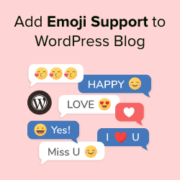
Adding emojis to our content on WPBeginner has been a fun and effective way to make our posts more engaging. They instantly make blog posts feel more friendly and approachable, and can help break up long blocks of text to improve readability. Emojis work especially… Read More »
WordPress search works great for posts and pages, but it completely ignores comments. That’s a problem if your blog gets thoughtful replies, helpful tips, or long discussions. Readers might remember a comment, not the post it was on, and there’s no easy way to find… Read More »
Many WordPress users have shared horror stories of lost data, hacked sites, and the frustration of not having a reliable backup when they needed it most. We get it. The thought of losing your hard work is terrifying, and the technical jargon around backups can… Read More »
Have you ever wished your WordPress menu could be smarter? Maybe you want to show different navigation options to logged-in members, or display specific menu items only on certain pages. By default, WordPress shows the same static menu to everyone, which can make your site… Read More »
Do you want to fix upside down or flipped images in WordPress? When you upload images from mobile devices, these images may occasionally appear flipped or upside down in the WordPress media library. This seems to happen most often when you upload images from iPhone… Read More »
Do you want to allow users to attach images and files in WordPress comments? Images and comments are both powerful tools to boost user engagement on your WordPress site. Depending on your site’s niche and target audience, allowing visitors to upload images in comments can… Read More »
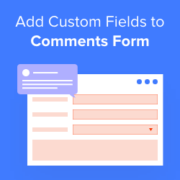
Have you noticed how the default WordPress comment form only asks for a name, email, website, and a message? That’s fine for simple blogs, but it can feel limiting when you want more context from readers. For example, if you run a review site, you… Read More »
Whether you are managing a blog, online magazine, or content-heavy website, tracking your word count stats can give you valuable insights. It helps you identify what post lengths drive the most traffic and engagement, allowing you to optimize your content strategy. At WPBeginner, we encourage… Read More »
Adding social logins to your WordPress website makes the sign-up process easier for your visitors. It allows users to create an account using their existing social media profiles. So, instead of setting up a new username and password, they can log in with platforms like… Read More »
Used to store interaction and conversion data for campaigns in conjunction with Revenue Attribution.
1 year
_gat_omTracker*
Set, controlled and used by Google Analytics to collect and store data and then send that data to Google Analytics. OptinMonster provides the name if there is no existing tracker found on that page.
-
omCountdown-{id}-{elementId}
Used for countdown elements {elementId} in campaigns {id} to determine when it should complete.
-
om-{id}-closed / omSlideClosed-{id}
Used specifically with slide-in campaigns {id} to determine if it has been closed or not by a visitor.
30 days
om-success-cookie / omSuccessCookie
Used to determine if a visitor has successfully opted in to any campaign on your site to unlock content when using our Content Locking feature.
365 days
om-success-{id} / omSuccess-{id}
Used to determine if a visitor has successfully opted in to a campaign with the ID of {id} on your site.
365 days
omSeen-{id}
Used to determine if a visitor has been shown a campaign by the slug.
30 days
om-{id}
Used to determine if a visitor has interacted with a campaign ID of {id} on your site.
30 days
_omappvs
Used to determine when a new visitor becomes a returning visitor.